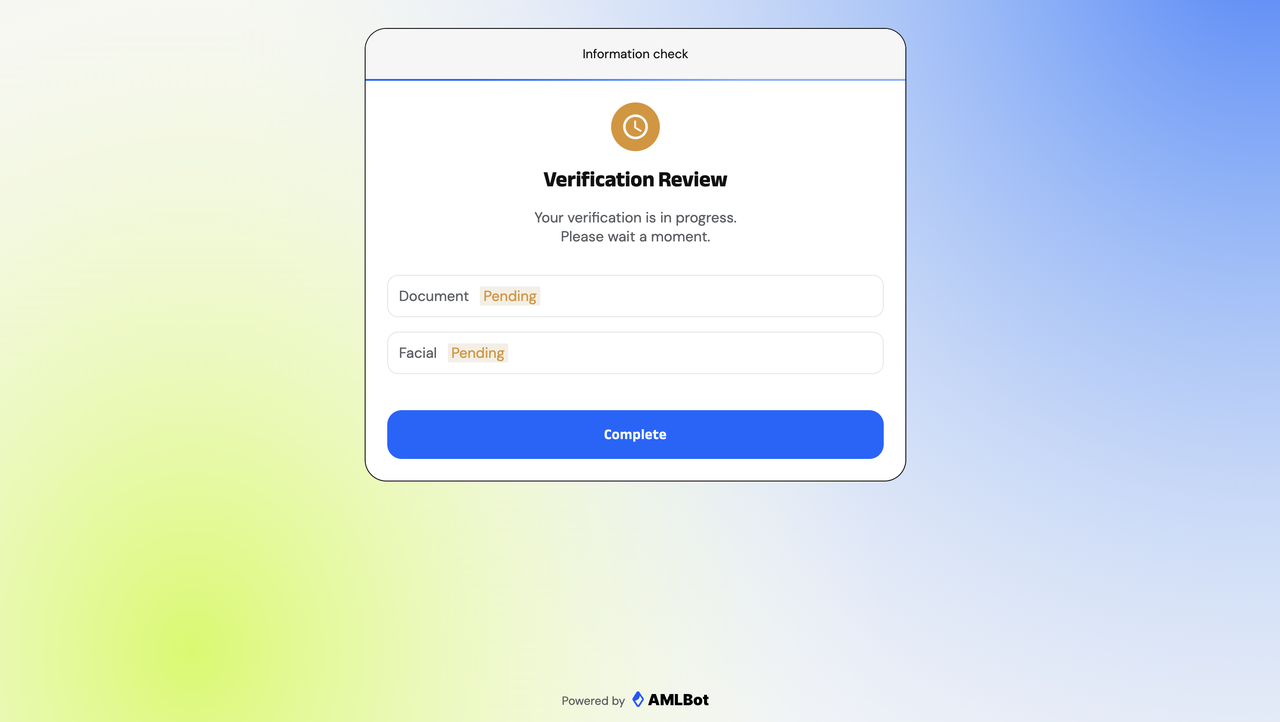
This article walks you through the process of completing identity verification (KYC) on the web.
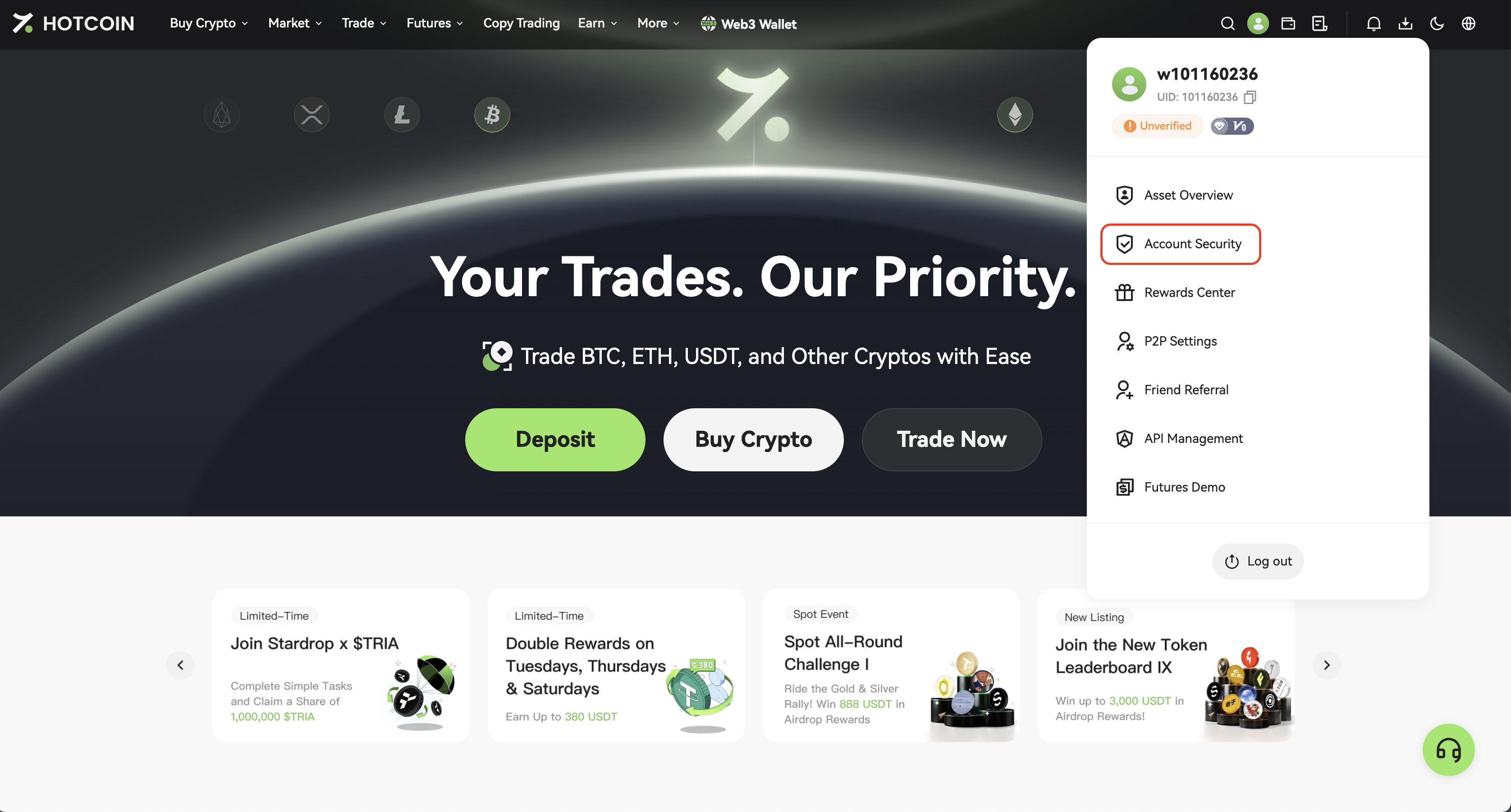
1: Go to Account Security
Log in to your account, click the profile icon in the top right corner and select Account Security.
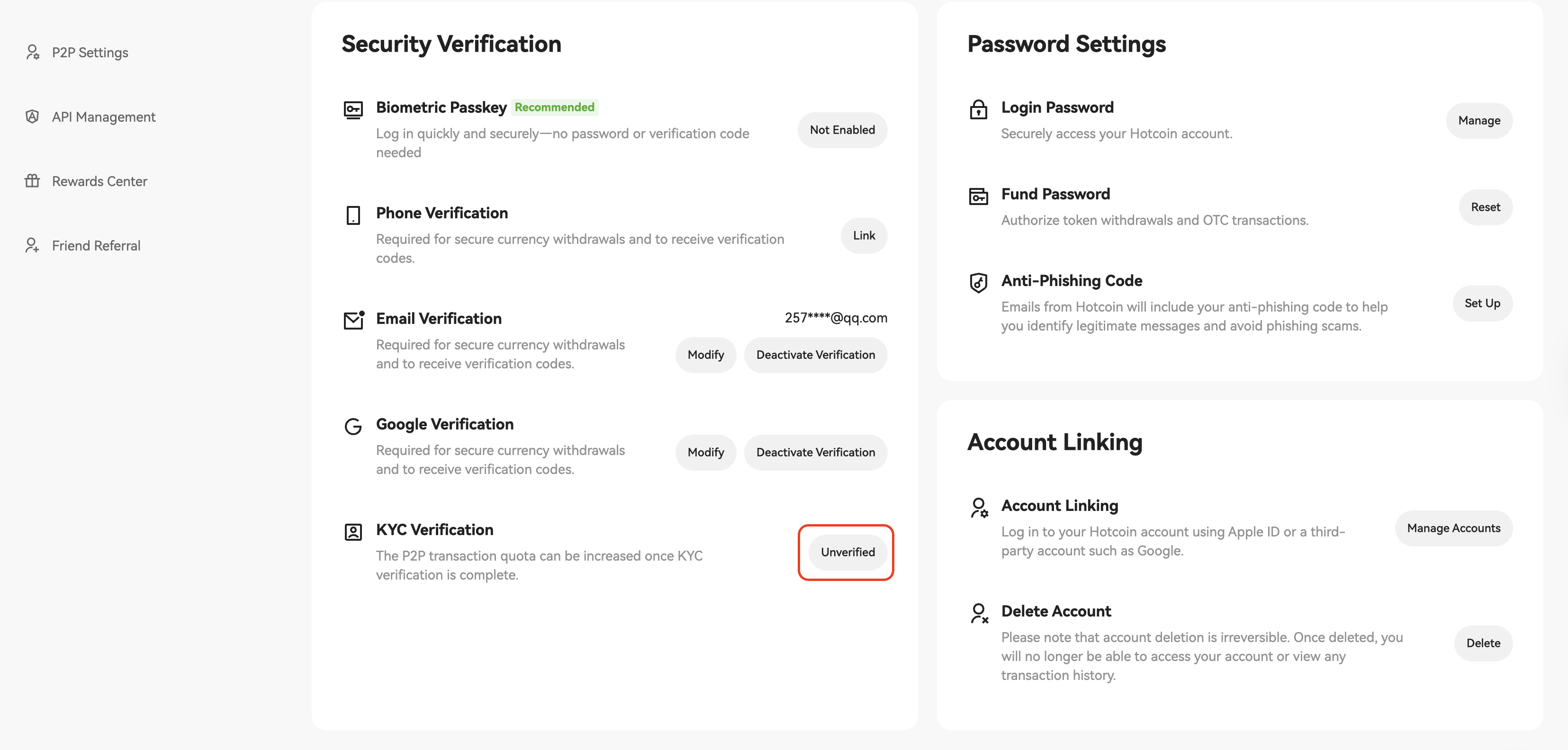
2: Start KYC Verification
On the Account Security page, click Unverified button on the right side of KYC Verification to begin the KYC process.
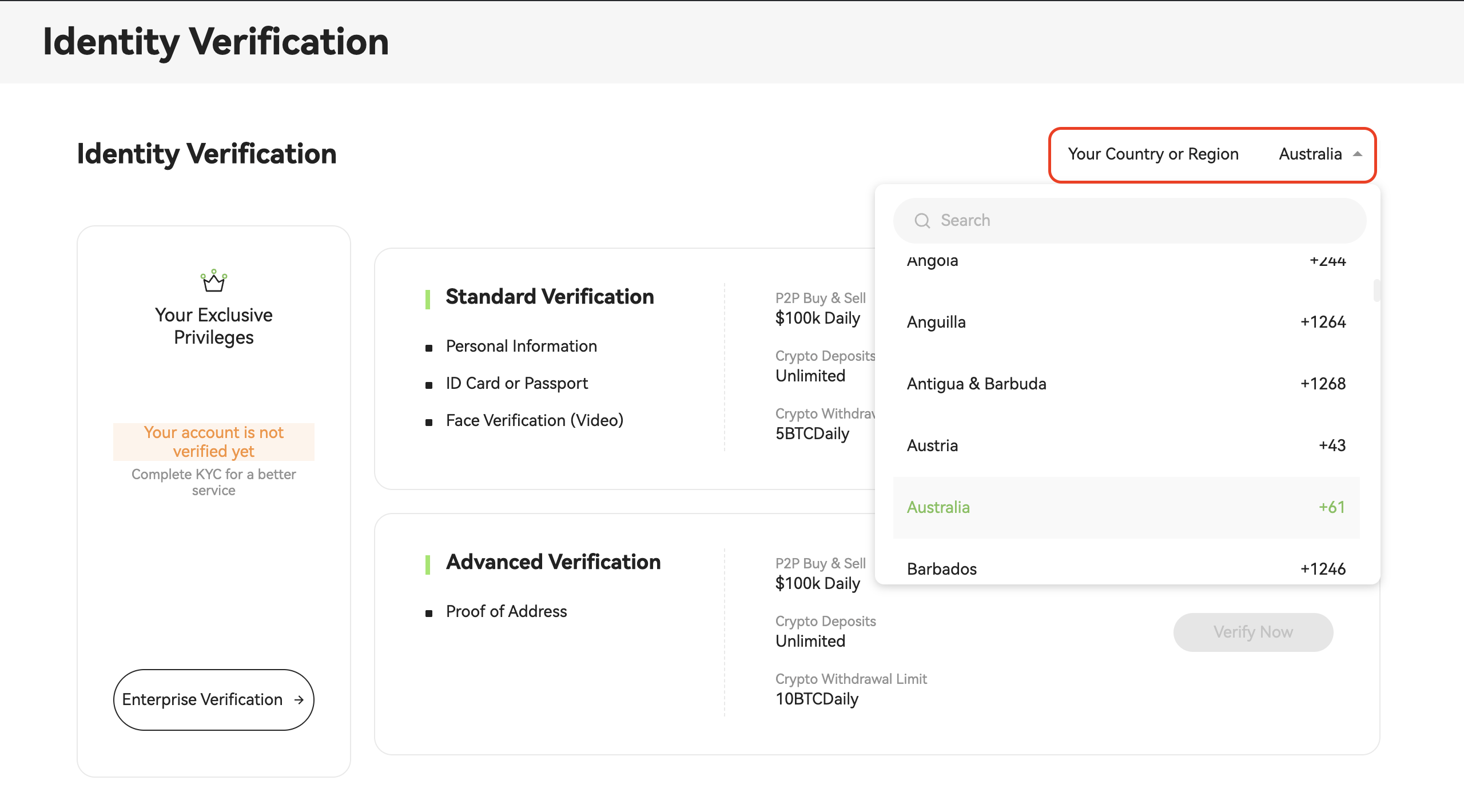
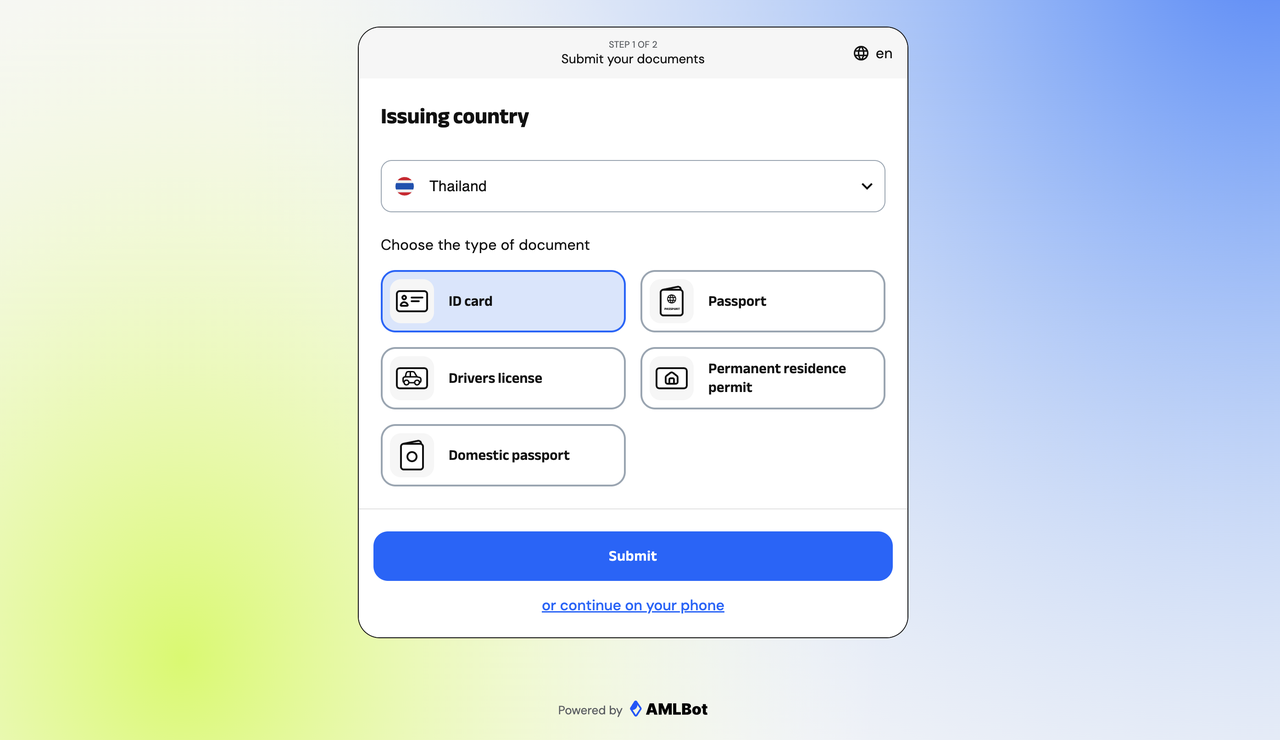
3: Choose Your Country or Region
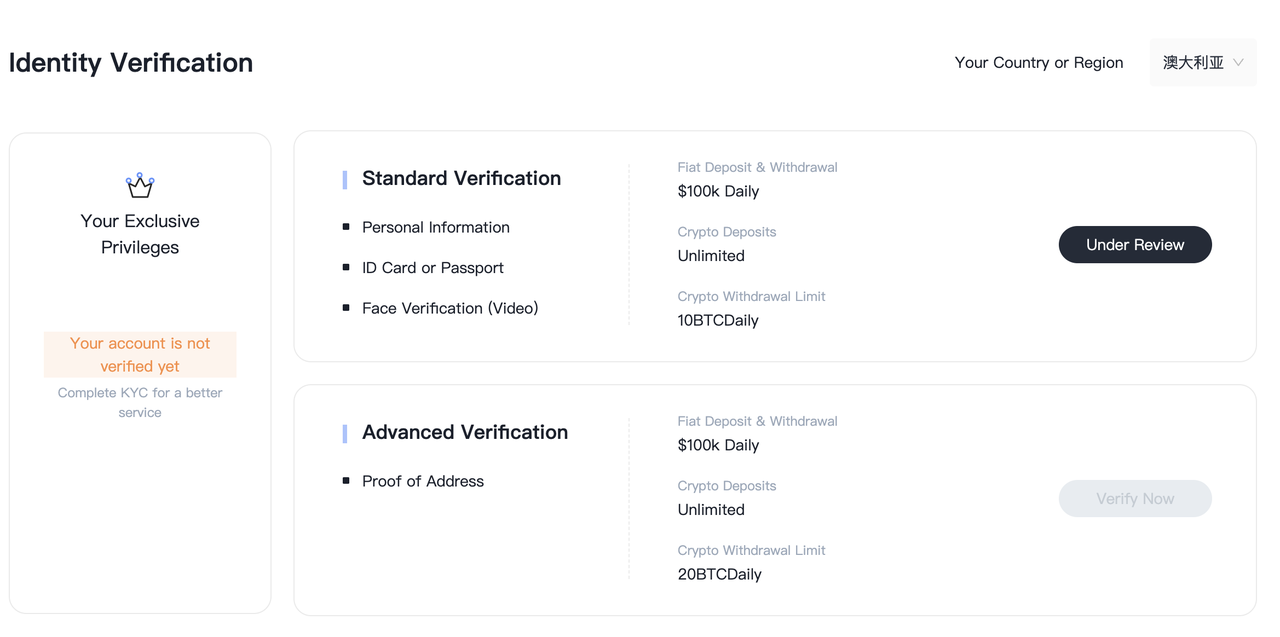
On the identity verification page, click the “Country or Region” dropdown menu and select your country or region.
Please ensure your country/region is selected correctly. The system will automatically show supported document types and withdrawal limits.
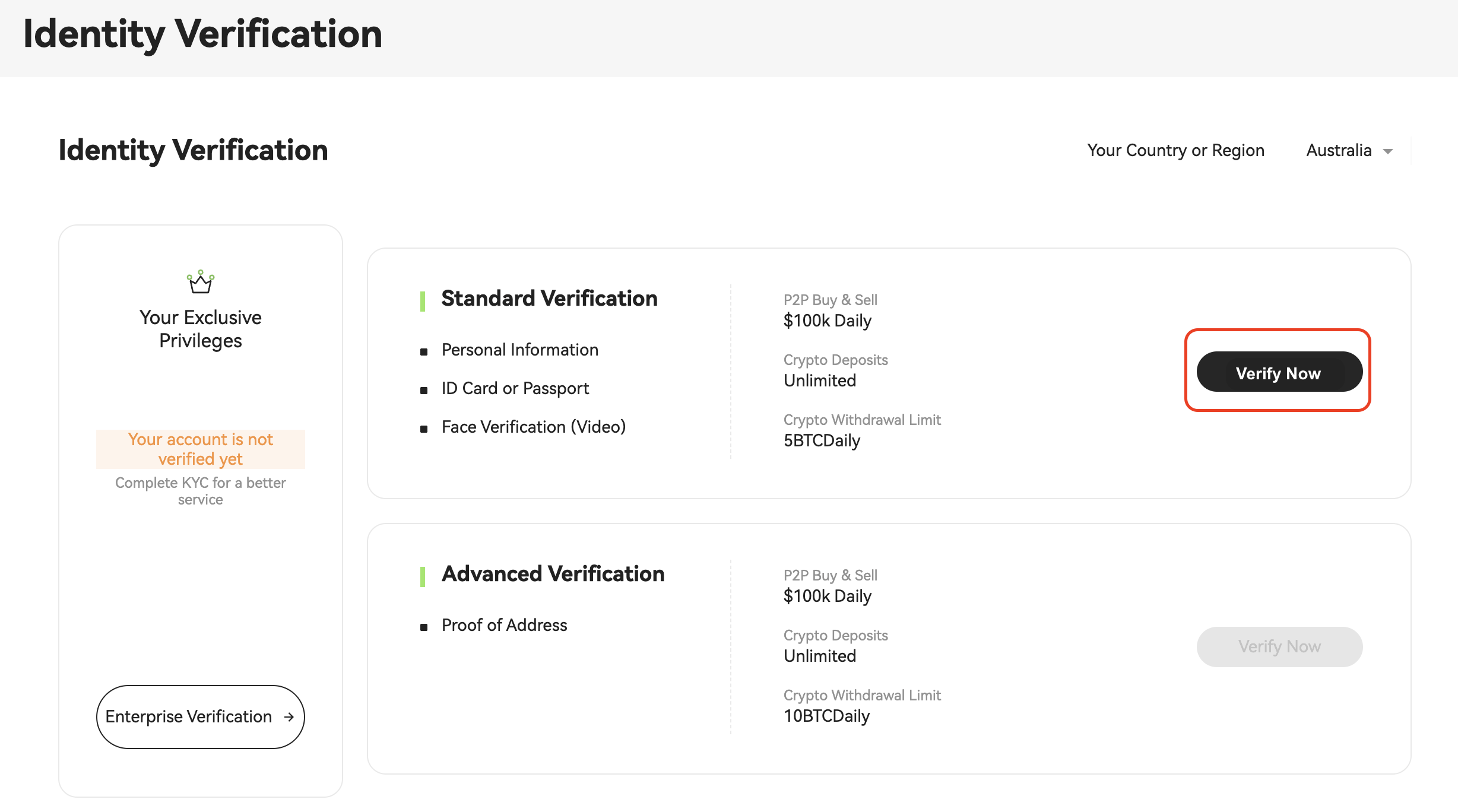
4: Select Document Type and Start Verification
Click “Verify Now” next to “Standard Verification” to begin the verification process.
Verification Type Overview:
- Standard Verification: Requires personal info, ID/passport, and facial recognition. Suitable for most users.
- Advanced Verification: Requires proof of address. Recommended for high-volume traders.
5: Select a Document Type
Please upload one of the following documents depending on your nationality:
- ID Card
- Passport
- Driver's Lisence
- Permanent Residence Permit
- Domestic Passport (for specific regions)
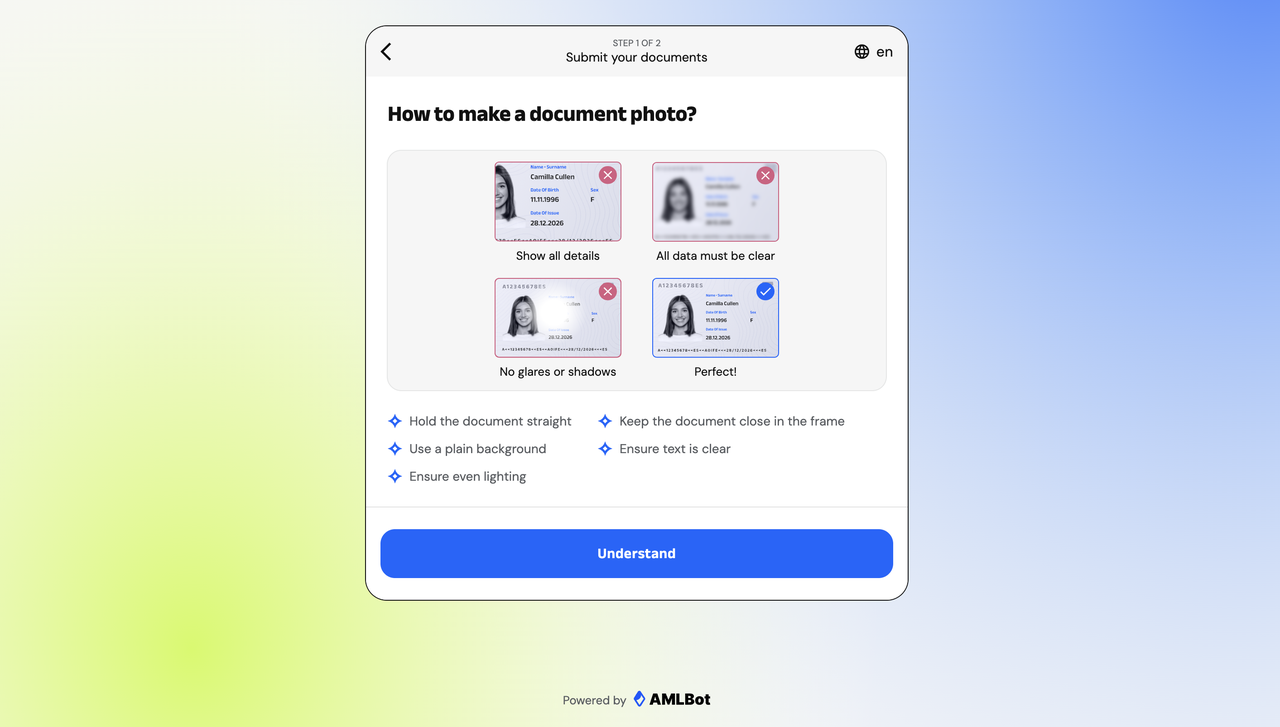
6: Upload Document Photos
Follow the on-screen instructions to capture and upload clear photos of your document. Please ensure that:
- All information is clearly visible
- There is no obstruction or glare
Note: For passports, only the page with personal information is required.
📌 If the system cannot access your camera, please enable camera permissions in your browser settings.
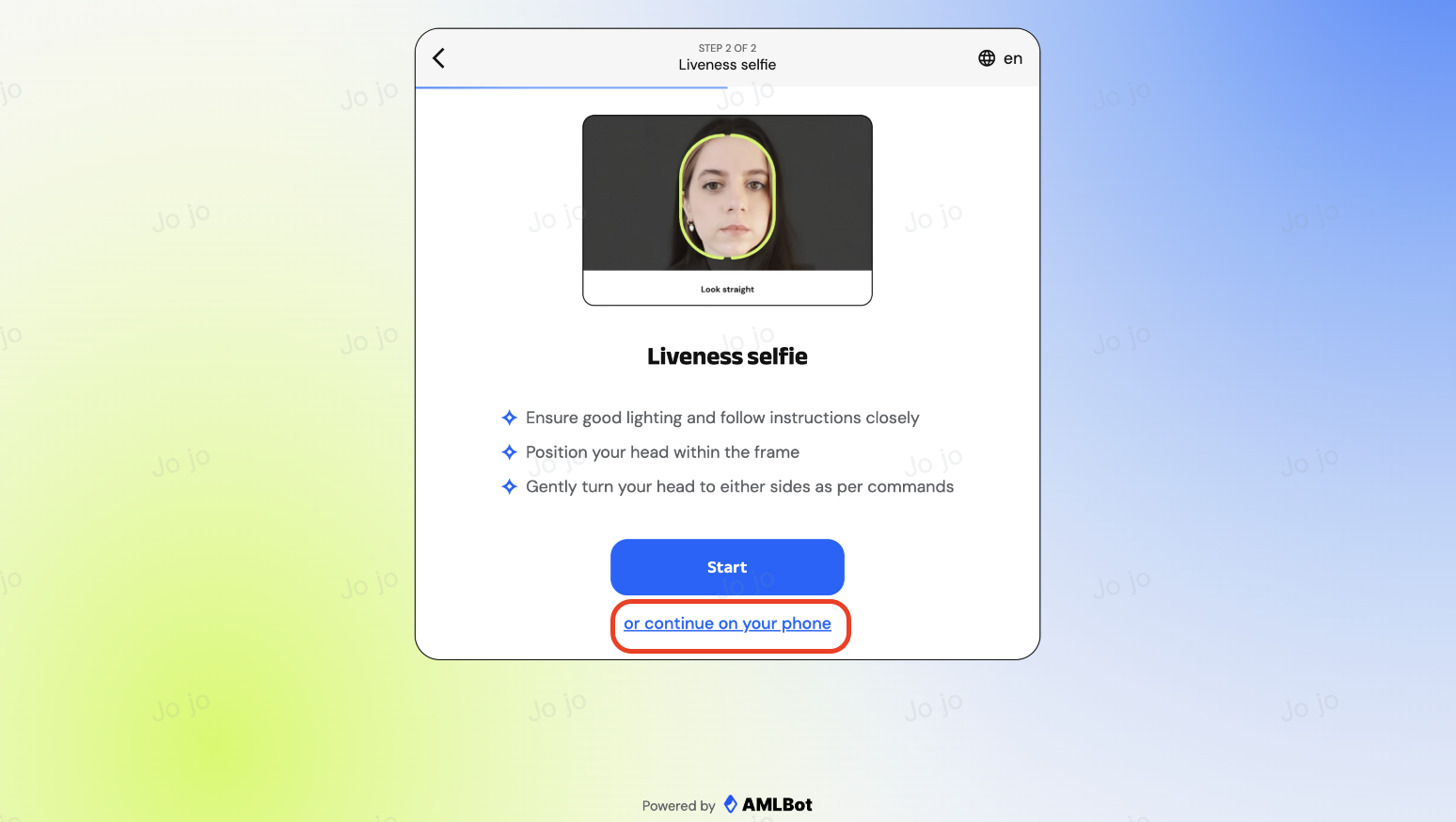
7: Complete Facial Recognition
After uploading your documents, please follow the on-screen instructions to activate your camera and complete facial recognition to verify your identity matches the submitted documents.
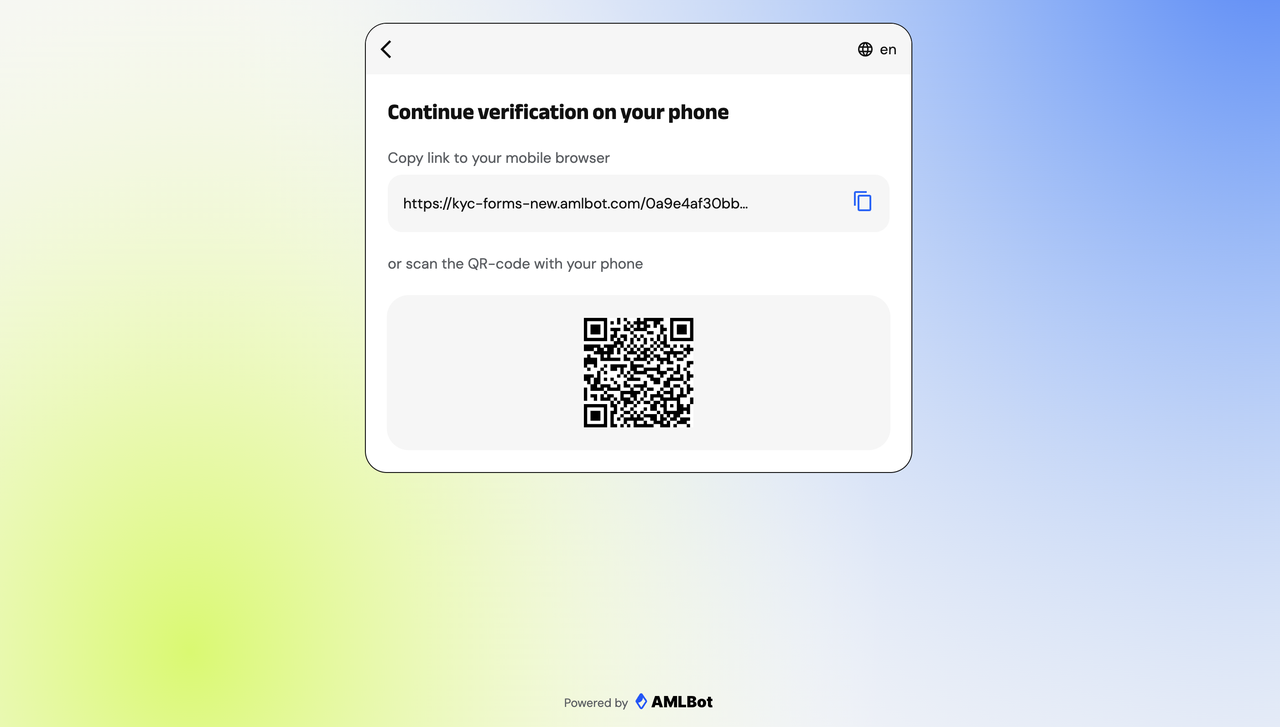
📱 Tip: If you are using a computer, you may also click “Continue on your phone” at the bottom of the page to switch to your phone for facial recognition.
👉 Scan the QR code on the page or copy the link to your mobile browser to continue the KYC verification process.
8: Wait for Review
After submission, the system will automatically begin the review process. Your documents and facial data will be marked as “Pending” or “Under Review.”
Please wait patiently — the results will be displayed on the page.
9: Check the Review Result
Once all steps are completed and your verification is approved, Hotcoin will notify you via email.
🎉 Benefits After Successful Verification
- Fiat deposits/withdrawals: up to USD 100,000 per day
- Digital asset deposits: no limit
- Digital asset withdrawals: up to 5 BTC per day (Complete Advanced Verification to increase the limit to 10 BTC)
💡 Tips
- Please ensure that the uploaded document photos are clear and free from glare or obstructions to improve approval speed and success rate.
- If you encounter any issues during identity verification, please refer to the “KYC Common Issues and Solutions” or contact Hotcoin Customer Support for assistance.