
HOTCOIN Logo
Buy Crypto
Market
Trade
Futures
Copy Trading
Earn
More
World Cup
Web3 Wallet
Service Contacts

Service@hotcoin.com

Product Feedback

Product@hotcoin.com

Business Cooperation

Business@hotcoin.com

Legal Contacts

Casecn@hotcoin.com

Contact us
Service Contacts

Service@hotcoin.com

Product Feedback

Product@hotcoin.com

Business Cooperation

Business@hotcoin.com

Legal Contacts

Casecn@hotcoin.com

About us
Platform Introduction
Announcement Center
System Status
User Agreement
Privacy Policy
Legal Description
Products
Futures
Spot
Copy Trading
Margin
Earn
Trade Crypto via P2P
Buy Crypto with Card
Web3 Wallet
Service
Live Streaming
Hotcoin Elite Picks
Rewards Center
Friend Referral
VIP Benefits
Download
P2P Merchant Application
Support
Hotcoin Academy
Help Center
API Docs
Fee Rate
Crypto Info
Listing Application
Online Service
User Feedback
Official Verification
Trading
BTC USDC
ETH USDC
BTC USDT
ETH USDT
PI USDT
SOL USDT
XRP USDT
©2017-2026
Help Center
/Startup/
Startup Participation Guide
Help Center
/Startup/
Startup Participation Guide

Startup Participation Guide

Hotcoin
Share


You can participate in Startup projects through the Hotcoin website or app. This guide will walk you through the subscription process on both platforms.


I. Participate via Web

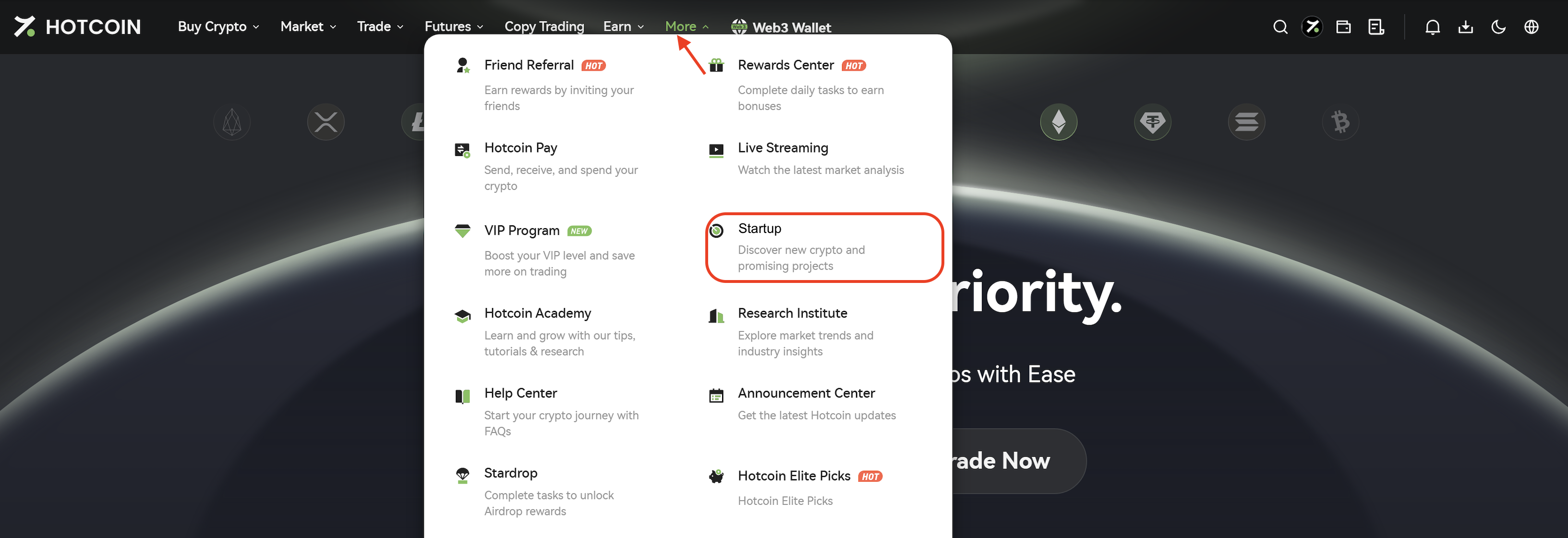
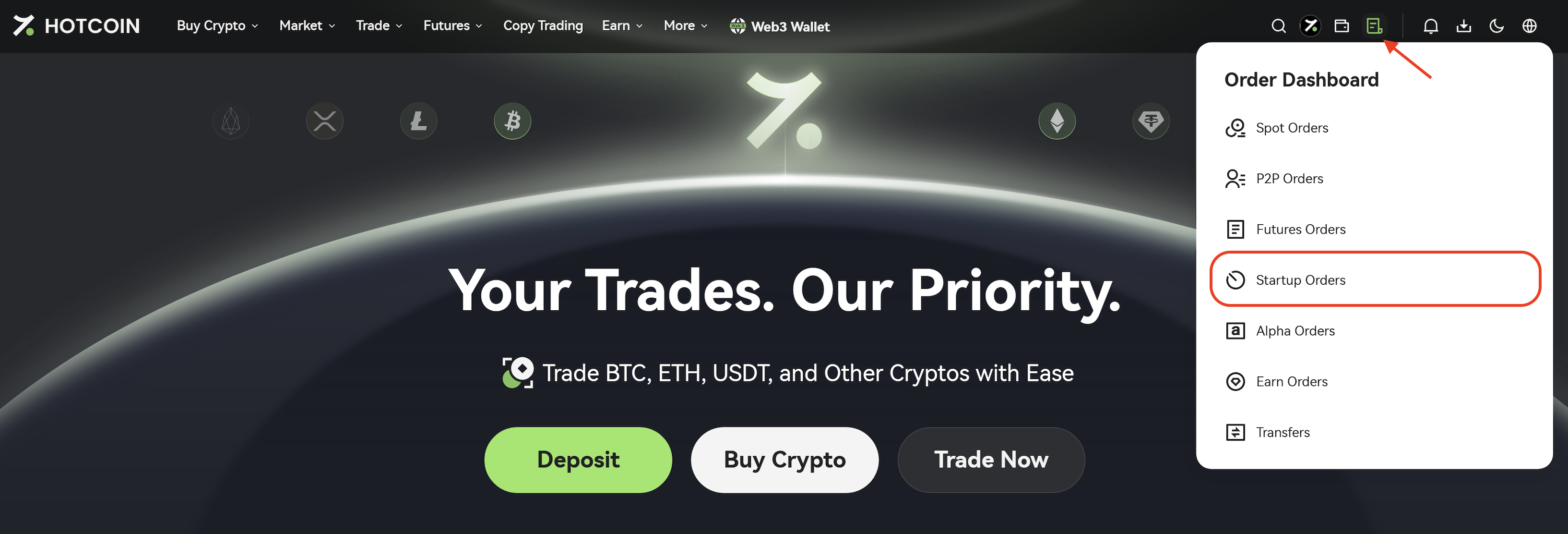
1. Log in to your Hotcoin account and click More → Startup from the top navigation bar to enter the Startup page.


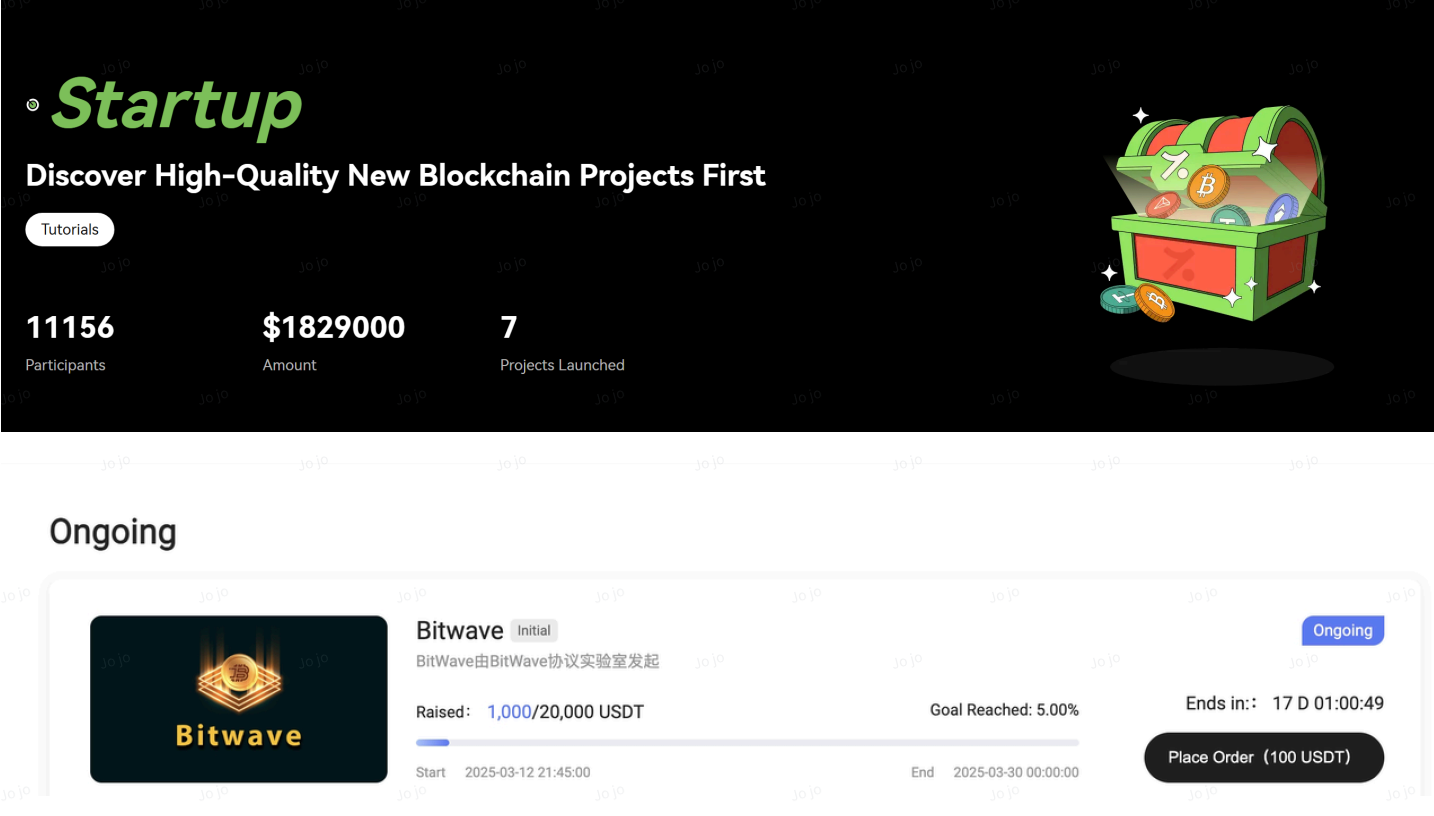
2. In the Ongoing section, select the project you wish to participate in and open its details page.


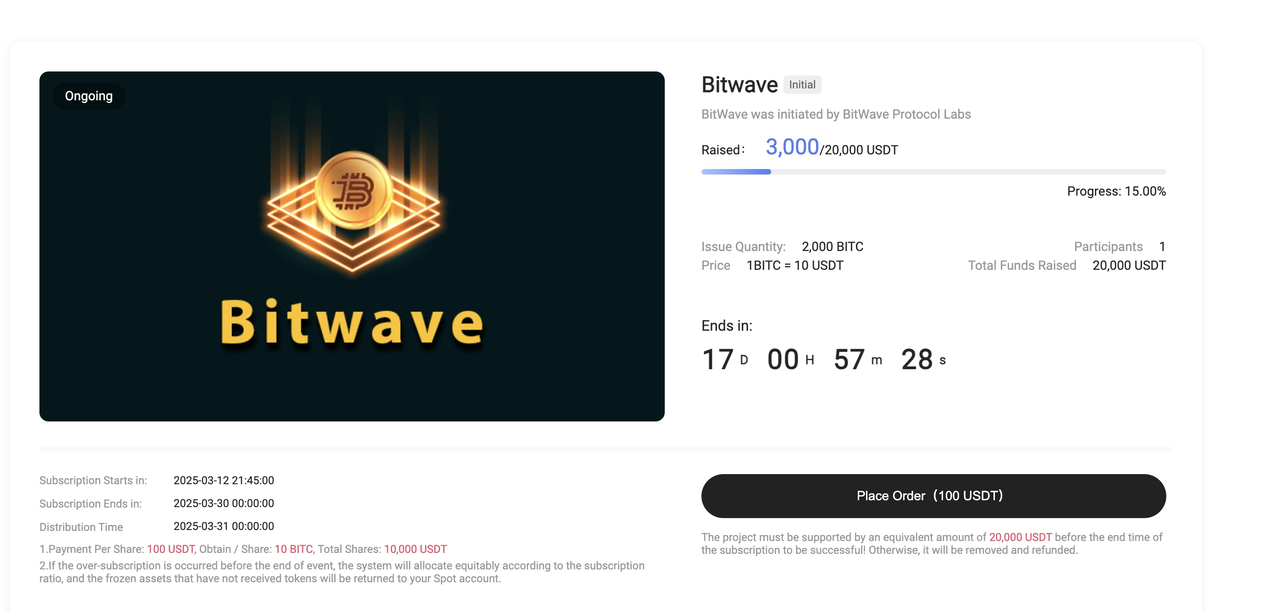
3. Click Place Order.


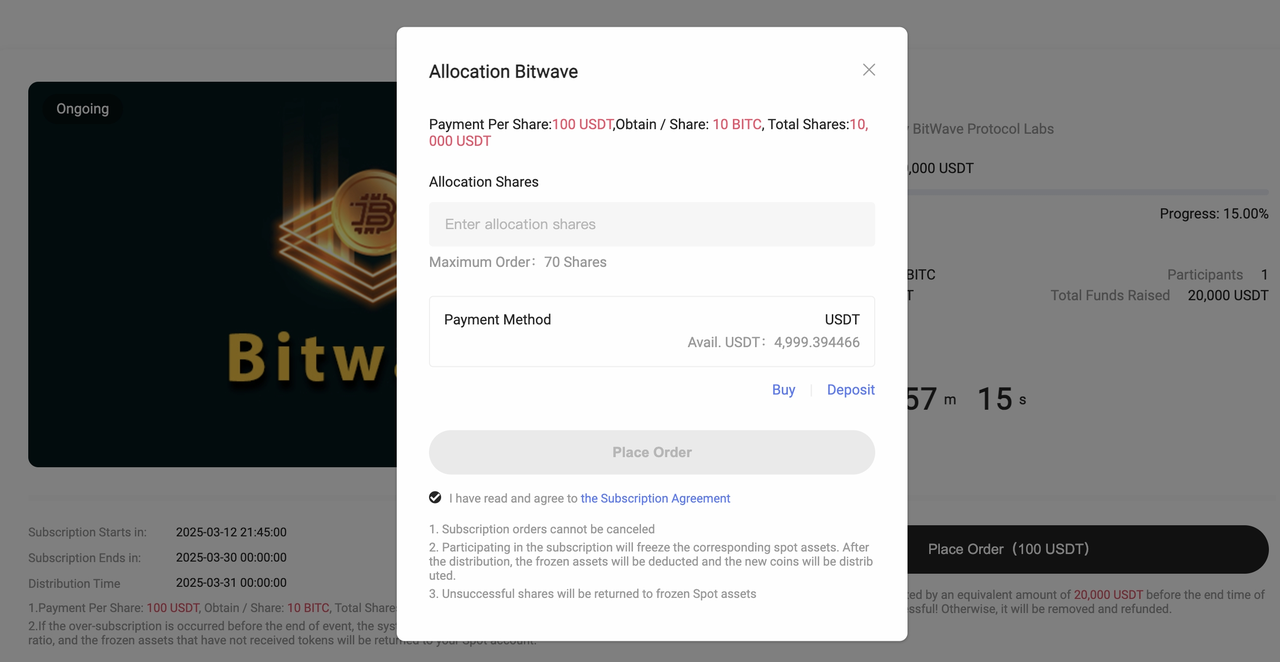
4. Enter the number of shares you wish to subscribe to, then click Place Order.


5. After submitting your subscription, click Orders → Startup in the upper-right corner to view your subscription results and order status. 


II. Participate via App

1. Open the Hotcoin App, tap More, and select Startup.
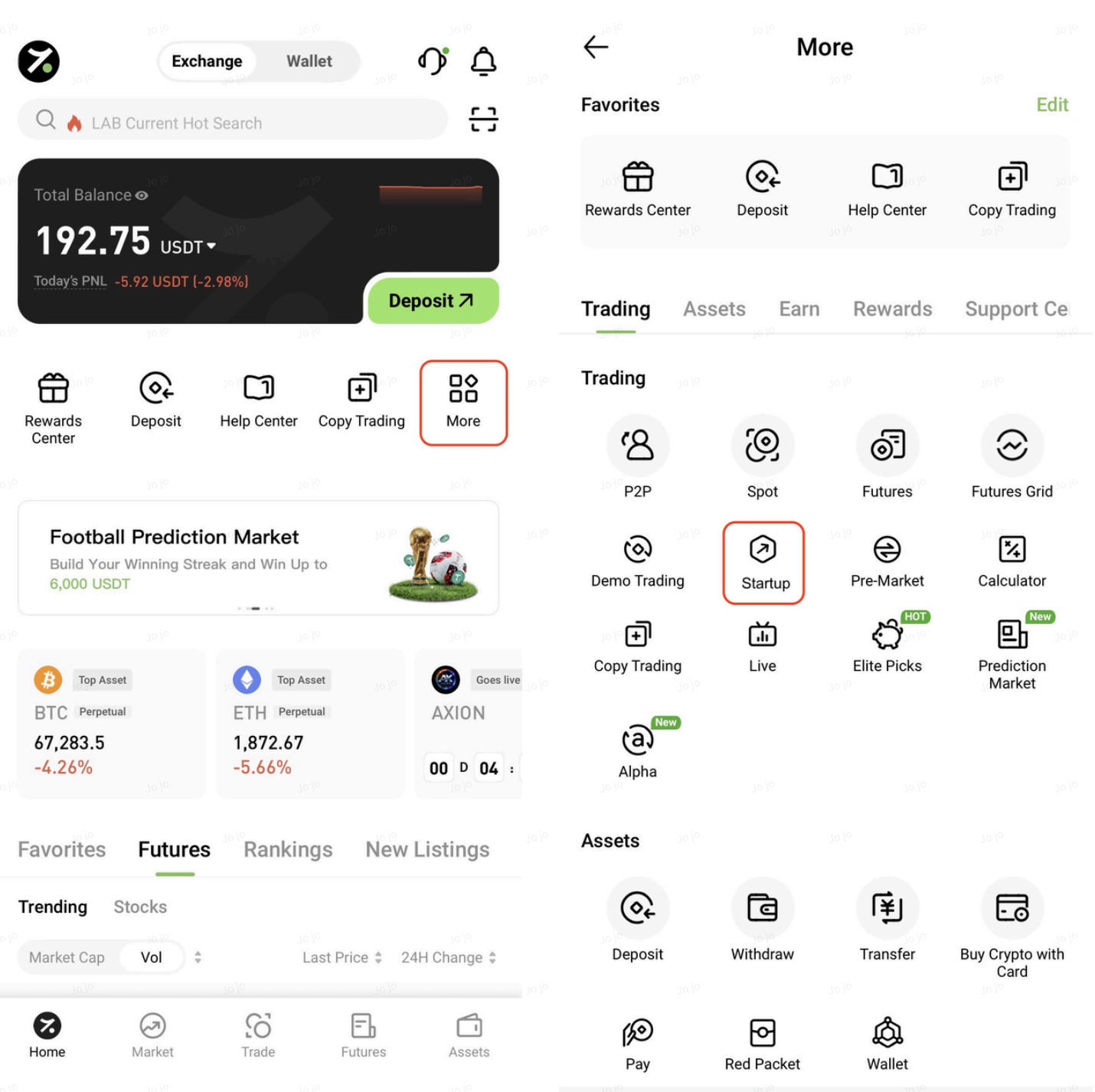


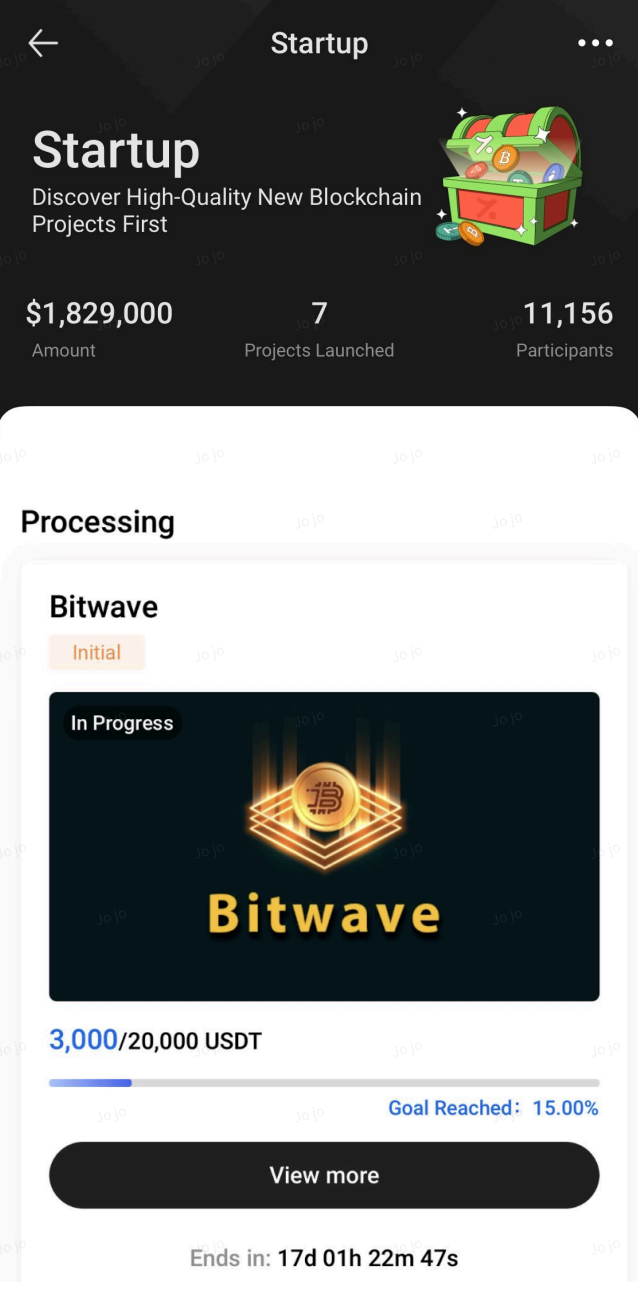
2. In the Processing section, select the project you wish to participate in and open its details page.


3. Tap Place Order.
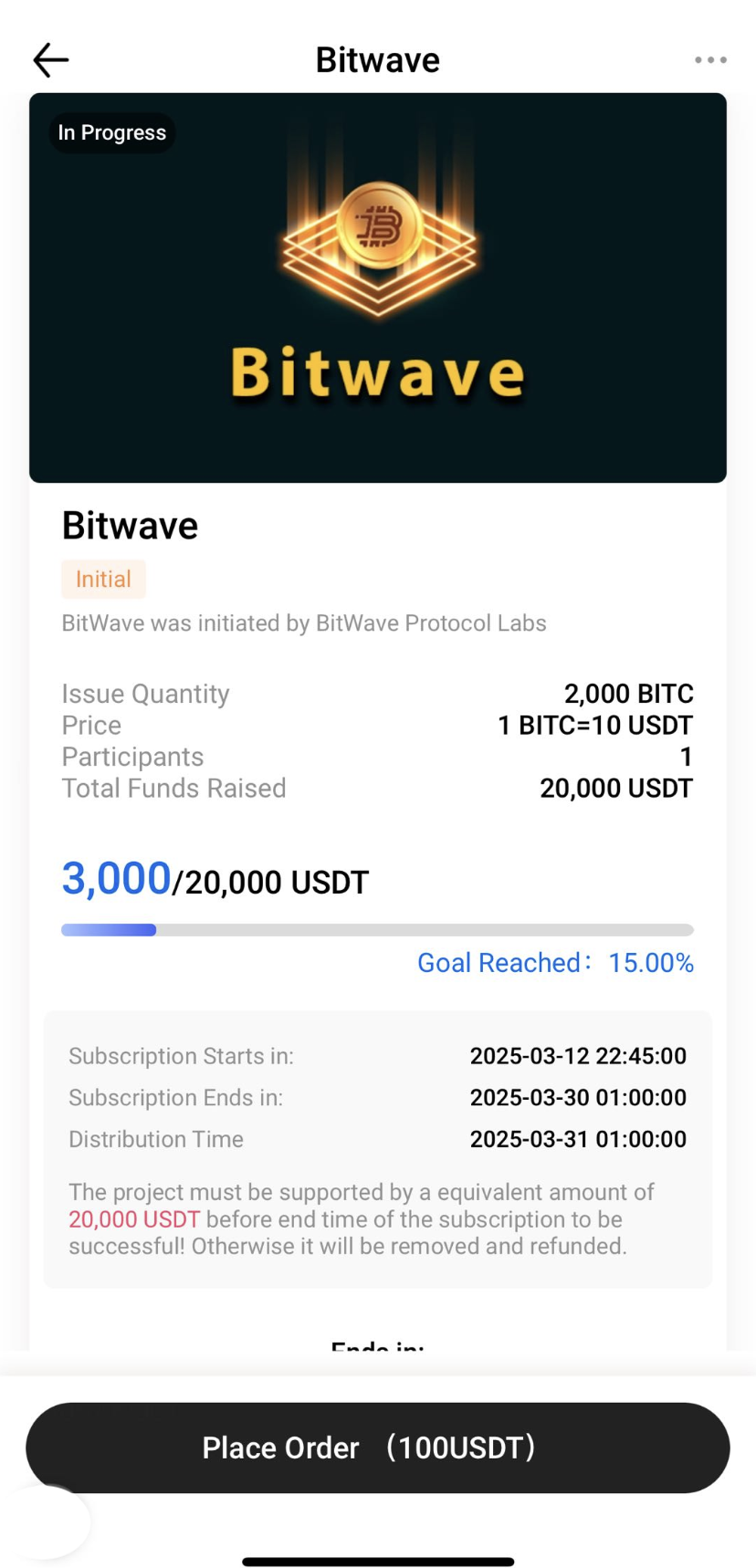


4. Enter the number of shares, then tap Place Order to complete your subscription.
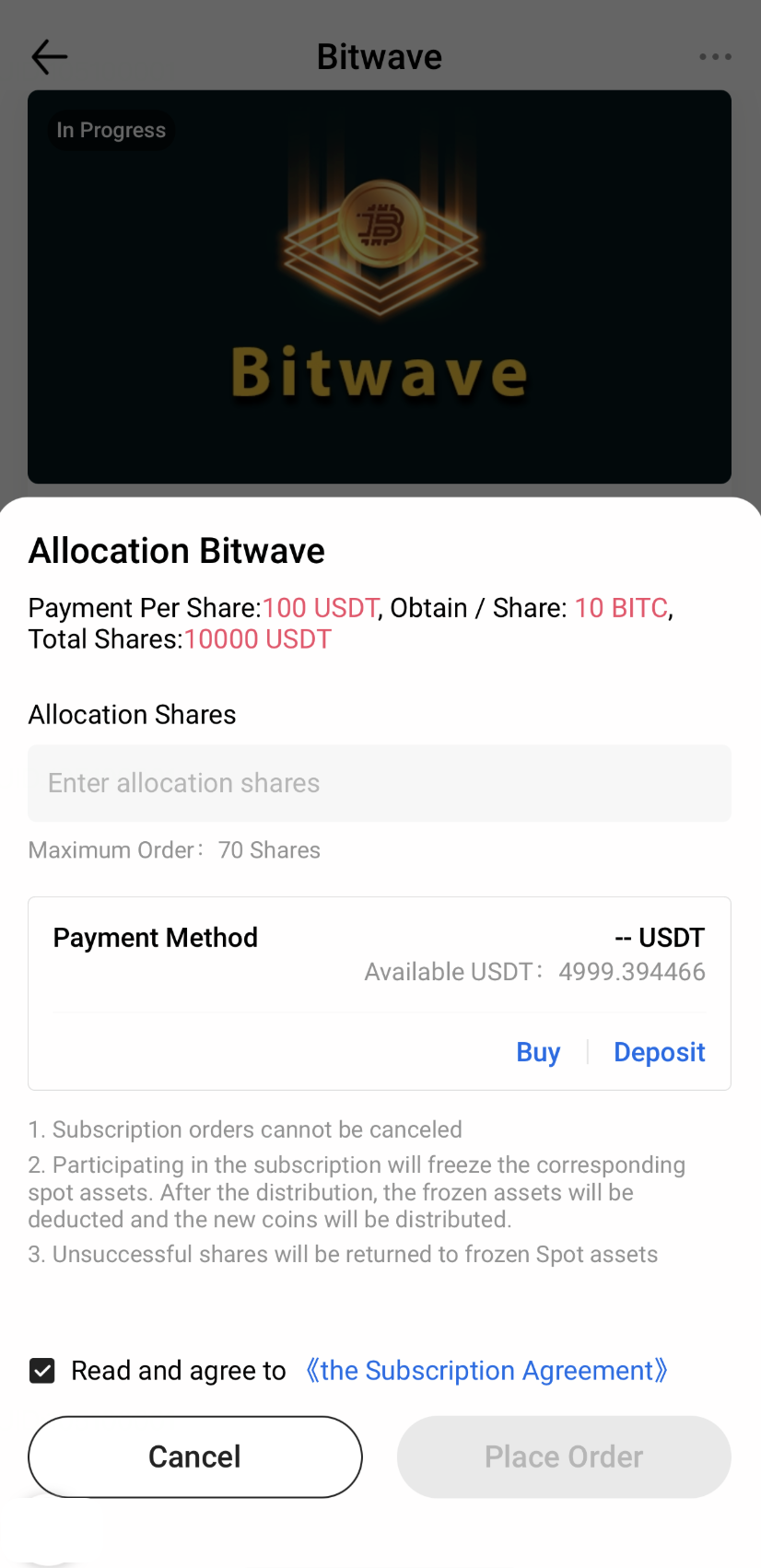


5. After submitting your subscription, tap the 「···」 button in the upper-right corner of the Startup page. Then select Startup Orders from the pop-up menu to view your subscription results and order history.
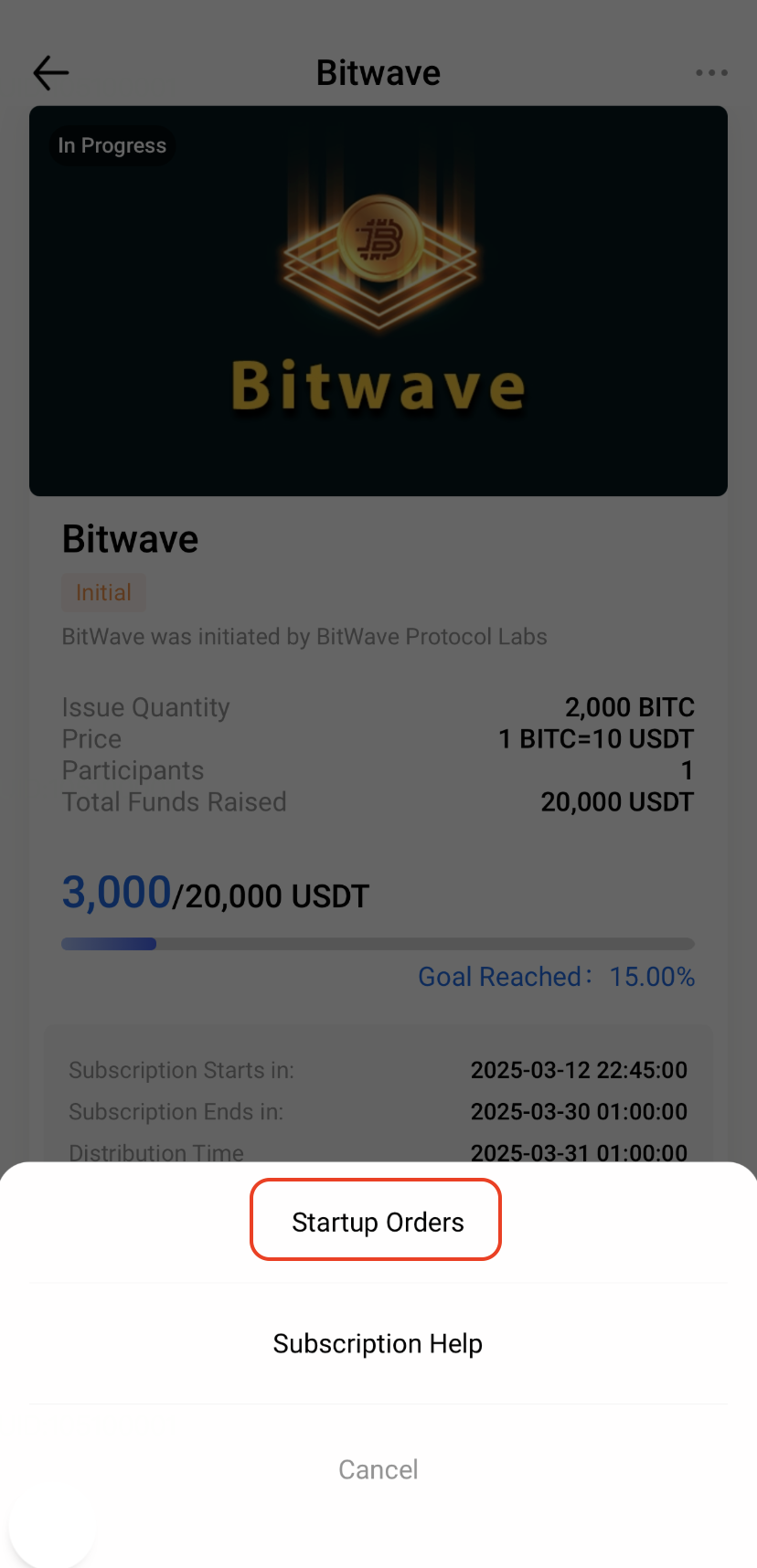


Notes

  • Subscription requirements, rules, and timelines may vary by Startup project. Please refer to the relevant project announcement for details.
  • Startup projects are generally early-stage blockchain projects and may involve risks related to project operations, technology development, market conditions, and applicable laws and regulations. Before participating, please ensure that you fully understand the project and carefully assess the associated risks.

Quick Start Guide
Beginner’s Guide
App Guide
Start Trading
Rewards Center
Account Security & KYC
Security Settings
KYC Verification
Deposit & Withdrawal
Deposit
Withdrawal
P2P
P2P Trading Guide
P2P Merchant Management
P2P Rules & Agreements
Friend Referral
Spot Trading
Spot Trading
Pre-market trading
Derivatives
Prediction Market
Futures Grid
Futures Trading
Getting Started
Contract Type
Trading Mechanics
Risk Management
FAQ
Copy Trading
Getting Started
Follower Guide
Lead Trader Guide
Terms of Service
Web3 Wallet
Getting Started
Trading
Hotcoin Earn
Alpha
Startup
Platform Support
Agreements & Rules