HOTCOIN Logo
Comprar Crypto
Mercados
Comercio
Futuros
finanzas
Prima
Más
Billetera Web3
Soporte al Cliente

service(at)hotcoin.com

Comentarios sobre el producto

product(at)hotcoin.com

Cooperación empresarial

business(at)hotcoin.com

Fuerzas del orden

casecn(at)hotcoin.com

Contáctenos
Soporte al Cliente

service(at)hotcoin.com

Comentarios sobre el producto

product(at)hotcoin.com

Cooperación empresarial

business(at)hotcoin.com

Fuerzas del orden

casecn(at)hotcoin.com

Sobre nosotros
Sobre nosotros
Centro de anuncios
Academia de Hotcoin
Blog de Hotcoin
Prueba de Reservas
Estado del sistema
Kit de Prensa
Acuerdo de usuario
Activos Privados
Descripción Legal
Productos
Futuro
Al contado
Comercio TradFi
Copy Trading
Ganar
C2C comprar criptografía
Comprar con tarjeta
Billetera Web3
Servir
Hotcoin Live
Hotcoin Elite Picks
Centro Bonus
Invitación de amigo
Beneficios VIP
Descargar
Programa de Comerciante C2C
soporte
Centro de Ayuda
Archivo API
Comisiones
Solicitud de listado
Servicio en línea
Comentarios y sugerencias
Verificación de Hotcoin
Fondo de Protección de Hotcoin
Divulgación de Riesgos
Regiones de Servicio
Comercio
Información criptográfica
BTC USDC
ETH USDC
BTC USDT
ETH USDT
PI USDT
SOL USDT
XRP USDT
© 2017-2026 Australian Hotcoin Global Exchange Pty Ltd
Centro de Ayuda
/TradFi/
How to Trade TradFi on Hotcoin
Centro de Ayuda
/TradFi/
How to Trade TradFi on Hotcoin

How to Trade TradFi on Hotcoin

Hotcoin
Compartir

 
Getting started with TradFi on Hotcoin is easy. This guide walks you through how to access TradFi on the Hotcoin App and Web, find the product you want to trade, and start trading.


I. Access TradFi on the Hotcoin App

 
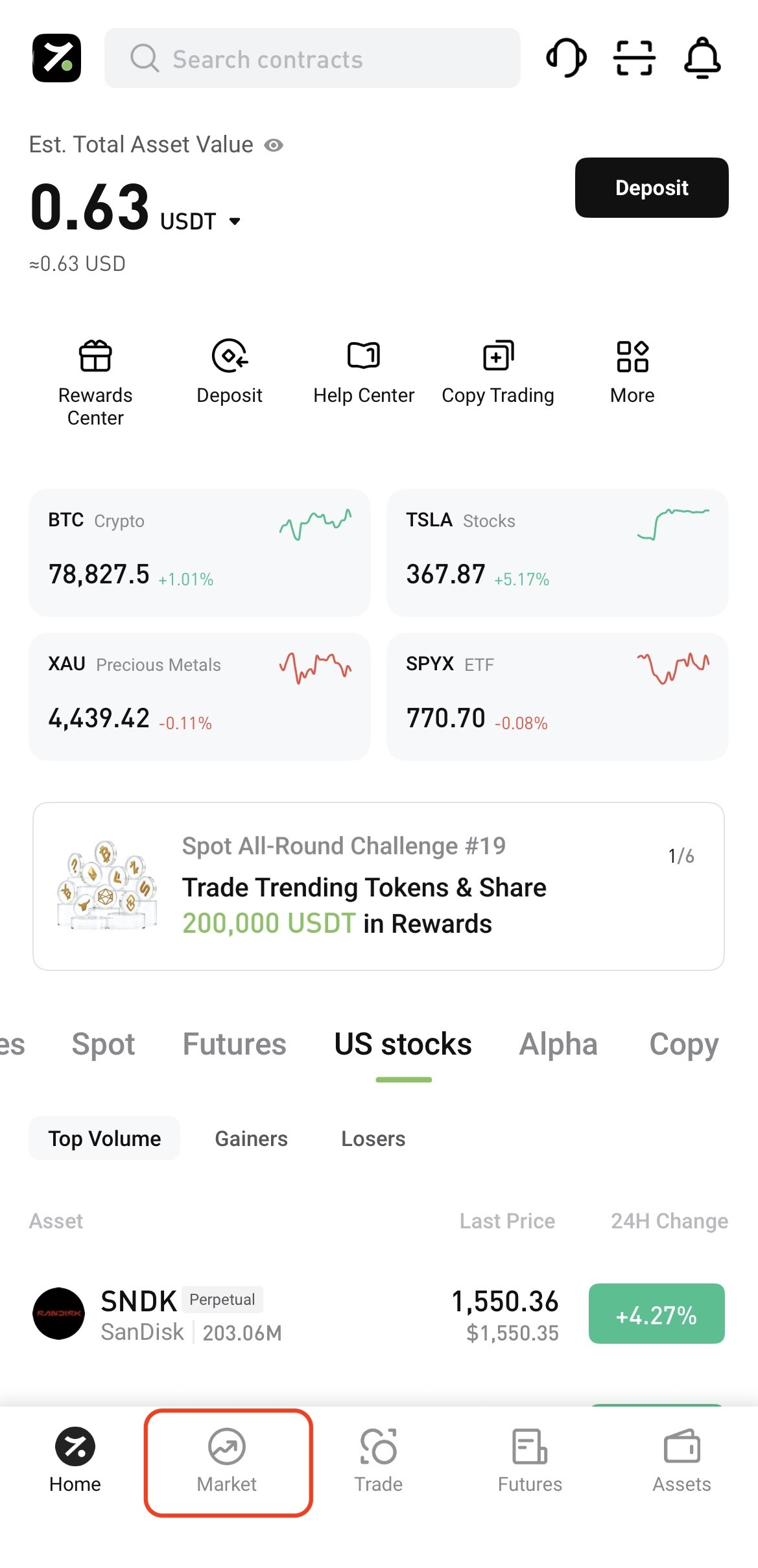
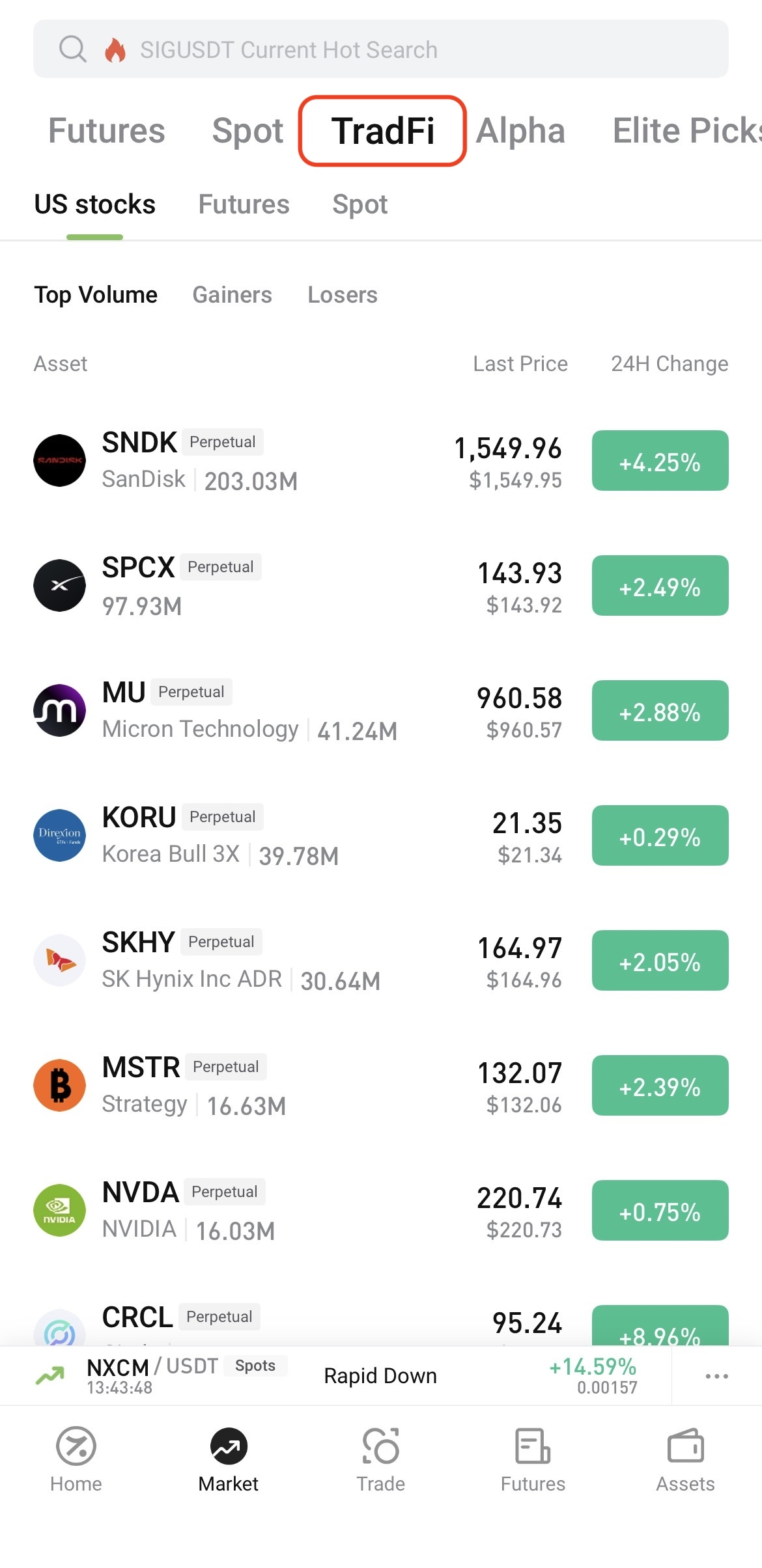
Log in to the Hotcoin App and tap Market at the bottom of the screen. On the Market page, tap TradFi at the top, then select U.S. Stocks, Futures, or Spot.


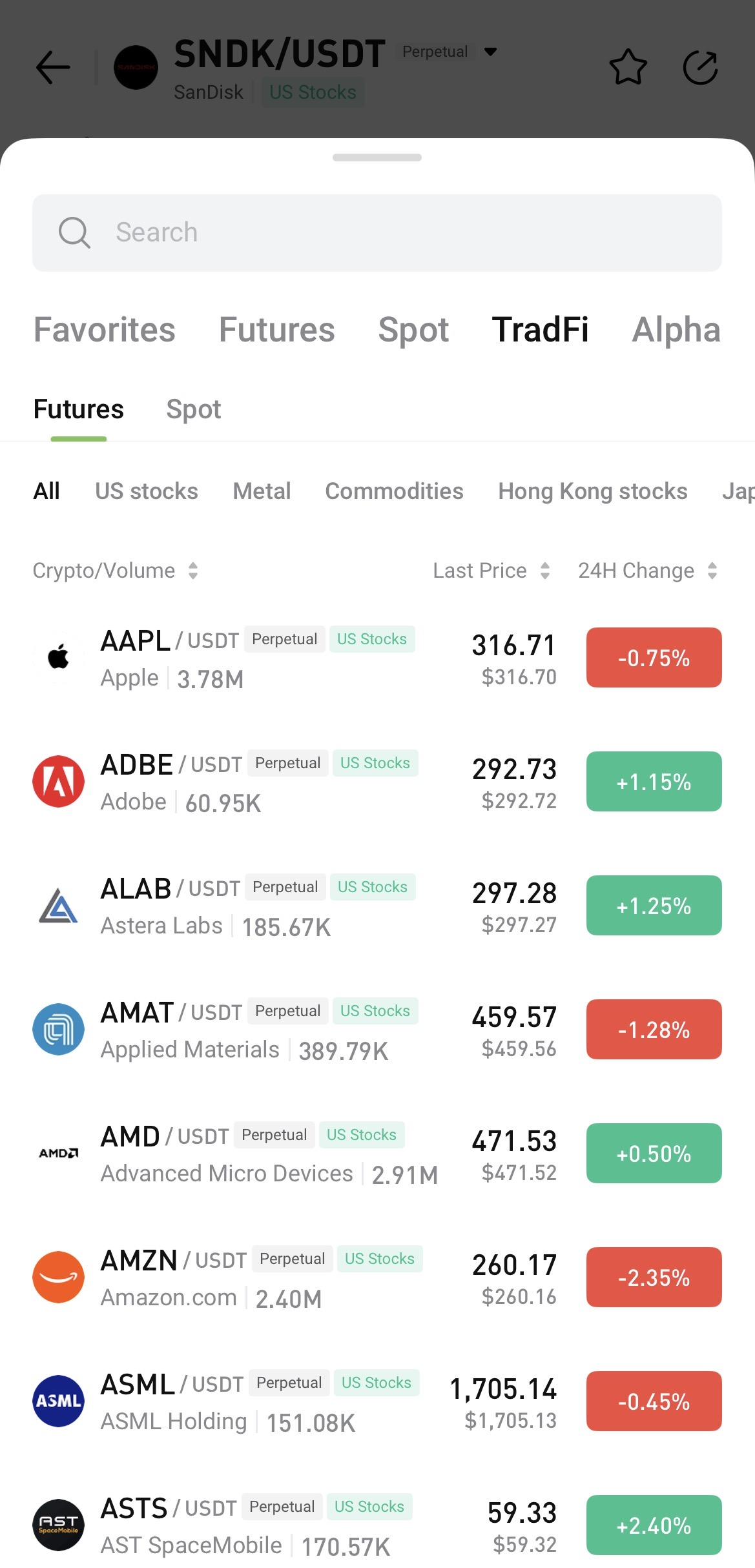
To search, open any trading page, tap the asset name, and enter the name or symbol you want to find.


II. Access TradFi on Hotcoin Web

 
After logging in to Hotcoin Web, you can access TradFi in the following ways:
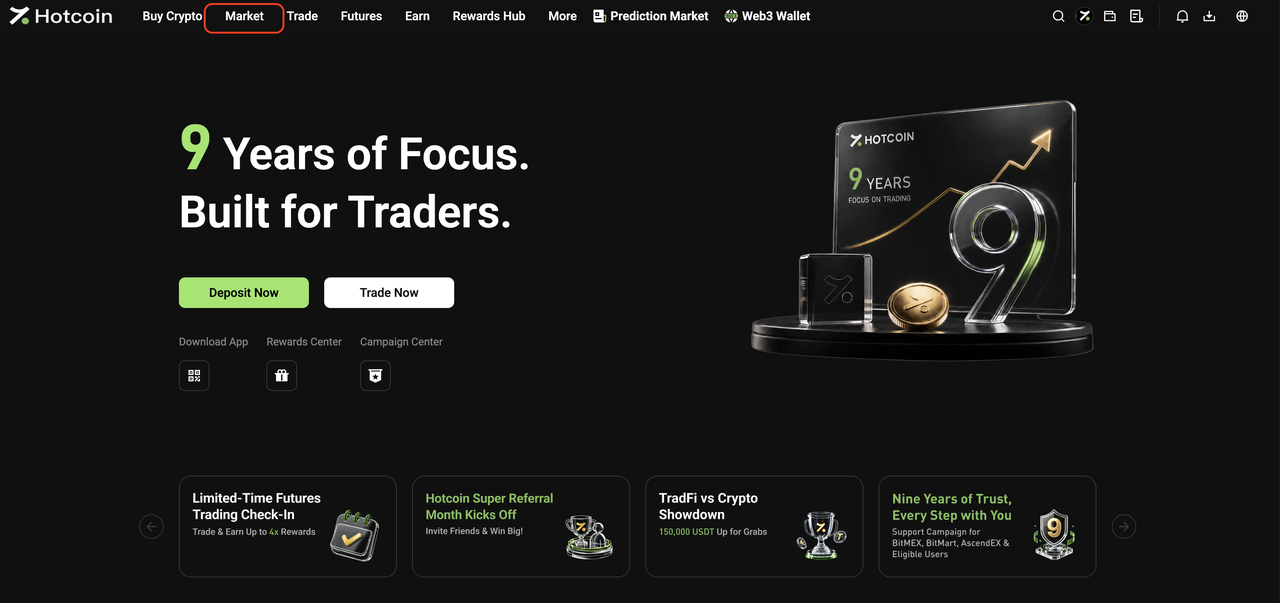
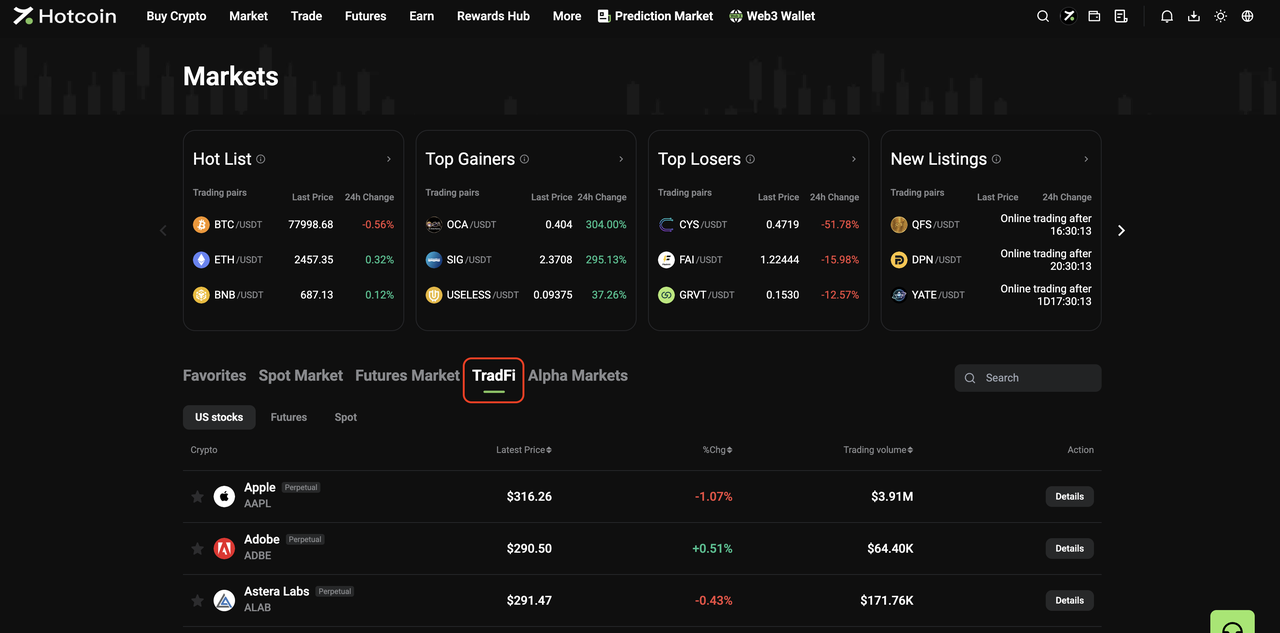
  • From the Market page: Click Market in the top navigation bar, then click TradFi on the Market page. Select U.S. Stocks, Futures, or Spot and choose an asset from the list, or use the search function to find one directly.


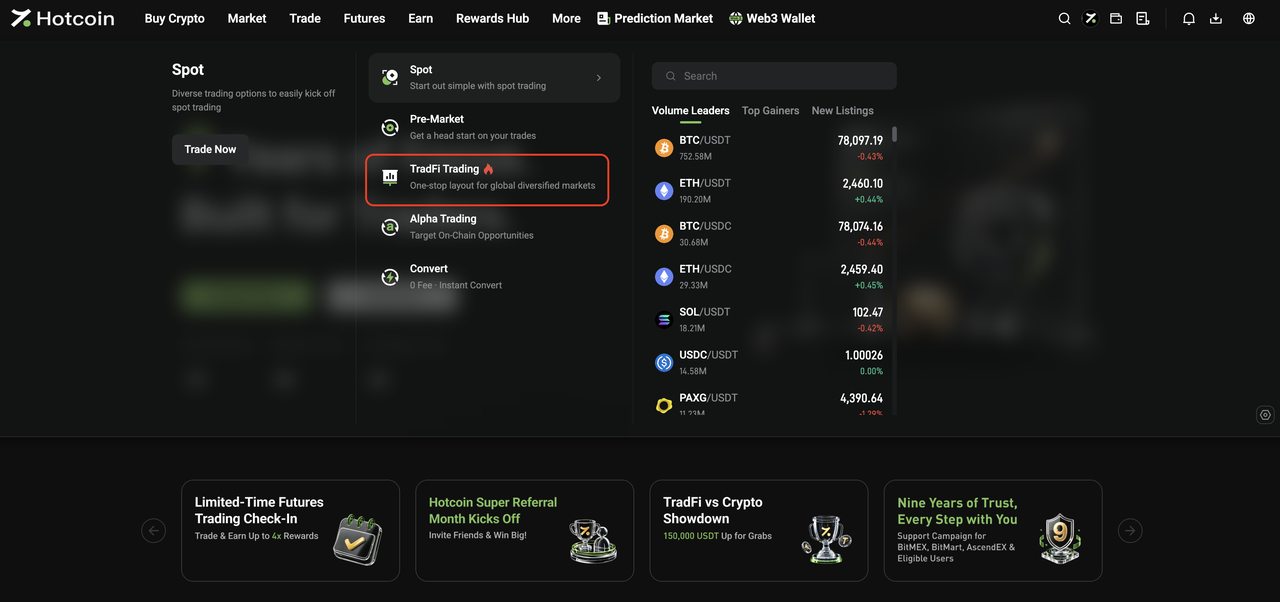
  • From the Trade menu: Open the Trade drop-down menu in the top navigation bar and click TradFi Trading to go to the TradFi Spot trading page.


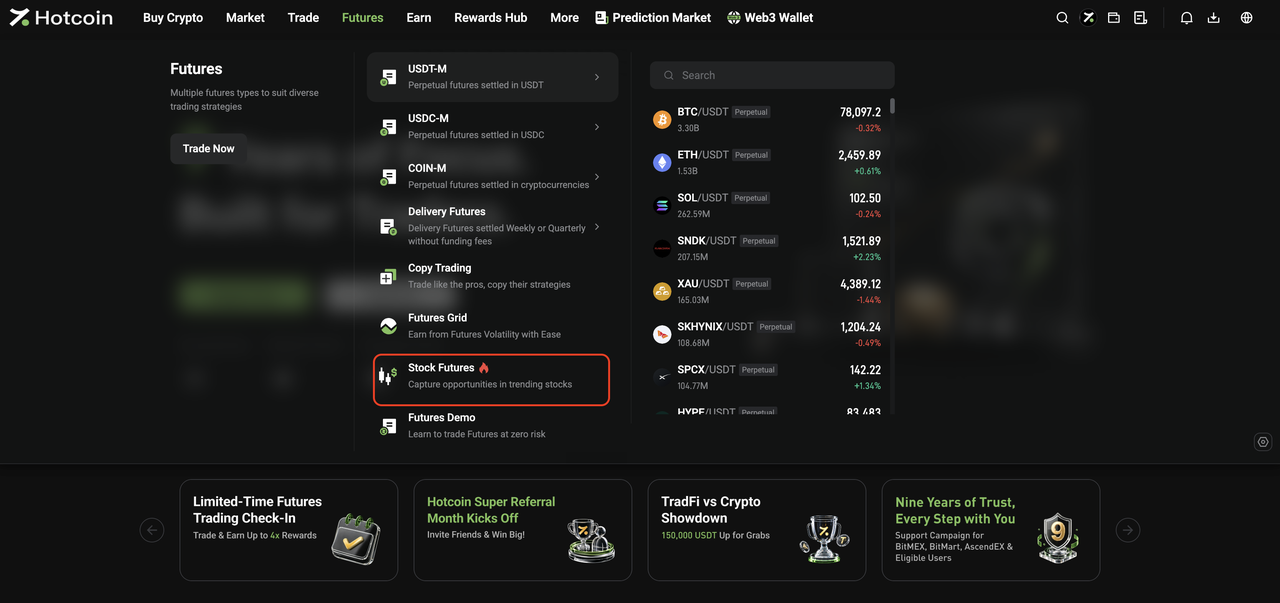
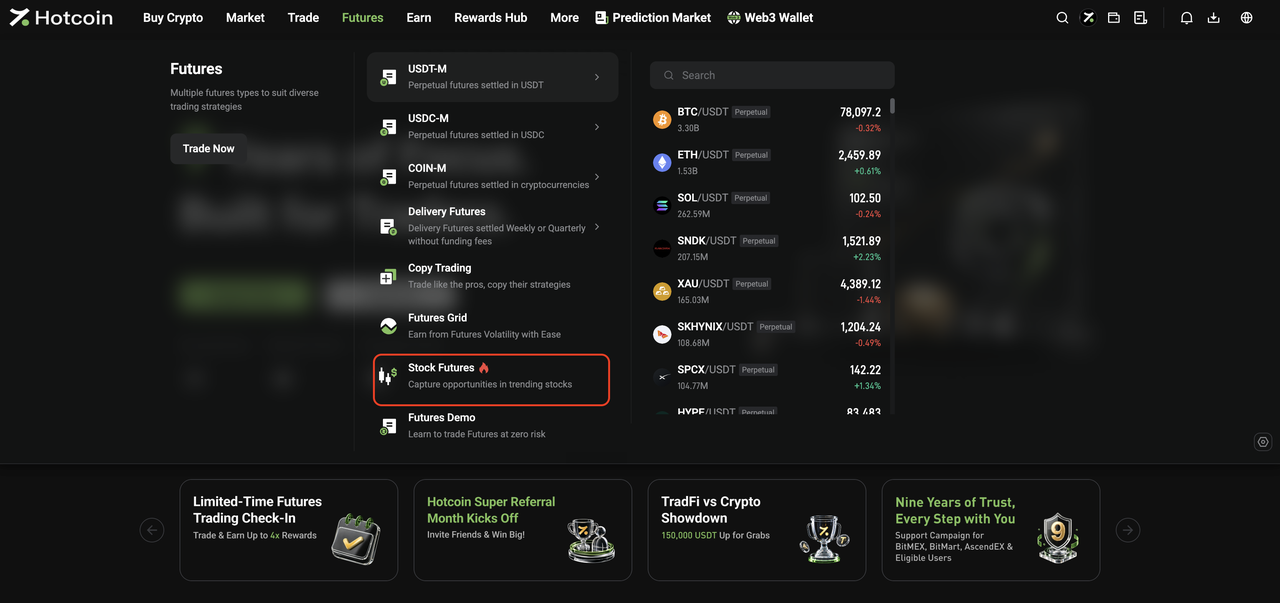
  • From the Futures menu: Open the Futures drop-down menu in the top navigation bar and click Stock Futures to go to the TradFi Futures trading page.


III. Start Trading TradFi

 
The basic trading flow for Hotcoin TradFi Spot and Futures is the same as for standard Spot and Futures trading on Hotcoin.
Once you enter the relevant trading page, you can place orders as you normally would.
 
For step-by-step instructions, see:
  • How to Trade Spot on Hotcoin (App)
  • How to Trade Spot on Hotcoin (Web)
  • How to Trade Futures
 
 
Risk Warning: TradFi trading involves market risk, and asset prices may fluctuate significantly. Before trading, make sure you understand the relevant product rules and risks, and trade cautiously based on your risk tolerance.


Related Articles

 
What Is Hotcoin TradFi?
TradFi FAQ

Depósito y retiro
Deposit
Withdrawal
comprar criptomoneda
P2P FAQ
Gestión de comerciantes
reglas de protocolo
Comercio al contado y con margen
Comercio al contado
comercio de futuros
Contract Grid
Contract documentary
Getting Started
Follower Guide
Lead Trader Guide
Finanzas de monedas calientes
Otros temas (relacionados con el protocolo)
NFT