
Customer Support
service@hotcoinex.io
Product Feedback
Product@hotcoin.com
Business Inquiries
Business@hotcoin.com
Law Enforcement
Casecn@hotcoin.com
About
Products
Services
©2017-2026
service@hotcoinex.io
Product@hotcoin.com
Business@hotcoin.com
Casecn@hotcoin.com
Before you start trading futures, transfer funds to your Futures Account first. Once the transfer is complete, you can start trading.
The following guide uses Perpetual Futures as an example to walk you through the basic futures trading process.
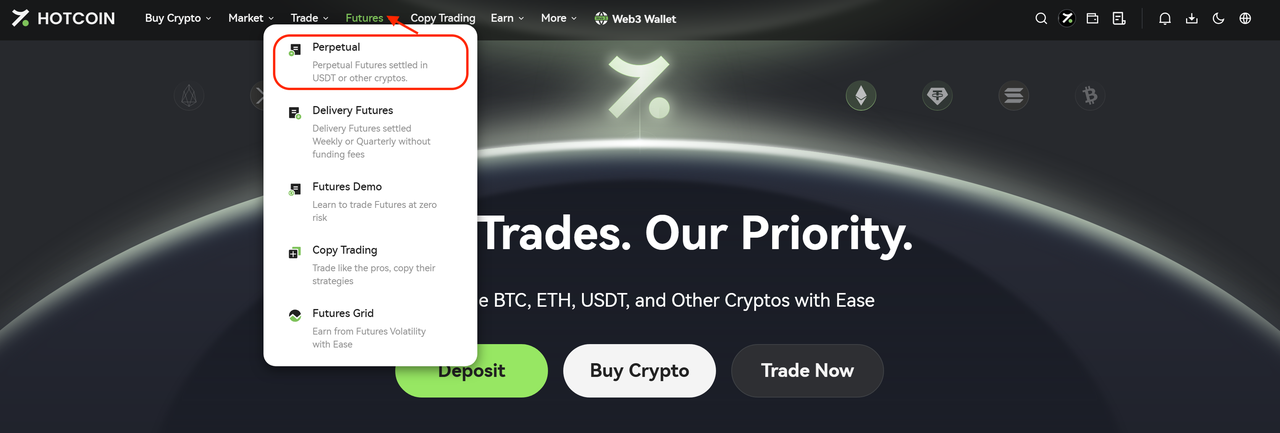
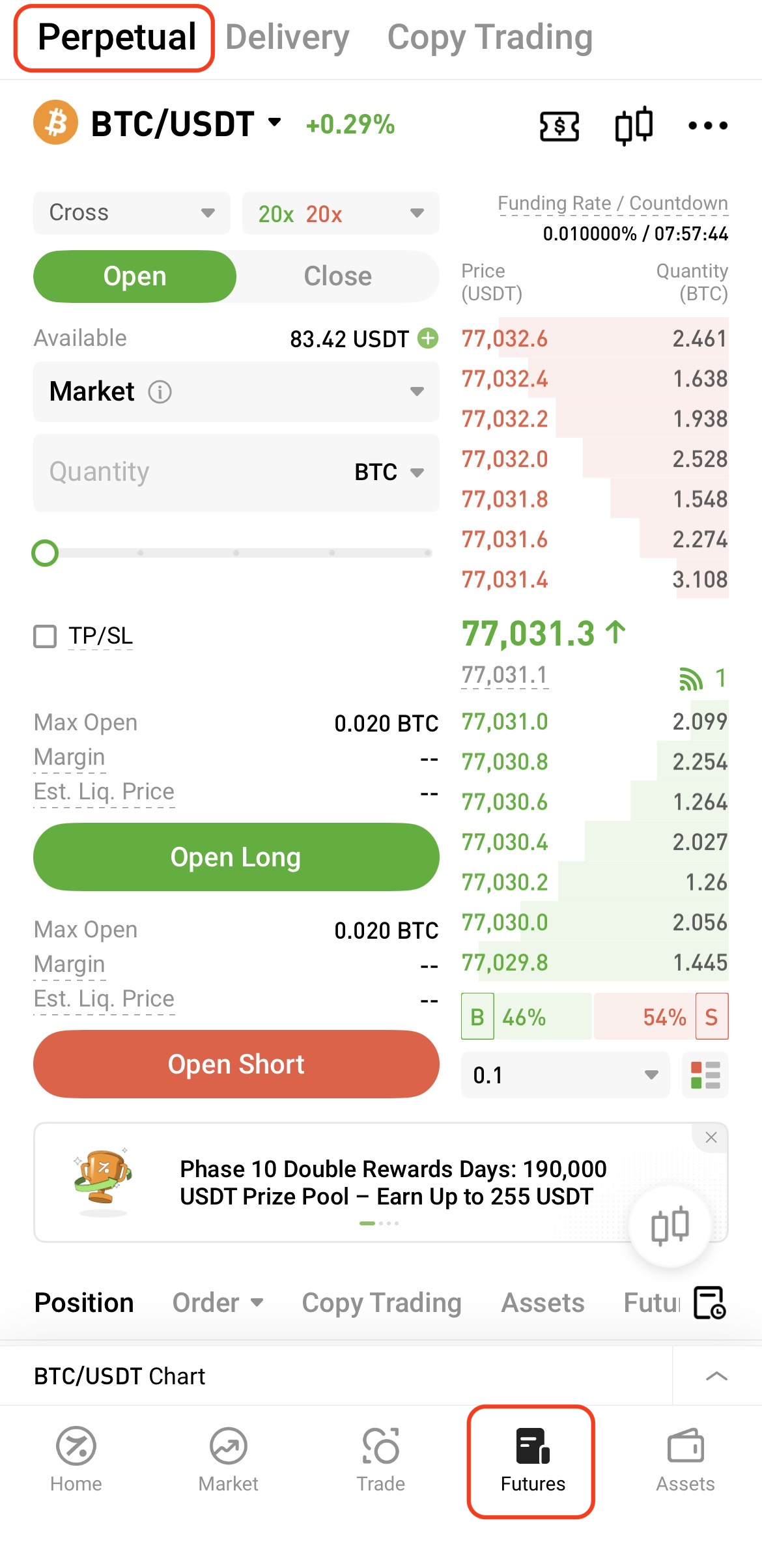
To access the trading page:
Web: Go to Futures → Perpetual Futures from the navigation bar
App: Tap Futures at the bottom of the home screen
Follow these steps to place an order:
After completing the above steps, the system will automatically display details such as the required margin and estimated liquidation price.
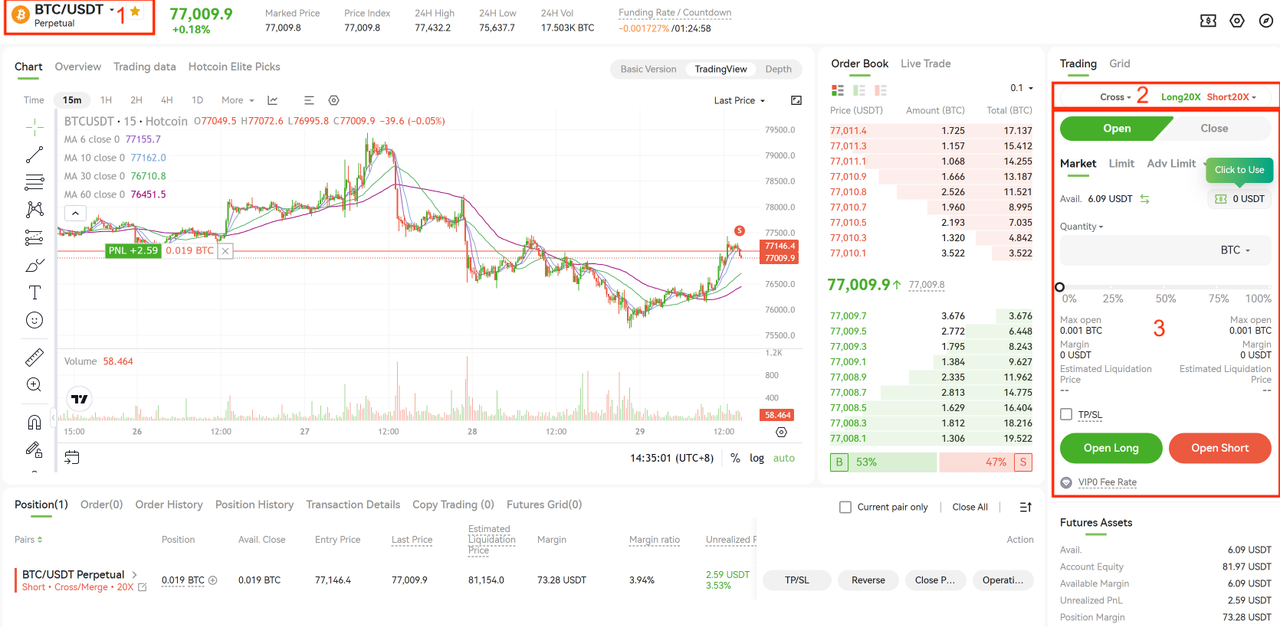
Once the order is placed, you can view your current positions and open orders at the bottom of the trading page.

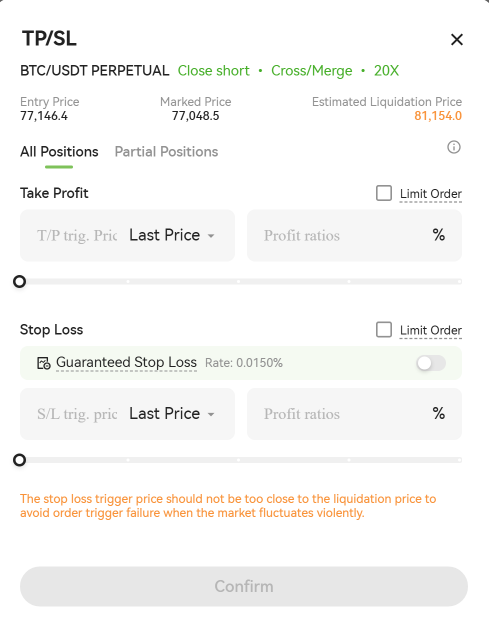
To set Take Profit or Stop Loss, tap the TP/SL button on the right side of the position panel.
You can configure TP/SL conditions based on the trigger price or profit ratio. Once your preset conditions are met, the system will automatically place a closing order.
You can close your positions in full or partially.
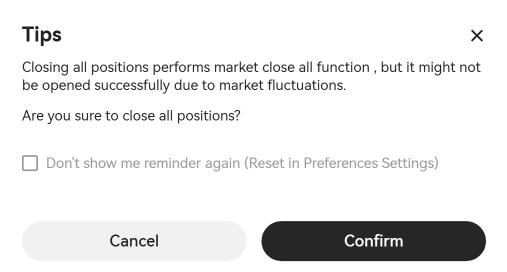
One-Click Close
Click One-Click Close to close all current positions at the market price.
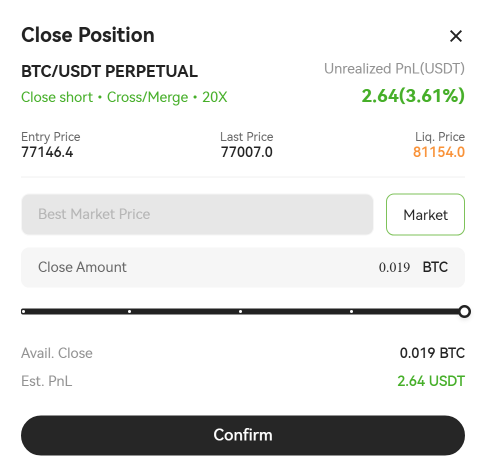
Partial Close
Click Close Position to partially close a position using either a market or limit order.
By following the steps above, you can complete a basic futures trade. Before getting started, make sure you understand the trading rules, leverage mechanisms, and related risks. Always manage your positions according to your own risk tolerance.
Visit the Help Center for more futures trading guides and tutorials.