
HOTCOIN Logo
Buy Crypto
Market
Trade
Futures
Earn
Rewards Hub
More
Web3 Wallet
Service Contacts

Service@hotcoin.com

Product Feedback

Product@hotcoin.com

Business Cooperation

Business@hotcoin.com

Legal Contacts

Casecn@hotcoin.com

Contact us
Service Contacts

Service@hotcoin.com

Product Feedback

Product@hotcoin.com

Business Cooperation

Business@hotcoin.com

Legal Contacts

Casecn@hotcoin.com

About us
Platform Introduction
Announcement Center
System Status
User Agreement
Privacy Policy
Legal Description
Products
Futures
Spot
Copy Trading
Margin
Earn
Trade Crypto via P2P
Buy Crypto with Card
Web3 Wallet
Service
Live Streaming
Hotcoin Elite Picks
Rewards Center
Friend Referral
VIP Benefits
Download
P2P Merchant Application
Support
Hotcoin Academy
Help Center
API Docs
Fee Rate
Crypto Info
Listing Application
Online Service
User Feedback
Official Verification
Trading
BTC USDC
ETH USDC
BTC USDT
ETH USDT
PI USDT
SOL USDT
XRP USDT
©2017-2026
Help Center
/Account Security & KYC/Security Settings/
How to Manage Account Security Settings
Help Center
/Account Security & KYC/Security Settings/
How to Manage Account Security Settings

How to Manage Account Security Settings

Hotcoin
Share


You can manage your email, phone number, passwords, and security settings on the Account Security page. This guide will show you how to access the page and update your settings.


1. How to Access the Account Security Page


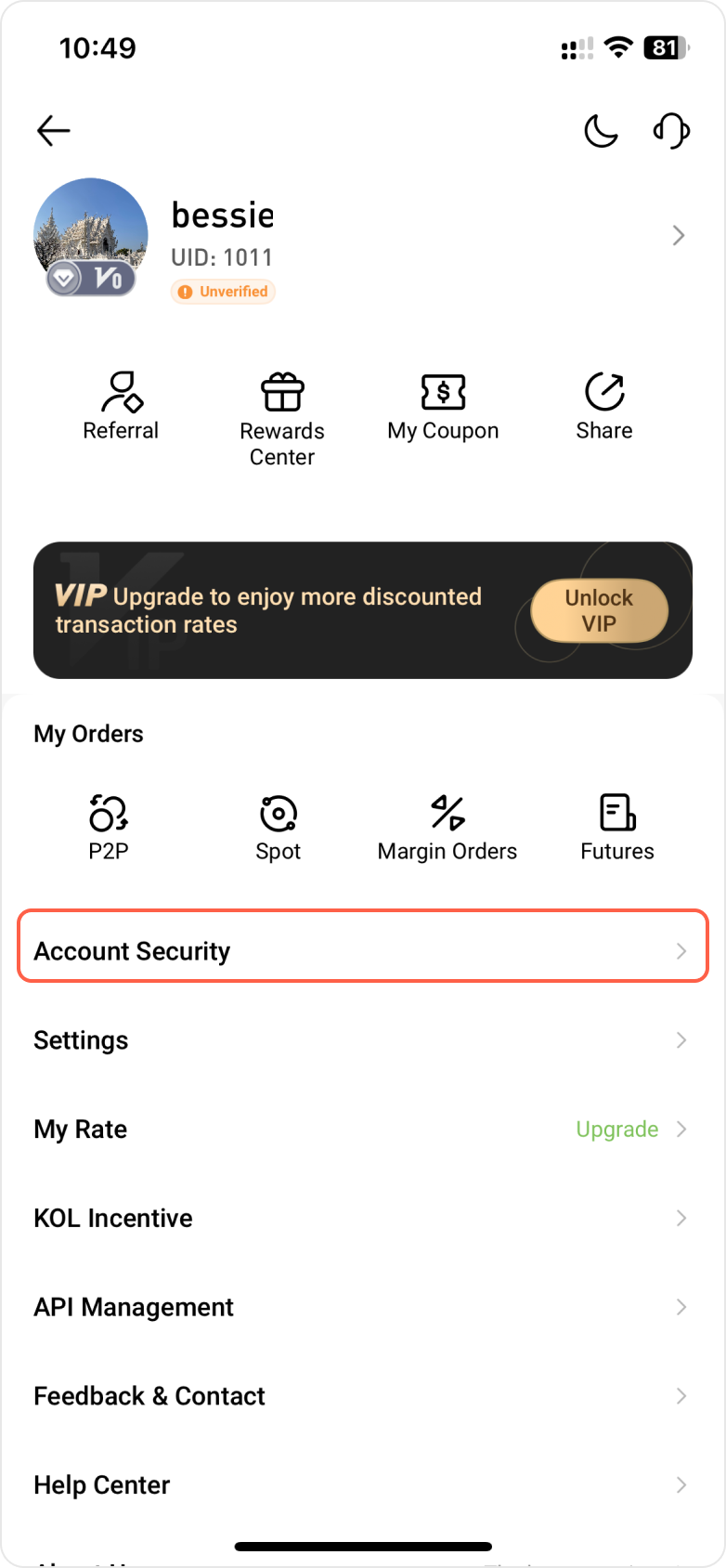
App: Tap your profile icon in the top-left corner of the homepage, then go to Account Security.


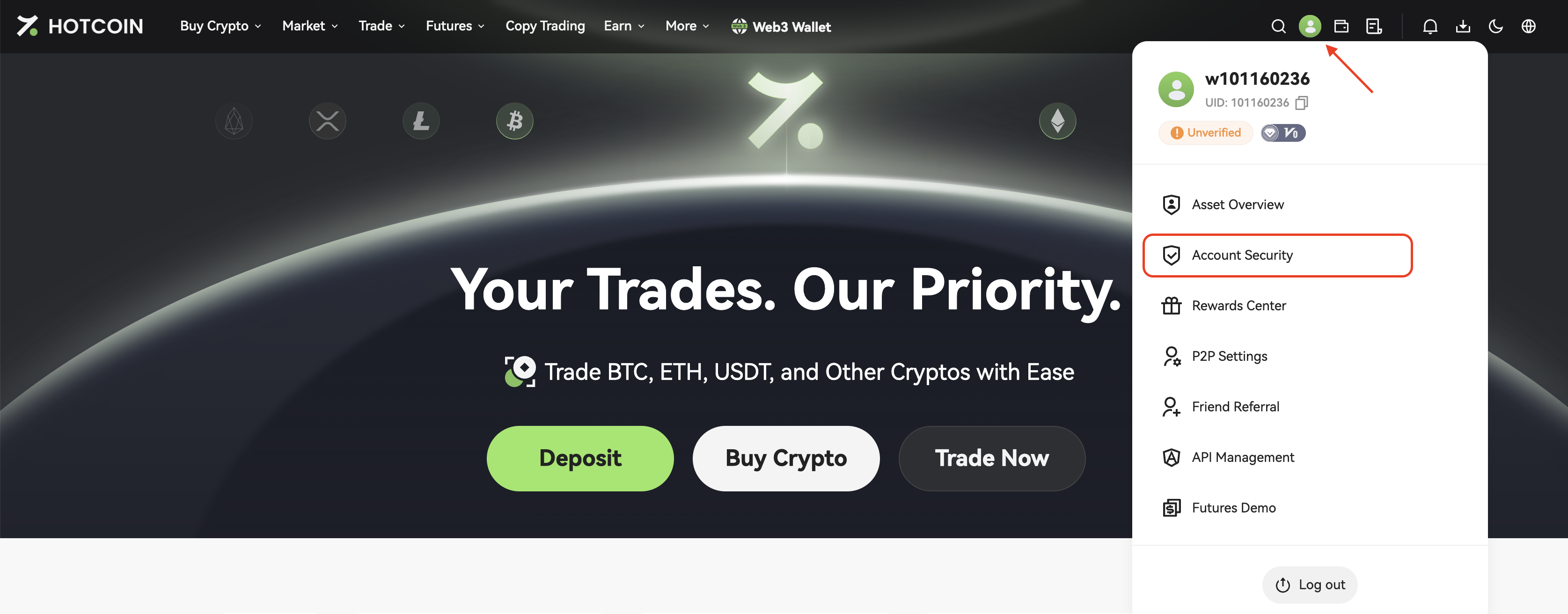
Web: On the Hotcoin website homepage, hover over the profile icon in the top-right corner and select Account Security from the dropdown menu.


2. Available Security Settings
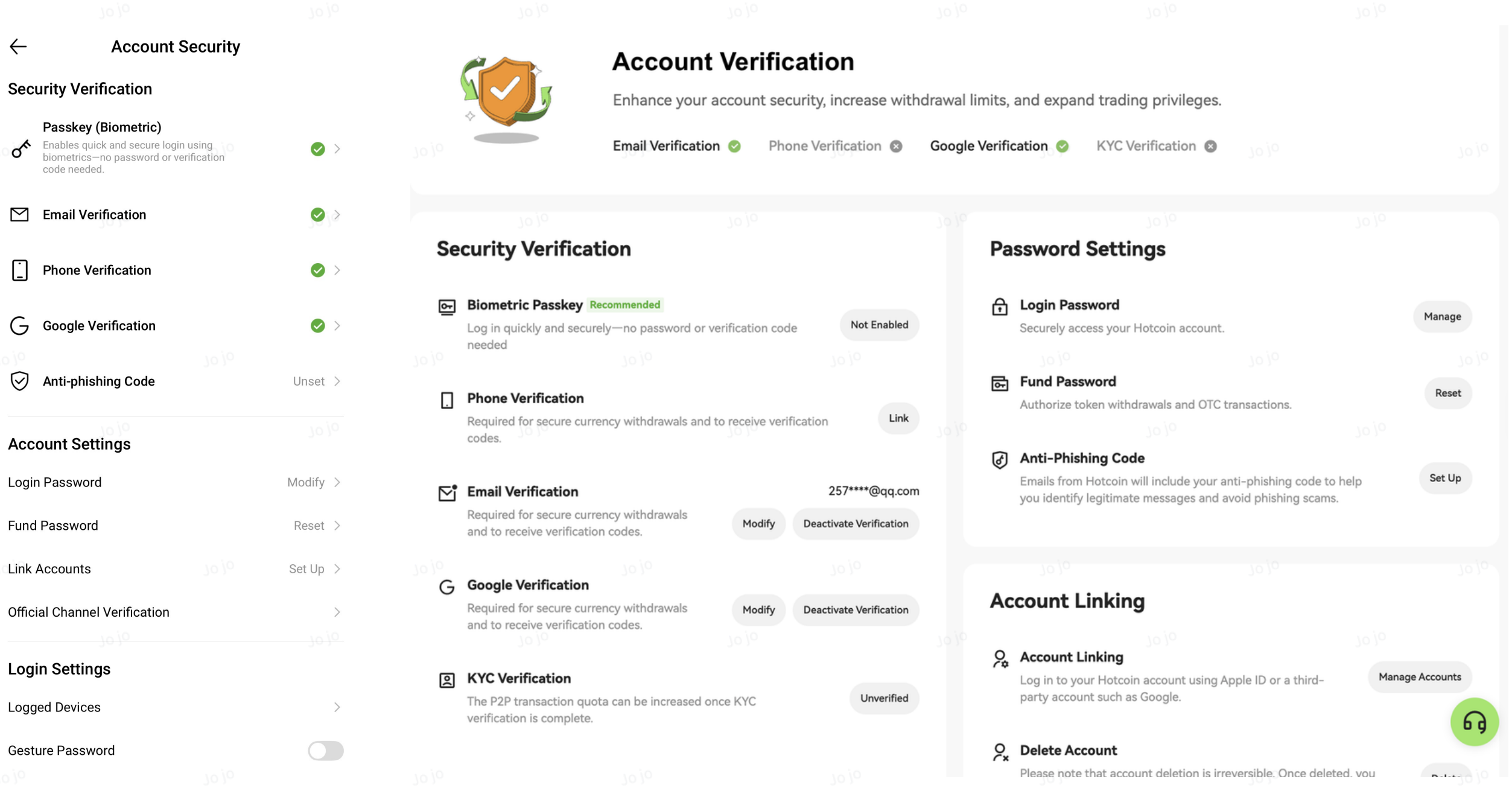
  • Email
  • Phone Number
  • Google Authenticator
  • Passkey
  • Login Password
  • Fund Password
  • Anti-Phishing Code


Click Edit or Set next to each item to update your settings.


3. Frequently Asked Questions

    
What should I do if I don’t receive a verification code?
Please check your network connection and make sure that messages are not blocked or filtered as spam.
  
What if my phone number or email is no longer accessible?
If you’re unable to complete the verification, please contact customer support and follow the instructions to verify your identity.
   
When do the changes take effect?
Changes usually take effect immediately. However, some actions may trigger temporary security restrictions.

Quick Start Guide
Cryptocurrency Basics
Beginner’s Guide
App Guide
Start Trading
VIP Program
Rewards Center
Account Security & KYC
Asset Security
Security Settings
KYC Verification
Deposit & Withdrawal
Deposit
Withdrawal
P2P
P2P Trading Guide
P2P Merchant Management
P2P Rules & Agreements
Friend Referral
Spot Trading
Spot Trading
Pre-market trading
Derivatives
Advanced Trading
Grid Trading
Trend Trading
Fundamentals of Technical Analysis (Candlesticks / MACD / RSI)
Prediction Market
Futures Grid
Futures Trading
Getting Started
Contract Type
Trading Mechanics
Risk Management
FAQ
Copy Trading
Getting Started
Follower Guide
Lead Trader Guide
Terms of Service
Web3 Wallet
Getting Started
Swap
Hotcoin Card
Hotcoin Earn
Alpha
Startup
Platform Support
Agreements & Rules