
How to Register a Hotcoin Account
Hotcoin
Share
Registering an account on Hotcoin is simple. Follow the steps below to complete the process using the web version as an example.
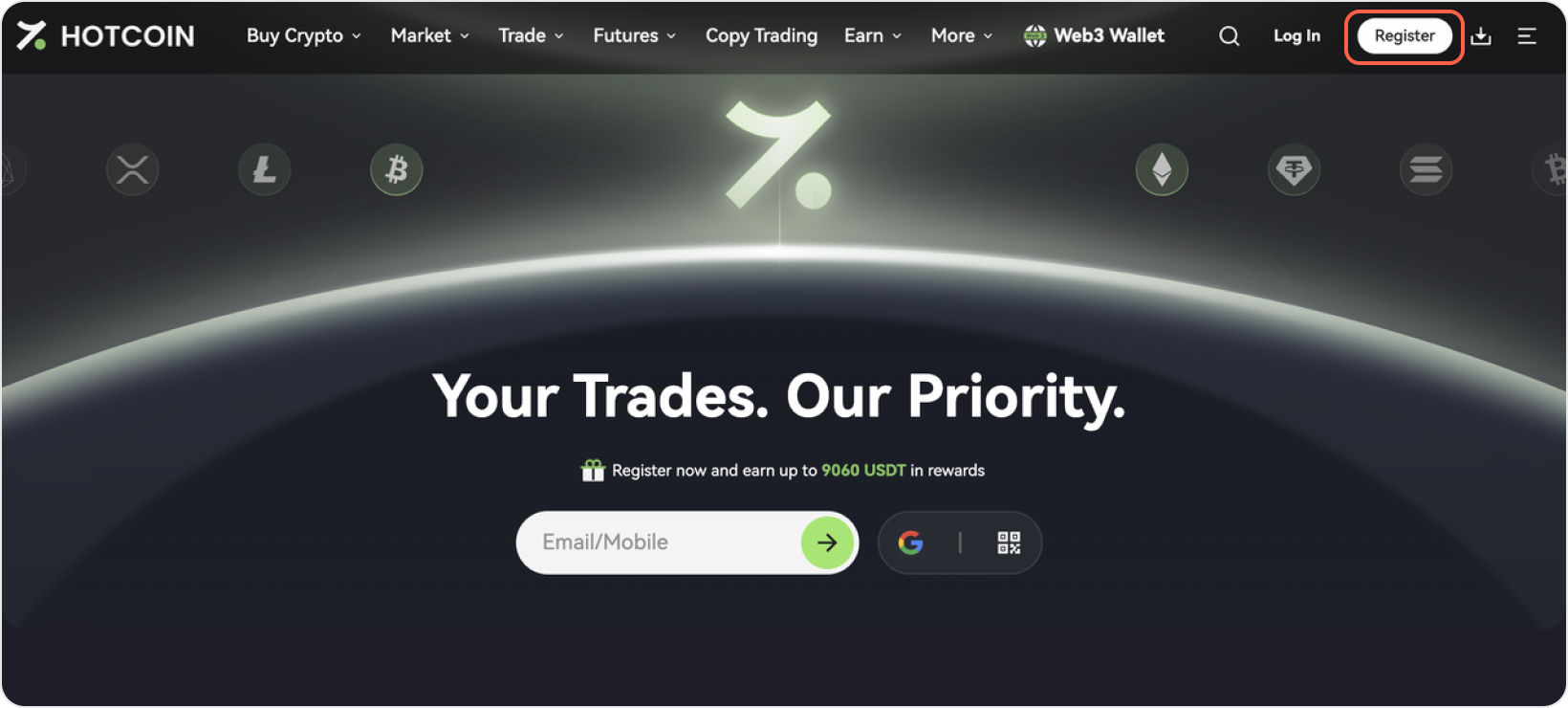
Step 1: Visit the Official Hotcoin Website
Visit the official Hotcoin website and click the Register button in the top right corner
Step 2: Choose Your Registration Method
Hotcoin supports Email Registration and Mobile Number Registration. Choose the method that works best for you.
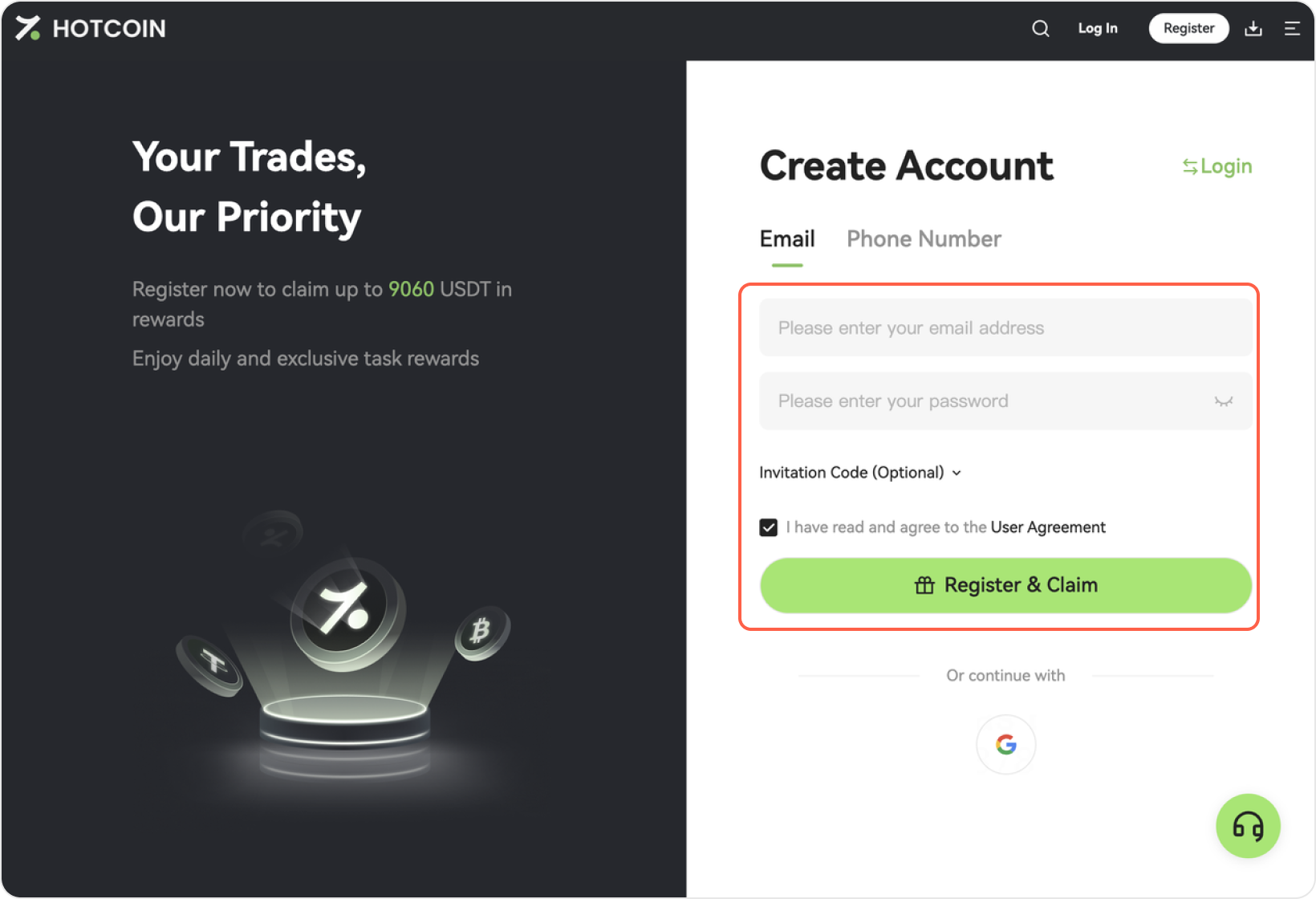
Register with Email
1、Provide Your Email Address
- Enter your email address
- Set your password
- Enter your invitation code (optional step)
- Check the box to agree to the User Agreement
- Click the Register button
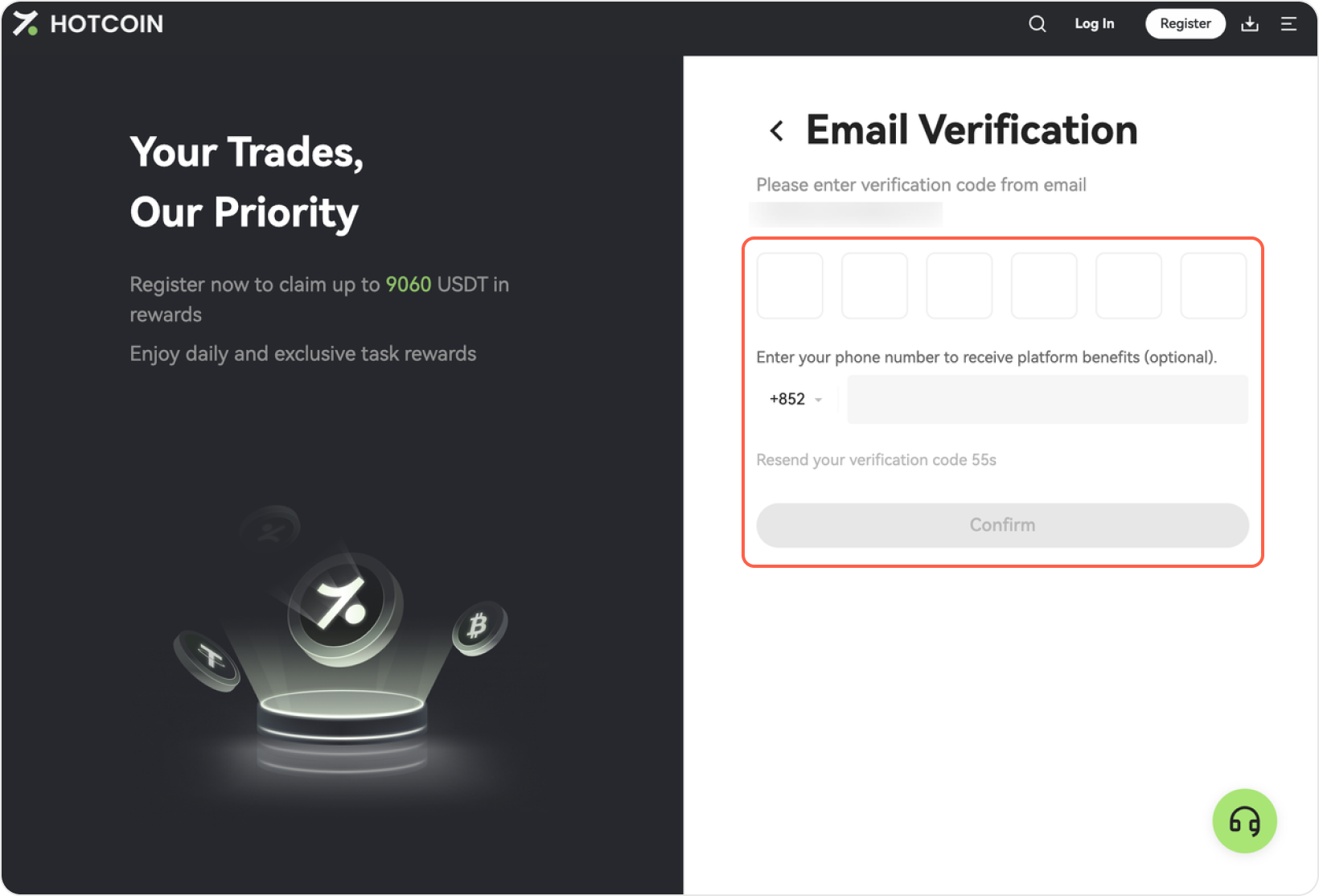
2、Verify your email address
- Check your email and enter the 6-digit verification code
- You may also enter your mobile number to receive promotional updates (optional step)
- Click Confirm to complete your registration
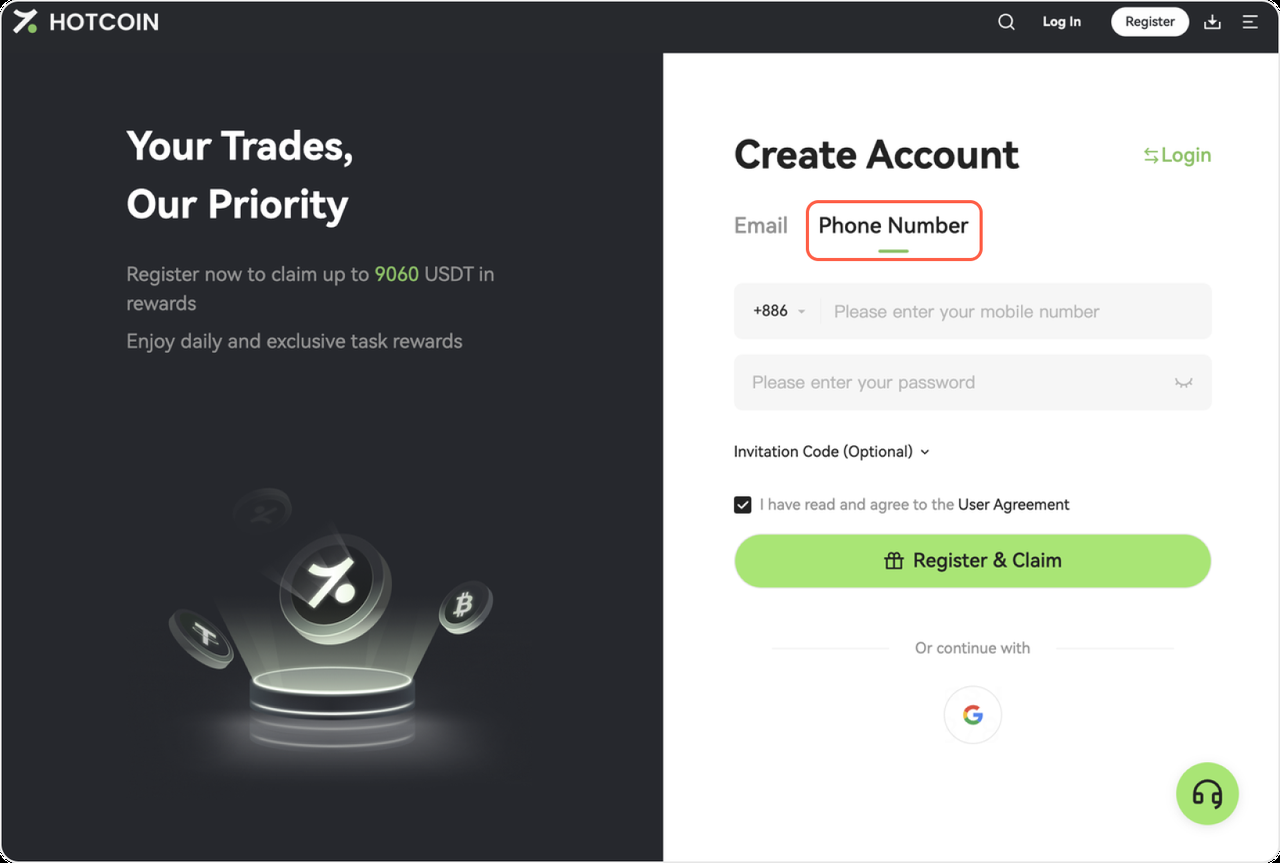
Register with Your Mobile Number
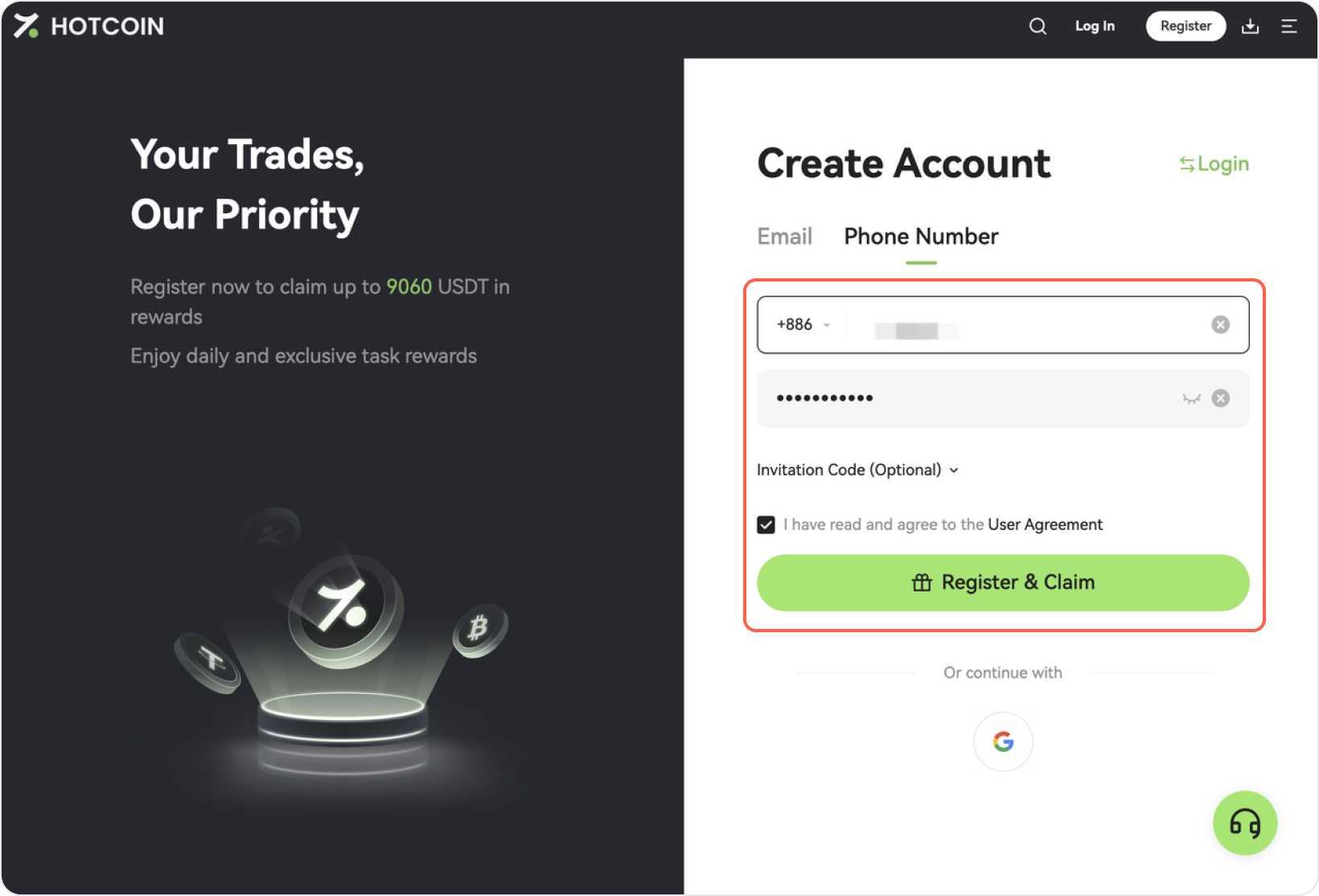
1、Click Register and switch to the Mobile Number tab
2. Enter your mobile number
- Select your country / region code (e.g., +886)
- Enter your mobile number
- Set your password
- Enter an invitation code (optional step)
- Agree to the User Agreement and click Register
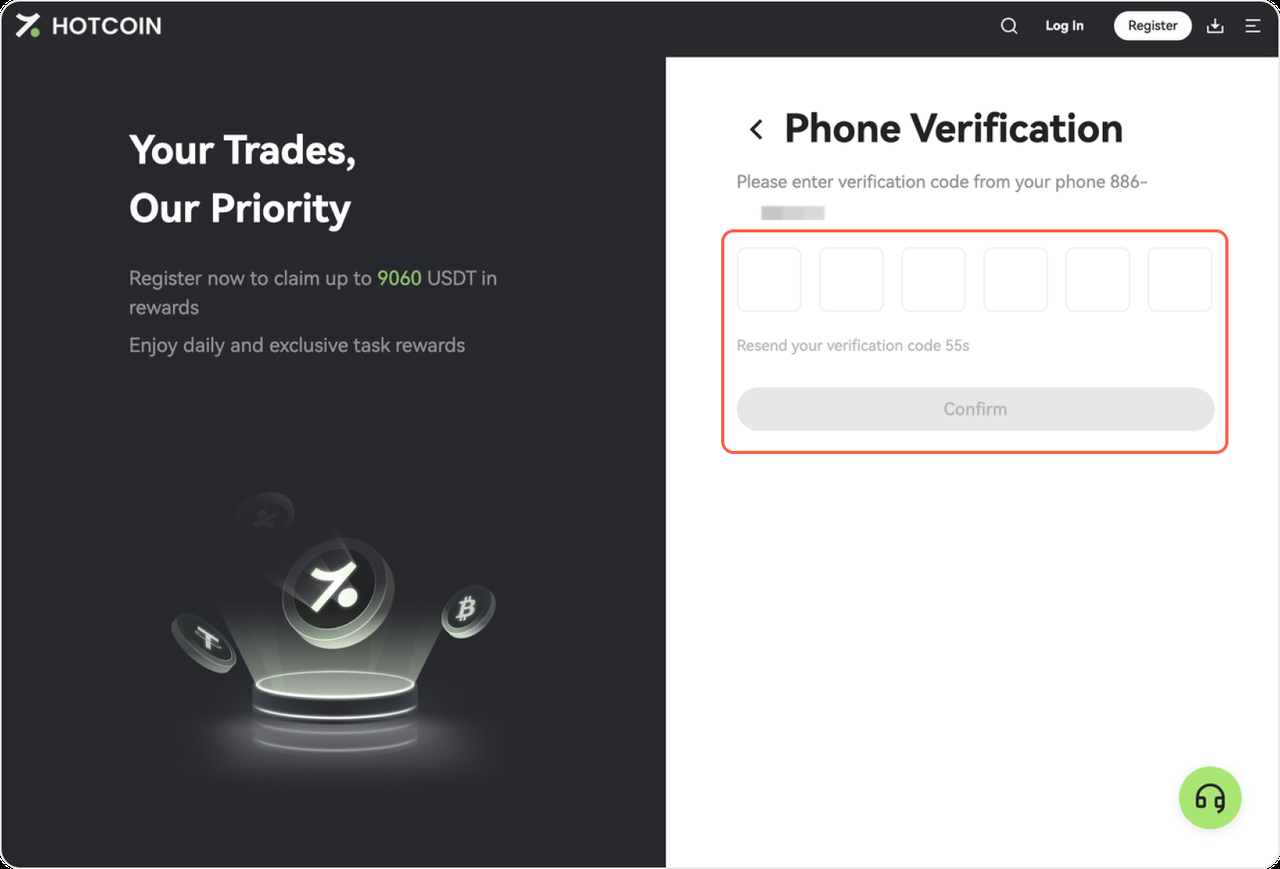
3. Verify your mobile number
- Enter the 6-digit SMS verification code you received
- Click Confirm to complete your registration
🎉 Registration Complete!
Once registration is complete, you can log in to Hotcoin and start trading or exploring available features.