
Customer Support
service@hotcoinex.io
Product Feedback
Product@hotcoin.com
Business Inquiries
Business@hotcoin.com
Law Enforcement
Casecn@hotcoin.com
About
Products
Services
©2017-2026
service@hotcoinex.io
Product@hotcoin.com
Business@hotcoin.com
Casecn@hotcoin.com
Contents
How to Download the Hotcoin App
What to Do If Installation Fails
Method 1: Scan QR Code on the Website
1. Click the Download icon in the top-right corner of the Hotcoin website to display the QR code.
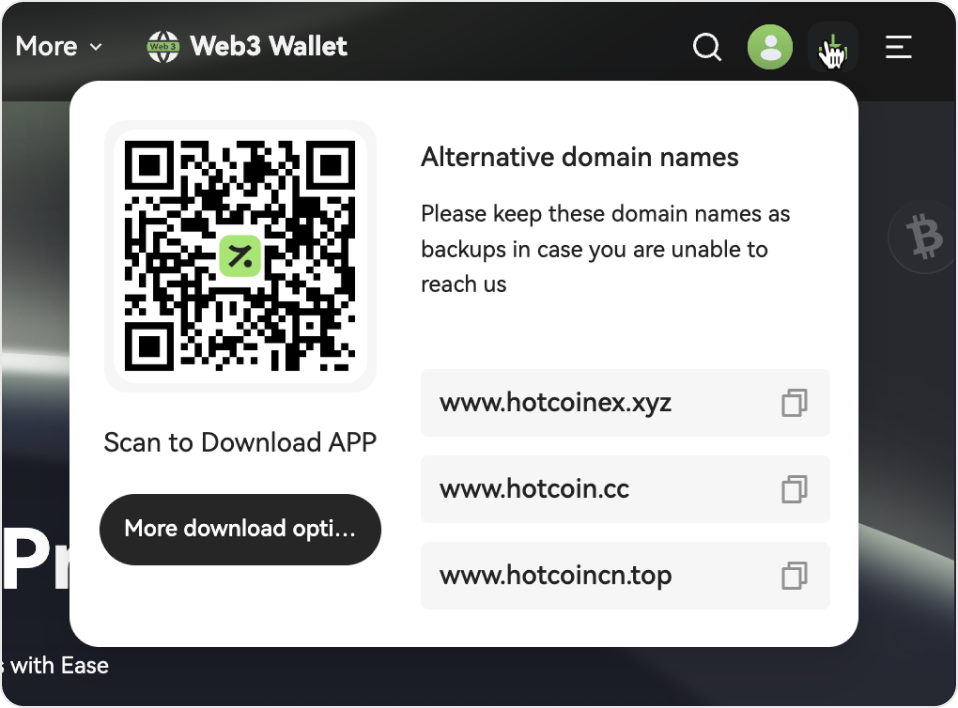
2. Scan the QR code with your phone’s browser or any QR scanner app, then follow the prompts to install.
a. Google Play: If available, we recommend downloading directly from the Google Play Store.
b. Browser Issues: If the download doesn’t start after scanning, or the QR code doesn’t trigger a direct download, tap the menu icon (usually in the top right), select “Open in browser”, then tap “Local Download” and follow the instructions to complete the installation.
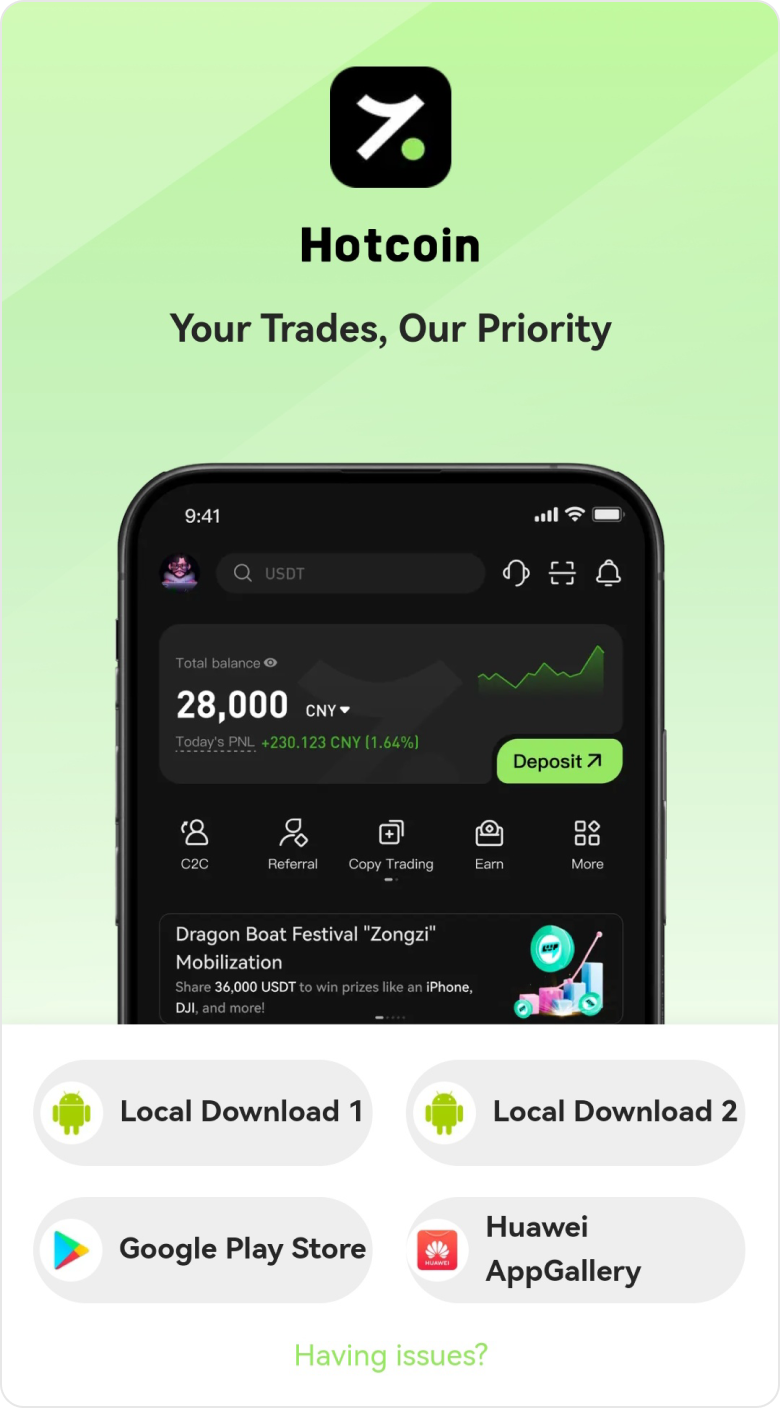
Method 2: Use a Direct Link
Copy and paste the link below into any mobile browser to download and install the app:
https://www.hotcoinext.vip/app/downLoad/
Troubleshooting Tips
Some Android devices may display security prompts such as “Security Risk,” “Unknown Source,” or “Potential Virus.” Please rest assured that official Hotcoin downloads are safe and verified.
If you encounter installation issues, try the following:
After downloading the app, disconnect from Wi-Fi and mobile data before installing. This can bypass automatic security scans. Reconnect once installation is complete.
If a warning appears, confirm that you downloaded the app from an official Hotcoin source. Then select “Acknowledge Risk” or a similar option, and tap “Continue Install” or “Install Anyway.”
Different phone brands may use slightly different names, but the steps are similar:
1. Open your phone’s Security Center, Phone Manager, App Management, or Privacy & Security settings.
2. Locate menus like Isolation Space, App Quarantine Box, or Protected Apps.
3. Find the newly downloaded Hotcoin app or installation package. Select “Trust”, “Allow installation/run”, or “Remove from Quarantine.”
4. On some devices, new apps may also appear under Frozen/Power Saving/Restricted Background lists. Mark Hotcoin as “Allow background activity” or a Trusted App.