HOTCOIN Logo
Mua Crypto
Thị Trường
Giao dịch
Hợp đồng tương lai
Kiếm tiền
Trung tâm phần thưởng
Thêm
Ví Web3
Liên hệ dịch vụ

Service@hotcoin.com

Phản hồi sản phẩm

Product@hotcoin.com

Hợp tác kinh doanh

Business@hotcoin.com

Liên hệ pháp lý

Casecn@hotcoin.com

Liên hệ với chúng tôi
Liên hệ dịch vụ

Service@hotcoin.com

Phản hồi sản phẩm

Product@hotcoin.com

Hợp tác kinh doanh

Business@hotcoin.com

Liên hệ pháp lý

Casecn@hotcoin.com

Về chúng tôi
Giới thiệu nền tảng
Trung tâm thông báo
Trạng thái hệ thống
Thỏa thuận người dùng
Chính sách bảo mật
Mô tả pháp lý
sản phẩm
Futures
Giao dich
Giao dịch TradFi
Sao chép hợp đồng
Đòn bẩy
Earn
Mua P2P
Mua Crypto bằng Thẻ
Ví Web3
Phục vụ
Phát trực tiếp
Lựa chọn nghiêm ngặt các đồng tiền nóng
Hub Phúc lợi
Lời mời bạn bè
Quyền lợi VIP
Tải xuống
Áp dụng cho người bán P2P
hỗ trợ
Đại học Hotcoin
Trung tâm trợ giúp
Tài liệu API
Biểu Phí
Thông tin tiền điện tử
Ứng dụng niêm yết
dịch vụ trực tuyến
Phản hồi của khách hàng
xác minh chính thức
Giao dịch
BTC USDC
ETH USDC
BTC USDT
ETH USDT
PI USDT
SOL USDT
XRP USDT
©2017-2026
Trung tâm trợ giúp
/TradFi/
How to Trade TradFi on Hotcoin
Trung tâm trợ giúp
/TradFi/
How to Trade TradFi on Hotcoin

How to Trade TradFi on Hotcoin

Hotcoin
chia sẻ đường link

 
Getting started with TradFi on Hotcoin is easy. This guide walks you through how to access TradFi on the Hotcoin App and Web, find the product you want to trade, and start trading.


I. Access TradFi on the Hotcoin App

 
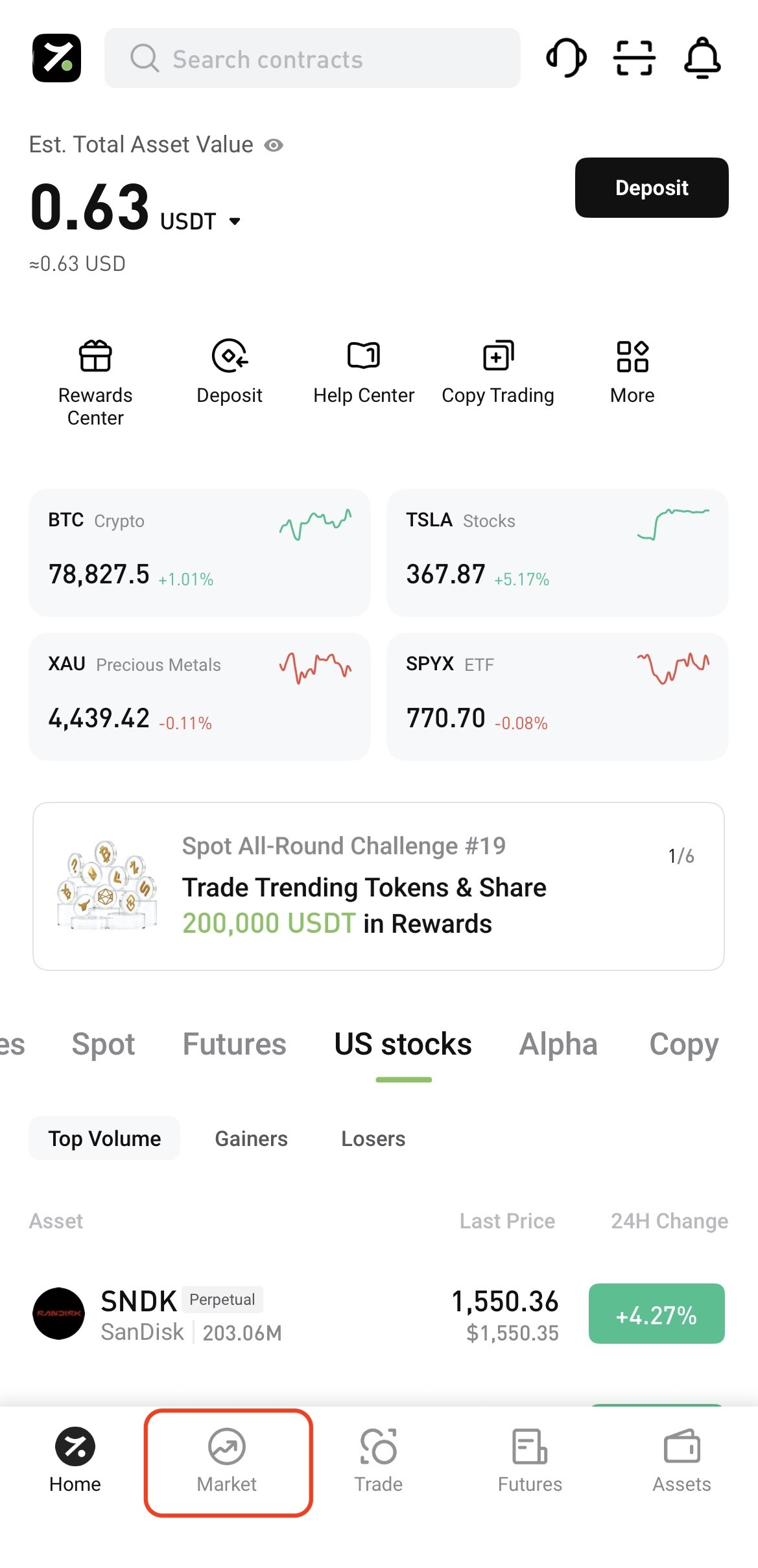
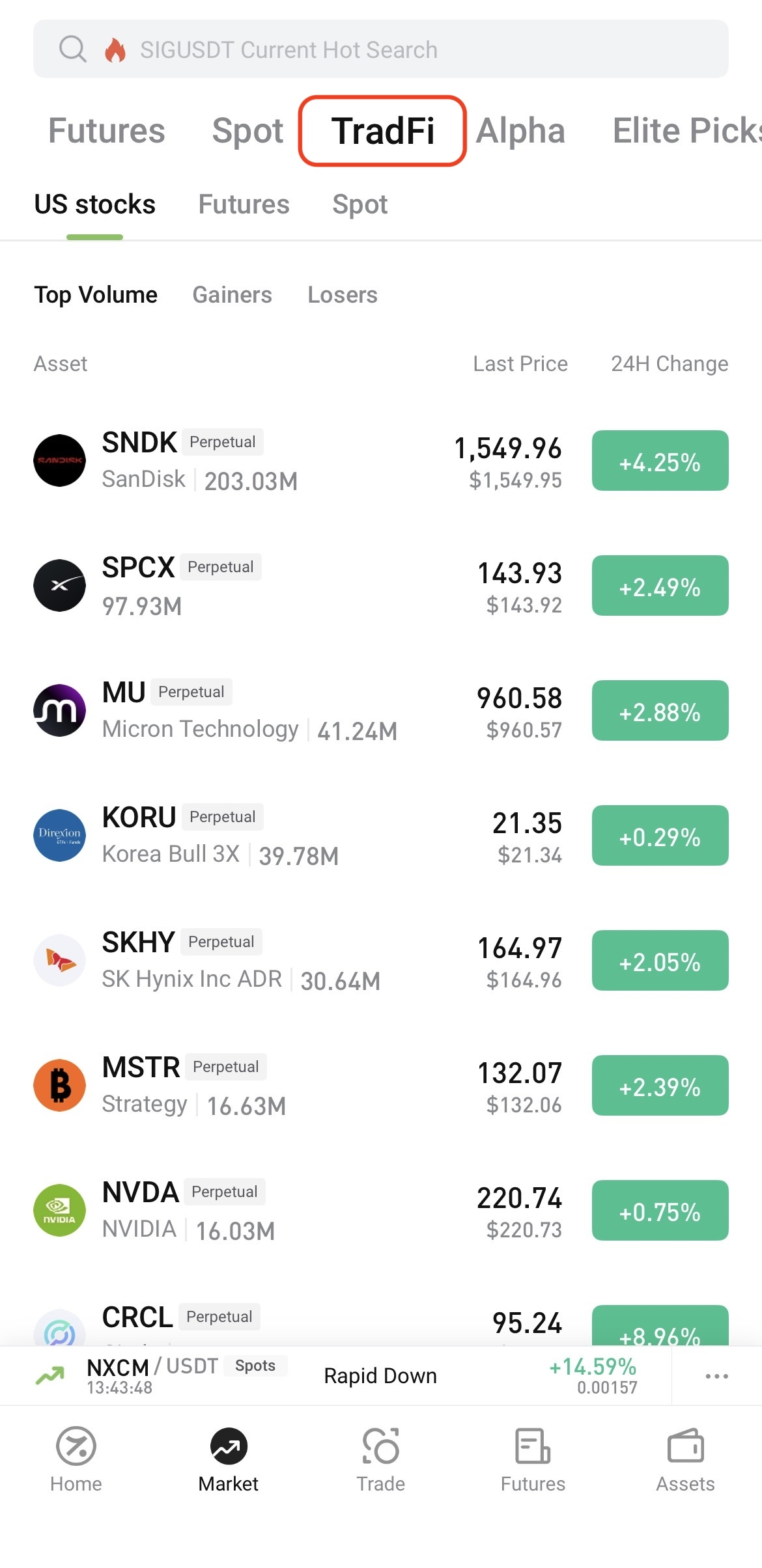
Log in to the Hotcoin App and tap Market at the bottom of the screen. On the Market page, tap TradFi at the top, then select U.S. Stocks, Futures, or Spot.


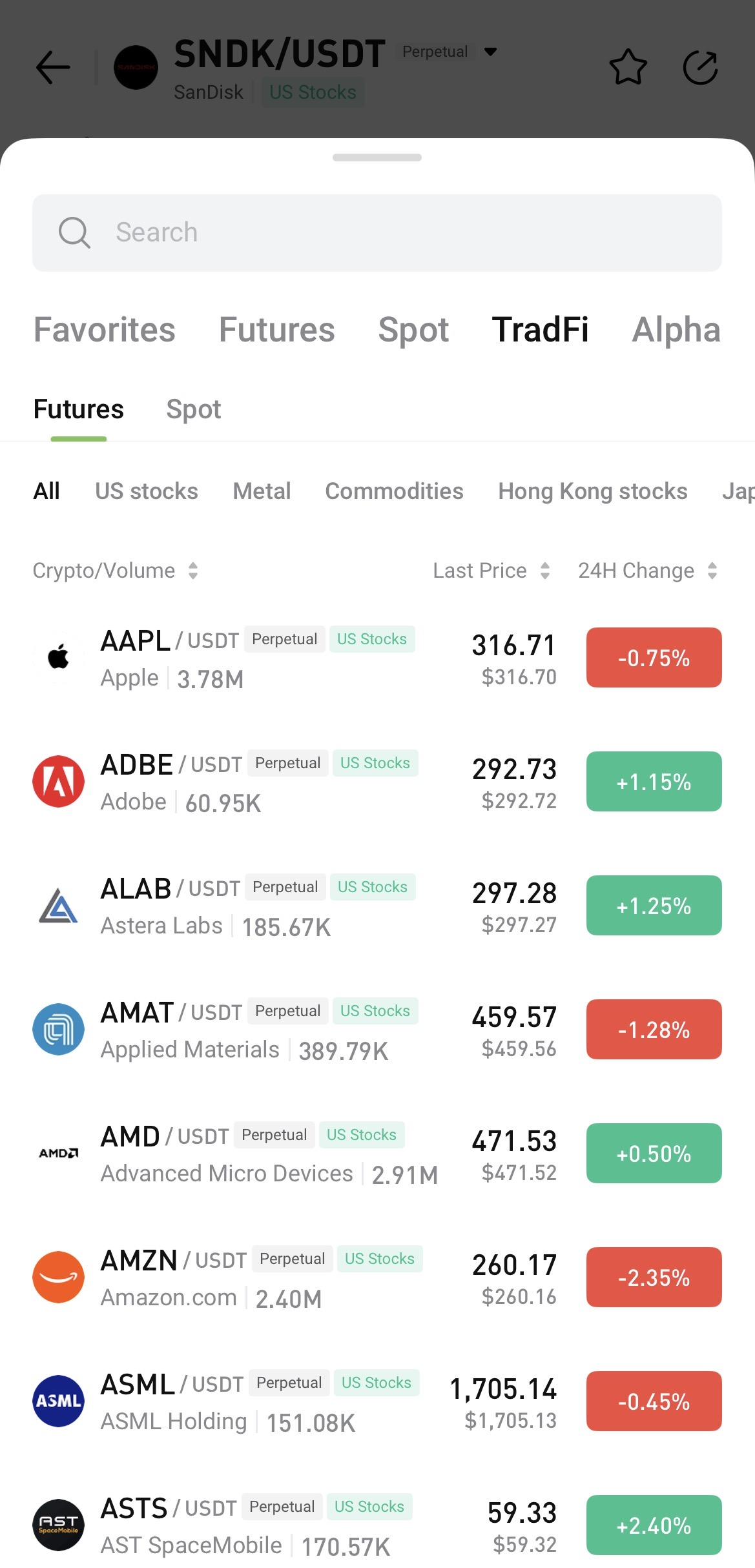
To search, open any trading page, tap the asset name, and enter the name or symbol you want to find.


II. Access TradFi on Hotcoin Web

 
After logging in to Hotcoin Web, you can access TradFi in the following ways:
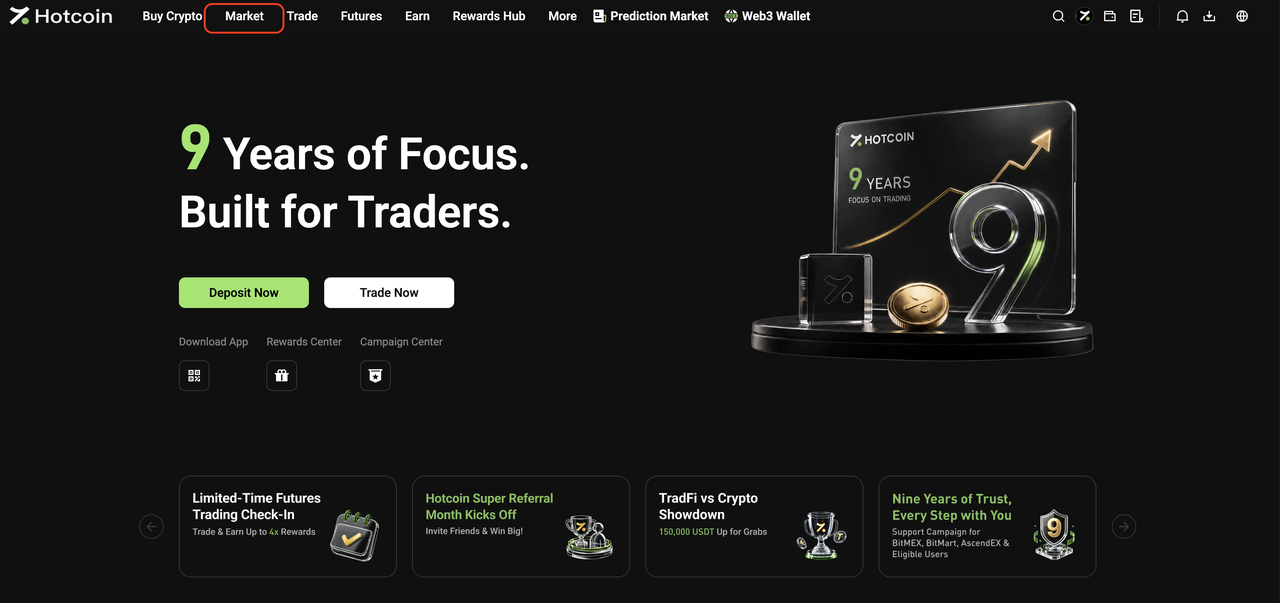
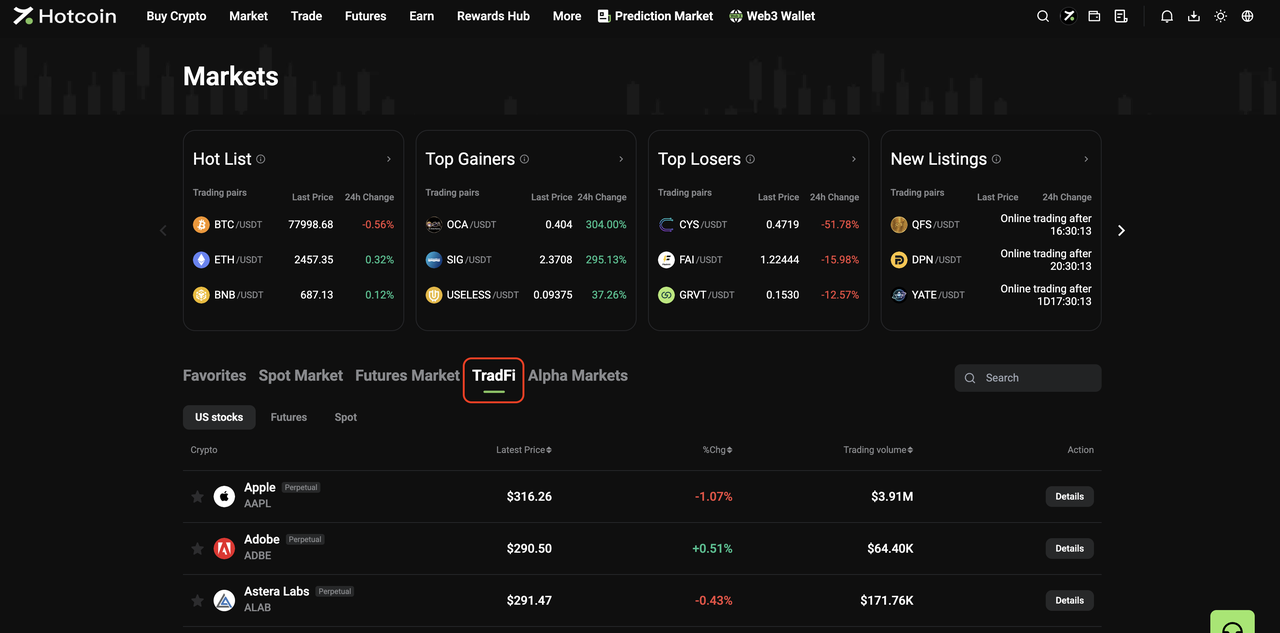
  • From the Market page: Click Market in the top navigation bar, then click TradFi on the Market page. Select U.S. Stocks, Futures, or Spot and choose an asset from the list, or use the search function to find one directly.


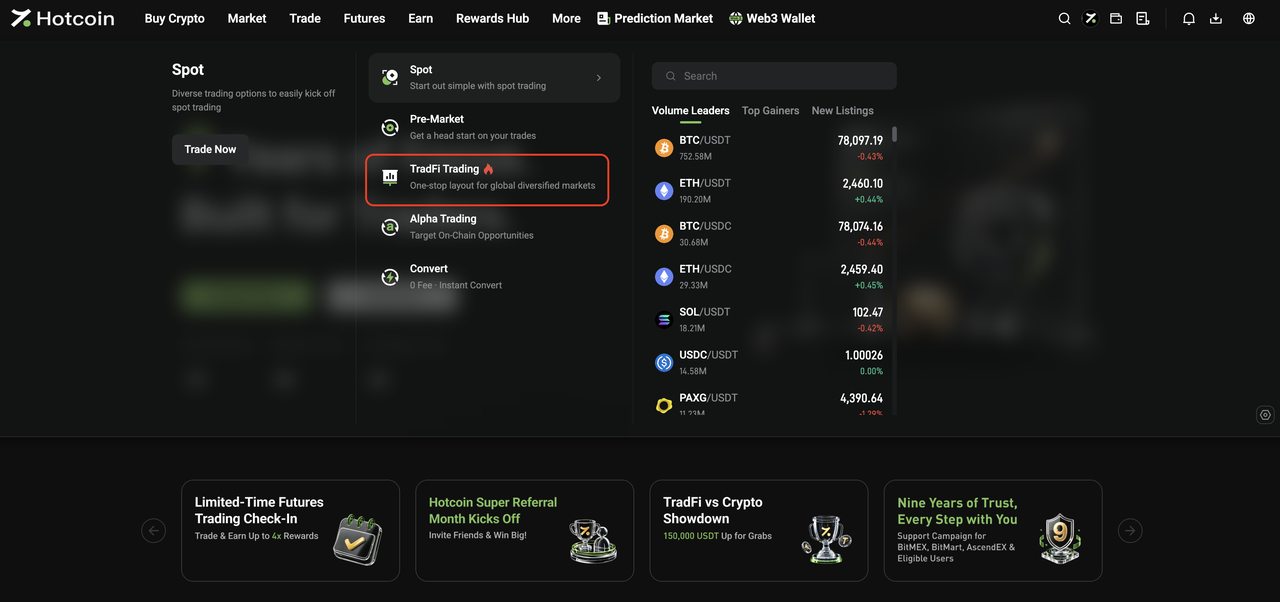
  • From the Trade menu: Open the Trade drop-down menu in the top navigation bar and click TradFi Trading to go to the TradFi Spot trading page.


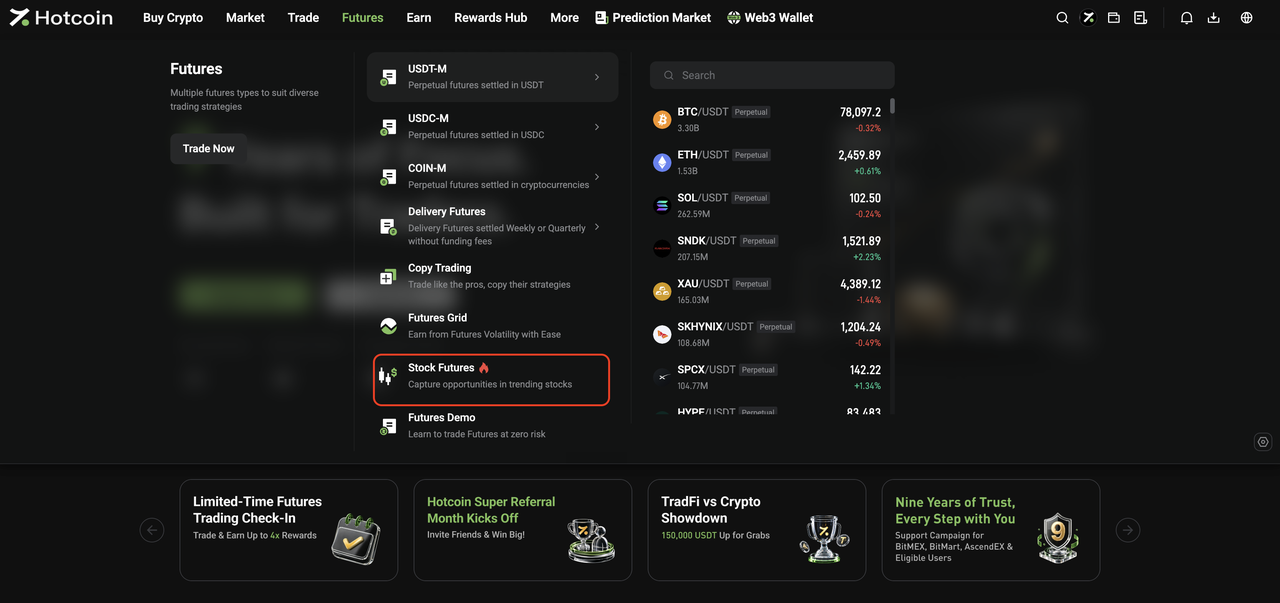
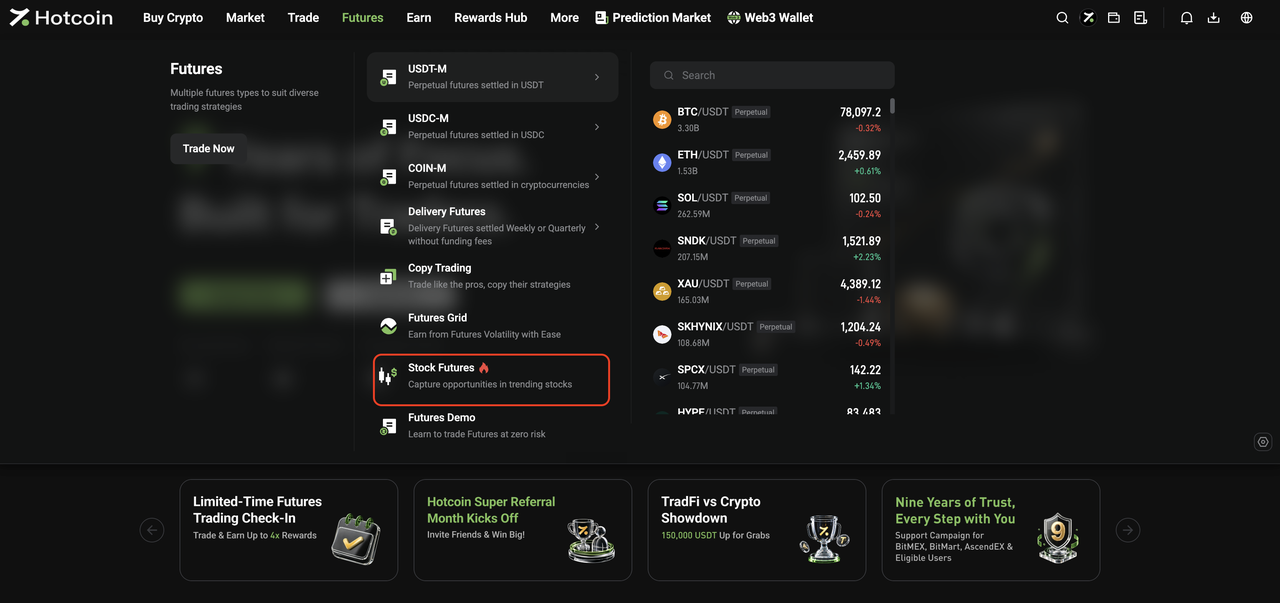
  • From the Futures menu: Open the Futures drop-down menu in the top navigation bar and click Stock Futures to go to the TradFi Futures trading page.


III. Start Trading TradFi

 
The basic trading flow for Hotcoin TradFi Spot and Futures is the same as for standard Spot and Futures trading on Hotcoin.
Once you enter the relevant trading page, you can place orders as you normally would.
 
For step-by-step instructions, see:
  • How to Trade Spot on Hotcoin (App)
  • How to Trade Spot on Hotcoin (Web)
  • How to Trade Futures
 
 
Risk Warning: TradFi trading involves market risk, and asset prices may fluctuate significantly. Before trading, make sure you understand the relevant product rules and risks, and trade cautiously based on your risk tolerance.


Related Articles

 
What Is Hotcoin TradFi?
TradFi FAQ

Nạp & Rút tiền
Deposit
Withdrawal
mua tiền điện tử
P2P FAQ
quản lý thương gia
quy tắc giao thức
Giao dịch giao ngay & ký quỹ
giao dịch giao ngay
giao dịch tương lai
Contract Grid
Contract documentary
Getting Started
Follower Guide
Lead Trader Guide
tài chính hotcoin
Các chủ đề khác (liên quan đến giao thức)
NFT