HOTCOIN Logo
Покупка монет
Котировки
Торговля
Фьючерсы
финансовый менеджмент
Центр вознаграждений
Больше
Кошелёк Web3
Электронная почта службы поддержки клиентов

Service@hotcoin.com

Обратная связь о продукте

Product@hotcoin.com

Деловое сотрудничество

Business@hotcoin.com

Юридические контакты

Casecn@hotcoin.com

Связаться с нами
Электронная почта службы поддержки клиентов

Service@hotcoin.com

Обратная связь о продукте

Product@hotcoin.com

Деловое сотрудничество

Business@hotcoin.com

Юридические контакты

Casecn@hotcoin.com

о нас
Введение в платформу
Центр объявлений
Статус системы
Пользовательское соглашение
Политика конфиденциальности
Юридические примечания
Продукт
Фьючерсы
Спот
Торговля TradFi
Копировать контракт
Торговля с кредитным плечом
Earn
P2P покупка валюты
Покупайте криптовалюту с помощью карты
Кошелёк Web3
Сервисы
Прямая трансляция
Строгий отбор горячих монет
Центр Бонусов
Приглашение друзей
VIP-привилегии
Скачать
Подать заявку на P2P-продавца
Поддержка
Академия Хоткоин
Центр помощи
Документация API
Комиссии
Информация о валюте
Приложение для листинга монет
Онлайн-обслуживание клиентов
Отзывы пользователей
Официальная проверка
Торговля
BTC USDC
ETH USDC
BTC USDT
ETH USDT
PI USDT
SOL USDT
XRP USDT
©2017-2026
Центр помощи
/TradFi/
How to Trade TradFi on Hotcoin
Центр помощи
/TradFi/
How to Trade TradFi on Hotcoin

How to Trade TradFi on Hotcoin

Hotcoin
делиться

 
Getting started with TradFi on Hotcoin is easy. This guide walks you through how to access TradFi on the Hotcoin App and Web, find the product you want to trade, and start trading.


I. Access TradFi on the Hotcoin App

 
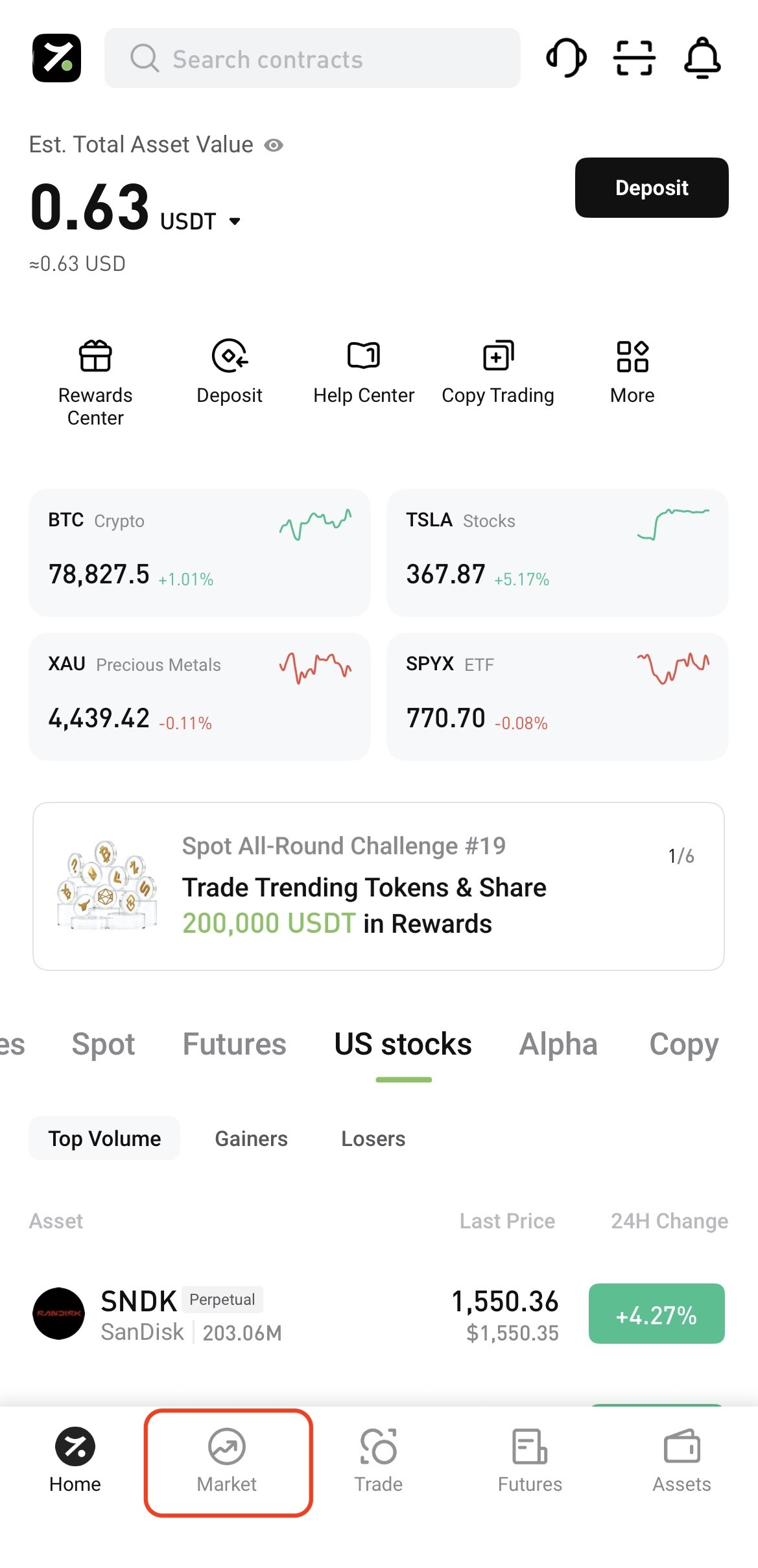
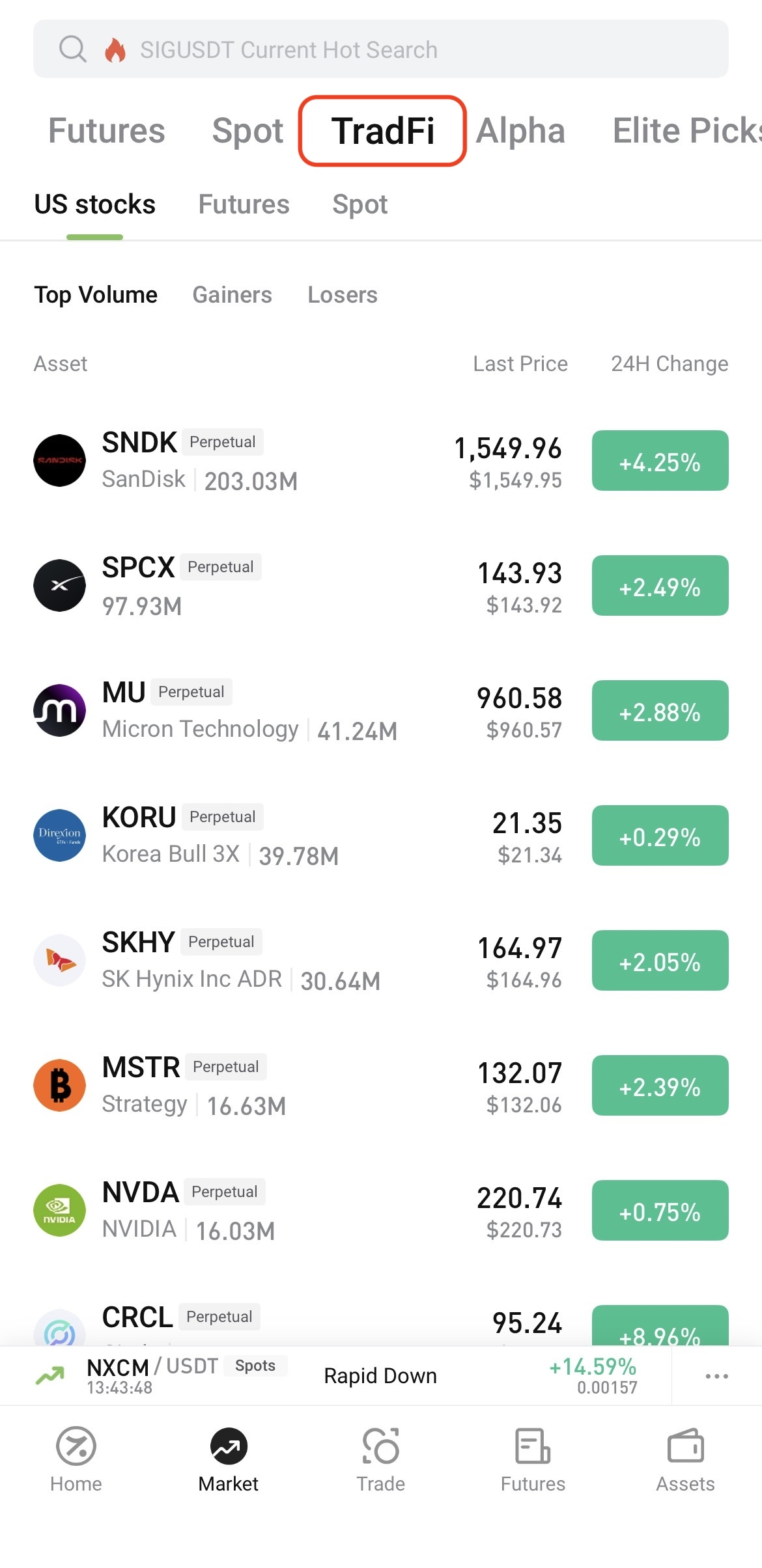
Log in to the Hotcoin App and tap Market at the bottom of the screen. On the Market page, tap TradFi at the top, then select U.S. Stocks, Futures, or Spot.


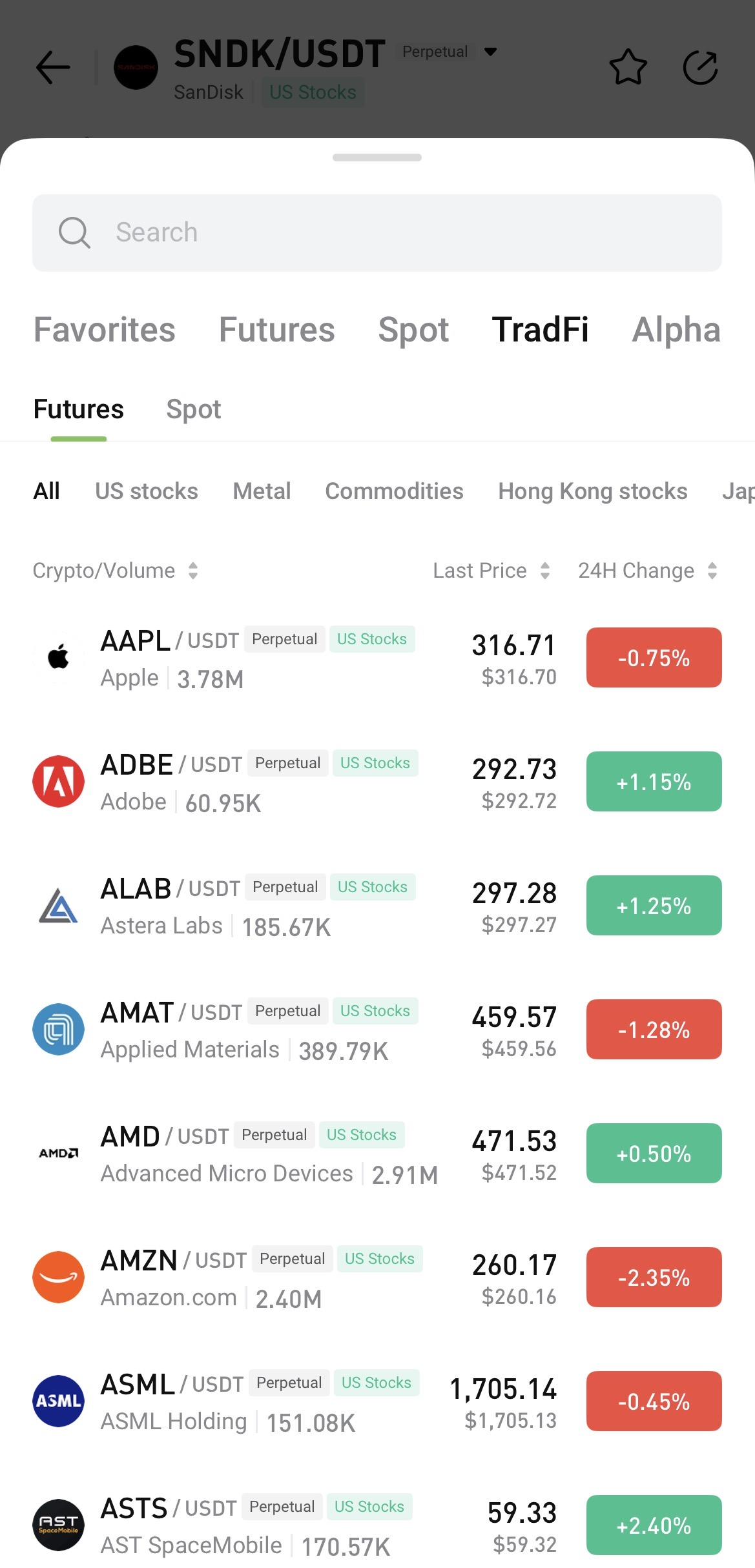
To search, open any trading page, tap the asset name, and enter the name or symbol you want to find.


II. Access TradFi on Hotcoin Web

 
After logging in to Hotcoin Web, you can access TradFi in the following ways:
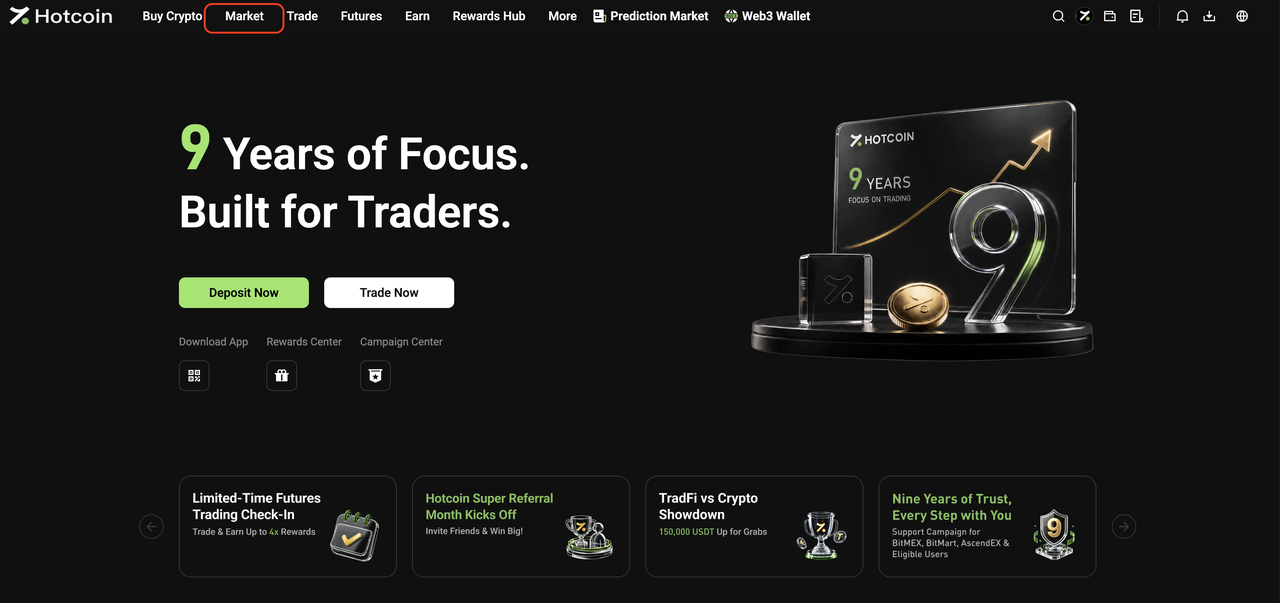
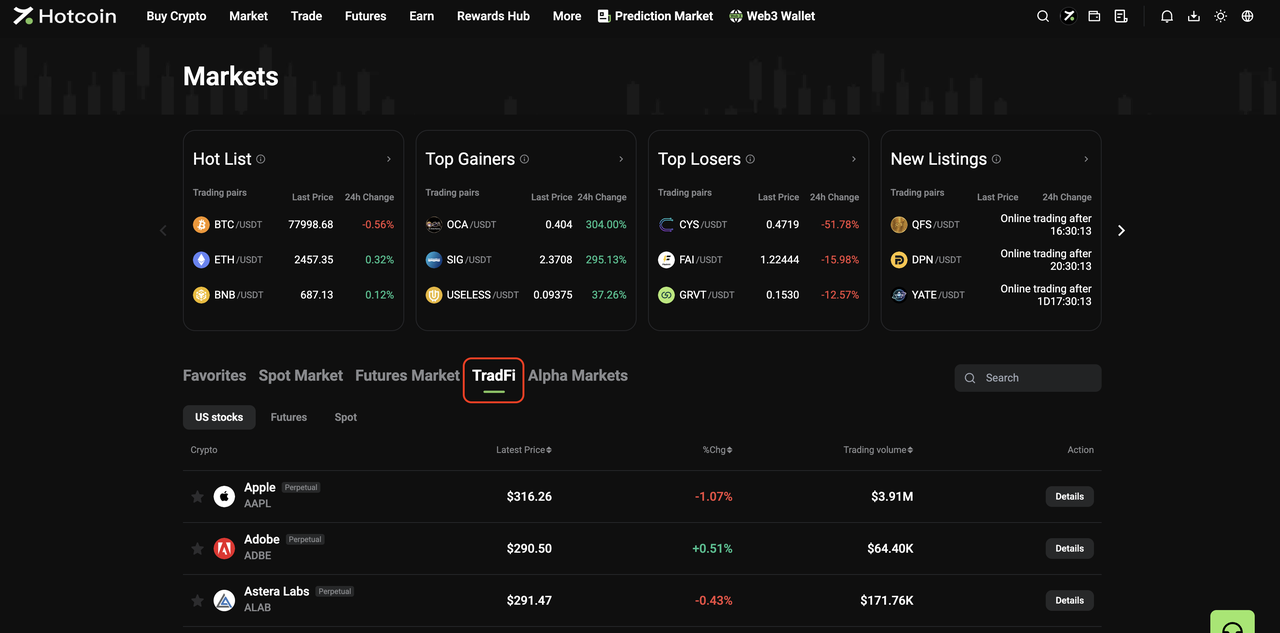
  • From the Market page: Click Market in the top navigation bar, then click TradFi on the Market page. Select U.S. Stocks, Futures, or Spot and choose an asset from the list, or use the search function to find one directly.


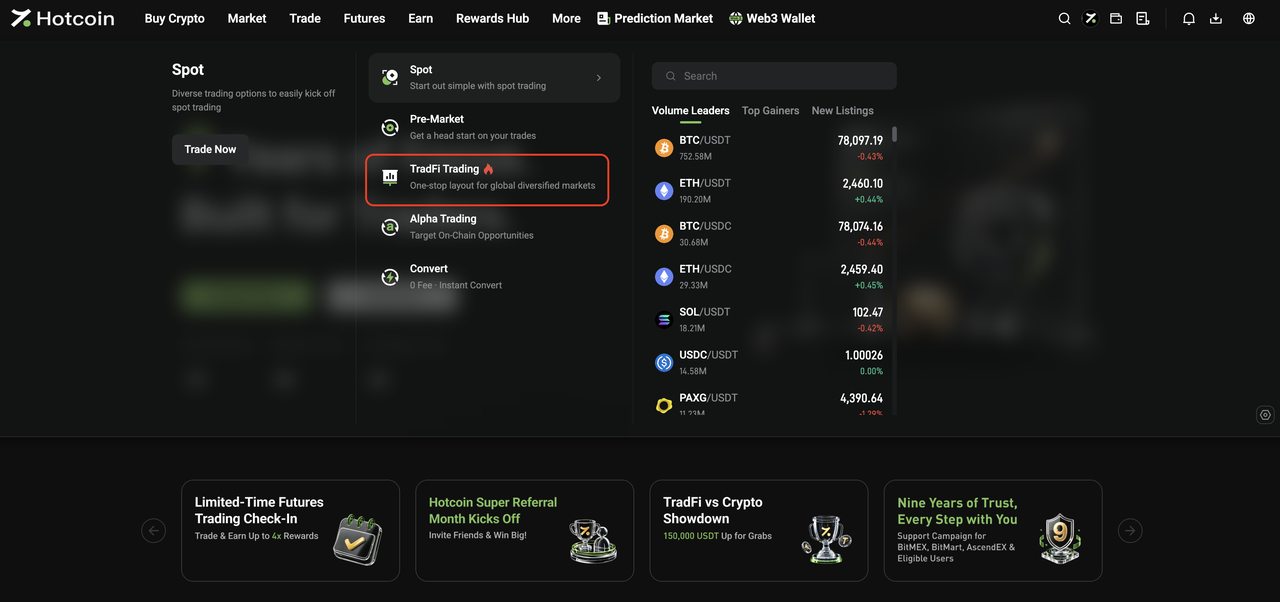
  • From the Trade menu: Open the Trade drop-down menu in the top navigation bar and click TradFi Trading to go to the TradFi Spot trading page.


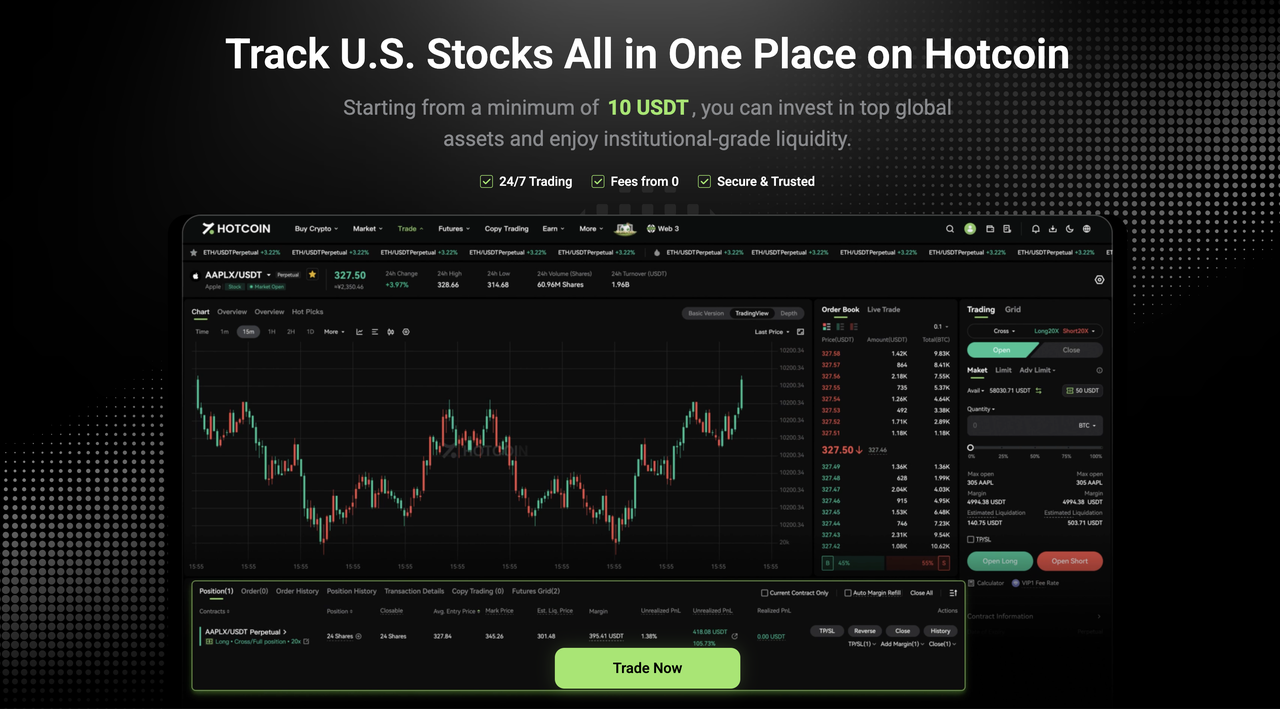
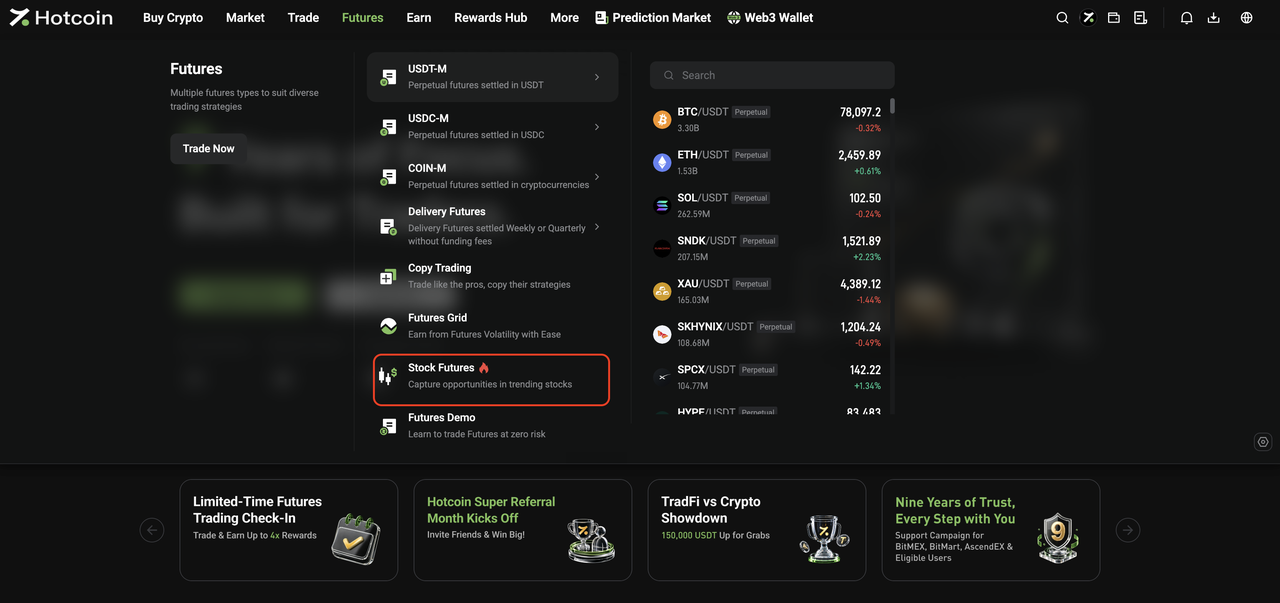
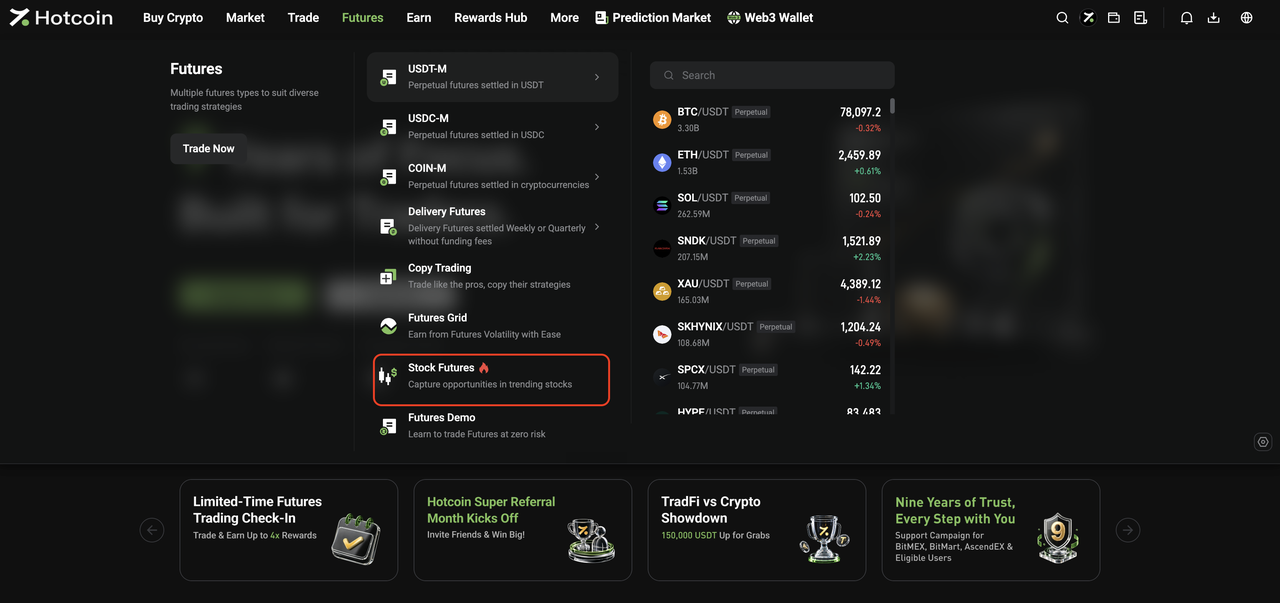
  • From the Futures menu: Open the Futures drop-down menu in the top navigation bar and click Stock Futures to go to the TradFi Futures trading page.


III. Start Trading TradFi

 
The basic trading flow for Hotcoin TradFi Spot and Futures is the same as for standard Spot and Futures trading on Hotcoin.
Once you enter the relevant trading page, you can place orders as you normally would.
 
For step-by-step instructions, see:
  • How to Trade Spot on Hotcoin (App)
  • How to Trade Spot on Hotcoin (Web)
  • How to Trade Futures
 
 
Risk Warning: TradFi trading involves market risk, and asset prices may fluctuate significantly. Before trading, make sure you understand the relevant product rules and risks, and trade cautiously based on your risk tolerance.


Related Articles

 
What Is Hotcoin TradFi?
TradFi FAQ

Quick Start Guide
Cryptocurrency Basics
Beginner’s Guide
App Guide
Start Trading
VIP Program
Rewards Center
Account Security & KYC
Asset Security
Security Settings
KYC Verification
Deposit & Withdrawal
Deposit
Withdrawal
P2P
P2P Trading Guide
P2P Merchant Management
P2P Rules & Agreements
Friend Referral
Spot Trading
Spot Trading Guide
Pre-market trading
Derivatives
Advanced Trading
Grid Trading
Trend Trading
Fundamentals of Technical Analysis (Candlesticks / MACD / RSI)
Prediction Market
Futures Grid
Futures Trading
Getting Started
Contract Type
Trading Mechanics
Risk Management
FAQ
Copy Trading
Getting Started
Follower Guide
Lead Trader Guide
Terms of Service
Web3 Wallet
Getting Started
Swap
Hotcoin Card
Hotcoin Earn
TradFi
Alpha
Startup
Platform Support
Agreements & Rules