HOTCOIN Logo
暗号を購入する
マーケット
取引
先物
金融
ボーナス
もっと
Web3 ウォレット
カスタマーサポート

service(at)hotcoin.com

製品フィードバック

product(at)hotcoin.com

ビジネス協力

business(at)hotcoin.com

法執行機関

casecn(at)hotcoin.com

お 問い合わせ
カスタマーサポート

service(at)hotcoin.com

製品フィードバック

product(at)hotcoin.com

ビジネス協力

business(at)hotcoin.com

法執行機関

casecn(at)hotcoin.com

会社概要
会社概要
お知らせセンター
Hotcoinアカデミー
Hotcoinブログ
準備金証明
システムステータス
メディアキット
利用規約
プライバシー資産
法的説明
商品
先物契約
現物アカウント
TradFi取引
コピートレード
Earn
C2Cで暗号資産を購入
クレジットカードで暗号資産を購入
Web3ウォレット
仕える
ライブ
厳選ホットコイン
報酬センター
友達招待
VIP特典
ダウンロード
C2Cマーチャントプログラム
サポート
ヘルプセンター
API ファイル
手数料率
リスティングアプリケーション
オンラインサービス
フィードバックとご提案
Hotcoin認証
Hotcoin保護基金
リスク開示
サービス提供地域
取引
通貨情報
BTC USDC
ETH USDC
BTC USDT
ETH USDT
PI USDT
SOL USDT
XRP USDT
© 2017-2026 Australian Hotcoin Global Exchange Pty Ltd
ヘルプセンター
/TradFi/
How to Trade TradFi on Hotcoin
ヘルプセンター
/TradFi/
How to Trade TradFi on Hotcoin

How to Trade TradFi on Hotcoin

Hotcoin
共有

 
Getting started with TradFi on Hotcoin is easy. This guide walks you through how to access TradFi on the Hotcoin App and Web, find the product you want to trade, and start trading.


I. Access TradFi on the Hotcoin App

 
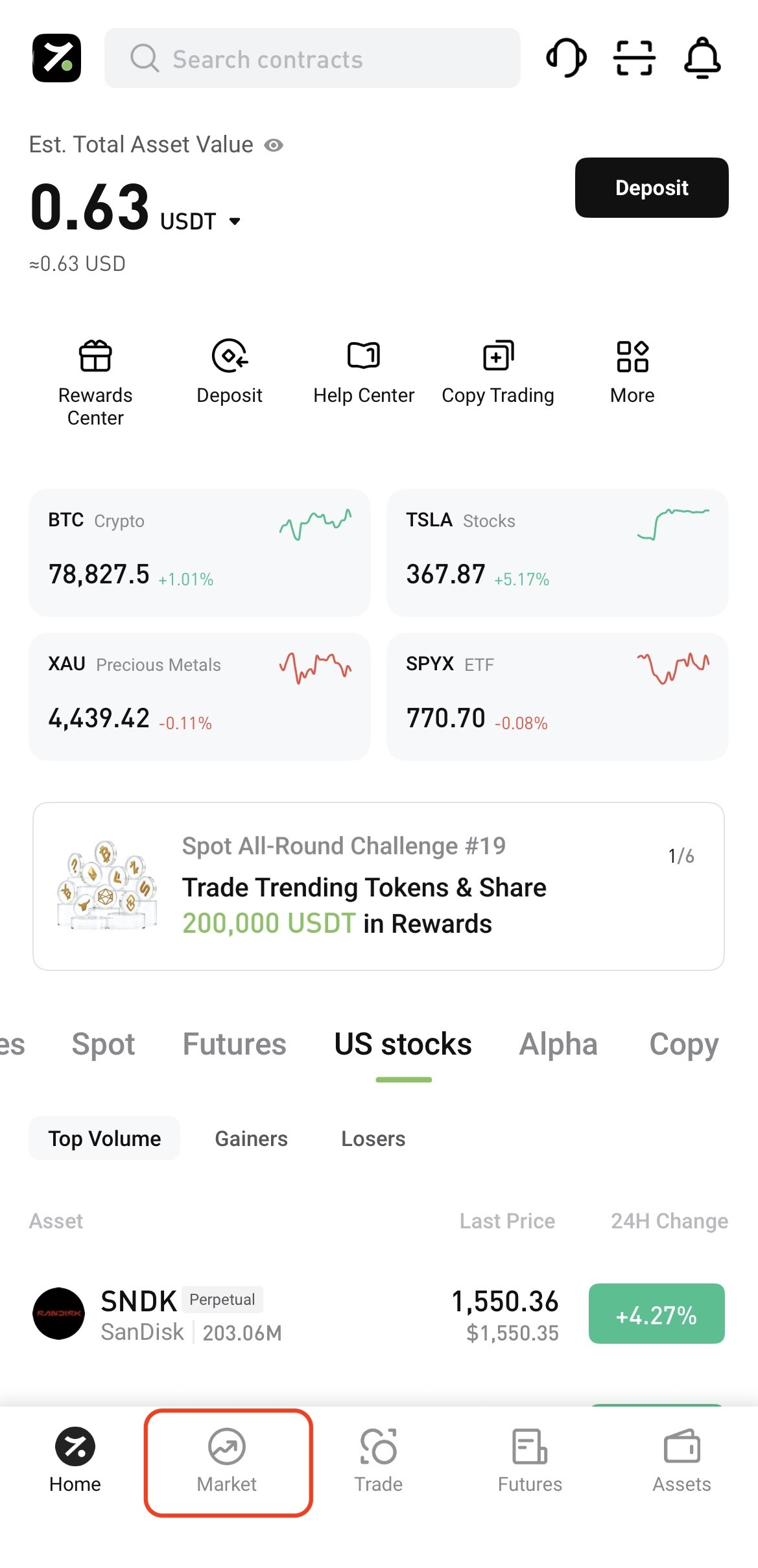
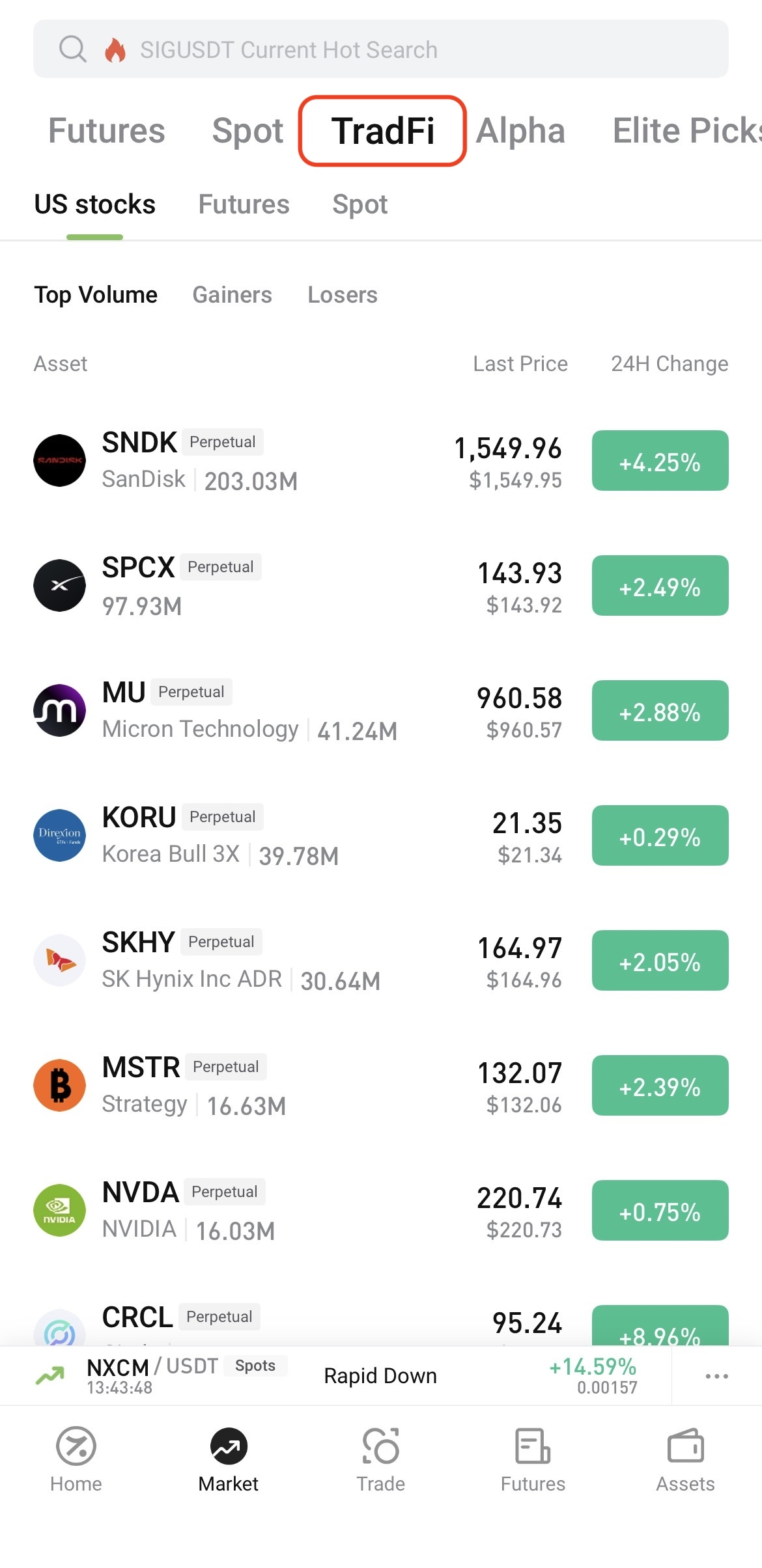
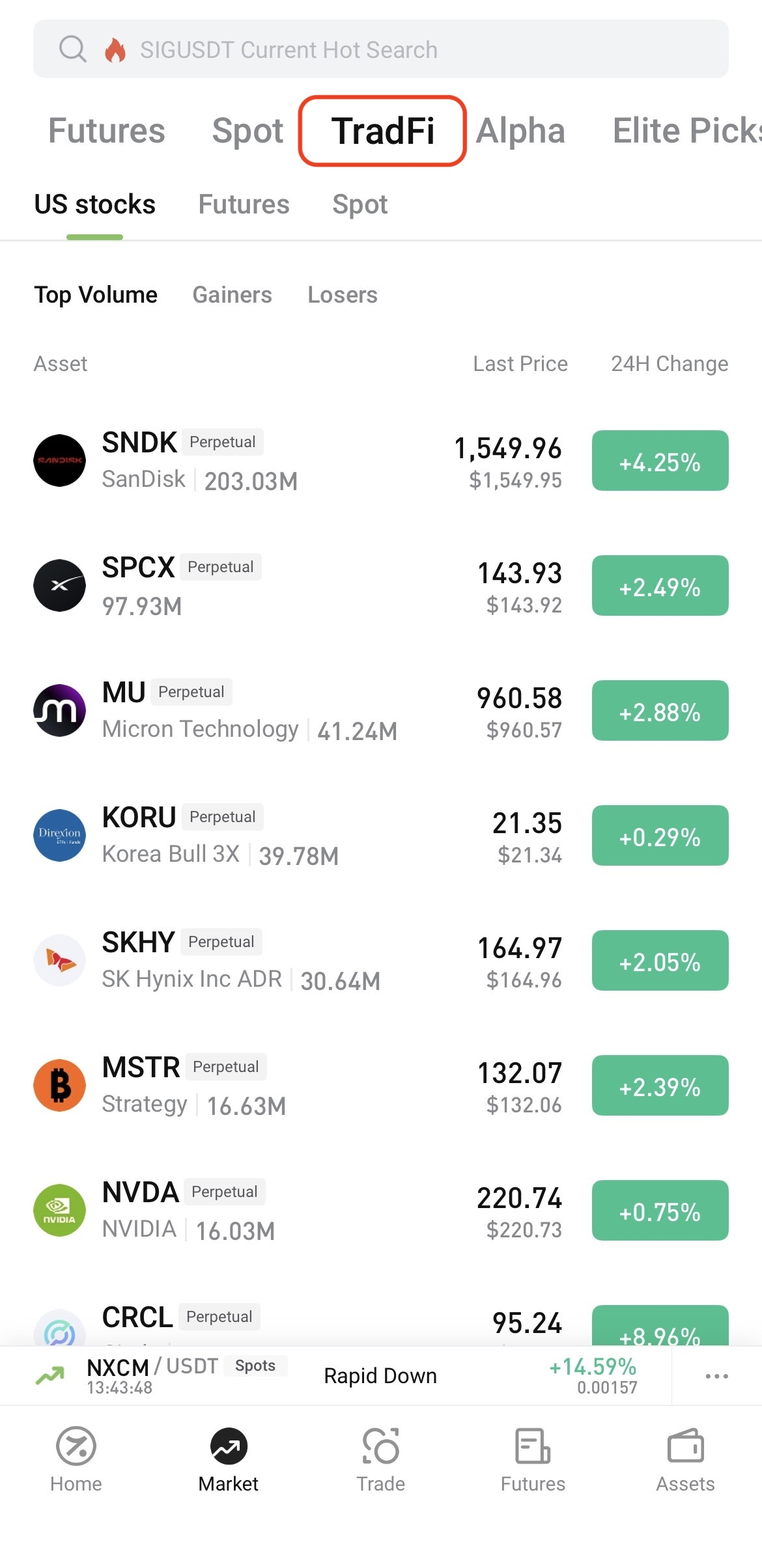
Log in to the Hotcoin App and tap Market at the bottom of the screen. On the Market page, tap TradFi at the top, then select U.S. Stocks, Futures, or Spot.


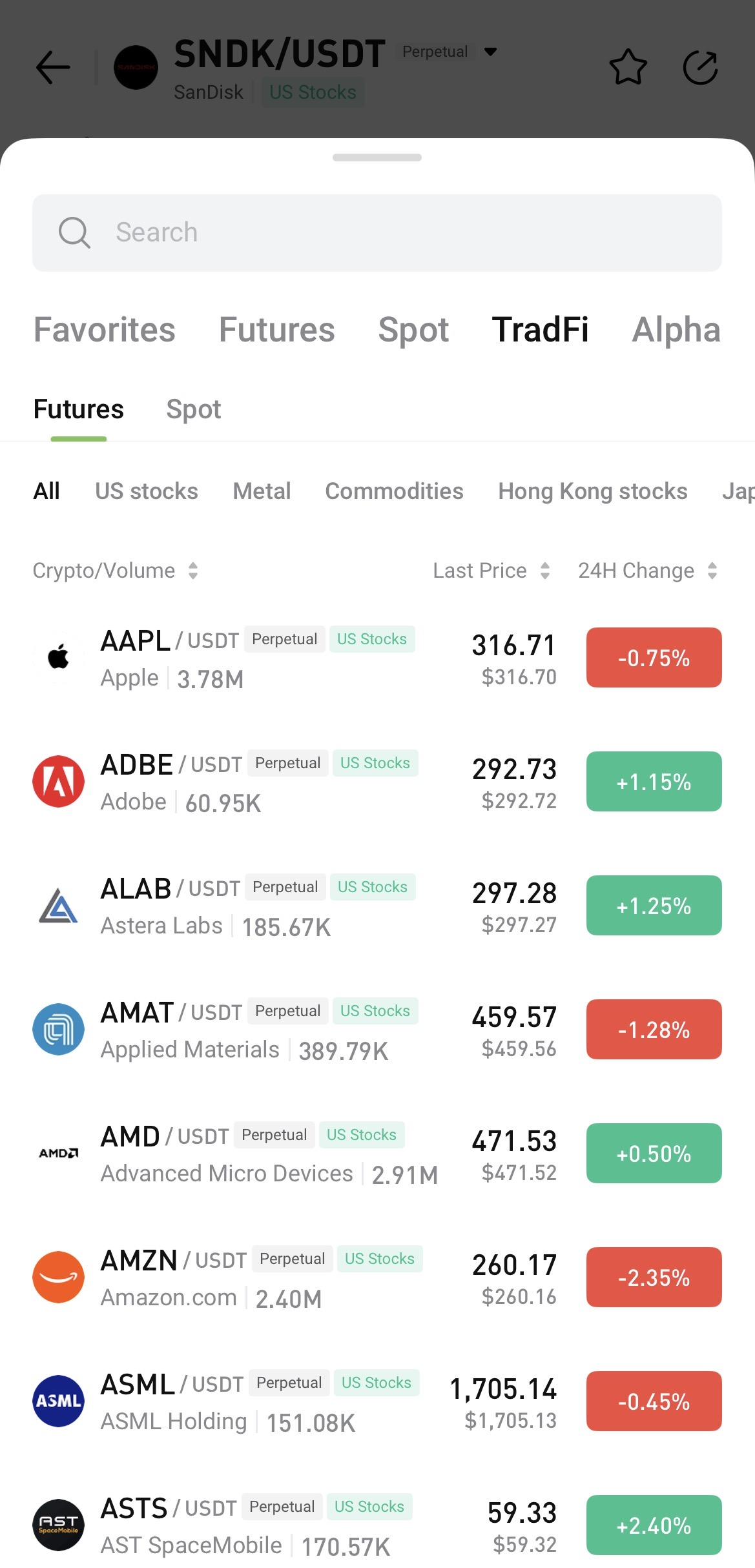
To search, open any trading page, tap the asset name, and enter the name or symbol you want to find.


II. Access TradFi on Hotcoin Web

 
After logging in to Hotcoin Web, you can access TradFi in the following ways:
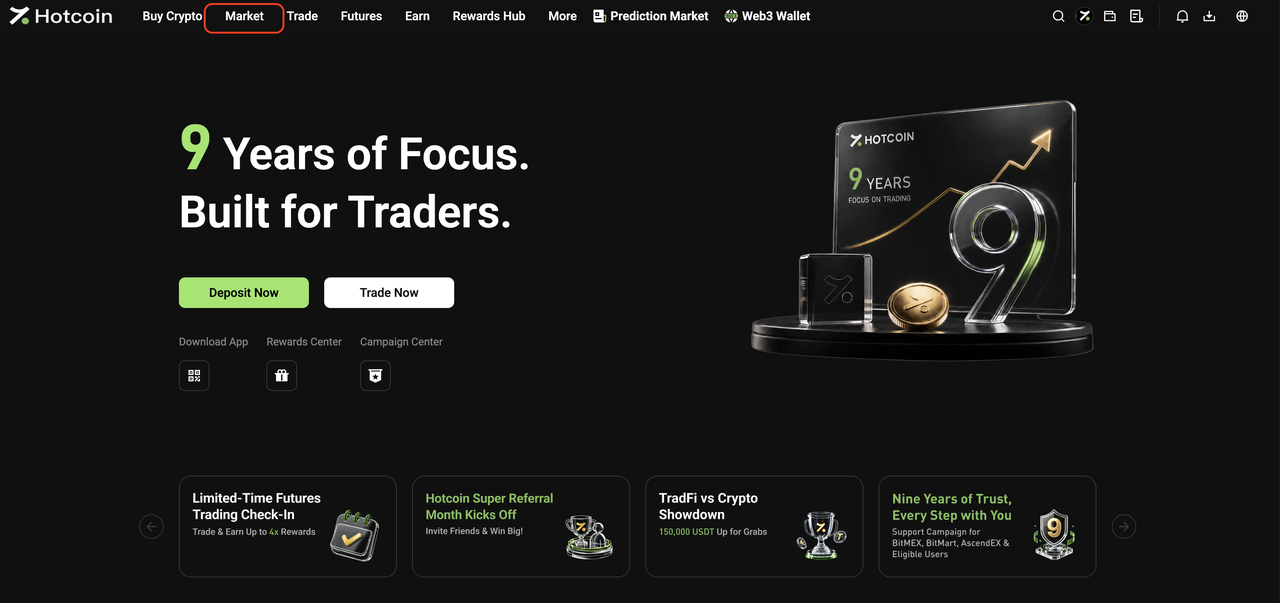
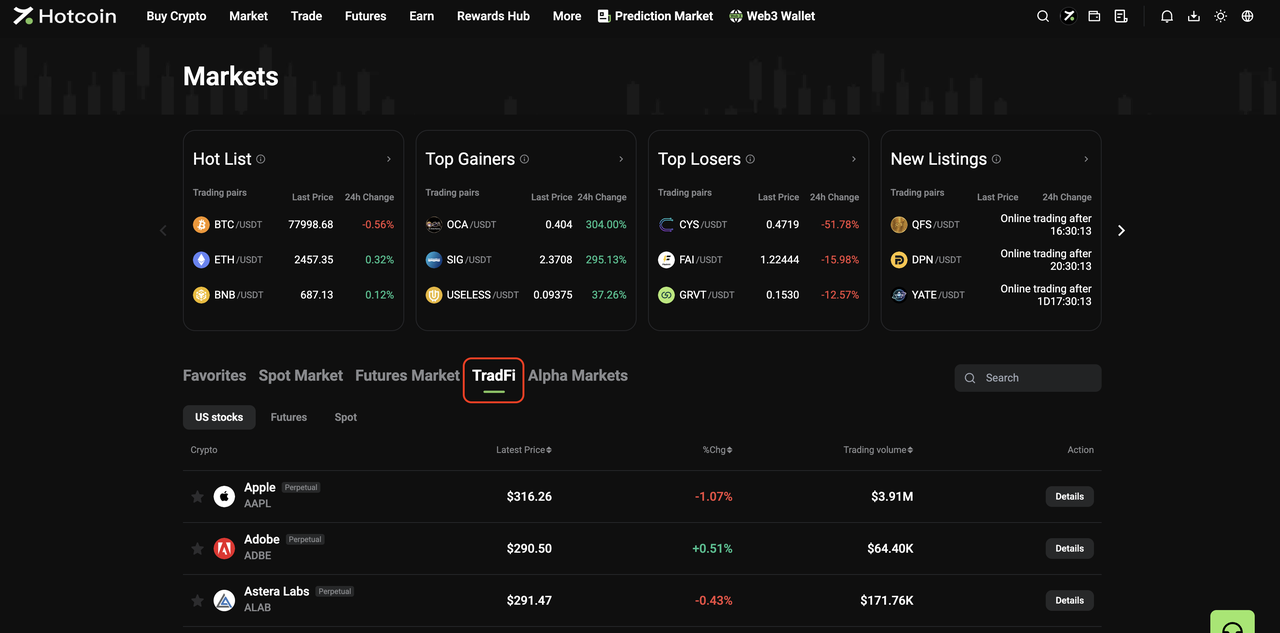
  • From the Market page: Click Market in the top navigation bar, then click TradFi on the Market page. Select U.S. Stocks, Futures, or Spot and choose an asset from the list, or use the search function to find one directly.


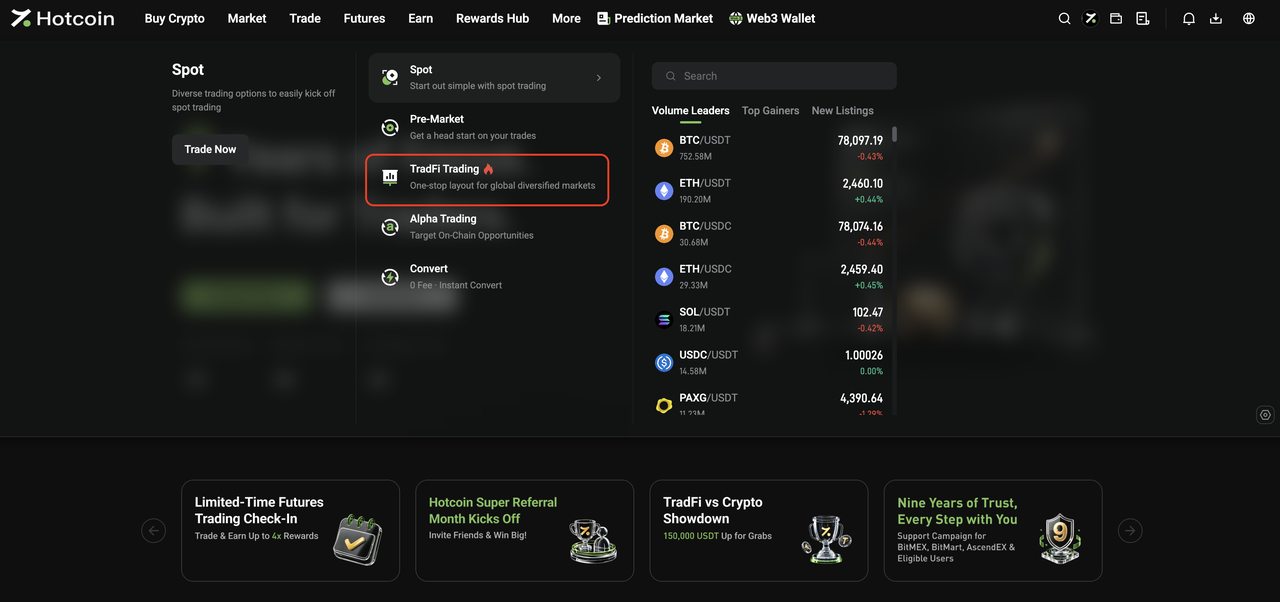
  • From the Trade menu: Open the Trade drop-down menu in the top navigation bar and click TradFi Trading to go to the TradFi Spot trading page.


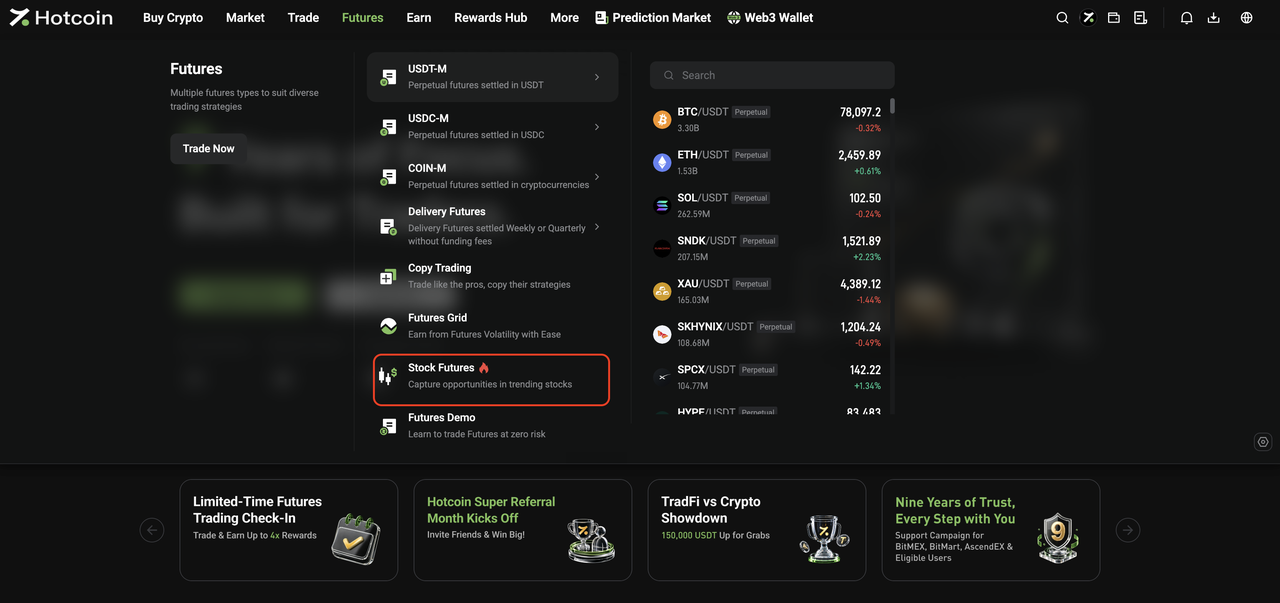
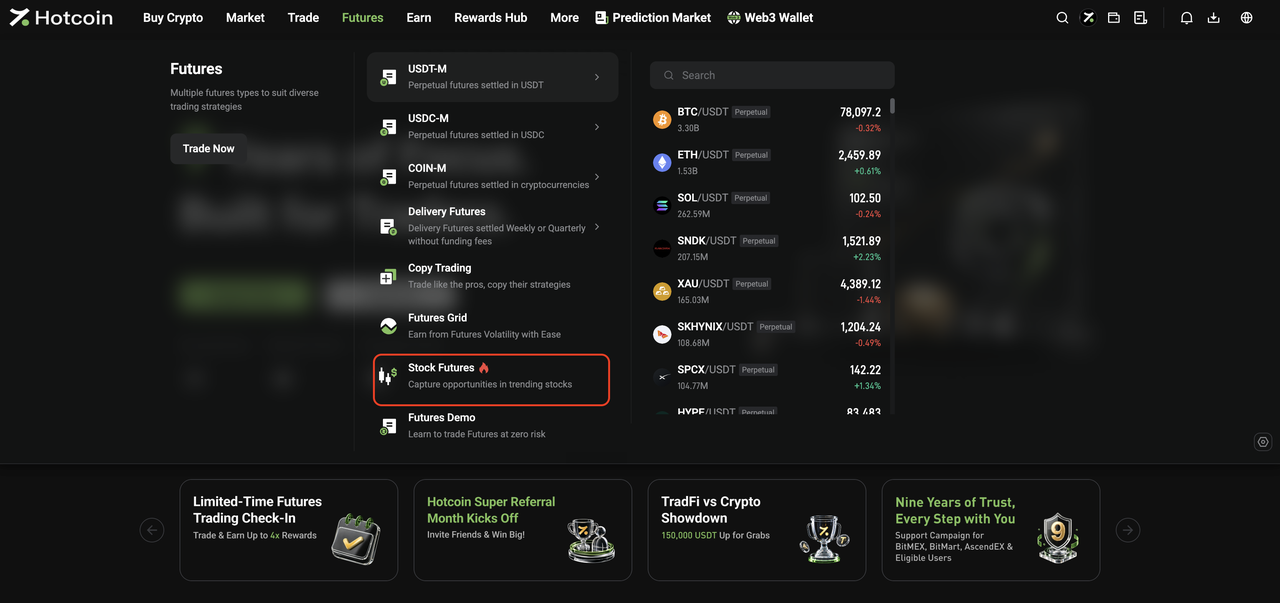
  • From the Futures menu: Open the Futures drop-down menu in the top navigation bar and click Stock Futures to go to the TradFi Futures trading page.


III. Start Trading TradFi

 
The basic trading flow for Hotcoin TradFi Spot and Futures is the same as for standard Spot and Futures trading on Hotcoin.
Once you enter the relevant trading page, you can place orders as you normally would.
 
For step-by-step instructions, see:
  • How to Trade Spot on Hotcoin (App)
  • How to Trade Spot on Hotcoin (Web)
  • How to Trade Futures
 
 
Risk Warning: TradFi trading involves market risk, and asset prices may fluctuate significantly. Before trading, make sure you understand the relevant product rules and risks, and trade cautiously based on your risk tolerance.


Related Articles

 
What Is Hotcoin TradFi?
TradFi FAQ

入金と出金
Deposit
Withdrawal
暗号通貨を購入する
P2P FAQ
加盟店管理
プロトコルルール
現物取引と証拠金取引
現物取引
先物取引
Contract Grid
Contract documentary
Getting Started
Follower Guide
Lead Trader Guide
Hotcoin財務管理
その他のトピック (プロトコル関連)
NFT