HOTCOIN Logo
Acheter Crypto
Marchés
Trading
Contrats à terme
Gagner
Centre de récompenses
Plus
Portefeuille Web3
Service Contacts

Service@hotcoin.com

Commentaires sur les produits

Product@hotcoin.com

Coopération commerciale

Business@hotcoin.com

Contacts juridiques

Casecn@hotcoin.com

Contactez-nous
Service Contacts

Service@hotcoin.com

Commentaires sur les produits

Product@hotcoin.com

Coopération commerciale

Business@hotcoin.com

Contacts juridiques

Casecn@hotcoin.com

Qui sommes-nous
Présentation de la plateforme
Centre d'annonces
État du système
Conditions d’utilisation
Politique de confidentialité
Description légale
produit
Futur
Spot
Trading TradFi
Copier le contrat
Trading sur marge
Earn
Achat P2P
Achetez des cryptomonnaies avec une carte
Portefeuille Web3
Servir
Diffusion en direct
Sélection stricte de pièces chaudes
Hub Bonus
Invitation d'amis
Avantages VIP
Télécharger
Postuler pour le marchand P2P
Support
Collège hotcoin
Centre d'Aide
Documentation de l'API
Taux de Frais
Crypto Info
Demande d’inscription
un service en ligne
commentaires des clients
vérification officielle
Trading
BTC USDC
ETH USDC
BTC USDT
ETH USDT
PI USDT
SOL USDT
XRP USDT
©2017-2026
Centre d'Aide
/TradFi/
How to Trade TradFi on Hotcoin
Centre d'Aide
/TradFi/
How to Trade TradFi on Hotcoin

How to Trade TradFi on Hotcoin

Hotcoin
Partager

 
Getting started with TradFi on Hotcoin is easy. This guide walks you through how to access TradFi on the Hotcoin App and Web, find the product you want to trade, and start trading.


I. Access TradFi on the Hotcoin App

 
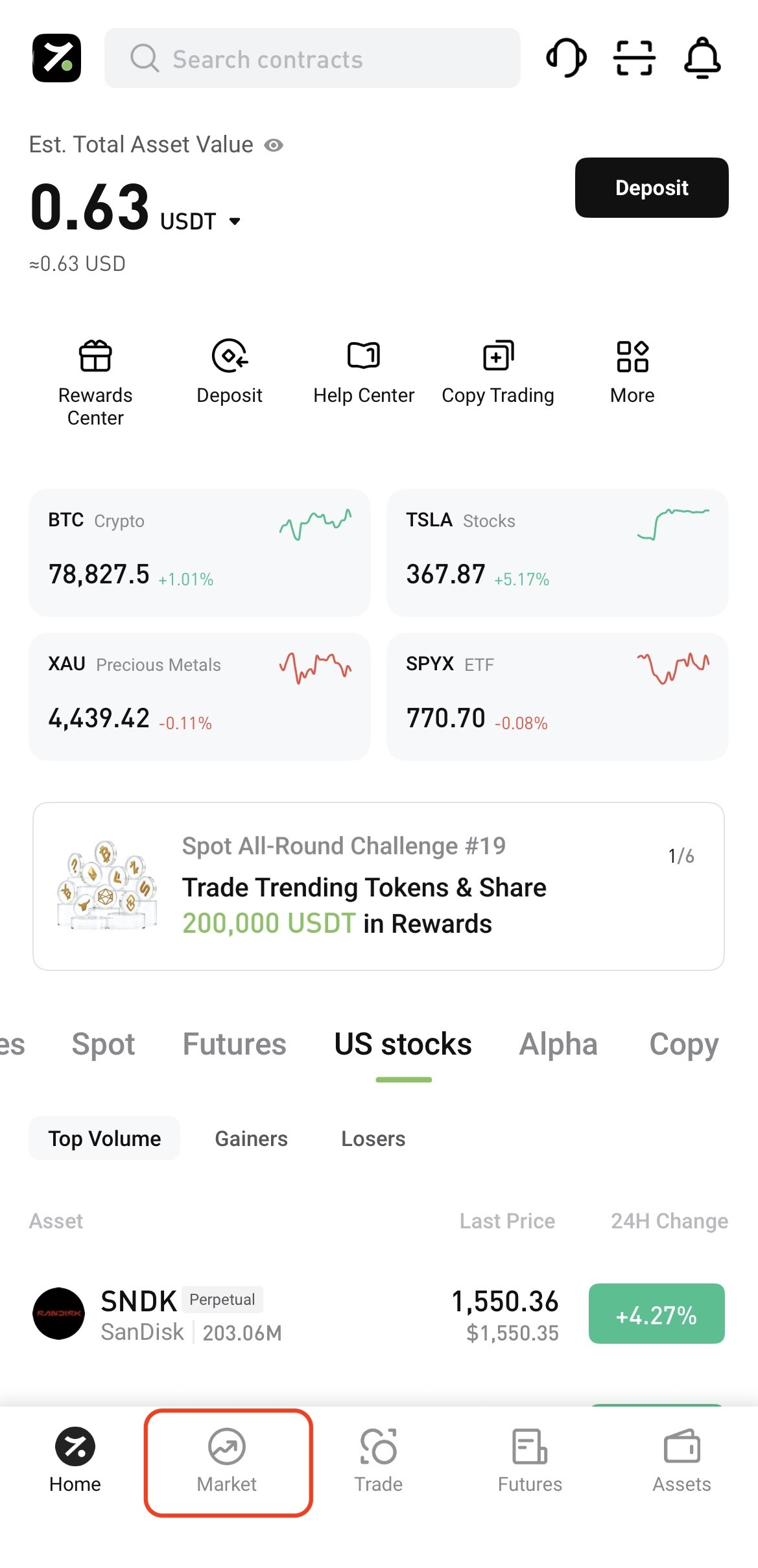
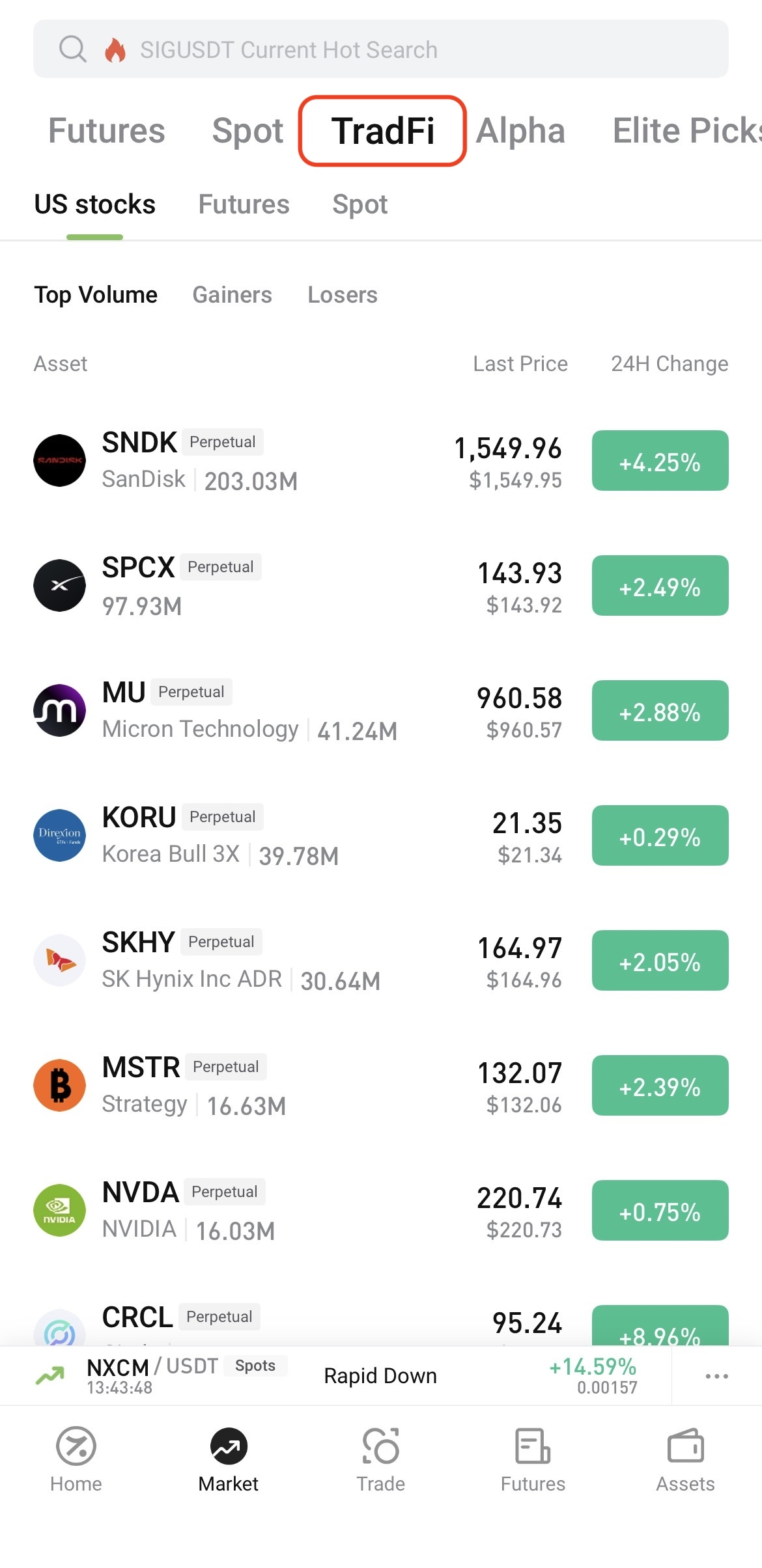
Log in to the Hotcoin App and tap Market at the bottom of the screen. On the Market page, tap TradFi at the top, then select U.S. Stocks, Futures, or Spot.


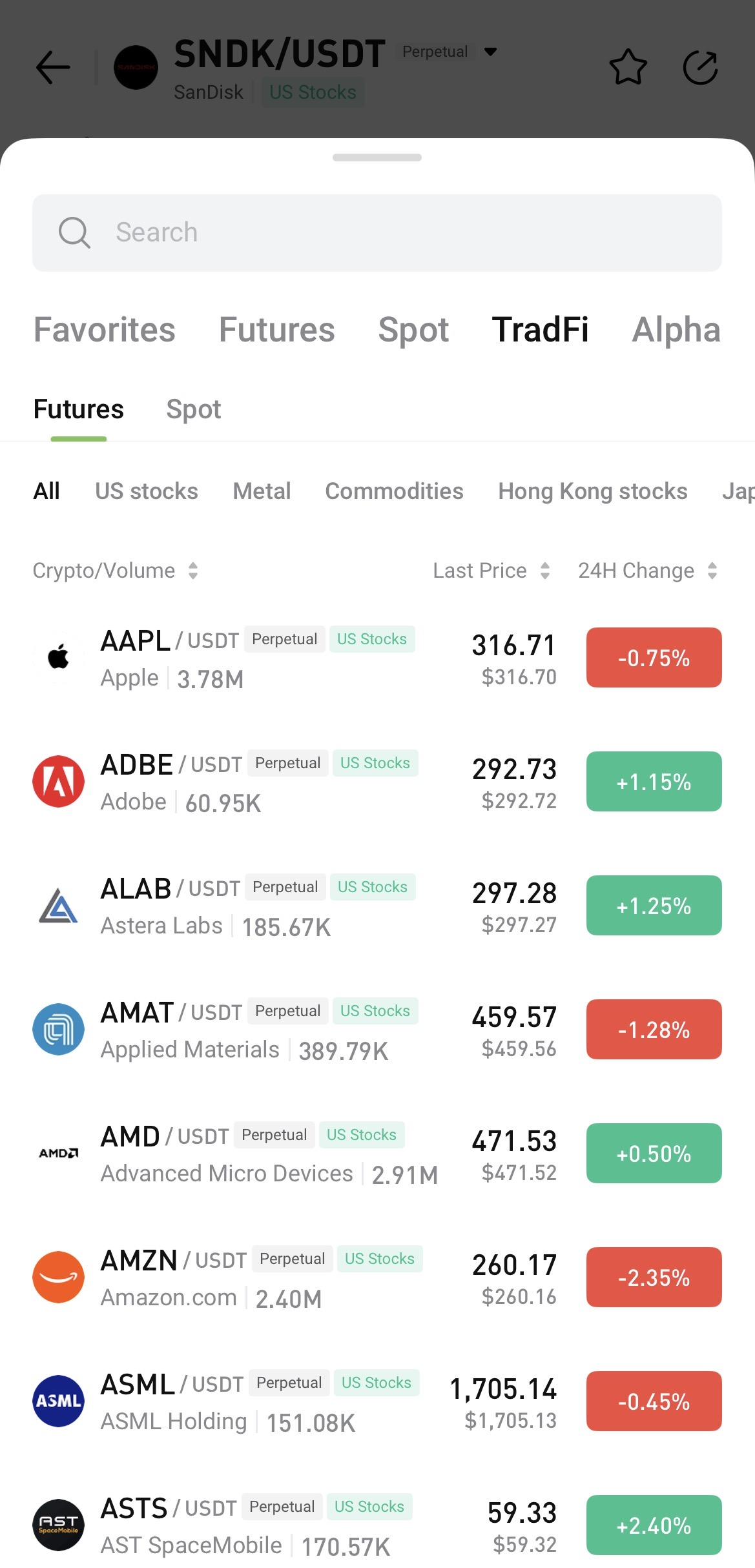
To search, open any trading page, tap the asset name, and enter the name or symbol you want to find.


II. Access TradFi on Hotcoin Web

 
After logging in to Hotcoin Web, you can access TradFi in the following ways:
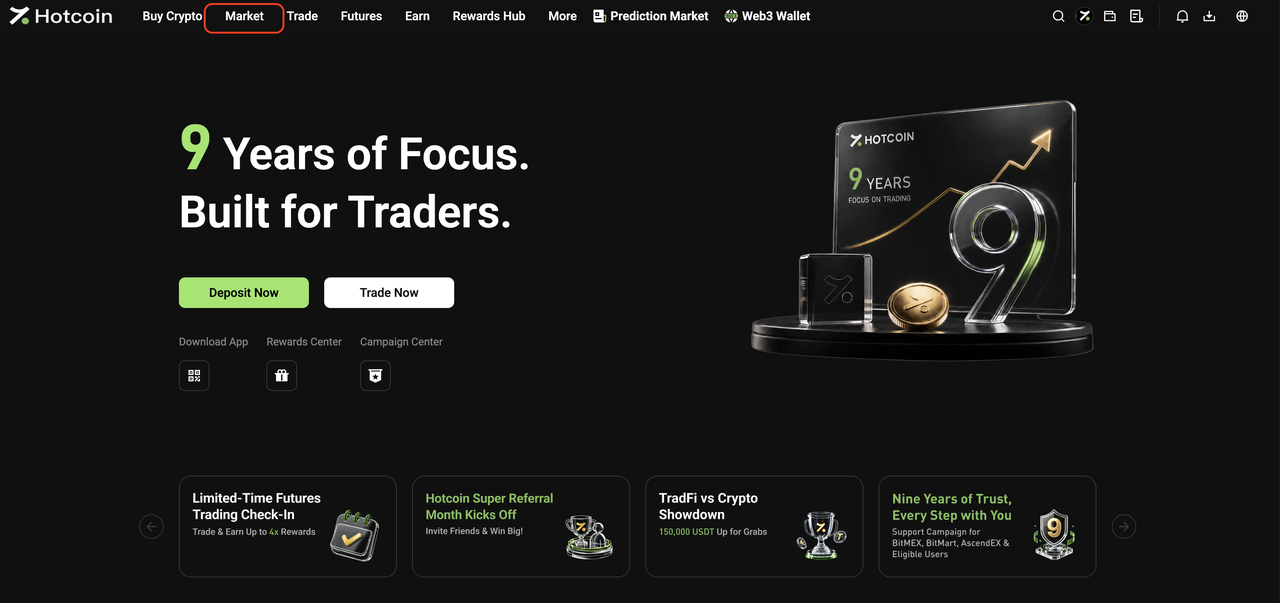
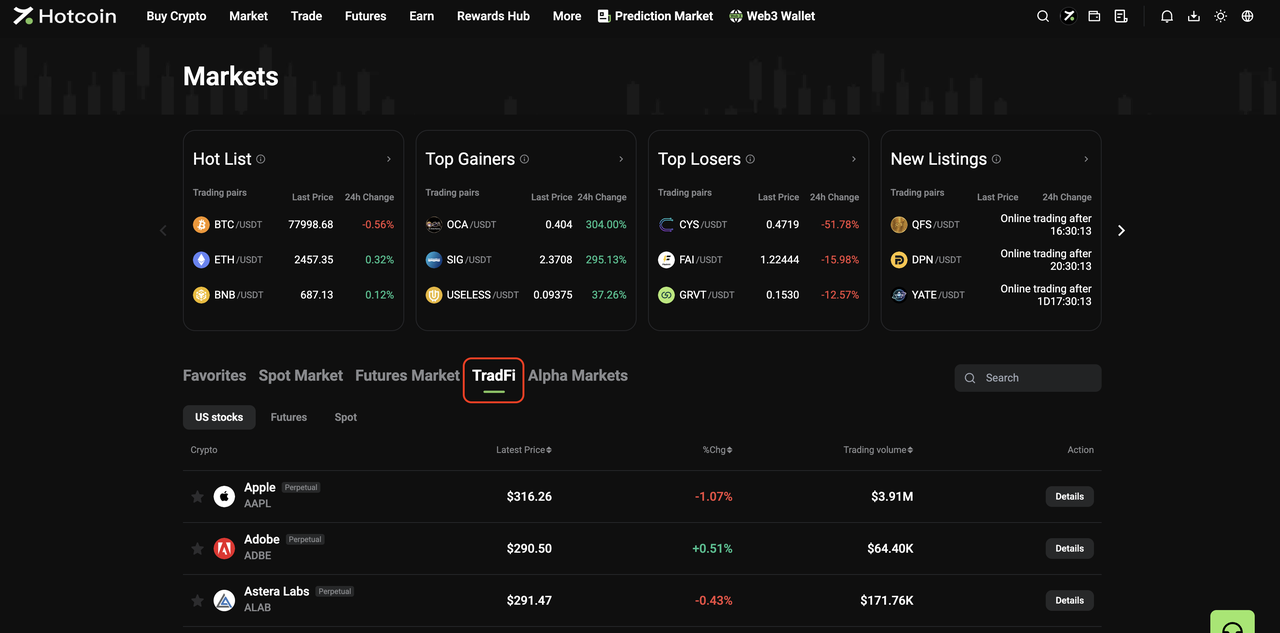
  • From the Market page: Click Market in the top navigation bar, then click TradFi on the Market page. Select U.S. Stocks, Futures, or Spot and choose an asset from the list, or use the search function to find one directly.


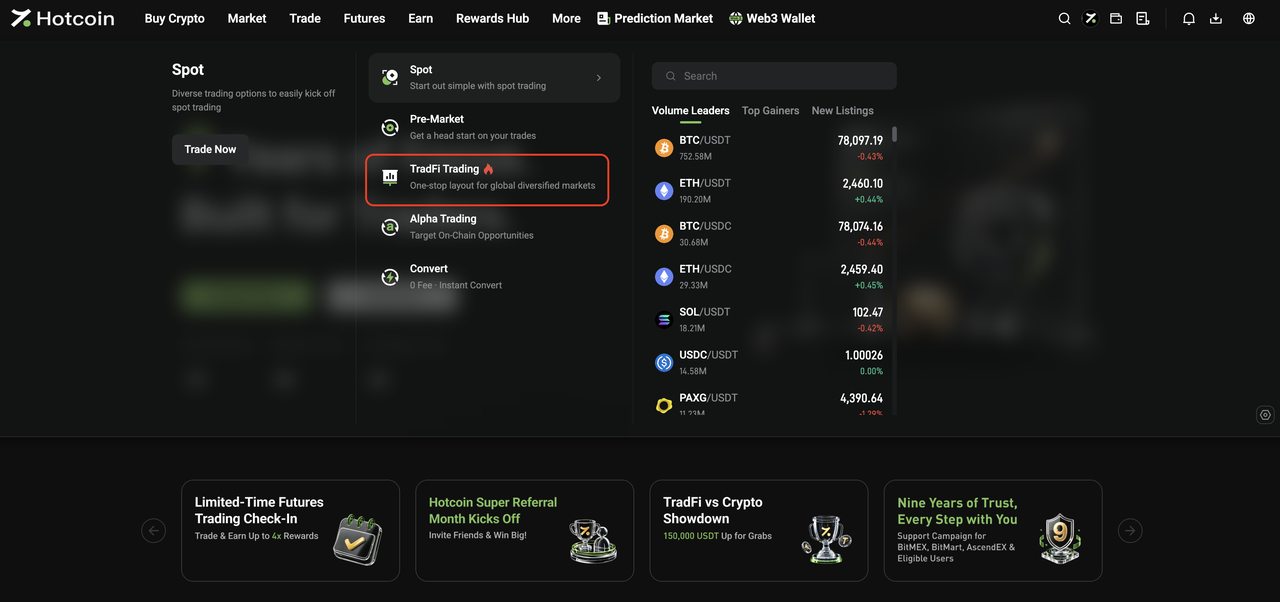
  • From the Trade menu: Open the Trade drop-down menu in the top navigation bar and click TradFi Trading to go to the TradFi Spot trading page.


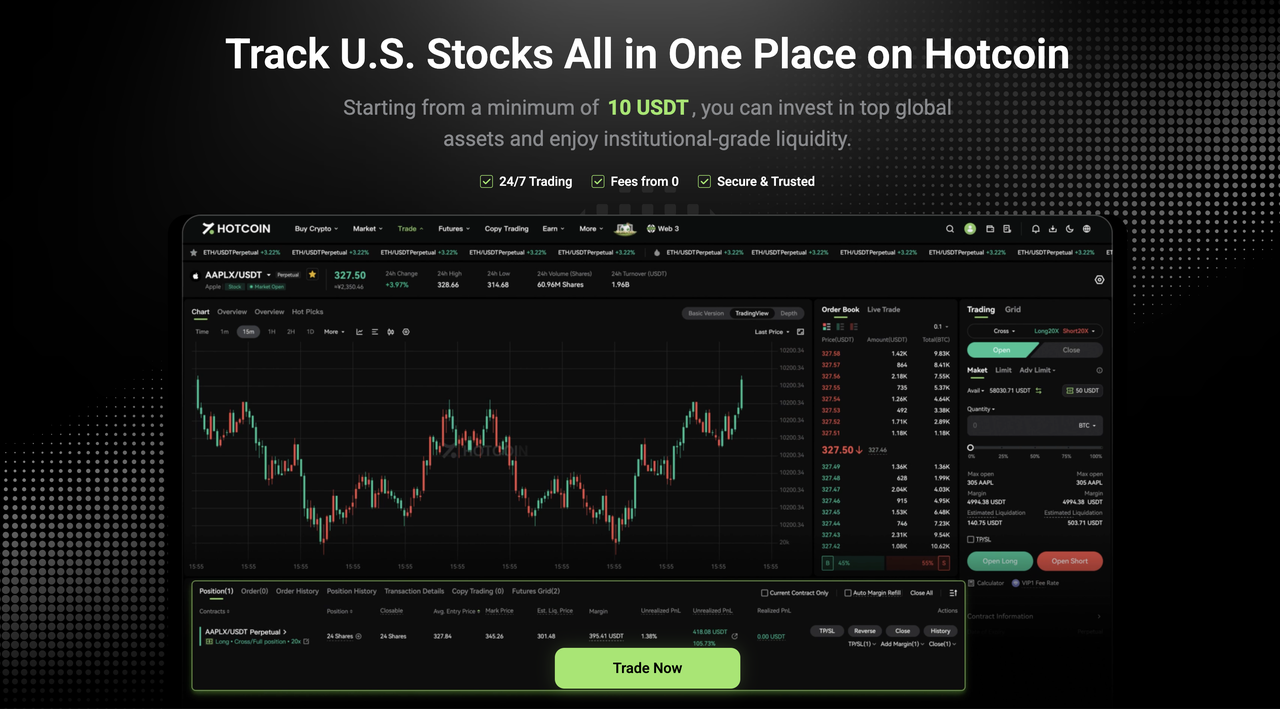
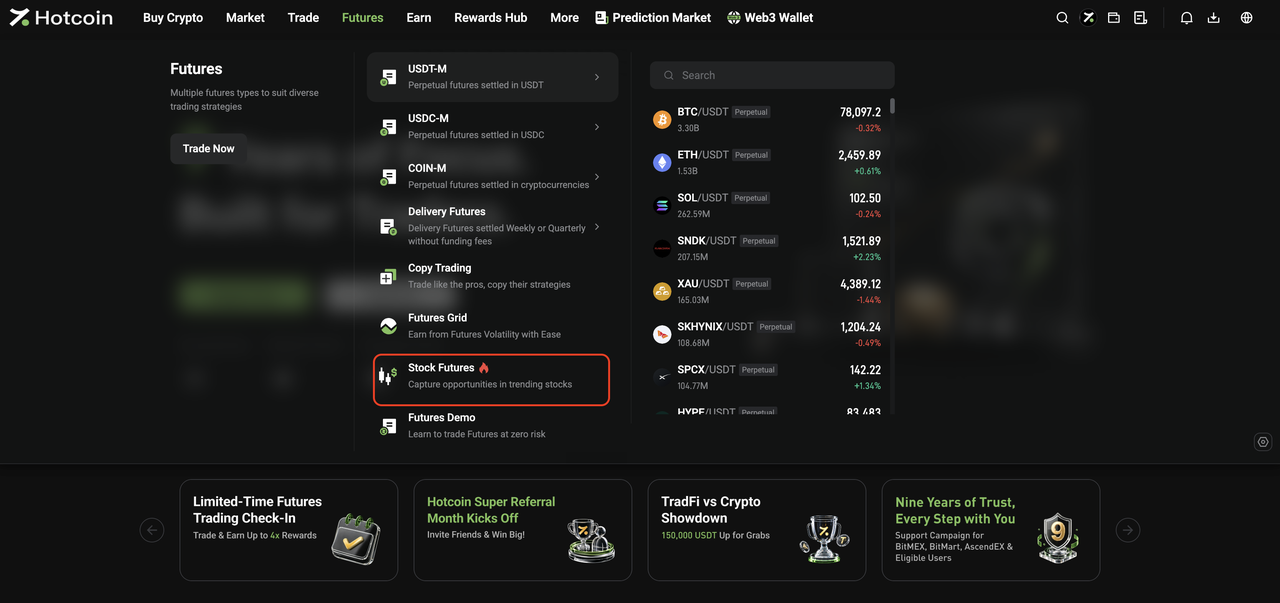
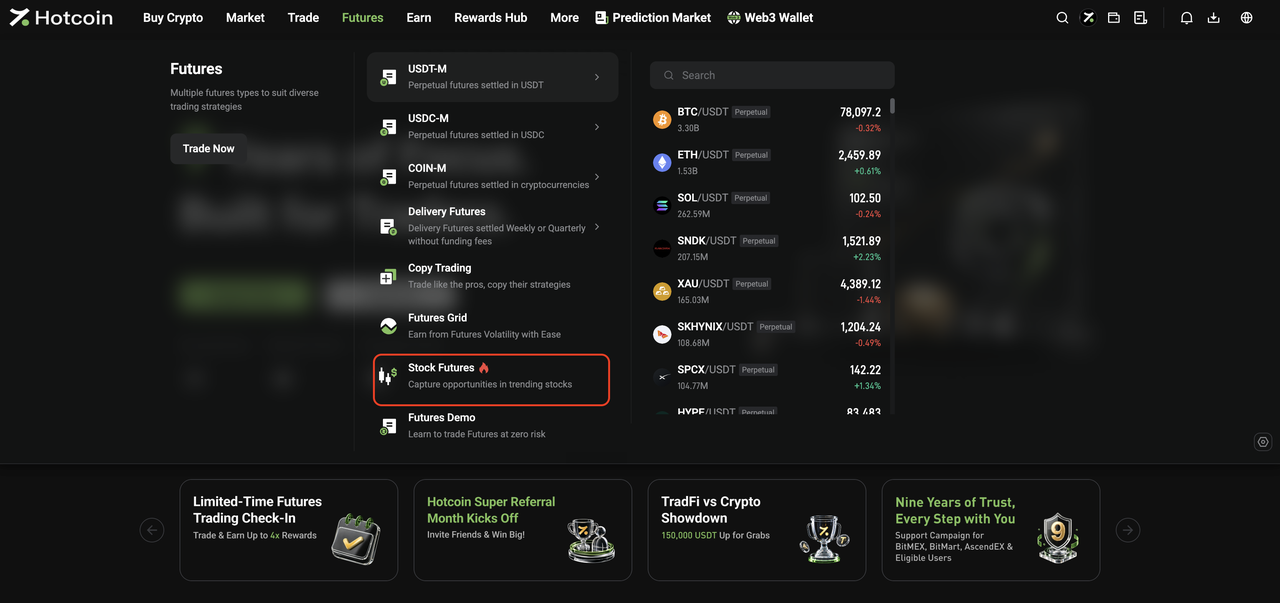
  • From the Futures menu: Open the Futures drop-down menu in the top navigation bar and click Stock Futures to go to the TradFi Futures trading page.


III. Start Trading TradFi

 
The basic trading flow for Hotcoin TradFi Spot and Futures is the same as for standard Spot and Futures trading on Hotcoin.
Once you enter the relevant trading page, you can place orders as you normally would.
 
For step-by-step instructions, see:
  • How to Trade Spot on Hotcoin (App)
  • How to Trade Spot on Hotcoin (Web)
  • How to Trade Futures
 
 
Risk Warning: TradFi trading involves market risk, and asset prices may fluctuate significantly. Before trading, make sure you understand the relevant product rules and risks, and trade cautiously based on your risk tolerance.


Related Articles

 
What Is Hotcoin TradFi?
TradFi FAQ

Dépôt et retrait
Deposit
Withdrawal
acheter de la crypto-monnaie
P2P FAQ
Gestion des marchands
règles de protocole
Négociation au comptant et sur marge
Négociation au comptant
négociation à terme
Contract Grid
Contract documentary
Getting Started
Follower Guide
Lead Trader Guide
Financement des hotcoins
Autres sujets (liés au protocole)
NFT