HOTCOIN Logo
Buy Crypto
Markets
Kalakalan
Mga Kinabukasan
Kumita
Rewards Hub
Higit pa
Pitaka ng Web3
Mga contact sa serbisyo

Service@hotcoin.com

Feedback ng produkto

Product@hotcoin.com

Kooperasyon sa negosyo

Business@hotcoin.com

Legal na mga contact

Casecn@hotcoin.com

Makipag-ugnayan sa amin
Mga contact sa serbisyo

Service@hotcoin.com

Feedback ng produkto

Product@hotcoin.com

Kooperasyon sa negosyo

Business@hotcoin.com

Legal na mga contact

Casecn@hotcoin.com

Tungkol sa atin
Platform Panimula
Sentro ng Mga Anunsyo
Kalagayan ng sistema
Kasunduan ng User
Patakaran sa Pagkapribado
Legal na paglalarawan
produkto
Futures
Spot
TradFi Trading
Kopyahin ang kontrata
Margin Trading
Earn
Bumili ng P2P
Bilhin ang Crypto gamit ang Card
Pitaka ng Web3
maglingkod
Live Streaming
Mahigpit na pagpili ng mainit na mga barya
Rewards Hub
Imbitasyon ng Kaibigan
Mga benepisyo ng VIP
I-download
Mag-apply para sa P2P Merchant
suporta
Hotcoin College
Help Center
Dokumentasyon ng API
Fee Rate
Impormasyon sa Crypto
Listahan ng application
online na serbisyo
feedback ng customer
opisyal na pagpapatunay
Kalakalan
BTC USDC
ETH USDC
BTC USDT
ETH USDT
PI USDT
SOL USDT
XRP USDT
©2017-2026
Help Center
/TradFi/
How to Trade TradFi on Hotcoin
Help Center
/TradFi/
How to Trade TradFi on Hotcoin

How to Trade TradFi on Hotcoin

Hotcoin
ibahagi

 
Getting started with TradFi on Hotcoin is easy. This guide walks you through how to access TradFi on the Hotcoin App and Web, find the product you want to trade, and start trading.


I. Access TradFi on the Hotcoin App

 
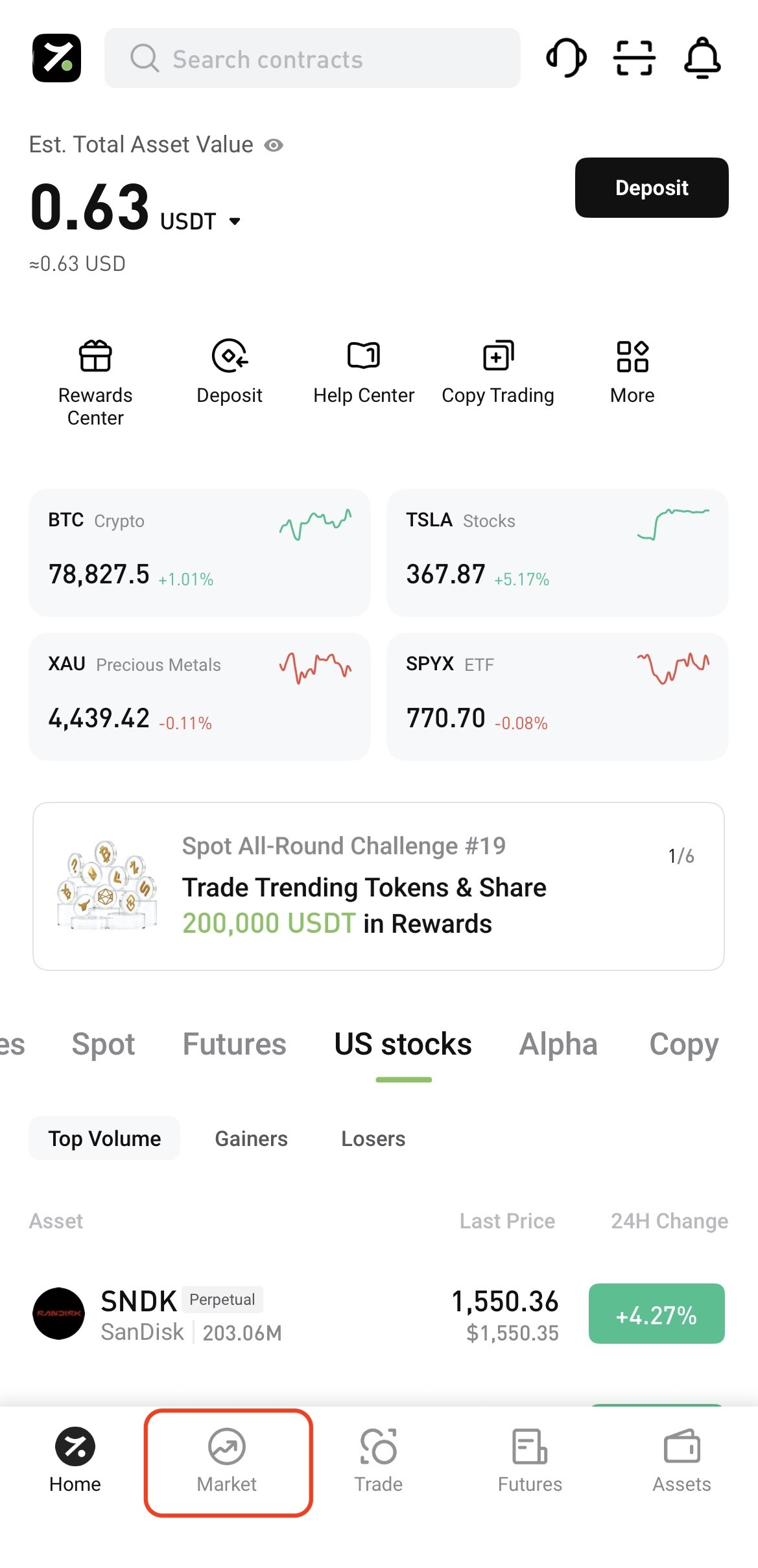
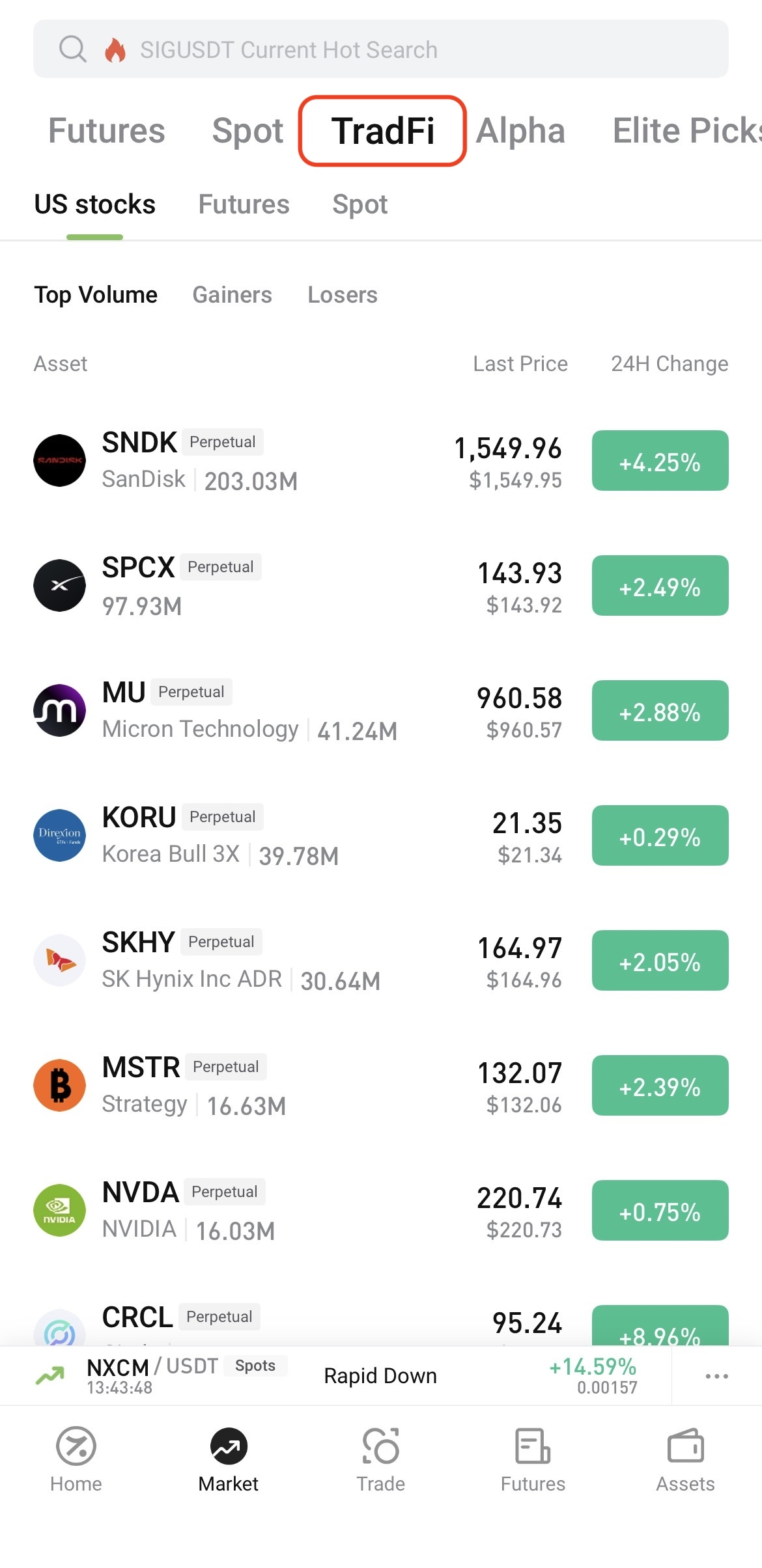
Log in to the Hotcoin App and tap Market at the bottom of the screen. On the Market page, tap TradFi at the top, then select U.S. Stocks, Futures, or Spot.


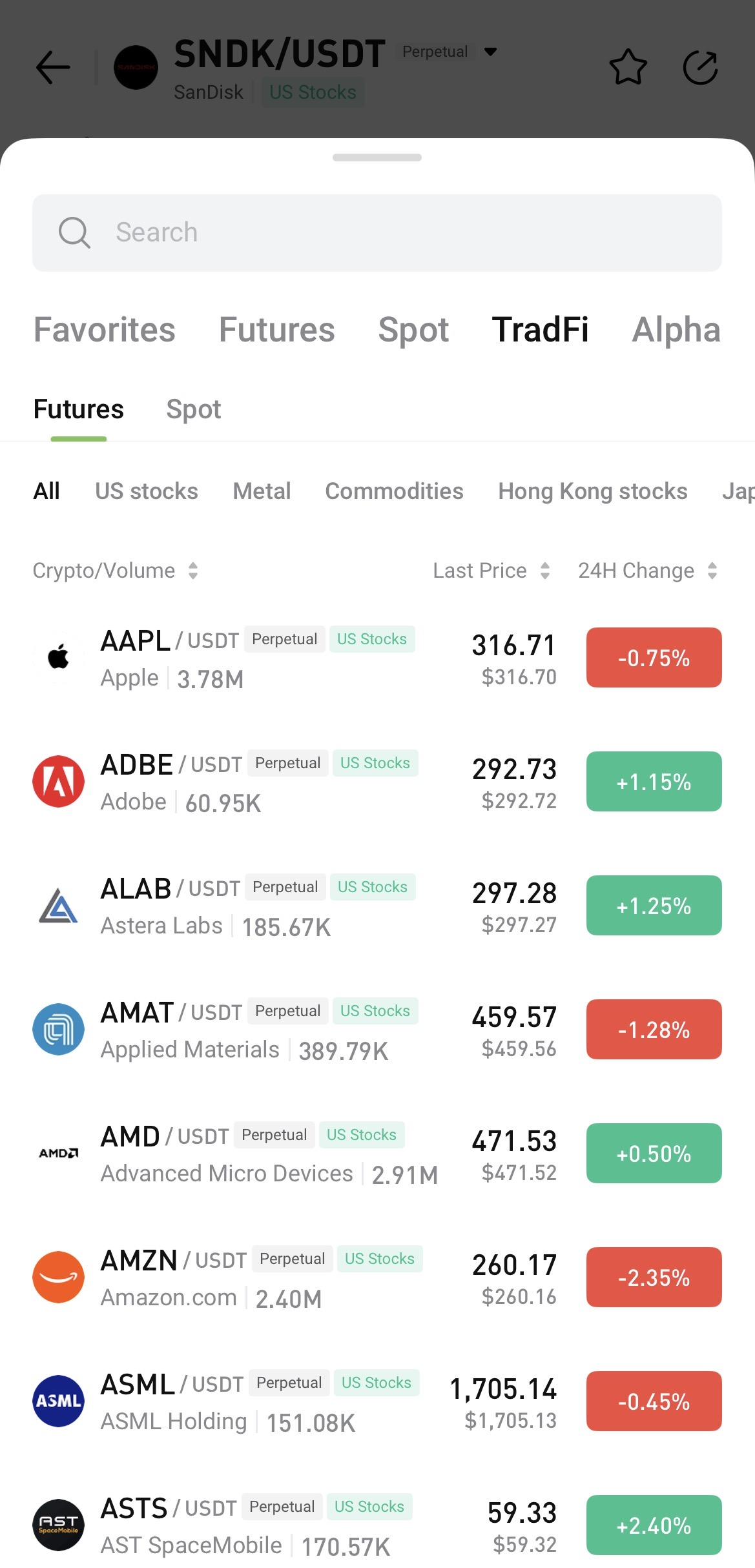
To search, open any trading page, tap the asset name, and enter the name or symbol you want to find.


II. Access TradFi on Hotcoin Web

 
After logging in to Hotcoin Web, you can access TradFi in the following ways:
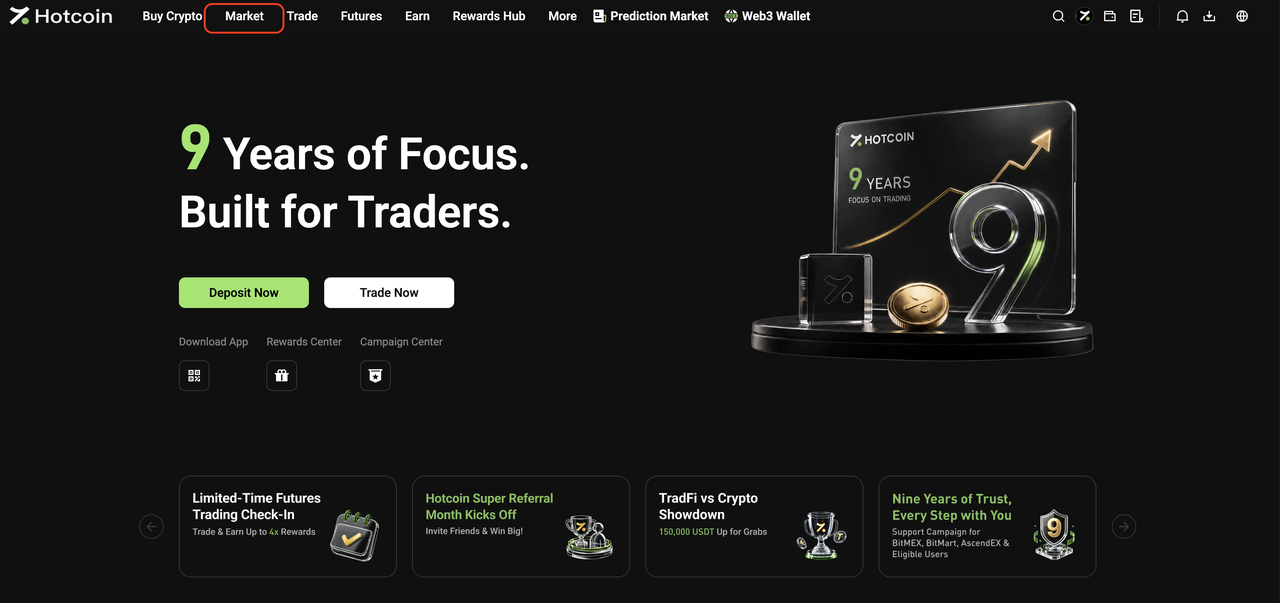
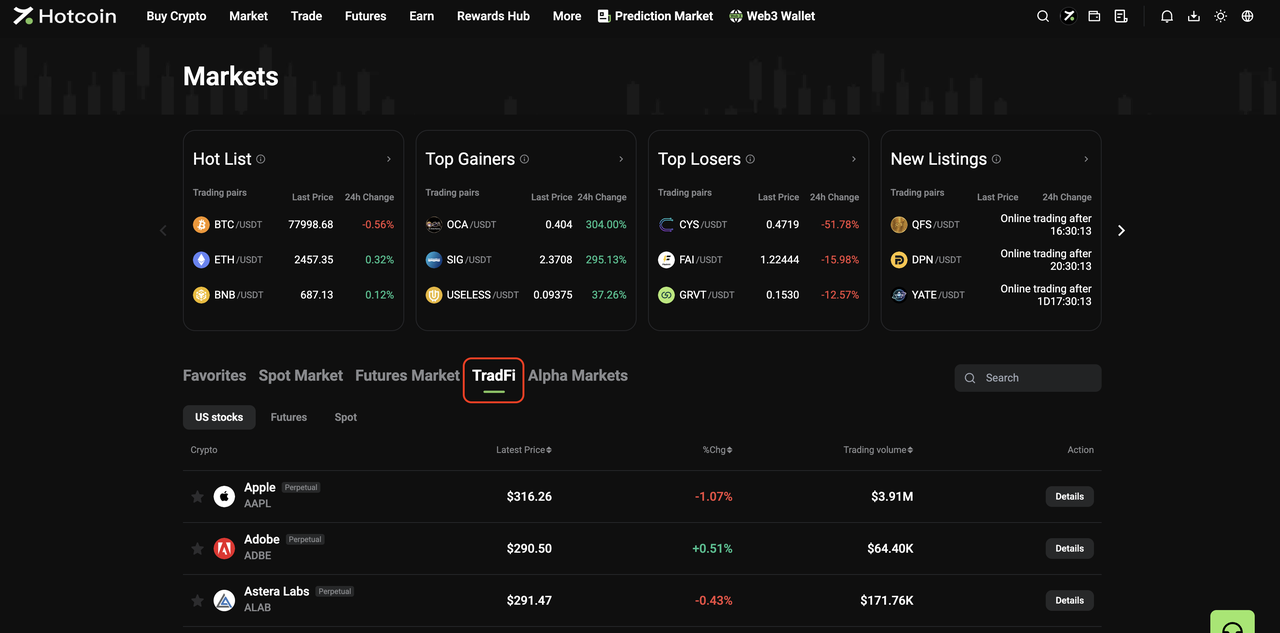
  • From the Market page: Click Market in the top navigation bar, then click TradFi on the Market page. Select U.S. Stocks, Futures, or Spot and choose an asset from the list, or use the search function to find one directly.


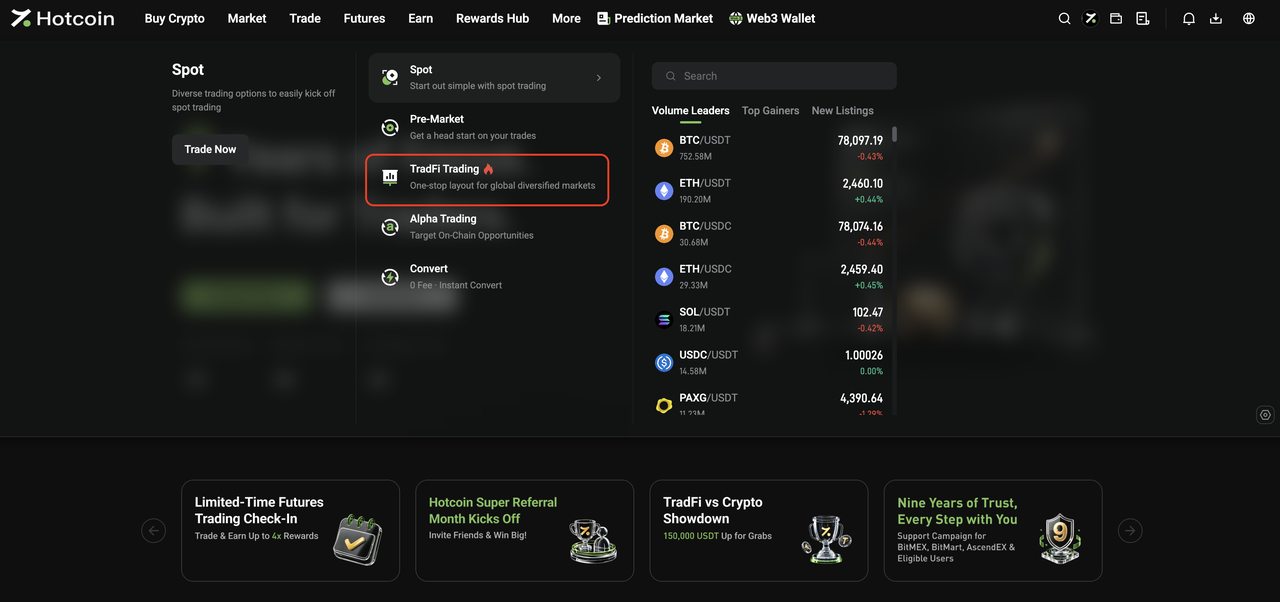
  • From the Trade menu: Open the Trade drop-down menu in the top navigation bar and click TradFi Trading to go to the TradFi Spot trading page.


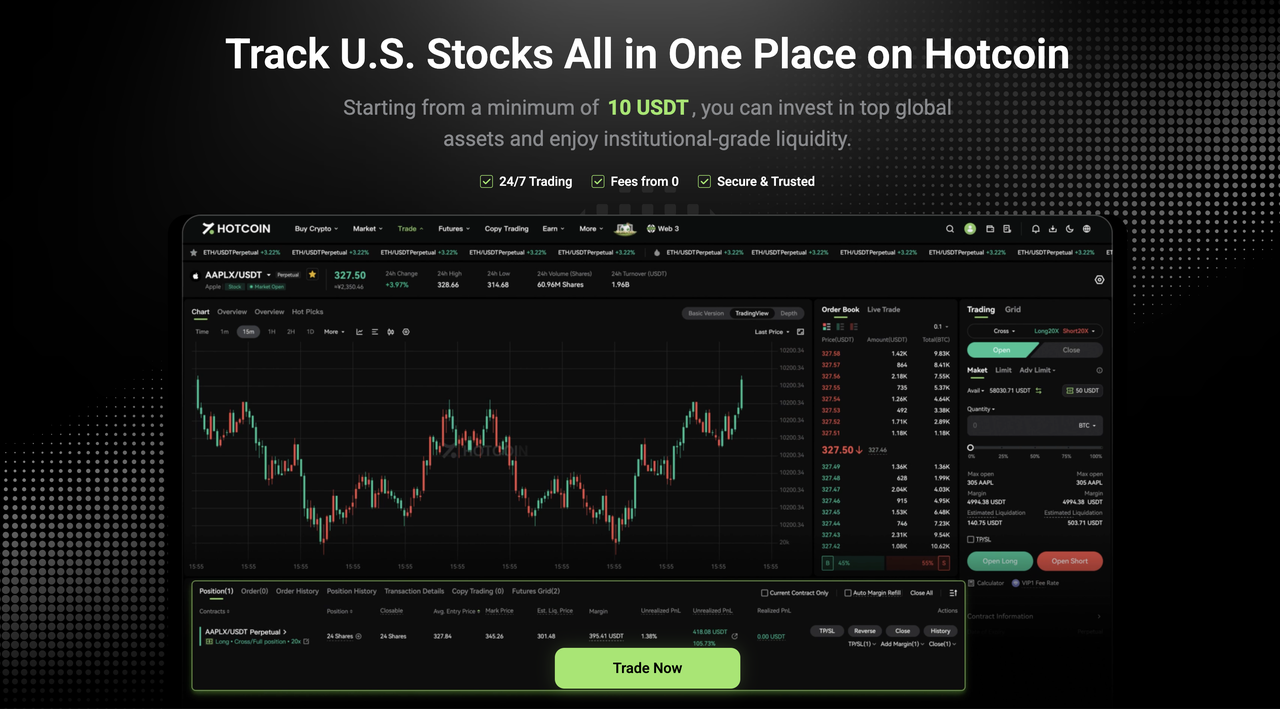
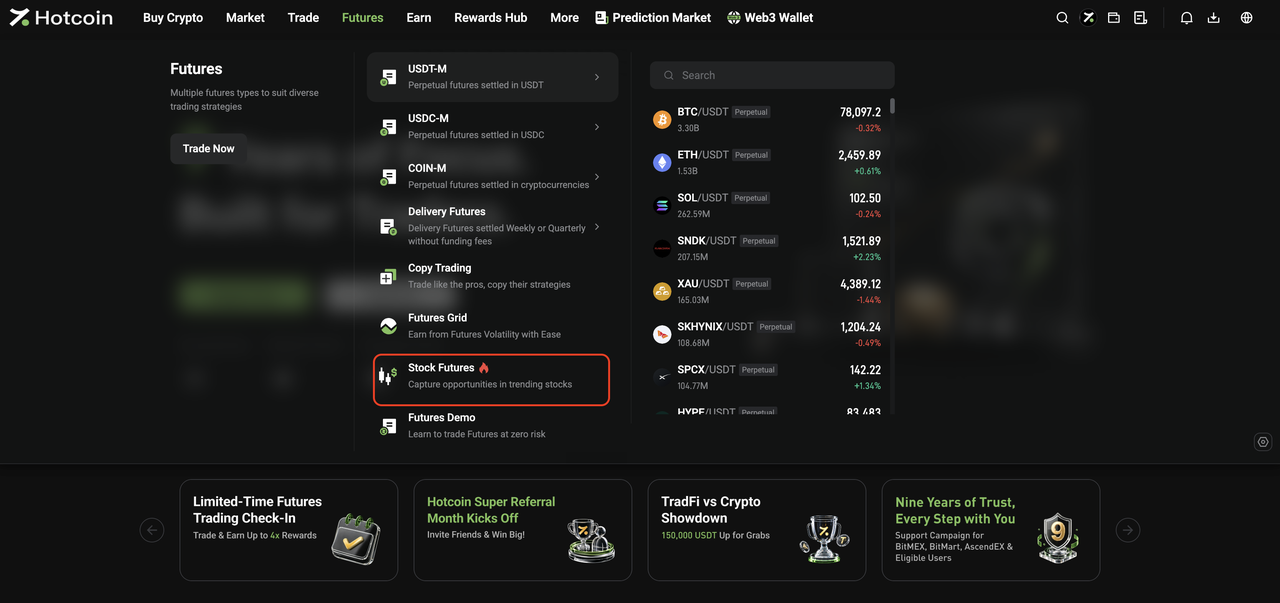
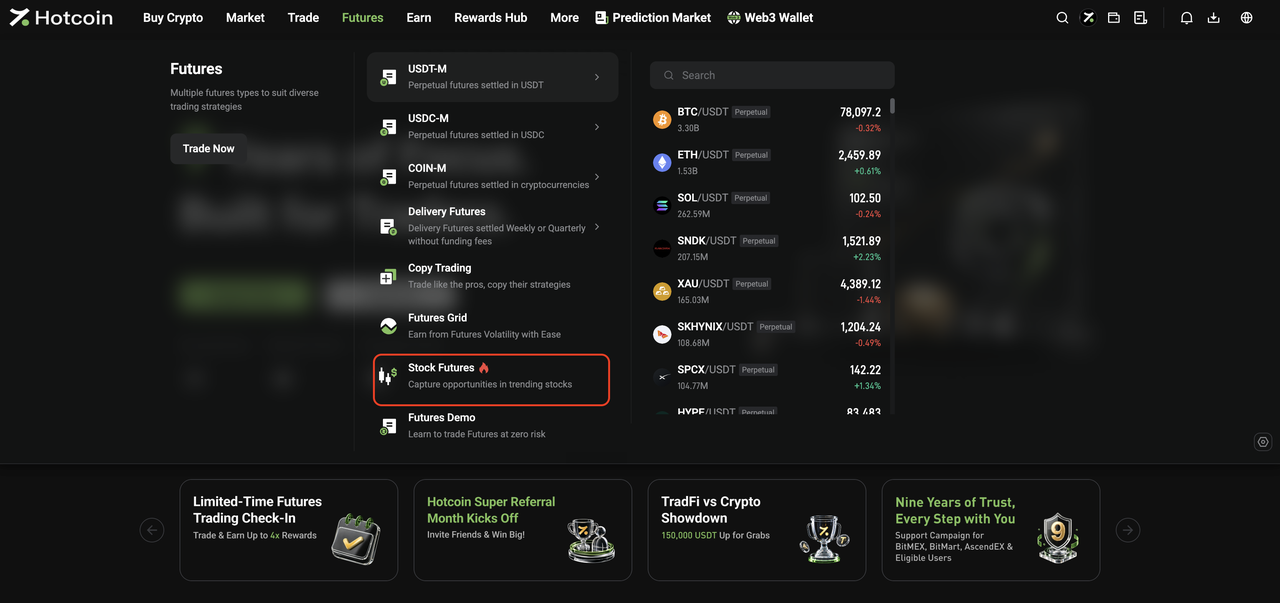
  • From the Futures menu: Open the Futures drop-down menu in the top navigation bar and click Stock Futures to go to the TradFi Futures trading page.


III. Start Trading TradFi

 
The basic trading flow for Hotcoin TradFi Spot and Futures is the same as for standard Spot and Futures trading on Hotcoin.
Once you enter the relevant trading page, you can place orders as you normally would.
 
For step-by-step instructions, see:
  • How to Trade Spot on Hotcoin (App)
  • How to Trade Spot on Hotcoin (Web)
  • How to Trade Futures
 
 
Risk Warning: TradFi trading involves market risk, and asset prices may fluctuate significantly. Before trading, make sure you understand the relevant product rules and risks, and trade cautiously based on your risk tolerance.


Related Articles

 
What Is Hotcoin TradFi?
TradFi FAQ

Pagdeposito at Pag-withdraw
Deposit
Withdrawal
bumili ng cryptocurrency
P2P FAQ
Pamamahala ng Merchant
mga panuntunan sa protocol
Spot at Margin Trading
Spot Trading
kalakalan sa hinaharap
Contract Grid
Contract documentary
Getting Started
Follower Guide
Lead Trader Guide
Pananalapi ng Hotcoin
Iba pang mga paksa (kaugnay ng protocol)
NFT