HOTCOIN Logo
Comprar Crypto
Mercados
Comercio
Futuros
Ganar
Prima
Más
Billetera Web3
Contactos de servicio

Service@hotcoin.com

Comentarios sobre el producto

Product@hotcoin.com

Cooperación empresarial

Business@hotcoin.com

Contactos Legales

Casecn@hotcoin.com

Contáctenos
Contactos de servicio

Service@hotcoin.com

Comentarios sobre el producto

Product@hotcoin.com

Cooperación empresarial

Business@hotcoin.com

Contactos Legales

Casecn@hotcoin.com

Sobre nosotros
Introducción a la plataforma
Centro de anuncios
Estado del sistema
Acuerdo de usuario
Política de Privacidad
Descripción Legal
producto
Futuro
Mancha
Comercio TradFi
Copiar contrato
Trading con margen
Earn
compra P2P
Compra criptomonedas con tarjeta
Billetera Web3
Servir
Transmisión en vivo
Selección estricta de monedas calientes.
Centro Bonus
Invitación de amigos
Beneficios VIP
Descargar
Aplicar para Comerciante P2P
soporte
Colegio Hotcoin
Centro de Ayuda
Documentación de la API
Tarifa
Información criptográfica
Solicitud de listado
Servicio en línea
comentarios de los clientes
verificación oficial
Comercio
BTC USDC
ETH USDC
BTC USDT
ETH USDT
PI USDT
SOL USDT
XRP USDT
©2017-2026
Centro de Ayuda
/Web3 Wallet/Swap/
How to Swap Tokens in the Web3 Wallet
Centro de Ayuda
/Web3 Wallet/Swap/
How to Swap Tokens in the Web3 Wallet

How to Swap Tokens in the Web3 Wallet

Hotcoin
Compartir


The Web3 Wallet allows users to swap one token for another directly on-chain without leaving the wallet.


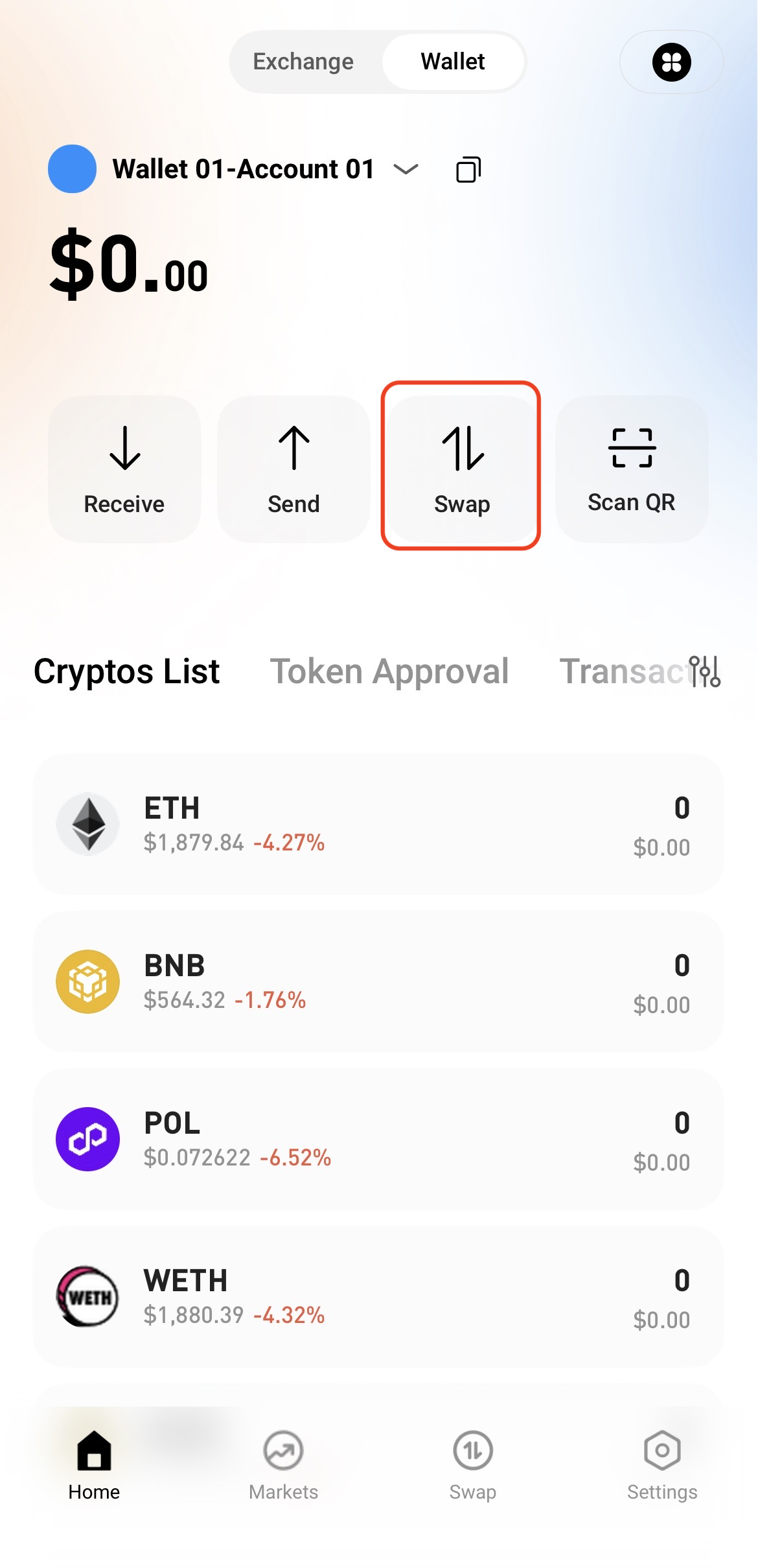
Step 1: Access the Swap Page


Open the Web3 Wallet and tap Swap on the home page.


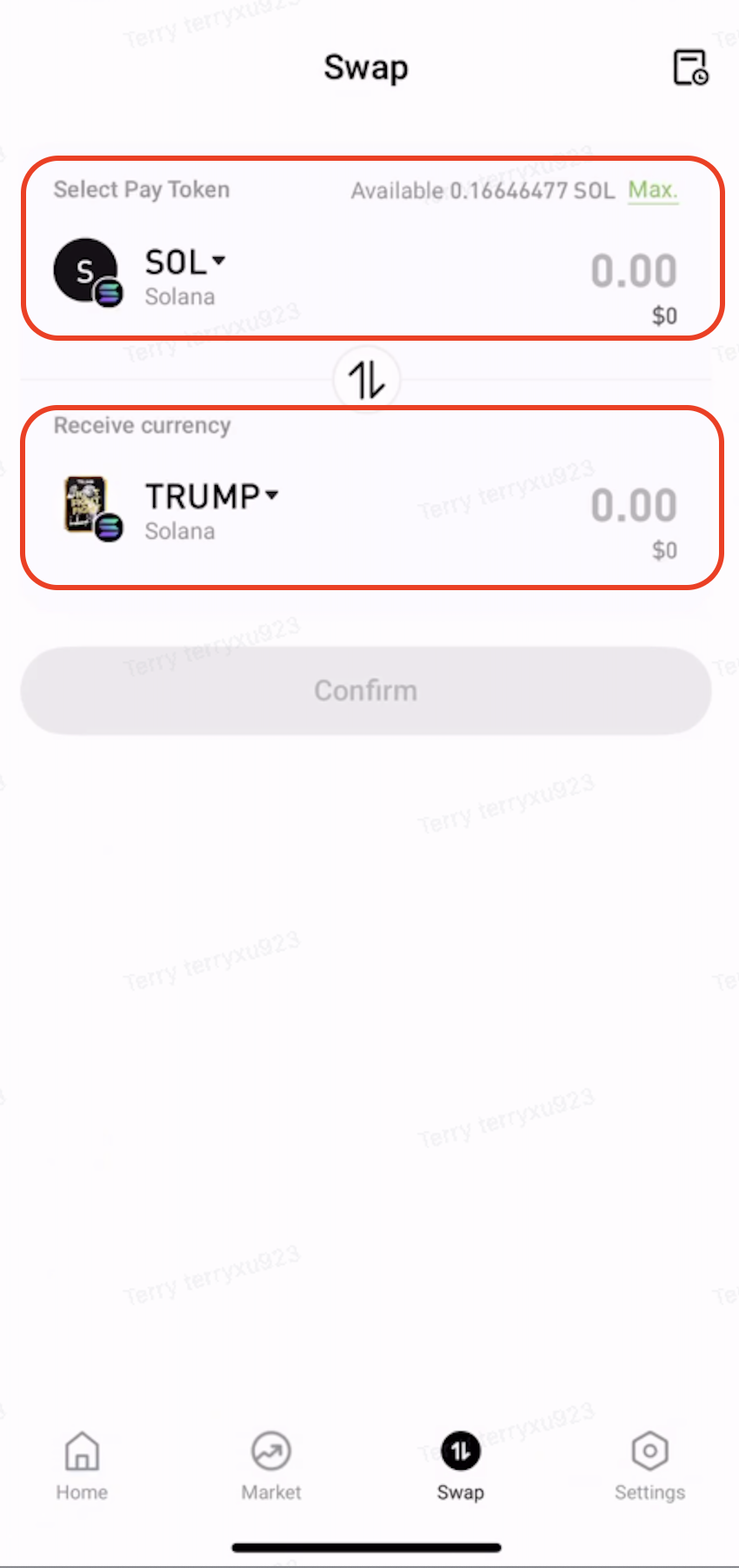
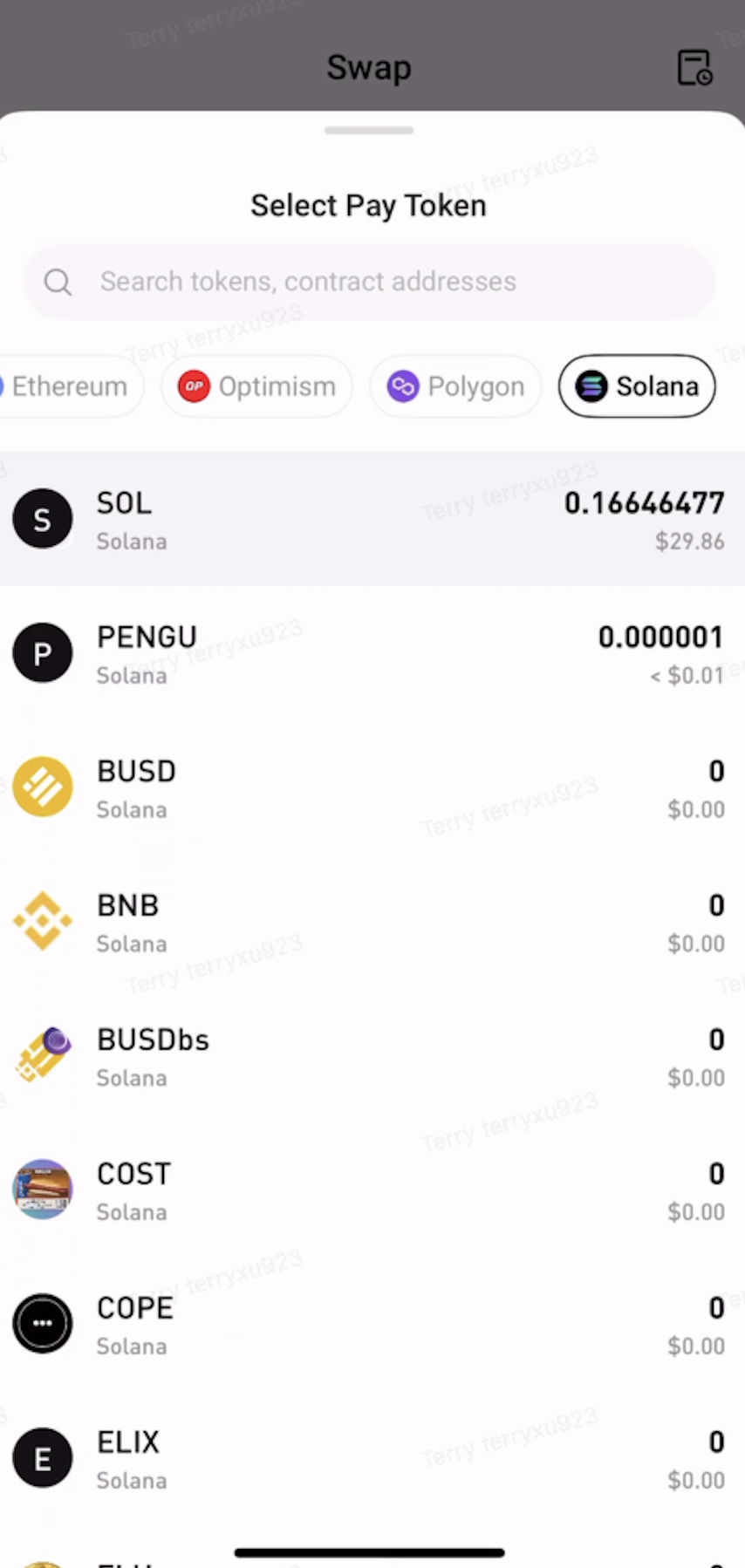
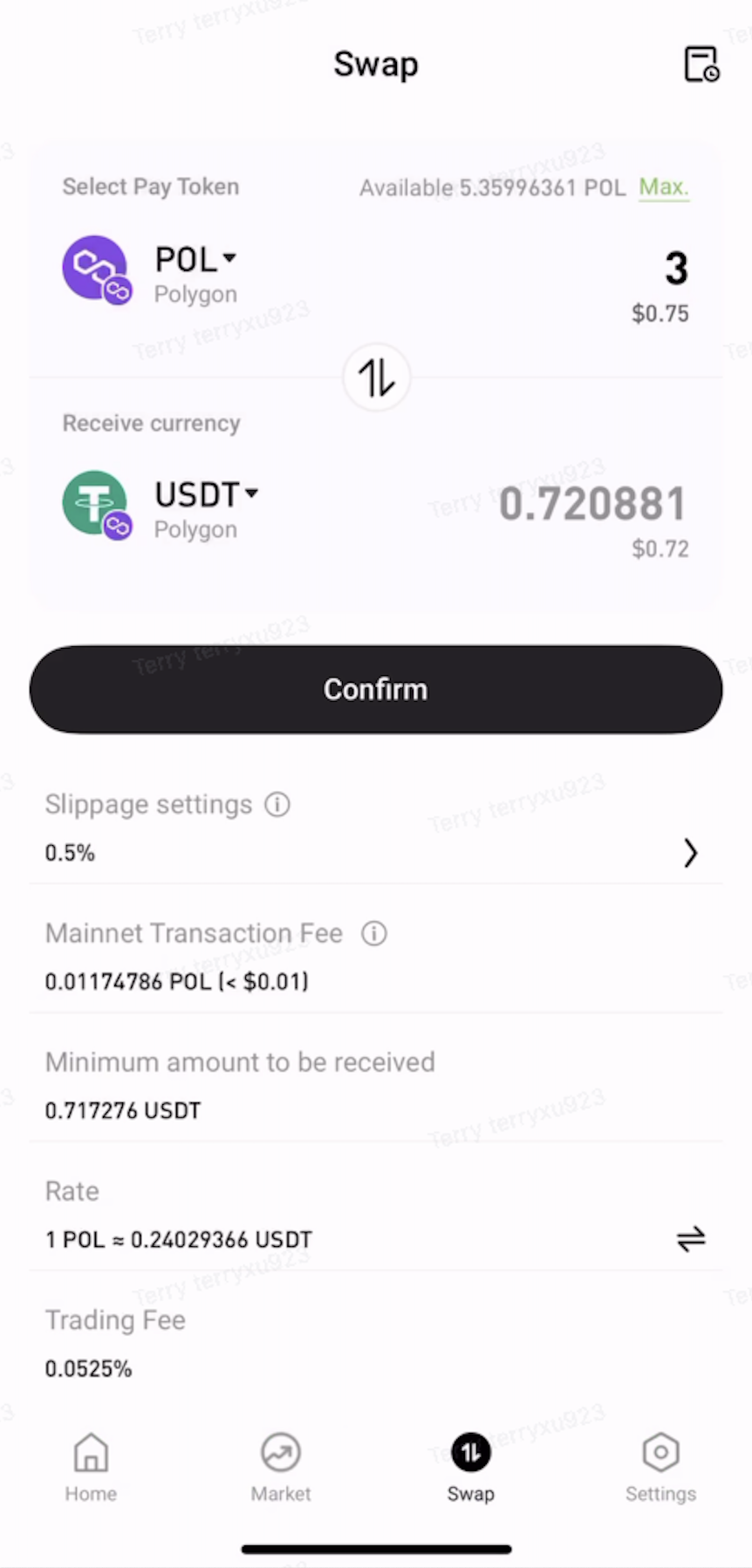
Step 2: Select the Tokens to Swap


  • Under Pay, select the token and network to swap from.

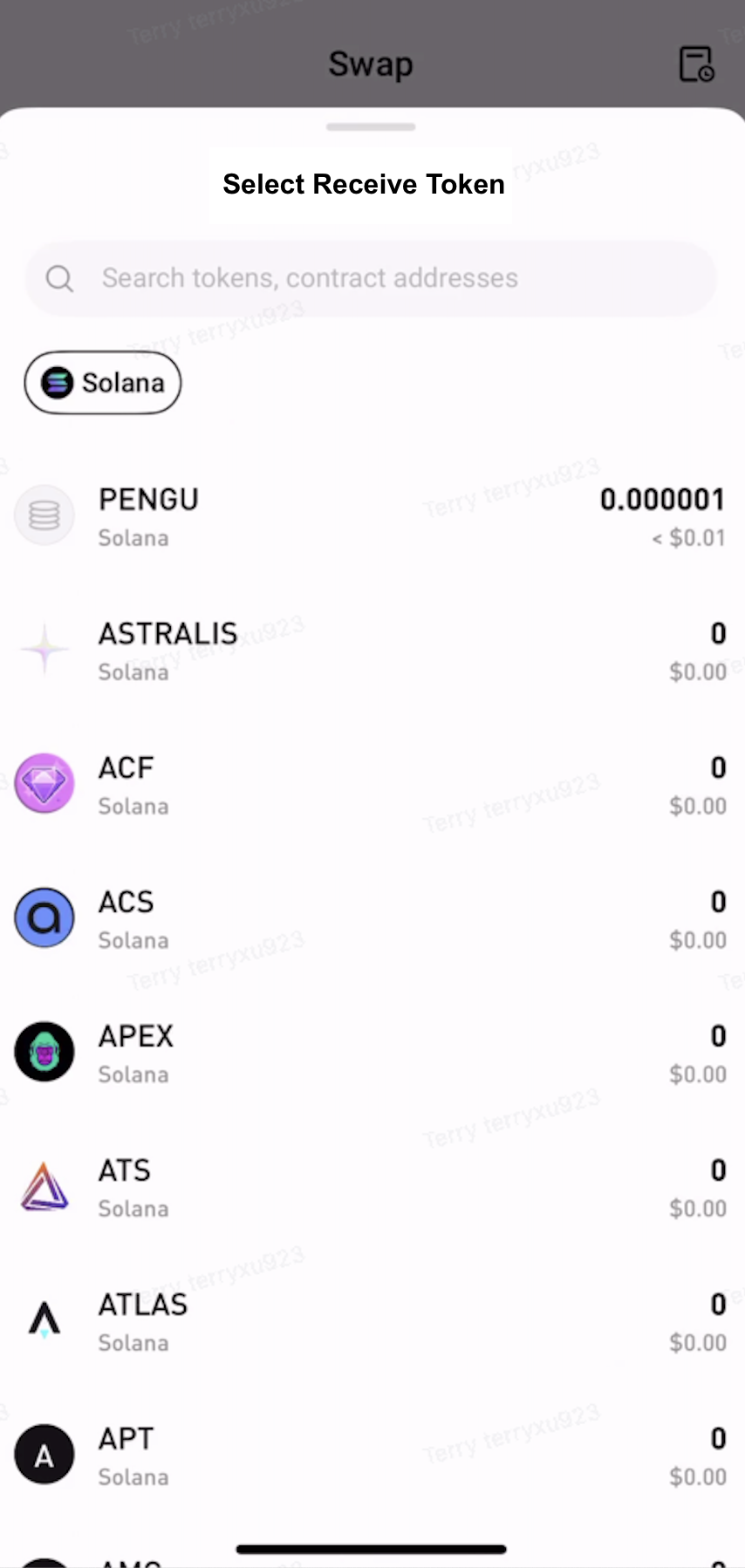
  • Under Receive, select the token and network to receive.


Step 3: Approve the Token


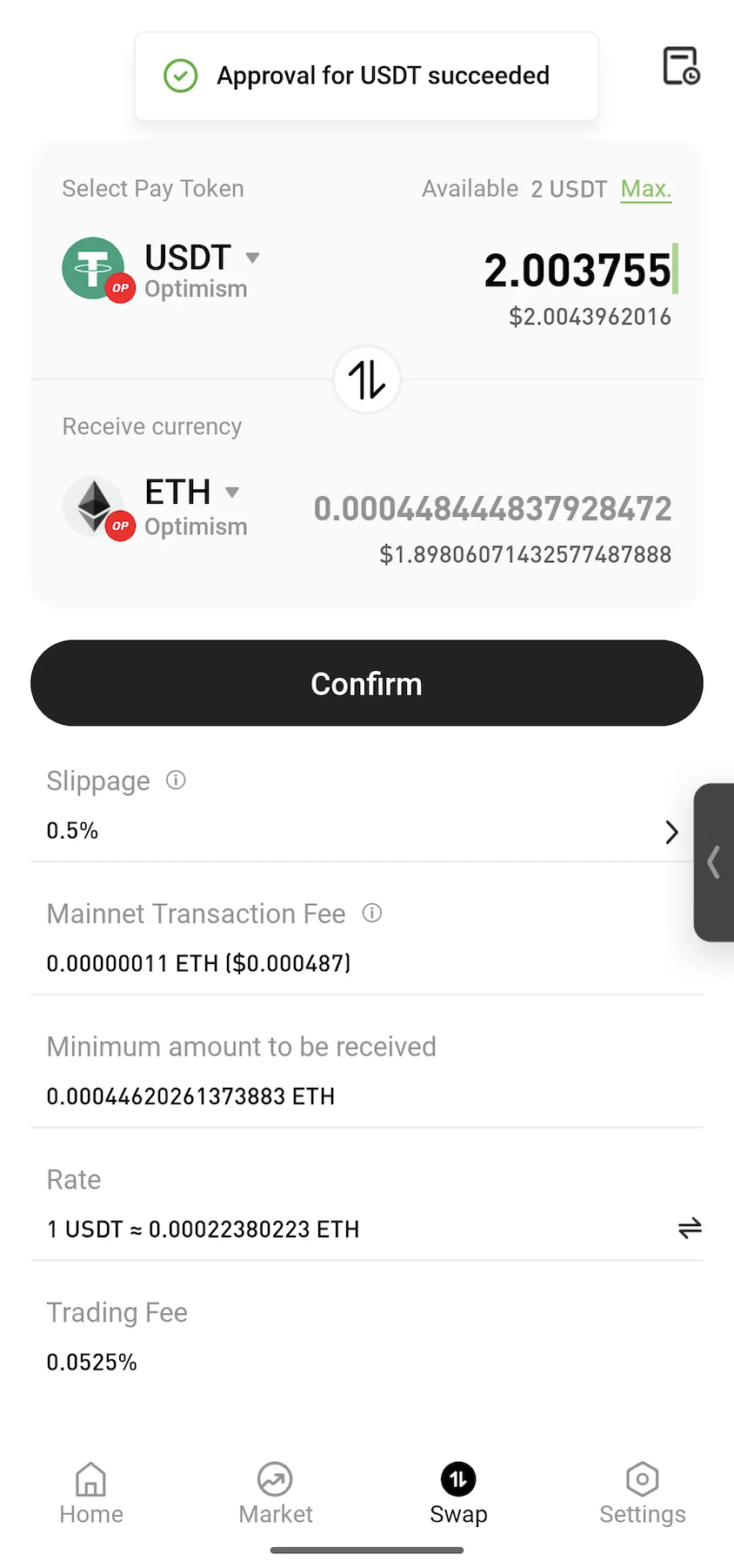
Enter the amount to swap. If approval is required, tap Approve and follow the on-screen instructions to sign the transaction.
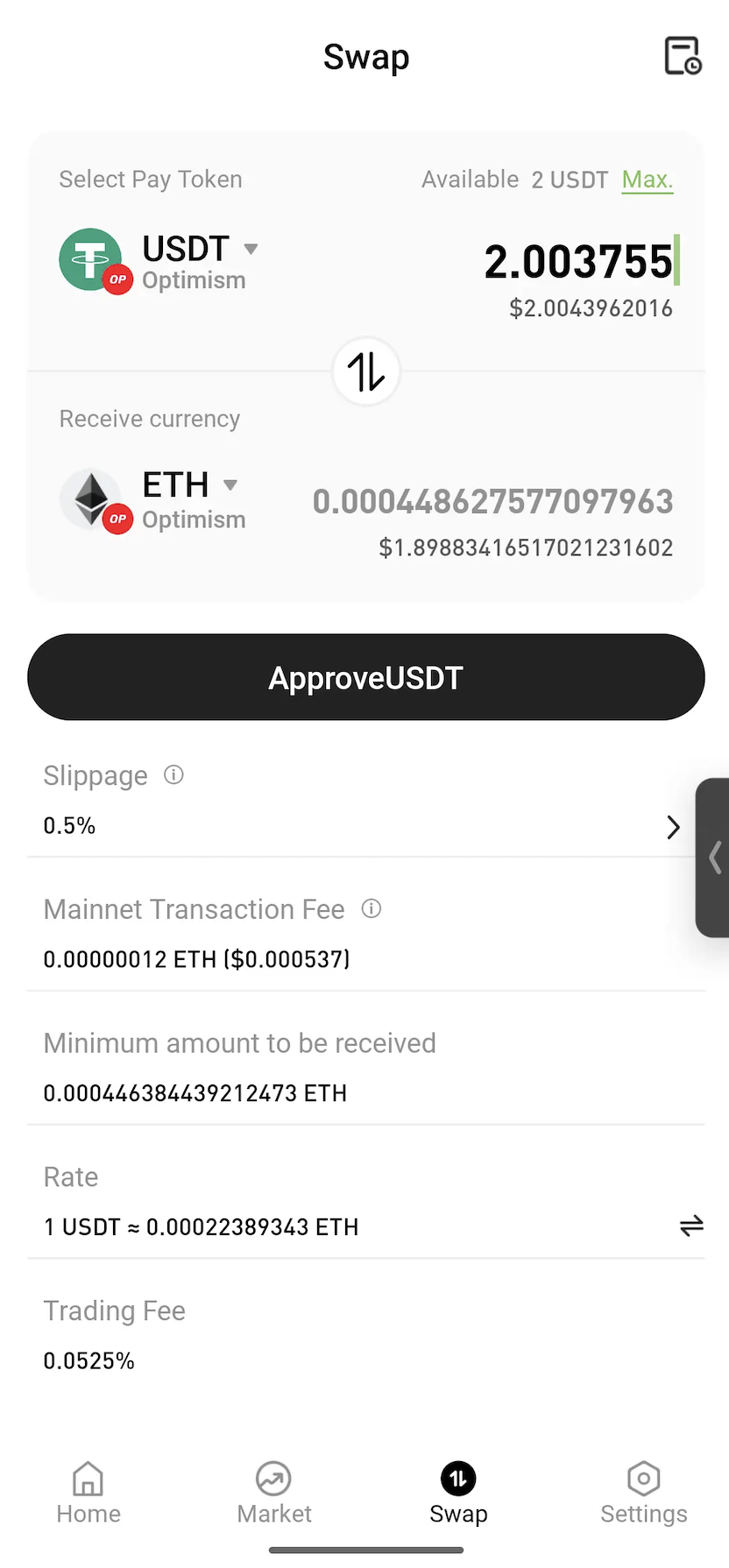
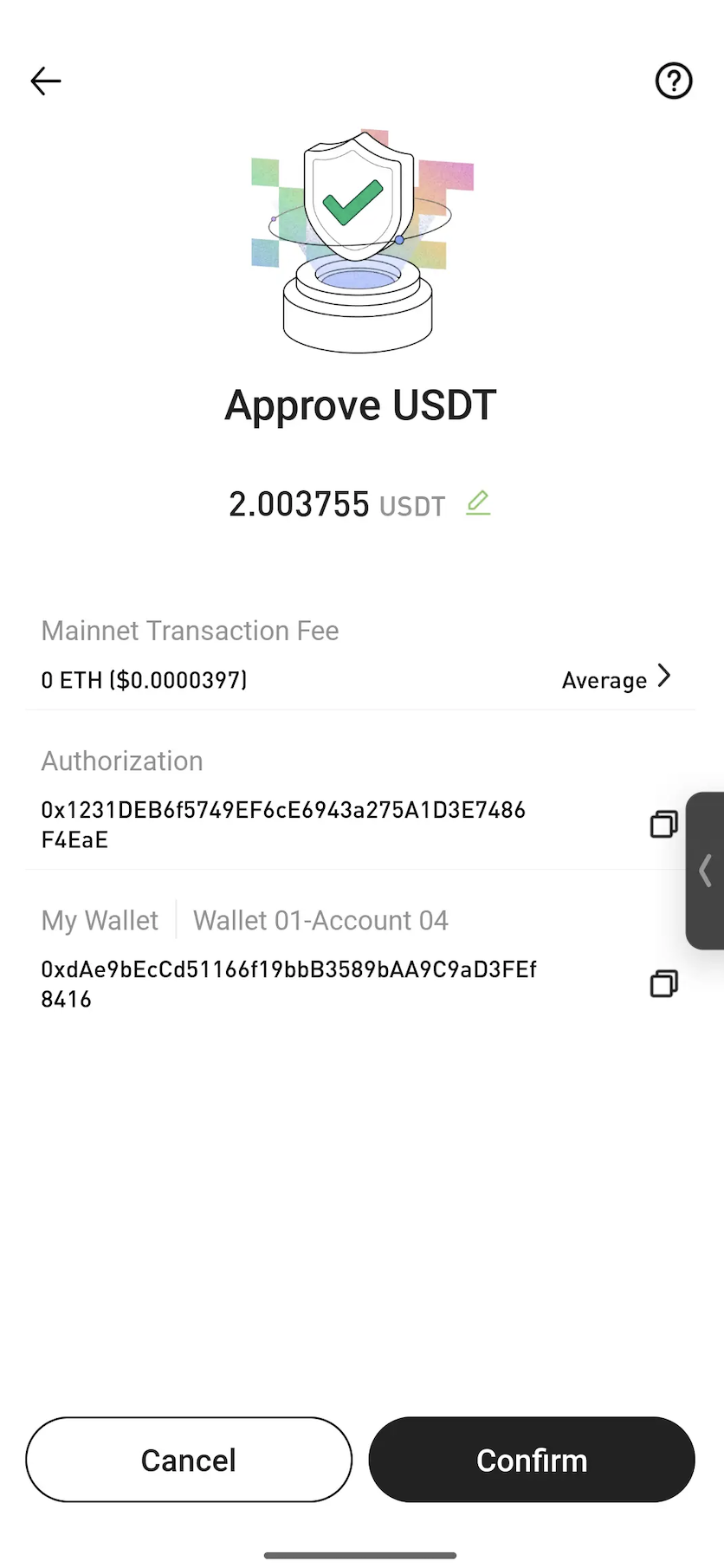


Note: Approval is a standard blockchain process that allows a smart contract to use the selected token for the swap. In most cases, approval is only required the first time a token is swapped.


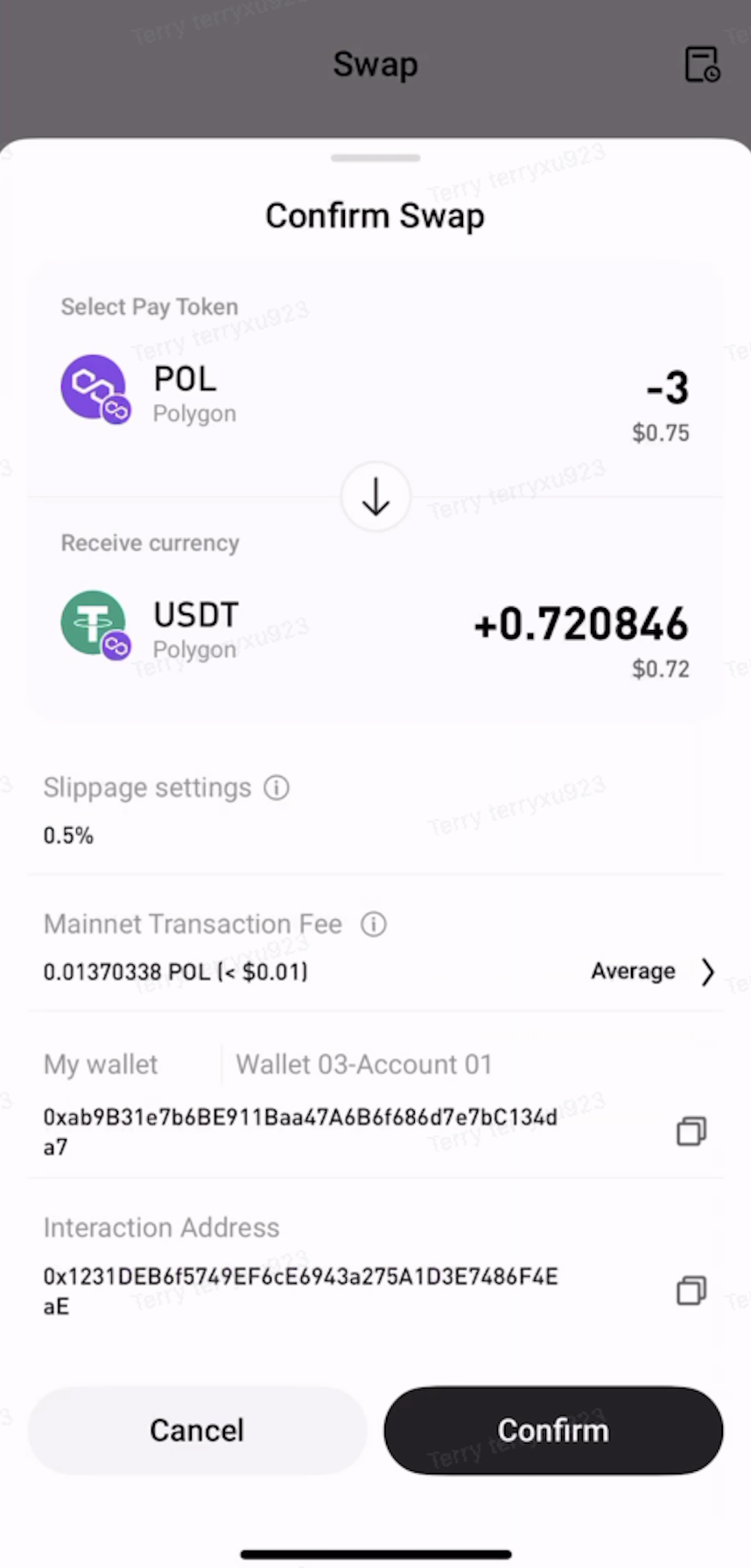
Step 4: Confirm the Swap


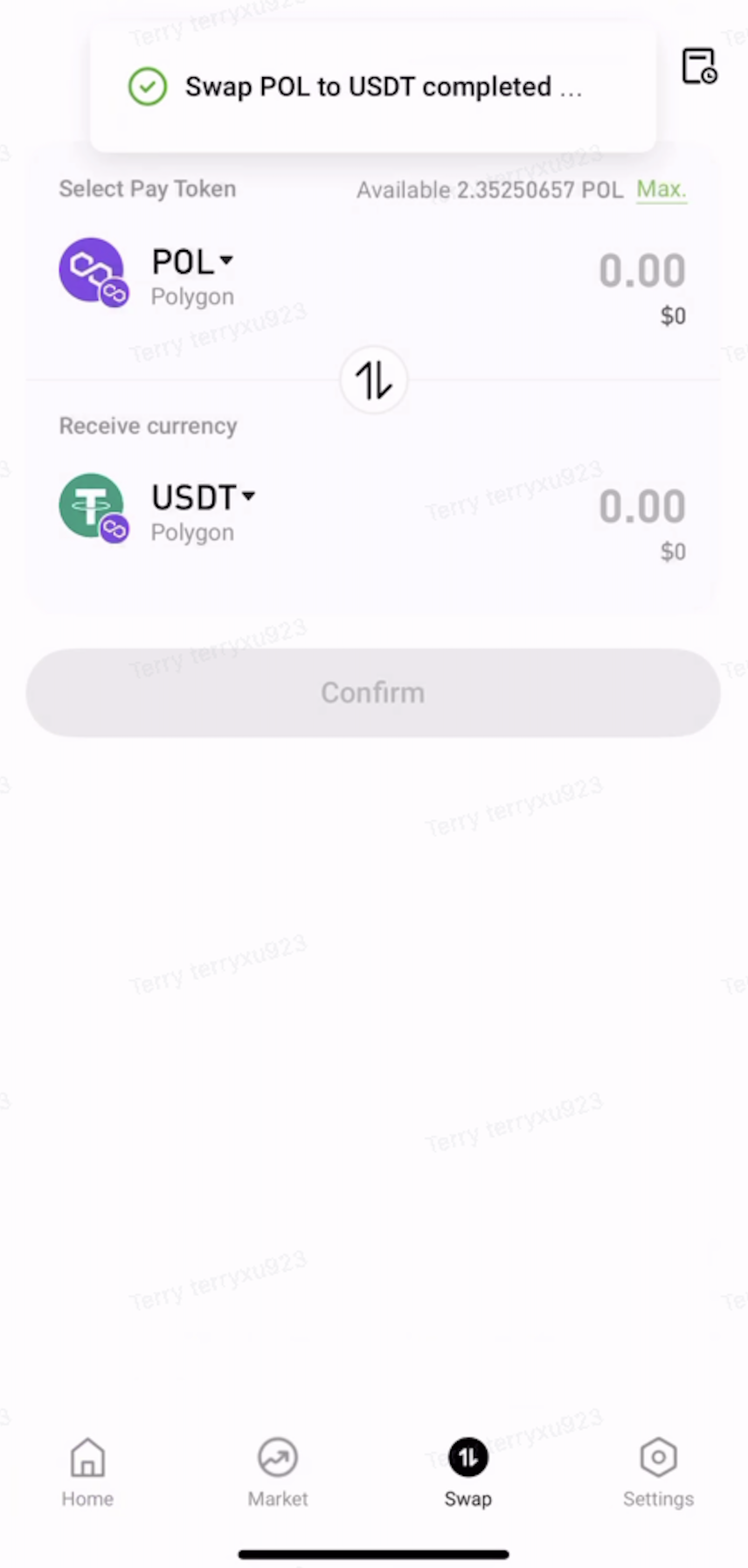
Review the swap details, then tap Confirm. Once the transaction is submitted, wait for on-chain confirmation to complete the swap.


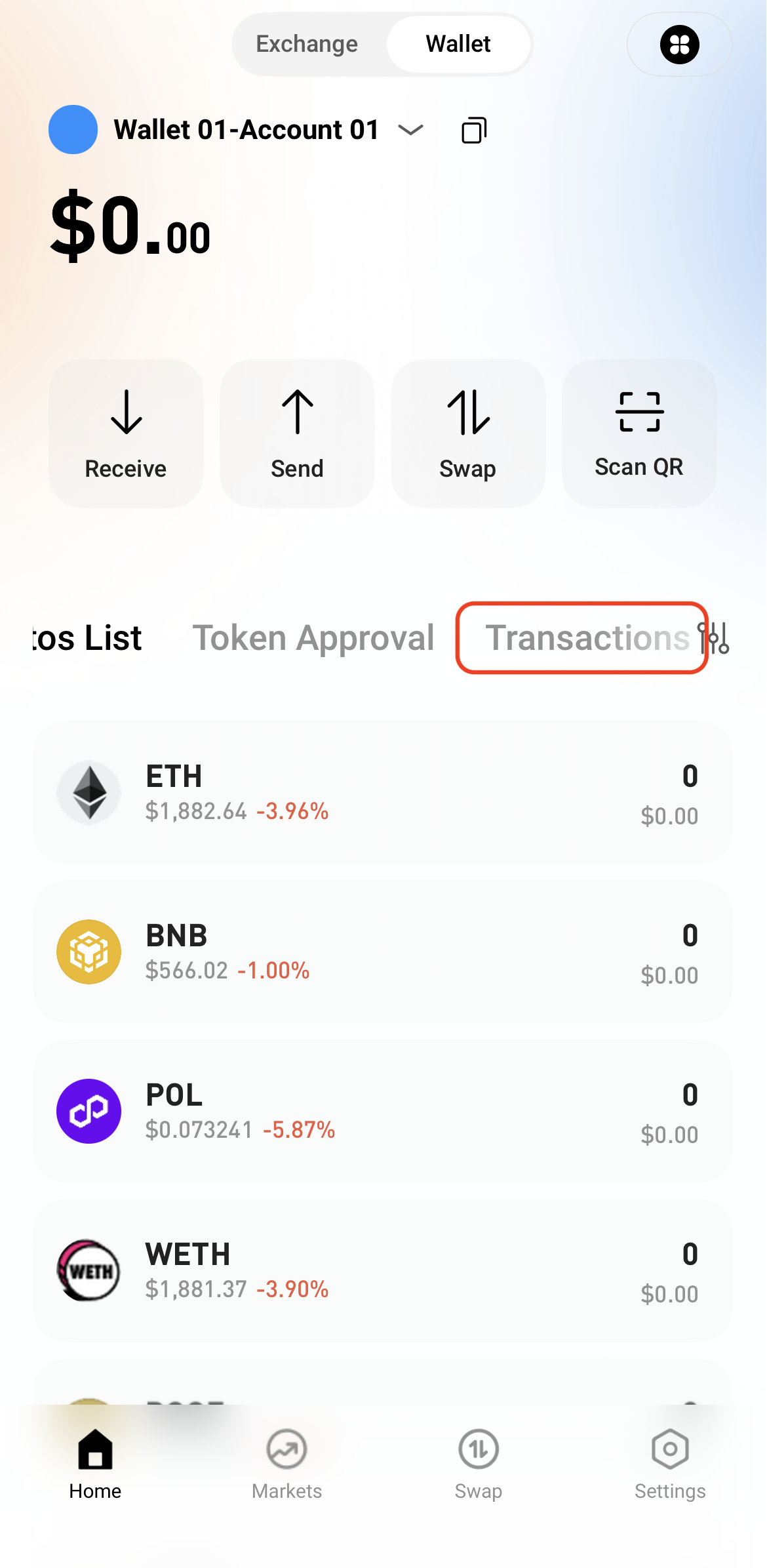
Step 5: View Transaction History


After the swap is complete, view the transaction details in Transactions or check the on-chain status through a block explorer.

   

Depósito y retiro
Deposit
Withdrawal
comprar criptomoneda
P2P FAQ
Gestión de comerciantes
reglas de protocolo
Comercio al contado y con margen
Comercio al contado
comercio de futuros
Contract Grid
Contract documentary
Getting Started
Follower Guide
Lead Trader Guide
Finanzas de monedas calientes
Otros temas (relacionados con el protocolo)
NFT