
How to Use Etherscan: A Complete Guide to Checking Transactions, Addresses, and Gas
After a transfer, your wallet balance hasn't changed and the platform hasn't credited your account—where did the money go? Refreshing your wallet repeatedly may not help. Finding the transaction hash and checking the on-chain record is usually the easier way to pinpoint which step went wrong.
Etherscan is a block explorer for looking up public data on the Ethereum mainnet. It is not a wallet, nor is it exchange customer support: it helps you read records, but it cannot undo a confirmed transaction or recover your private key.
Key Takeaways
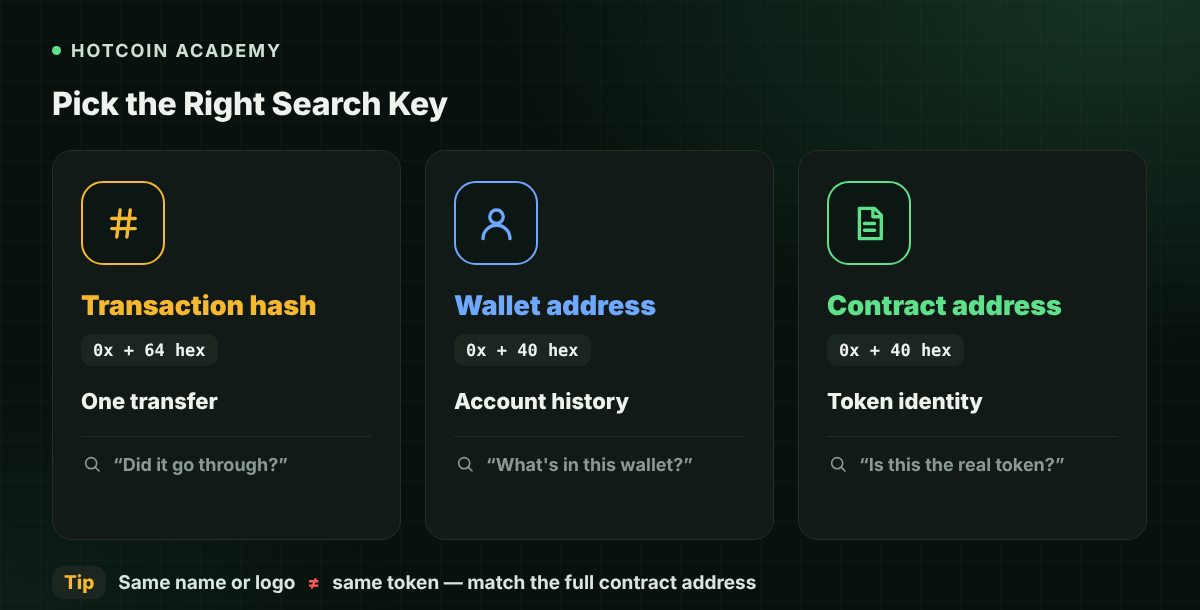
- Use a transaction hash to check a single transfer, a wallet address to check account history, and a contract address to verify a token's identity.
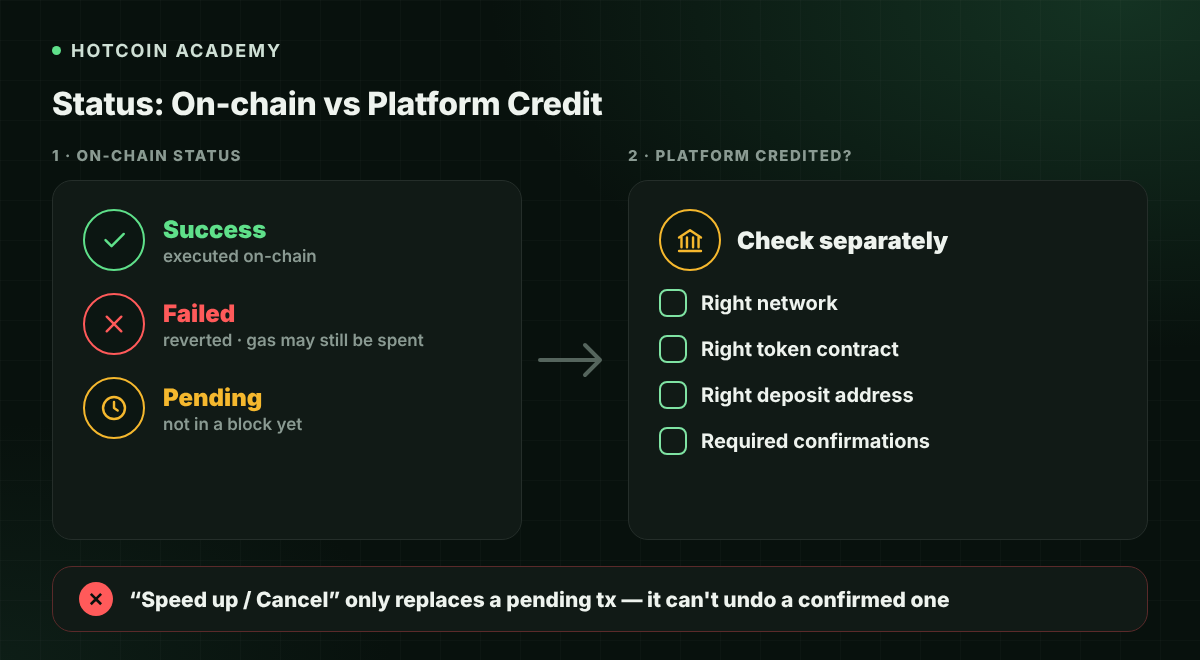
- Success, Failed, and Pending indicate different states; on-chain success does not mean the platform has credited your account.
- Gas fees depend on actual consumption and the effective Gas price; failed transactions may still consume Gas.
- Ordinary lookups do not require a seed phrase or private key, and usually do not require connecting a wallet.
What Is Etherscan
A block explorer organizes on-chain data into searchable pages, including blocks, transactions, addresses, and contracts. You can think of it as a query interface for the public ledger, not a control center for your account.
Confirm the network before searching. This article discusses the Ethereum mainnet; if a transaction occurred on Base, another Layer 2, or a testnet, use the explorer for that network. The same 0x address format cannot tell you which chain a transaction occurred on.
Before Searching: Distinguish the Three Identifiers
| Identifier | What to Look Up | Where to Get It |
|---|---|---|
| Transaction hash (Tx Hash) | Status and details of a specific transaction | Wallet activity or platform withdrawal records |
| Wallet address | Balance and public activity of that address | Wallet receive page, etc. |
| Token contract address | Contract and records of a specific token | Reliable sources such as official project materials |
Transaction hashes and addresses often start with 0x, but their lengths and purposes differ. Tokens with the same name may have different contracts—never verify a token by name, icon, or ticker alone.
How to Look Up a Transaction
- Copy the transaction hash. Get it from the sender's wallet or platform records; avoid copying it manually.
- Confirm the sending network. If the platform hasn't broadcast the transaction yet, there may be no hash to search for temporarily.
- Go to the correct explorer. Use https://etherscan.io for the Ethereum mainnet and paste the hash into the search bar.
- Read the status and both addresses first. Then verify the time, block, and actual asset changes.
- Contact the receiving platform if necessary. Provide troubleshooting details such as network, hash, token, and address—never your private key.
| Field | Meaning | What Beginners Should Check |
|---|---|---|
| Status | Execution status | Succeeded, failed, or still pending |
| From / To | Sender and receiving address or contract | Whether it matches the intended interaction target |
| Value | Amount of native ETH carried by the transaction | Does not represent the full ERC-20 transfer amount |
| Token Transfers | Related token transfer records | Contract, amount, and actual recipient |
| Transaction Fee | Actual transaction fee | View separately from the transfer amount |
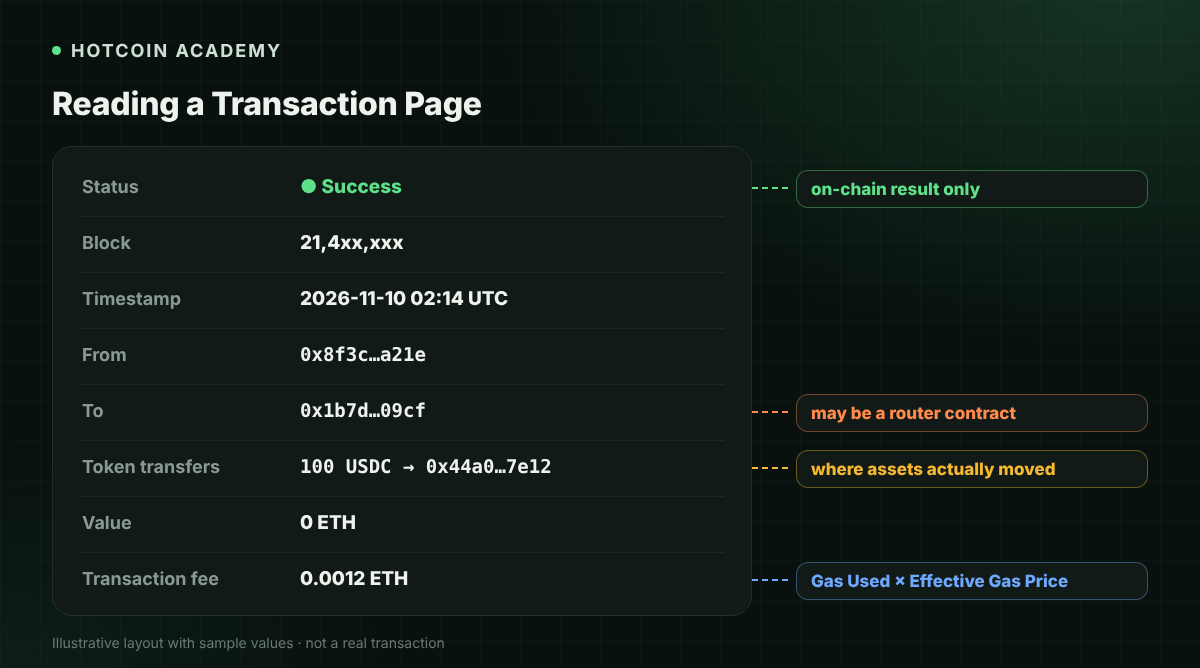
Token swaps may be initiated by users to a router contract, so the To field is not necessarily the address where you ultimately see assets arrive. Understand it together with the token transfer records—don't conclude assets went to the wrong place based on the To field alone.
Understanding Success, Failed, and Pending
Success means the transaction executed successfully, but it does not guarantee it matches your intent, nor that a centralized platform has met its crediting conditions. A successful approval and a successful token swap may be two separate transactions.
Failed means the transaction execution failed; the corresponding state changes within the transaction are rolled back, but the computational resources already consumed may still incur fees. Do not assume Gas is always refunded just because a transaction failed.
Pending means the transaction has not yet been included in a block. Wait times may be affected by fee settings, network conditions, and preceding transactions. "Speed up" or "Cancel" in a wallet usually relies on replacing an unconfirmed transaction—it is not undoing a confirmed transfer.
How Gas Fees Are Calculated
Gas can be understood as the unit of computational resources consumed to execute a transaction. For ordinary Ethereum mainnet transactions, the fee can be understood as "actual Gas Used × Effective Gas Price," with the unit price often shown in Gwei, where 1 Gwei = 10^-9 ETH.
Suppose a transaction actually consumes 21,000 Gas with an effective unit price of 10 Gwei; the fee is 0.00021 ETH. This is a teaching example, not a current quote, and does not apply to all contract interactions. Token transfers, swaps, and similar operations may consume more Gas.
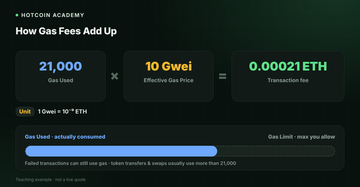
Gas Limit is the execution cap you are willing to provide, not the amount that will definitely be spent. Gas Tracker can serve as a reference for network fees, but the actual fee still depends on wallet settings, operation complexity, and conditions when included in a block.
How to Check Addresses, Tokens, and Approvals
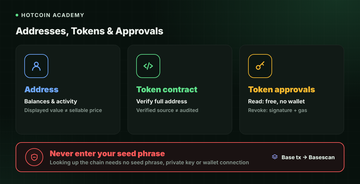
Searching a wallet address lets you view the native coin balance and different categories of activity. Ordinary transactions, token transfers, and internal call records have different meanings; the valuation shown by the explorer also does not mean the asset can definitely be sold at that price.
When searching a token contract, verify the full address against reliable project channels. A verified contract source only means the public source code matches the deployed bytecode according to the verification process—it does not mean it has undergone a security audit or received official endorsement.
Etherscan's Token Approval tool lets you check approval targets and allowances. Reading public approvals usually only requires entering an address; revoking an approval requires a wallet signature and sending an on-chain transaction, which usually costs Gas. Revoking does not recover assets already lost, nor does it solve a private key leak.
Common Misconceptions
- "If the explorer has a record, the token is real." Anyone can create an asset with the same name; always verify the network and contract.
- "If I can't find the hash, the money is lost." You may have checked the wrong network, the transaction may not have been broadcast, or the explorer may not have indexed it yet.
- "Checking requires importing a seed phrase." It doesn't. Any so-called balance-checking page that asks for a seed phrase should be abandoned immediately.
FAQ
Q1: Do I need to register or connect a wallet to use Etherscan? Ordinary public lookups usually do not require it. Only operations such as writing transactions or revoking approvals involve signing and sending transactions.
Q2: What should I do if the transaction succeeded but the platform hasn't credited my account? Check the network, token contract, deposit address, and the confirmation status required by the platform, then provide the hash to platform support for troubleshooting.
Q3: Why am I still charged when a transaction Failed? Verifying execution consumed computational resources; a state rollback does not mean those resources were unused.
Q4: Can Etherscan cancel a transfer sent by mistake? No. Confirmed transactions generally cannot be undone by an explorer; whether they can be recovered depends on the recipient and other specific circumstances.
Q5: Can I check Base transactions on Etherscan? Use the corresponding explorer for Base, such as Basescan. Data from different networks cannot be mixed directly.
Conclusion
The most important thing when using Etherscan is to select the right network first, then search with the correct identifier. Understanding execution status, token records, and Gas can reduce misjudgments; the explorer provides evidence, but it will not manage your assets for you.
Risk warning: This article is for tool education and informational reference only. On-chain operations are usually irreversible; before connecting a wallet and signing, verify the domain, contract, and approval scope, and never disclose your seed phrase or private key.
Lectura recomendada
Ver más