
Customer Support
service hotcoin.com
Product Feedback
producthotcoin.com
Business Inquiries
businesshotcoin.com
Law Enforcement
casecnhotcoin.com
About
Services
Support
© 2017-2026 Australian Hotcoin Global Exchange Pty Ltd
servicehotcoin.com
producthotcoin.com
businesshotcoin.com
casecnhotcoin.com
Risk-Based Position Sizing is a feature that calculates an appropriate order size based on the maximum acceptable loss for a single trade. Enter your entry price, stop-loss price, and maximum acceptable loss, and the system will estimate the order size based on the distance between the entry price and the stop-loss price. This helps you define your risk before opening a position while reducing manual calculation errors and the risk of taking an oversized position. Risk-Based Position Sizing is not a separate order type. Your order will still be submitted as a Market Order or Limit Order, depending on your selection, and a stop-loss condition will be configured at the same time. Before submitting the order, review the order type, estimated margin requirement, and stop-loss details shown on the confirmation page.
I. Key Benefits
Define Your Risk Before Opening a Position: Set the maximum acceptable loss for the trade before opening a position. The system then calculates the order size based on the risk parameters you enter.
Automatic Order Size Calculation: The system calculates the order size based on your entry price, stop-loss price, and maximum acceptable loss, reducing the likelihood of manual calculation errors.
Simple Workflow: Risk-Based Position Sizing is integrated into the existing Market Order and Limit Order workflow, so there is no need to learn a new order type.
Integrated Stop-Loss Setup: A stop-loss condition is configured when you place the order, allowing you to manage position sizing and risk within the same workflow.
II. How to Use Risk-Based Position Sizing
Step 1. Go to the Futures Trading Page
Log in to the Hotcoin website, go to the Futures trading page, and select the contract and trading pair you want to trade.

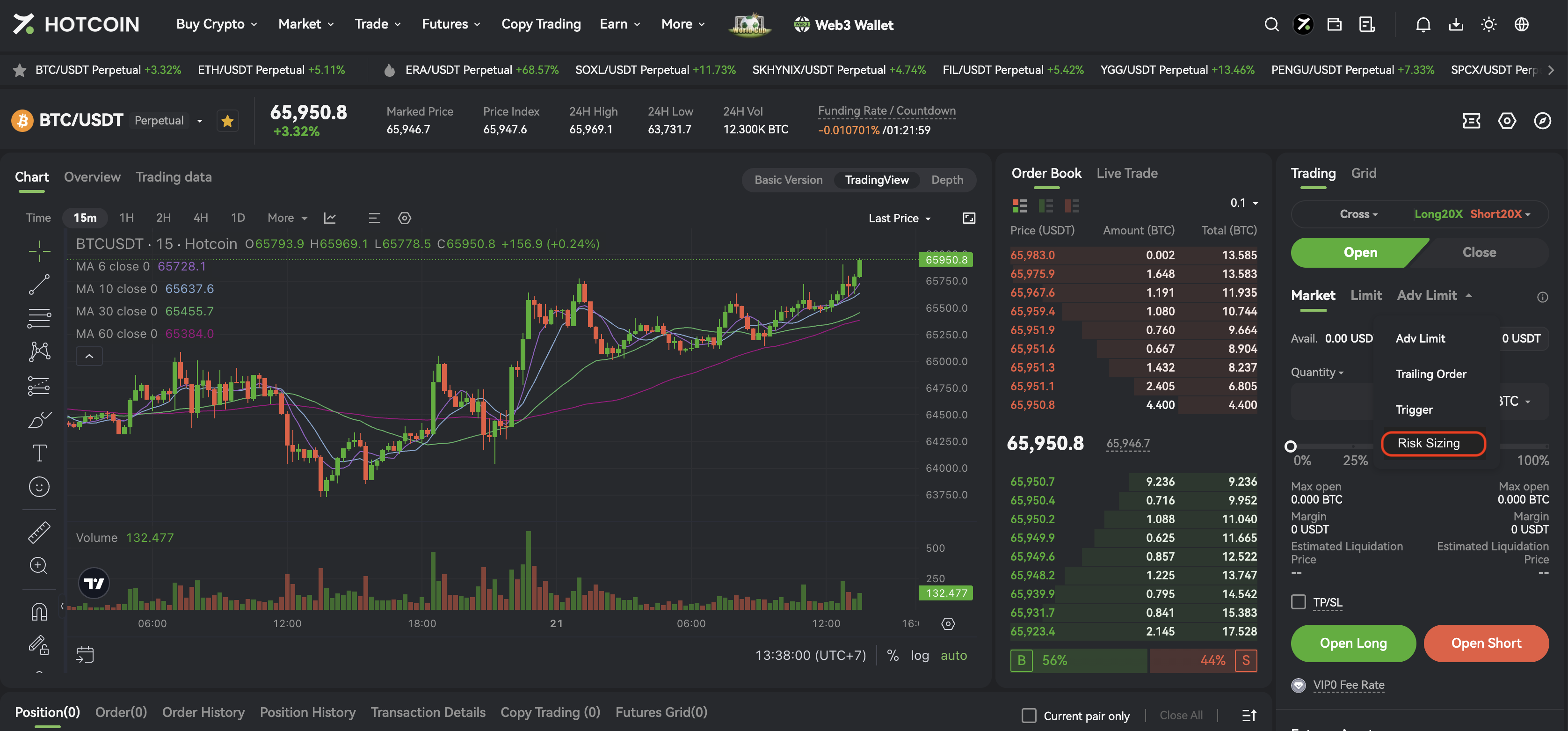
Step 2. Select Risk Sizing
In the order panel, locate the drop-down menu and select Risk Sizing (the UI label for Risk-Based Position Sizing). If this is your first time using the feature, read the on-screen instructions before proceeding.
Step 3. Set the Stop-Loss Price
Enter the stop-loss price for the trade.
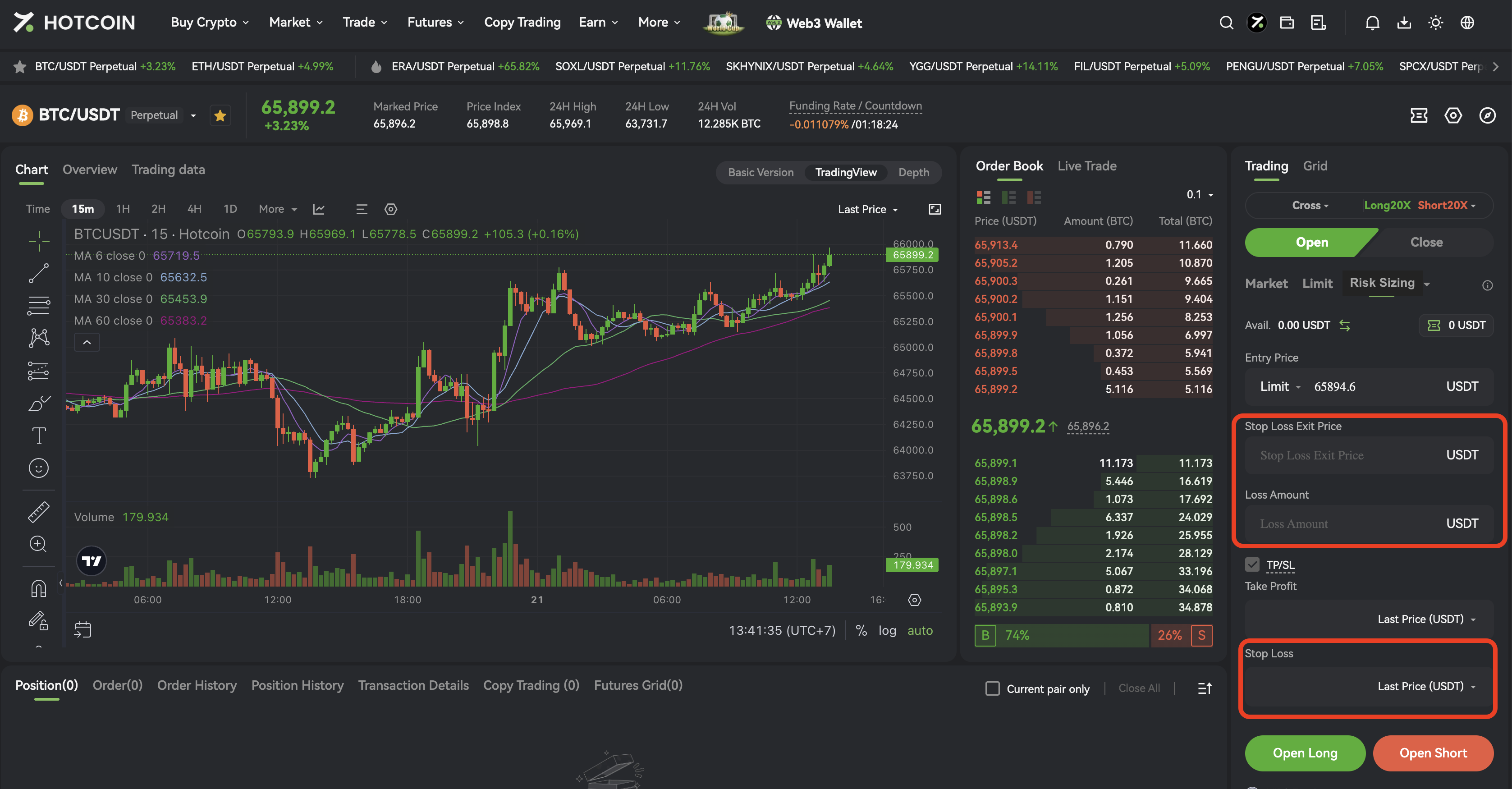
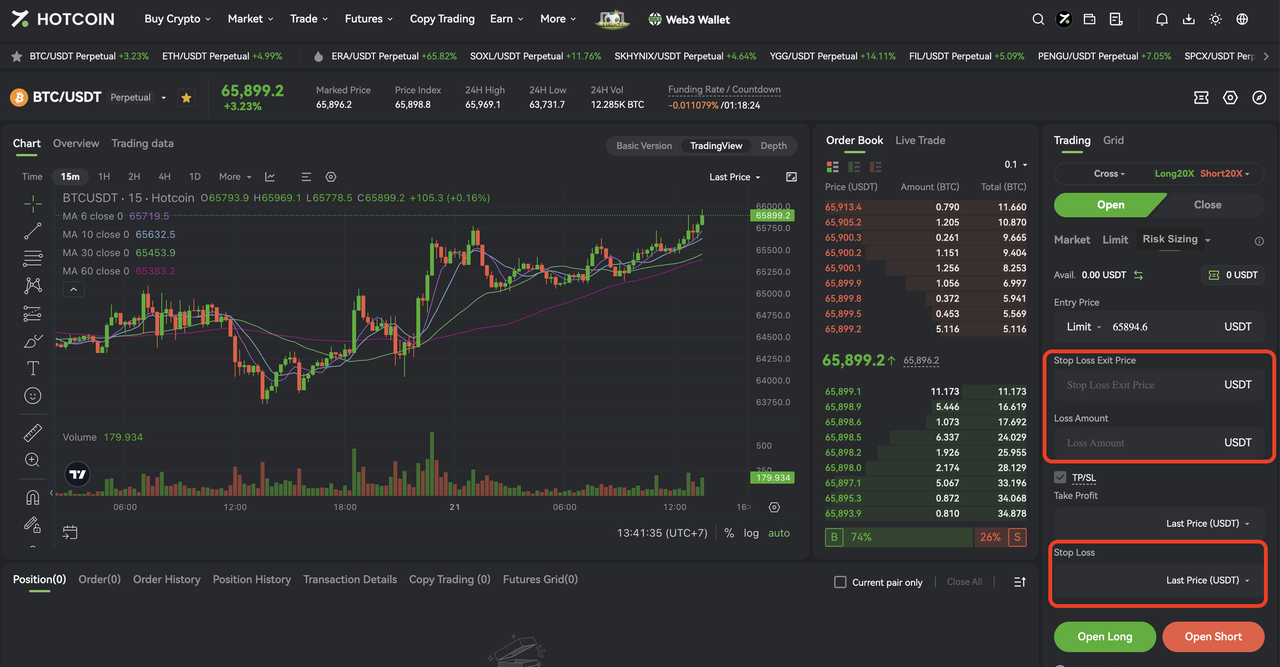
Step 4. Enter the Maximum Acceptable Loss
Enter the maximum acceptable loss for the trade. The system will automatically calculate the order size based on your entry price, stop-loss price, and maximum acceptable loss.
Step 5. Review the Order Details
Review all order details, including the trade direction, order price, stop-loss price, maximum acceptable loss, order size, leverage, margin mode, and estimated margin requirement.
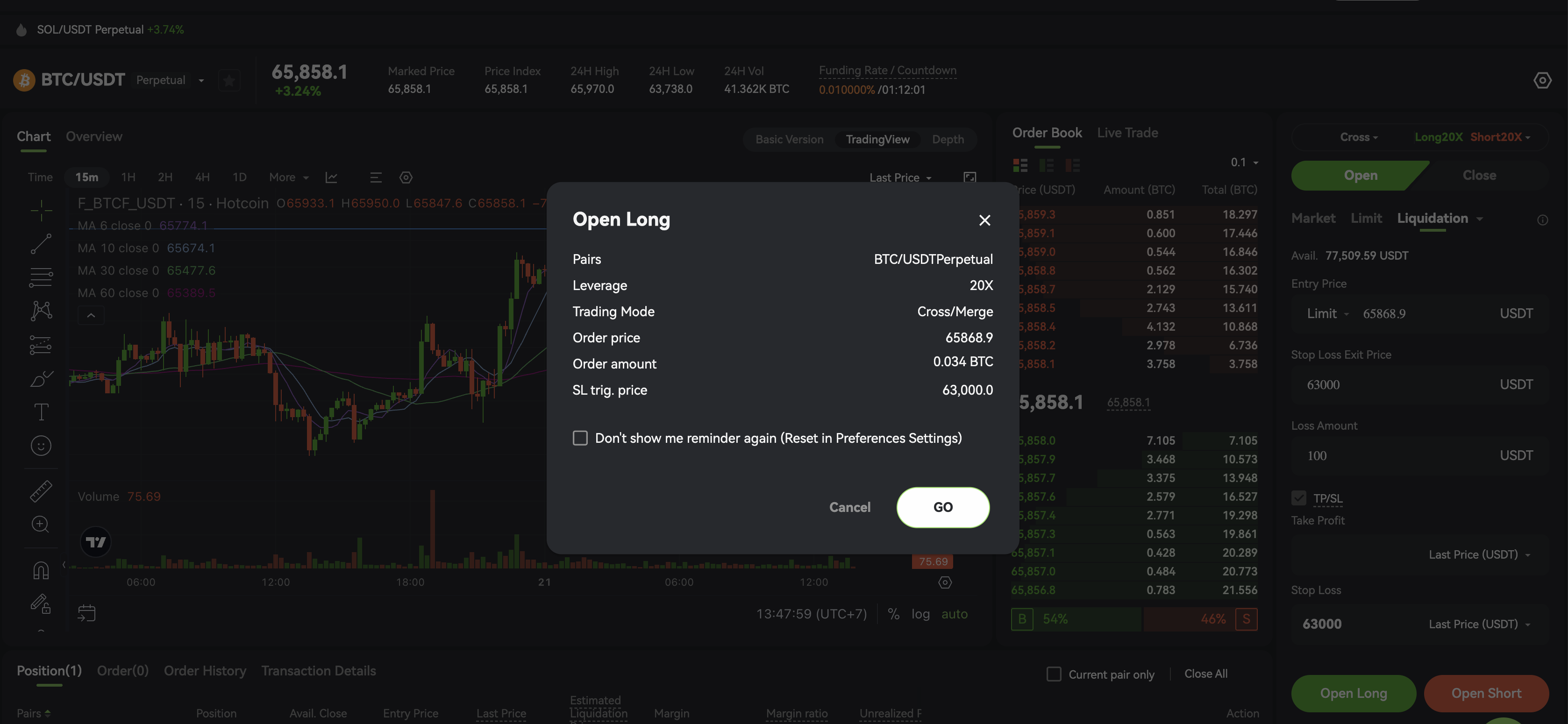
Step 6. Submit the Order
Click Go to place your order.
After submitting the order, check the Open Orders or Positions page to confirm that the primary order has been submitted and the stop-loss condition is active.
III. Order Size Calculation Example
Using a USDT-margined linear perpetual contract as an example, and excluding trading fees, slippage, and differences in contract multipliers, the calculation can be simplified as follows:
Estimated Order Size ≈ Maximum Acceptable Loss ÷ |Entry Price − Stop-Loss Price|
For example, suppose the entry price is 100 USDT, the stop-loss price is 95 USDT, and the maximum acceptable loss is 50 USDT. The price risk per unit is 5 USDT, resulting in an estimated order size of approximately 10 units.
The system also takes into account the minimum order size, quantity precision, contract multiplier, available margin, and other trading rules. As a result, the order size displayed on the page may differ slightly from this simplified estimate.
IV. Notes
The maximum acceptable loss is an estimate based on the parameters you enter. It does not guarantee that your actual loss will be limited to that amount.
During periods of high market volatility, low liquidity, or price gaps, stop-loss orders may be affected by slippage. The actual execution price may therefore differ from the stop-loss trigger price.
Trading fees, funding fees, and other transaction costs may affect your final profit or loss and may not be fully factored into the order size calculation.
When using a Market Order, the system calculates the order size based on the reference price available when the order is placed. Any difference between the reference price and the average execution price may affect your actual risk.
When using a Limit Order, no position will be opened until the order is filled. If the order is partially filled, the stop-loss quantity and overall risk exposure may change based on the quantity actually filled.
After changing the order price, stop-loss price, leverage, or margin mode, review the updated order size and estimated margin requirement.
If the available margin is insufficient, the order size is below the minimum requirement, or the price or quantity does not comply with the permitted price or quantity increments, the system may adjust the calculated order size or prevent the order from being submitted.
V. Frequently Asked Questions
1. Does Risk-Based Position Sizing automatically set a stop-loss?
When you place an order using Risk-Based Position Sizing, the system configures a stop-loss condition based on the stop-loss price you enter. After placing the order, check the Open Orders or Positions page to verify the stop-loss status. Refer to the status displayed on the platform.
2. Why is the calculated order size different from my manual calculation?
The system calculates and rounds the order size based on factors such as quantity precision, the minimum order size, contract multiplier, reference price, and available margin. The displayed order size may therefore differ from an estimate produced using the simplified formula.
3. What happens if I change the stop-loss price?
If the maximum acceptable loss remains unchanged, a wider stop-loss distance generally results in a smaller order size, while a narrower stop-loss distance generally results in a larger order size. After changing any parameter, review the updated order size, risk exposure, and estimated margin requirement.
4. Why can my actual loss exceed the amount I set?
The maximum acceptable loss is a risk estimate calculated when the order is placed. Price gaps, stop-loss slippage, trading fees, funding fees, and differences between the reference price and the actual execution price may cause the final loss to exceed the amount entered.
5. Will the stop-loss remain active if my order is canceled or not filled?
If the primary order is not filled or is canceled before any execution occurs, no position will be opened. If the order is partially filled, amended, or canceled after a partial fill, check the status and quantity of the associated stop-loss order to ensure that it still matches the open position.
VI. Risk Disclaimer
Digital asset futures trading involves significant risk, and prices may fluctuate substantially. Risk-Based Position Sizing is intended only to assist with calculating order size and setting risk parameters. It does not constitute investment advice and cannot guarantee that losses or liquidation will be avoided. Use leverage responsibly based on your financial situation, trading experience, and risk tolerance. You are solely responsible for your trading decisions and their outcomes.