
Hotcoin iOS App 下載與安裝指南
您可參考以下步驟,完成 Hotcoin iOS 版 App 的下載與安裝。
第一步:準備非大陸地區的 Apple ID
目前Hotcoin暫不支援中國大陸 Apple ID 下載,需使用非中國大陸 Apple ID 登入並下載;若您暫無此類 Apple ID,可自行註冊,註冊時需使用非大陸地區的電子郵件與手機號碼。您也可以選擇咨詢客服獲取臨時 Apple ID。
第二步:在App Store切換Apple ID
1、打開App Store應用,點擊Apple Store右上角頭像;
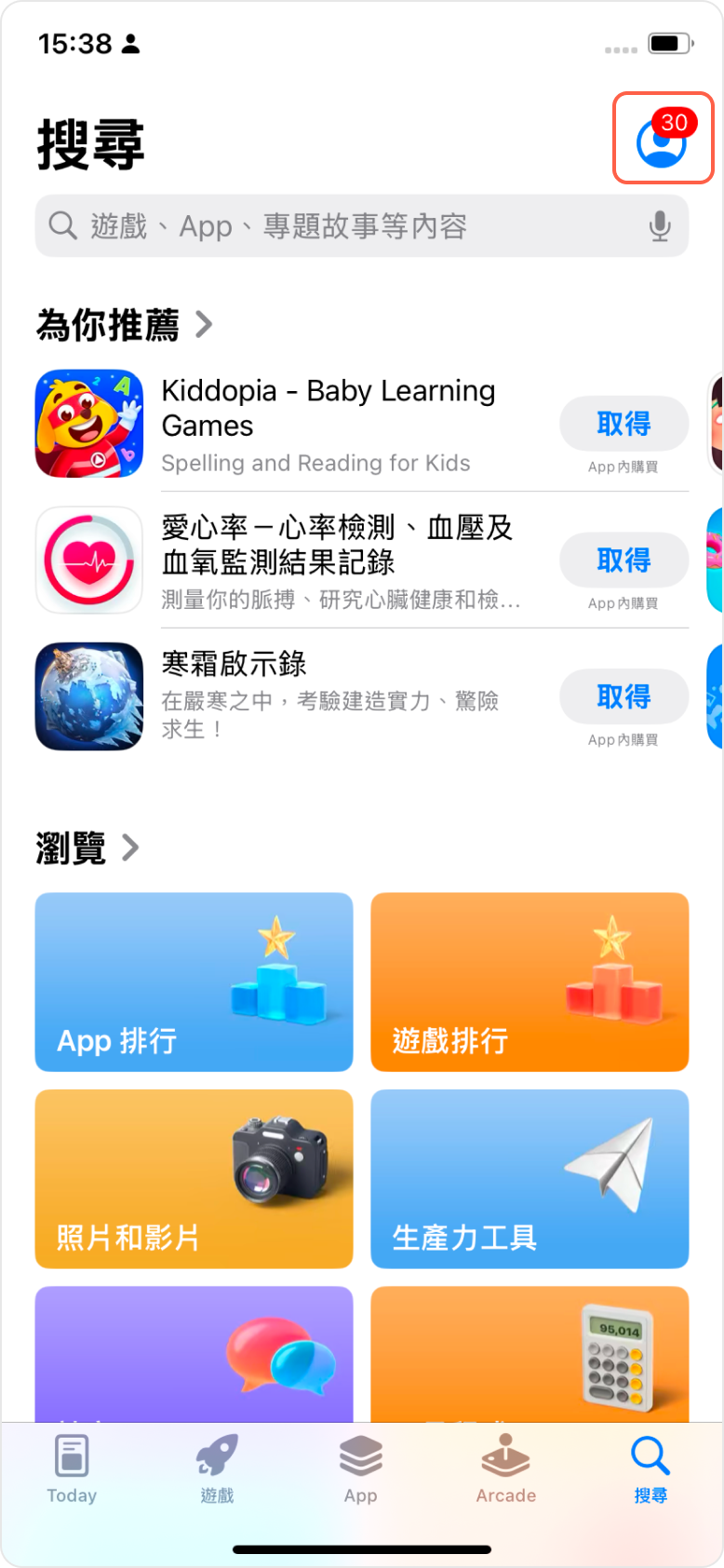
2、拖到最下方,點擊退出登錄,輸入非大陸地區的Apple ID和密碼重新登錄;
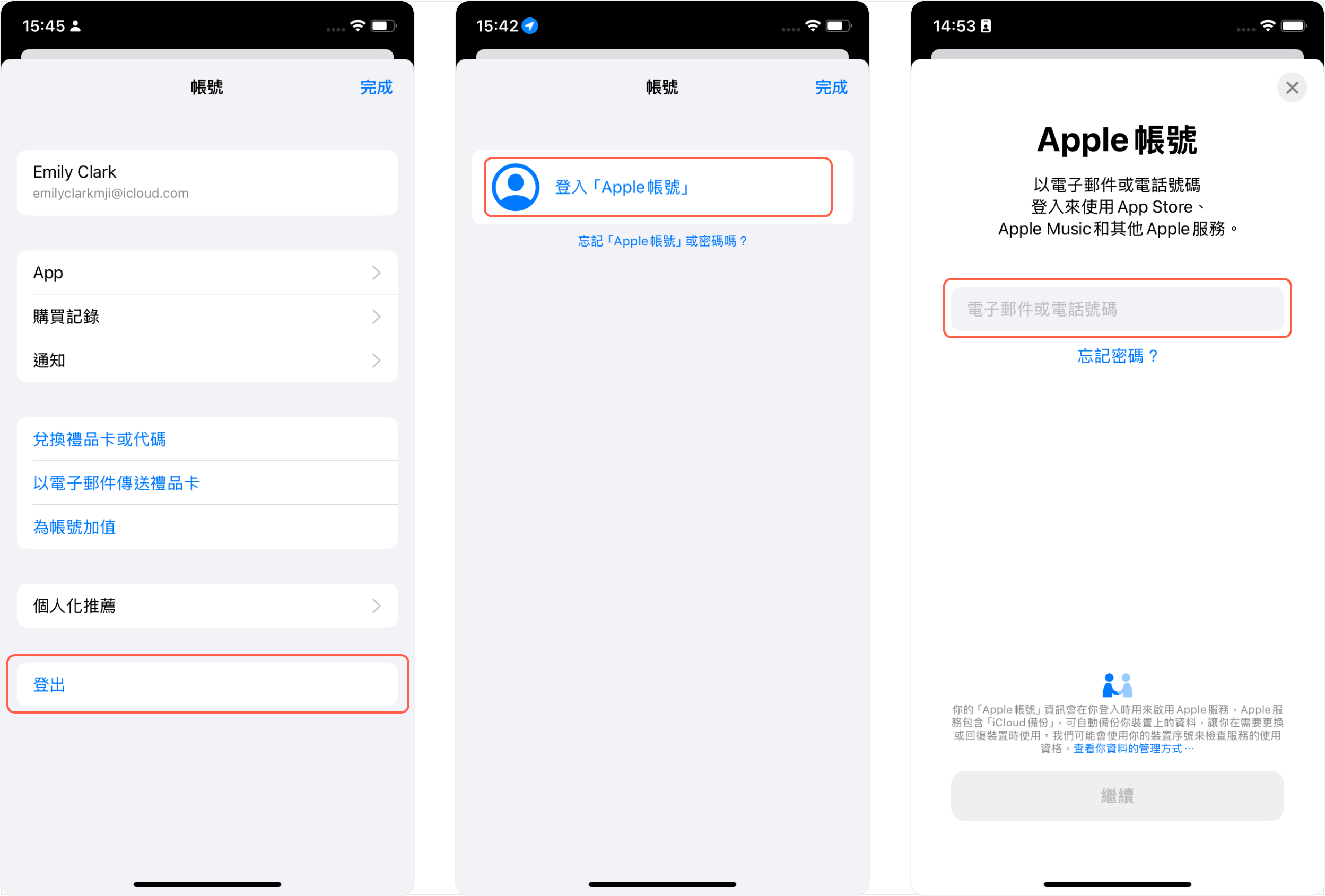
第三步:安裝APP
1、登錄成功後,會自動跳轉至ID對應地區的App Store,搜索出「Hotcoin」,點擊「取得」即自動下載;
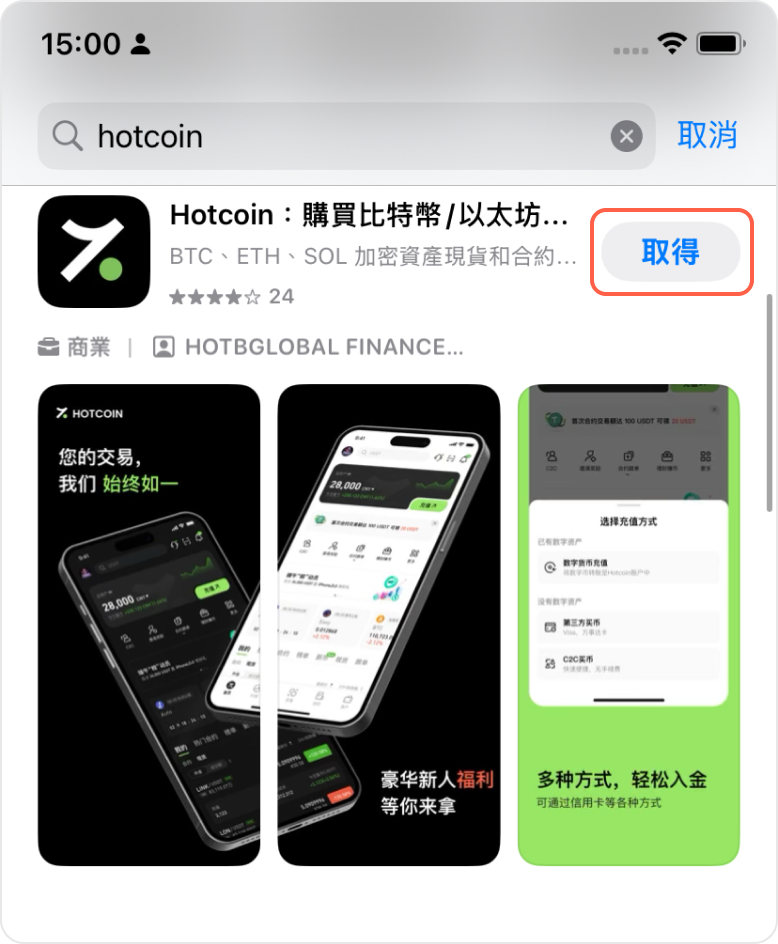
2、回到桌面或APP库即可查看。
推薦閱讀
看更多
Hotcoin Android App 下載與安裝指南(Huawei機型)
Hotcoin 操作指南
如何使用 Hotcoin 福利中心?
Hotcoin 操作指南

Hotcoin Android App 下載與安裝指南(Oneplus機型)
Hotcoin 操作指南

©2017-2026