HOTCOIN Logo
Mua Crypto
Thị Trường
Giao dịch
Hợp đồng tương lai
Kiếm tiền
Thưởng
Thêm
Ví Web3
Liên hệ dịch vụ

Service@hotcoin.com

Phản hồi sản phẩm

Product@hotcoin.com

Hợp tác kinh doanh

Business@hotcoin.com

Liên hệ pháp lý

Casecn@hotcoin.com

Liên hệ với chúng tôi
Liên hệ dịch vụ

Service@hotcoin.com

Phản hồi sản phẩm

Product@hotcoin.com

Hợp tác kinh doanh

Business@hotcoin.com

Liên hệ pháp lý

Casecn@hotcoin.com

Về chúng tôi
Giới thiệu nền tảng
Trung tâm thông báo
Trạng thái hệ thống
Thỏa thuận người dùng
Chính sách bảo mật
Mô tả pháp lý
sản phẩm
Futures
Giao dich
Giao dịch TradFi
Sao chép hợp đồng
Đòn bẩy
Earn
Mua P2P
Mua Crypto bằng Thẻ
Ví Web3
Phục vụ
Phát trực tiếp
Lựa chọn nghiêm ngặt các đồng tiền nóng
Hub Phúc lợi
Lời mời bạn bè
Quyền lợi VIP
Tải xuống
Áp dụng cho người bán P2P
hỗ trợ
Đại học Hotcoin
Trung tâm trợ giúp
Tài liệu API
Biểu Phí
Thông tin tiền điện tử
Ứng dụng niêm yết
dịch vụ trực tuyến
Phản hồi của khách hàng
xác minh chính thức
Giao dịch
BTC USDC
ETH USDC
BTC USDT
ETH USDT
PI USDT
SOL USDT
XRP USDT
©2017-2026
Trung tâm trợ giúp
/Web3 Wallet/Swap/
How to Swap Tokens in the Web3 Wallet
Trung tâm trợ giúp
/Web3 Wallet/Swap/
How to Swap Tokens in the Web3 Wallet

How to Swap Tokens in the Web3 Wallet

Hotcoin
chia sẻ đường link


The Web3 Wallet allows users to swap one token for another directly on-chain without leaving the wallet.


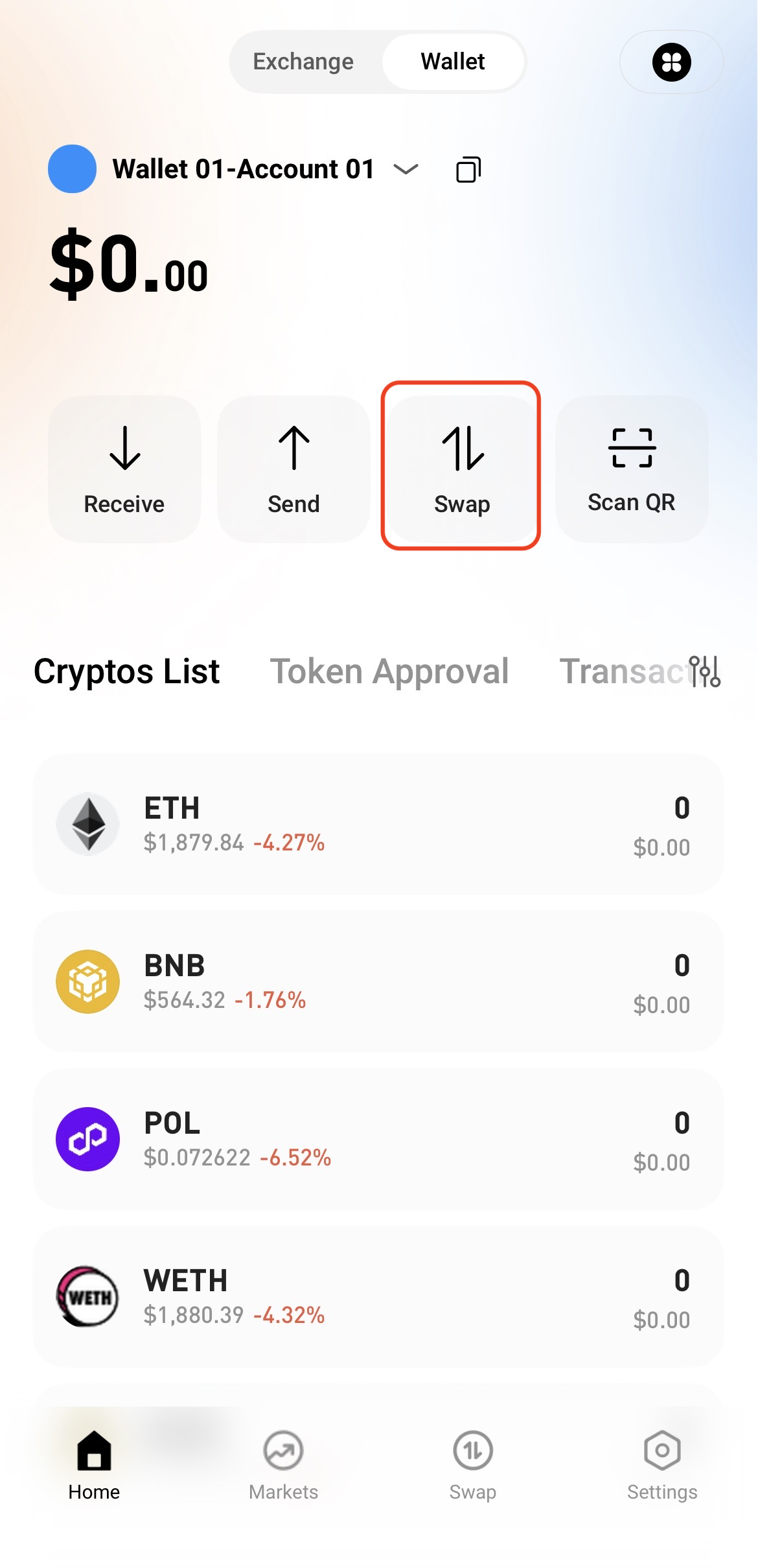
Step 1: Access the Swap Page


Open the Web3 Wallet and tap Swap on the home page.


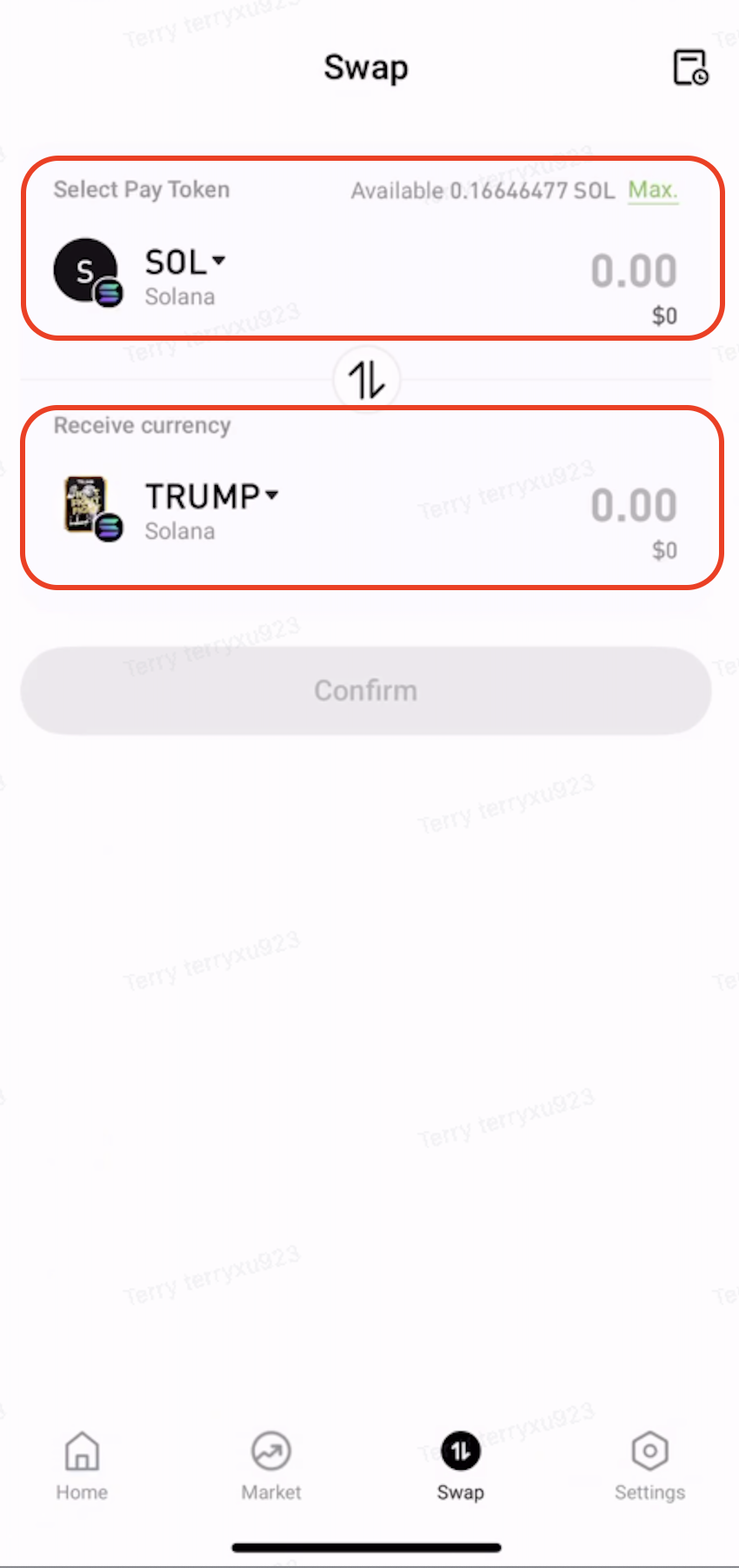
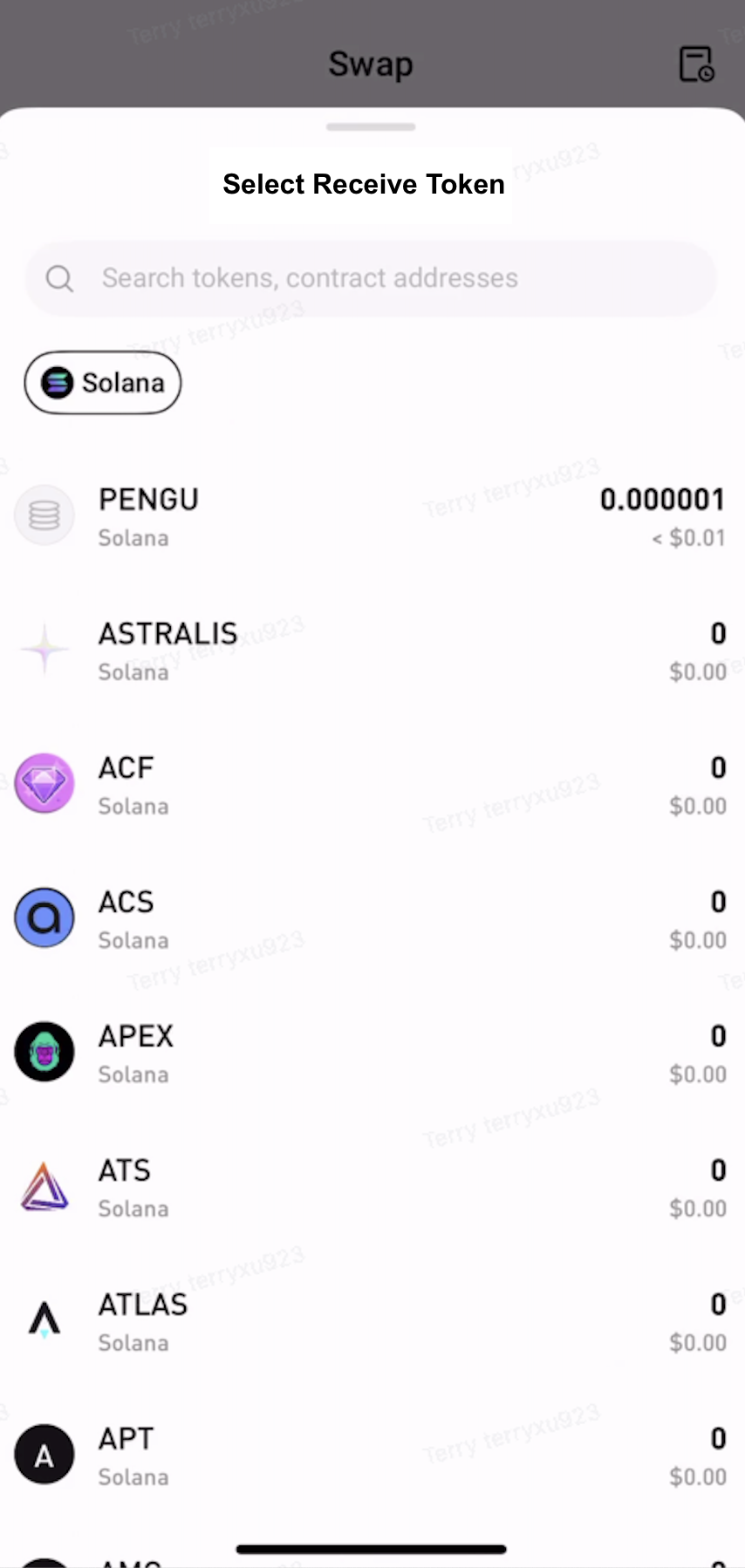
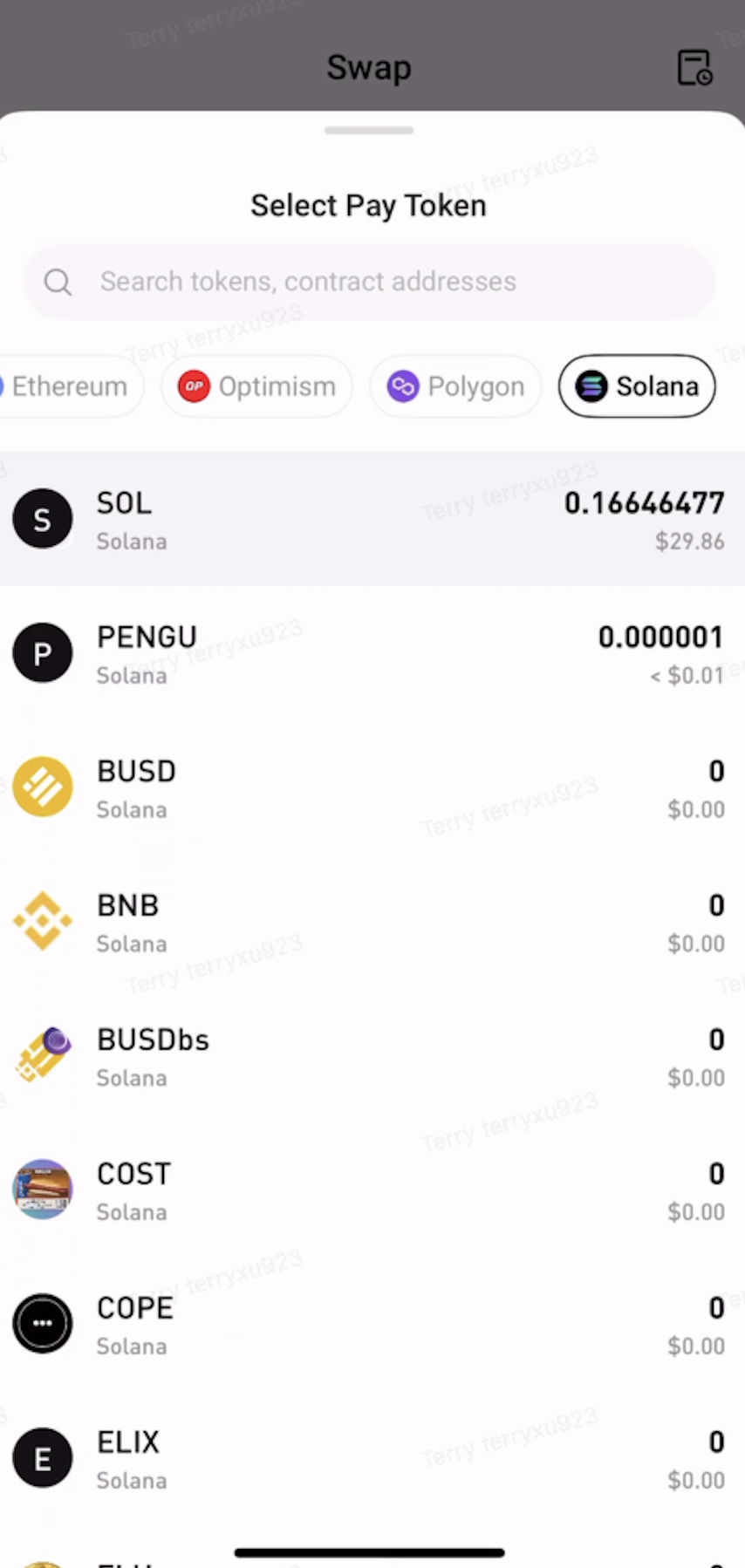
Step 2: Select the Tokens to Swap


  • Under Pay, select the token and network to swap from.

  • Under Receive, select the token and network to receive.


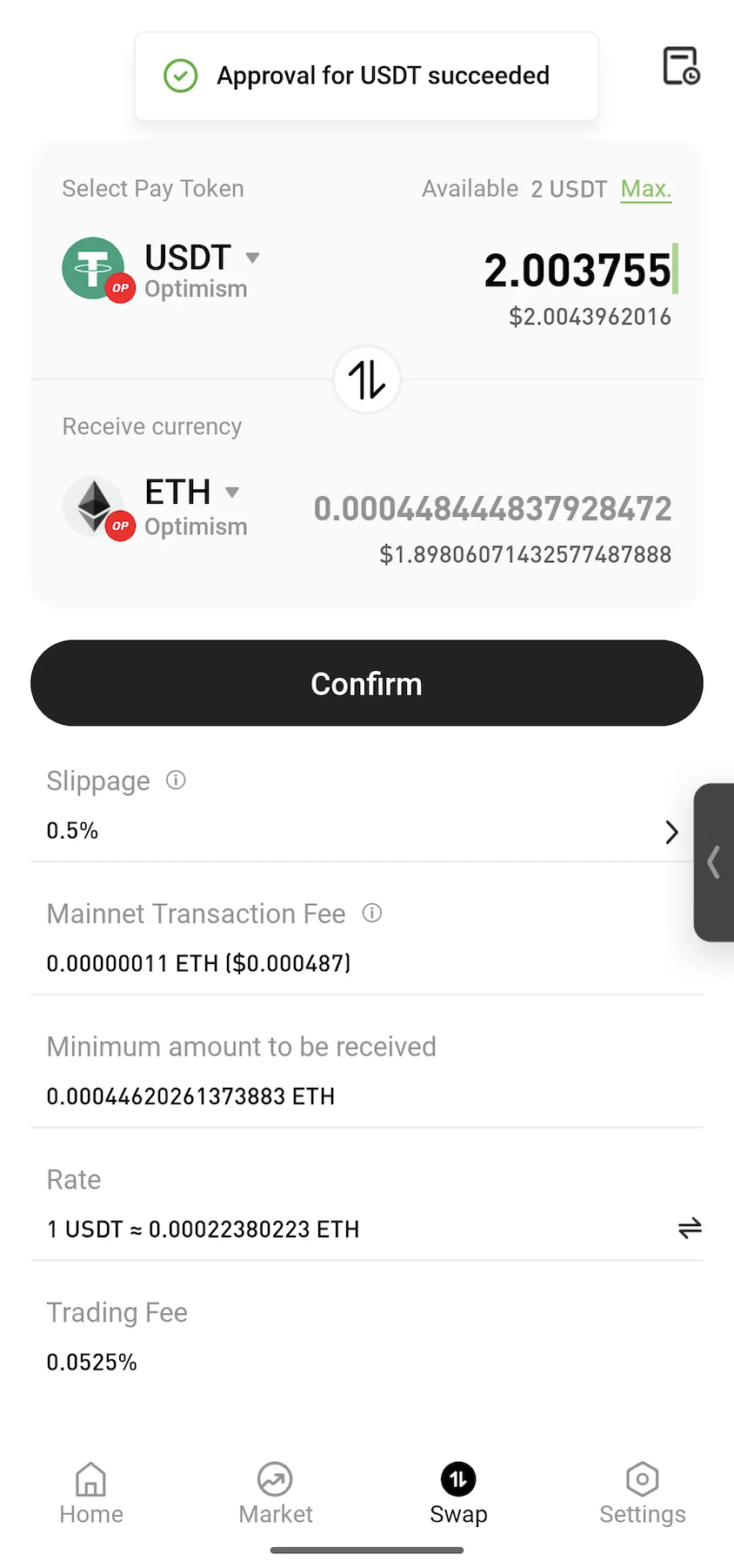
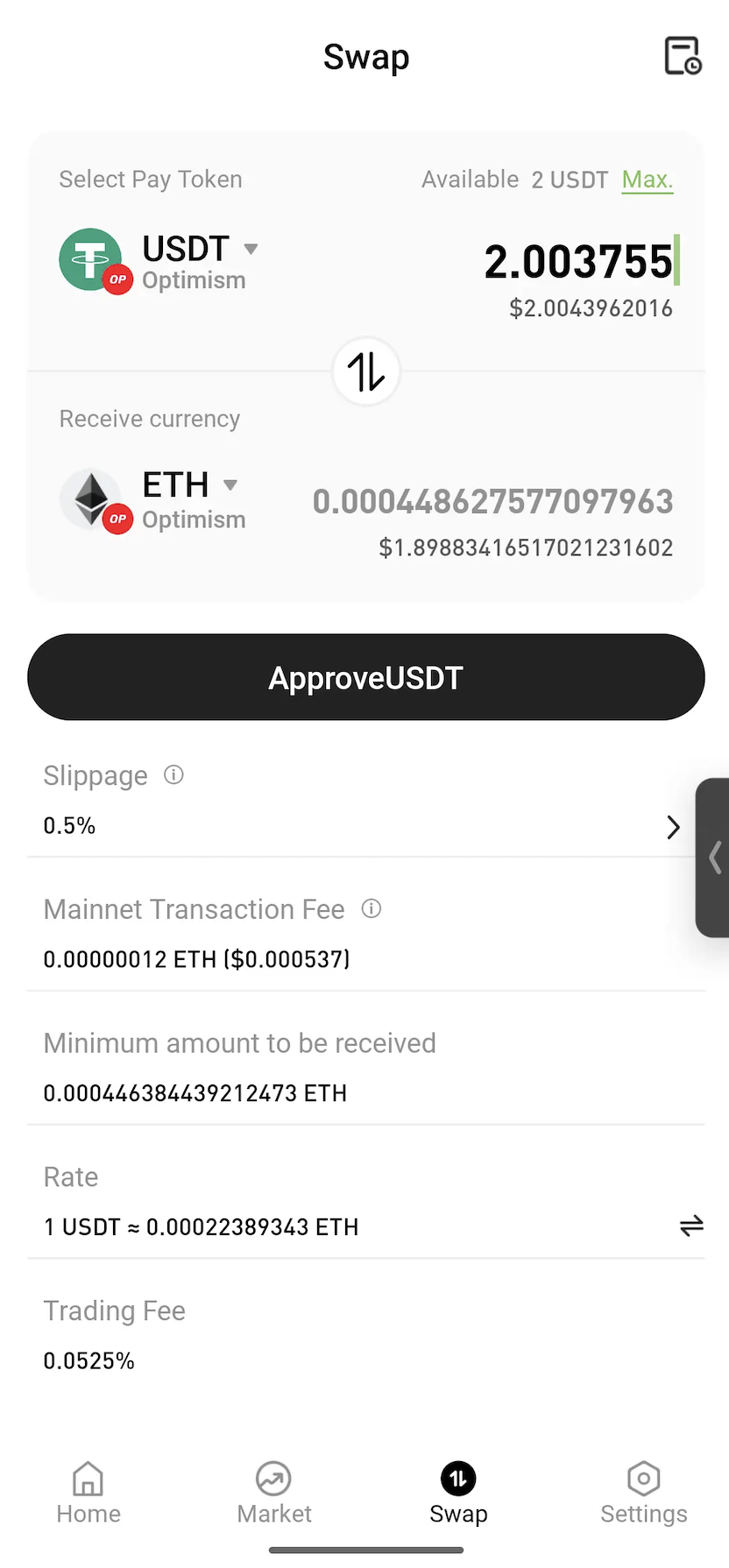
Step 3: Approve the Token


Enter the amount to swap. If approval is required, tap Approve and follow the on-screen instructions to sign the transaction.
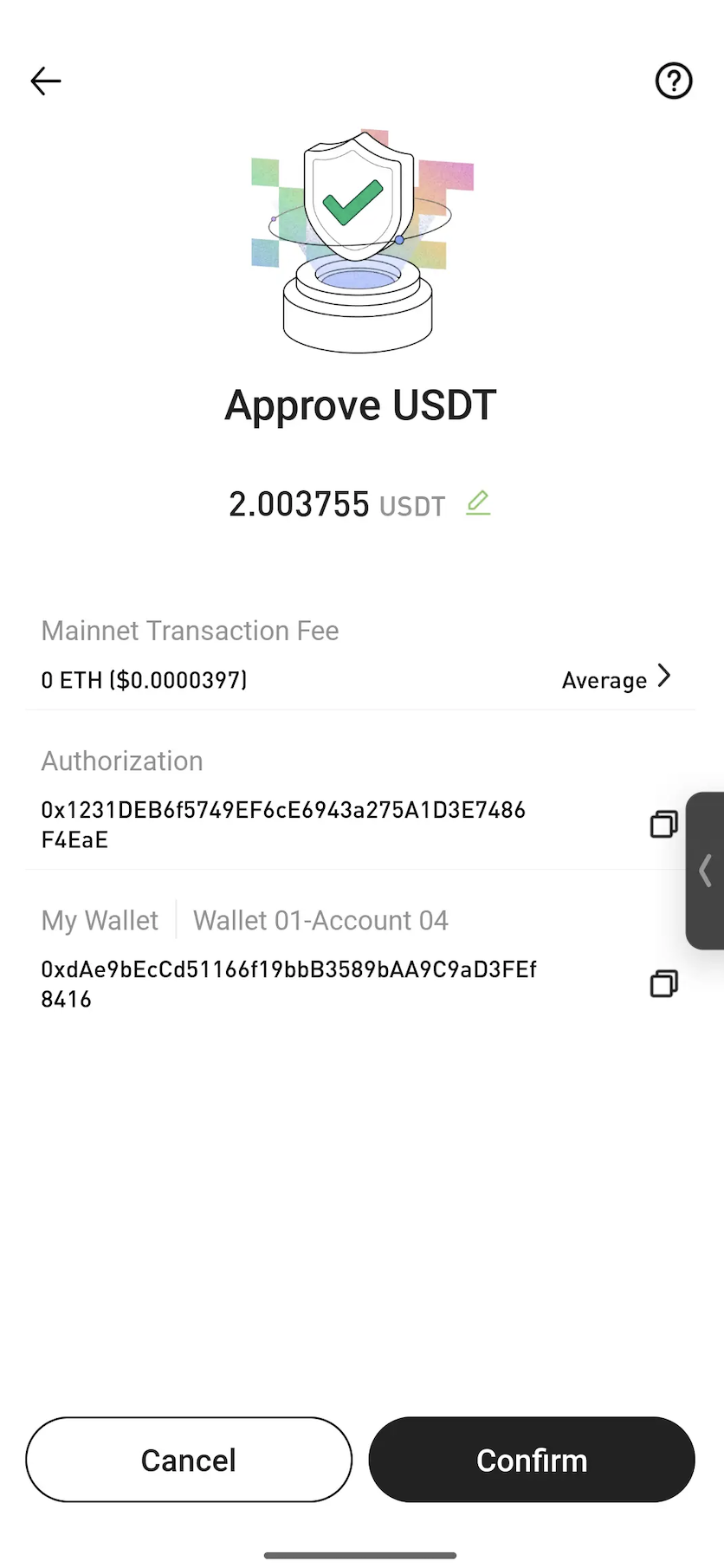


Note: Approval is a standard blockchain process that allows a smart contract to use the selected token for the swap. In most cases, approval is only required the first time a token is swapped.


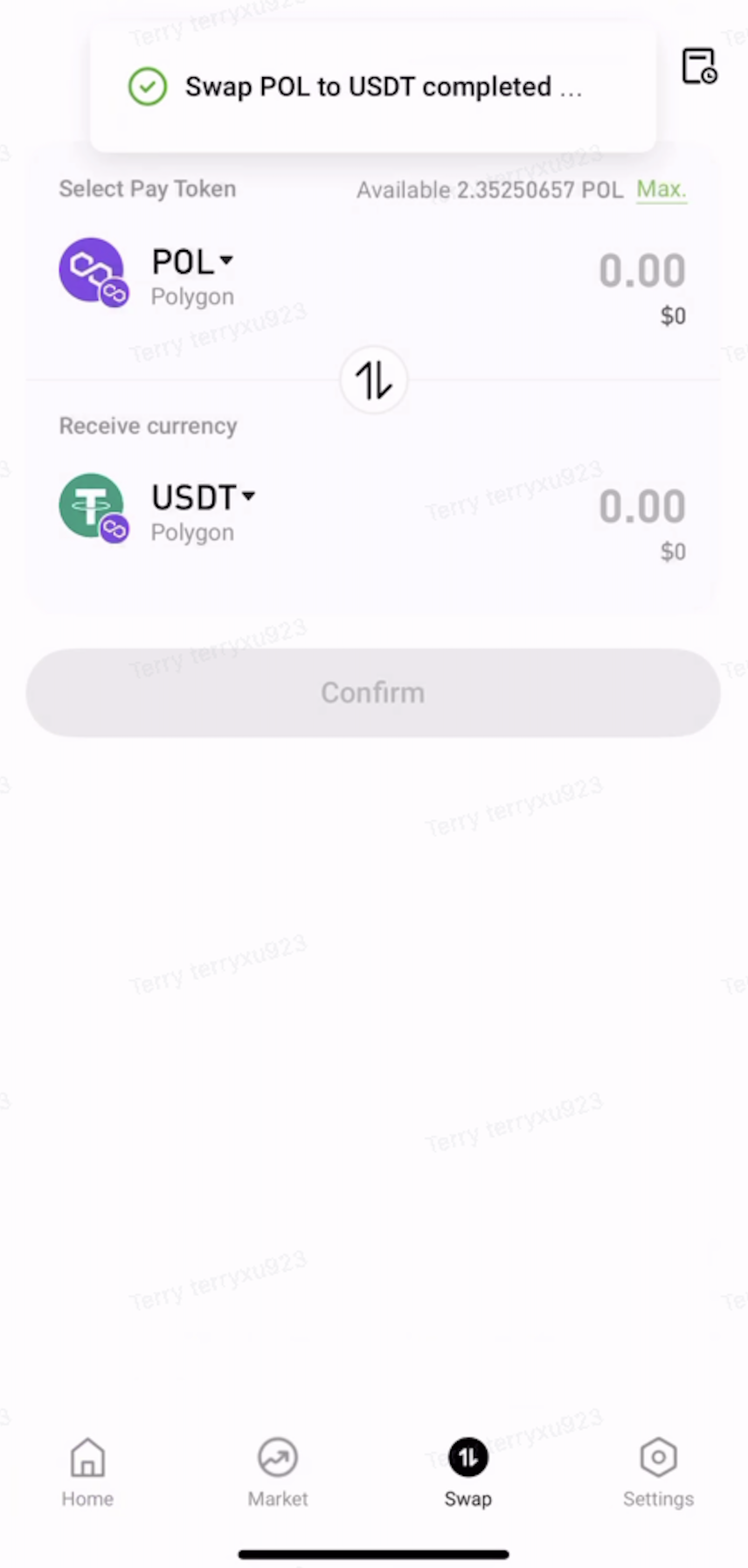
Step 4: Confirm the Swap


Review the swap details, then tap Confirm. Once the transaction is submitted, wait for on-chain confirmation to complete the swap.
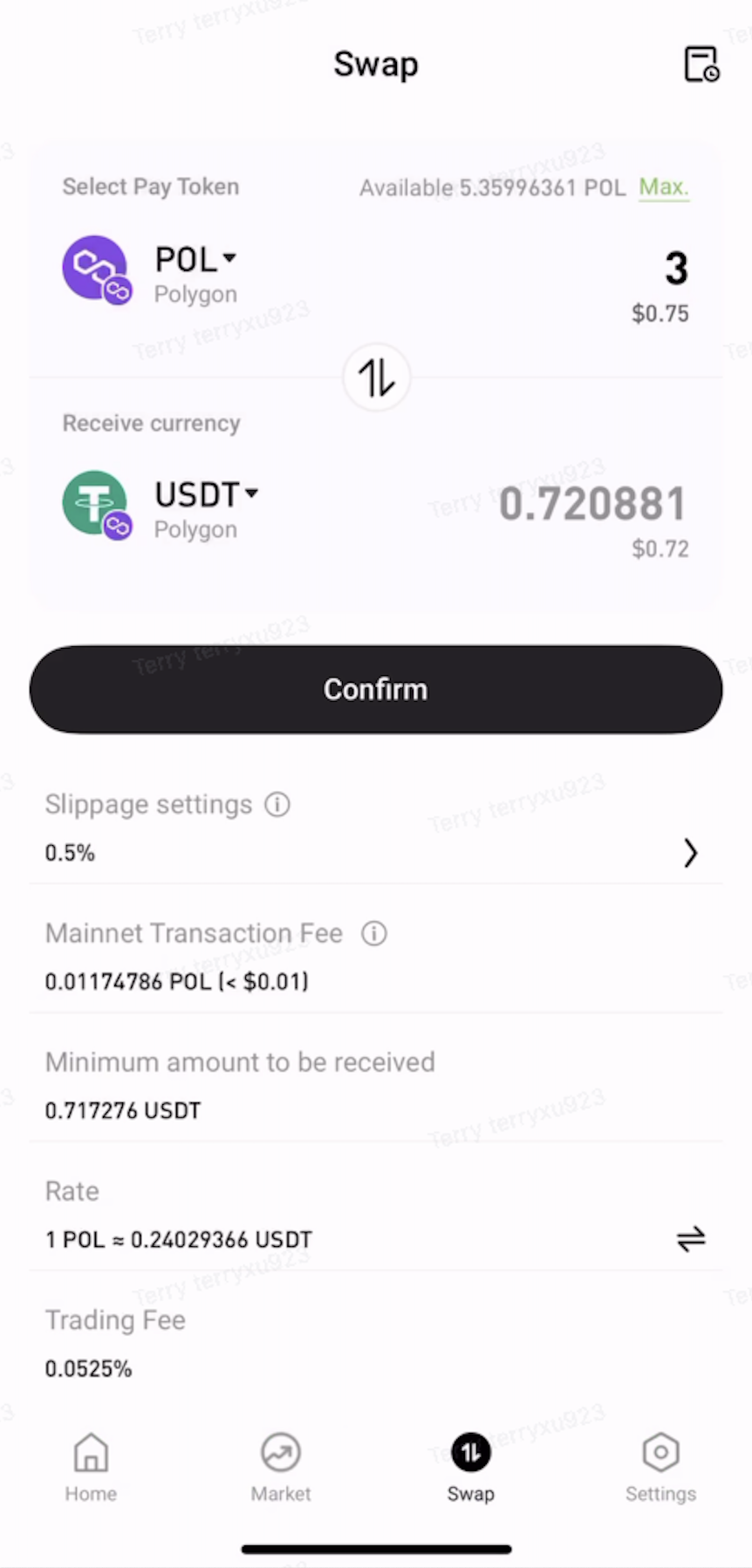
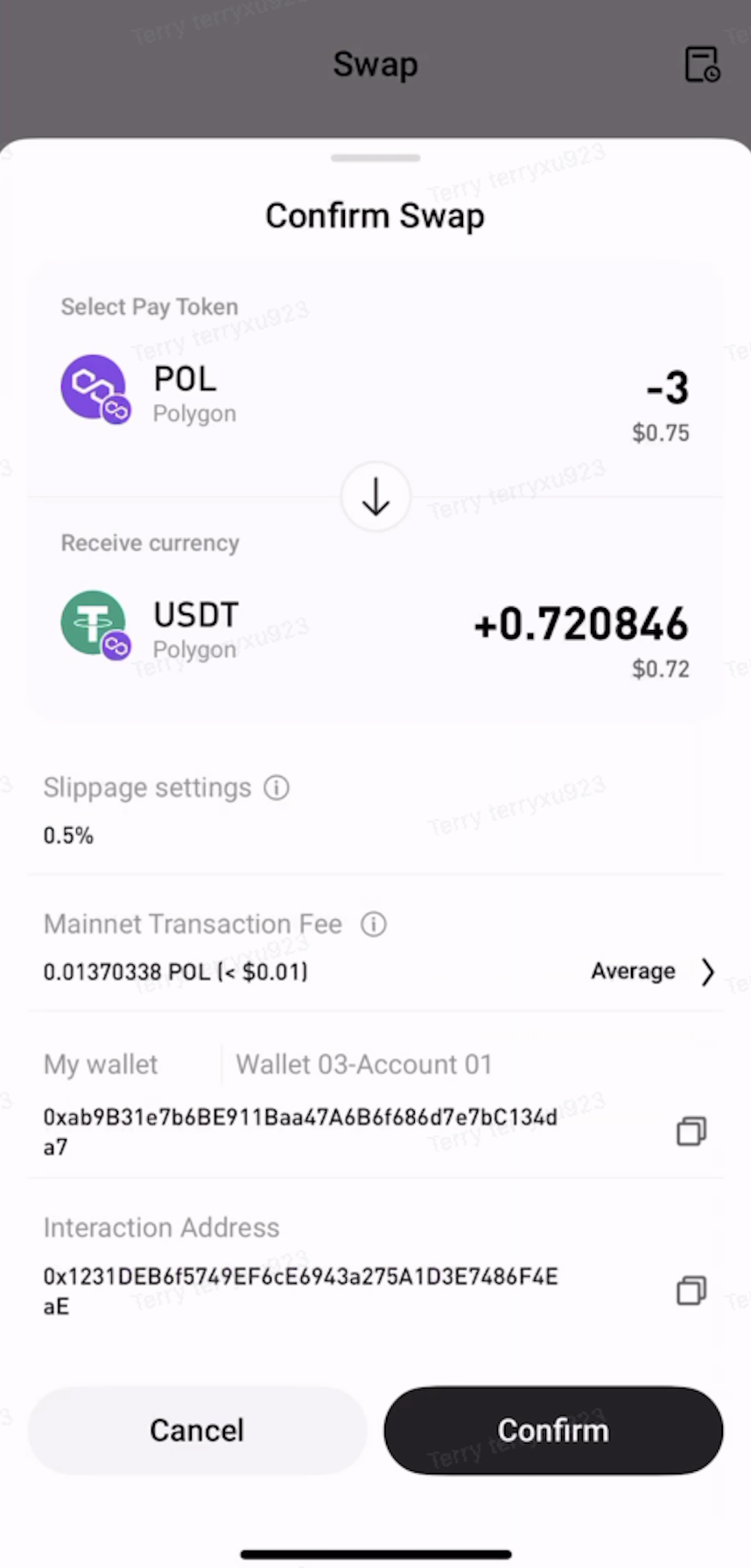


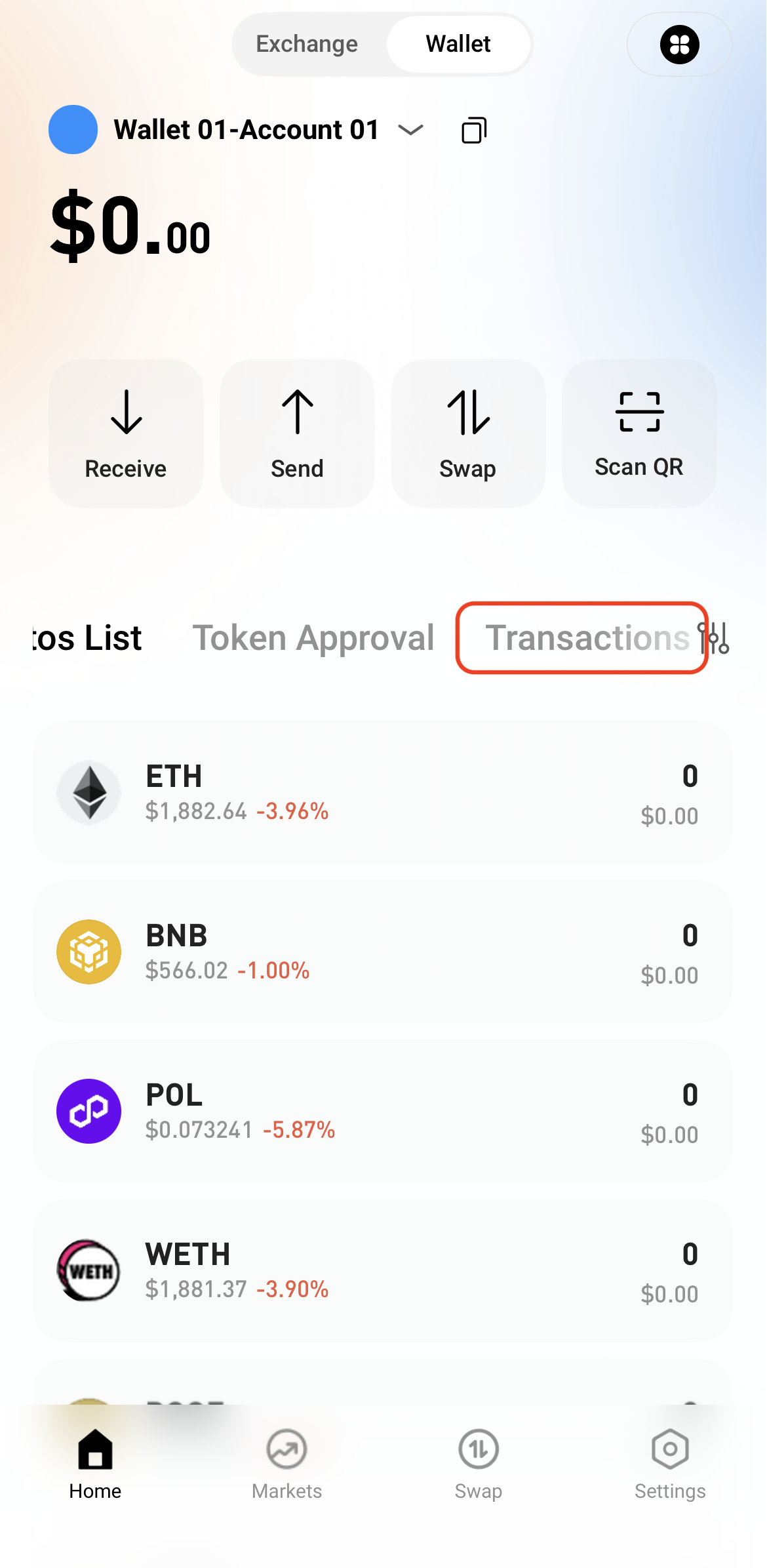
Step 5: View Transaction History


After the swap is complete, view the transaction details in Transactions or check the on-chain status through a block explorer.

   

Nạp & Rút tiền
Deposit
Withdrawal
mua tiền điện tử
P2P FAQ
quản lý thương gia
quy tắc giao thức
Giao dịch giao ngay & ký quỹ
giao dịch giao ngay
giao dịch tương lai
Contract Grid
Contract documentary
Getting Started
Follower Guide
Lead Trader Guide
tài chính hotcoin
Các chủ đề khác (liên quan đến giao thức)
NFT