HOTCOIN Logo
ซื้อคริปโต
ตลาด
การซื้อขาย
สัญญาซื้อขายล่วงหน้า
หารายได้
โบนัส
เพิ่มเติม
กระเป๋าเงิน Web3
ติดต่อฝ่ายบริการ

Service@hotcoin.com

ความคิดเห็นเกี่ยวกับผลิตภัณฑ์

Product@hotcoin.com

ความร่วมมือทางธุรกิจ

Business@hotcoin.com

ผู้ติดต่อด้านกฎหมาย

Casecn@hotcoin.com

ติดต่อเรา
ติดต่อฝ่ายบริการ

Service@hotcoin.com

ความคิดเห็นเกี่ยวกับผลิตภัณฑ์

Product@hotcoin.com

ความร่วมมือทางธุรกิจ

Business@hotcoin.com

ผู้ติดต่อด้านกฎหมาย

Casecn@hotcoin.com

เกี่ยวกับเรา
แนะนําแพลตฟอร์ม
ศูนย์ประกาศ
สถานะของระบบ
ข้อตกลงผู้ใช้
นโยบายความเป็นส่วนตัว
คําอธิบายทางกฎหมาย
ผลิตภัณฑ์
อนาคต
จุด
การซื้อขาย TradFi
คัดลอกสัญญา
การซื้อขายมาร์จิ้น
Earn
ซื้อ P2P
ซื้อคริปโตด้วยบัตร
กระเป๋าเงิน Web3
ให้บริการ
ถ่ายทอดสด
การเลือกเหรียญร้อนอย่างเข้มงวด
ศูนย์โบนัส
คำเชิญเพื่อน ๆ
สิทธิประโยชน์วีไอพี
ดาวน์โหลด
สมัครร้านค้า P2P
สนับสนุน
วิทยาลัย Hotcoin
ศูนย์ช่วยเหลือ
เอกสาร API
อัตราค่าธรรมเนียม
ข้อมูลคริปโต
ใบสมัครเข้าจดทะเบียน
บริการออนไลน์
ความคิดเห็นของลูกค้า
การตรวจสอบอย่างเป็นทางการ
การซื้อขาย
BTC USDC
ETH USDC
BTC USDT
ETH USDT
PI USDT
SOL USDT
XRP USDT
©2017-2026
ศูนย์ช่วยเหลือ
/Web3 Wallet/Swap/
How to Swap Tokens in the Web3 Wallet
ศูนย์ช่วยเหลือ
/Web3 Wallet/Swap/
How to Swap Tokens in the Web3 Wallet

How to Swap Tokens in the Web3 Wallet

Hotcoin
ใช้ร่วมกัน


The Web3 Wallet allows users to swap one token for another directly on-chain without leaving the wallet.


Step 1: Access the Swap Page


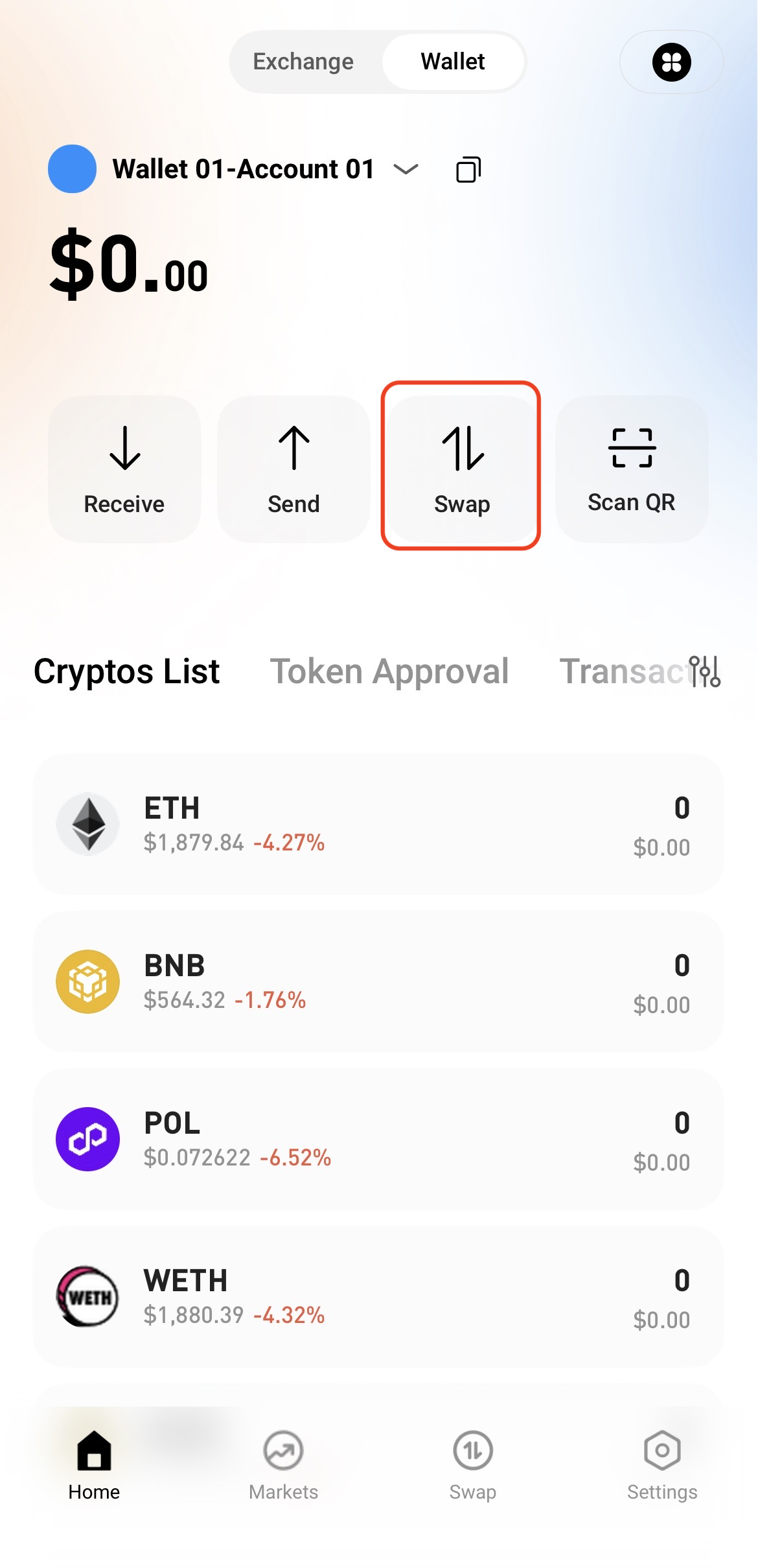
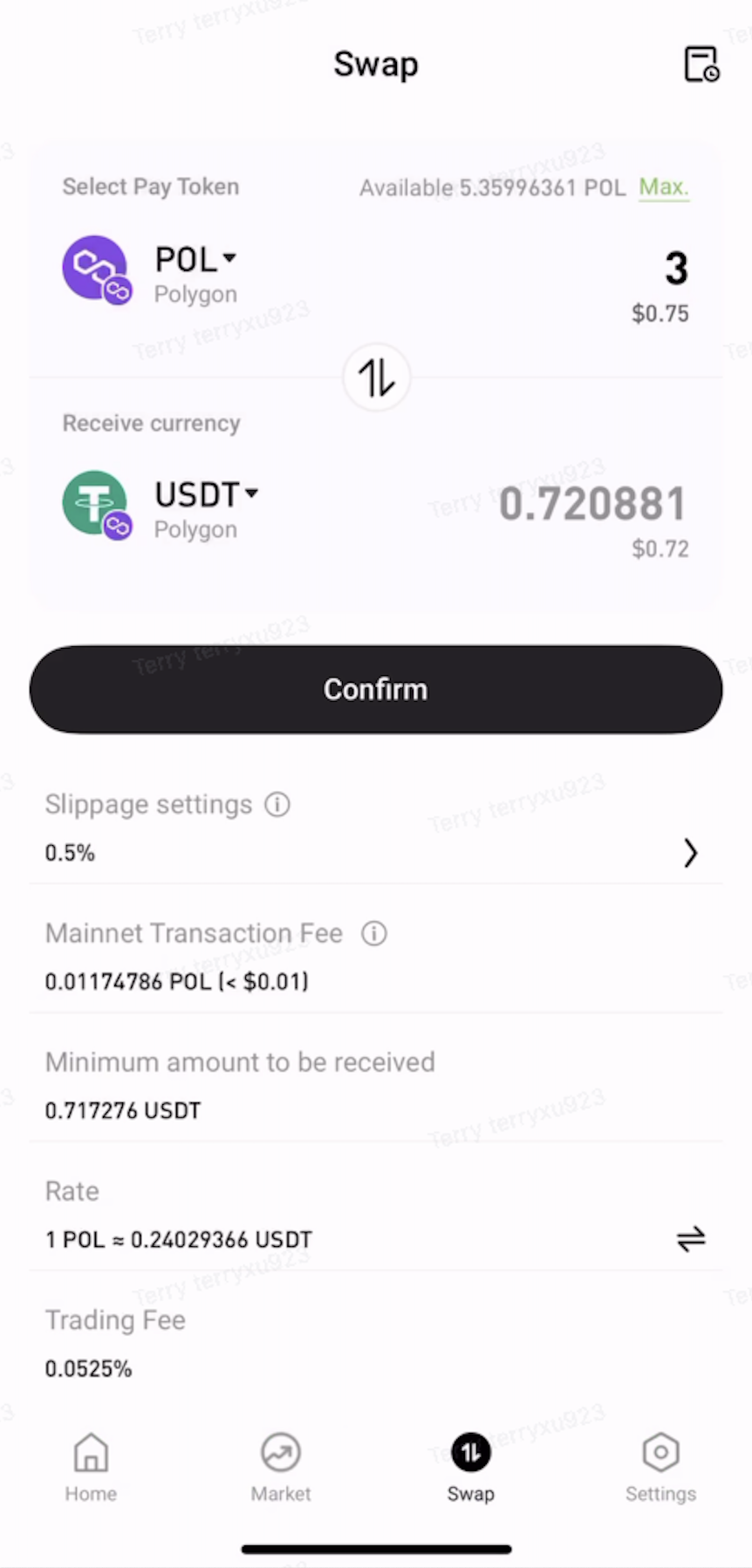
Open the Web3 Wallet and tap Swap on the home page.


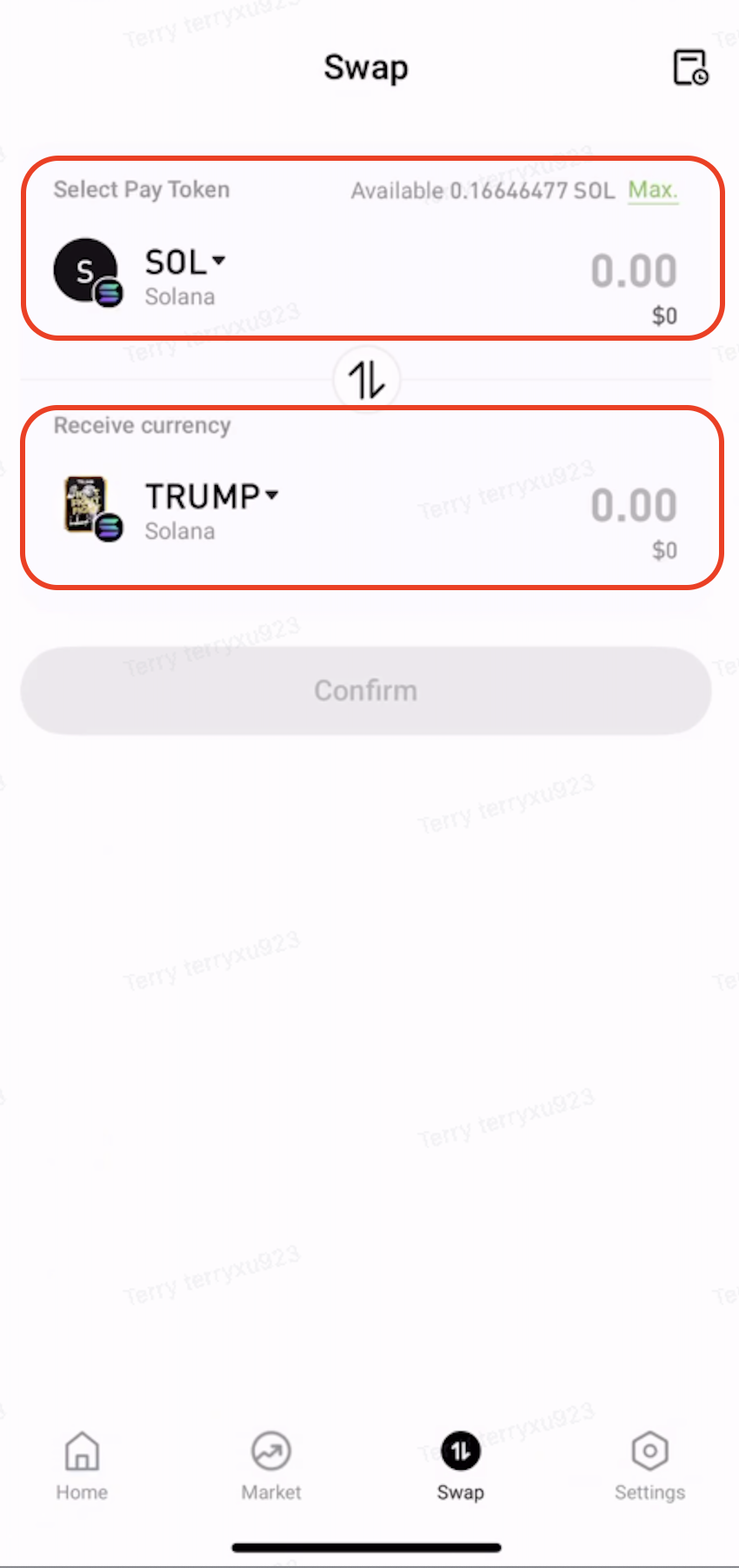
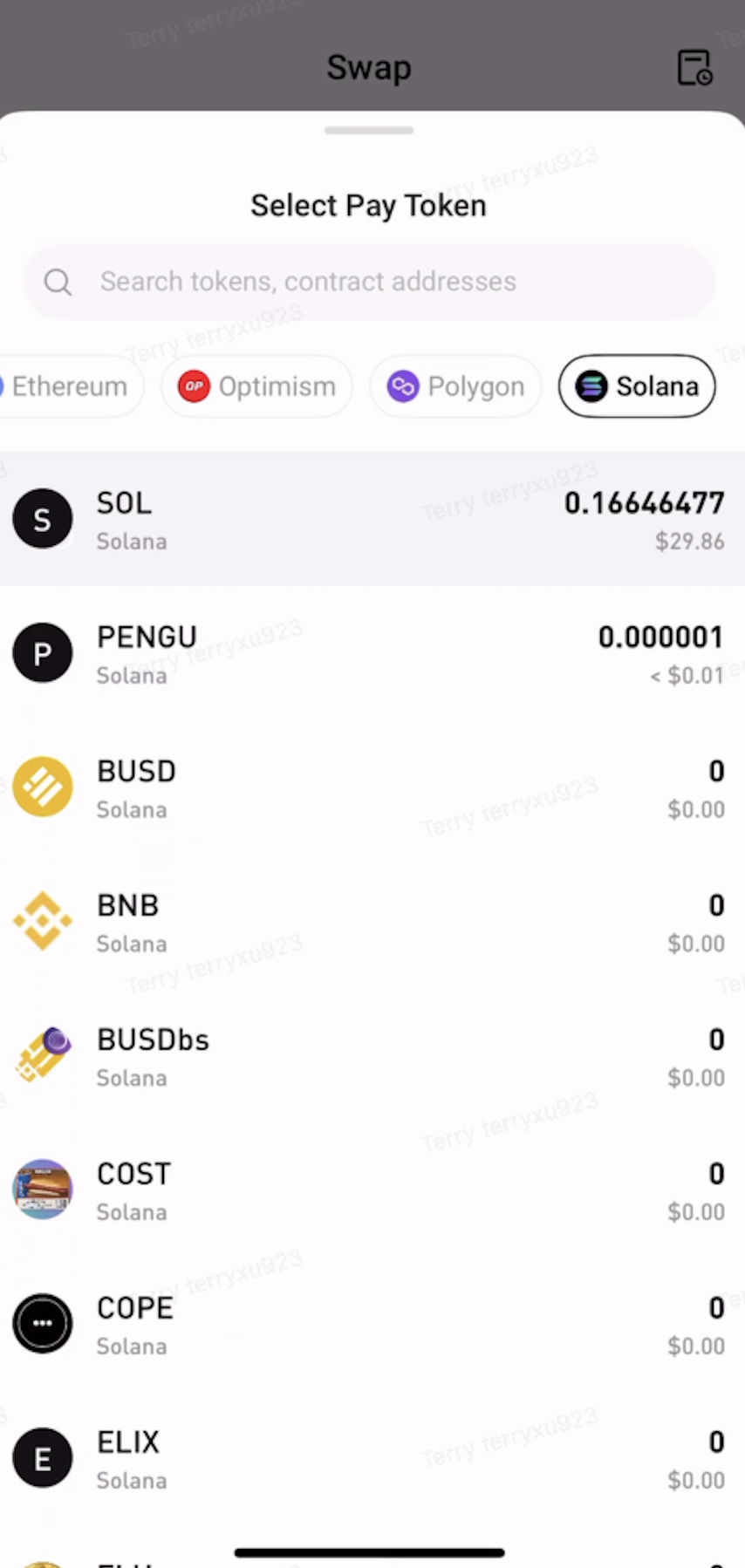
Step 2: Select the Tokens to Swap


  • Under Pay, select the token and network to swap from.

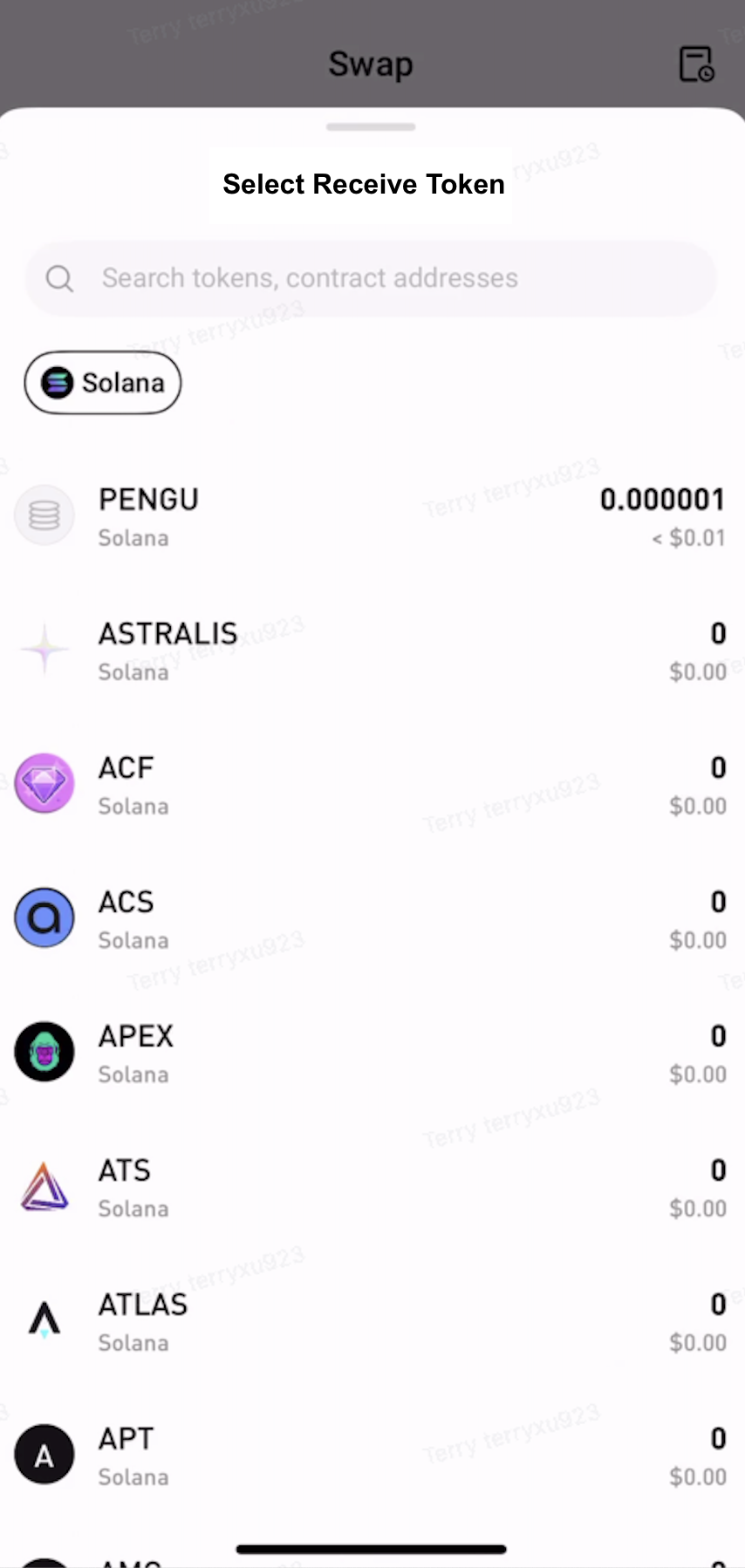
  • Under Receive, select the token and network to receive.


Step 3: Approve the Token


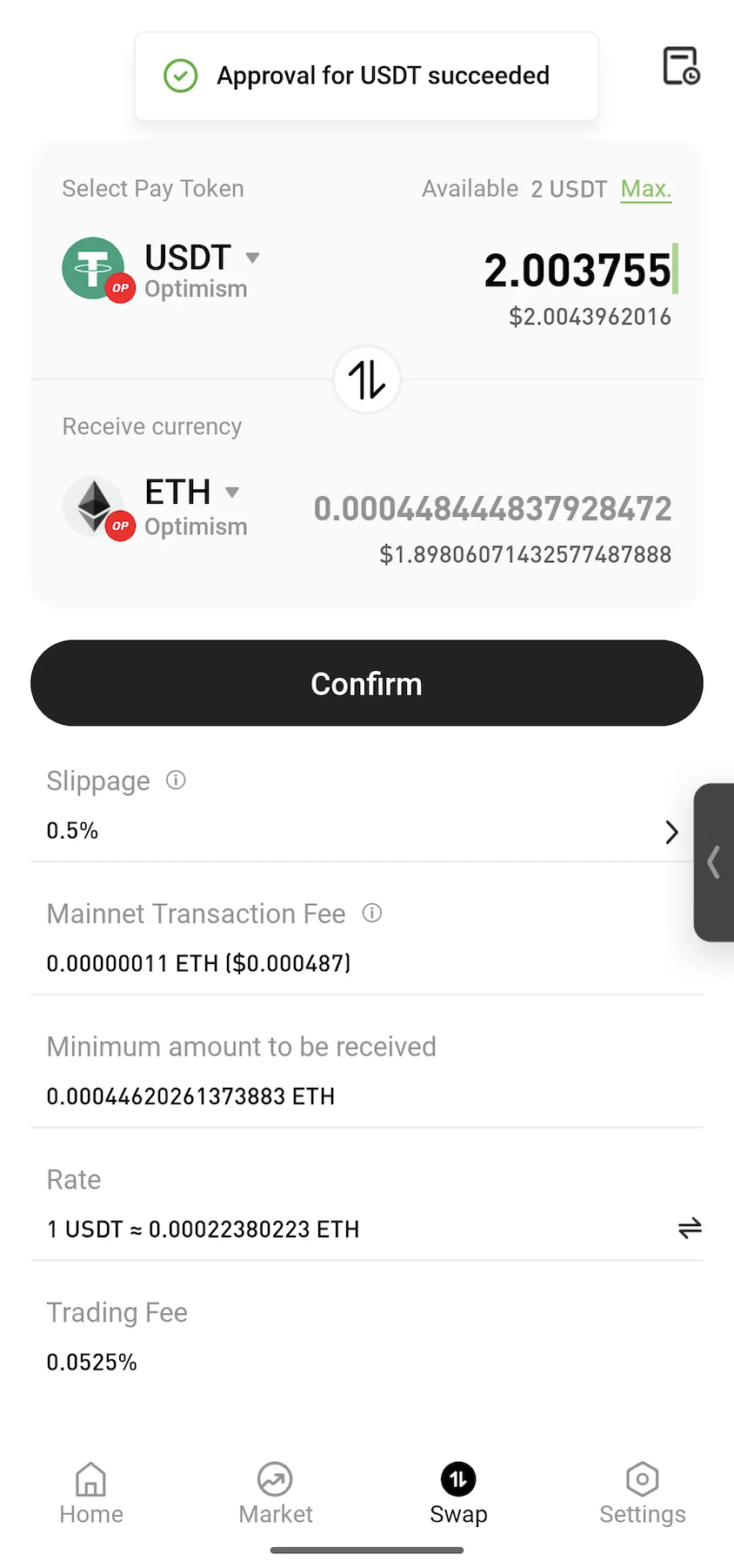
Enter the amount to swap. If approval is required, tap Approve and follow the on-screen instructions to sign the transaction.
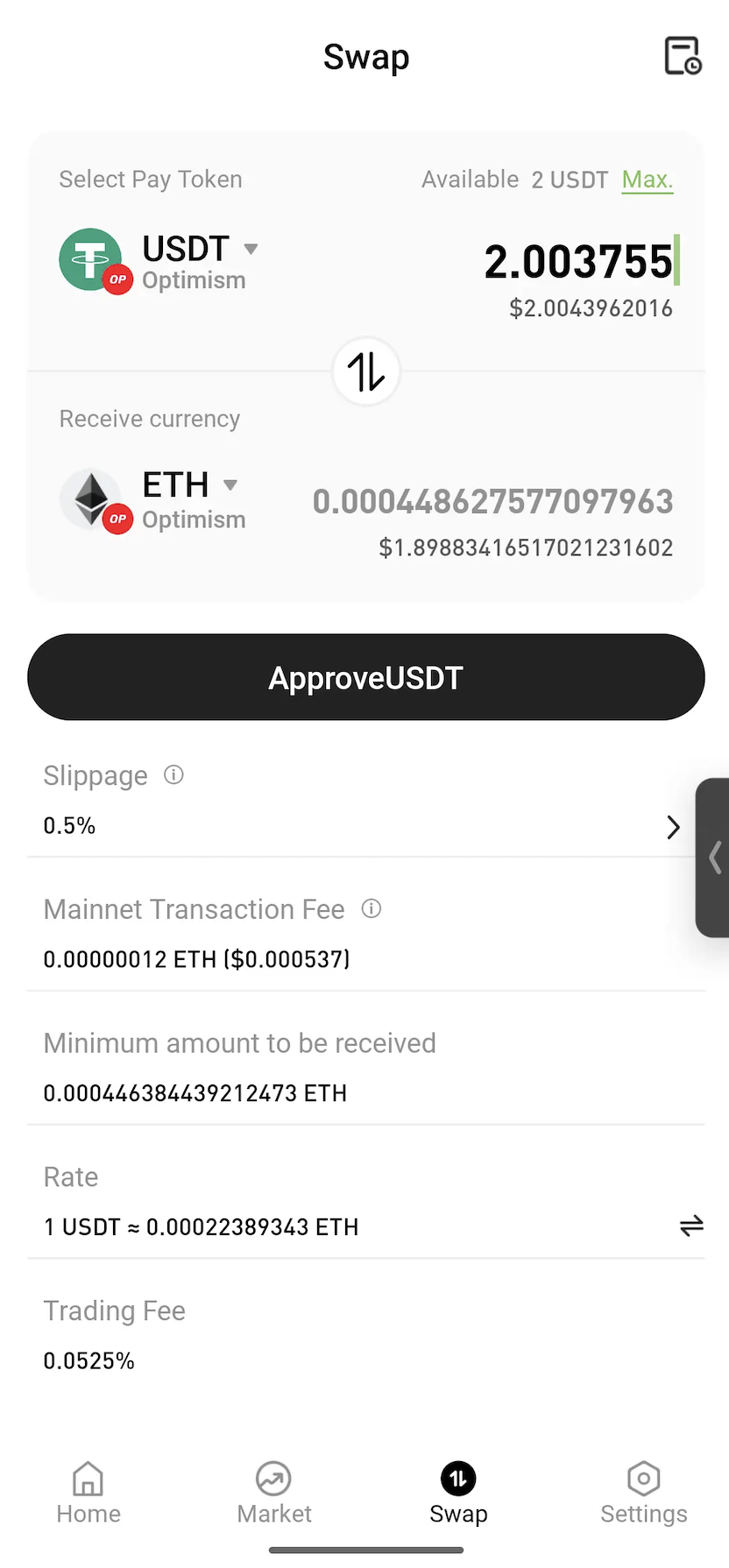
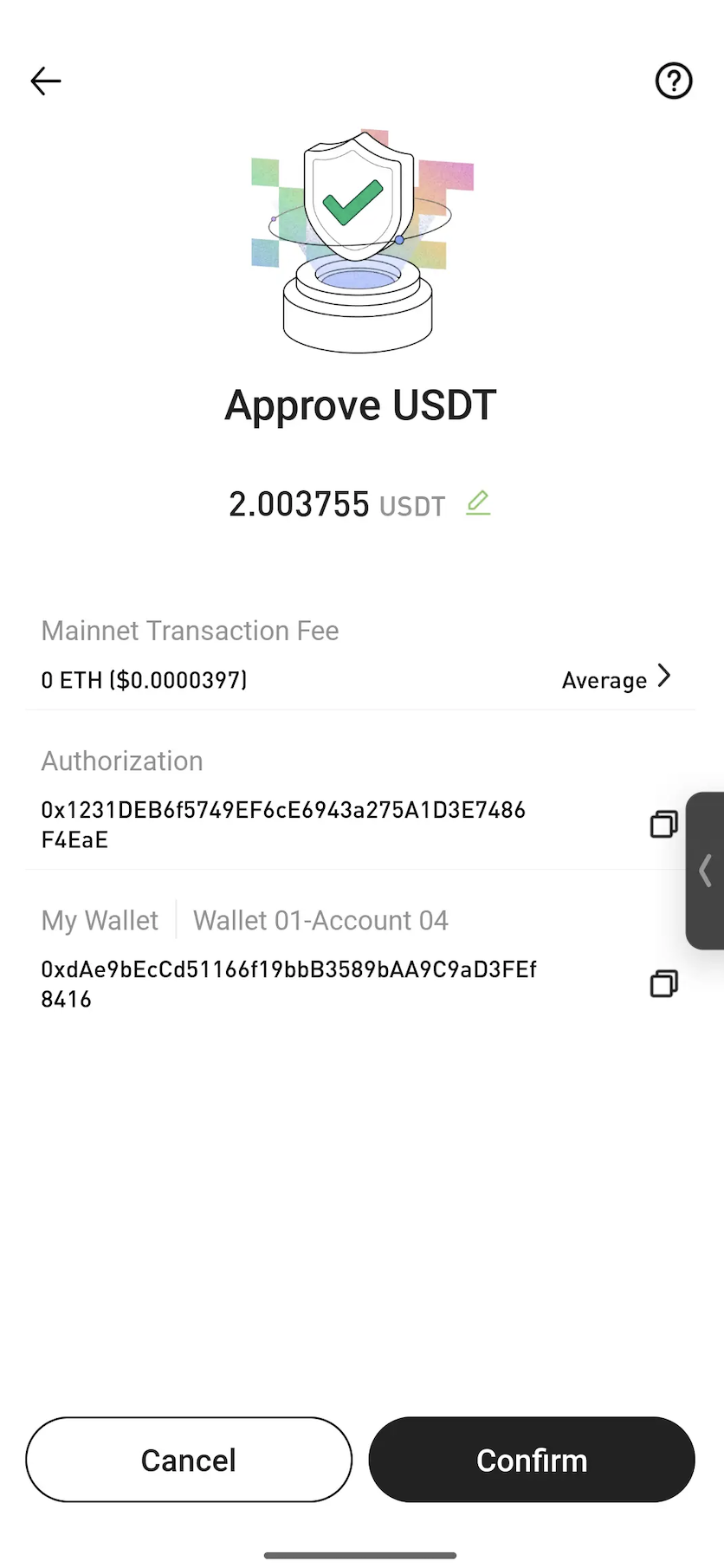


Note: Approval is a standard blockchain process that allows a smart contract to use the selected token for the swap. In most cases, approval is only required the first time a token is swapped.


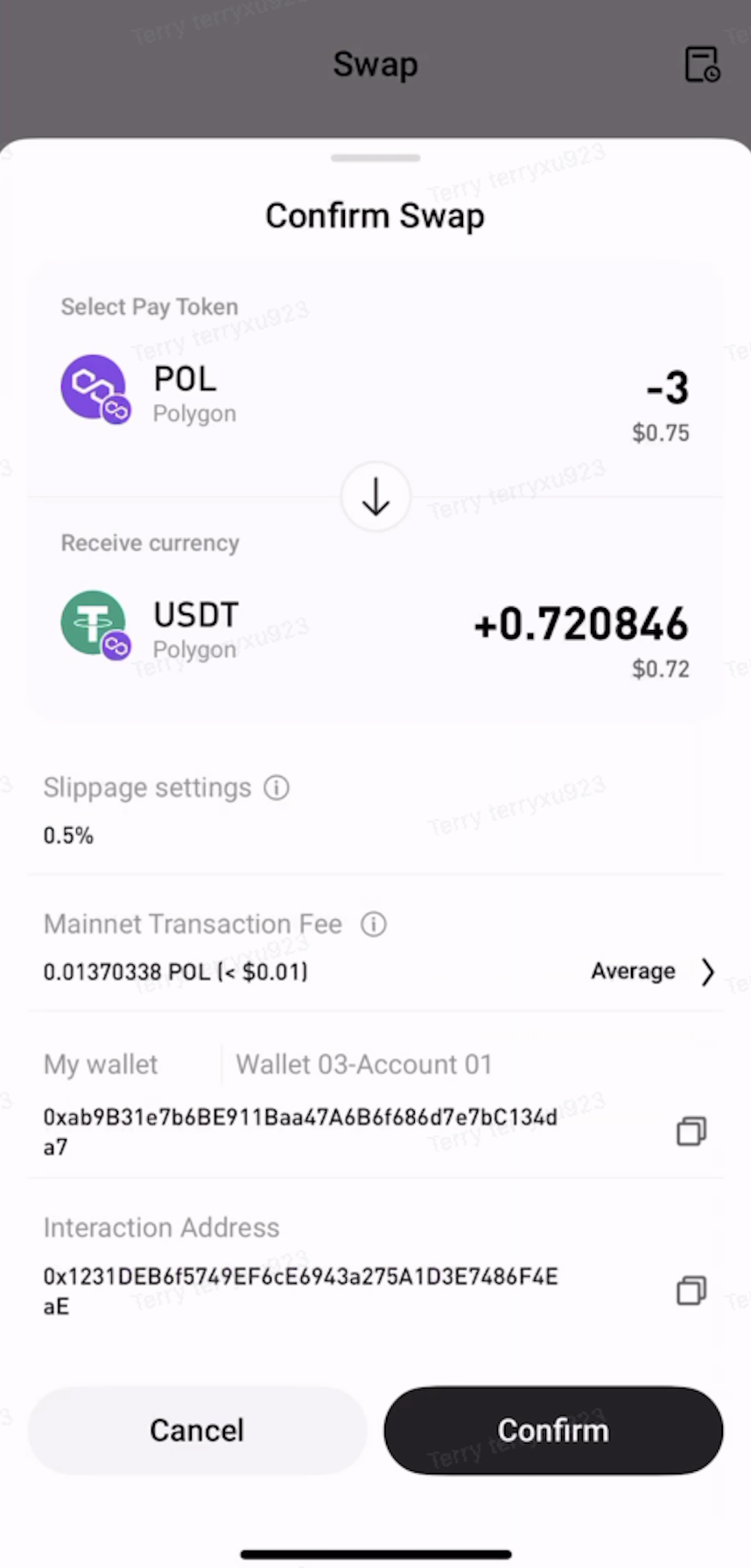
Step 4: Confirm the Swap


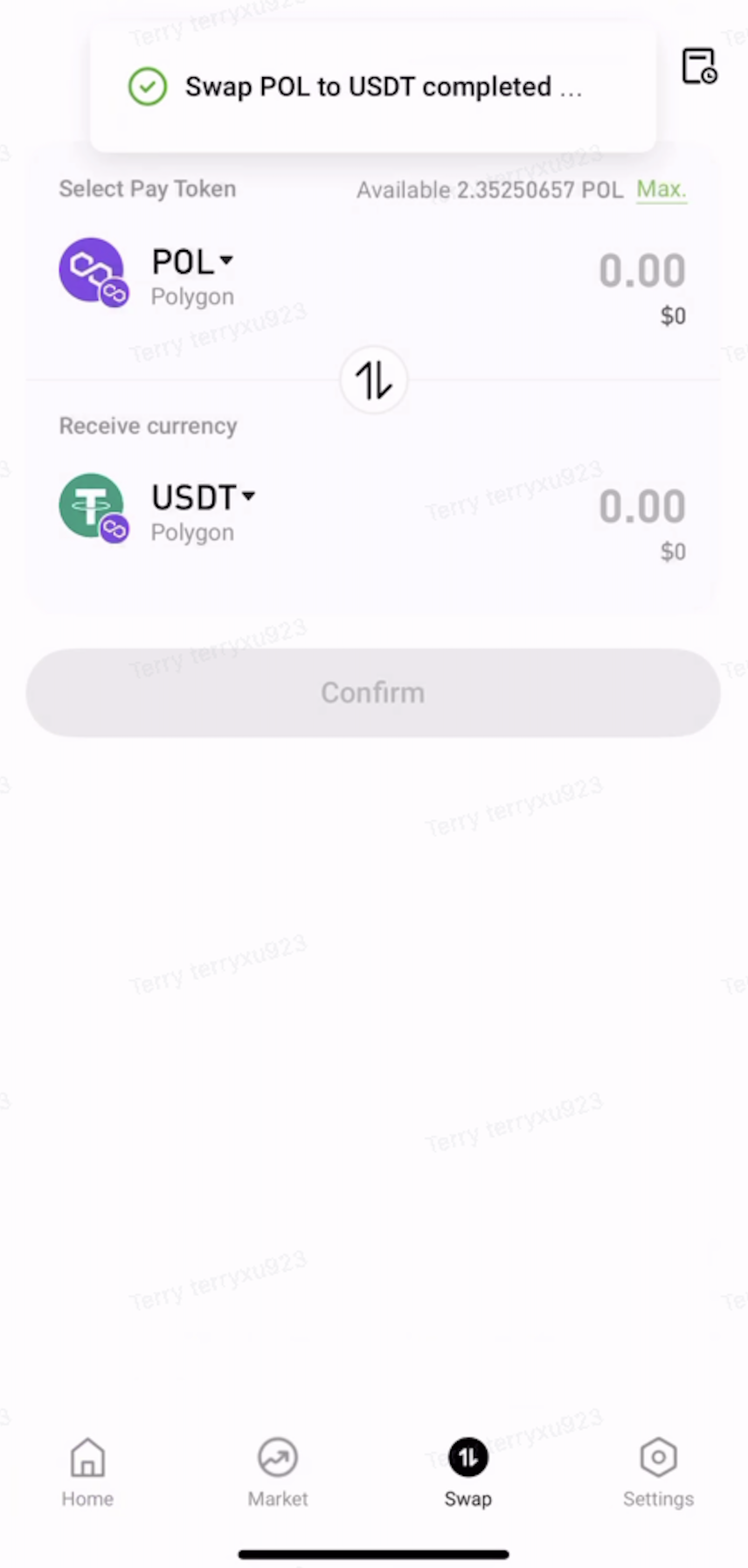
Review the swap details, then tap Confirm. Once the transaction is submitted, wait for on-chain confirmation to complete the swap.


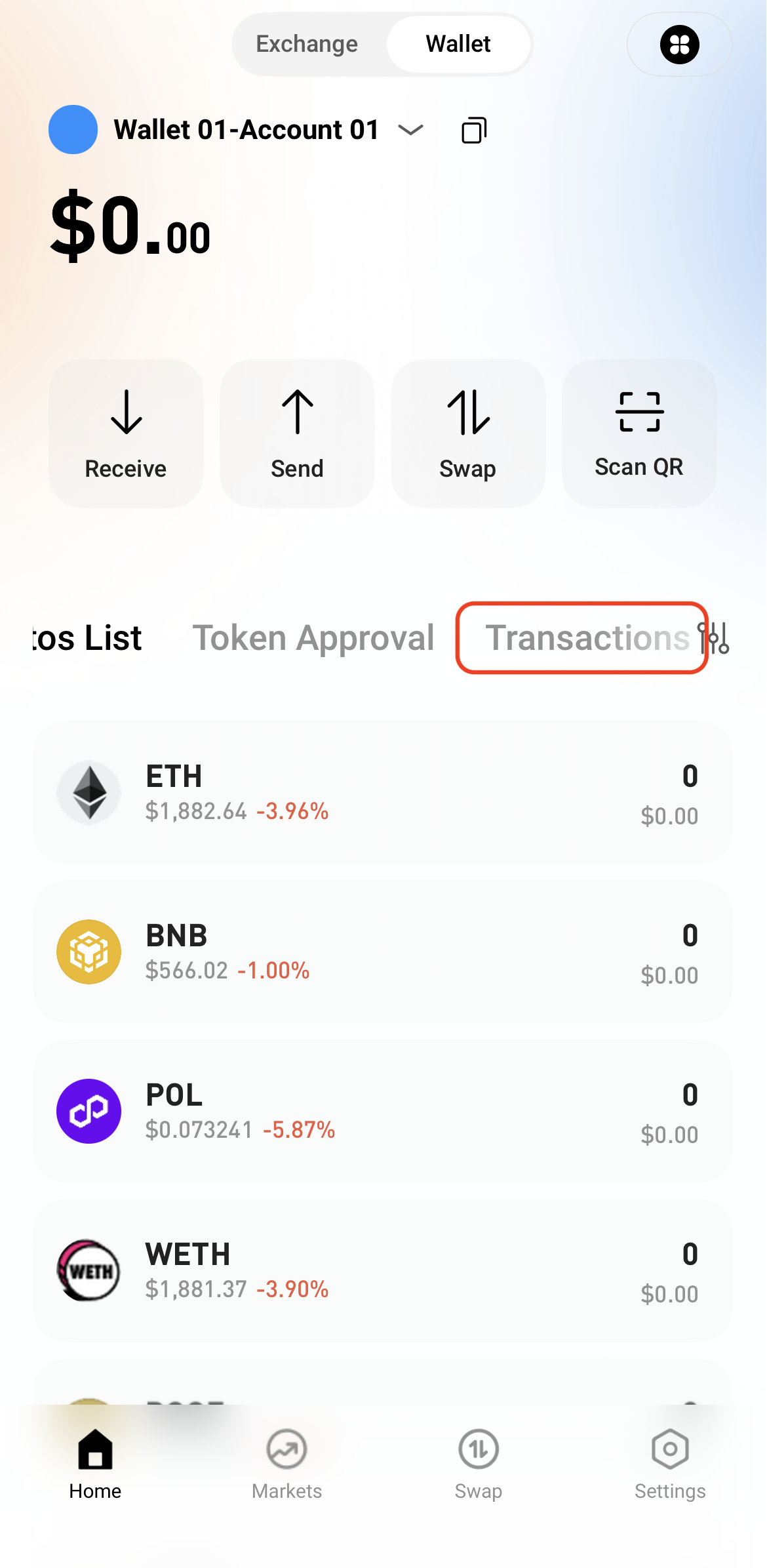
Step 5: View Transaction History


After the swap is complete, view the transaction details in Transactions or check the on-chain status through a block explorer.

   

ฝาก & ถอน
Deposit
Withdrawal
ซื้อสกุลเงินดิจิทัล
P2P FAQ
การจัดการร้านค้า
กฎโปรโตคอล
การซื้อขายสปอตและมาร์จิ้น
การซื้อขายเฉพาะจุด
การซื้อขายล่วงหน้า
Contract Grid
Contract documentary
Getting Started
Follower Guide
Lead Trader Guide
การเงิน Hotcoin
หัวข้ออื่นๆ (เกี่ยวกับโปรโตคอล)
NFT