HOTCOIN Logo
ซื้อคริปโต
ตลาด
การซื้อขาย
สัญญาซื้อขายล่วงหน้า
หารายได้
ศูนย์รางวัล
เพิ่มเติม
กระเป๋าเงิน Web3
ติดต่อฝ่ายบริการ

Service@hotcoin.com

ความคิดเห็นเกี่ยวกับผลิตภัณฑ์

Product@hotcoin.com

ความร่วมมือทางธุรกิจ

Business@hotcoin.com

ผู้ติดต่อด้านกฎหมาย

Casecn@hotcoin.com

ติดต่อเรา
ติดต่อฝ่ายบริการ

Service@hotcoin.com

ความคิดเห็นเกี่ยวกับผลิตภัณฑ์

Product@hotcoin.com

ความร่วมมือทางธุรกิจ

Business@hotcoin.com

ผู้ติดต่อด้านกฎหมาย

Casecn@hotcoin.com

เกี่ยวกับเรา
แนะนําแพลตฟอร์ม
ศูนย์ประกาศ
สถานะของระบบ
ข้อตกลงผู้ใช้
นโยบายความเป็นส่วนตัว
คําอธิบายทางกฎหมาย
ผลิตภัณฑ์
อนาคต
จุด
คัดลอกสัญญา
การซื้อขายมาร์จิ้น
Earn
ซื้อ P2P
ซื้อคริปโตด้วยบัตร
กระเป๋าเงิน Web3
ให้บริการ
ถ่ายทอดสด
การเลือกเหรียญร้อนอย่างเข้มงวด
ศูนย์โบนัส
คำเชิญเพื่อน ๆ
สิทธิประโยชน์วีไอพี
ดาวน์โหลด
สมัครร้านค้า P2P
สนับสนุน
วิทยาลัย Hotcoin
ศูนย์ช่วยเหลือ
เอกสาร API
อัตราค่าธรรมเนียม
ข้อมูลคริปโต
ใบสมัครเข้าจดทะเบียน
บริการออนไลน์
ความคิดเห็นของลูกค้า
การตรวจสอบอย่างเป็นทางการ
การซื้อขาย
BTC USDC
ETH USDC
BTC USDT
ETH USDT
PI USDT
SOL USDT
XRP USDT
©2017-2026
ศูนย์ช่วยเหลือ
/Account Function/Account Function Guide/
Android App Edition Download and Installation Guidance Tutorial
ศูนย์ช่วยเหลือ
/Account Function/Account Function Guide/
Android App Edition Download and Installation Guidance Tutorial

Android App Edition Download and Installation Guidance Tutorial

Hotcoin
ใช้ร่วมกัน

Android(  Android Phone)download APP and complete register

1.Scanning the QR Code below, download and install the Hotcoin Official App.

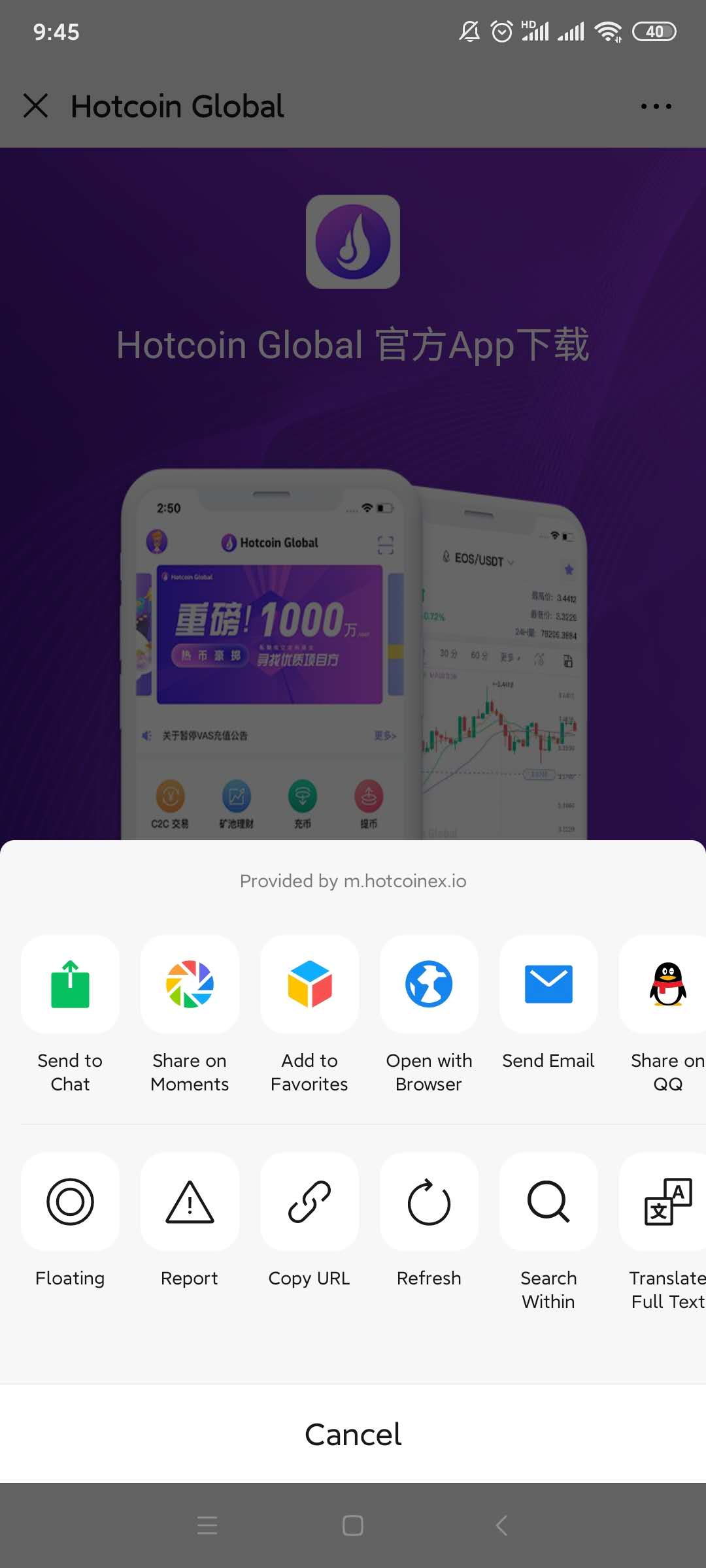
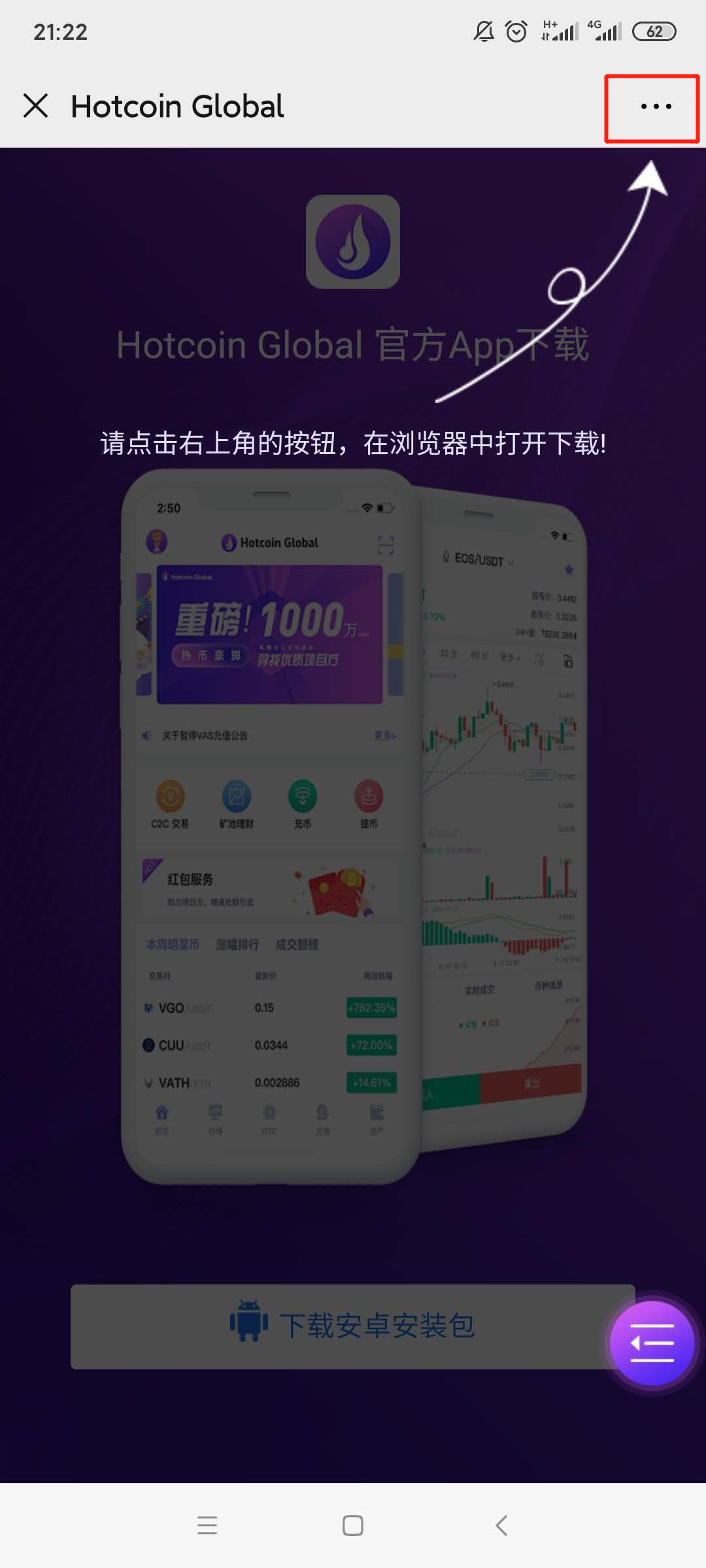
2.Download page will be poping up , please click on the “...” symbol on the upper right corner( ellipsis has been highlighted by red box)and select to open it in browser ;
 

mceclip3.png

1___20200414111400.jpg

3.

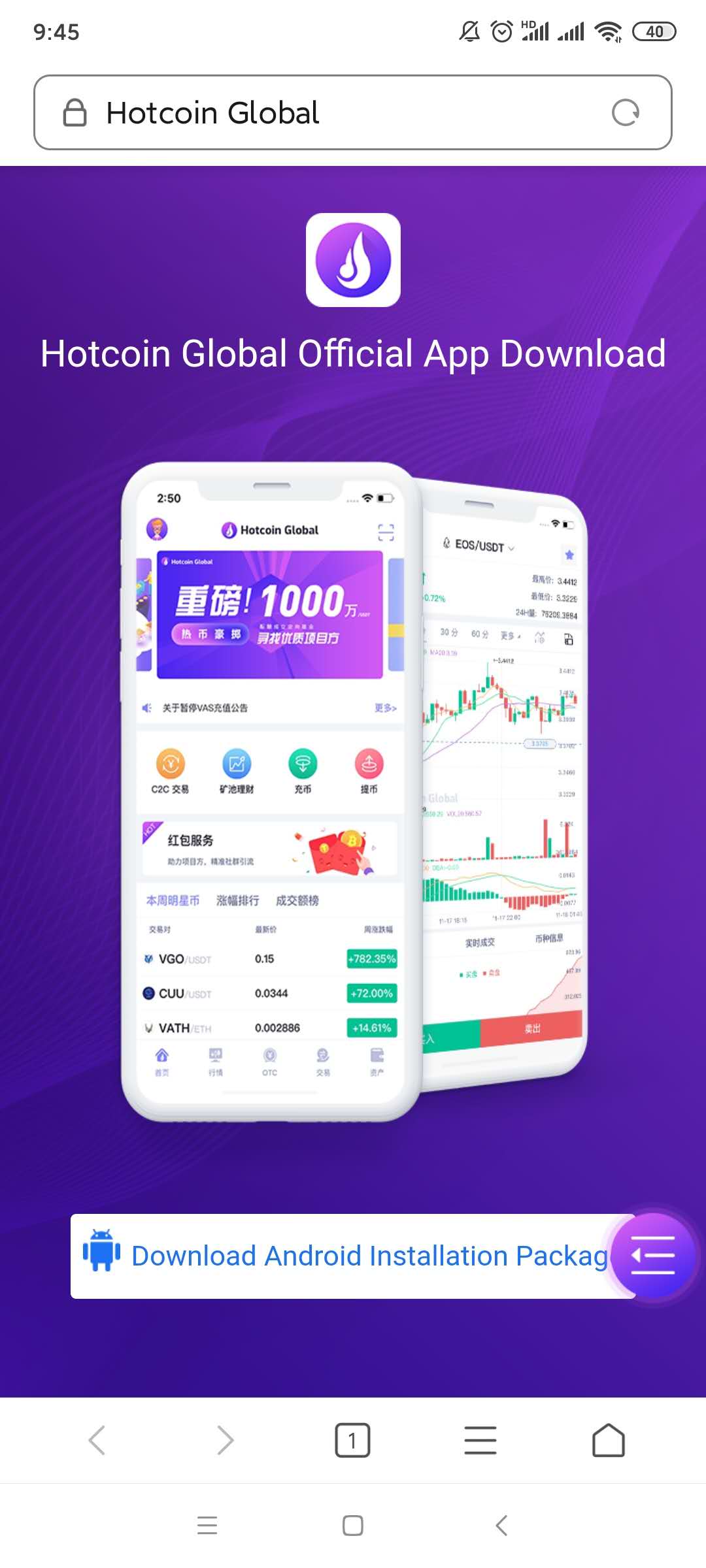
Turn to the download page and click the 【download Android installation package】button;
2___20200414111414.jpg

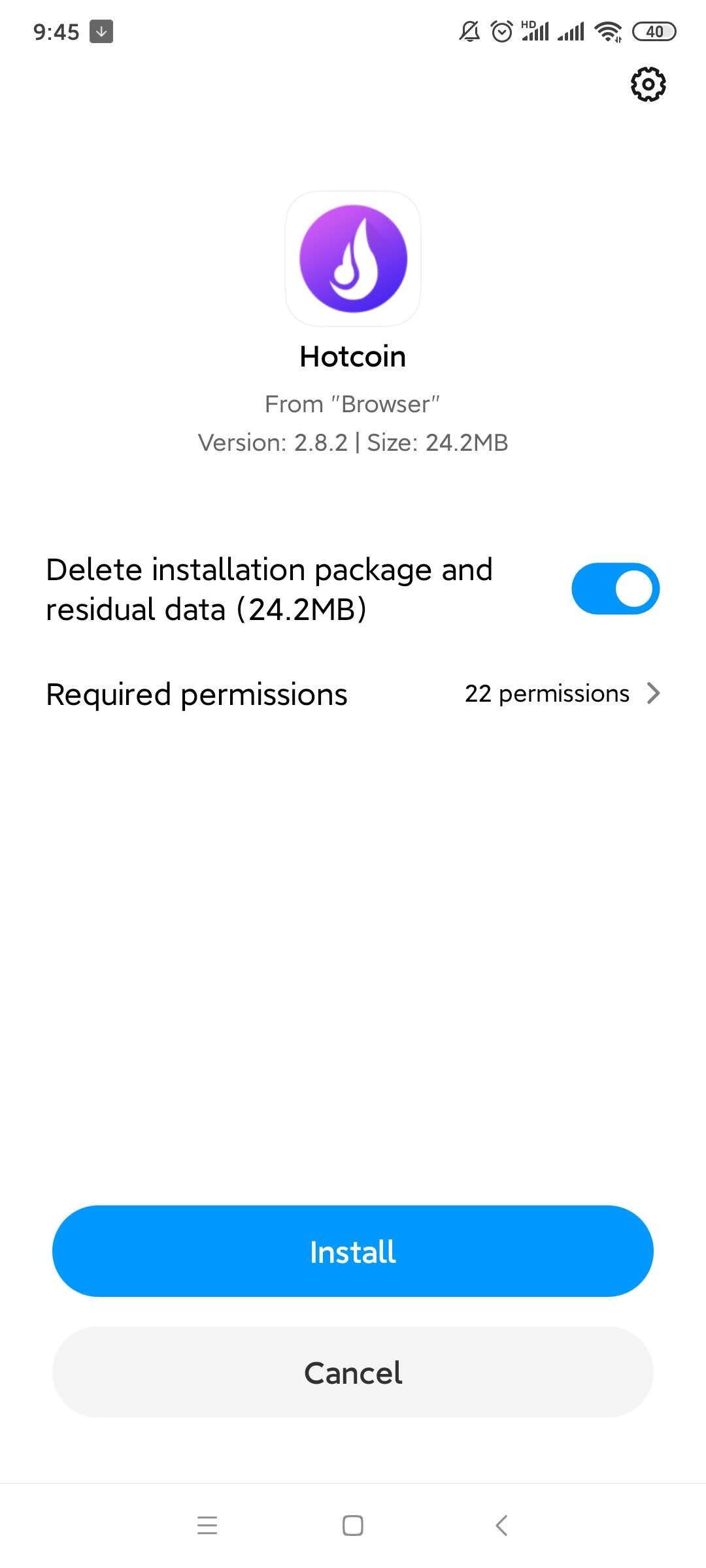
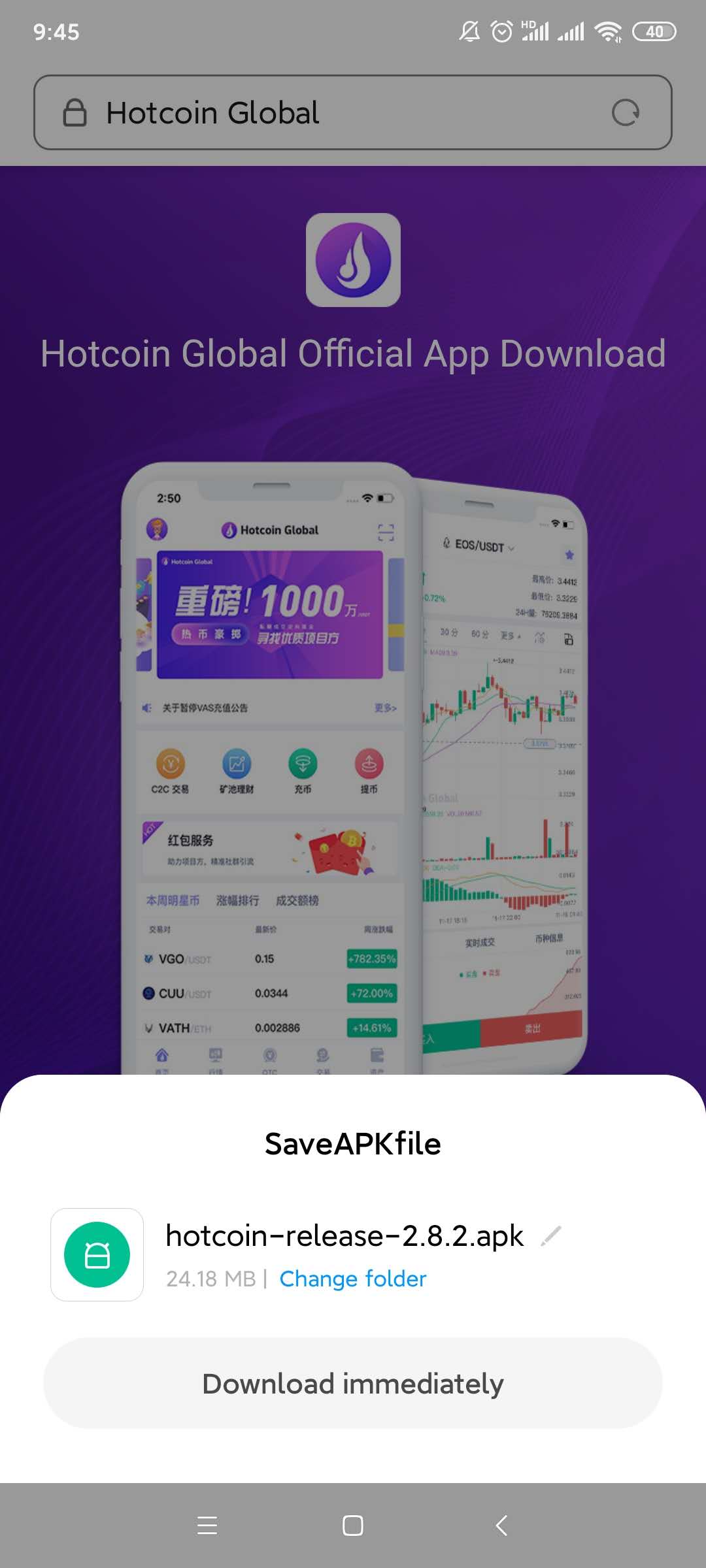
4.A file download box will be poping up, click on the “ Regular Download Version”; Select the “Install “ option after download finished;  
4___20200414111439.jpg

5___20200414111450.jpg

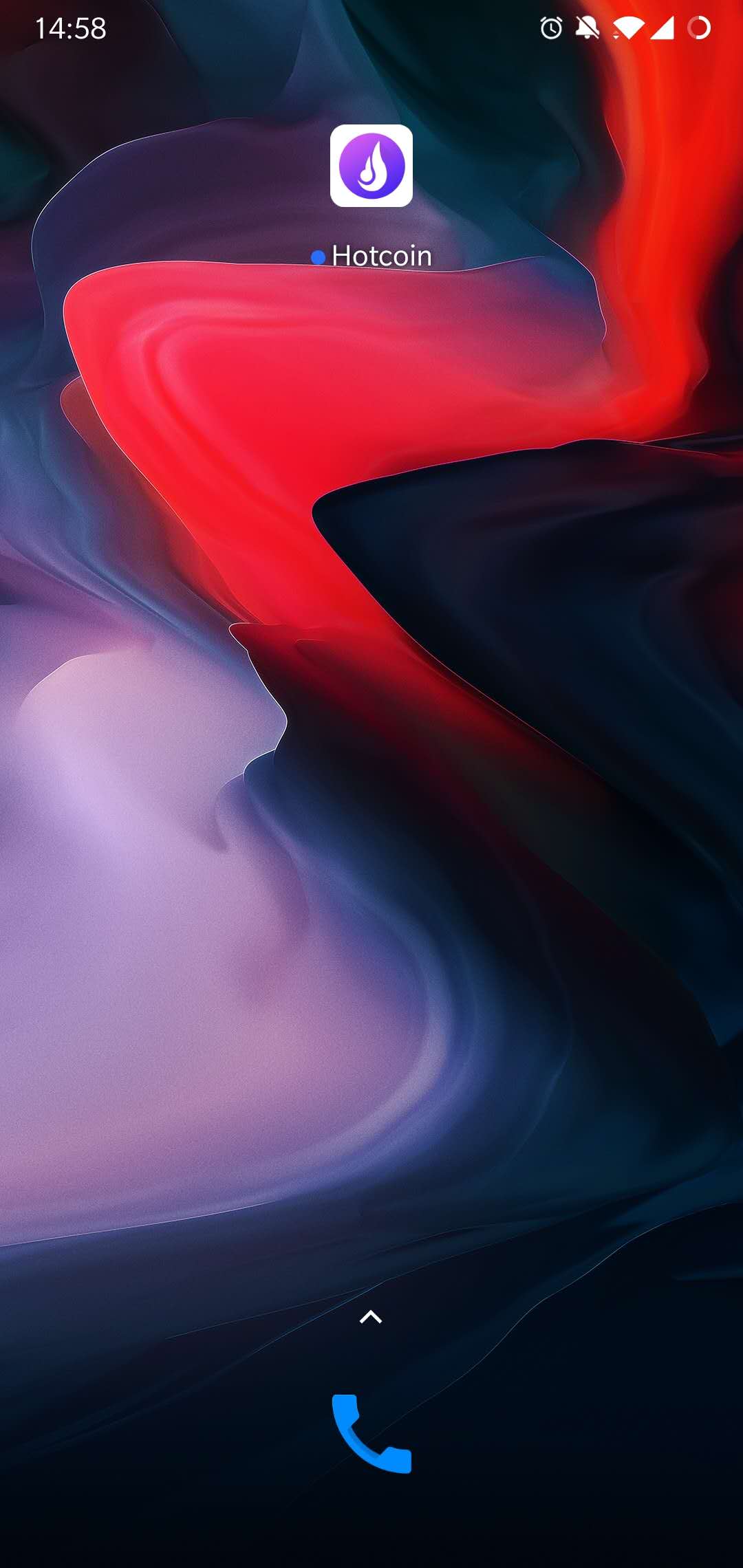
5.Installation Completed, please check on the home page of mobile phone.
7.jpg

6.

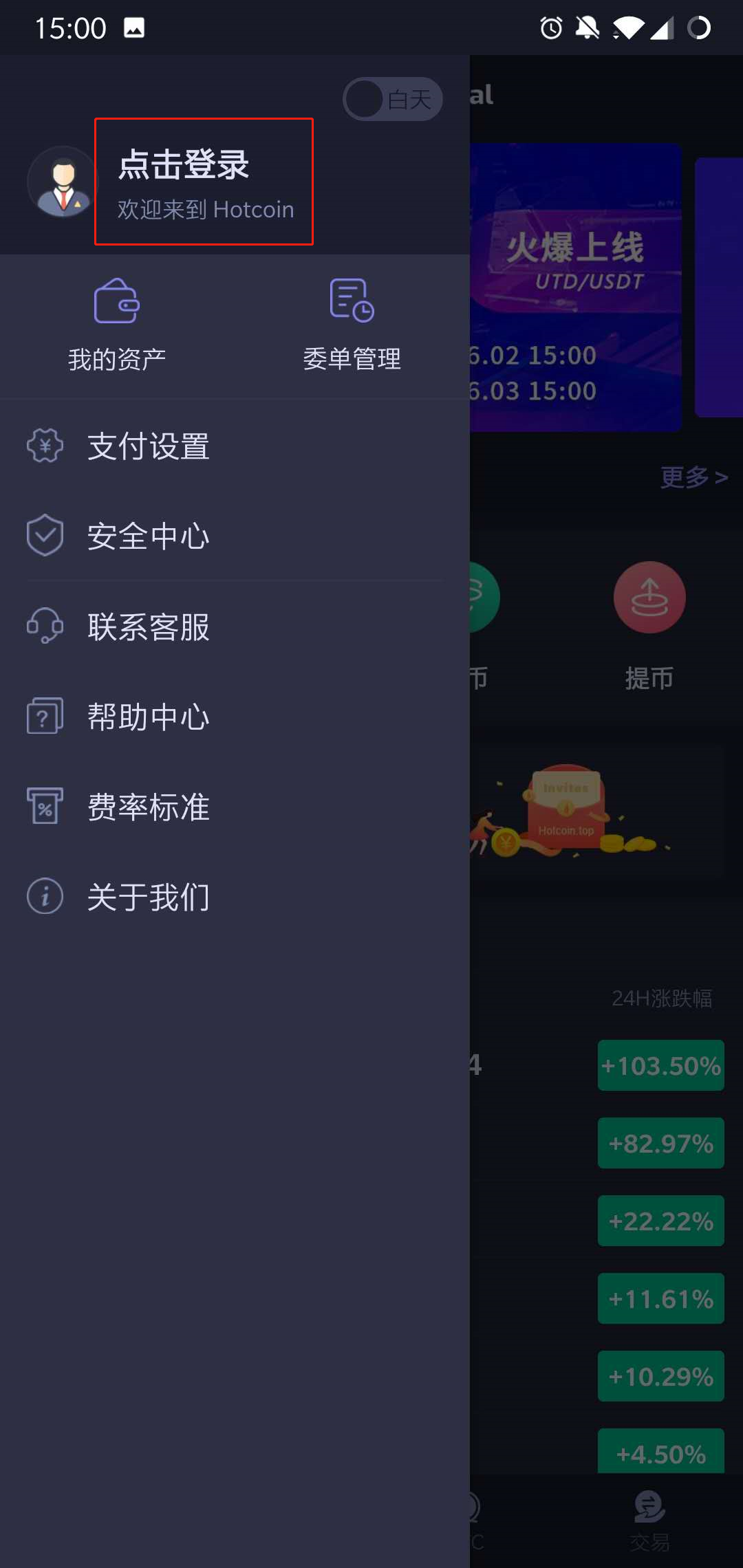
Open the App, enter the “ Personal Account”page,Press on the “Click To Login” Button.
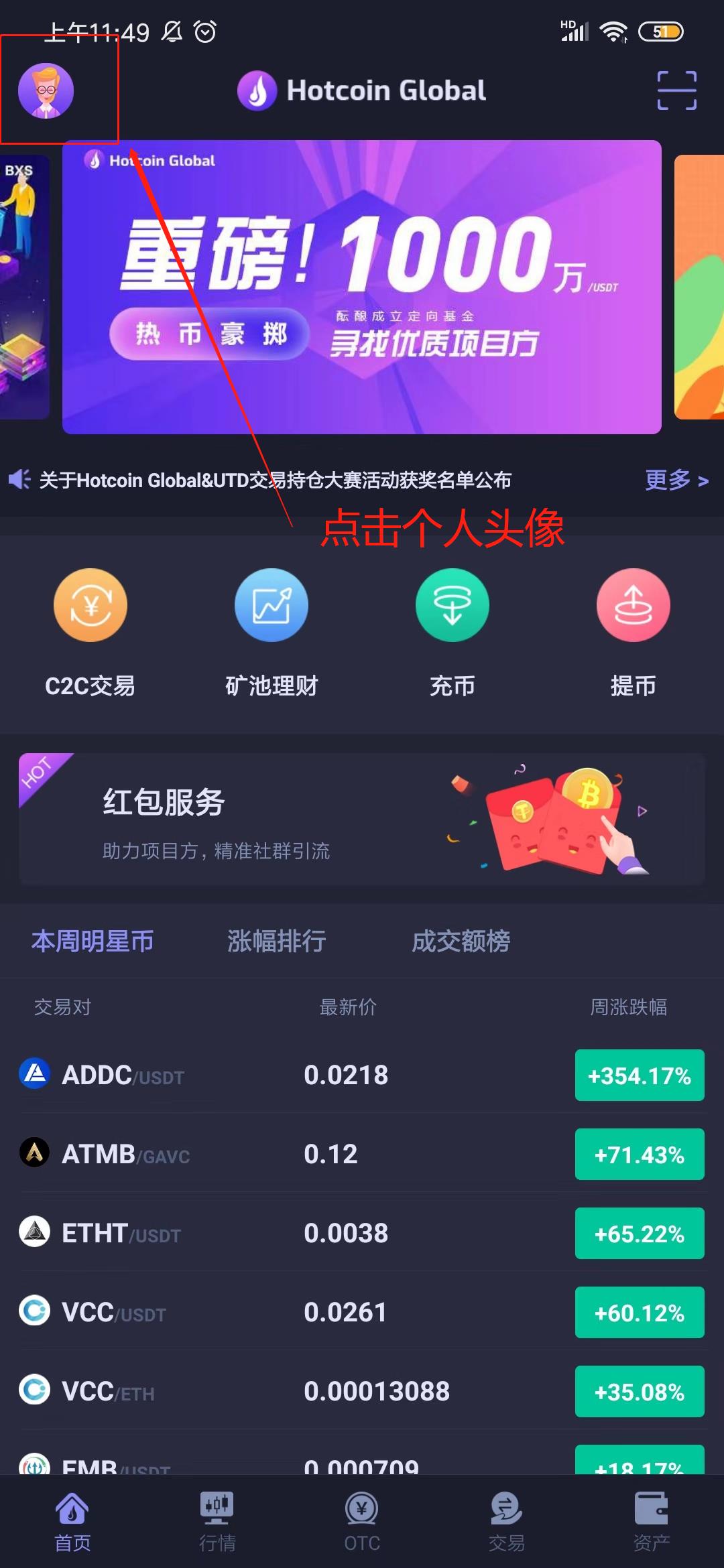
_______20191012135246.jpg 1560239202_1_.jpg

7.Click on the “Start Register” button, fill in the nickname, mobile No. and invitation code(Not required fields), and move on to the next steps.
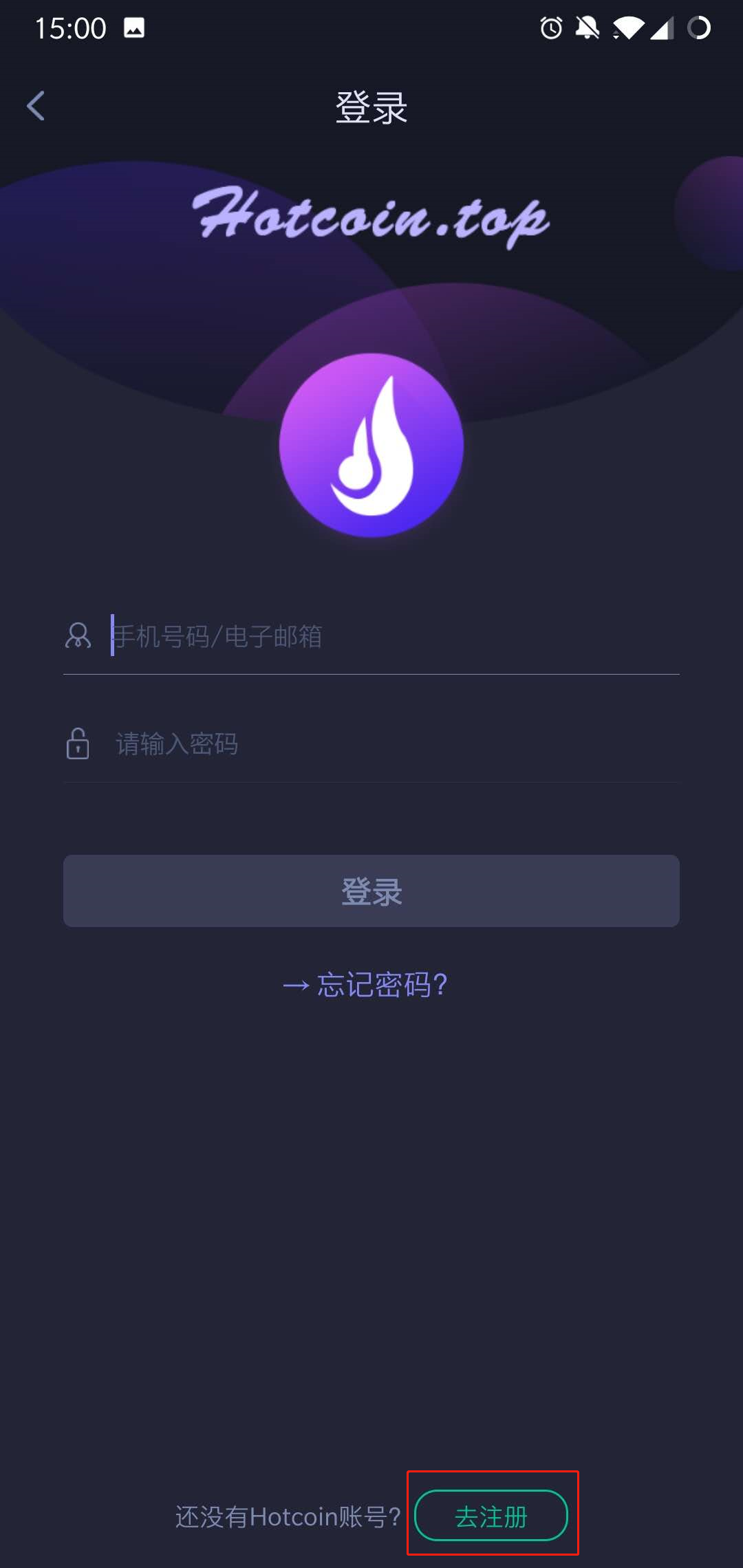
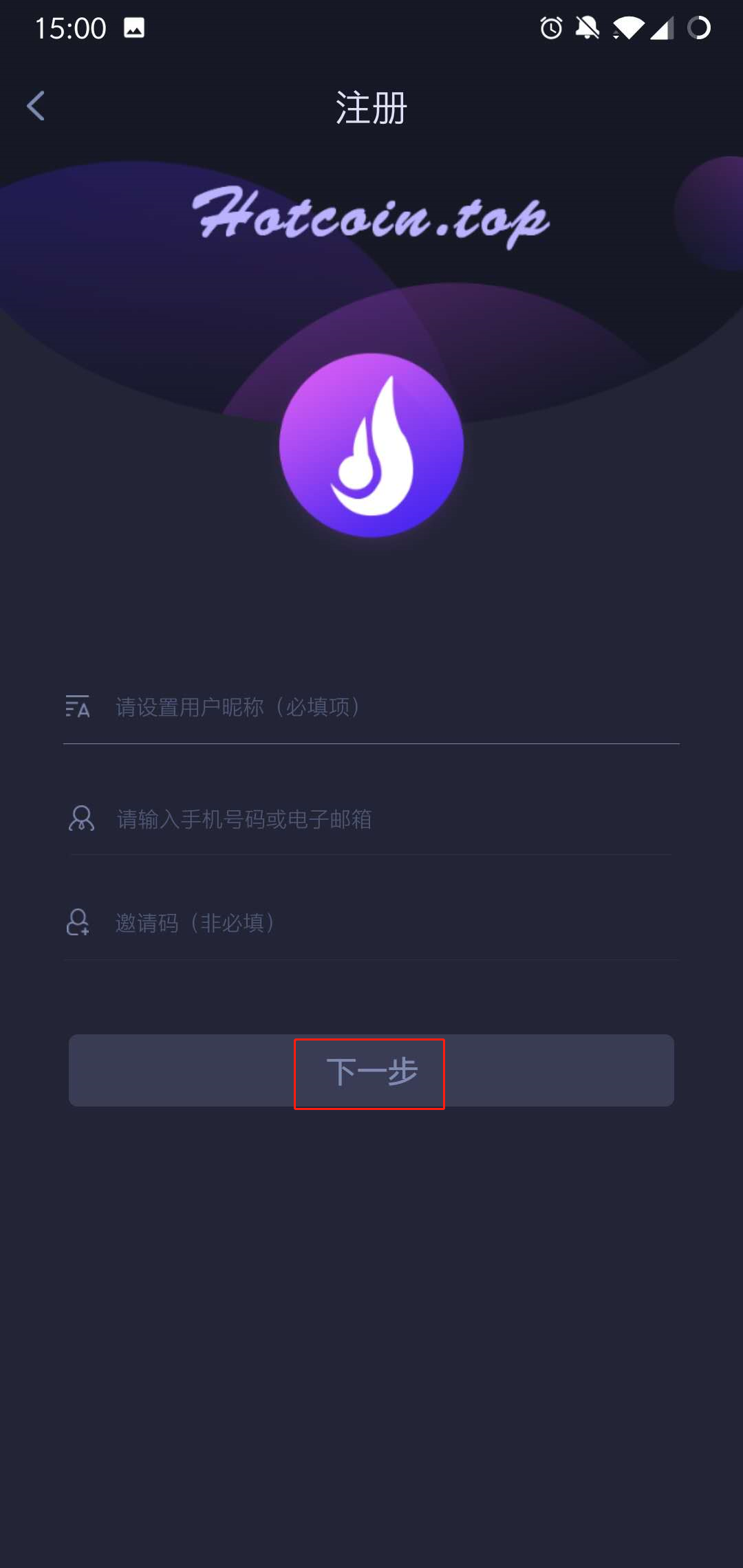
1560239251_1_.jpg 1560239309_1_.jpg

8.Setting passwords and confirm it, press on the 【Obtain verification code 】option, enter the password to complete registration
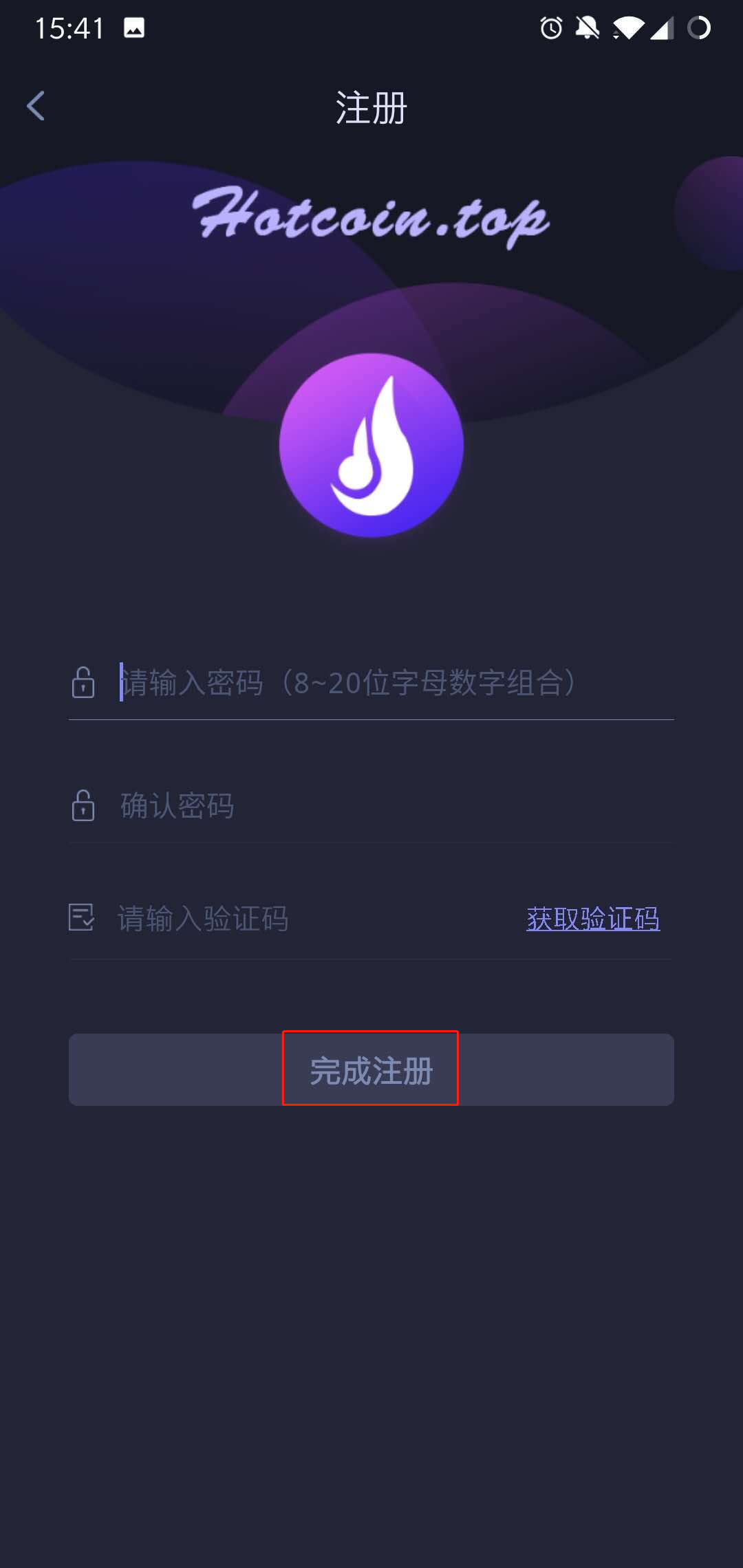
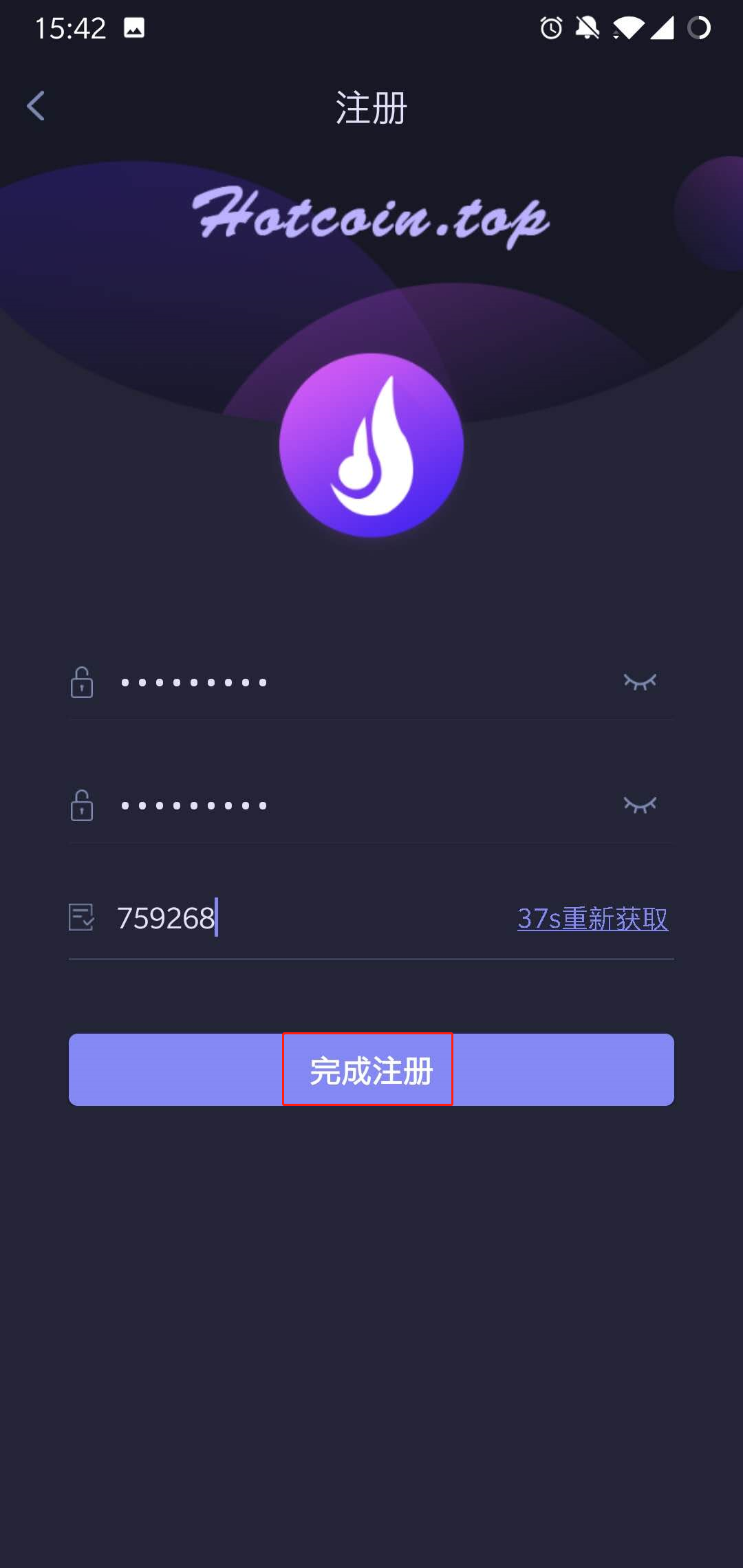
1560239409_1_.jpg 1560239488_1_.jpg

Notes: When you’re waiting for the verification code sent to the phone, there might be Slider Captcha pattern (slider verification pattern) occurred, please piecing them together to certain place.
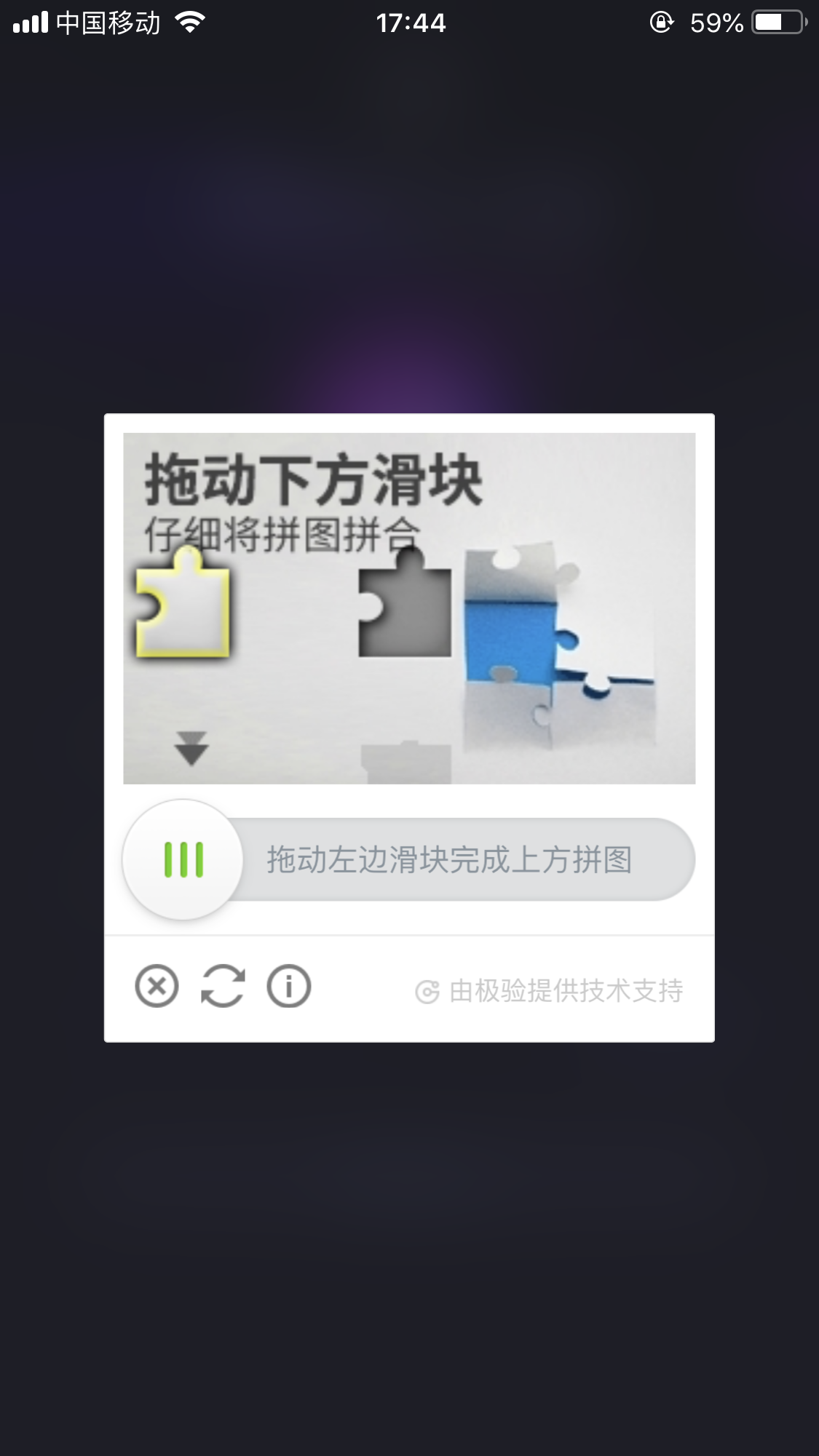
_____20191012174935.png

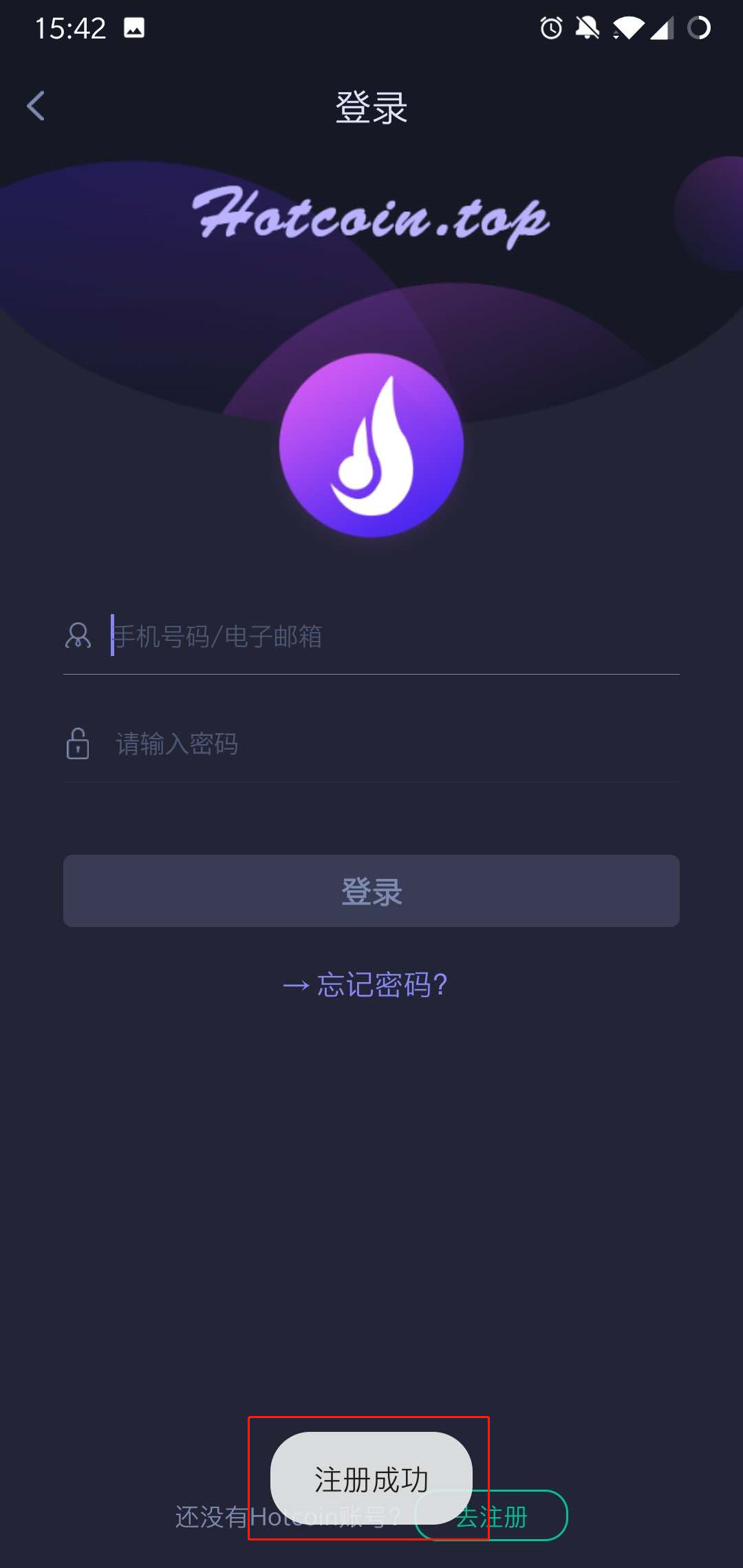
9..After the registration completed, you can login Hotcoin on the login page .
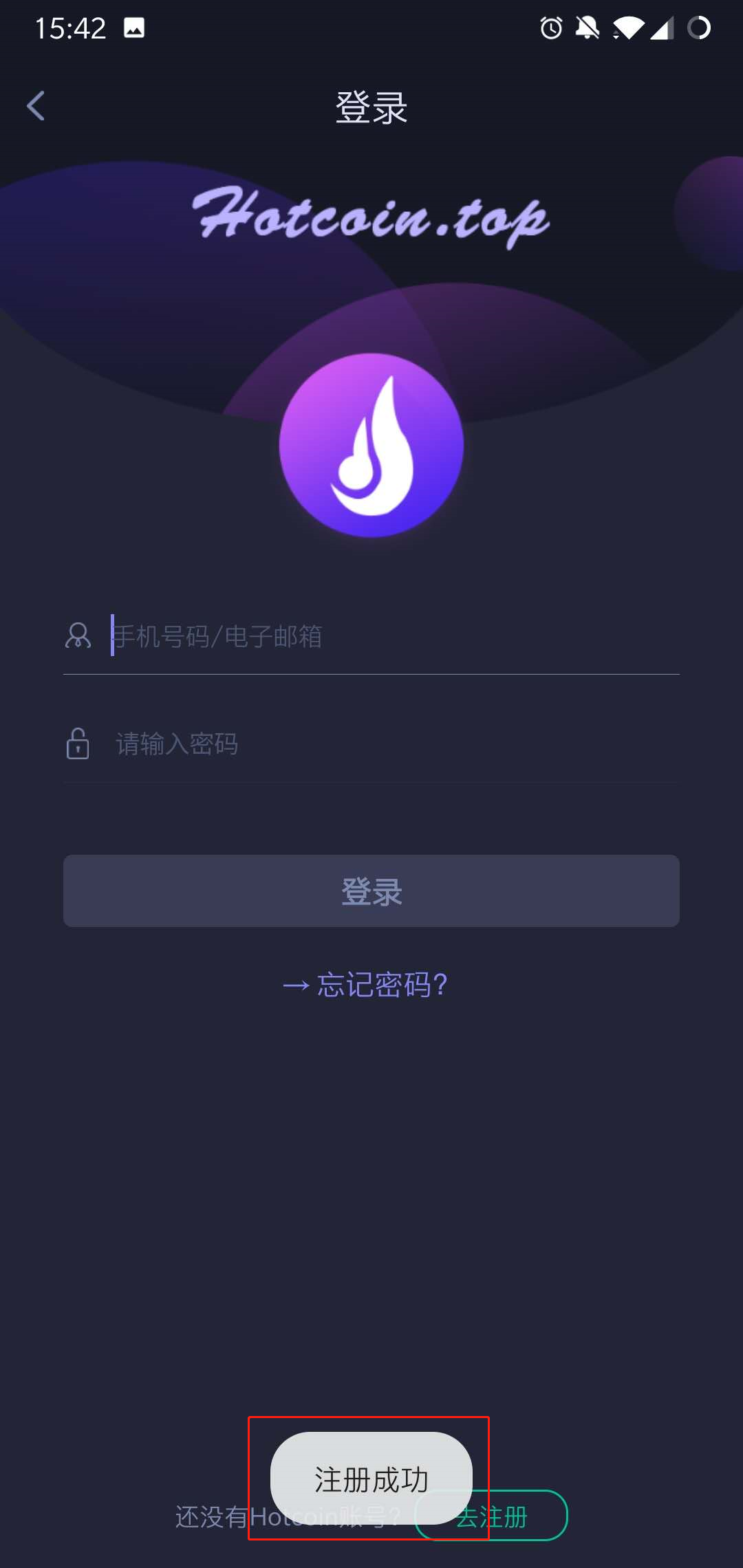
1560239559_1_.jpg

Final_10.jpg


ฝาก & ถอน
Deposit
Withdrawal
ซื้อสกุลเงินดิจิทัล
P2P FAQ
การจัดการร้านค้า
กฎโปรโตคอล
การซื้อขายสปอตและมาร์จิ้น
การซื้อขายเฉพาะจุด
การซื้อขายล่วงหน้า
Contract Grid
Contract documentary
Getting Started
Follower Guide
Lead Trader Guide
การเงิน Hotcoin
หัวข้ออื่นๆ (เกี่ยวกับโปรโตคอล)
NFT