HOTCOIN Logo
Покупка монет
Котировки
Торговля
Фьючерсы
финансовый менеджмент
Центр вознаграждений
Больше
Кошелёк Web3
Электронная почта службы поддержки клиентов

Service@hotcoin.com

Обратная связь о продукте

Product@hotcoin.com

Деловое сотрудничество

Business@hotcoin.com

Юридические контакты

Casecn@hotcoin.com

Связаться с нами
Электронная почта службы поддержки клиентов

Service@hotcoin.com

Обратная связь о продукте

Product@hotcoin.com

Деловое сотрудничество

Business@hotcoin.com

Юридические контакты

Casecn@hotcoin.com

о нас
Введение в платформу
Центр объявлений
Статус системы
Пользовательское соглашение
Политика конфиденциальности
Юридические примечания
Продукт
Фьючерсы
Спот
Копировать контракт
Торговля с кредитным плечом
Earn
P2P покупка валюты
Покупайте криптовалюту с помощью карты
Кошелёк Web3
Сервисы
Прямая трансляция
Строгий отбор горячих монет
Центр Бонусов
Приглашение друзей
VIP-привилегии
Скачать
Подать заявку на P2P-продавца
Поддержка
Академия Хоткоин
Центр помощи
Документация API
Комиссии
Информация о валюте
Приложение для листинга монет
Онлайн-обслуживание клиентов
Отзывы пользователей
Официальная проверка
Торговля
BTC USDC
ETH USDC
BTC USDT
ETH USDT
PI USDT
SOL USDT
XRP USDT
©2017-2026
Центр помощи
/Account Function/Account Function Guide/
Android App Edition Download and Installation Guidance Tutorial
Центр помощи
/Account Function/Account Function Guide/
Android App Edition Download and Installation Guidance Tutorial

Android App Edition Download and Installation Guidance Tutorial

Hotcoin
делиться

Android(  Android Phone)download APP and complete register

1.Scanning the QR Code below, download and install the Hotcoin Official App.

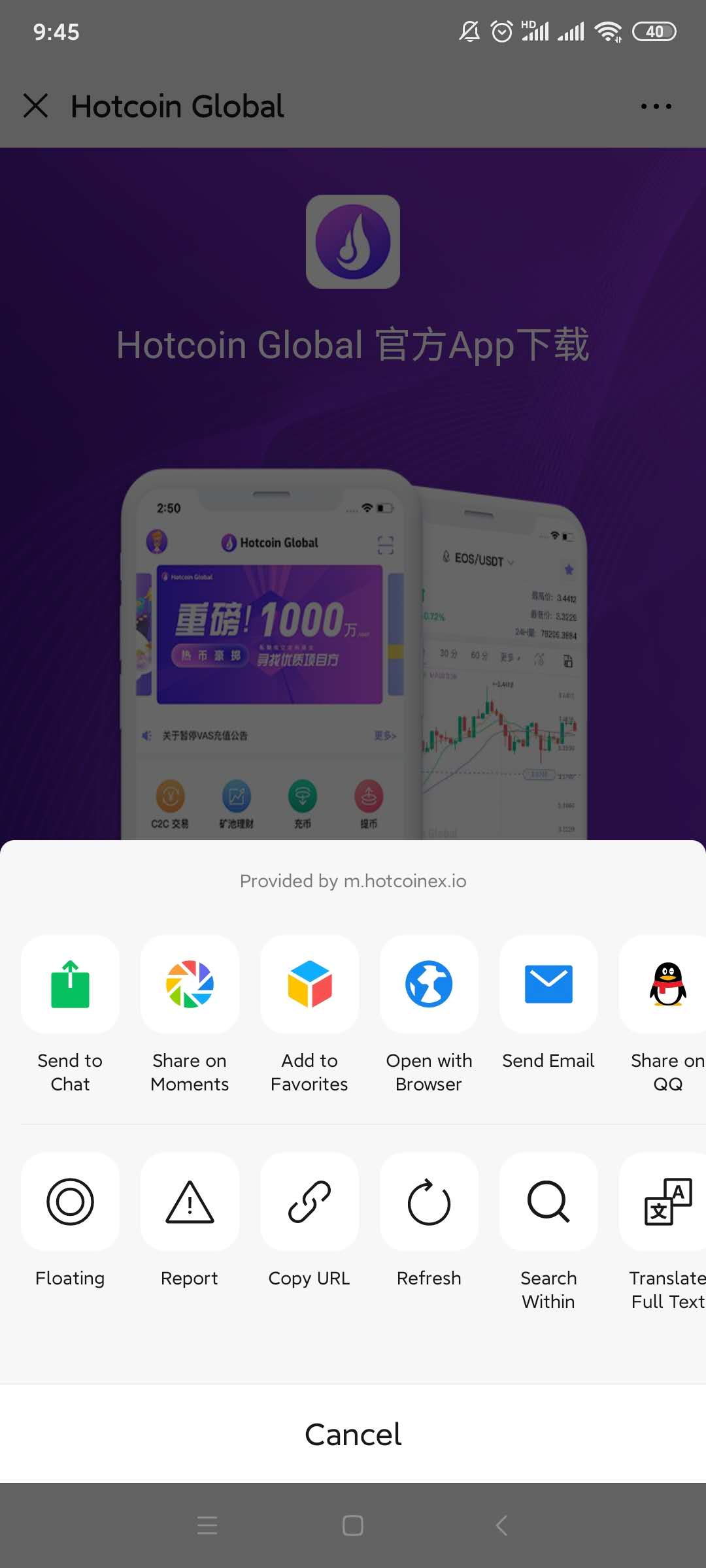
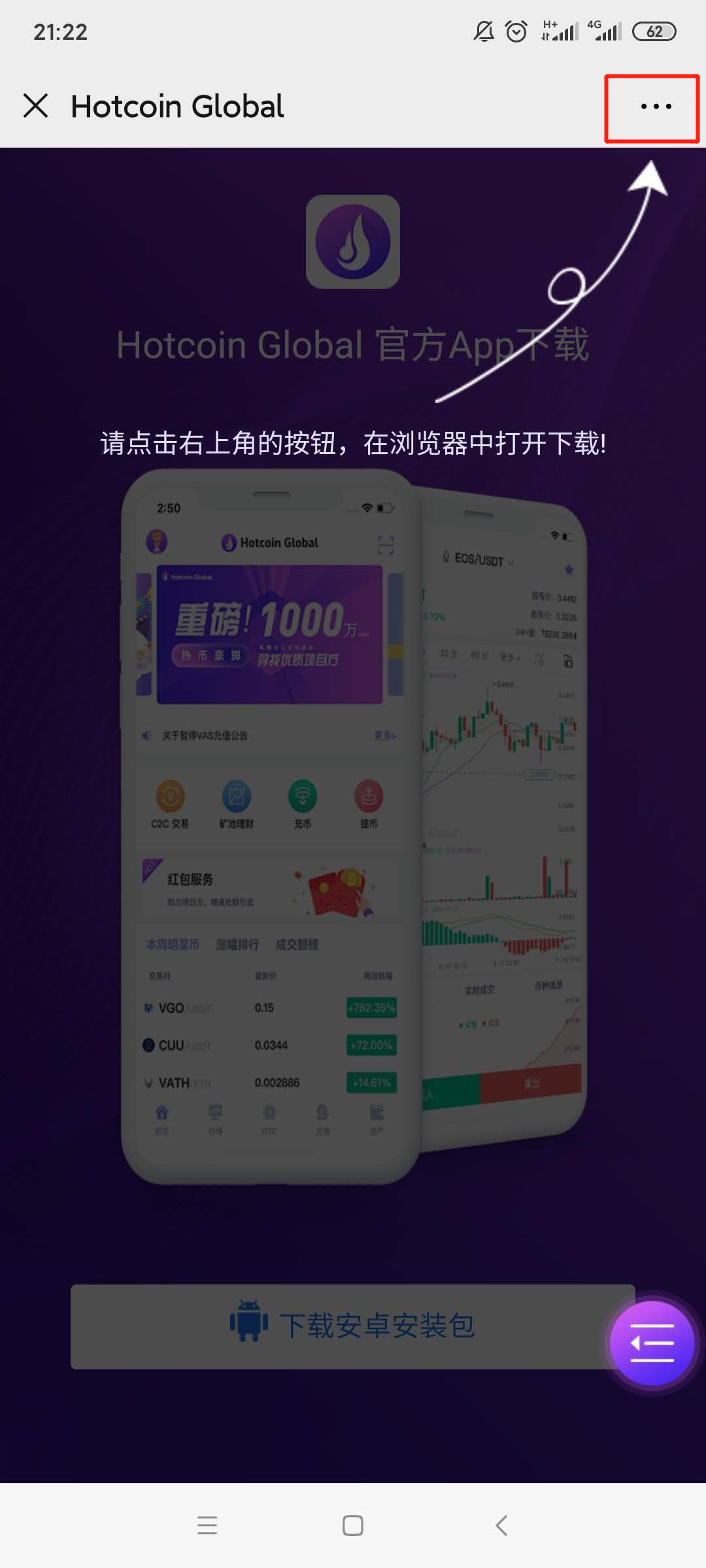
2.Download page will be poping up , please click on the “...” symbol on the upper right corner( ellipsis has been highlighted by red box)and select to open it in browser ;
 

mceclip3.png

1___20200414111400.jpg

3.

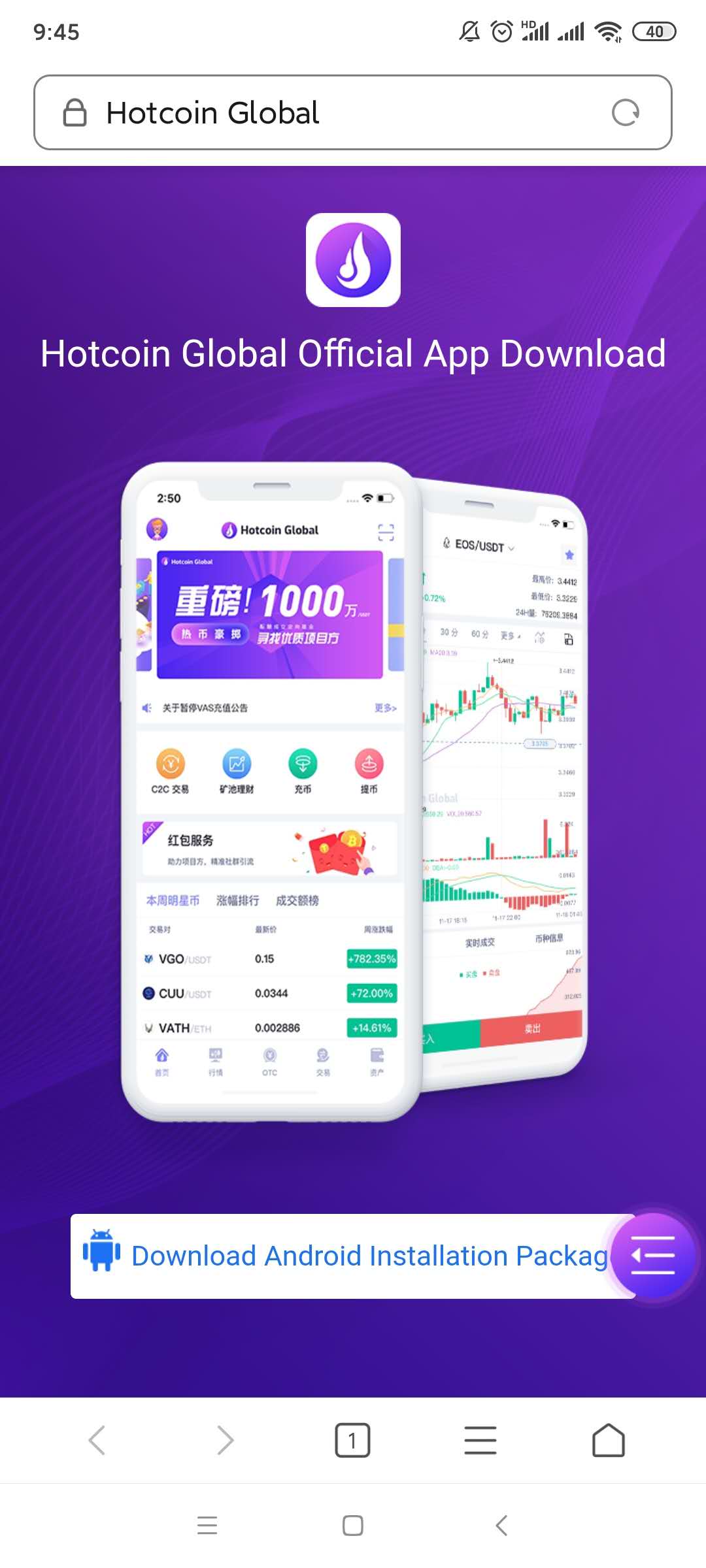
Turn to the download page and click the 【download Android installation package】button;
2___20200414111414.jpg

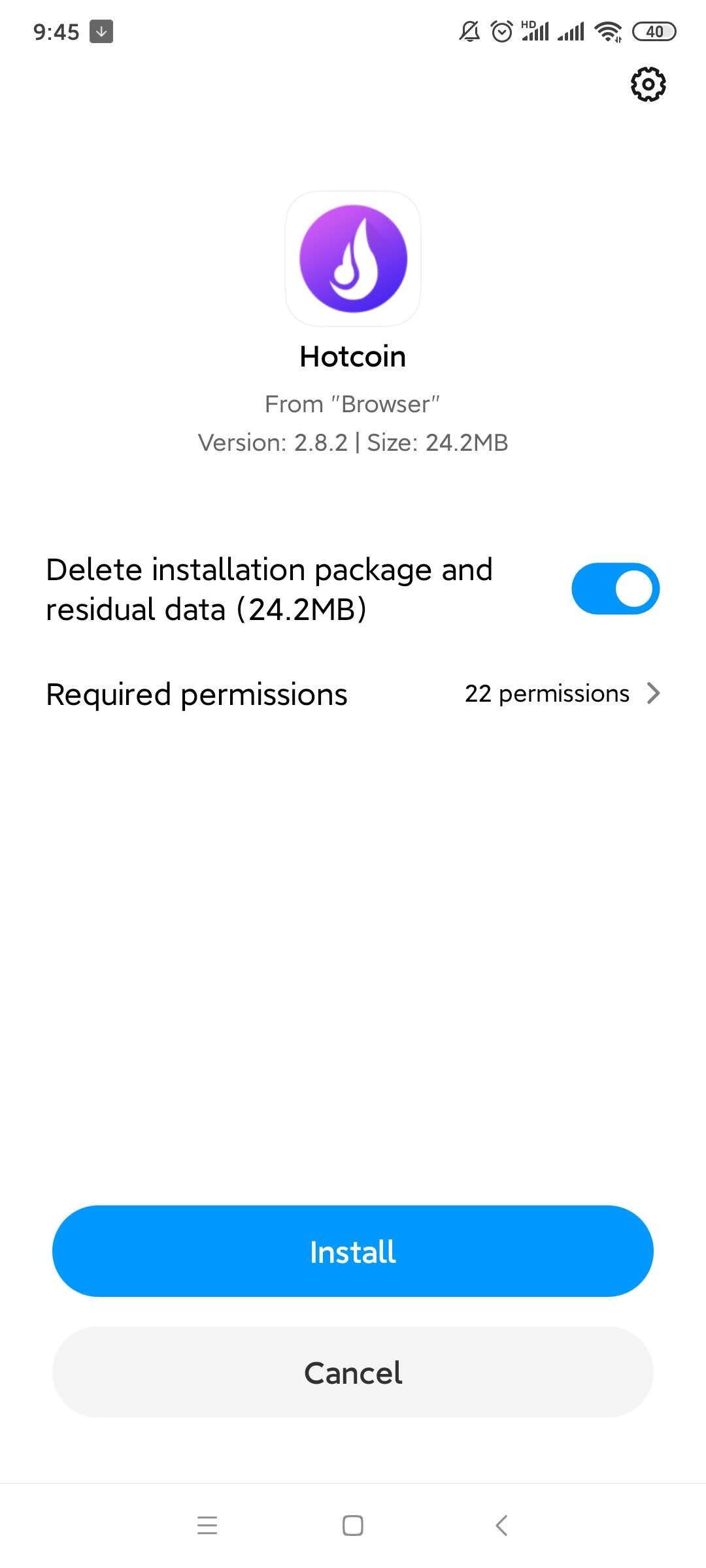
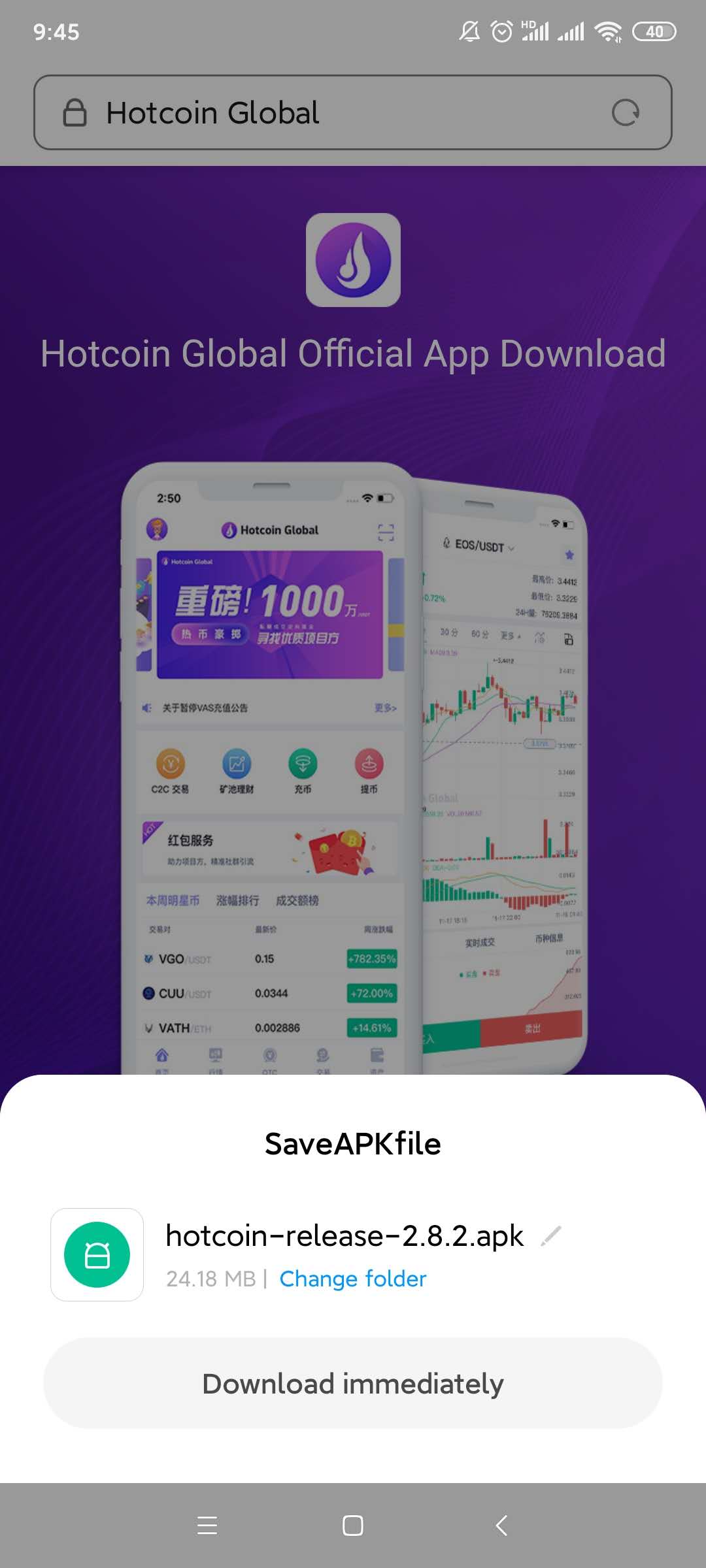
4.A file download box will be poping up, click on the “ Regular Download Version”; Select the “Install “ option after download finished;  
4___20200414111439.jpg

5___20200414111450.jpg

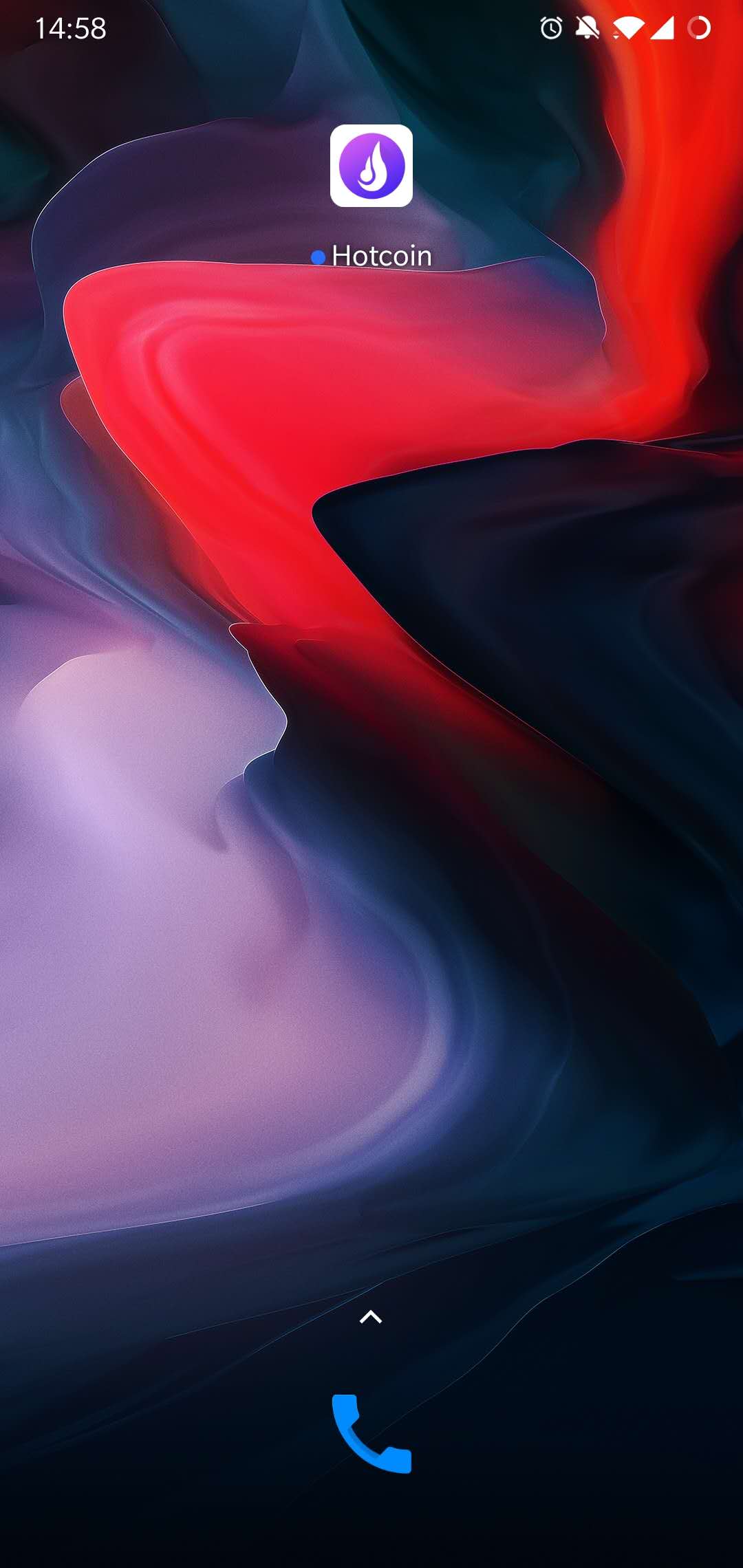
5.Installation Completed, please check on the home page of mobile phone.
7.jpg

6.

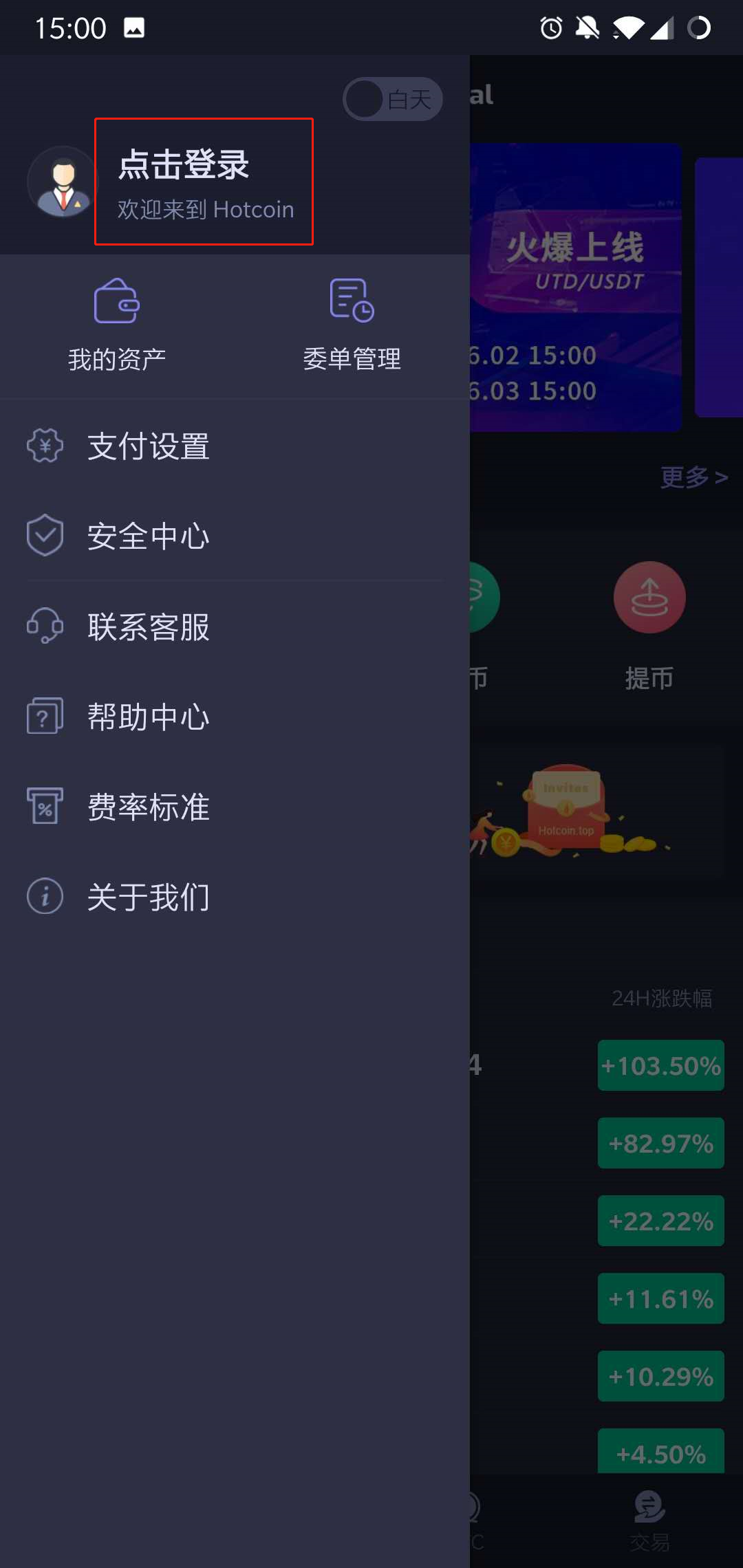
Open the App, enter the “ Personal Account”page,Press on the “Click To Login” Button.
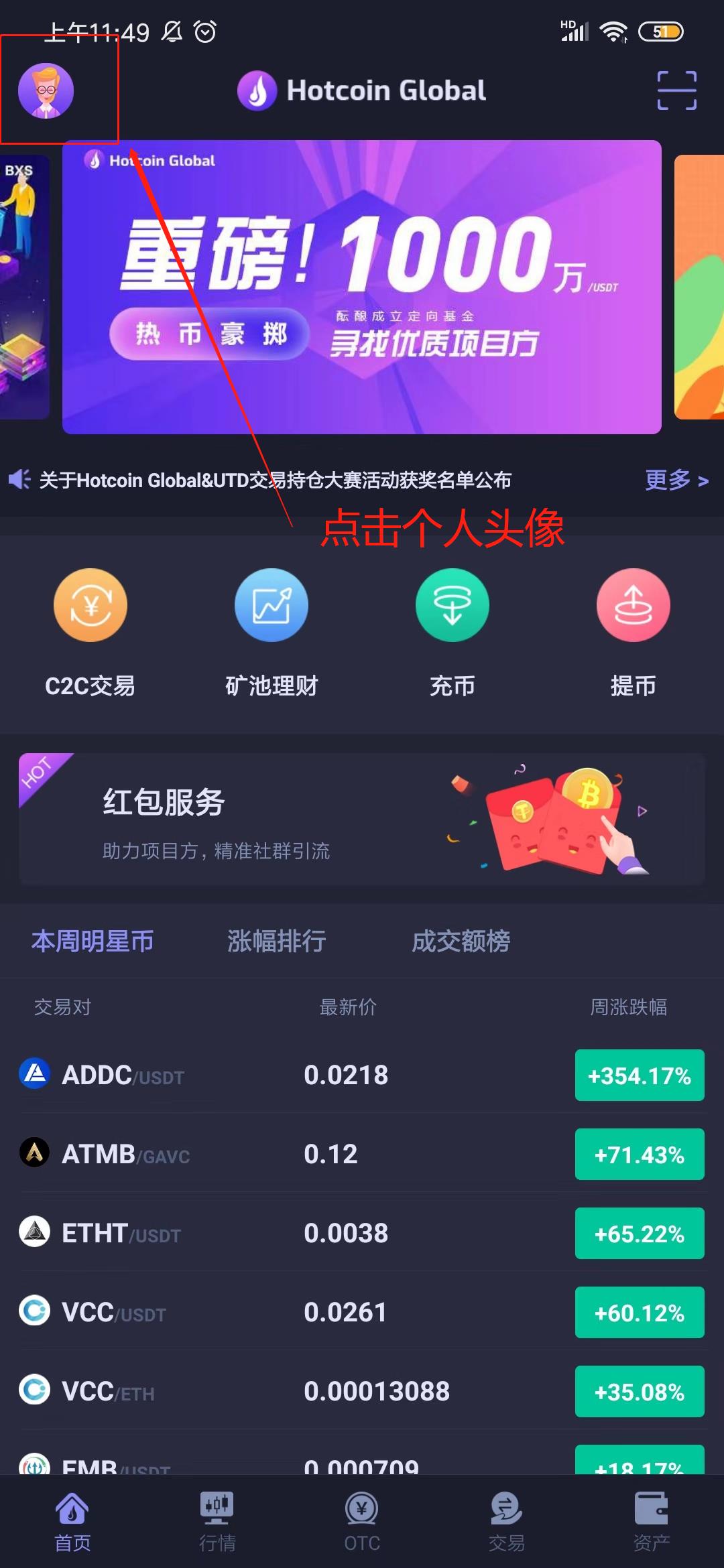
_______20191012135246.jpg 1560239202_1_.jpg

7.Click on the “Start Register” button, fill in the nickname, mobile No. and invitation code(Not required fields), and move on to the next steps.
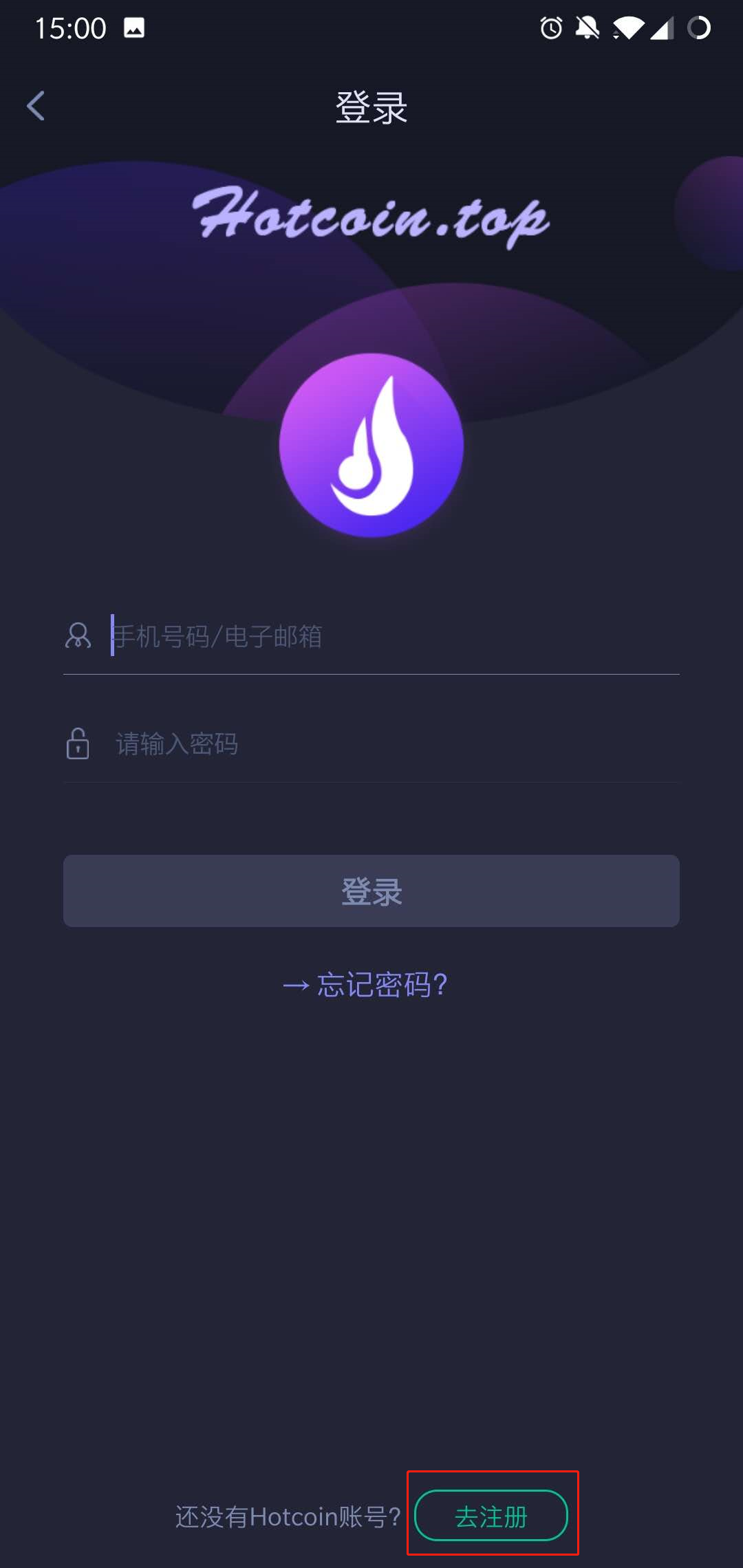
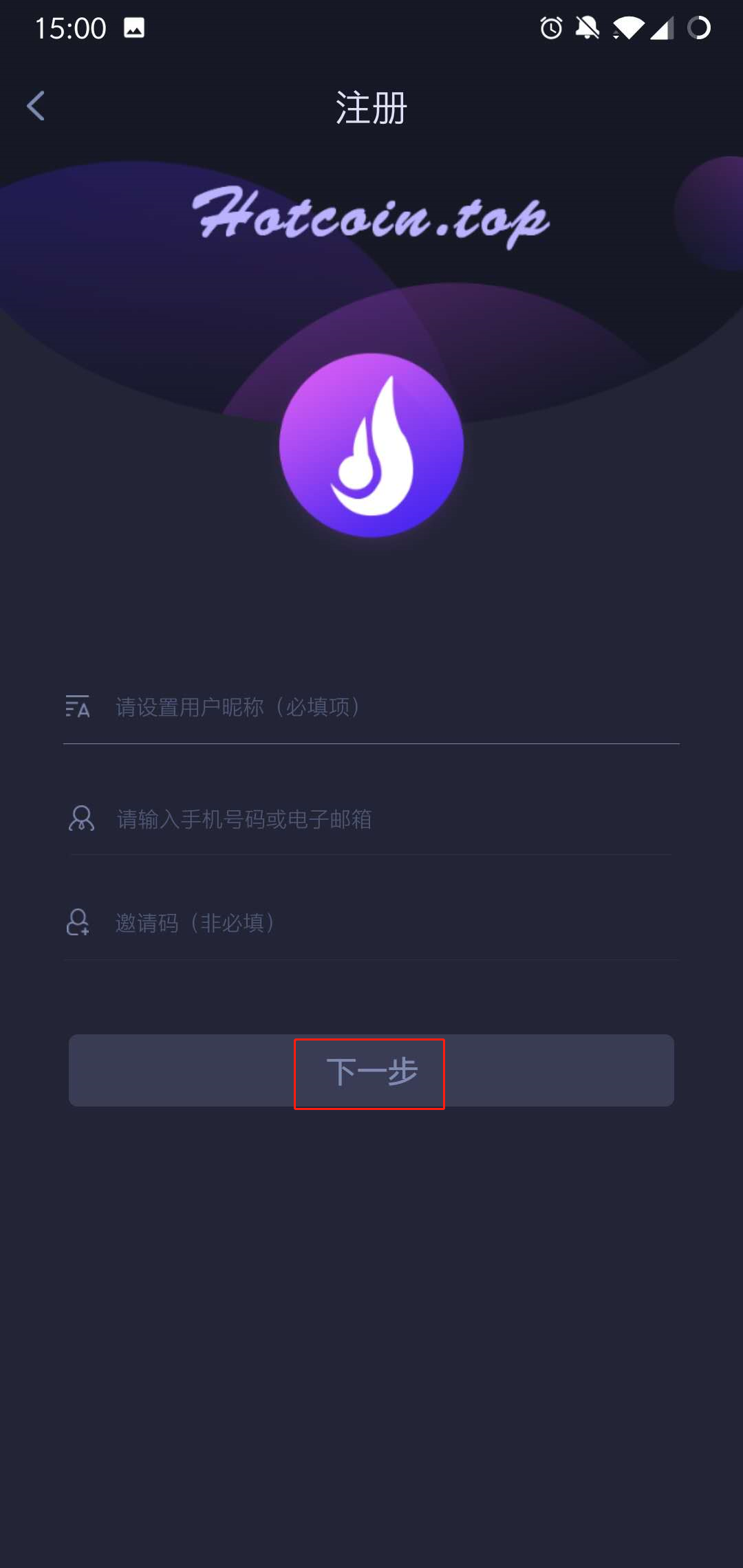
1560239251_1_.jpg 1560239309_1_.jpg

8.Setting passwords and confirm it, press on the 【Obtain verification code 】option, enter the password to complete registration
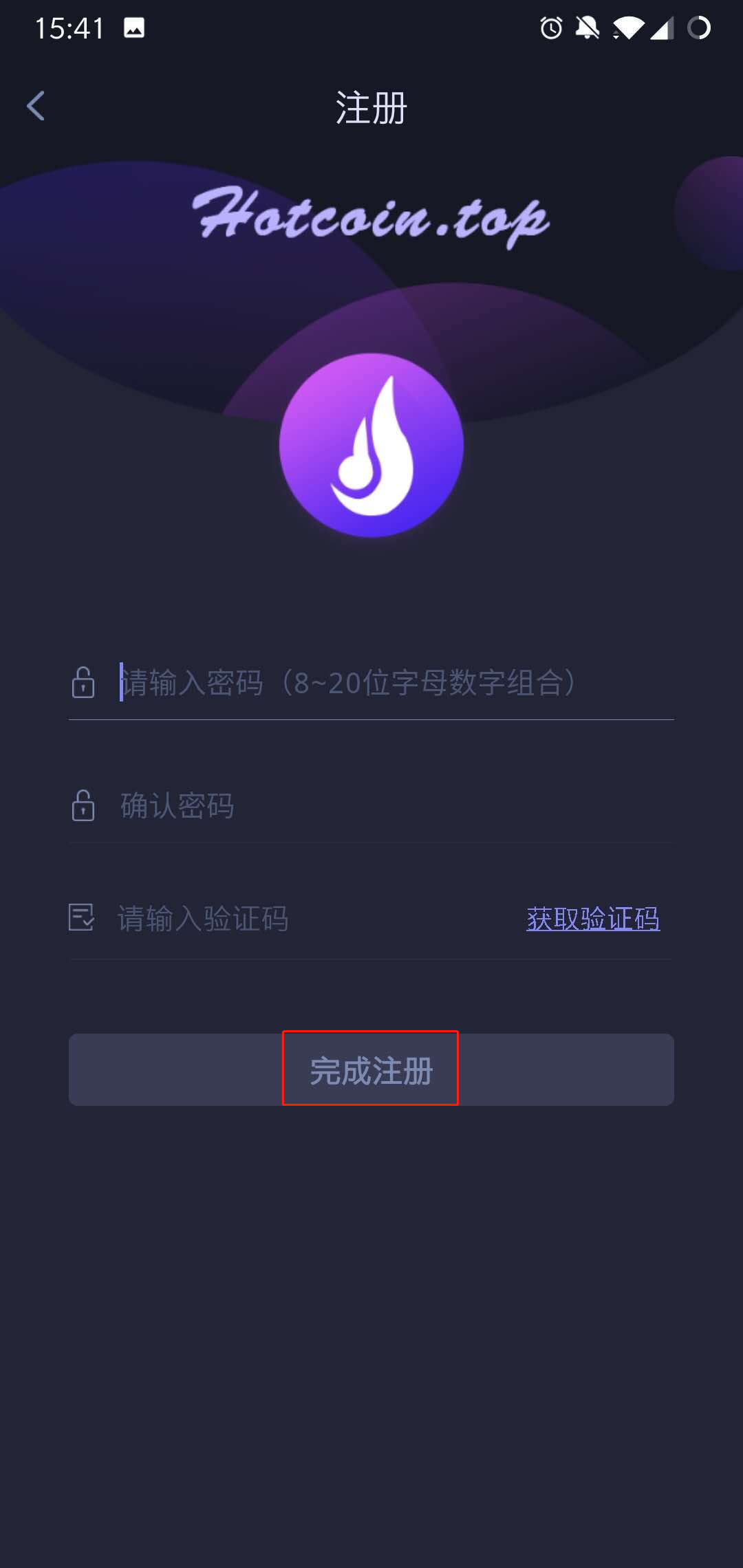
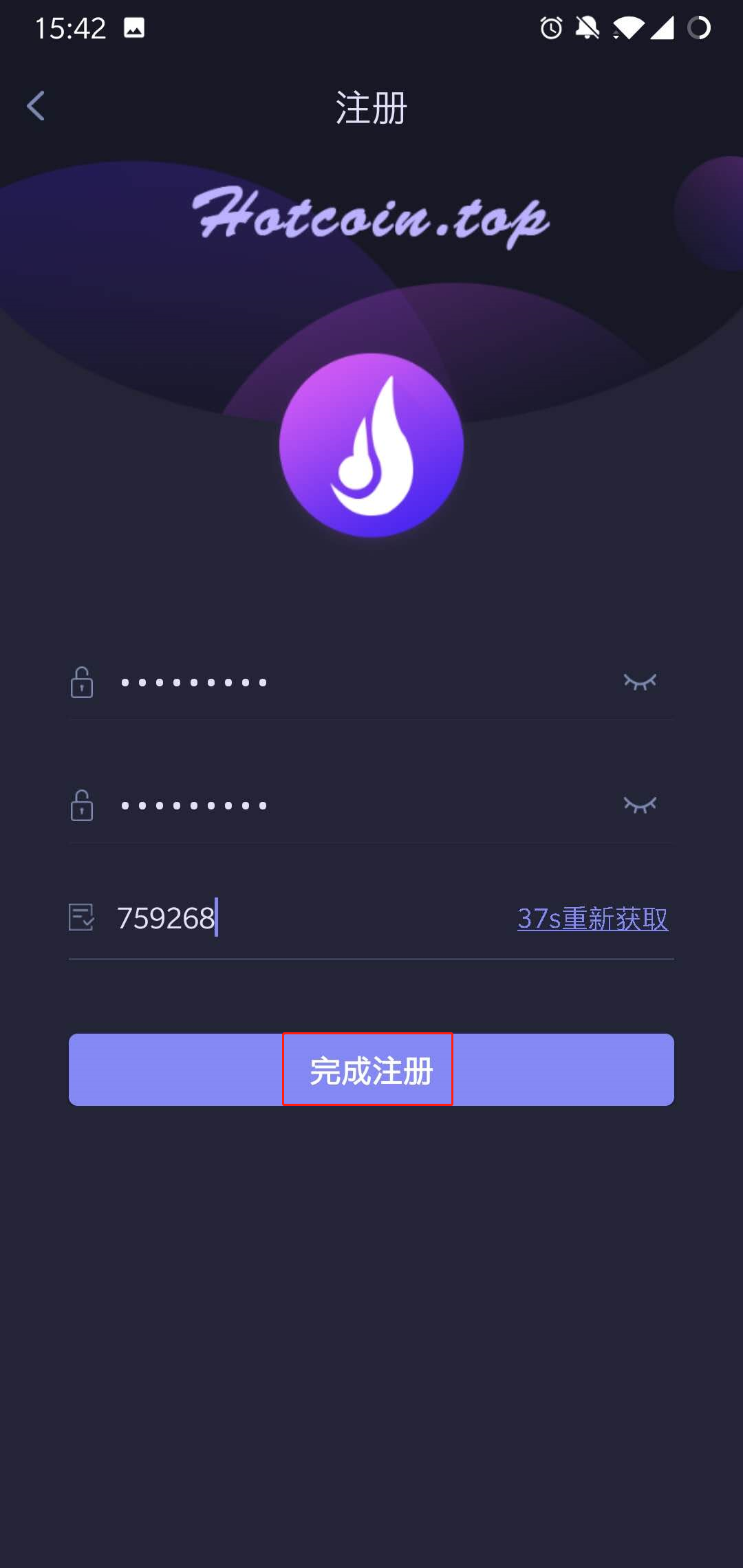
1560239409_1_.jpg 1560239488_1_.jpg

Notes: When you’re waiting for the verification code sent to the phone, there might be Slider Captcha pattern (slider verification pattern) occurred, please piecing them together to certain place.
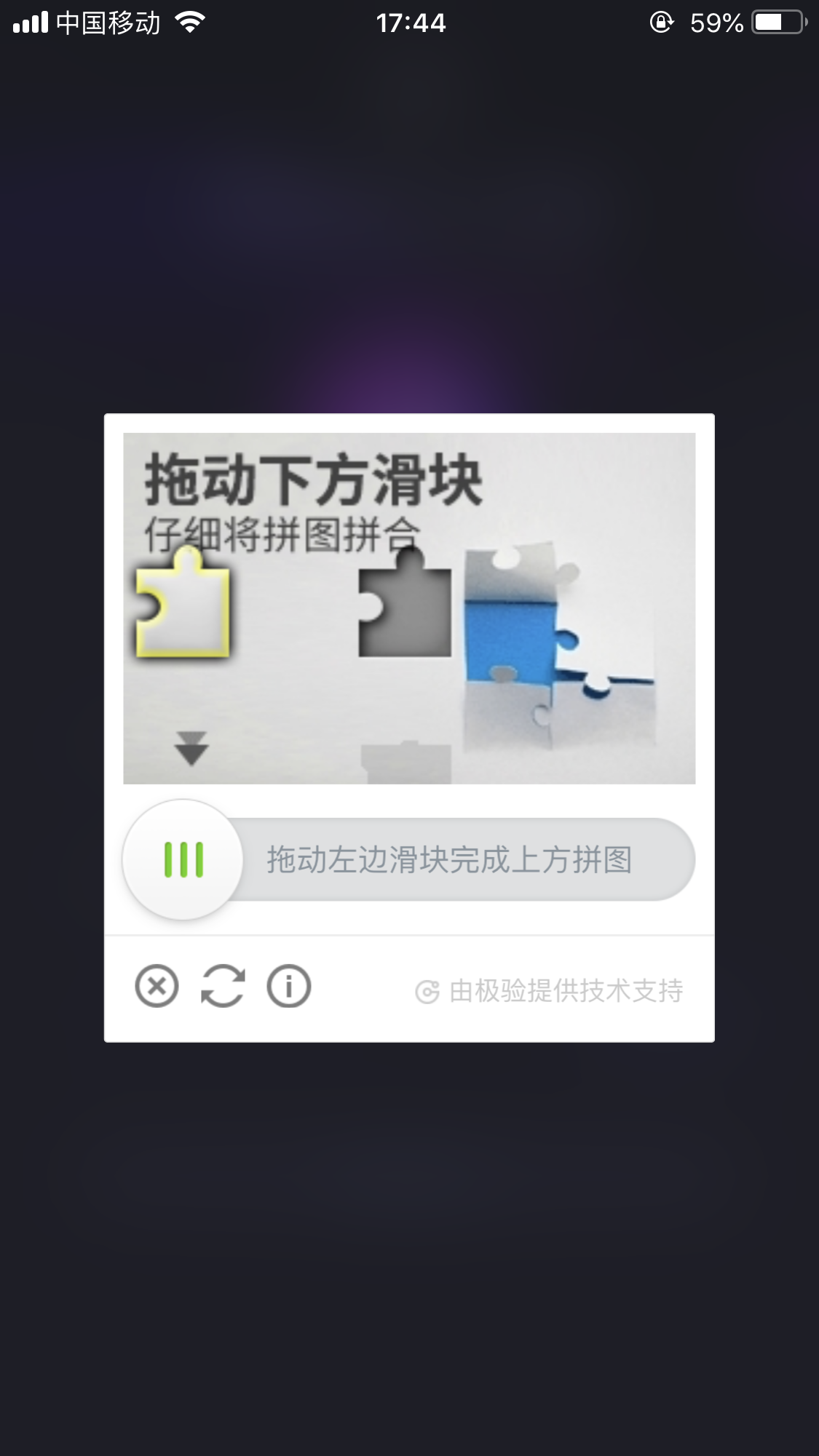
_____20191012174935.png

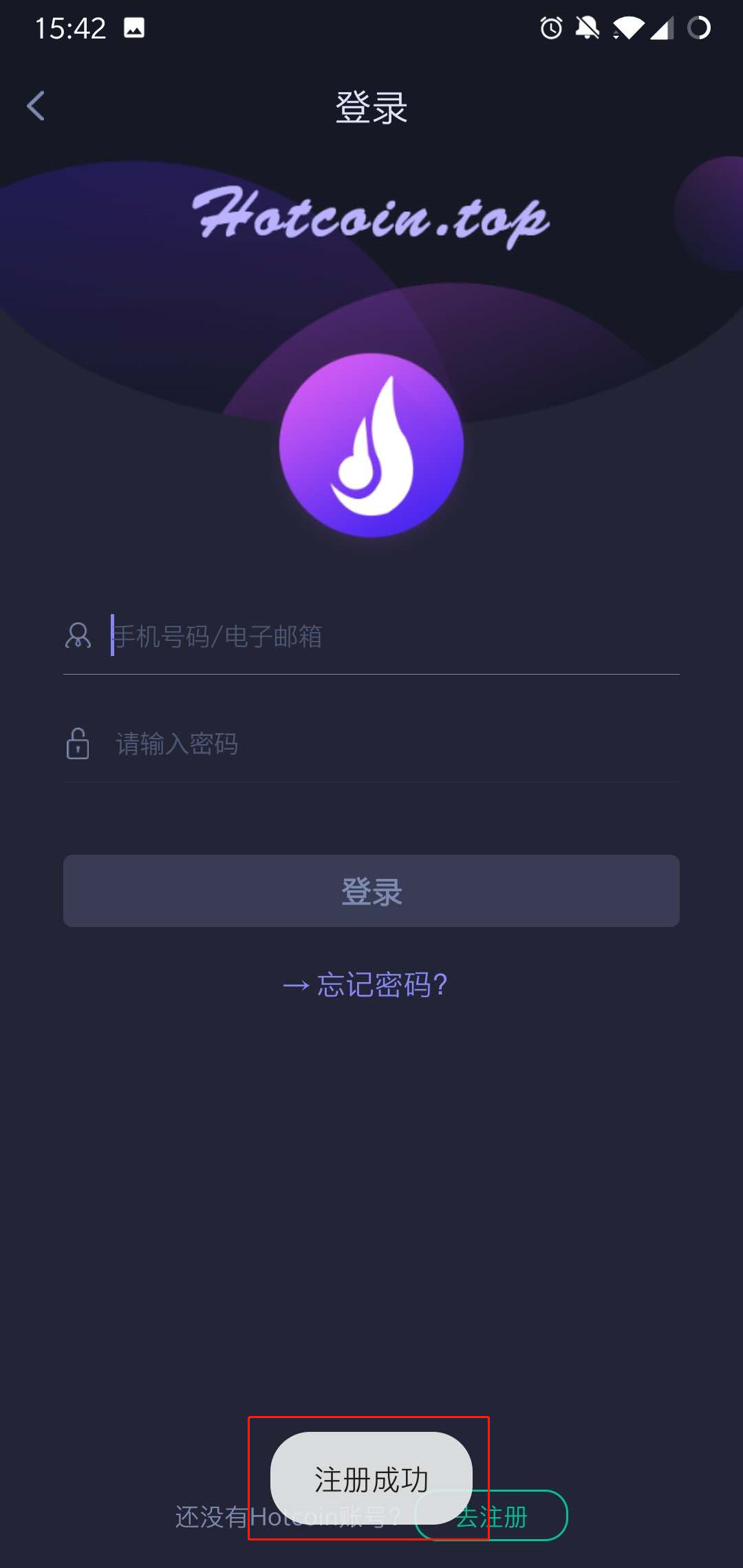
9..After the registration completed, you can login Hotcoin on the login page .
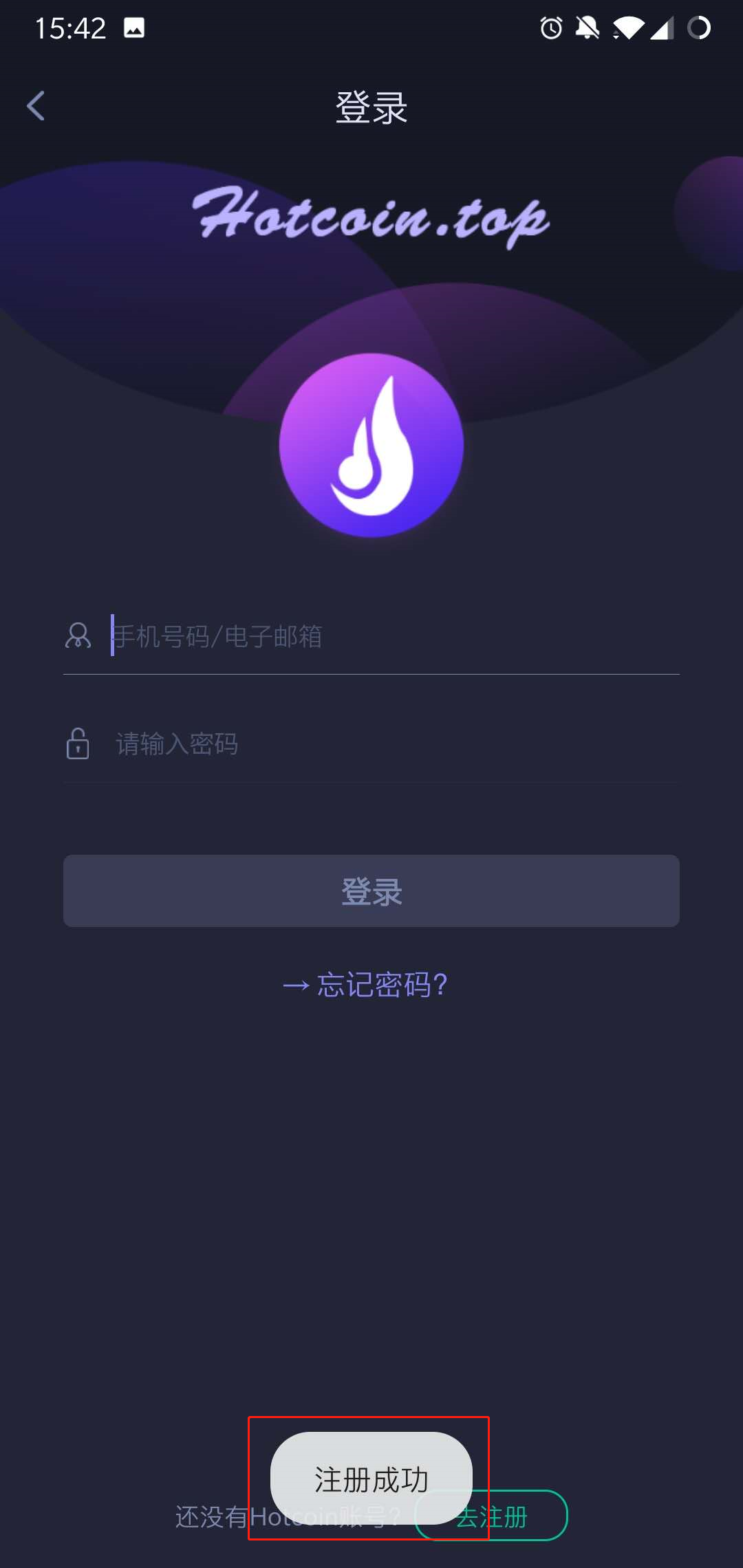
1560239559_1_.jpg

Final_10.jpg


Quick Start Guide
Cryptocurrency Basics
Beginner’s Guide
App Guide
Start Trading
VIP Program
Rewards Center
Account Security & KYC
Asset Security
Security Settings
KYC Verification
Deposit & Withdrawal
Deposit
Withdrawal
P2P
P2P Trading Guide
P2P Merchant Management
P2P Rules & Agreements
Friend Referral
Spot Trading
Spot Trading Guide
Pre-market trading
Derivatives
Advanced Trading
Grid Trading
Trend Trading
Fundamentals of Technical Analysis (Candlesticks / MACD / RSI)
Prediction Market
Futures Grid
Futures Trading
Getting Started
Contract Type
Trading Mechanics
Risk Management
FAQ
Copy Trading
Getting Started
Follower Guide
Lead Trader Guide
Terms of Service
Web3 Wallet
Getting Started
Swap
Hotcoin Card
Hotcoin Earn
TradFi
Alpha
Startup
Platform Support
Agreements & Rules