When you send assets from your Web3 Wallet, you'll need to pay a blockchain network fee (gas fee). This guide explains how to check the required network fee and add the native tokens needed to complete your transfer.
I. Check the Network Fee
When you initiate a transfer from your wallet, the estimated network fee and the required native token are displayed on the confirmation page.
Note:
- Network fees are charged per transaction and are not based on the transfer amount.
- Network fees fluctuate depending on network congestion. The fee shown on the confirmation page is an estimate at the time of submission.
- Make sure your wallet has enough native tokens to cover the network fee. Otherwise, the transaction cannot be completed.
II. Insufficient Balance to Cover Network Fee
If your wallet displays the "Insufficient Balance to Cover Network Fee" message, it means you don't have enough native tokens in your wallet to pay the required network fee.
You can complete the transfer after adding enough native tokens for the selected blockchain network.
For example:
- Ethereum requires ETH.
- BNB Chain requires BNB.
- Polygon requires MATIC.
III. Add Native Tokens for Network Fees
Step 1: Confirm which blockchain network you're using (such as Ethereum, BNB Chain, or Polygon).
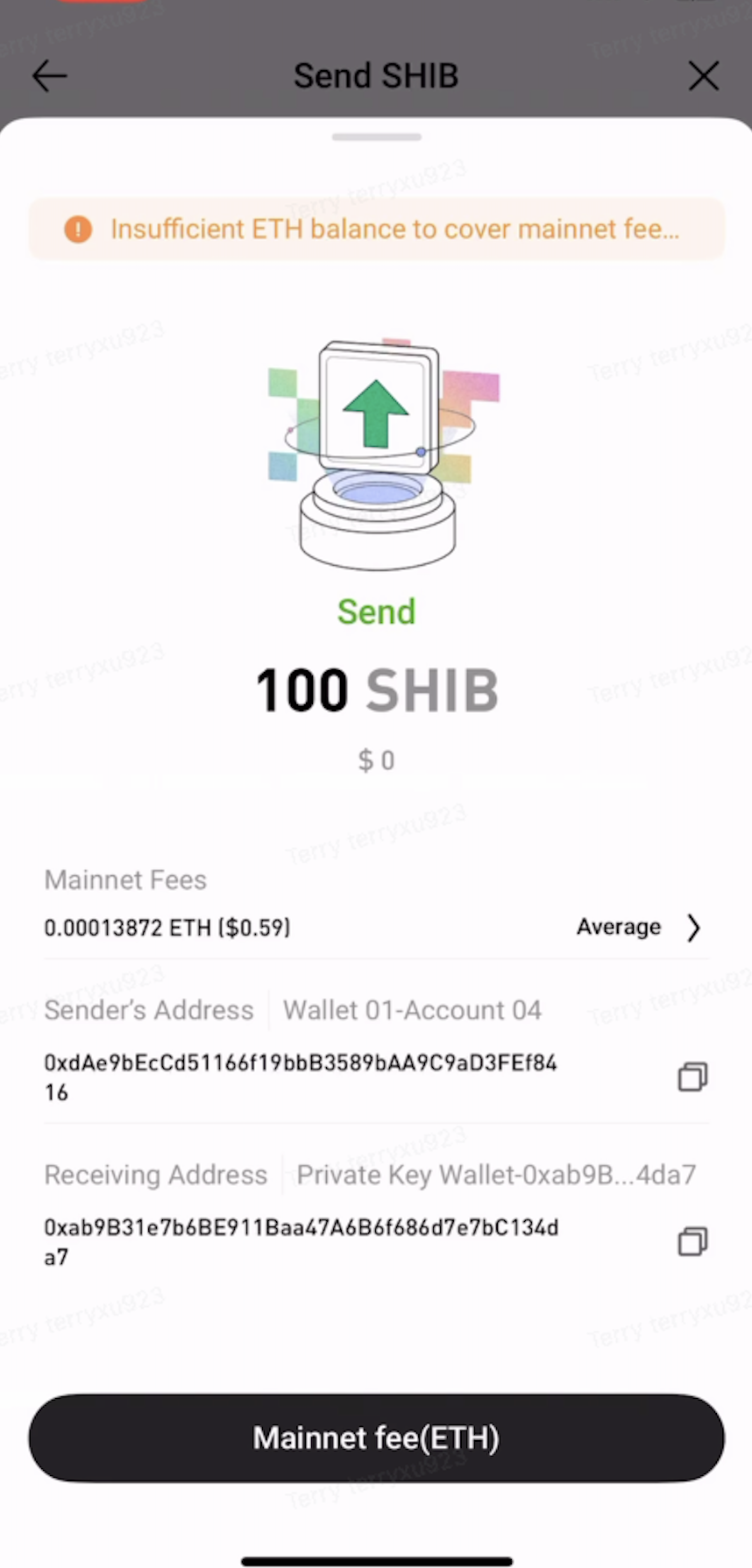
Step 2: Deposit the native token for the selected network into your wallet to cover the network fee.
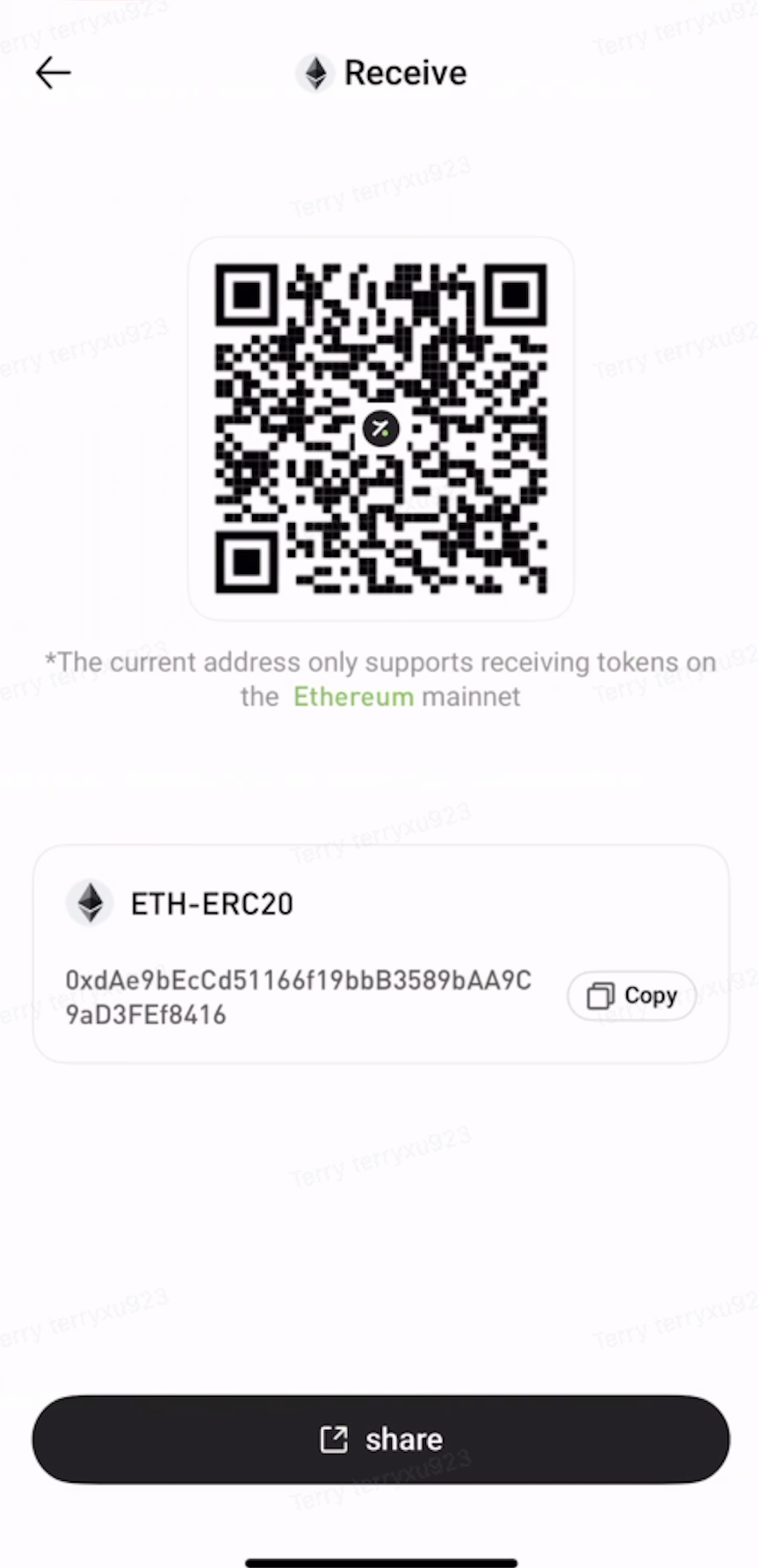
Step 3: Once your wallet has enough native tokens to cover the network fee, try sending your assets again.
IV. Common Networks and Their Native Tokens
| Network |
Native Token
|
| Ethereum |
ETH |
| Solana |
SOL |
| TRON |
TRX |
| BNB Chain |
BNB |
Important Notes:
- Network fees are paid to the blockchain network, not to the platform.
- Once a transaction has been broadcast to the blockchain, the network fee is generally non-refundable.
- Before sending assets, make sure your wallet has enough native tokens to cover the required network fee.
- If you're unsure which native token is required or how much you'll need, check the transfer page or contact Customer Support for assistance.

 hotcoin.com