HOTCOIN Logo
Comprar Crypto
Mercados
Comércio
Futuros
Ganhar
Bônus
Mais
Carteira Web3
Contatos de serviço

Service@hotcoin.com

Feedback do produto

Product@hotcoin.com

Cooperação empresarial

Business@hotcoin.com

Contatos Legais

Casecn@hotcoin.com

Entre em contato conosco
Contatos de serviço

Service@hotcoin.com

Feedback do produto

Product@hotcoin.com

Cooperação empresarial

Business@hotcoin.com

Contatos Legais

Casecn@hotcoin.com

Quem somos
Introdução da plataforma
Central de Anúncios
Status do sistema
Acordo de Utilização
Política de privacidade
Descrição Legal
produtos
Futuros
Spot
Negociação TradFi
Copiar contrato
Negociação de margem
Earn
compra P2P
Compre criptomoedas com cartão
Carteira Web3
Servir
Transmissão ao vivo
Seleção rigorosa de moedas quentes
Hub Bonus
Convite de amigos
Benefícios VIP
Baixar
Inscreva-se para P2P Merchant
Apoio, suporte
Hotcoin College
Centro de Ajuda
Documentação da API
Taxa de Juros
Informações criptográficas
Aplicativo de listagem
serviço on-line
feedback do cliente
verificação oficial
Negociação
BTC USDC
ETH USDC
BTC USDT
ETH USDT
PI USDT
SOL USDT
XRP USDT
©2017-2026
Centro de Ajuda
/Web3 Wallet/Swap/
How to Swap Tokens in the Web3 Wallet
Centro de Ajuda
/Web3 Wallet/Swap/
How to Swap Tokens in the Web3 Wallet

How to Swap Tokens in the Web3 Wallet

Hotcoin
Compartilhar


The Web3 Wallet allows users to swap one token for another directly on-chain without leaving the wallet.


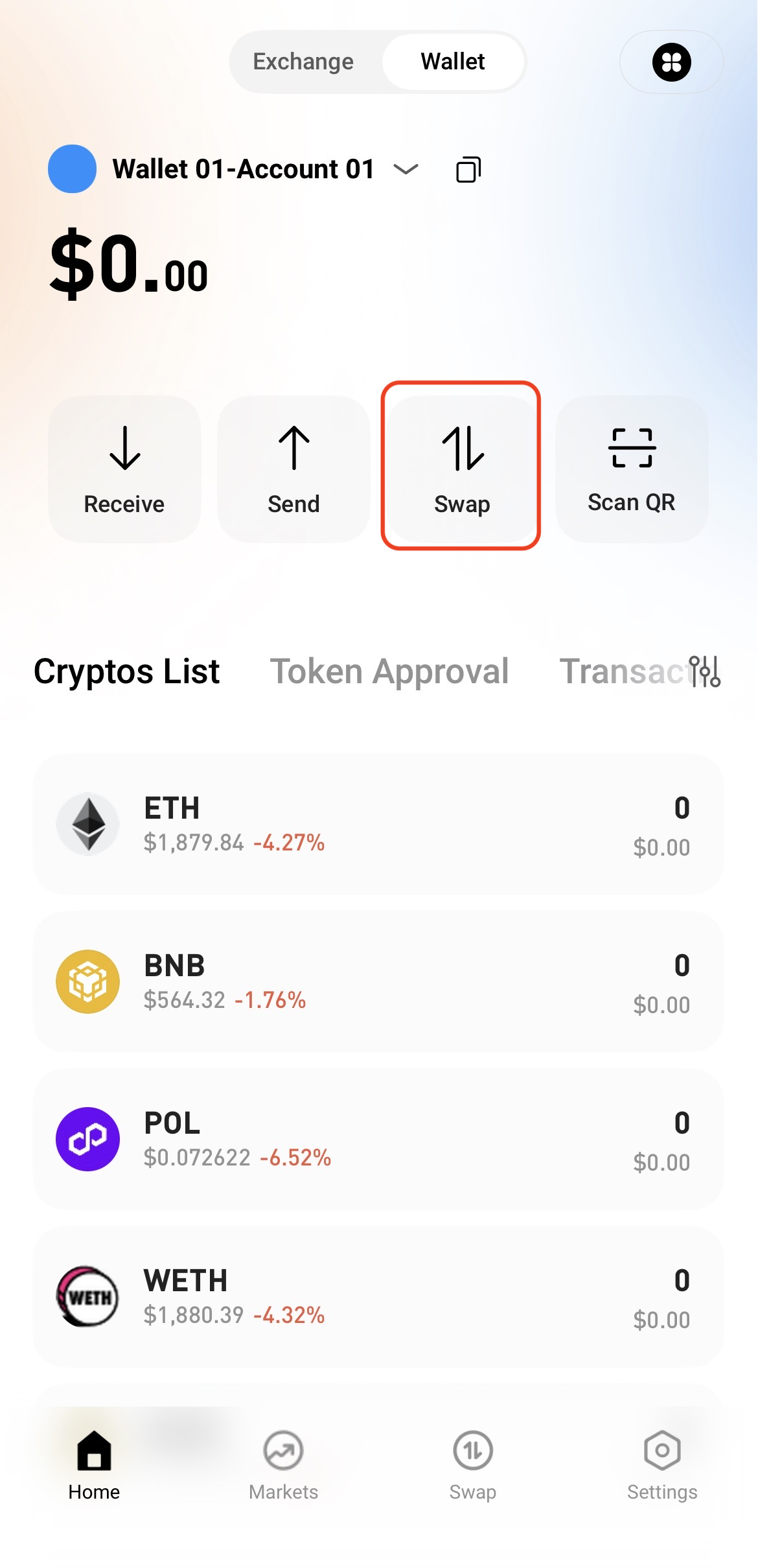
Step 1: Access the Swap Page


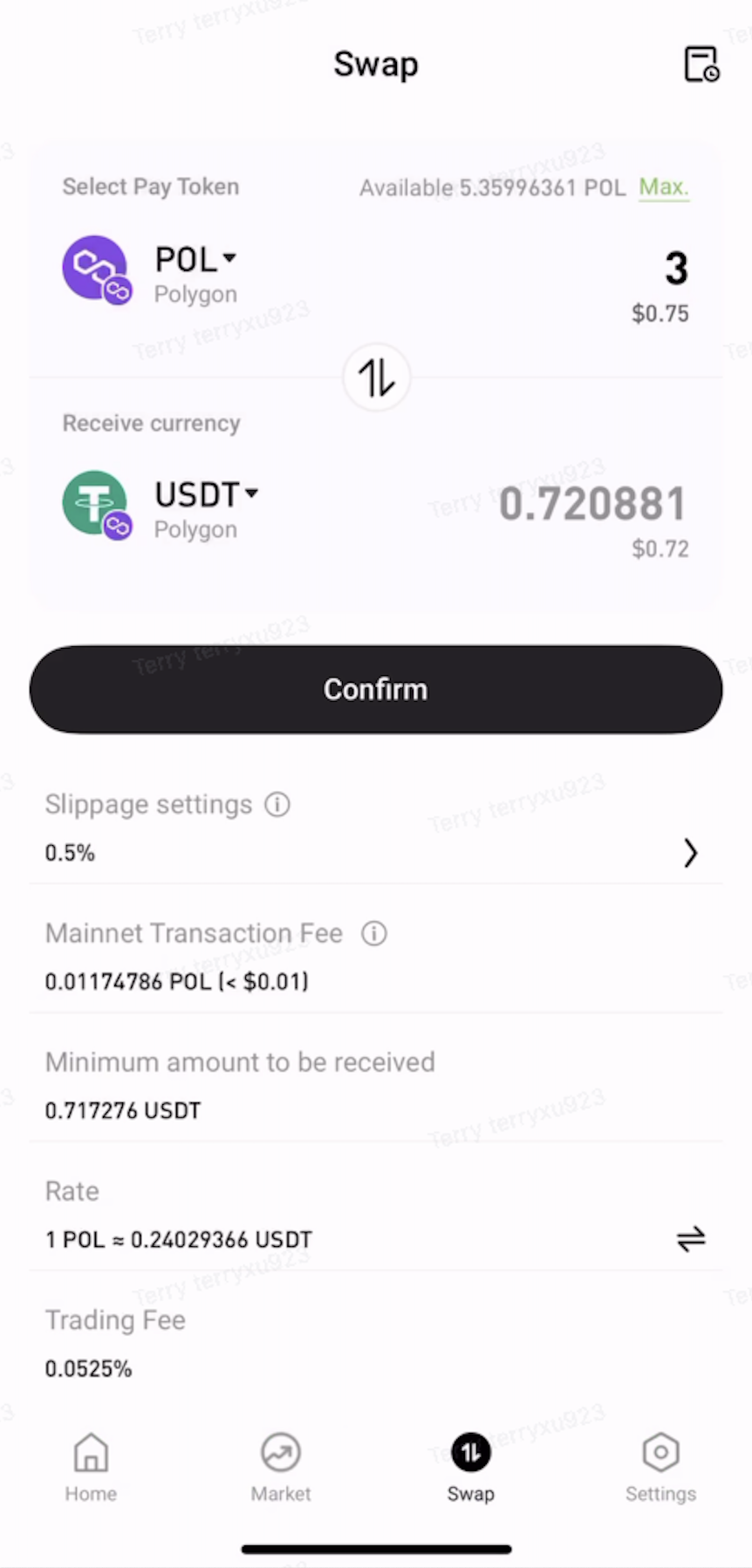
Open the Web3 Wallet and tap Swap on the home page.


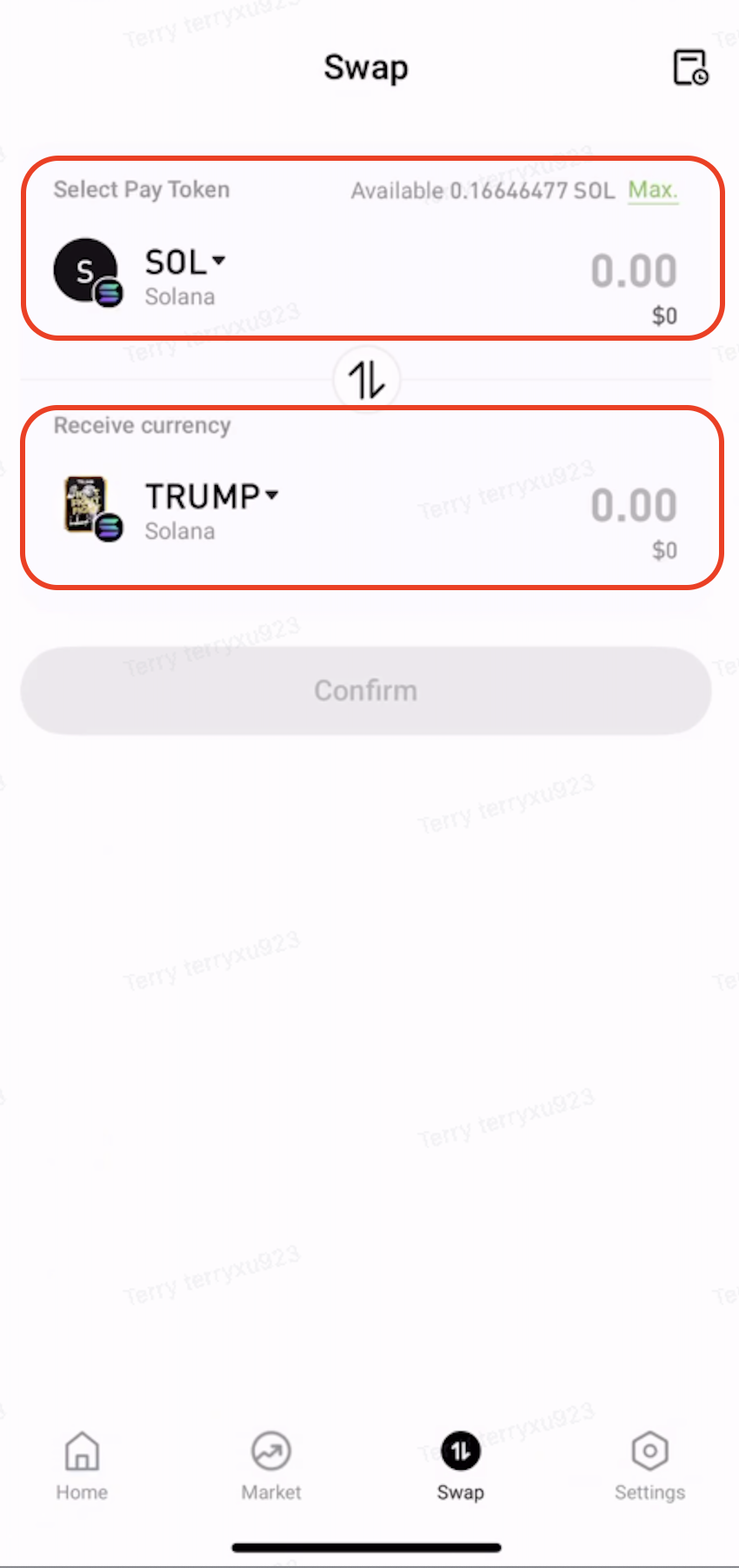
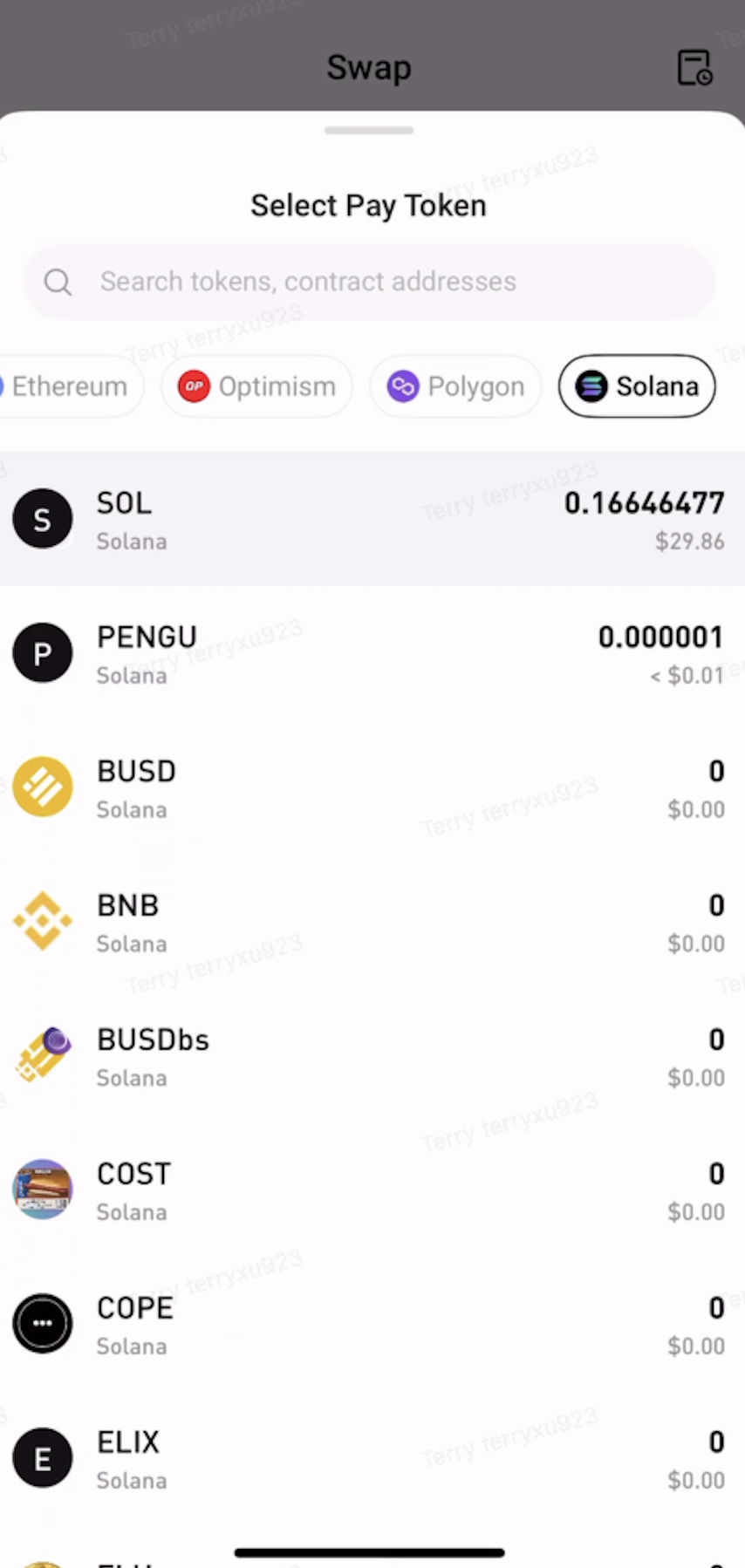
Step 2: Select the Tokens to Swap


  • Under Pay, select the token and network to swap from.

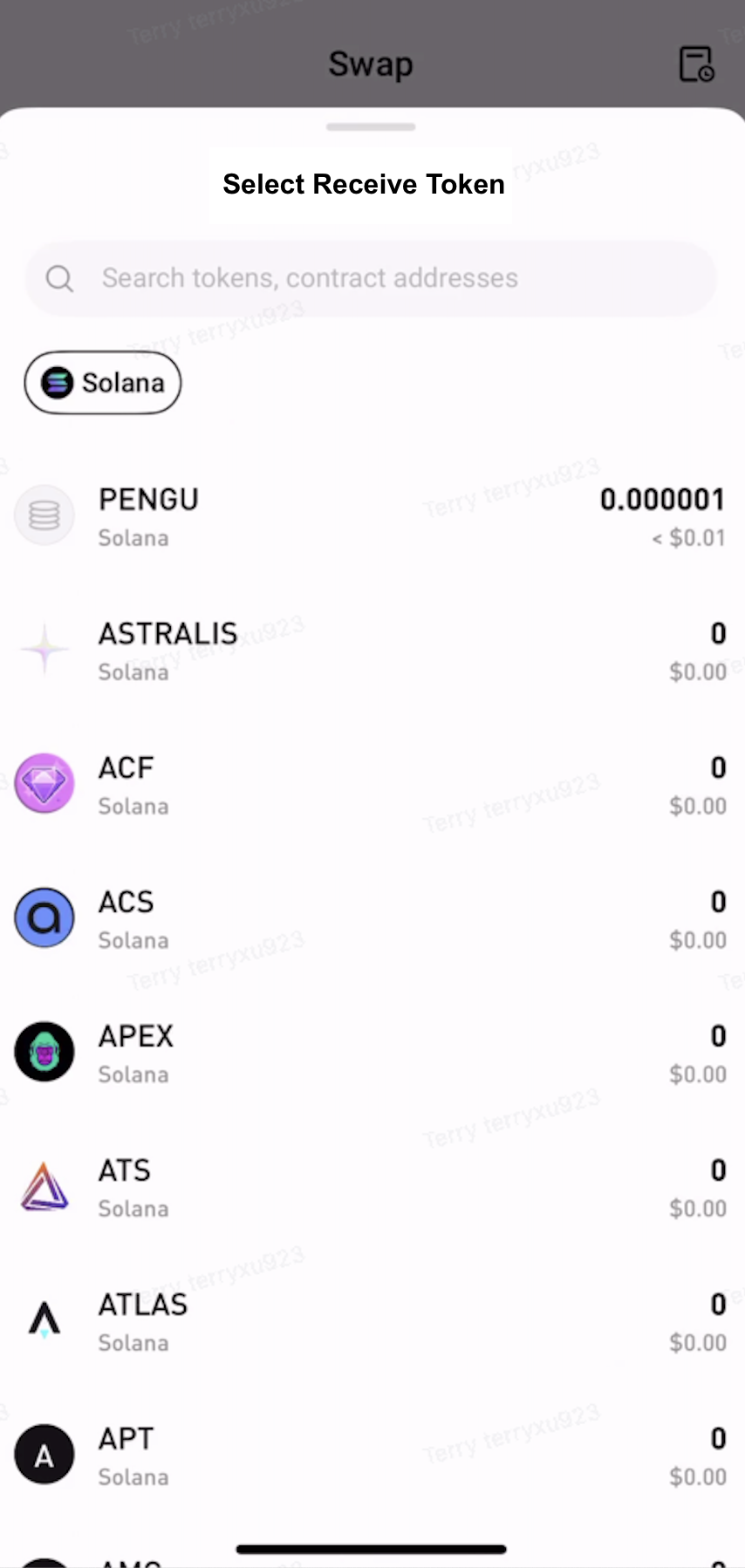
  • Under Receive, select the token and network to receive.


Step 3: Approve the Token


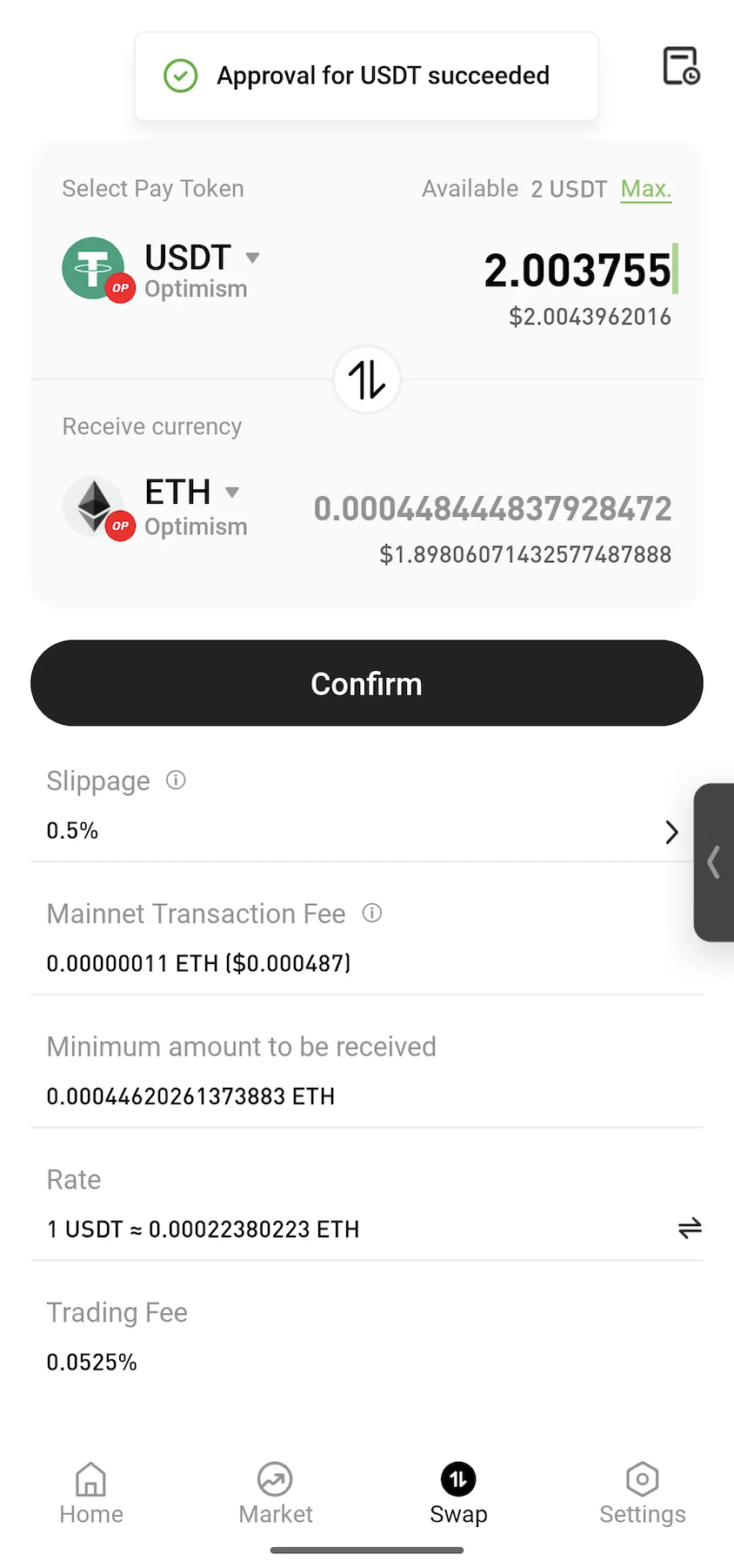
Enter the amount to swap. If approval is required, tap Approve and follow the on-screen instructions to sign the transaction.
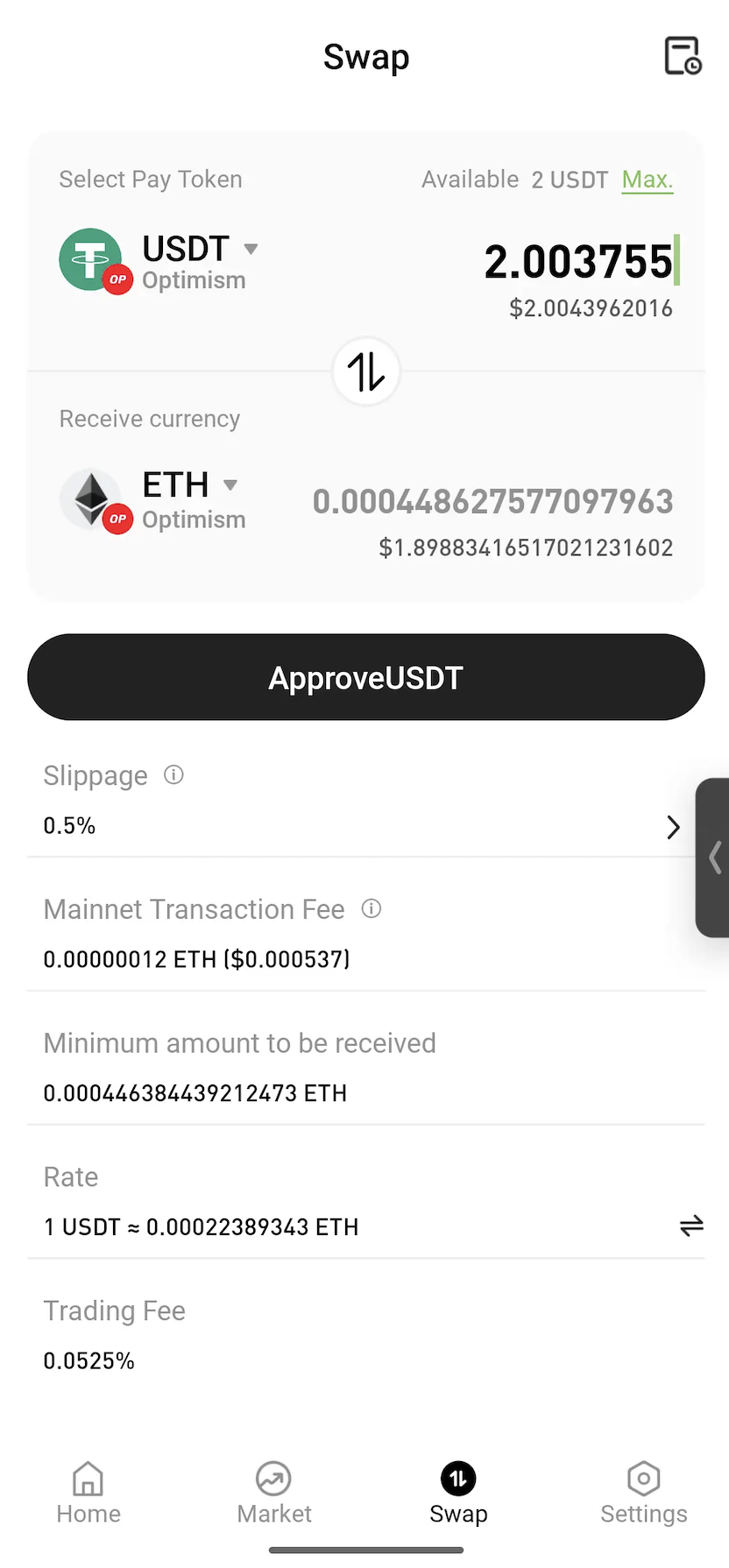
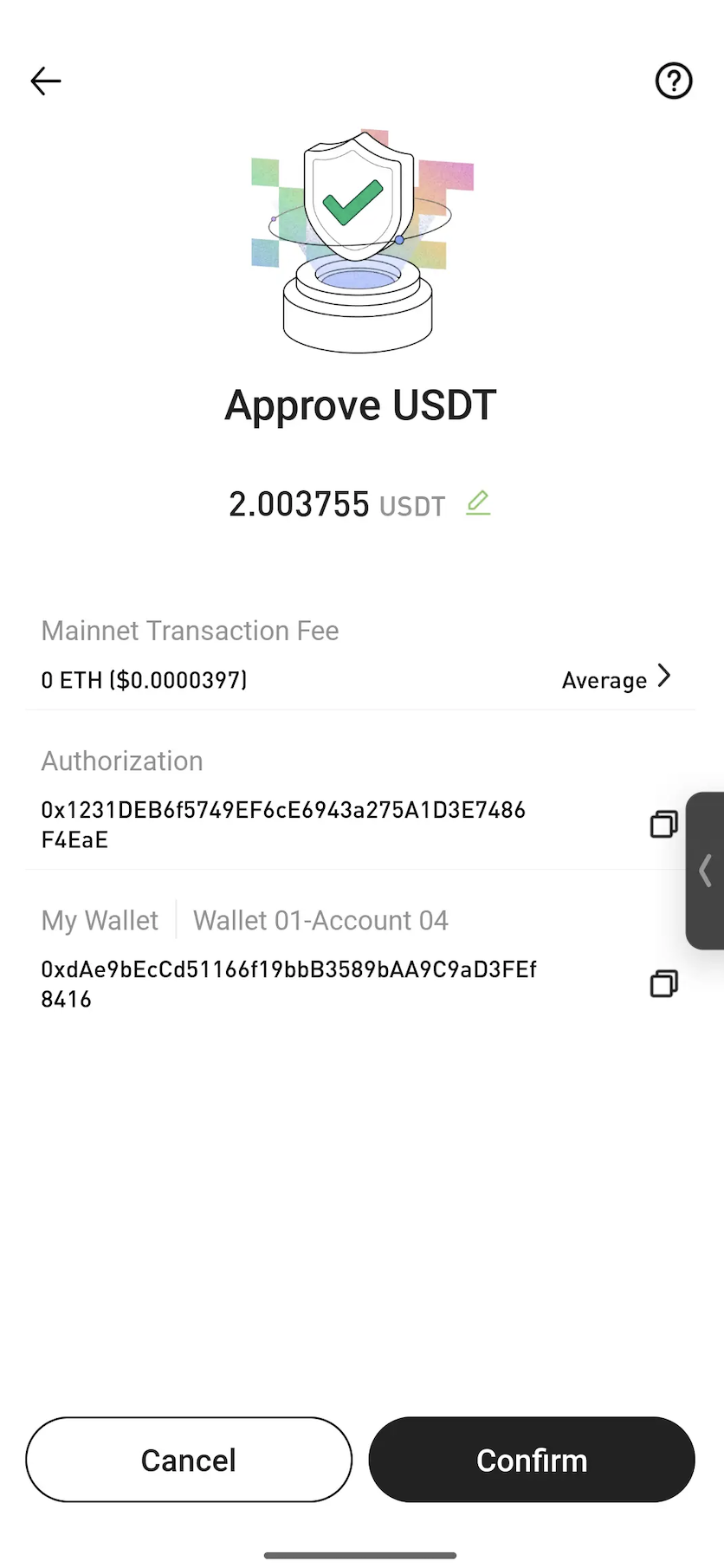


Note: Approval is a standard blockchain process that allows a smart contract to use the selected token for the swap. In most cases, approval is only required the first time a token is swapped.


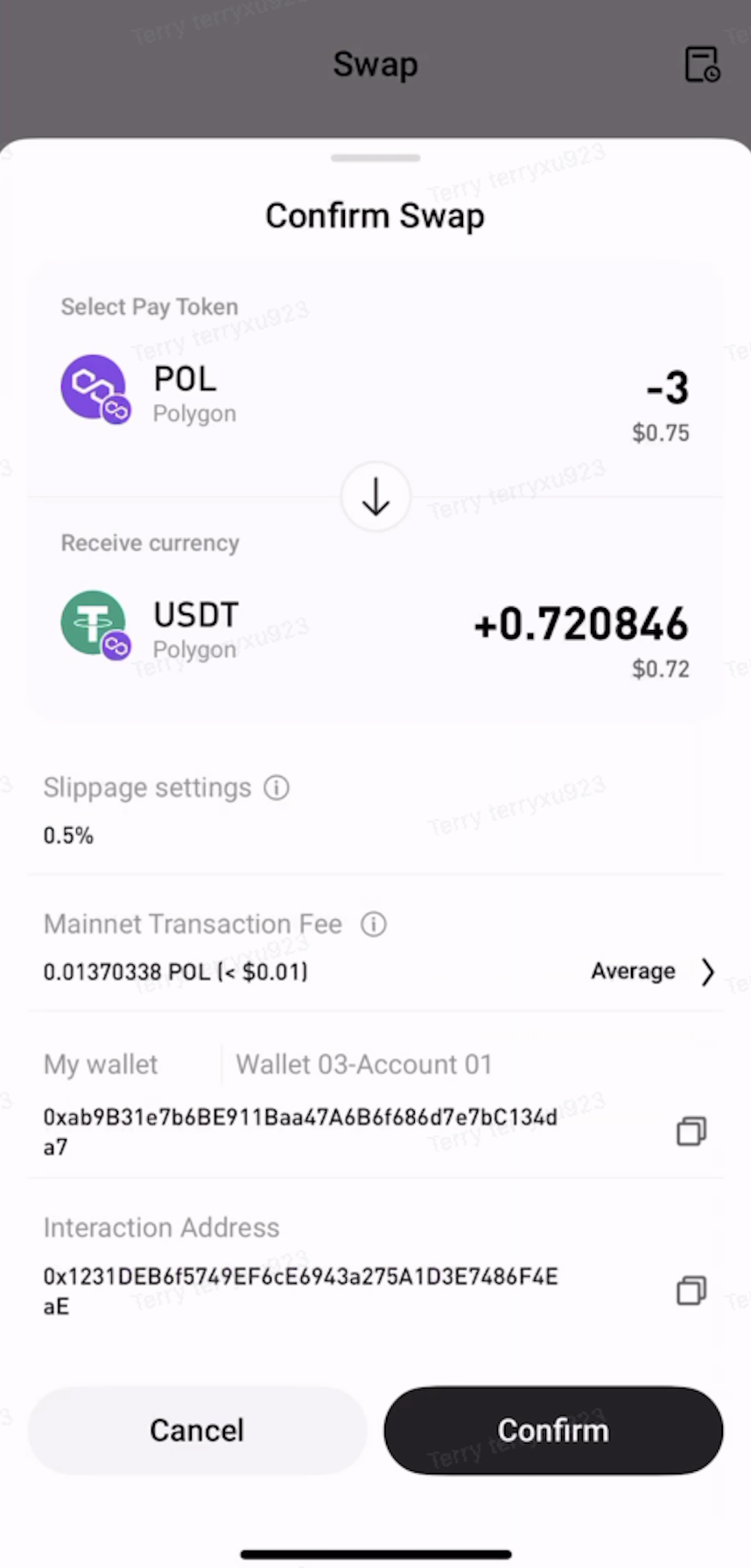
Step 4: Confirm the Swap


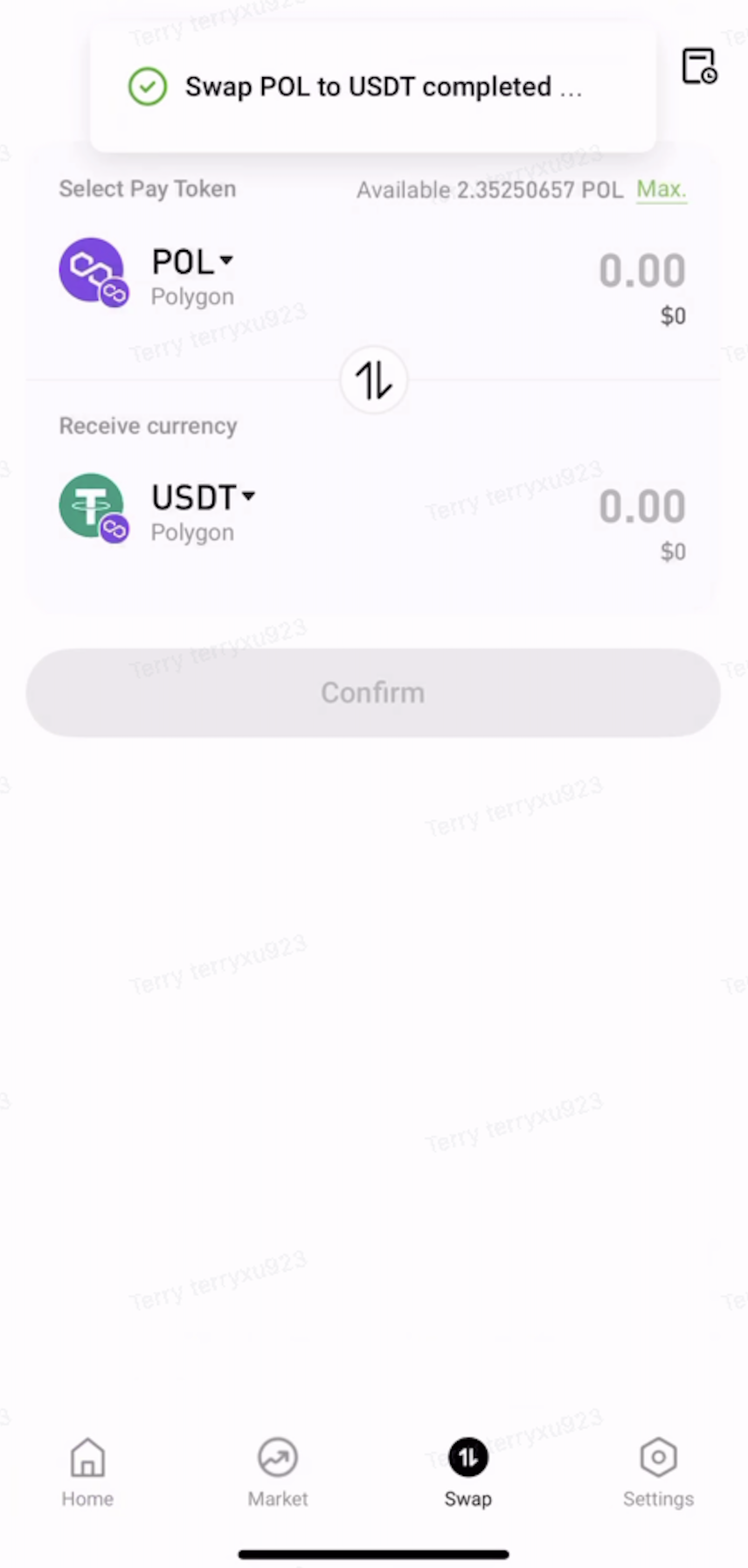
Review the swap details, then tap Confirm. Once the transaction is submitted, wait for on-chain confirmation to complete the swap.


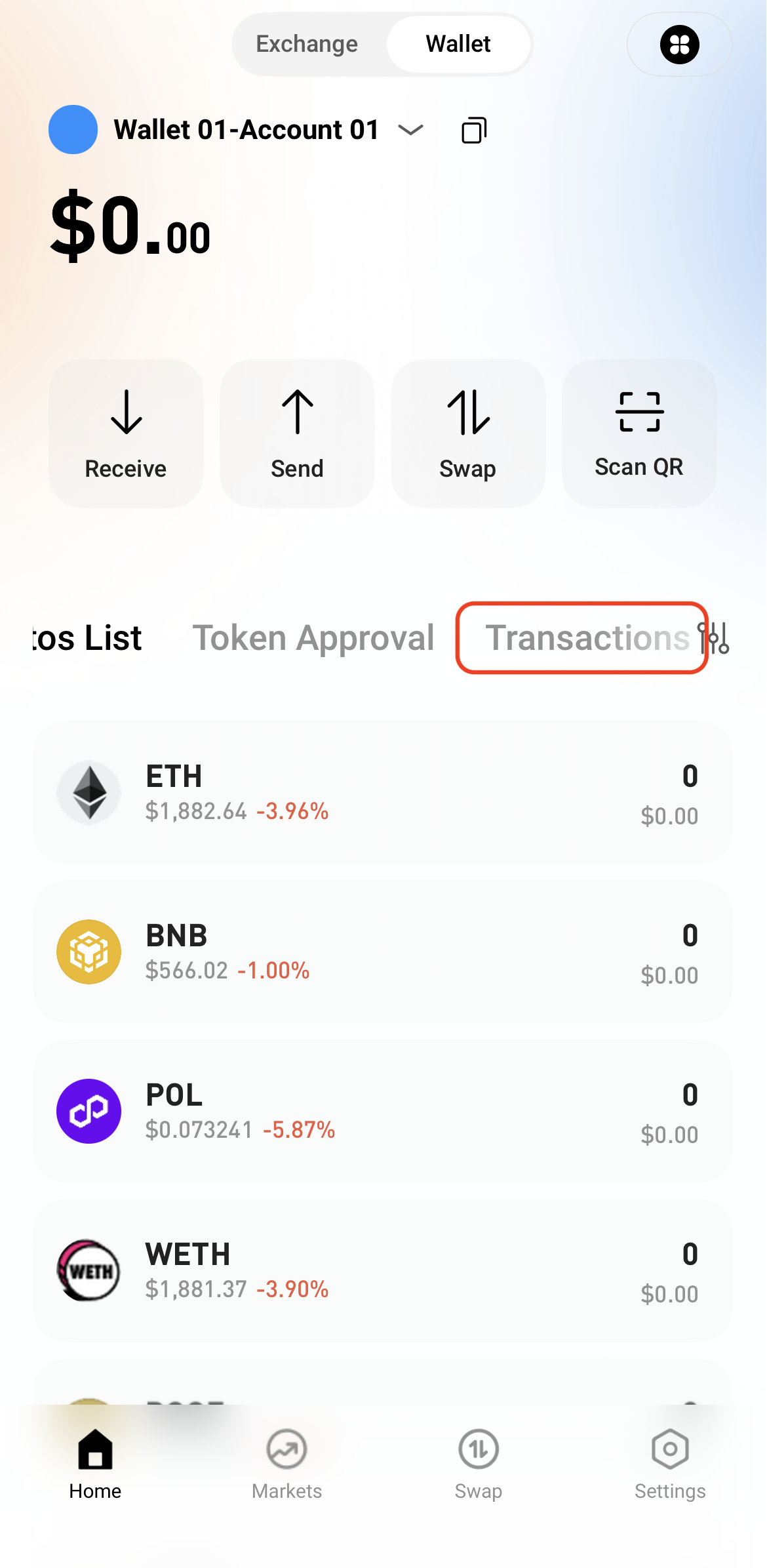
Step 5: View Transaction History


After the swap is complete, view the transaction details in Transactions or check the on-chain status through a block explorer.

   

Depósito e Retirada
Deposit
Withdrawal
comprar criptomoeda
P2P FAQ
Gestão do Comerciante
regras de protocolo
Negociação à vista e margem
Negociação à Vista
negociação de futuros
Contract Grid
Contract documentary
Getting Started
Follower Guide
Lead Trader Guide
Finanças Hotcoin
Outros tópicos (relacionados ao protocolo)
NFT