How to Identify Phishing Websites: URL Spoofing, Fake Apps, and Email Phishing
Identifying phishing requires more than checking a logo or page layout. Inspect the full domain that your browser actually connects to, the app publisher, the message source, and the requested action, then verify everything through an independently saved official entry point.
Where Does URL Spoofing Commonly Appear?
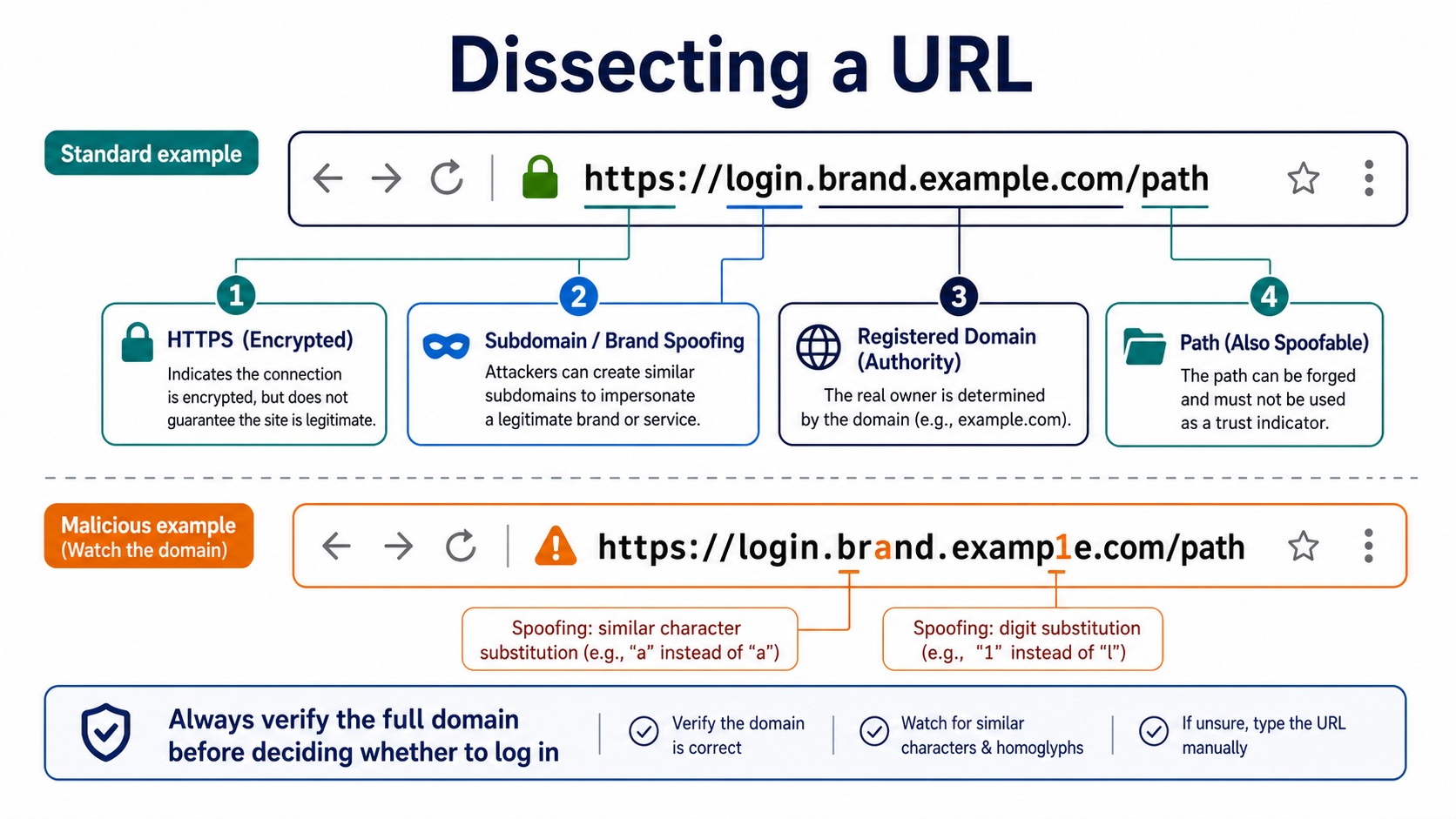
Attackers replace letters with lookalike characters, add or remove hyphens, use unrelated subdomains, or exploit internationalized domain names. The owner of hotcoin.example.com controls example.com; the brand name placed before it does not prove ownership.
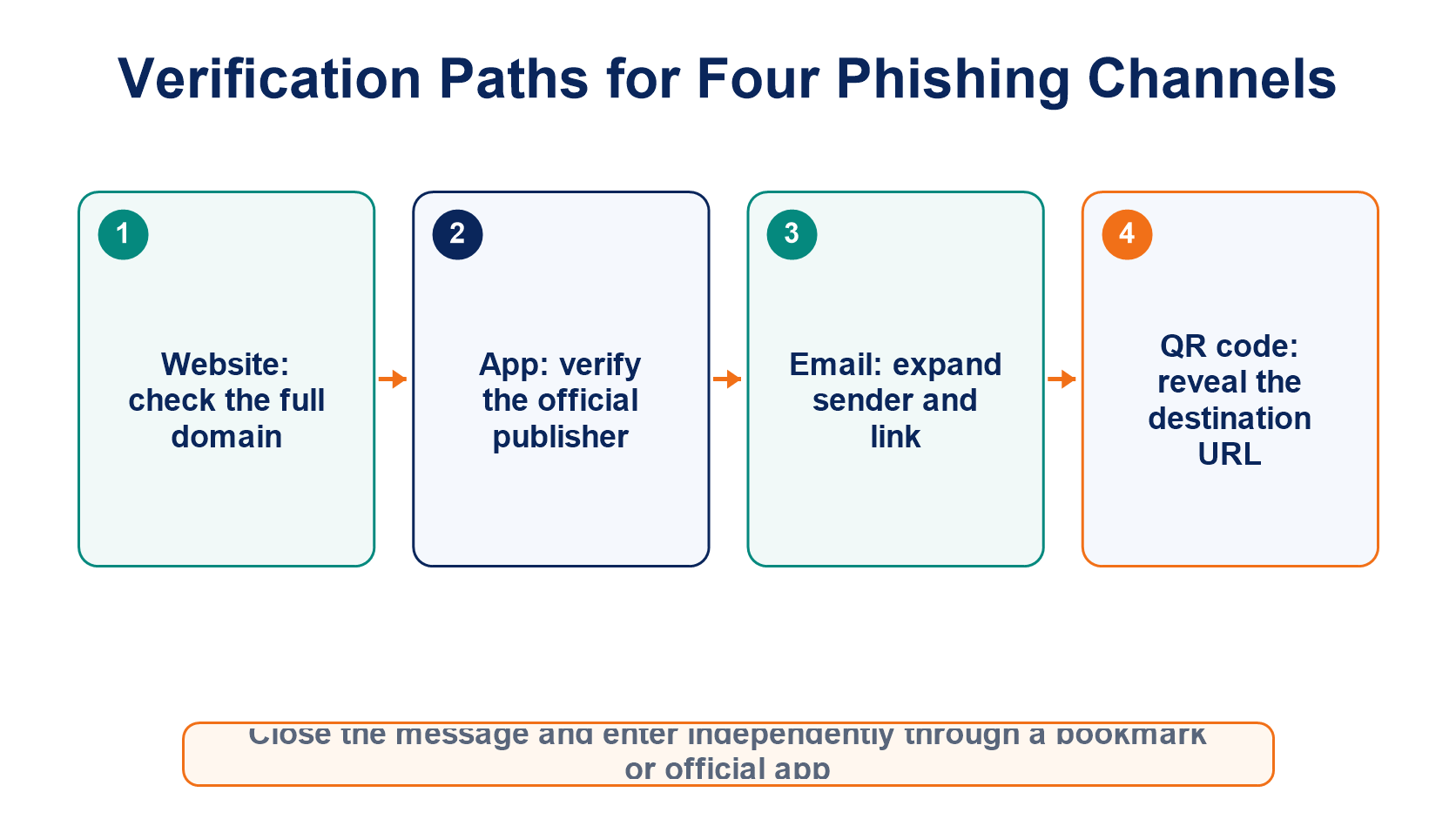
Short links and QR codes can hide the final destination. After scanning a code, do not immediately sign in or connect a wallet. First, make the browser display the destination domain. HTTPS only means the connection is encrypted; it does not prove that the website operator is legitimate, and phishing sites can obtain certificates too.
Why Can Search Results Also Be Unsafe?
Search ads and search optimization can push impersonation sites into prominent positions. Access frequently used exchanges, wallets, and block explorers through bookmarks saved after an initial independent verification instead of searching for them every time.
Close the page immediately if it suddenly asks you to re-enter a seed phrase, download a “security plugin,” or transfer funds to a “safe address.” A legitimate website will not fix an account login problem by asking for your seed phrase.
How Do Fake Apps Evade Visual Inspection?
Fake apps can copy names, icons, and screenshots, and may even appear on third-party download sites. Before installing one, check the store link provided by the official website, the developer name, signature, version history, and requested permissions.
Do not install APK files, configuration profiles, or remote-control software sent by customer support through chat. Listing in an app store is not permanent proof of safety either. On first use, still compare the app with official announcements and website links.
What Should You Check in Emails and Text Messages?
Expand the full sender address, check whether the reply-to address differs, and hover over links to inspect their actual destinations. Urgent claims about “account removal,” “migration,” “risk controls,” “refunds,” or “airdrops” are common bait.
An anti-phishing code provides an additional signal, but even a correct code should not replace domain checks and independent access. When a notification requires action, close the message and open the account security center from a bookmark to see whether the same event appears there.
What Should You Do If You Already Entered Information?
After entering a platform password or verification code, use a clean device to freeze the account, change the email and platform passwords, and revoke sessions, devices, and API access. If you entered a seed phrase or private key, create a completely new wallet and transfer any remaining assets. Changing a password cannot make the old wallet trustworthy again.
For the broader fraud framework, see the complete guide to cryptocurrency scams.
Frequently Asked Questions
Does a Padlock in the Browser Prove That a Website Is Official?
No. The padlock means the connection to the current domain uses HTTPS. Phishing websites can deploy HTTPS too.
Is an App Definitely Genuine If It Comes from an App Store?
No. Enter the store page through the project's official website, then verify the developer, permissions, version, and official announcements.
Can an Email Still Be Fake If the Sender Address Looks Completely Correct?
Yes. Display names can be spoofed, and email accounts can be compromised. Inspect the complete headers and verify the request through an independent channel.
Can You Be Robbed by Clicking a Phishing Link Without Entering Anything?
The risk is generally lower than when submitting credentials or installing a file, but the page could exploit a browser vulnerability or prompt a malicious download. Close it, inspect downloads and extensions, and update the device.
Leitura recomendada
Veja mais