
User Operation Guide for Margin Trading
What is leveraged trading?
In traditional markets, borrowed funds typically originate from investment brokers. In cryptocurrency trading, however, funds borrowed on leveraged exchanges are often provided by other traders, who charge a certain amount of interest on the margin based on market demand. Additionally, there are a handful of cryptocurrency trading platforms that offer margin to users.
How to trade with leverage?
Step 1: Log in and enter the margin trading page
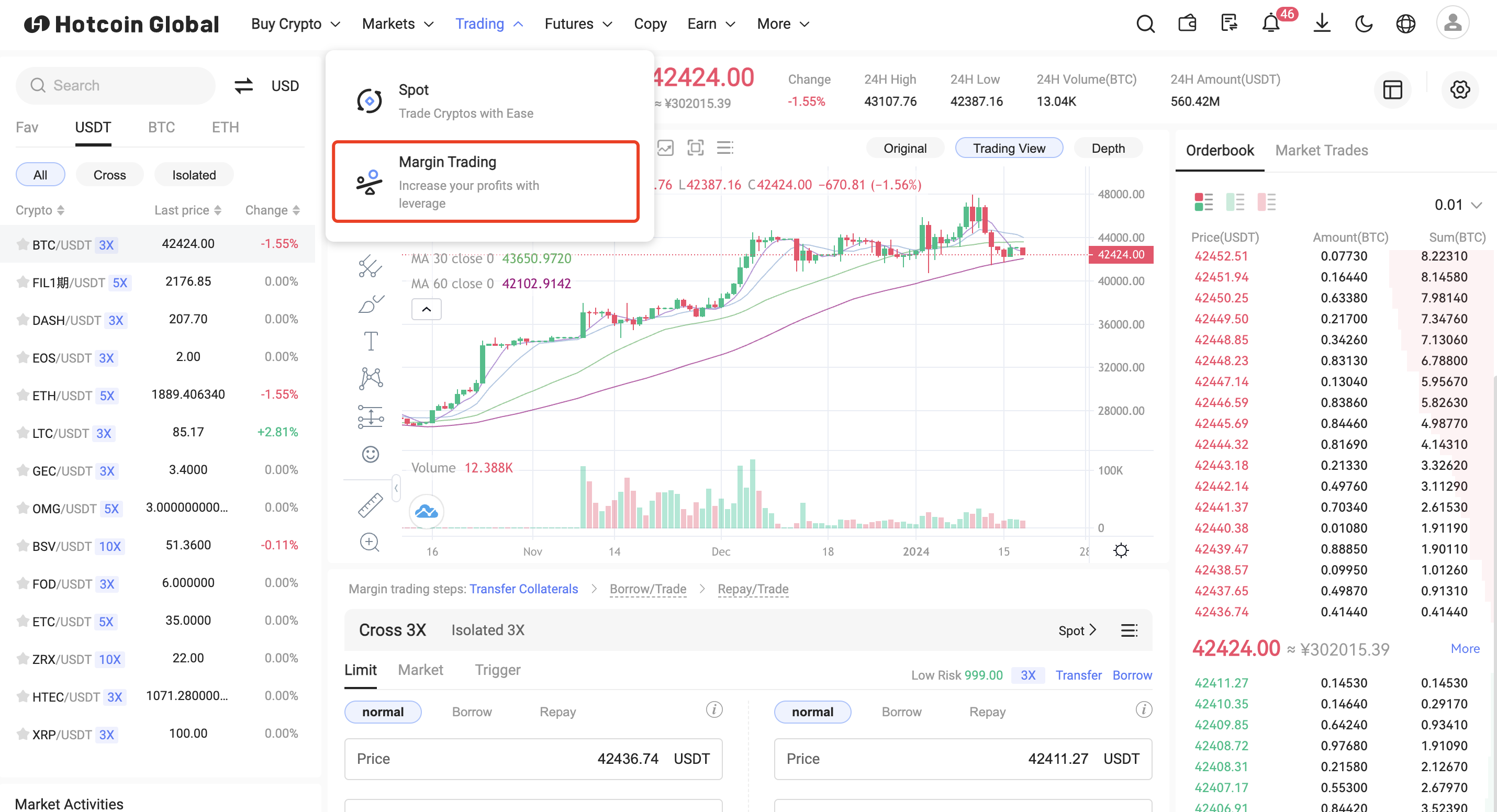
Step 2: Answer the questions and activate margin trading
Step 3: Transfer margin to margin account
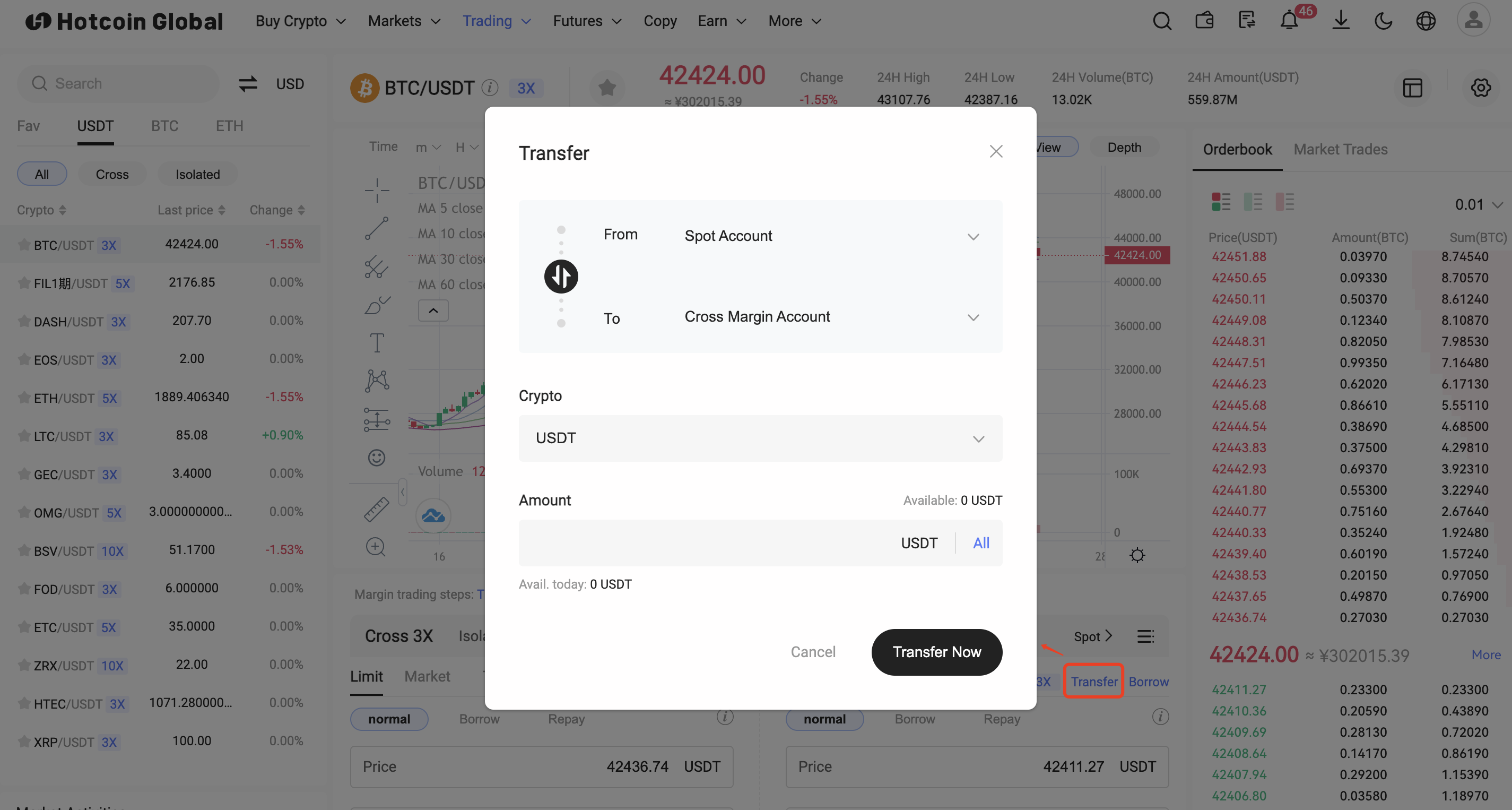
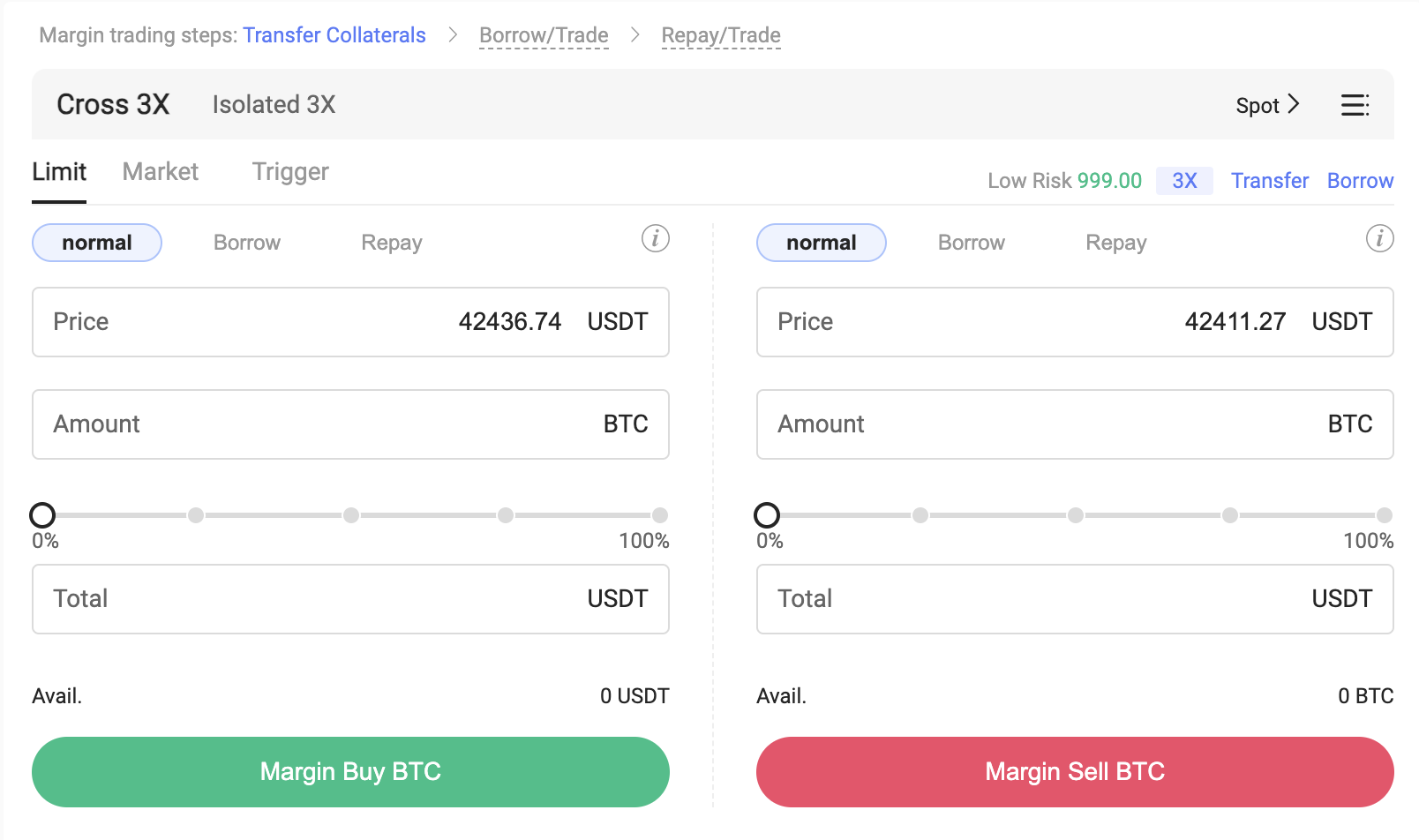
Step 4: Loan Transaction
1. Automatic borrowing (default): Select the automatic borrowing transaction mode on the order page. The system will automatically help you borrow and trade when placing an order. At this time, your available balance is already the assets magnified by the current leverage multiple. You can borrow assets after the order is successfully submitted.
2. Manual borrowing: Select ordinary borrowing on the order page or asset page, and all transactions follow the rules of spot transactions.
On the loan page, you can see the maximum loan amount you can apply for. Enter the expected loan amount and click the [Confirm] button to complete the loan operation. You can click [View] the interest and limit information of this currency.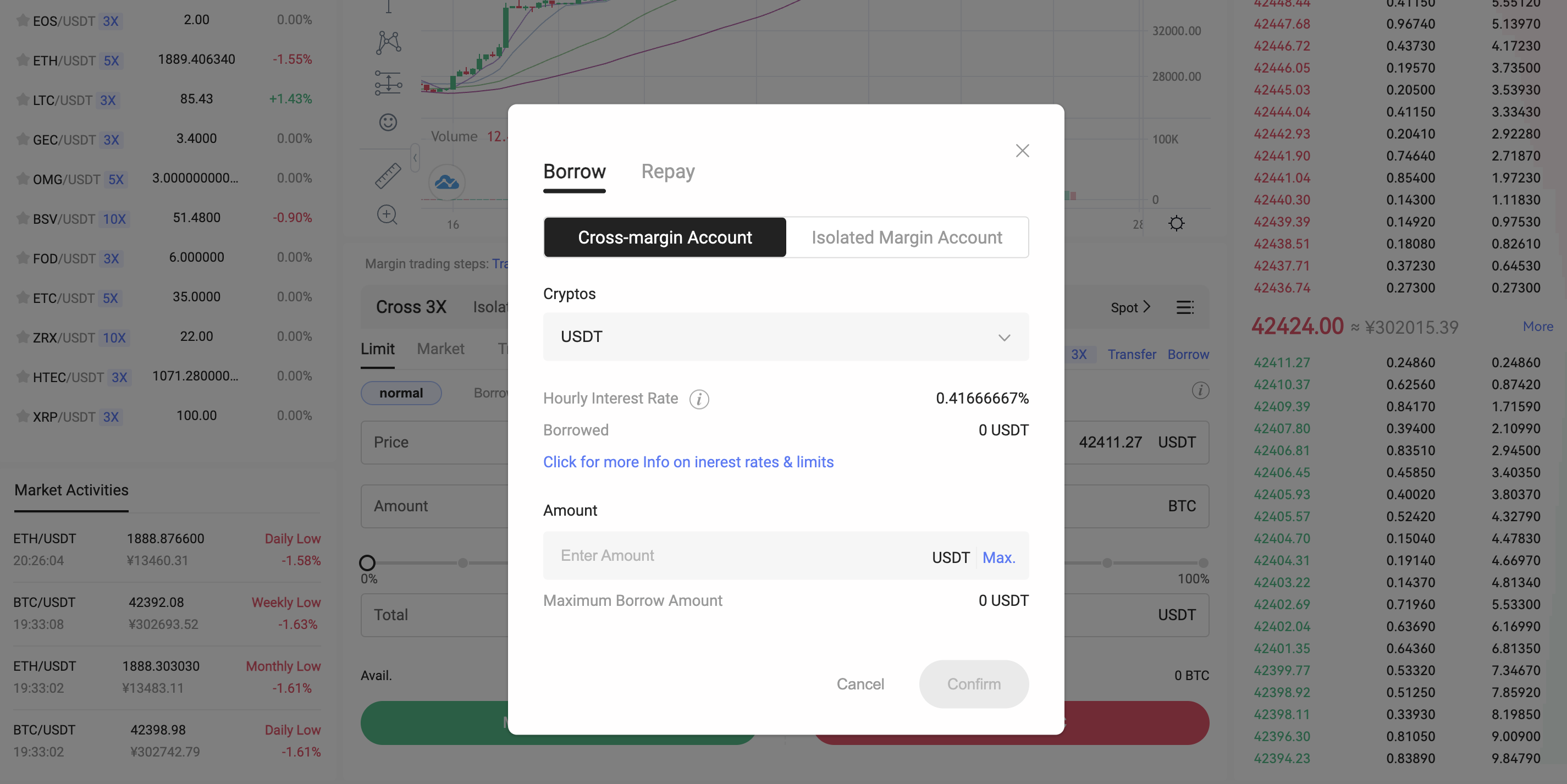
Step 5: Repayment Transaction
1. Automatic repayment: Select the automatic repayment transaction mode on the order page. After the order is placed, the system will automatically use the currency you received to repay. The repayment amount can be adjusted by adjusting the order quantity, and the repayment will be completed after the order is completed.
2. Manual repayment: Select repayment on the order page or asset page. You can see the total amount you owe and the maximum repayment amount at that time. After entering the value, click the [Confirm] button to submit the repayment application. After the repayment is successful, you will Update your assets.
It should be noted that the amount you need to pay is the total amount borrowed plus interest. The interest will be paid first and you can only repay using the same cryptocurrency.
Leitura recomendada
Veja mais


Service@hotcoin.com
Product@hotcoin.com
Business@hotcoin.com
Casecn@hotcoin.com