A trigger order is an order type that allows users to preset a trigger price, order price, and quantity. When the latest market price reaches the specified condition, the system will automatically place an order based on the predefined parameters.
In simple terms, a trigger order allows you to place orders automatically at a predefined price without continuously monitoring the market.
1. How to Place a Trigger Order
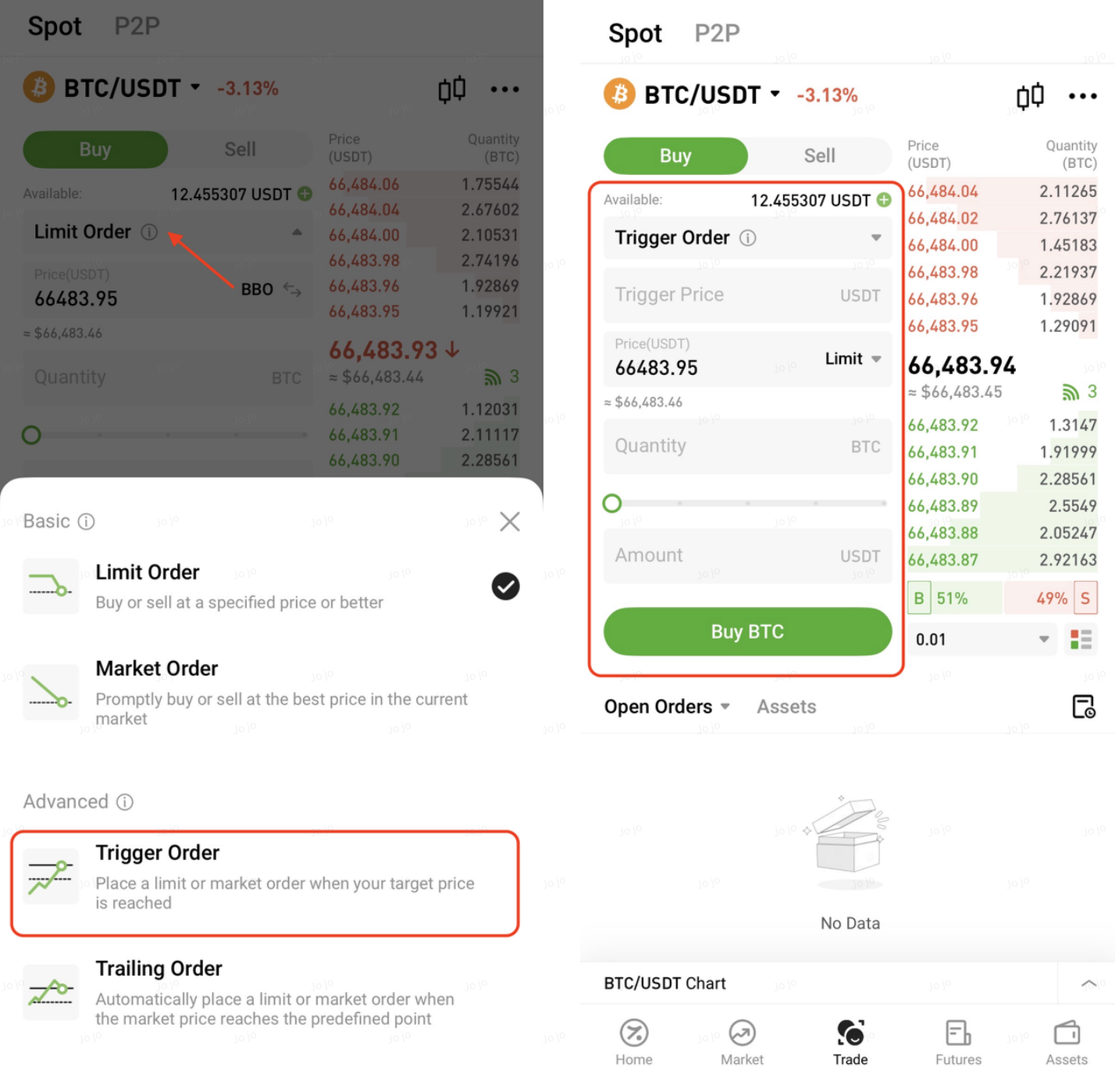
On the trading page, select Trigger Order, set the trigger price, order price, and quantity, then click Buy or Sell to place the order.
2. Order Settings
Trigger Price
The price at which the order will be triggered and submitted once the latest market price reaches this level.
Order Price
The price at which the order will be placed after being triggered:
- For limit orders: the order is placed at the specified price
- For market orders or optimal N-Level orders: the order is executed at the market price at the time of trigger
Quantity
The order quantity to be submitted once the trigger condition is met.
3. Key Features
- Supports both limit orders and Best N Levels (market execution)
- Funds are not reserved before triggering and will only be locked once the order is triggered
- Orders are submitted only when the trigger condition is met
- Final execution depends on market conditions and liquidity
4. Rules and Considerations
- The order will not be executed if the trigger condition is not met
- Insufficient balance, delisting, network issues, or system maintenance may cause trigger failure
- In highly volatile markets, orders may not be fully executed or may only be partially filled
Once triggered, the order follows the same rules as regular orders:
- Limit order: matched in the order book
- Market order: executed at market price, subject to liquidity
5. Example (App)
Assume a user holds 5 BTC with an average cost of 60,000 USDT. The user identifies 58,000 USDT as a key support level and expects further downside if it breaks, so they decide to set a stop-loss sell order.
Method 1: Limit Order
Settings:
- Trigger Price: 58,000 USDT
- Order Price: 57,900 USDT
- Quantity: 5 BTC
After clicking Sell, when the trigger price is reached, the system will place a limit sell order at 57,900 USDT.
Method 2: Counterparty Price (Best Bid/Offer) / Optimal N-Levels
Settings:
- Trigger Price: 58,000 USDT
- Order Type: Counterparty Price / Best N Levels
- Quantity: 5 BTC
Once triggered, the order will be executed at the best available market price, helping improve execution speed and reduce the risk of missing market opportunities.
6. Viewing Trigger Orders
Untriggered Orders
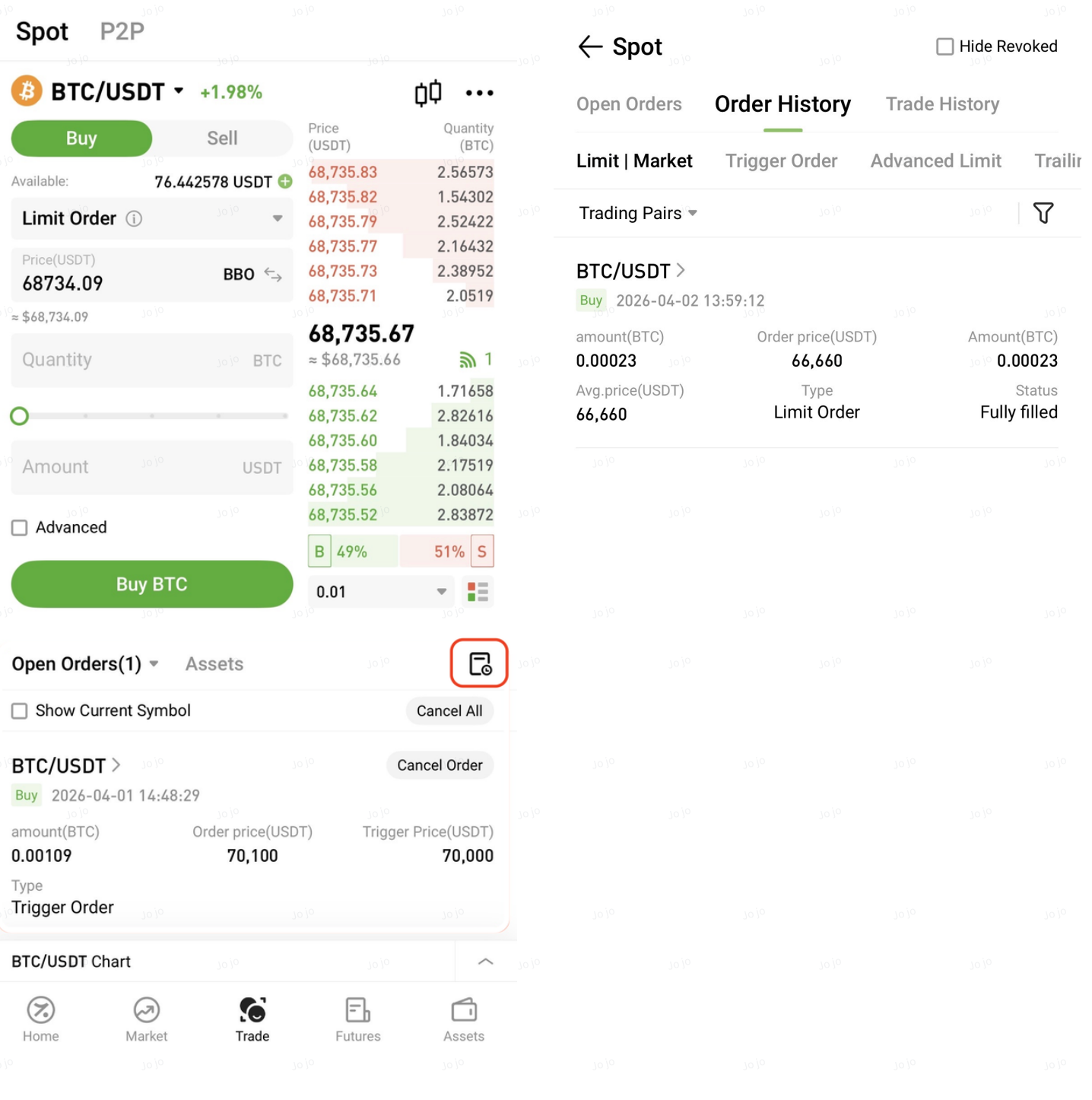
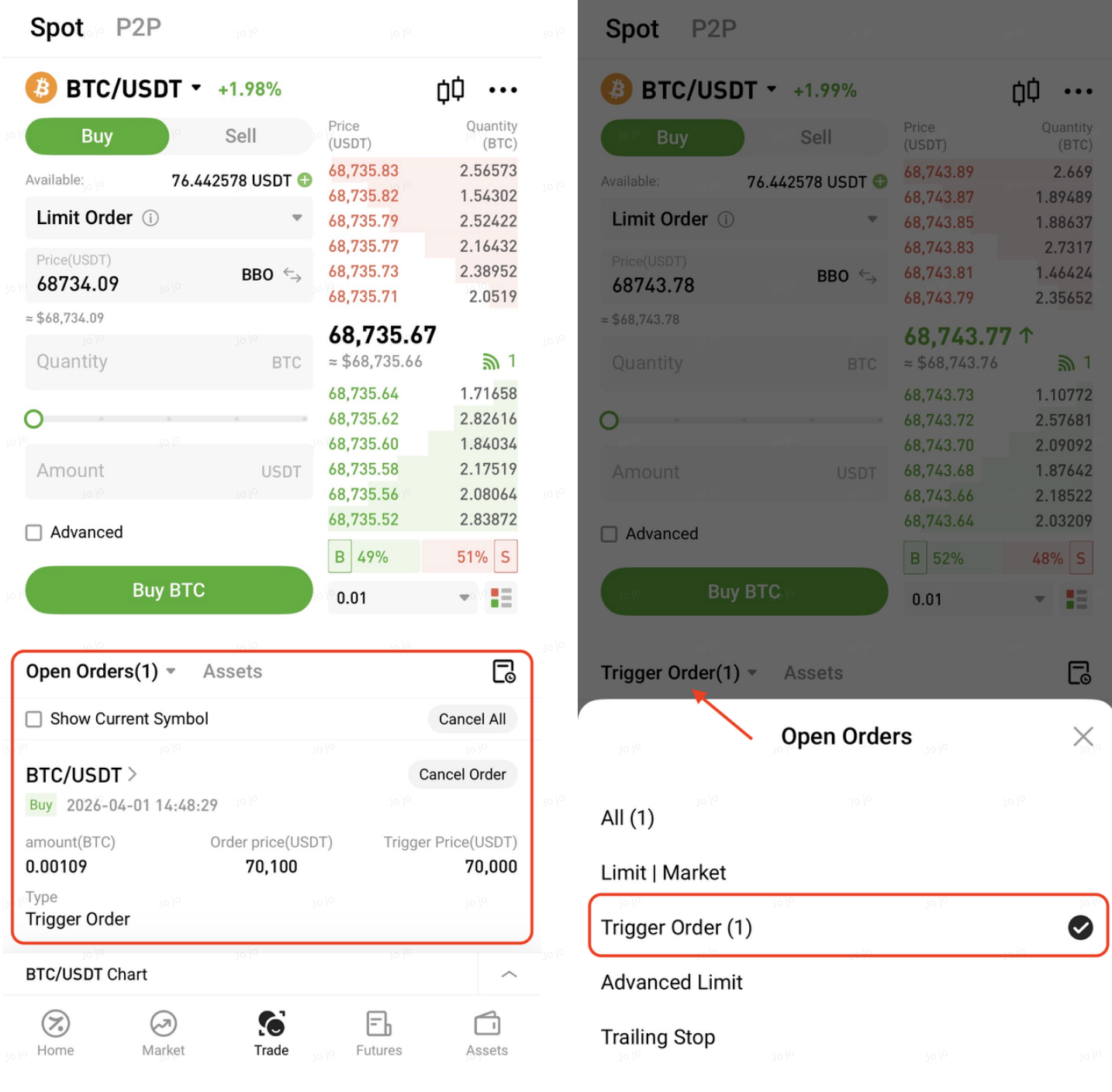
After placing the order, you can view it under Open Orders or filter by Trigger Order, and cancel it anytime before it is triggered.
Triggered Orders
Once triggered, the order can be found under Order History, including both filled and canceled orders.