The Send feature allows you to transfer digital assets from your Web3 Wallet to another wallet address or a deposit address on an exchange.
1. Open the Hotcoin App, go to Web3 Wallet, and tap Send.
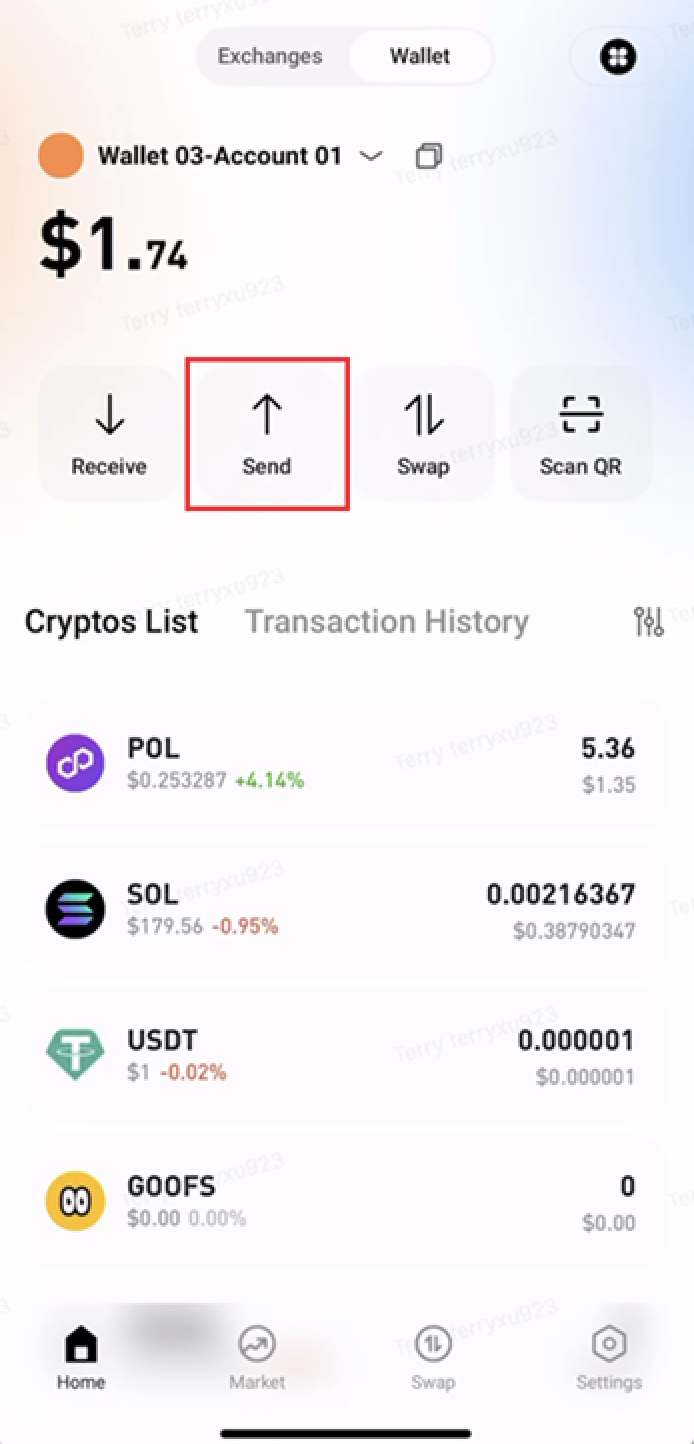
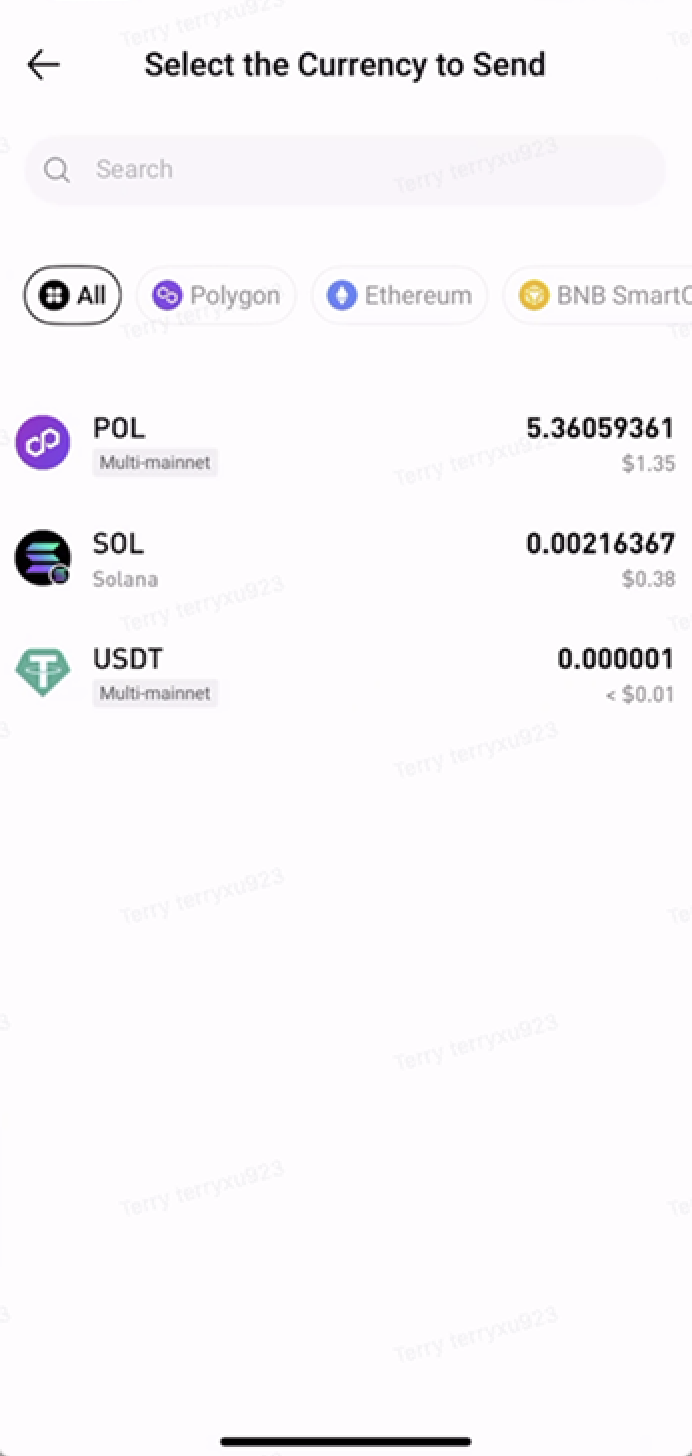
2. Select the token you want to send and choose the network.
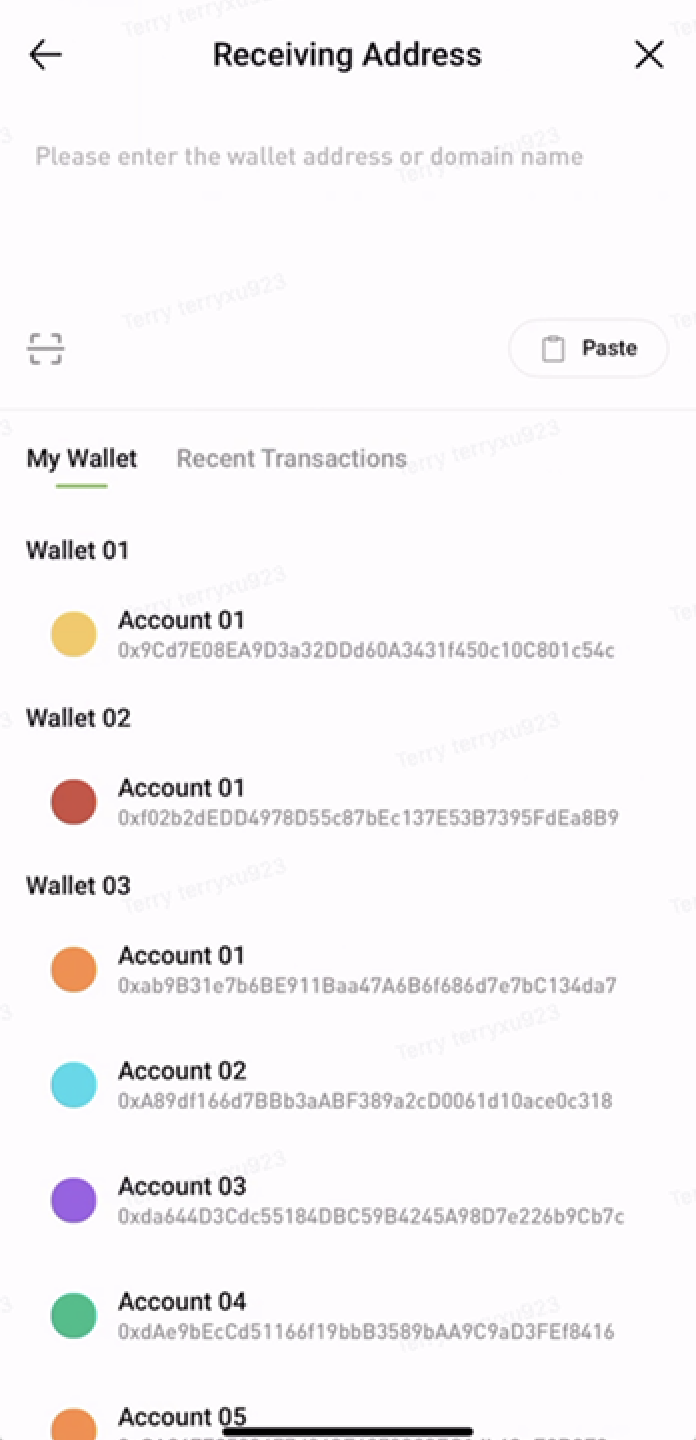
3. Enter the recipient's address and the amount to send, then tap Next.
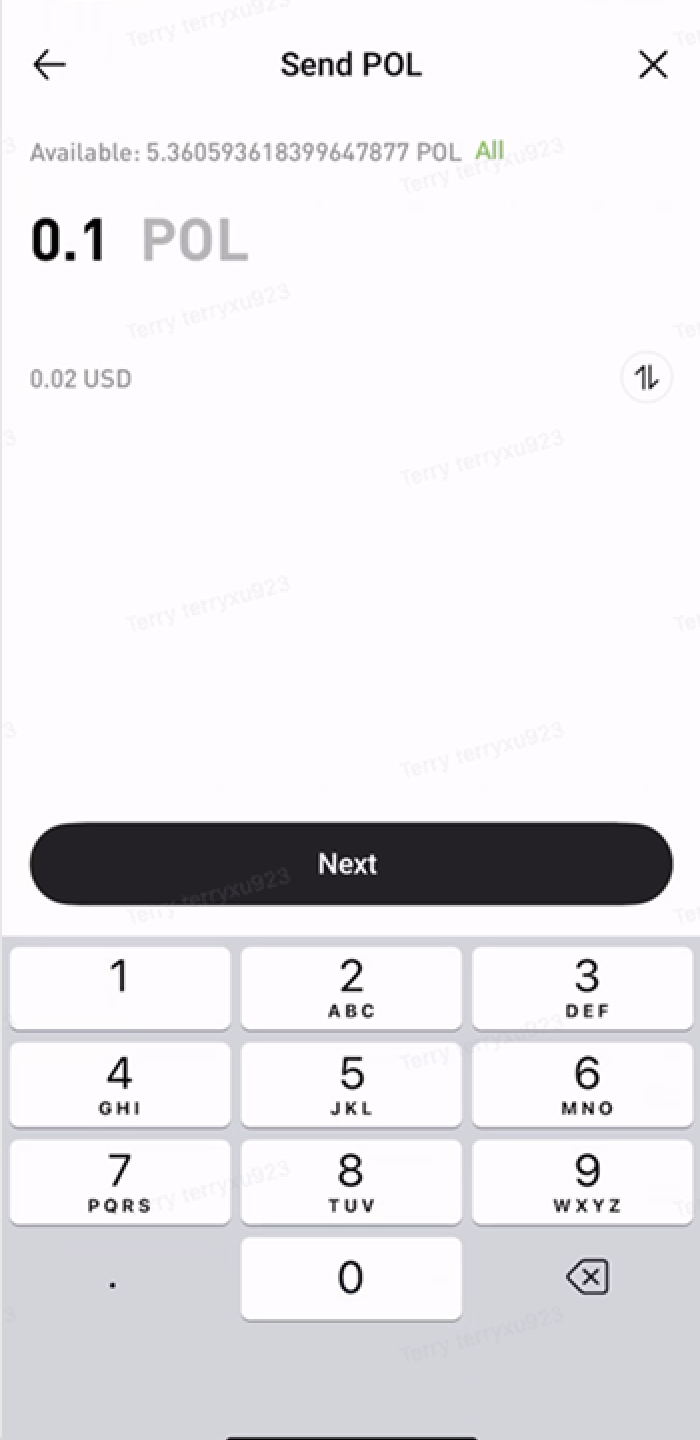
4. Review the transaction details. If everything is correct, tap Confirm.
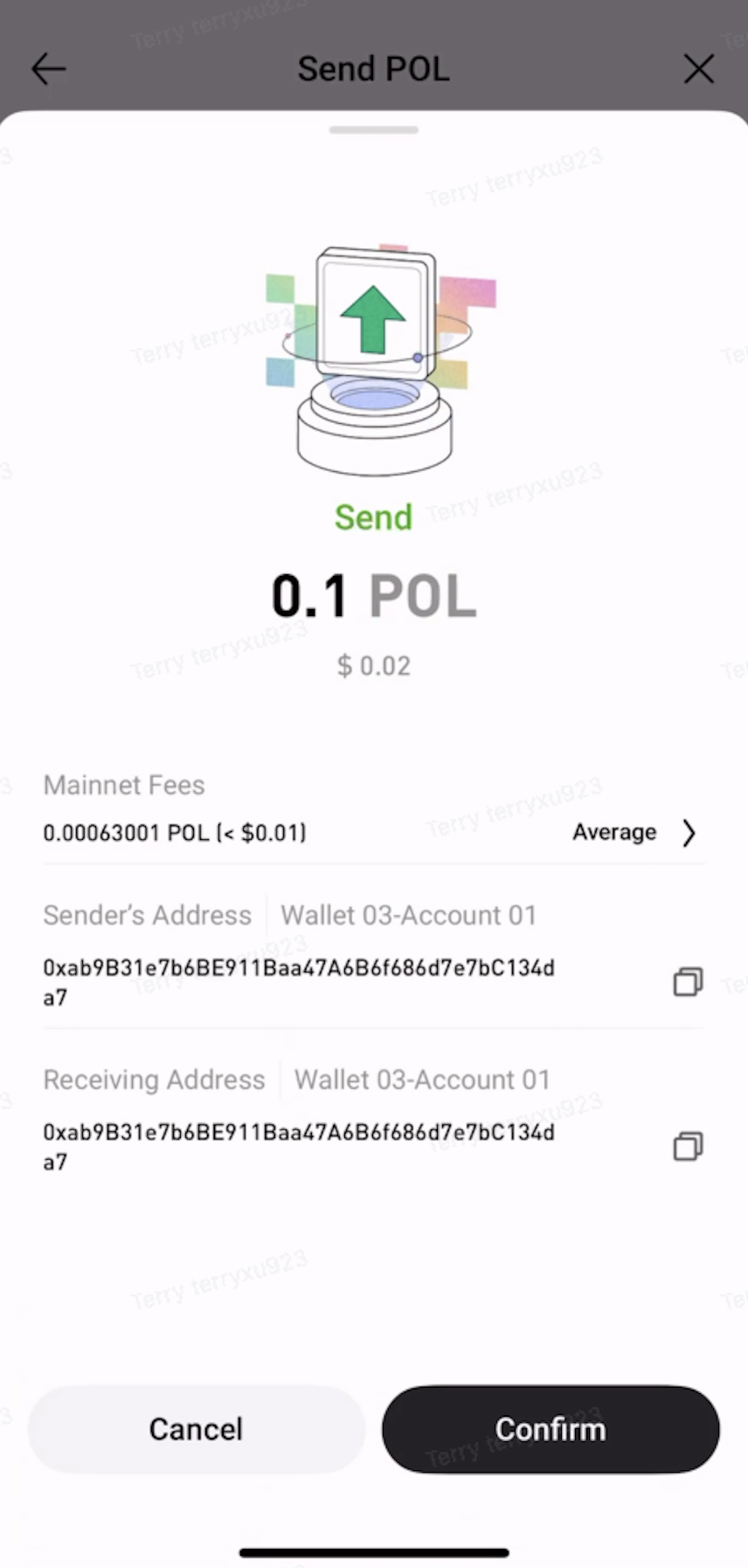
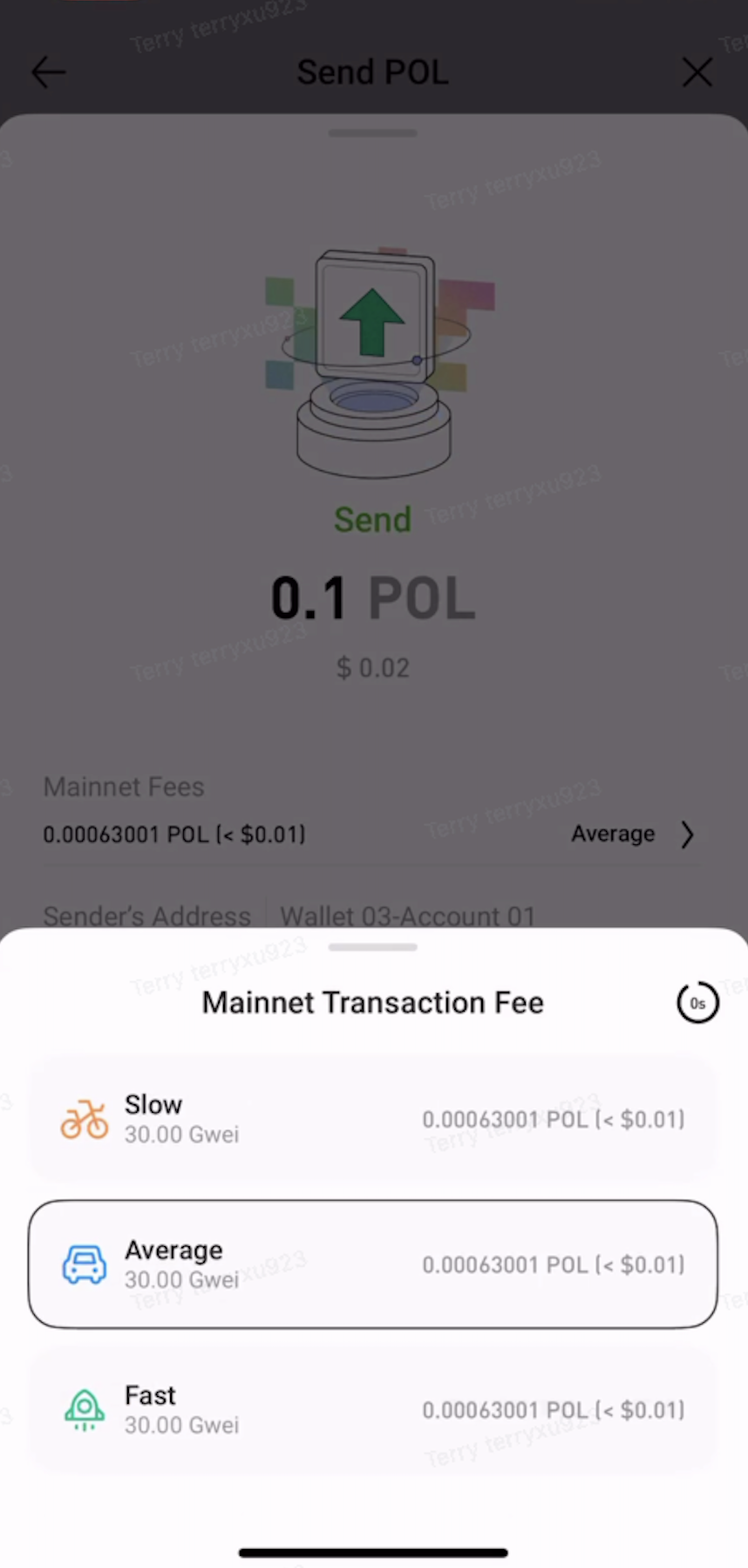
5. Review the network fee. The default option is Average, which you can adjust based on your needs.
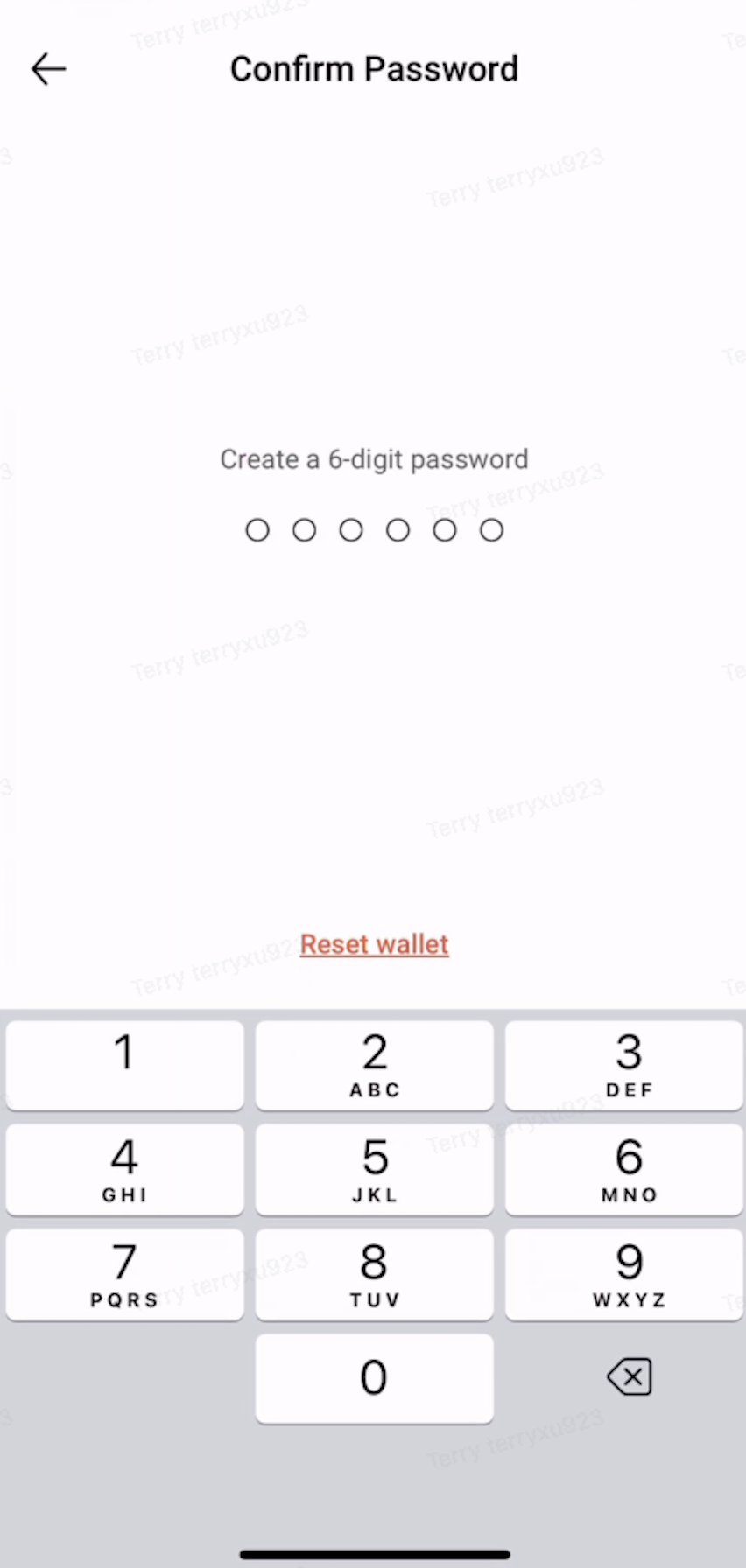
6. Enter your wallet password.
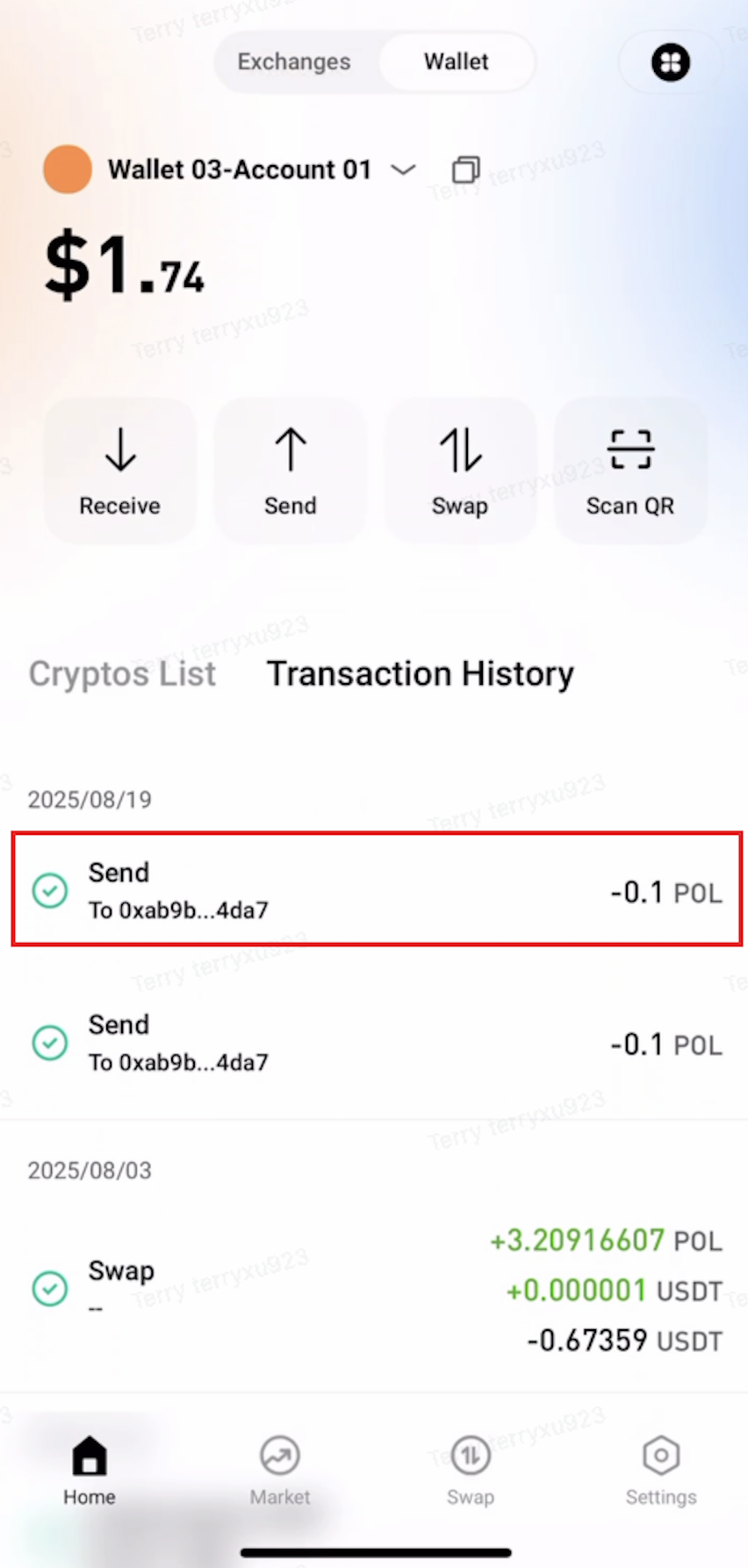
7. After the transfer is complete, you can view the transaction in Transaction History.
Notes
- Make sure the recipient's address is correct. Assets sent to an incorrect address may not be recoverable.
- Make sure the selected blockchain network is supported by the recipient. Otherwise, your assets may be lost.
- Sending assets requires a network fee. Make sure your wallet has enough native tokens to cover the fee.
- Once a blockchain transaction is confirmed, it cannot be reversed or canceled.

 hotcoin.com