HOTCOIN Logo
comprare monete
Mercati
Trading
Futures
Finanza
Ricompense
Altro
Portafoglio Web3
Assistenza Clienti

service(at)hotcoin.com

feedback sul prodotto

product(at)hotcoin.com

cooperazione commerciale

business(at)hotcoin.com

Forze dell'ordine

casecn(at)hotcoin.com

Contattaci
Assistenza Clienti

service(at)hotcoin.com

feedback sul prodotto

product(at)hotcoin.com

cooperazione commerciale

business(at)hotcoin.com

Forze dell'ordine

casecn(at)hotcoin.com

Chi siamo
Chi siamo
Centro annunci
Accademia Hotcoin
Blog di Hotcoin
Prova di Riserve
Stato del sistema
Kit media
Accordo utente
Privacy degli asset
Note legali
prodotto
Futures
Spot
Trading TradFi
Copy Trading
Guadagnare
Trading C2C
Acquista con carta
Portafoglio Web3
Servizi
Hotcoin Live
Hotcoin Elite Picks
Centro Bonus
Invito amici
Vantaggi VIP
Scarica
Programma Commercianti C2C
Supporto
Centro assistenza
Documentazione API
Commissioni
Applicazione per l'elenco delle monete
Chat dal vivo
Feedback e suggerimenti
Verifica Hotcoin
Fondo di Protezione Hotcoin
Informativa sui rischi
Aree di servizio
Trading
Informazioni cripto
BTC USDC
ETH USDC
BTC USDT
ETH USDT
PI USDT
SOL USDT
XRP USDT
© 2017-2026 Australian Hotcoin Global Exchange Pty Ltd
Centro assistenza
/Web3 Wallet/Getting Started/
How to Add a Custom Token to Your Hotcoin Web3 Wallet
Centro assistenza
/Web3 Wallet/Getting Started/
How to Add a Custom Token to Your Hotcoin Web3 Wallet

How to Add a Custom Token to Your Hotcoin Web3 Wallet

Hotcoin
Condividi l'app


If a token does not appear automatically in your Hotcoin Web3 Wallet, you can add it manually to view its balance and other details.


Add a Custom Token


1. Open the Hotcoin App and go to Web3 Wallet.
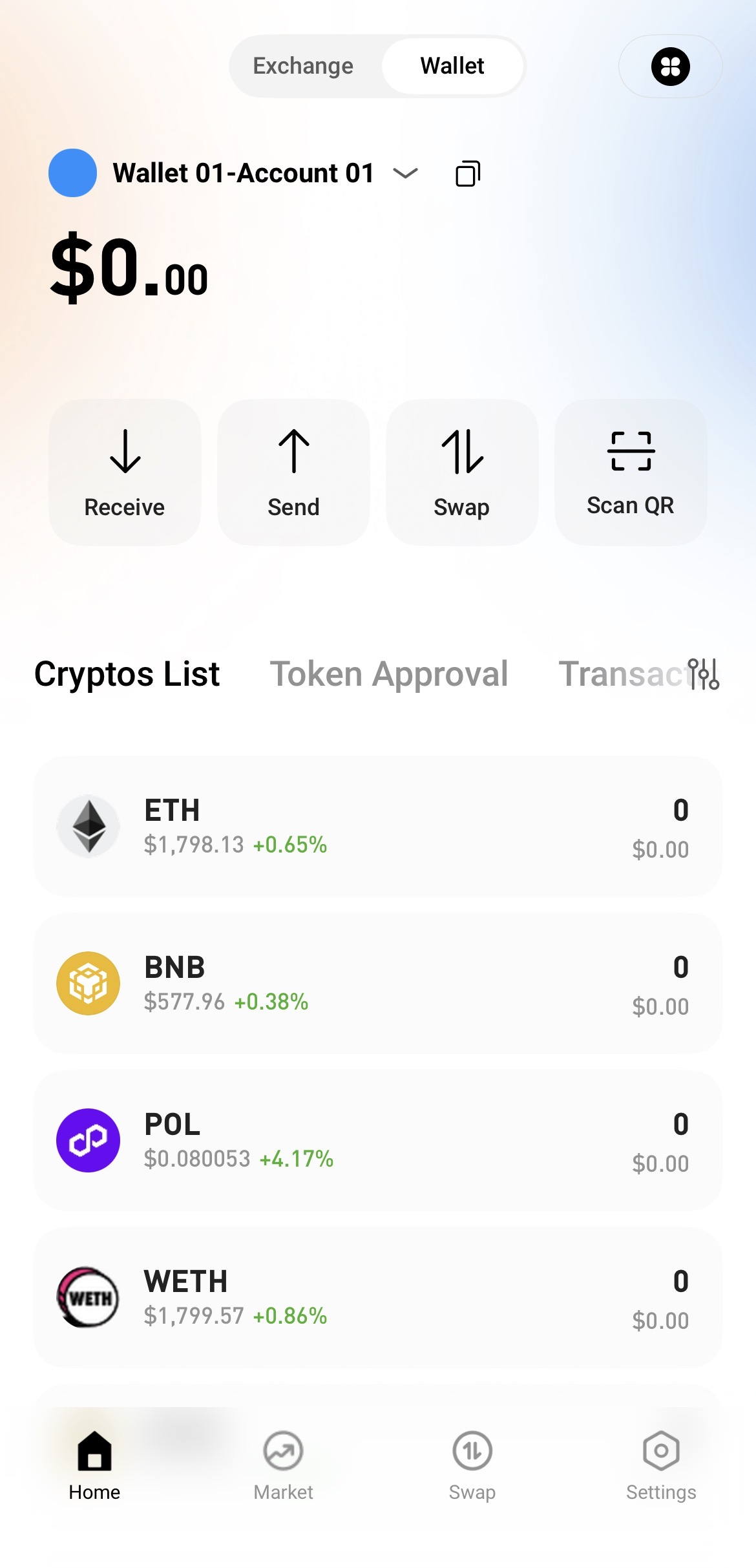


2. Tap the Currency Management icon in the upper-right corner.
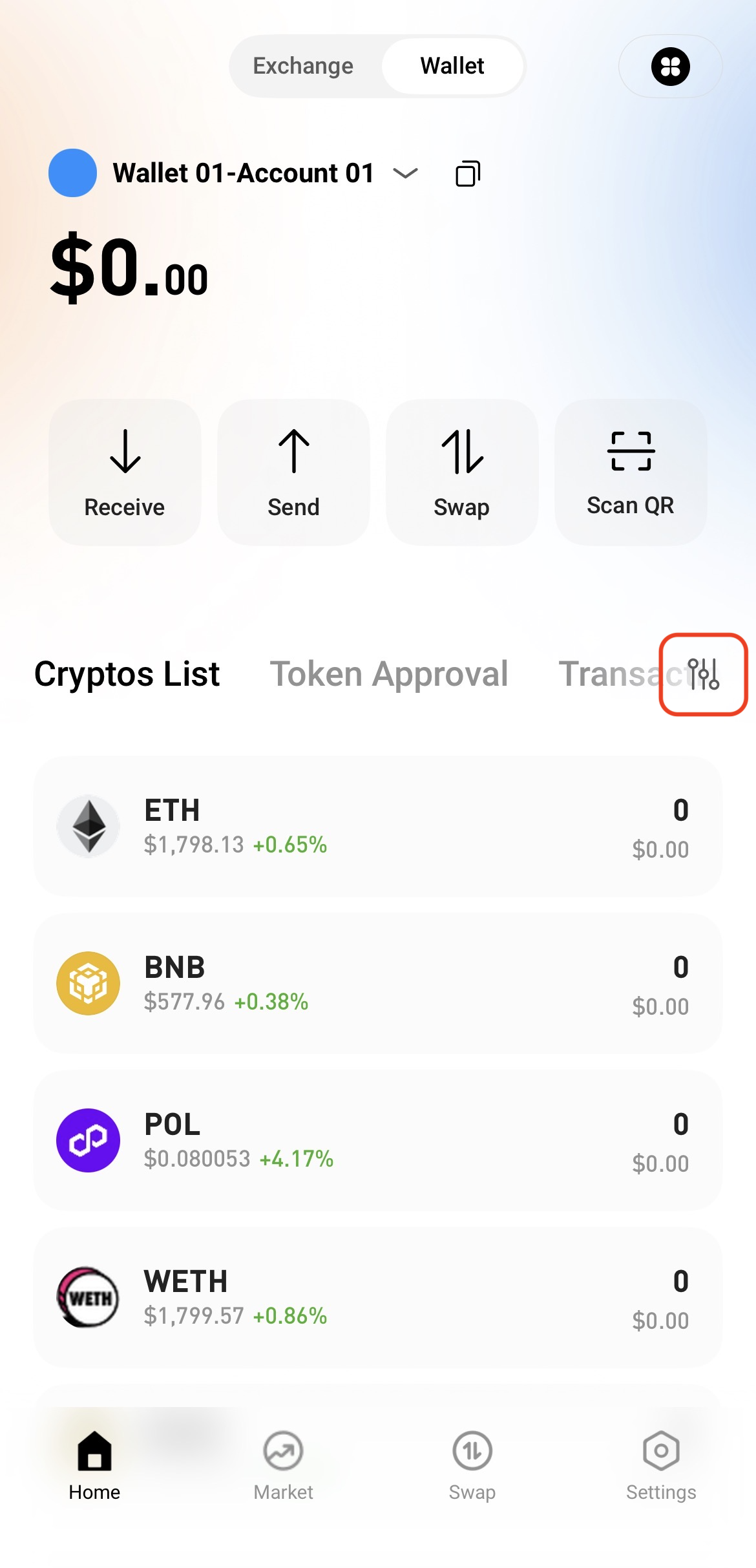


3. Select Custom Currency.
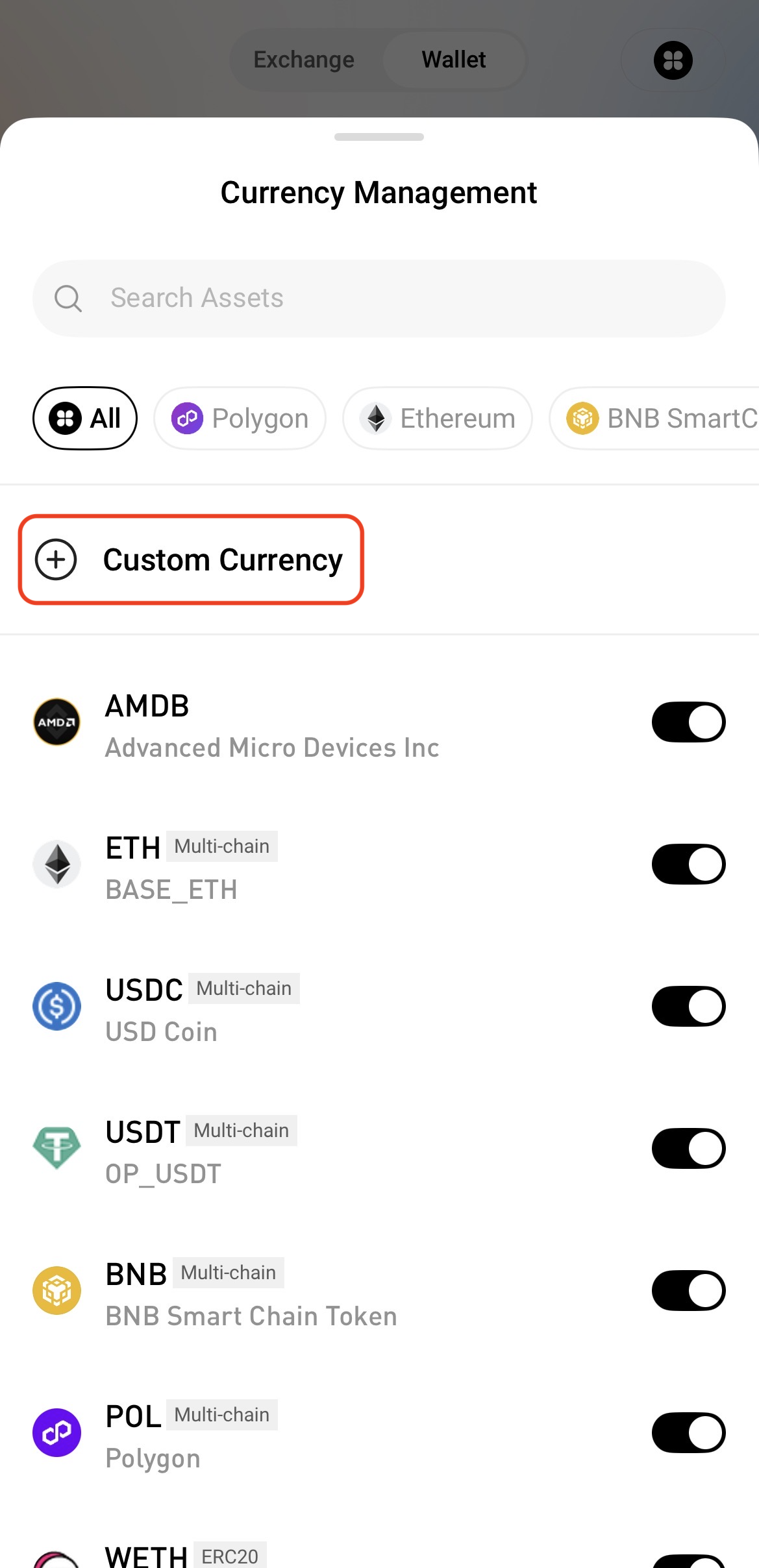


4. Enter the token's contract address and other required information, then tap Save to add the token.
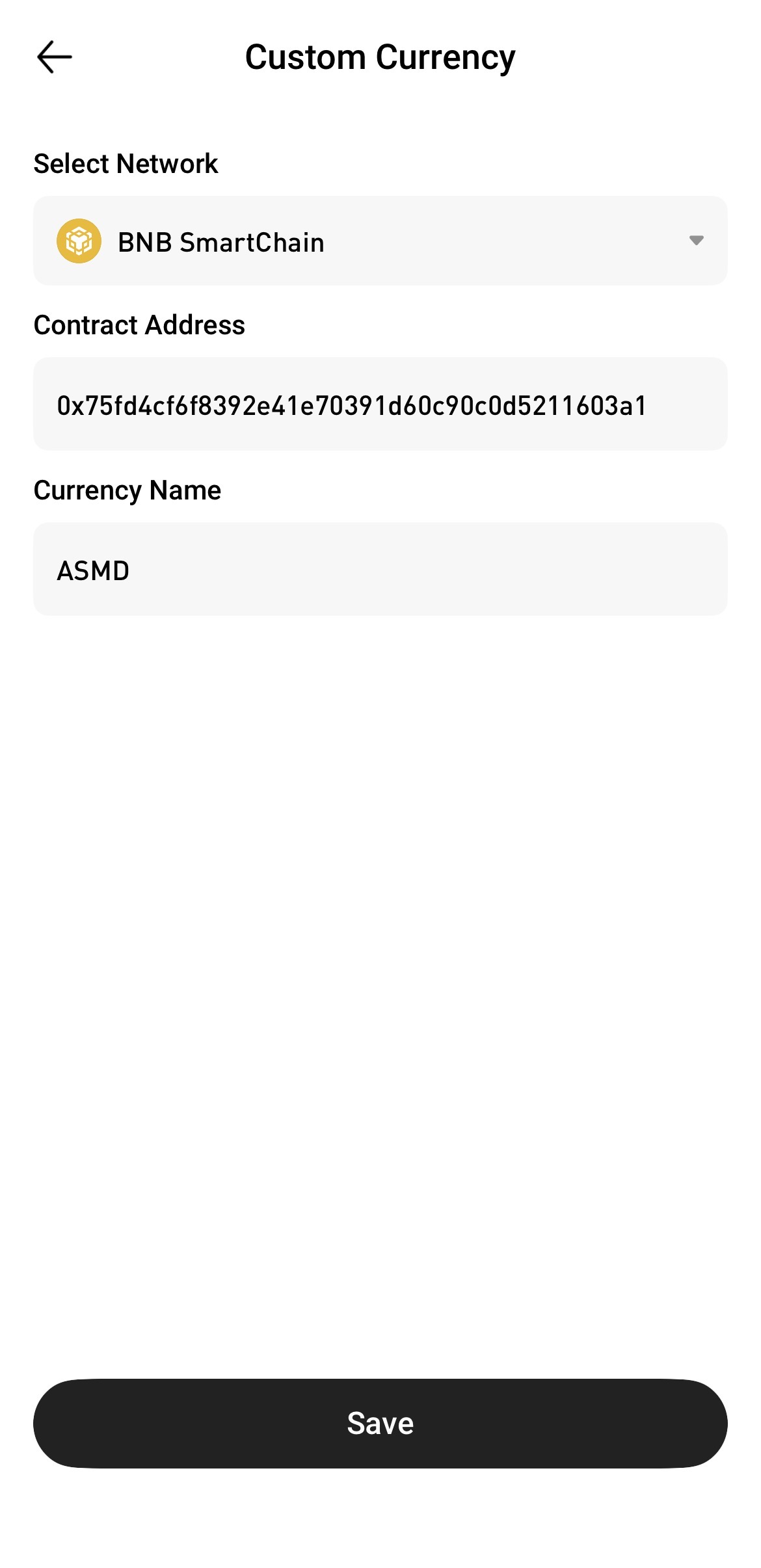


View Your Digital Assets


Return to the Web3 Wallet home page and find the token you just added in the token list. You can then view its balance and other details.
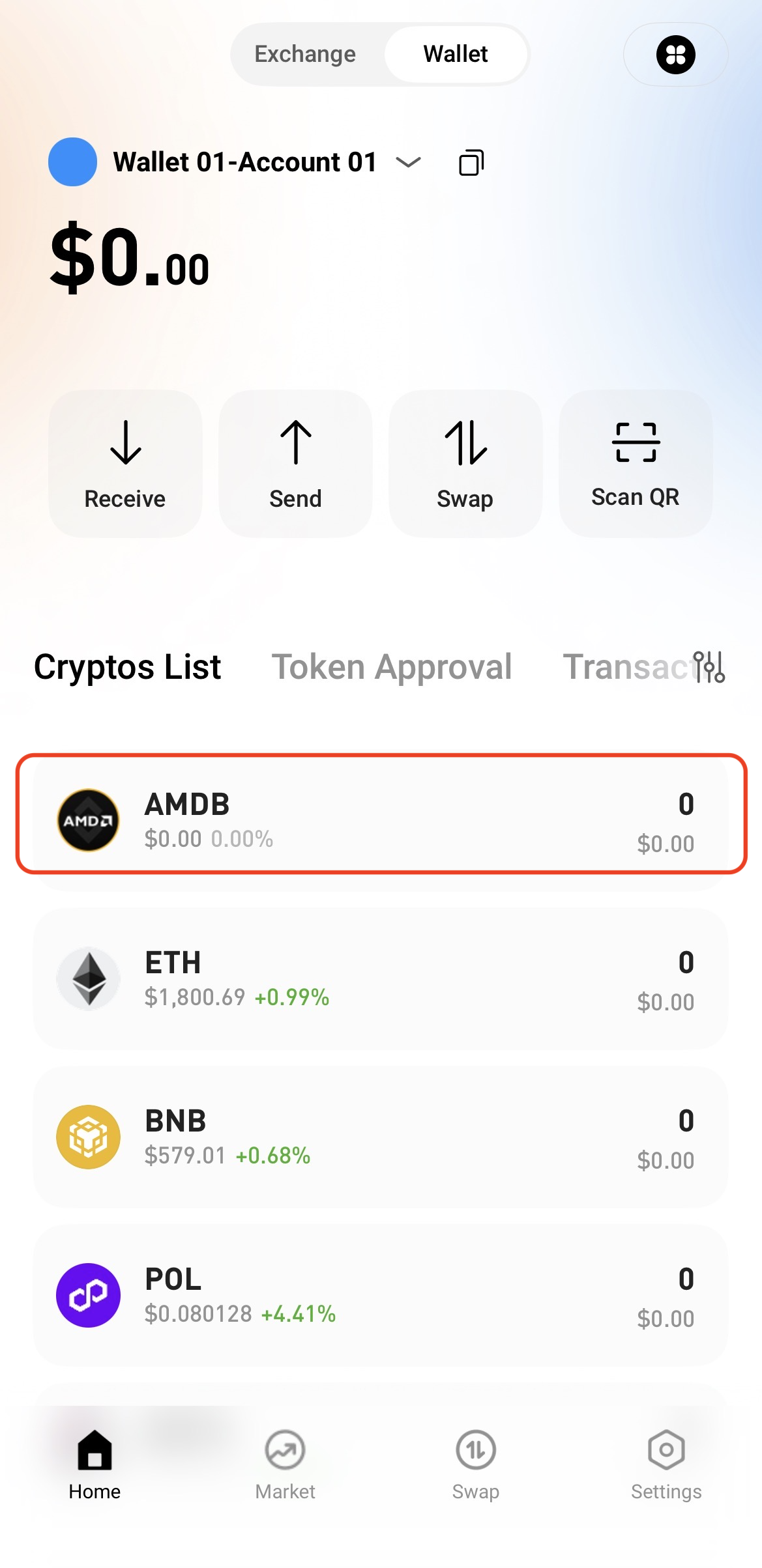


Notes

  • Make sure the token’s contract address and network information are correct to avoid adding the wrong token.

  • Adding a custom token allows you to view and manage the asset in your wallet. It does not change or affect your on-chain holdings.

Quick Start Guide
Cryptocurrency Basics
Beginner’s Guide
App Guide
Start Trading
VIP Program
Rewards Center
Account Security & KYC
Asset Security
Security Settings
KYC Verification
Deposit & Withdrawal
Deposit
Withdrawal
P2P
P2P Trading Guide
P2P Merchant Management
P2P Rules & Agreements
Friend Referral
Spot Trading
Spot Trading Guide
Pre-market trading
Derivatives
Advanced Trading
Grid Trading
Trend Trading
Fundamentals of Technical Analysis (Candlesticks / MACD / RSI)
Prediction Market
Futures Grid
Futures Trading
Getting Started
Contract Type
Trading Mechanics
Risk Management
FAQ
Copy Trading
Getting Started
Follower Guide
Lead Trader Guide
Terms of Service
Web3 Wallet
Getting Started
Swap
Hotcoin Card
Hotcoin Earn
TradFi
Alpha
Startup
Platform Support
Agreements & Rules