On Hotcoin, you can purchase cryptocurrencies directly using credit cards, debit cards, or local payment methods through third-party providers such as Coinify, Simplex, and Alchemy Pay without the need to deposit fiat in advance. Once the purchase is completed, the assets will be automatically credited to your Hotcoin account.
Below is a step-by-step guide to buying crypto via third-party services.
On the App
Step 1: Access the Buy Crypto Page
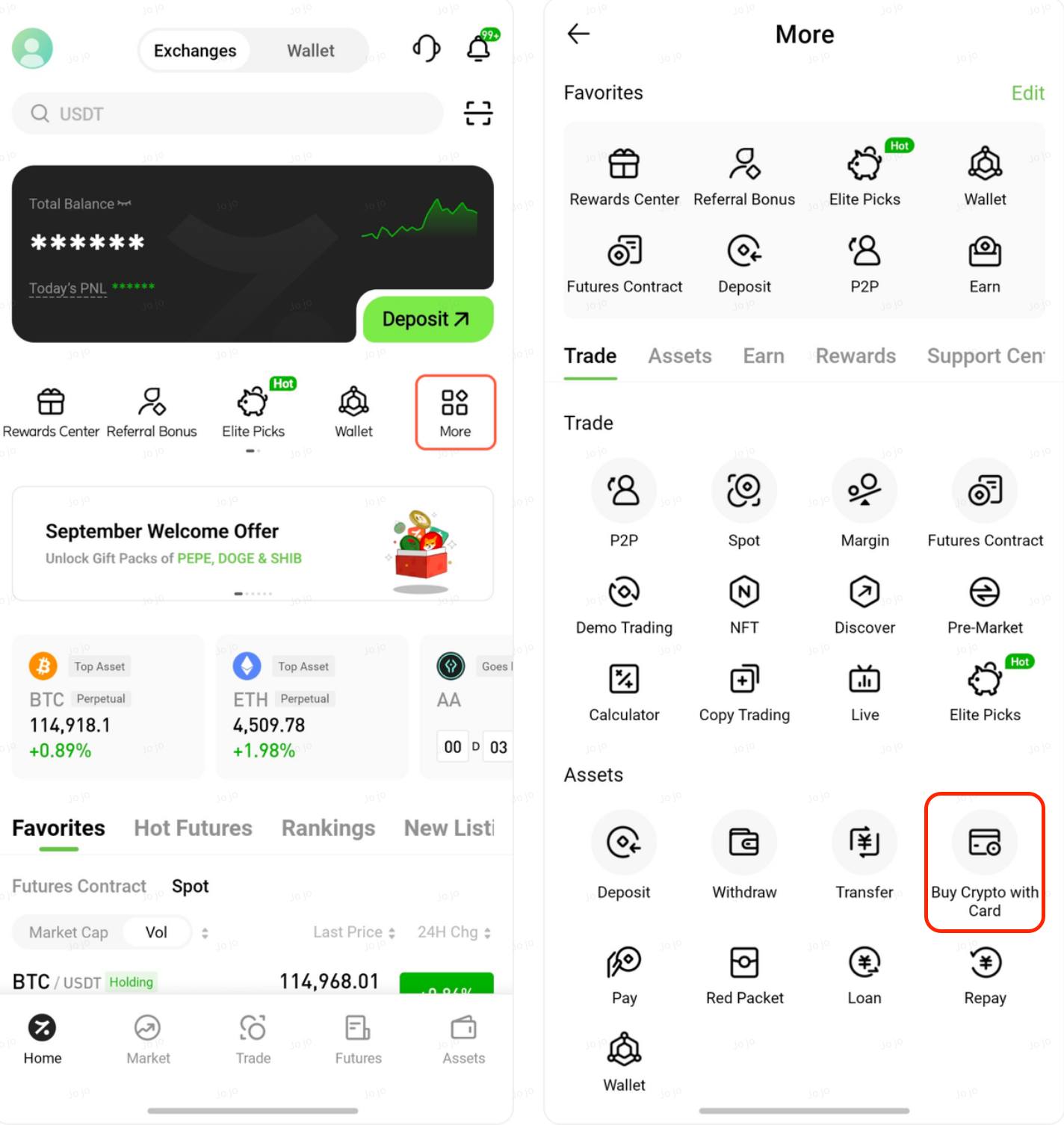
On the homepage, tap More, then select Buy Crypto with Card under the Assets section.
Step 2: Enter Purchase Details
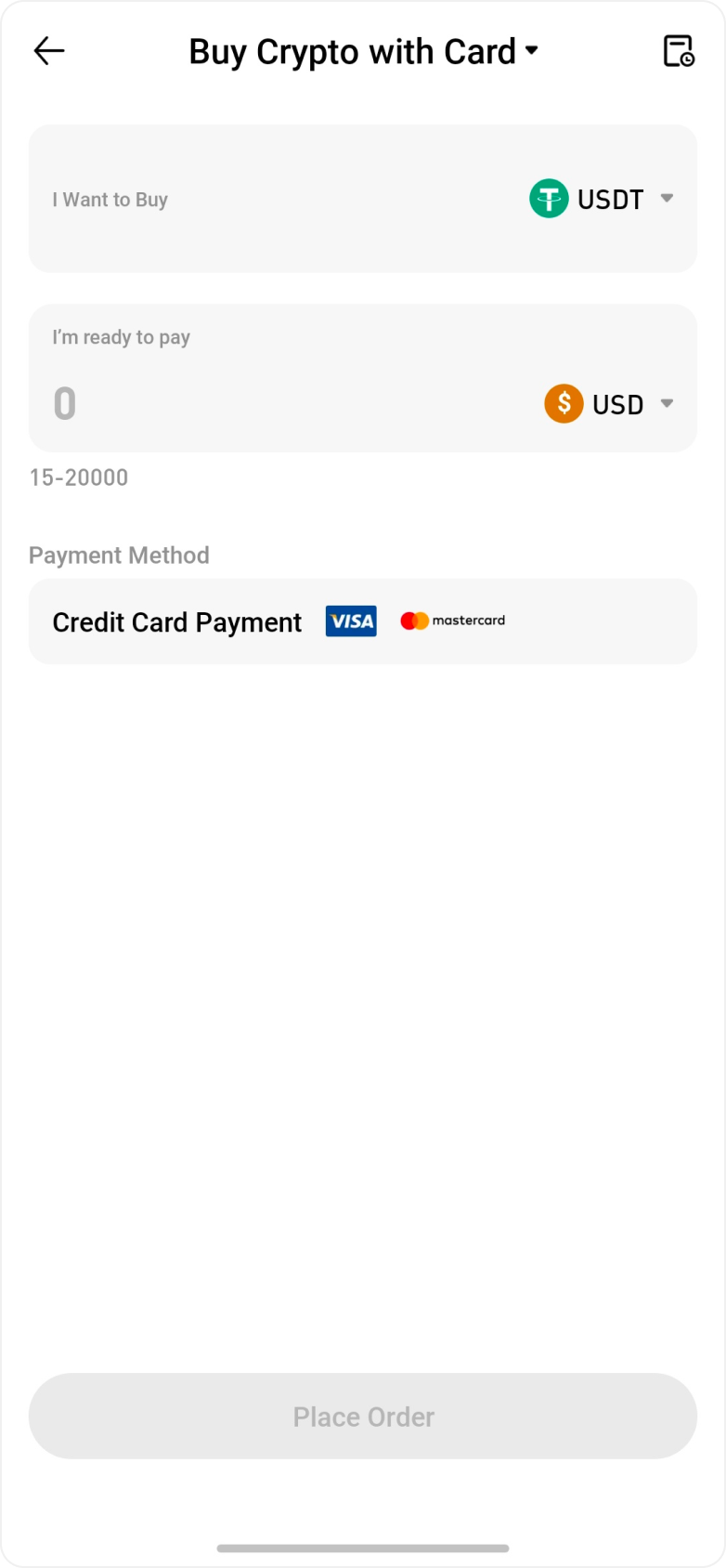
Select the cryptocurrency you wish to buy and enter the fiat currency and amount.
Step 3: Confirm the Order and Proceed to the Third-Party Provider
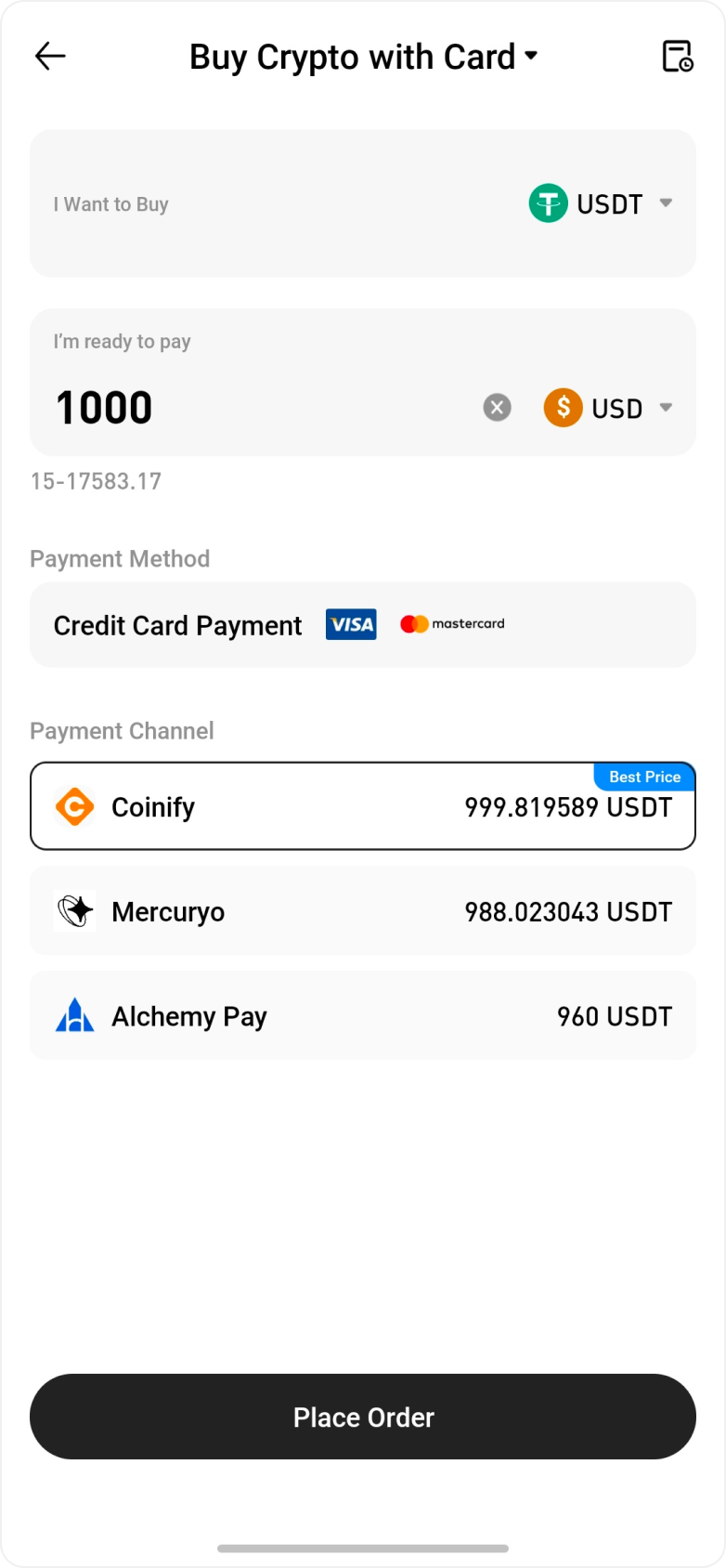
The system will display available third-party providers. Select your preferred provider and tap Place Order.
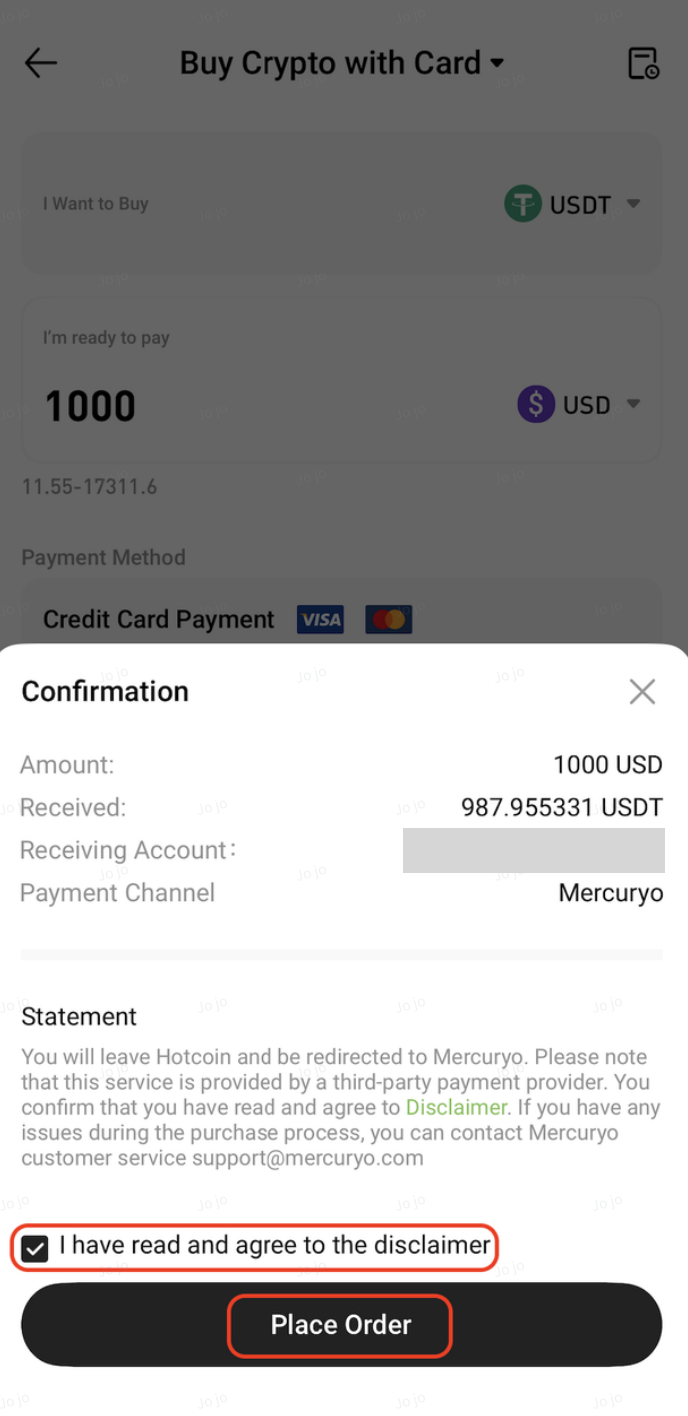
On the confirmation page, review the order details, check “I have read and agree to the disclaimer,” and tap Place Order. You will then be redirected to the third-party platform to complete the purchase.
On the Web
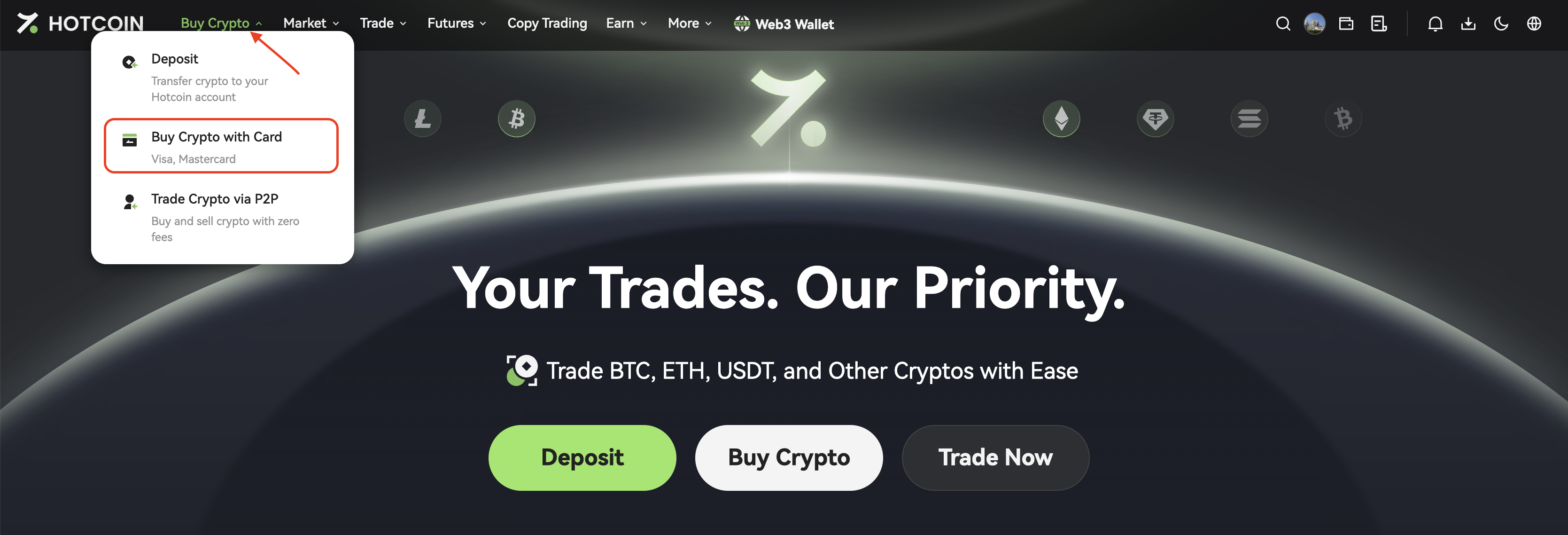
Step 1: Access the Buy Crypto with Card Page
Log in to the Hotcoin website and navigate to Buy Crypto → Buy Crypto with Card.
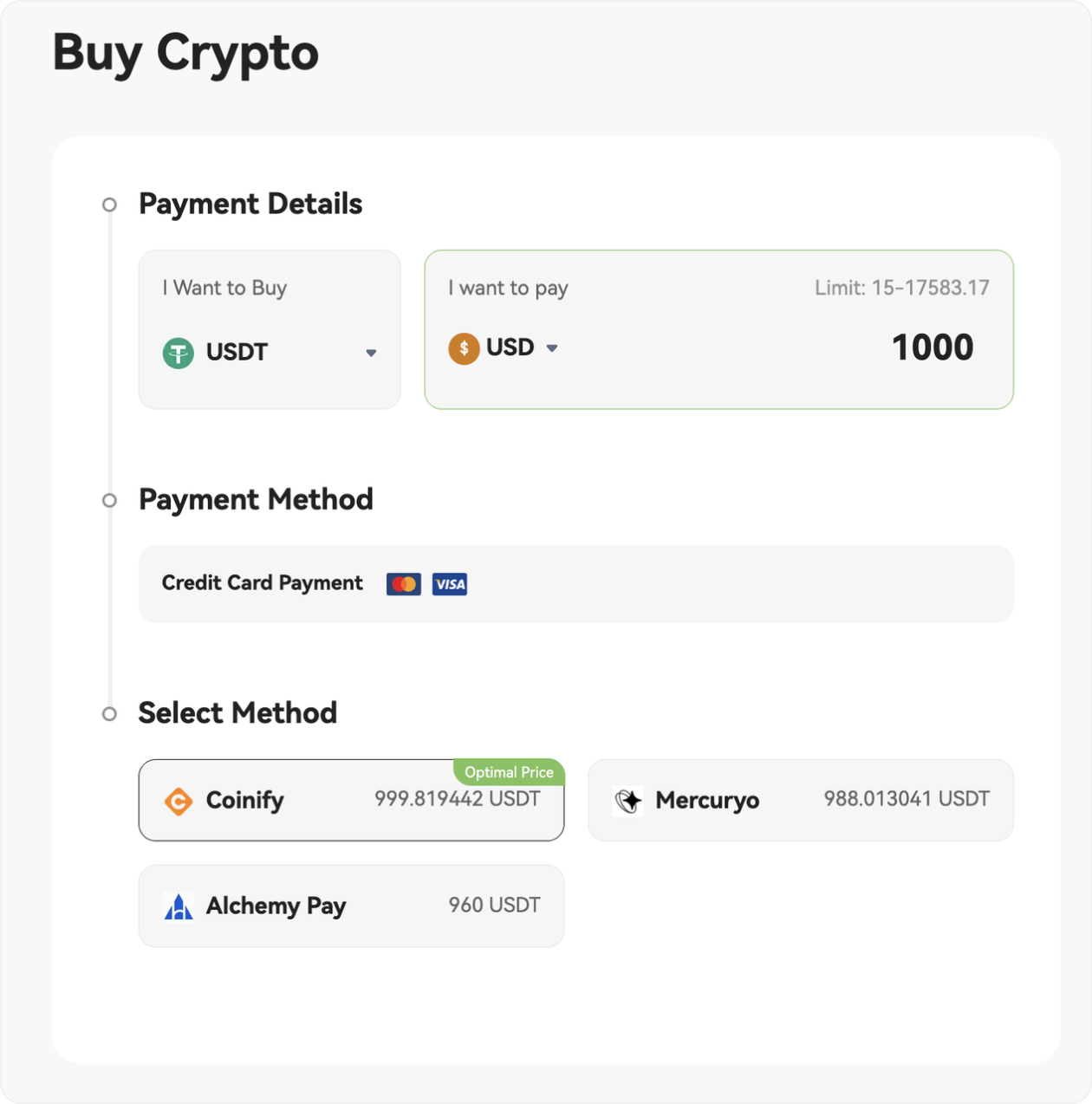
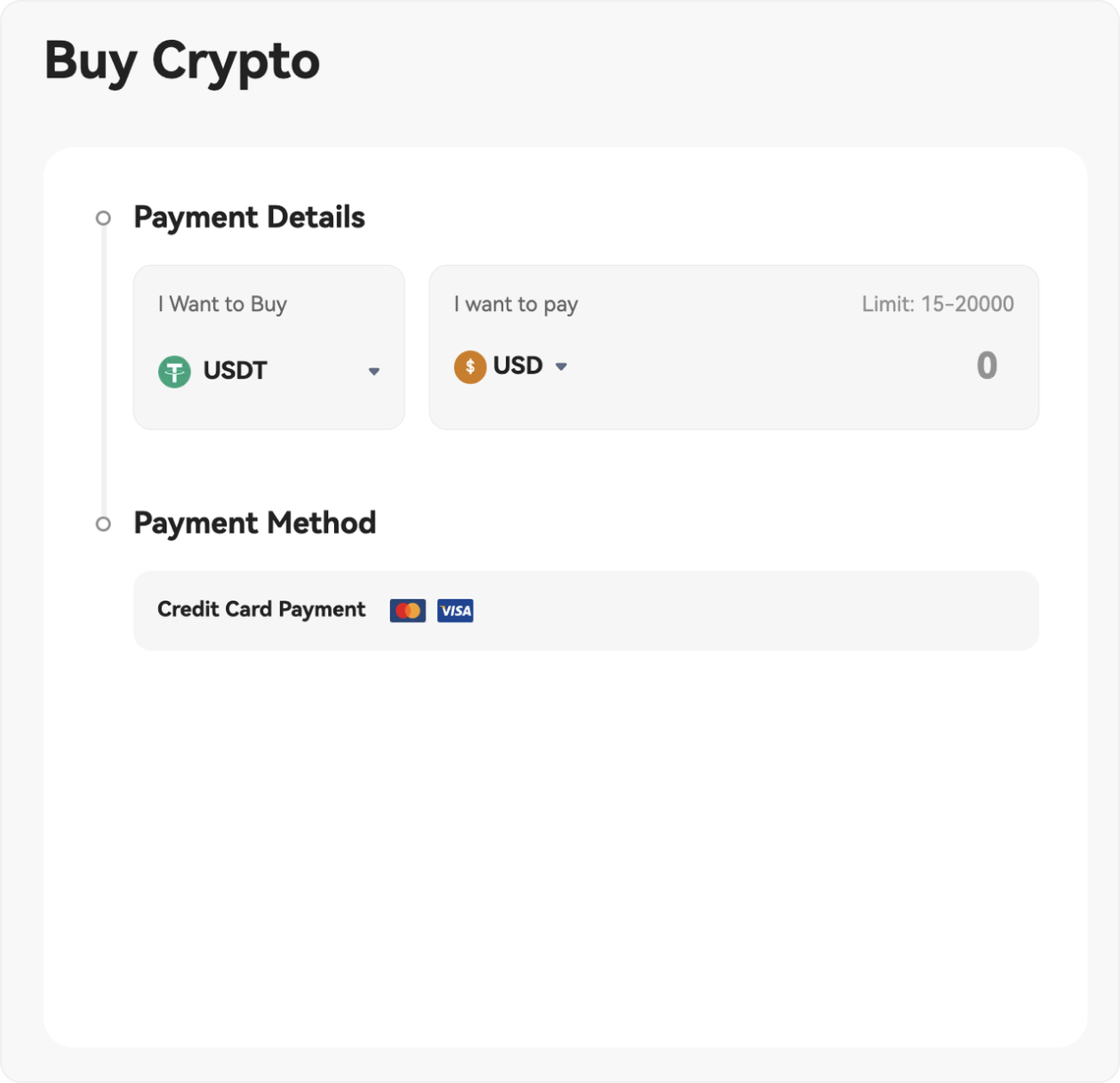
Step 2: Enter Purchase Details
On the Buy Crypto with Card page, select the cryptocurrency and enter the fiat currency and amount under Payment Details.
Step 3: Select a Provider
Choose a provider from the Select Method list.
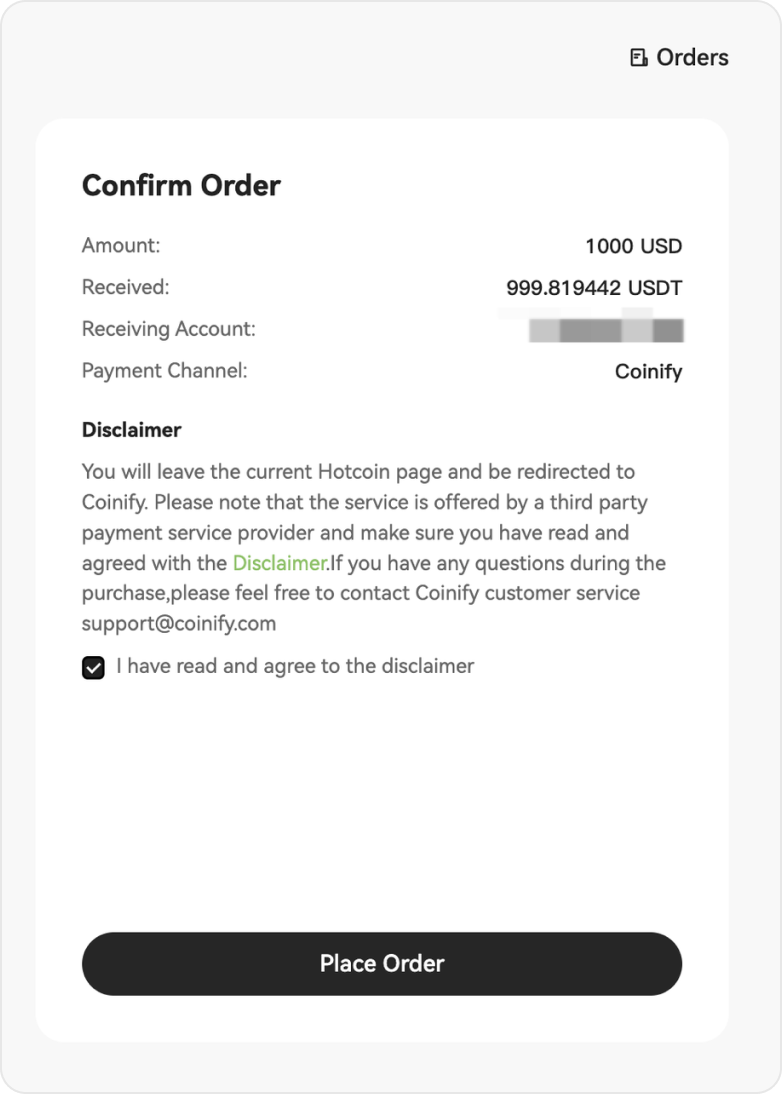
Step 4: Confirm the Order and Proceed to the Third-Party Provider
In the Confirm Order panel, review the details, check the disclaimer, and click Place Order. You will be redirected to the third-party platform to complete the transaction.
Third-Party Providers
Coinify
Coinify is a globally leading crypto payment service provider, supporting multiple fiat currencies and payment methods.
Process:
-
Select Coinify and place an order.
-
Confirm the order and agree to the disclaimer.
-
Fill in your account details and complete identity verification (KYC).
-
Assets are typically credited within minutes after payment.
Best for: Users who prioritize security, compliance, and multi-currency support.
Simplex
Simplex supports global credit and debit card payments with a streamlined process.
Process:
-
Select Simplex and place an order.
-
Enter your card details and complete identity verification as required.
-
Assets will be automatically credited after payment.
Best for: Simple and user-friendly, ideal for card users.
Alchemy Pay
Alchemy Pay supports global users with a wide range of local payment methods, including bank transfers and e-wallets.
Process:
-
Select Alchemy Pay and place an order.
-
Choose the crypto and amount, then select a local payment method (e.g., Alipay, WeChat Pay, SEPA).
-
Complete payment and identity verification as prompted.
-
Assets will be credited automatically after payment.
Best for: Users who prefer flexible local payment options.
Notes
-
Always verify recipient details to ensure transaction security.
-
KYC verification is required for all third-party services.
-
Fees and exchange rates may vary between providers—please compare before placing an order.
-
If there are delays or payment issues, please contact the provider first or reach out to Hotcoin support.
Summary
With Coinify, Simplex, and Alchemy Pay, you can easily purchase cryptocurrencies using a variety of payment methods without complex deposit steps, and start trading on Hotcoin right away.

 hotcoin.com