1. What Is Spot Auto-Invest?
Spot Auto-Invest lets you invest in cryptocurrencies automatically by buying a fixed amount at regular intervals.
It follows a dollar-cost averaging (DCA) strategy, which helps smooth out your entry price over time and reduces the impact of market volatility. By removing the need to time the market, it also helps limit emotional decision-making.
2. How to Create an Auto-Invest Plan
Step 1: Access Auto-Invest
- App: Open the Hotcoin App → Tap Trade → Select Spot Auto-Invest → Tap Create Plan
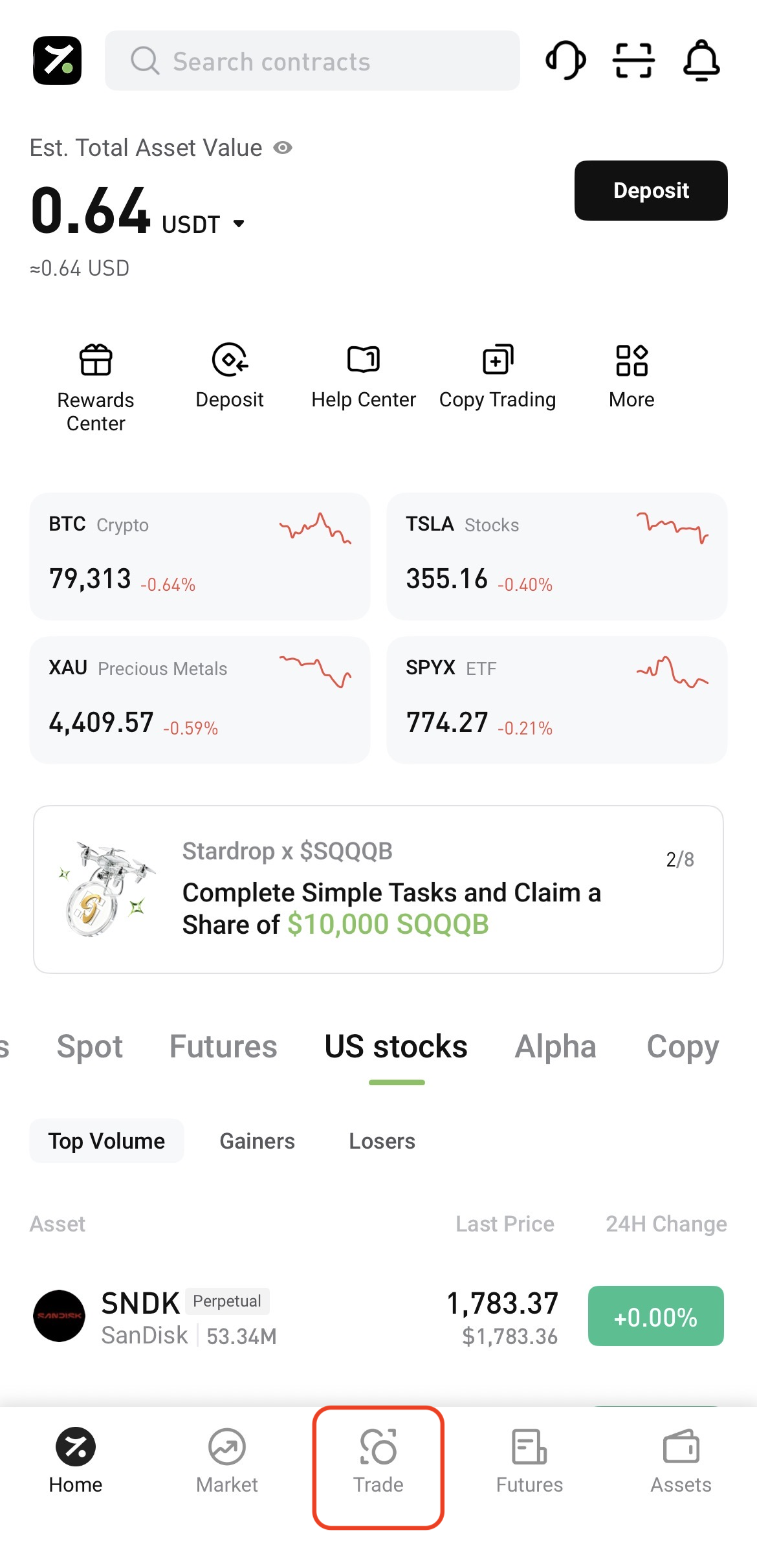
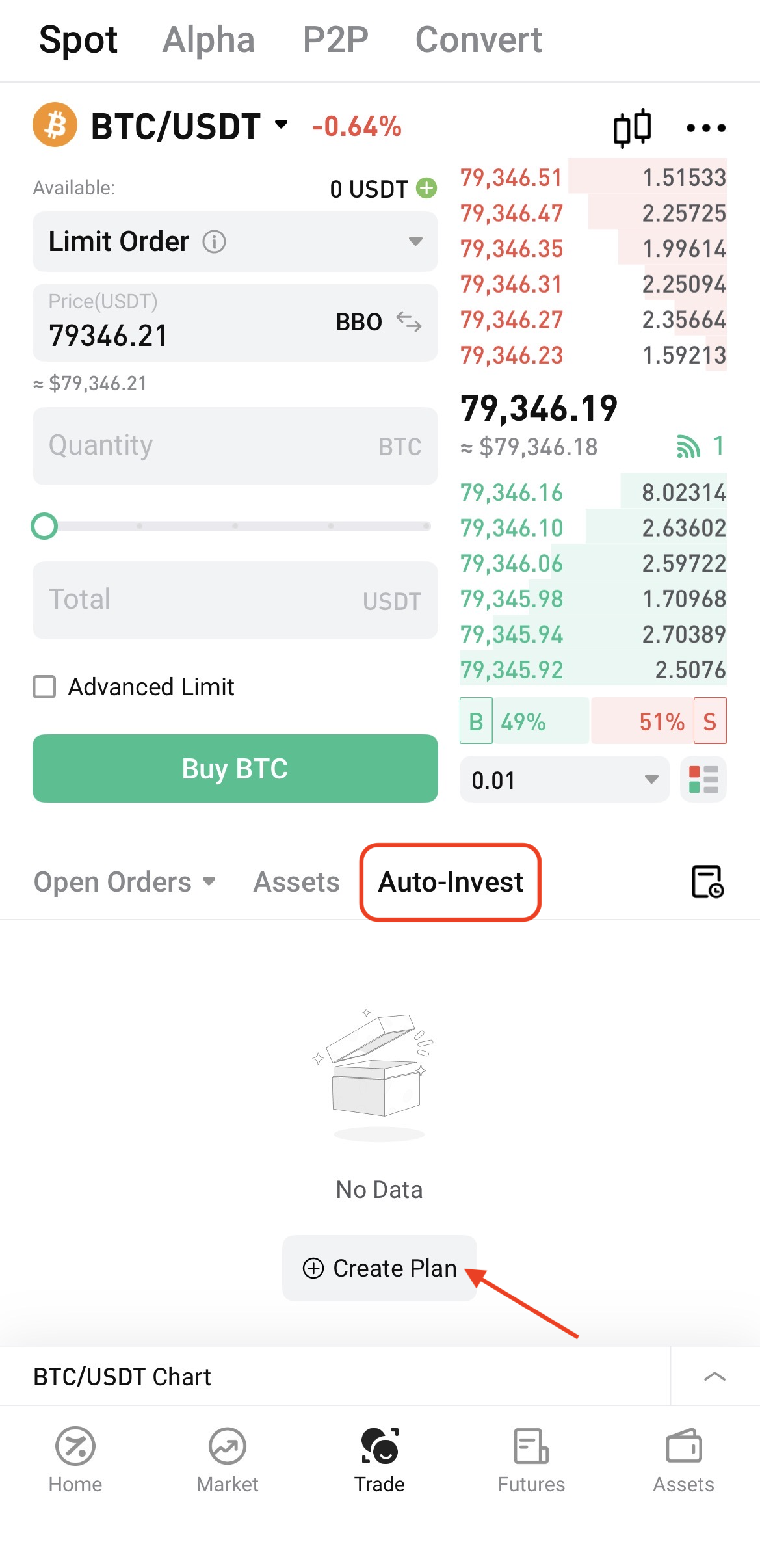
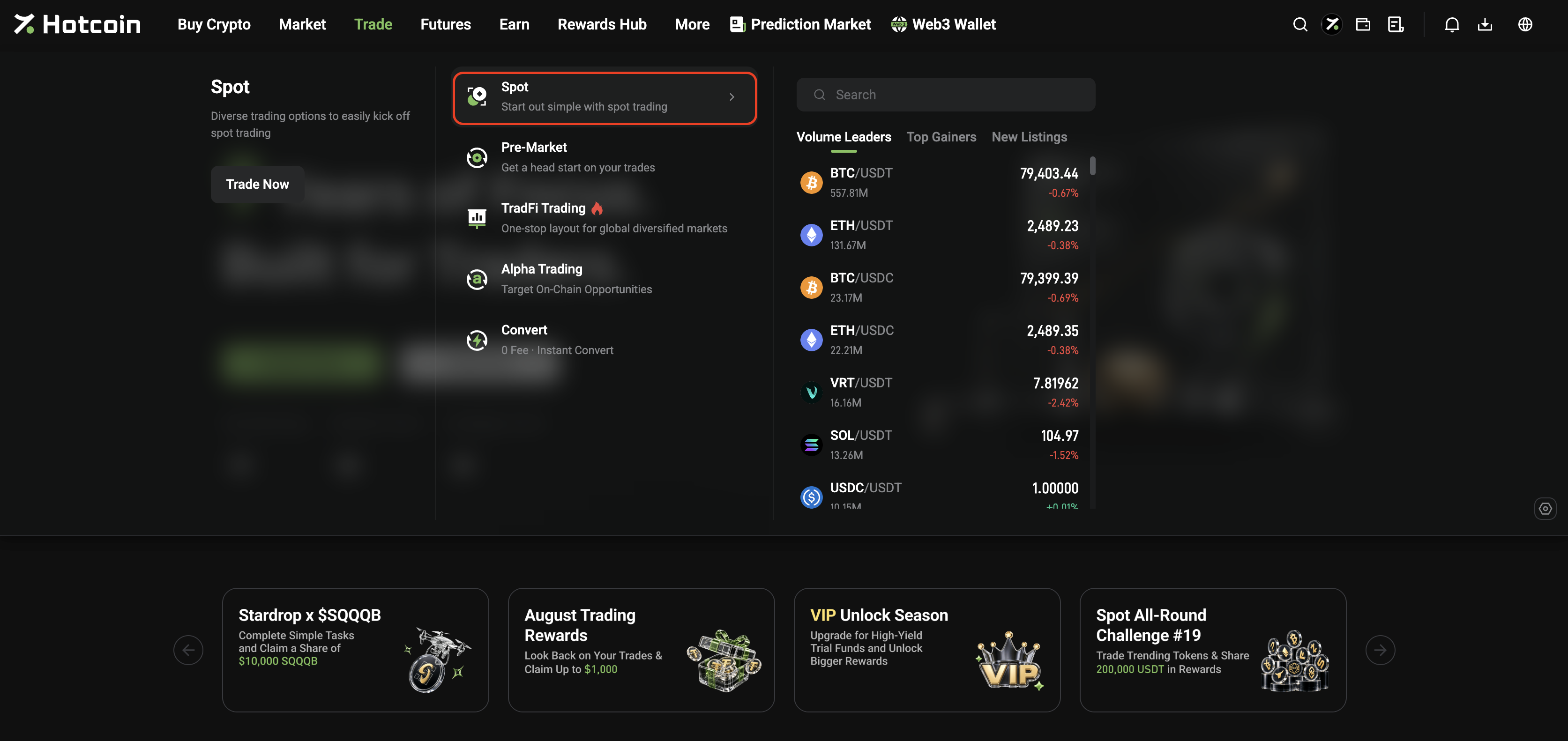
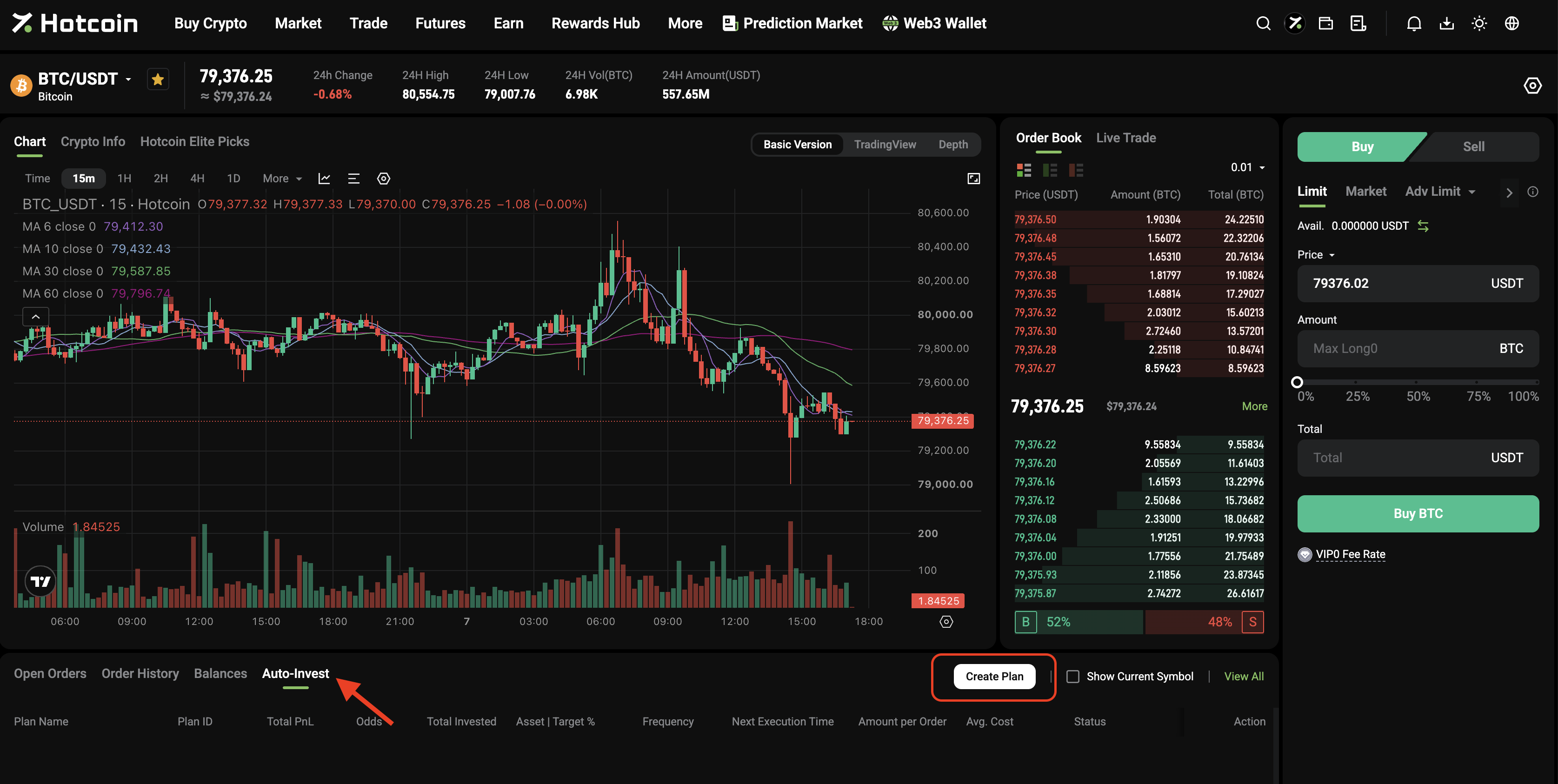
- Web: Log in to the official website → Click Trade → Go to Spot → Select Auto-Invest → Click Create Plan
Step 2: Set Up Your Plan
Configure the following:
- Asset : Choose cryptocurrency to invest in.
- Frequency: Set how often the plan runs (hourly, daily, weekly, or monthly)
- Time: Set the exact execution time within your selected schedule
- Amount: Enter the fixed amount per cycle (USDT only)
Step 3: Confirm and Start
Review your plan and confirm. It will go live immediately and start at the next scheduled time.
⚠️ Notes
Funds are only deducted at the time of execution. Make sure your Spot account has sufficient available balance to avoid skipped orders.
3. How It Works
At each scheduled time, the system will:
- Check your available Spot balance
- Execute the purchase if funds are sufficient
- Skip the cycle if funds are insufficient
Your plan will continue running even if a cycle is skipped.
4. Managing Your Plans
You can manage all your plans under Spot Orders – Spot Auto-Invest, where you can:
- Check plan status (Active / Paused / Terminated)
- Track total investment, returns, and next run time
- Edit, pause, or stop your plans
- View past executions and transaction details
5. FAQ
Will funds be locked in advance?
No. Funds are only deducted when each cycle runs.
What if I don’t have enough balance?
That cycle will be skipped. Your plan will remain unchanged.
Will my assets be sold if I stop the plan?
No. Stopping a plan only prevents future purchases. Your holdings stay in your Spot account.
Can I create multiple plans?
Yes. You can run multiple plans for different assets or schedules.
Where can I check my history?
You’ll find it under Execution History in the plan details.
6. Risk Disclaimer
- Auto-Invest does not guarantee profits or protect your principal
- Market fluctuations may result in unrealized losses
- Always invest according to your risk tolerance
- Cryptocurrency trading carries high risk. Trade responsibly
Summary
Spot Auto-Invest helps you build positions gradually through automated, disciplined investing—making it easier to manage market volatility and stay consistent over time.

 hotcoin.com