HOTCOIN Logo
comprare monete
Citazioni
Trading
Futures
gestione finanziaria
Centro premi
Altro
Portafoglio Web3
E-mail del servizio clienti

Service@hotcoin.com

feedback sul prodotto

Product@hotcoin.com

cooperazione commerciale

Business@hotcoin.com

Casella di posta giudiziaria

Casecn@hotcoin.com

Contattaci
E-mail del servizio clienti

Service@hotcoin.com

feedback sul prodotto

Product@hotcoin.com

cooperazione commerciale

Business@hotcoin.com

Casella di posta giudiziaria

Casecn@hotcoin.com

chi siamo
Introduzione alla piattaforma
Centro annunci
Stato del sistema
Contratto d'uso
politica sulla riservatezza
Note legali
prodotto
negoziazione a contratto
commercio a pronti
Trading TradFi
Copia contratto
Trading con leva
Guadagnare denaro attraverso la gestione finanziaria
Acquisto di valuta P2P
Acquista criptovalute con carta
Portafoglio Web3
Servire
Streaming in diretta
Selezione rigorosa di monete calde
Centro Benessere
Invito degli amici
Vantaggi VIP
scaricamento
Richiedi un commerciante P2P
supporto
Accademia Hotcoin
Centro assistenza
Documentazione dell'API
Commissioni
Informazioni sulla valuta
Applicazione per l'elenco delle monete
Servizio clienti in linea
Feedback degli utenti
Verifica ufficiale
Trading
BTC USDC
ETH USDC
BTC USDT
ETH USDT
PI USDT
SOL USDT
XRP USDT
©2017-2026
Centro assistenza
/Quick Start Guide/App Guide/
Hotcoin App Download & Installation Guide (Android)
Centro assistenza
/Quick Start Guide/App Guide/
Hotcoin App Download & Installation Guide (Android)

Hotcoin App Download & Installation Guide (Android)

Hotcoin
Condividi l'app


Contents

How to Download the Hotcoin App

What to Do If Installation Fails


How to Download the Hotcoin App


Method 1: Scan QR Code on the Website


1.  Click the Download icon in the top-right corner of the Hotcoin website to display the QR code.
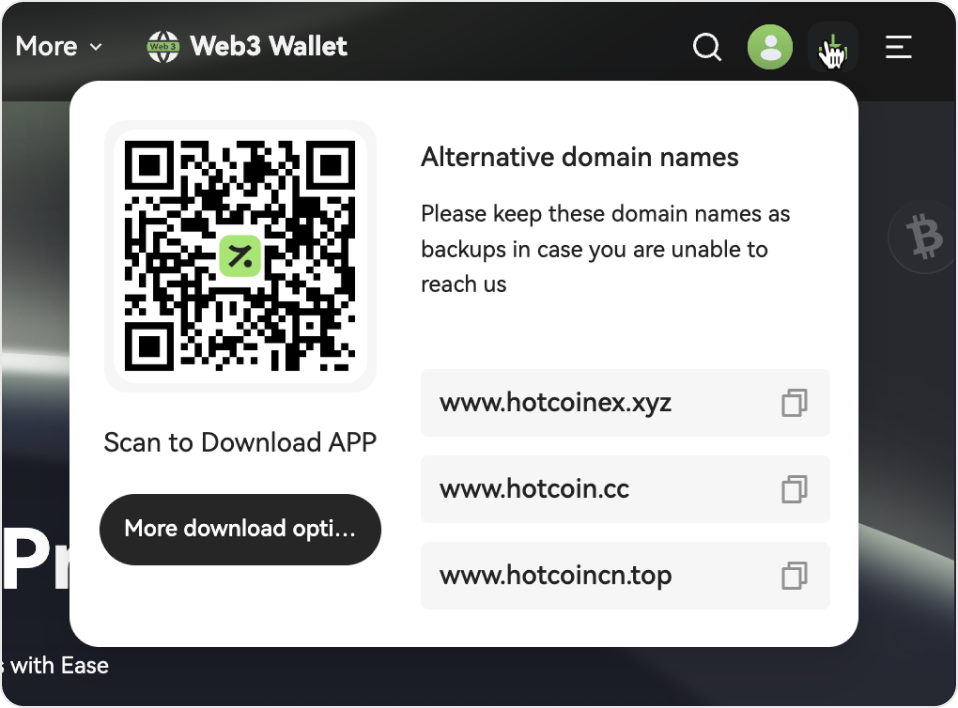


2.  Scan the QR code with your phone’s browser or any QR scanner app, then follow the prompts to install.


a.  Google Play: If available, we recommend downloading directly from the Google Play Store.


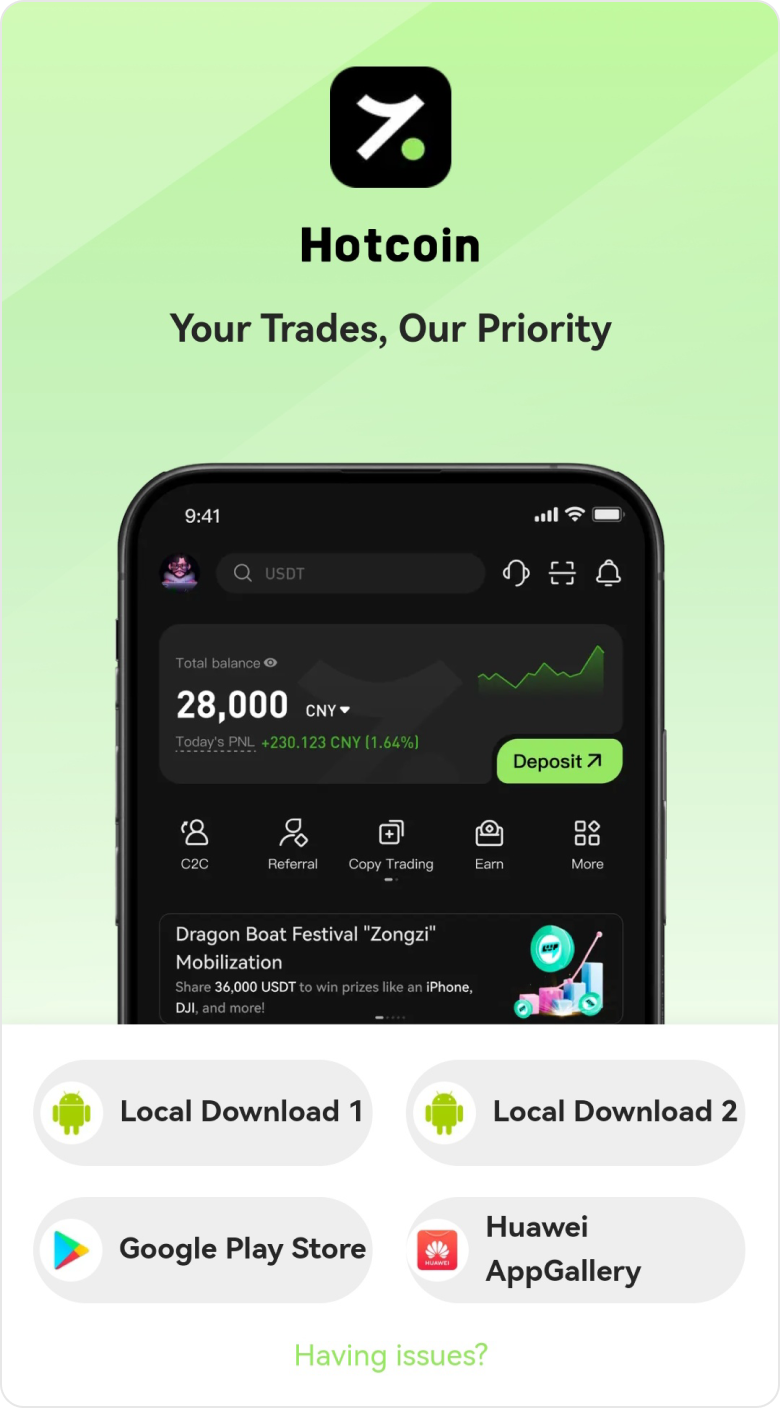
b.  Browser Issues: If the download doesn’t start after scanning, or the QR code doesn’t trigger a direct download, tap the menu icon (usually in the top right), select “Open in browser”, then tap “Local Download” and follow the instructions to complete the installation.


Method 2: Use a Direct Link


Copy and paste the link below into any mobile browser to download and install the app:


https://www.hotcoinext.vip/app/downLoad/


Troubleshooting Tips

  •  Link not working? Try another browser or switch networks (e.g., from Wi-Fi to mobile data).
  •  Still having issues? Contact Customer Support for the latest official download link.


What to Do If Installation Fails


Some Android devices may display security prompts such as “Security Risk,” “Unknown Source,” or “Potential Virus.” Please rest assured that official Hotcoin downloads are safe and verified.


If you encounter installation issues, try the following:


1. Install Offline (Optional)

After downloading the app, disconnect from Wi-Fi and mobile data before installing. This can bypass automatic security scans. Reconnect once installation is complete.


2. Handle Security Prompts

If a warning appears, confirm that you downloaded the app from an official Hotcoin source. Then select “Acknowledge Risk” or a similar option, and tap “Continue Install” or “Install Anyway.”


3. Mark the App as Trusted (Device-Specific)

Different phone brands may use slightly different names, but the steps are similar:


1.  Open your phone’s Security Center, Phone Manager, App Management, or Privacy & Security settings.


2.  Locate menus like Isolation Space, App Quarantine Box, or Protected Apps.


3.  Find the newly downloaded Hotcoin app or installation package. Select “Trust”, “Allow installation/run”, or “Remove from Quarantine.”


4.  On some devices, new apps may also appear under Frozen/Power Saving/Restricted Background lists. Mark Hotcoin as “Allow background activity” or a Trusted App.

 

Quick Start Guide
Cryptocurrency Basics
Beginner’s Guide
App Guide
Start Trading
VIP Program
Rewards Center
Account Security & KYC
Asset Security
Security Settings
KYC Verification
Deposit & Withdrawal
Deposit
Withdrawal
P2P
P2P Trading Guide
P2P Merchant Management
P2P Rules & Agreements
Friend Referral
Spot Trading
Spot Trading Guide
Pre-market trading
Derivatives
Advanced Trading
Grid Trading
Trend Trading
Fundamentals of Technical Analysis (Candlesticks / MACD / RSI)
Prediction Market
Futures Grid
Futures Trading
Getting Started
Contract Type
Trading Mechanics
Risk Management
FAQ
Copy Trading
Getting Started
Follower Guide
Lead Trader Guide
Terms of Service
Web3 Wallet
Getting Started
Swap
Hotcoin Card
Hotcoin Earn
TradFi
Alpha
Startup
Platform Support
Agreements & Rules