HOTCOIN Logo
Acheter des cryptos
Marchés
Trader
Futures
Earn
Récompenses
Plus
Portefeuille Web3
Service Contacts

Service@hotcoin.com

Commentaires sur les produits

Product@hotcoin.com

Coopération commerciale

Business@hotcoin.com

Contacts juridiques

Casecn@hotcoin.com

Contactez-nous
Service Contacts

Service@hotcoin.com

Commentaires sur les produits

Product@hotcoin.com

Coopération commerciale

Business@hotcoin.com

Contacts juridiques

Casecn@hotcoin.com

Qui sommes-nous
Présentation de la plateforme
Centre d'annonces
État du système
Conditions d’utilisation
Politique de confidentialité
Description légale
produit
Futur
Spot
Trading TradFi
Copier le contrat
Trading sur marge
Earn
Achat P2P
Achetez des cryptomonnaies avec une carte
Portefeuille Web3
Servir
Diffusion en direct
Sélection stricte de pièces chaudes
Hub Bonus
Invitation d'amis
Avantages VIP
Télécharger
Postuler pour le marchand P2P
Support
Collège hotcoin
Centre d'Aide
Documentation de l'API
Taux de Frais
Crypto Info
Demande d’inscription
un service en ligne
commentaires des clients
vérification officielle
Trading
BTC USDC
ETH USDC
BTC USDT
ETH USDT
PI USDT
SOL USDT
XRP USDT
©2017-2026
Centre d'Aide
/Web3 Wallet/Swap/
How to Swap Tokens in the Web3 Wallet
Centre d'Aide
/Web3 Wallet/Swap/
How to Swap Tokens in the Web3 Wallet

How to Swap Tokens in the Web3 Wallet

Hotcoin
Partager


The Web3 Wallet allows users to swap one token for another directly on-chain without leaving the wallet.


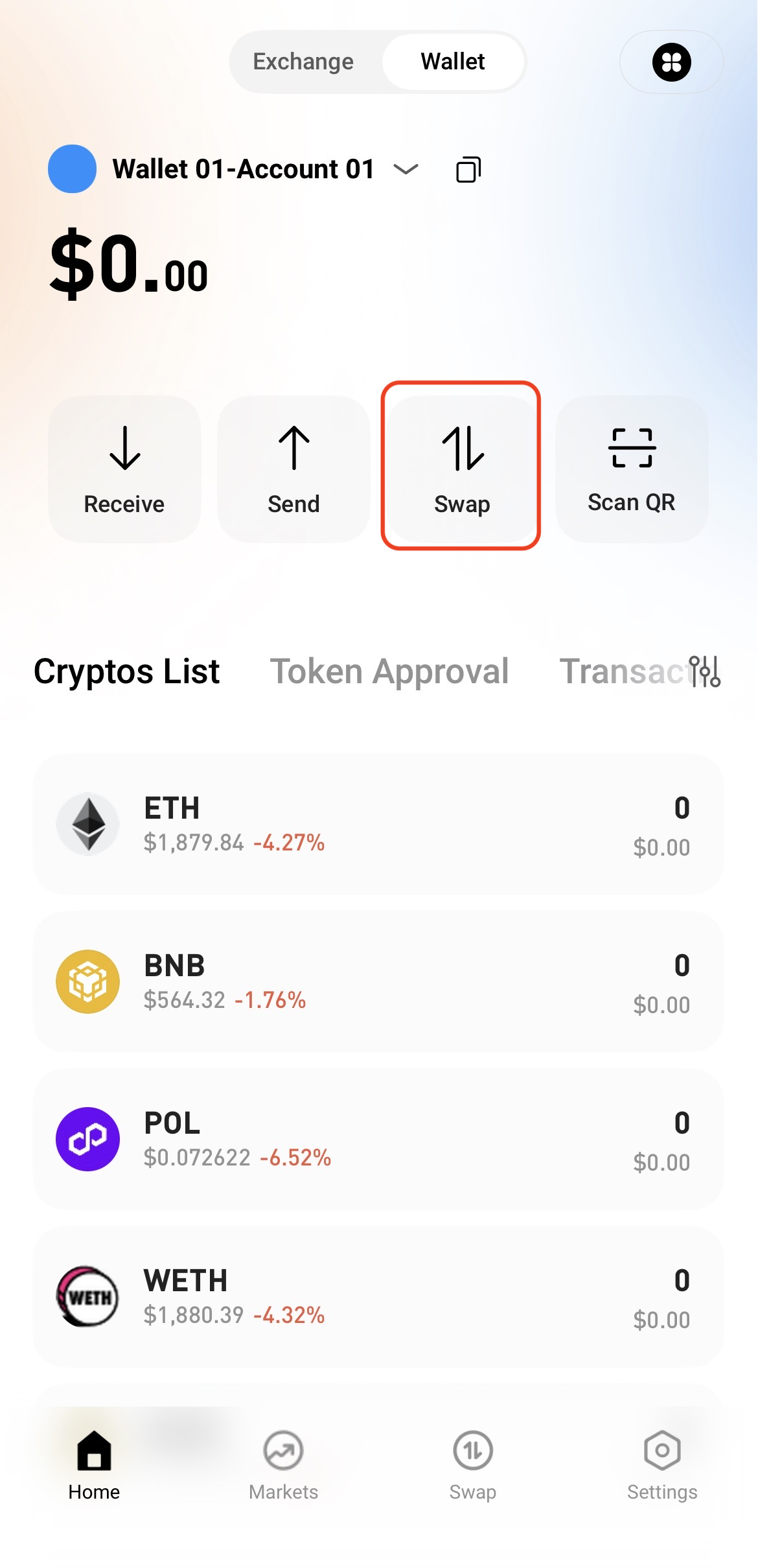
Step 1: Access the Swap Page


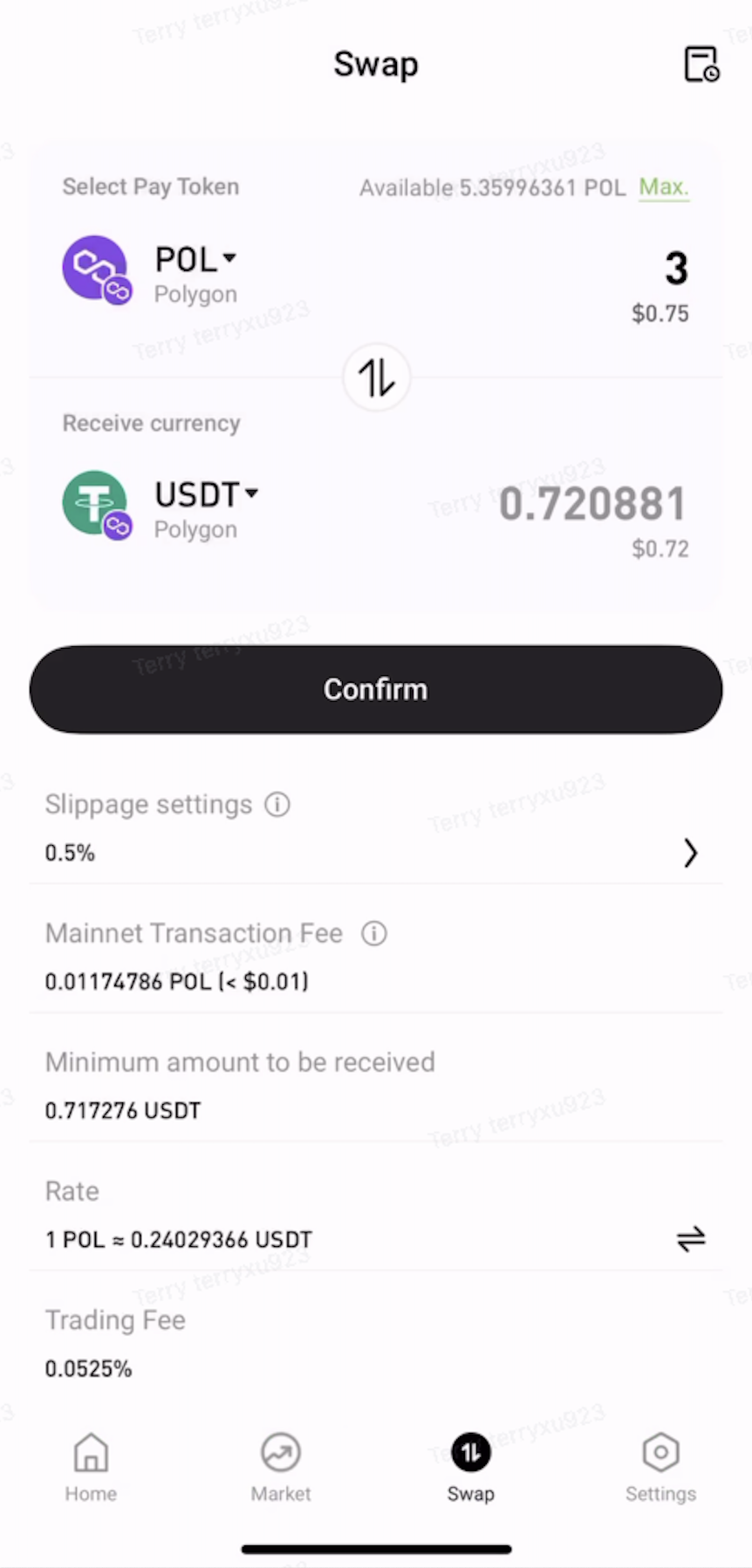
Open the Web3 Wallet and tap Swap on the home page.


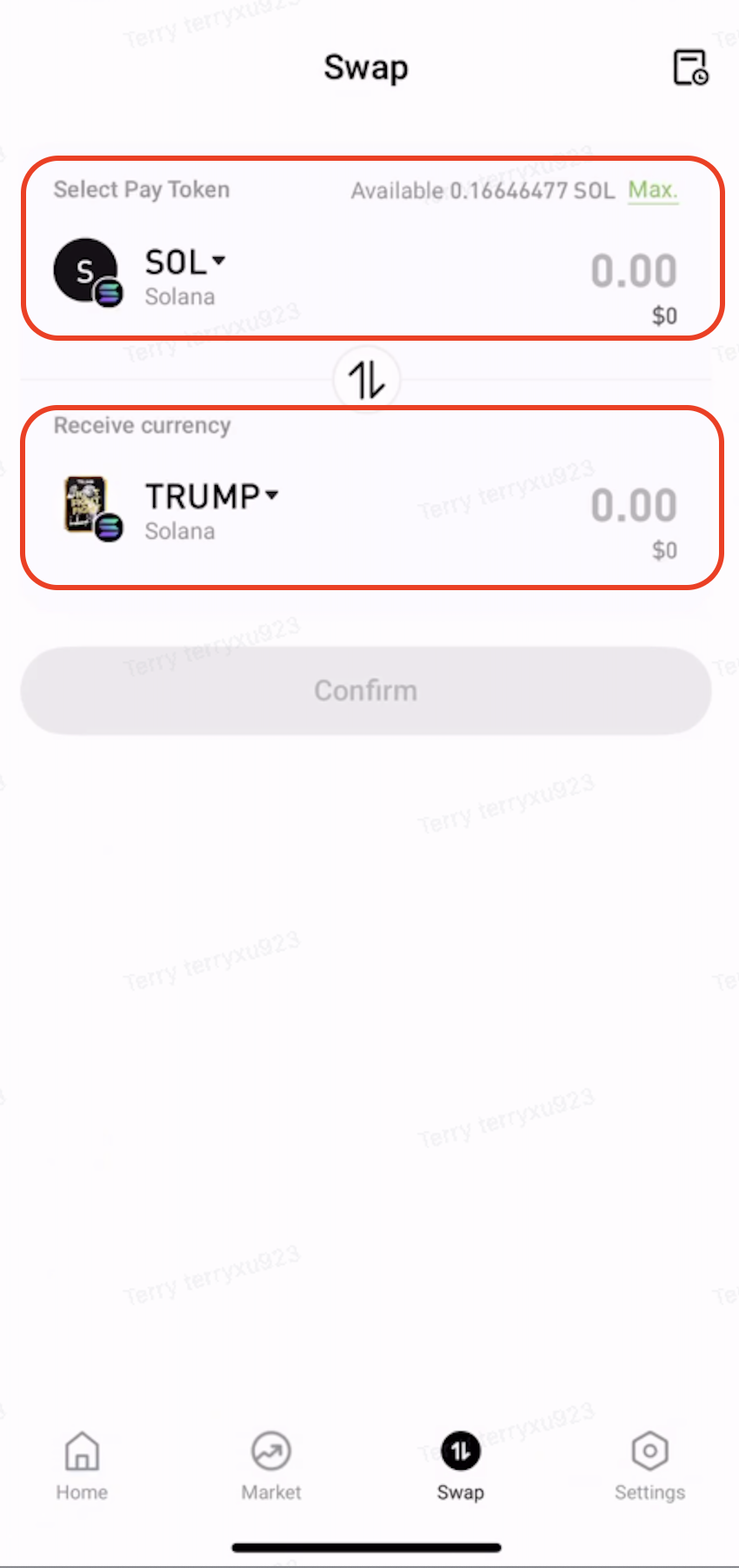
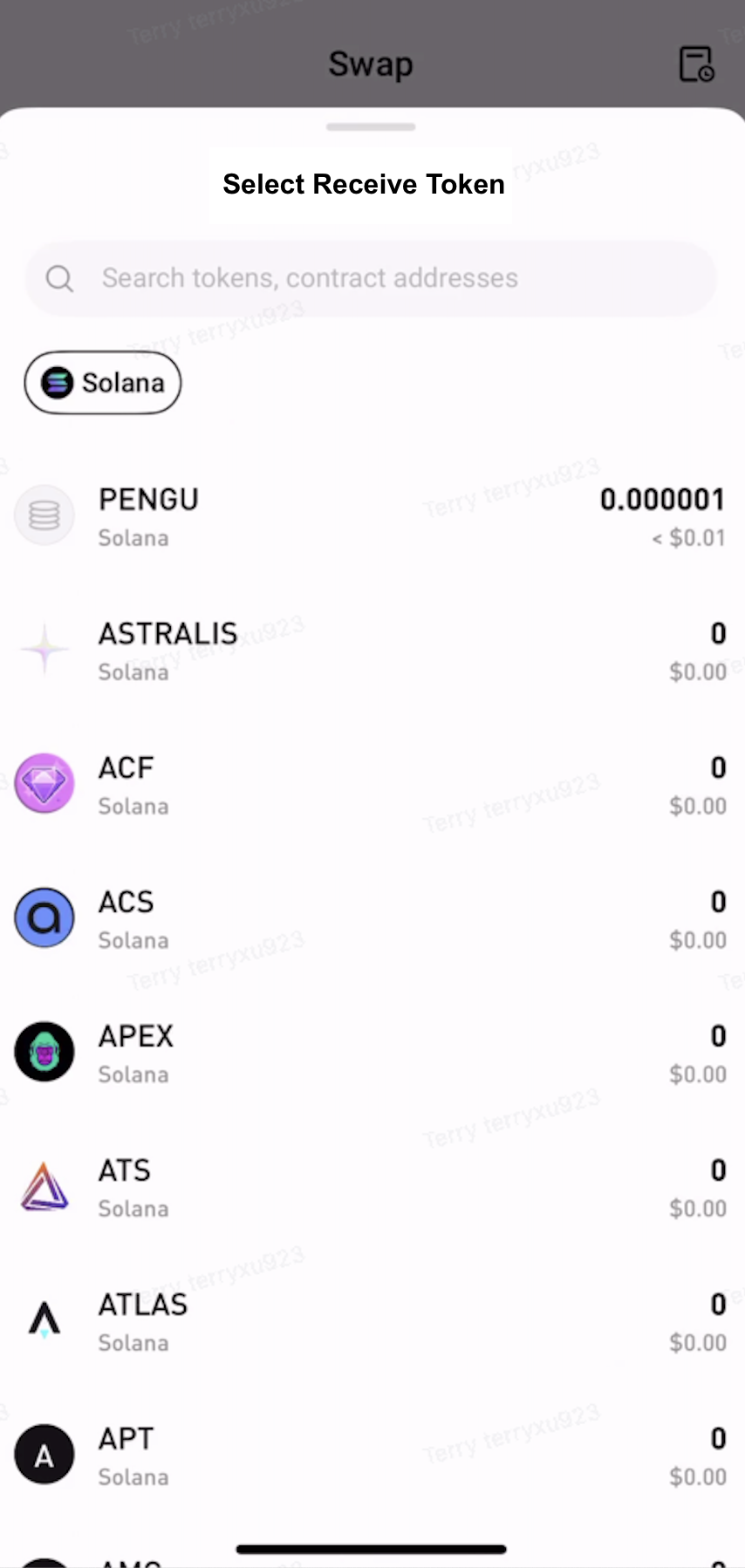
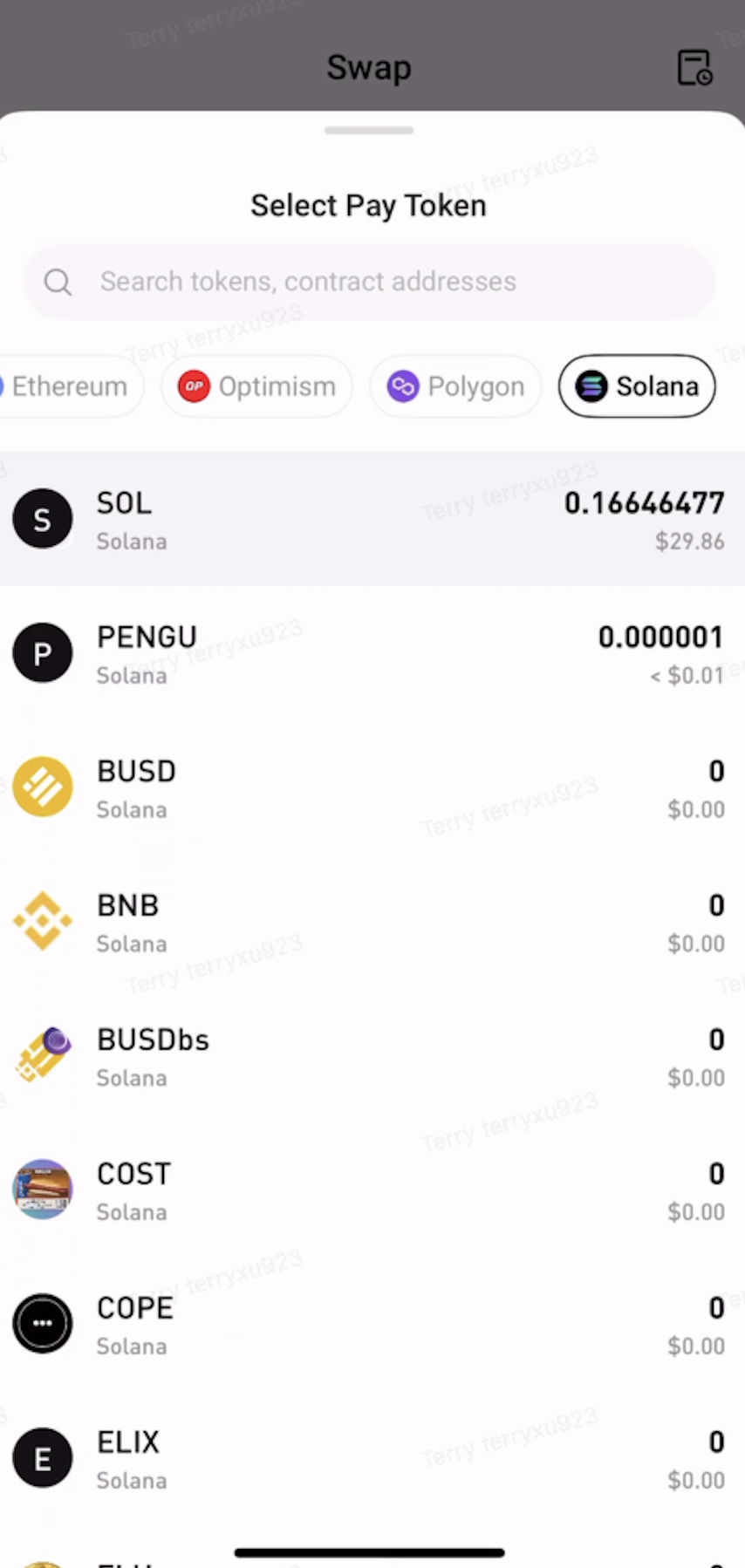
Step 2: Select the Tokens to Swap


  • Under Pay, select the token and network to swap from.

  • Under Receive, select the token and network to receive.


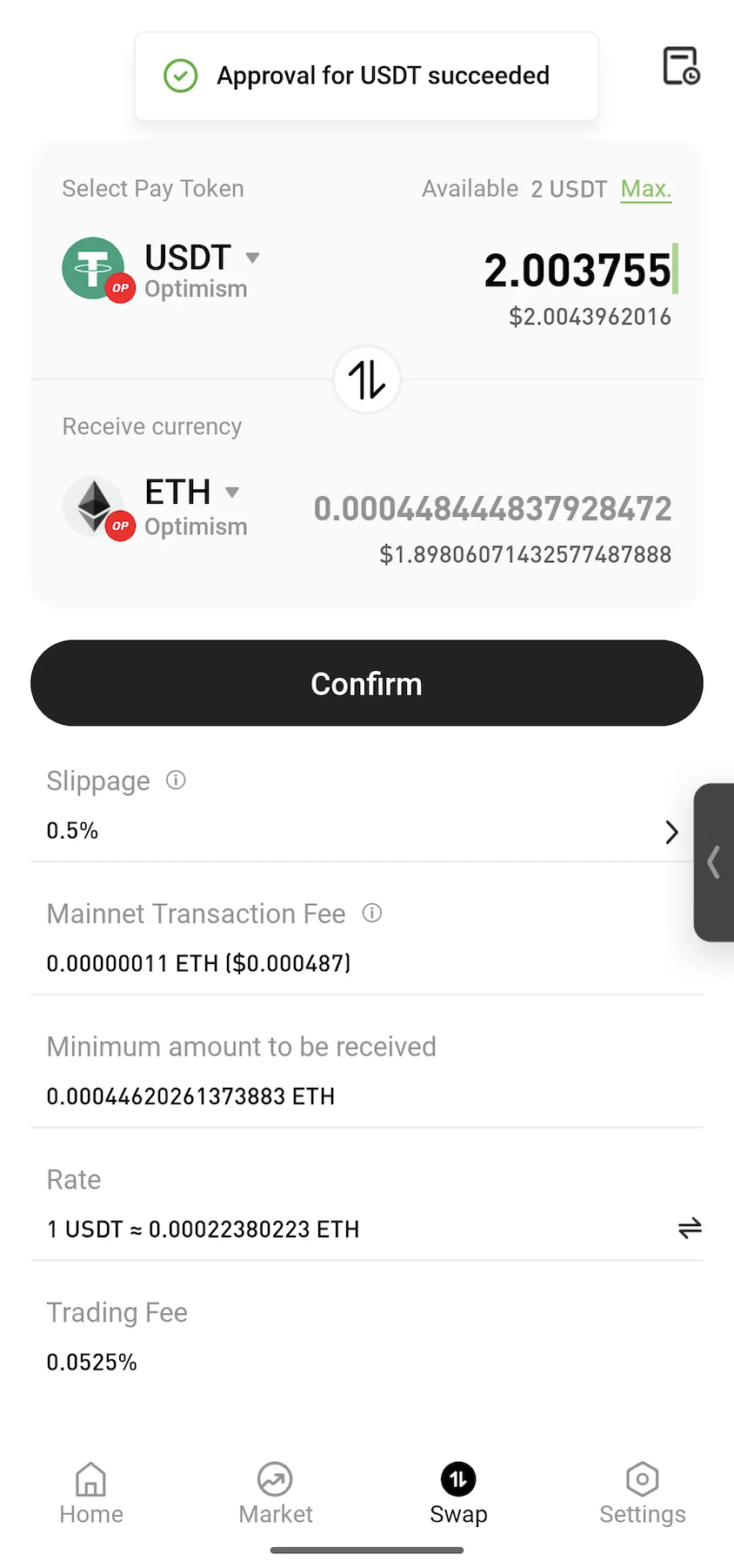
Step 3: Approve the Token


Enter the amount to swap. If approval is required, tap Approve and follow the on-screen instructions to sign the transaction.
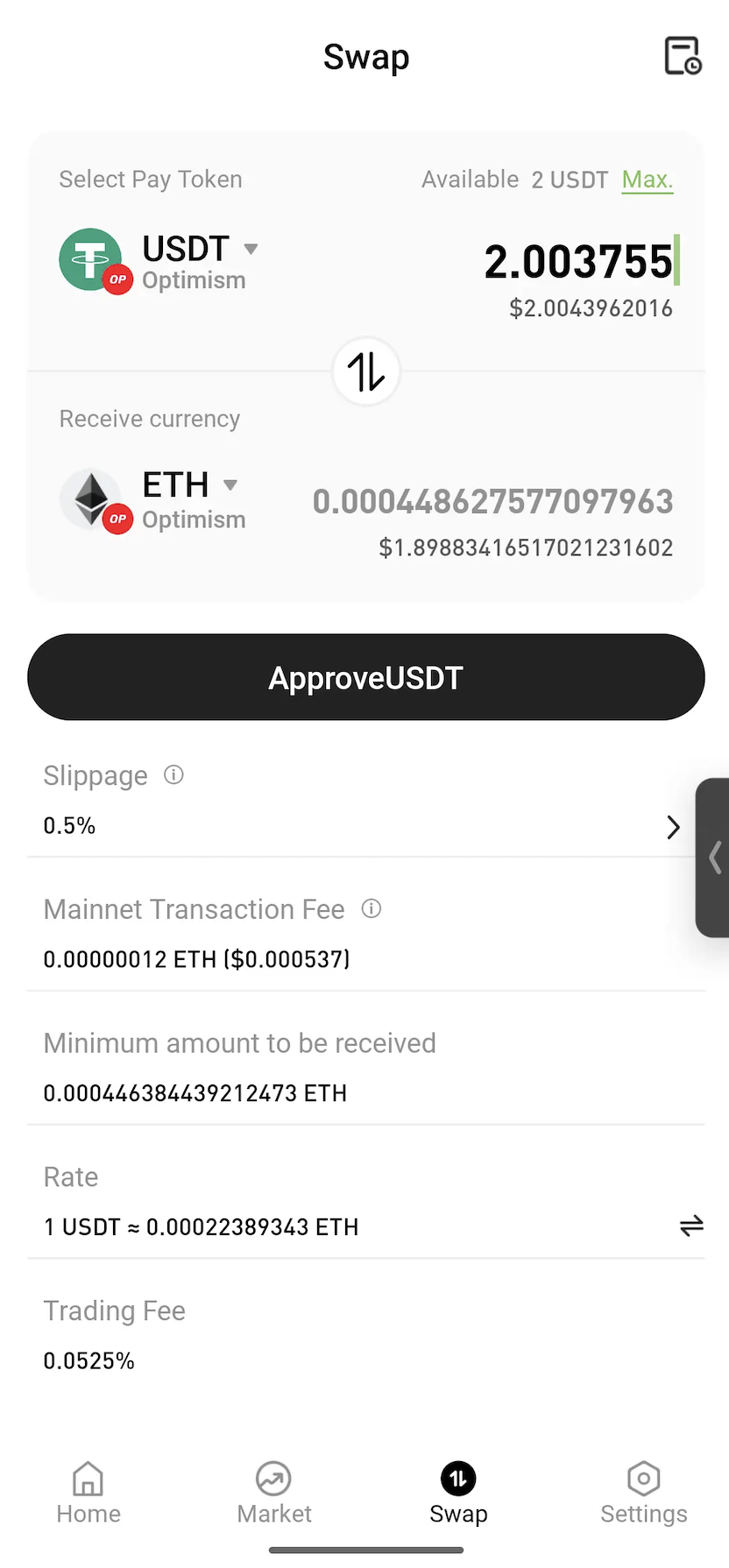
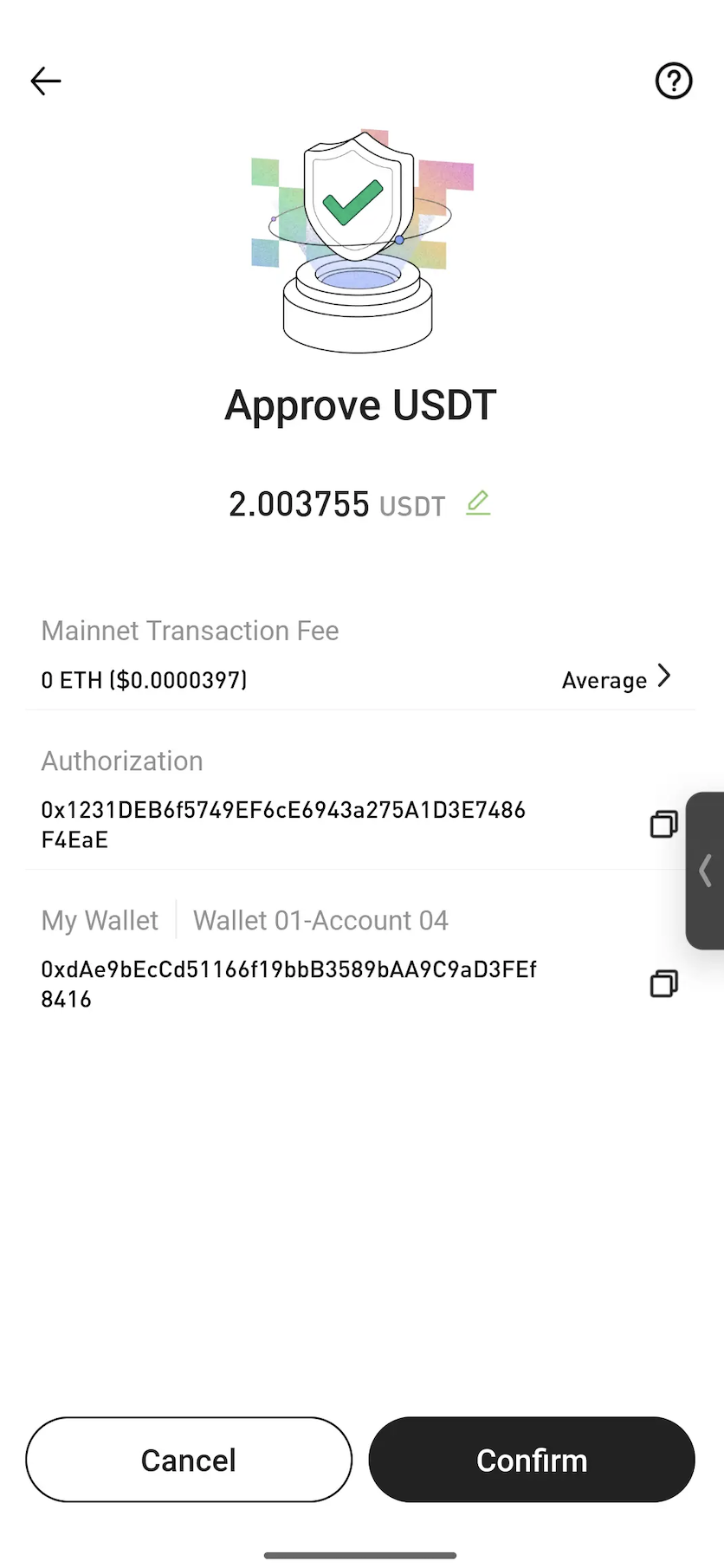


Note: Approval is a standard blockchain process that allows a smart contract to use the selected token for the swap. In most cases, approval is only required the first time a token is swapped.


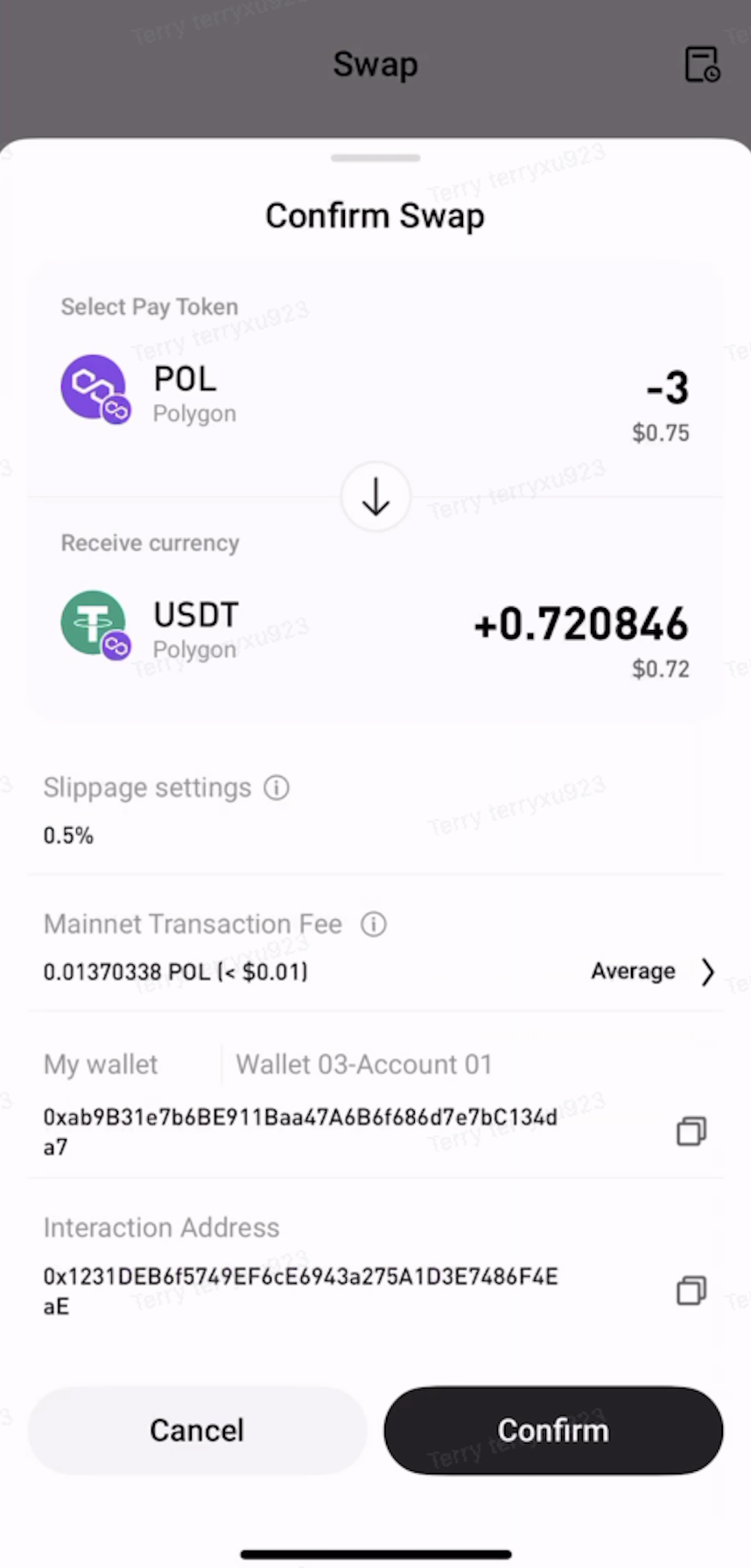
Step 4: Confirm the Swap


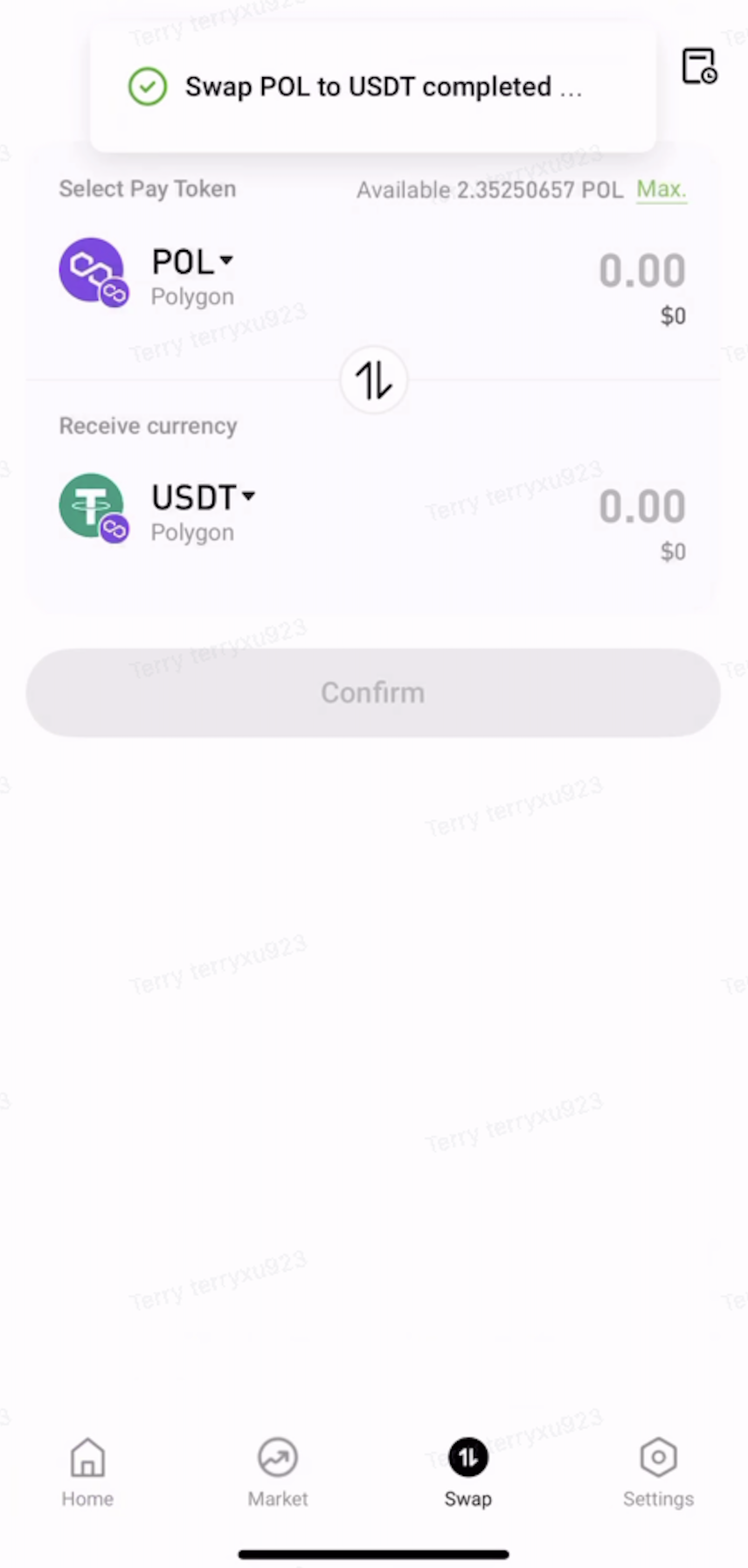
Review the swap details, then tap Confirm. Once the transaction is submitted, wait for on-chain confirmation to complete the swap.


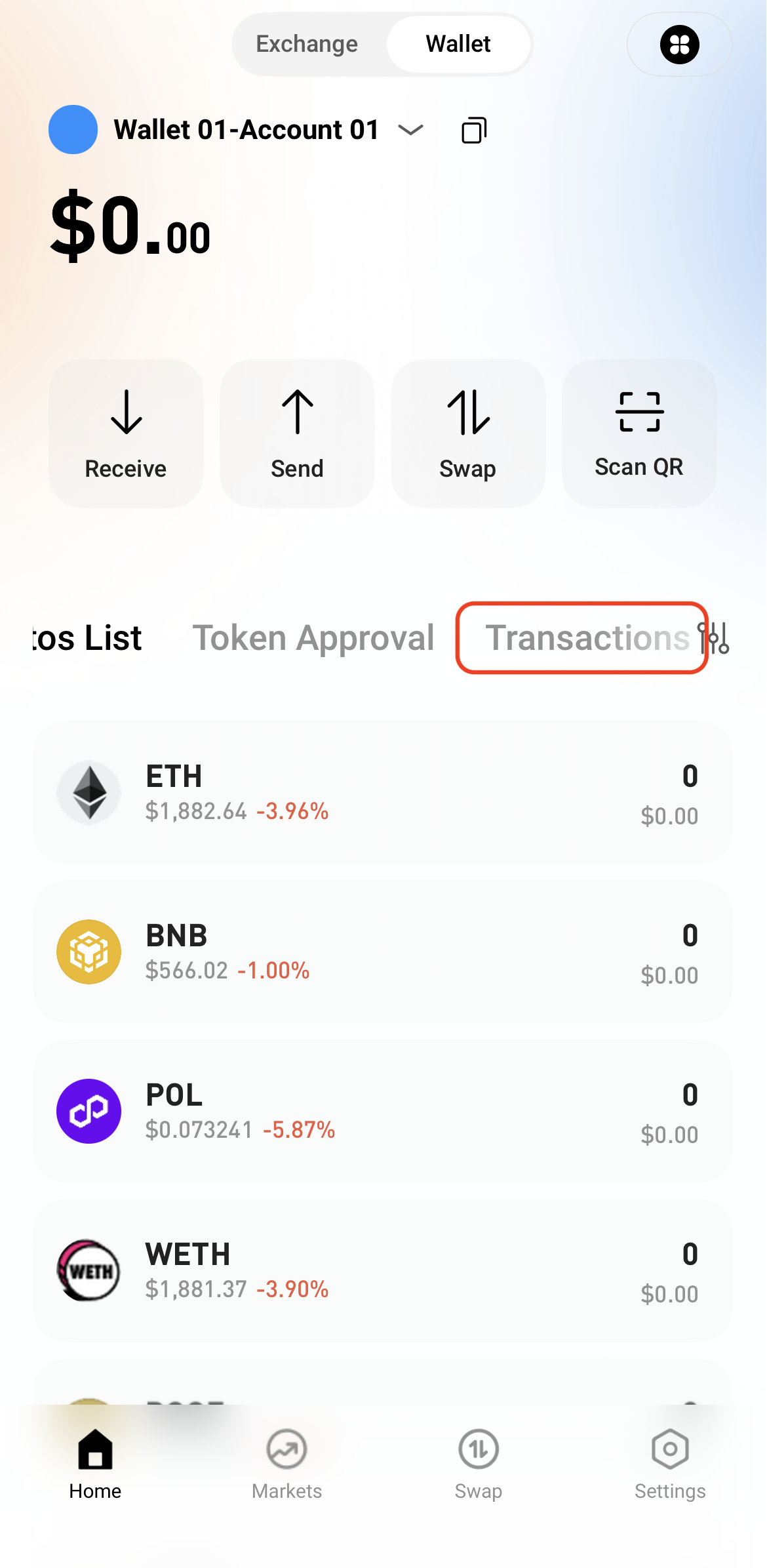
Step 5: View Transaction History


After the swap is complete, view the transaction details in Transactions or check the on-chain status through a block explorer.

   

Dépôt et retrait
Deposit
Withdrawal
acheter de la crypto-monnaie
P2P FAQ
Gestion des marchands
règles de protocole
Négociation au comptant et sur marge
Négociation au comptant
négociation à terme
Contract Grid
Contract documentary
Getting Started
Follower Guide
Lead Trader Guide
Financement des hotcoins
Autres sujets (liés au protocole)
NFT