HOTCOIN Logo
Buy Crypto
Markets
Kalakalan
Mga Kinabukasan
Kumita
Mga Gantimpala
Higit pa
Pitaka ng Web3
Mga contact sa serbisyo

Service@hotcoin.com

Feedback ng produkto

Product@hotcoin.com

Kooperasyon sa negosyo

Business@hotcoin.com

Legal na mga contact

Casecn@hotcoin.com

Makipag-ugnayan sa amin
Mga contact sa serbisyo

Service@hotcoin.com

Feedback ng produkto

Product@hotcoin.com

Kooperasyon sa negosyo

Business@hotcoin.com

Legal na mga contact

Casecn@hotcoin.com

Tungkol sa atin
Platform Panimula
Sentro ng Mga Anunsyo
Kalagayan ng sistema
Kasunduan ng User
Patakaran sa Pagkapribado
Legal na paglalarawan
produkto
Futures
Spot
TradFi Trading
Kopyahin ang kontrata
Margin Trading
Earn
Bumili ng P2P
Bilhin ang Crypto gamit ang Card
Pitaka ng Web3
maglingkod
Live Streaming
Mahigpit na pagpili ng mainit na mga barya
Rewards Hub
Imbitasyon ng Kaibigan
Mga benepisyo ng VIP
I-download
Mag-apply para sa P2P Merchant
suporta
Hotcoin College
Help Center
Dokumentasyon ng API
Fee Rate
Impormasyon sa Crypto
Listahan ng application
online na serbisyo
feedback ng customer
opisyal na pagpapatunay
Kalakalan
BTC USDC
ETH USDC
BTC USDT
ETH USDT
PI USDT
SOL USDT
XRP USDT
©2017-2026
Help Center
/Web3 Wallet/Swap/
How to Swap Tokens in the Web3 Wallet
Help Center
/Web3 Wallet/Swap/
How to Swap Tokens in the Web3 Wallet

How to Swap Tokens in the Web3 Wallet

Hotcoin
ibahagi


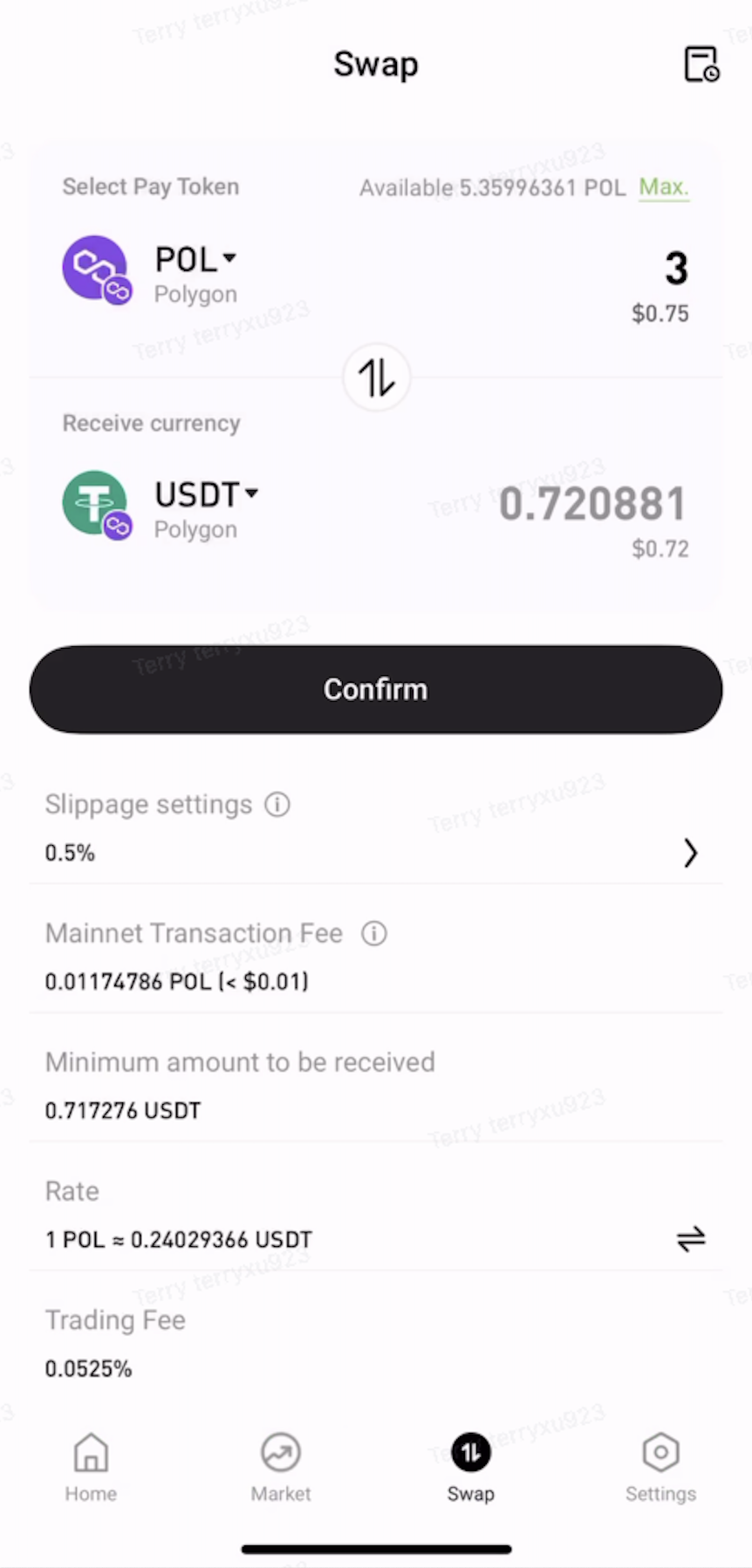
The Web3 Wallet allows users to swap one token for another directly on-chain without leaving the wallet.


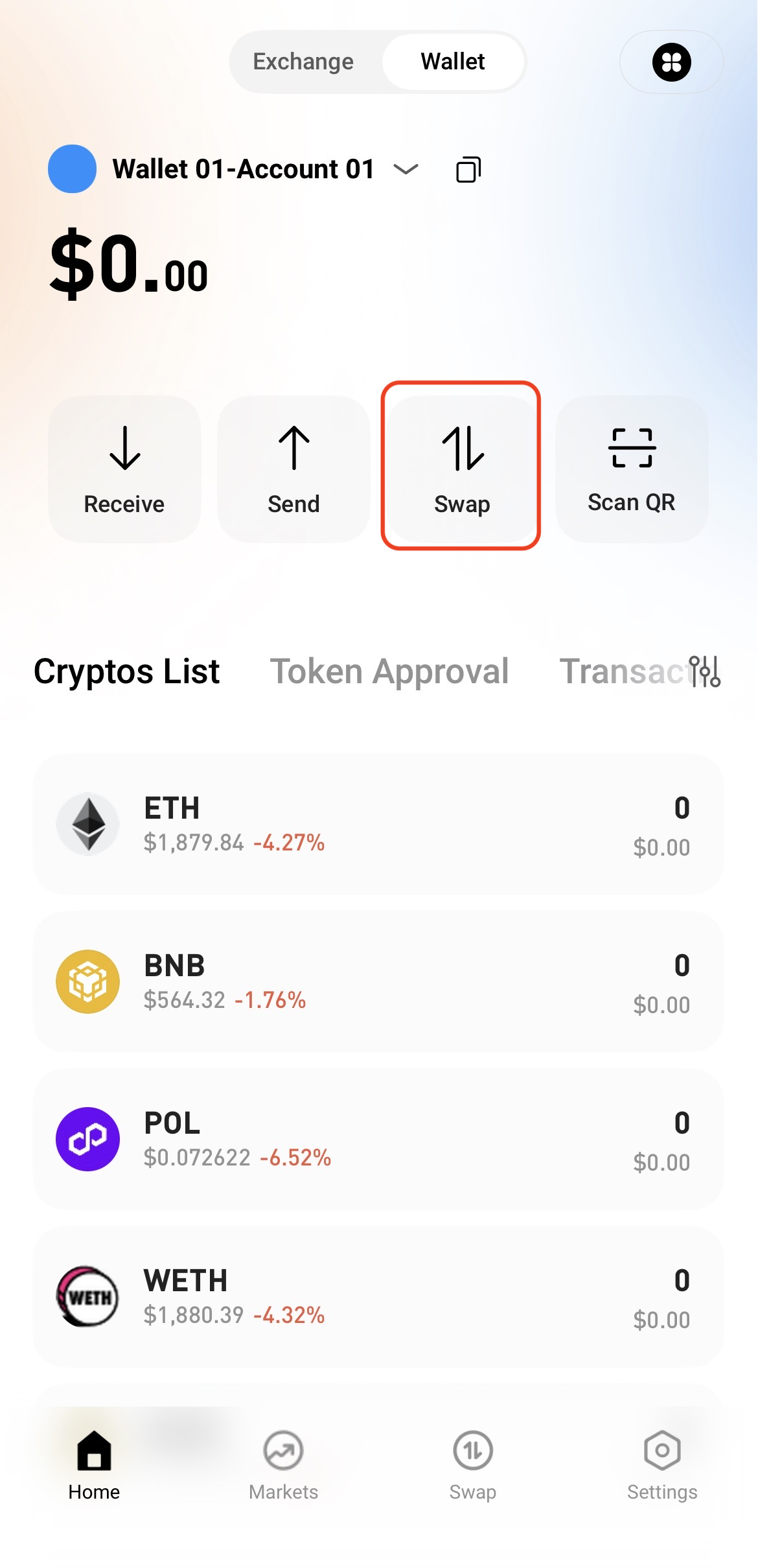
Step 1: Access the Swap Page


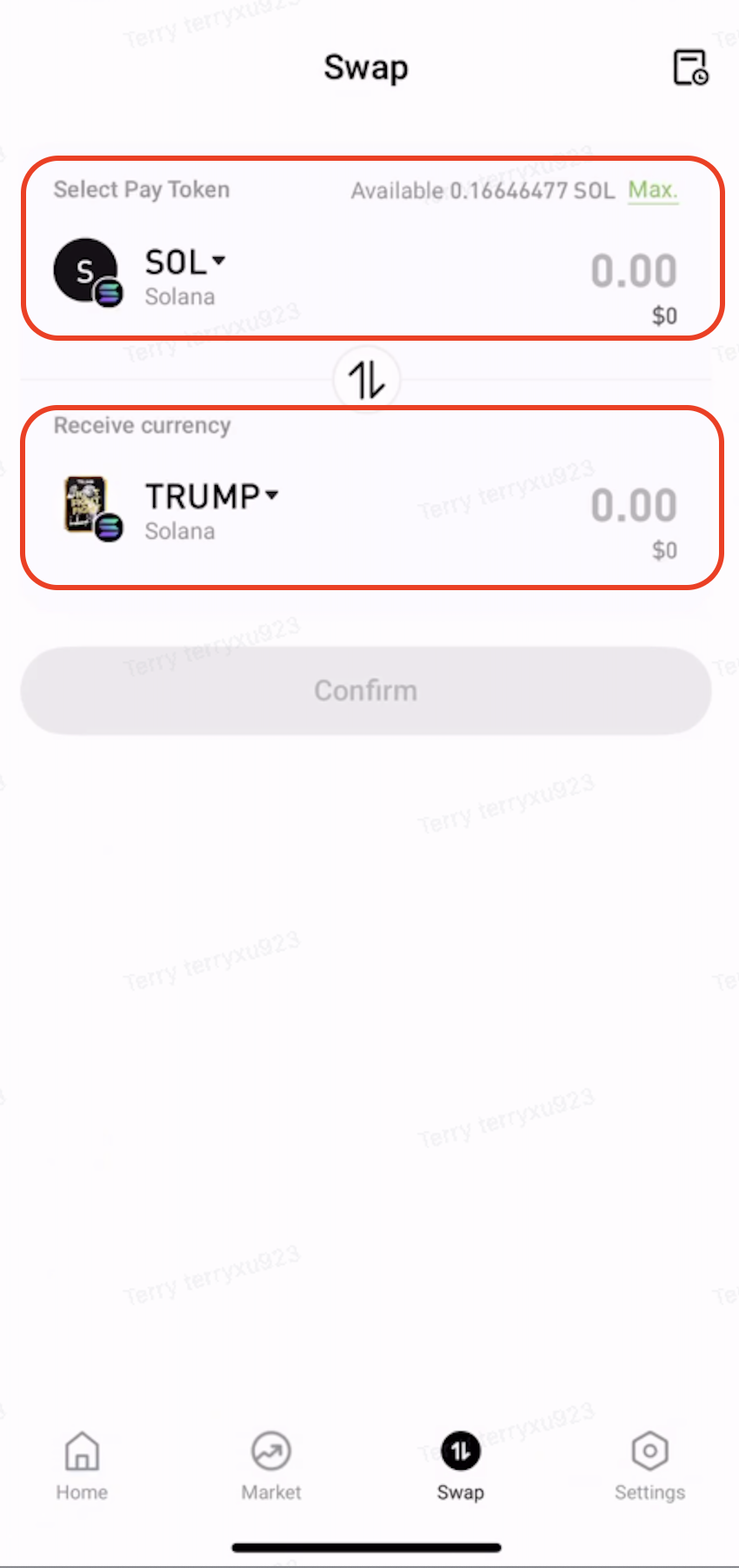
Open the Web3 Wallet and tap Swap on the home page.


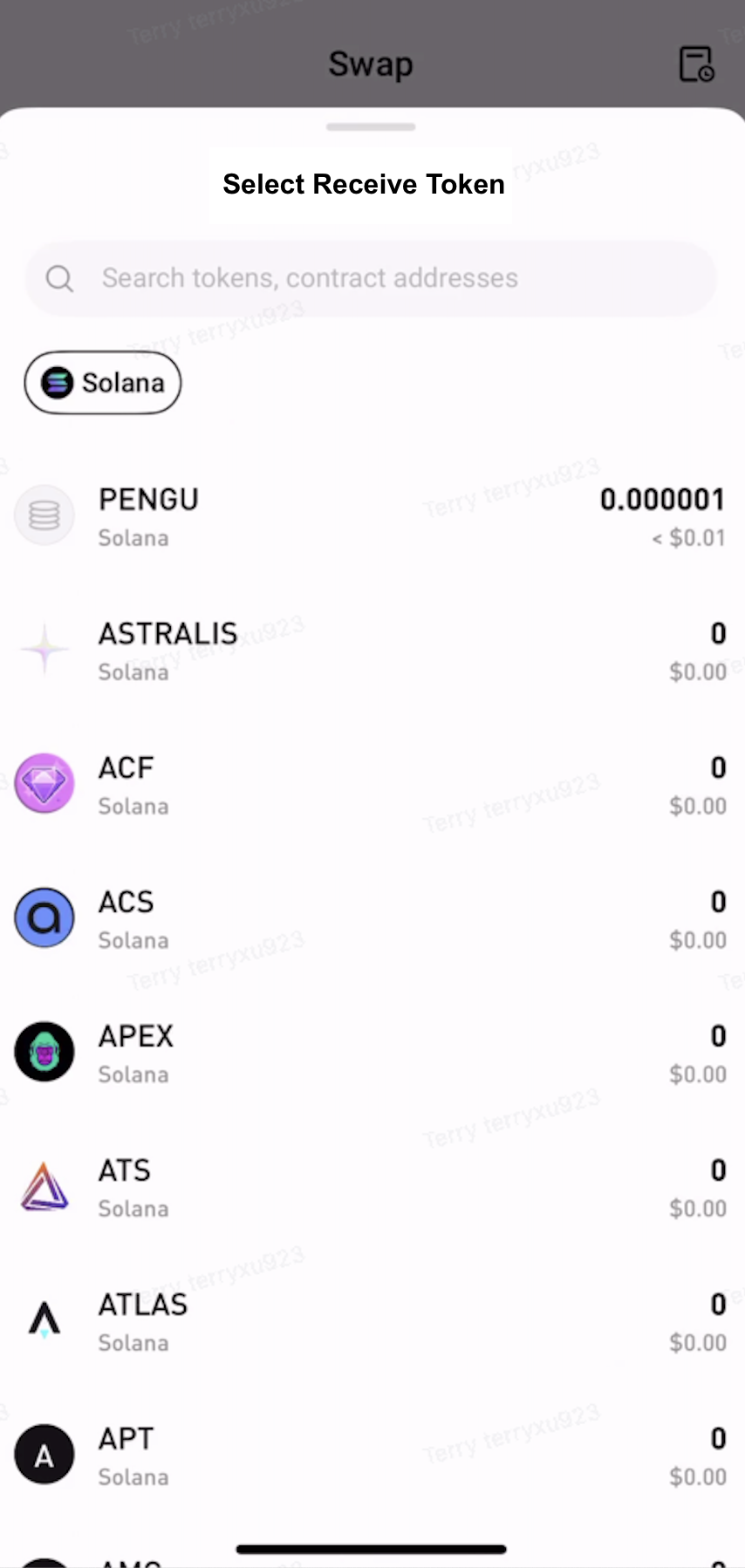
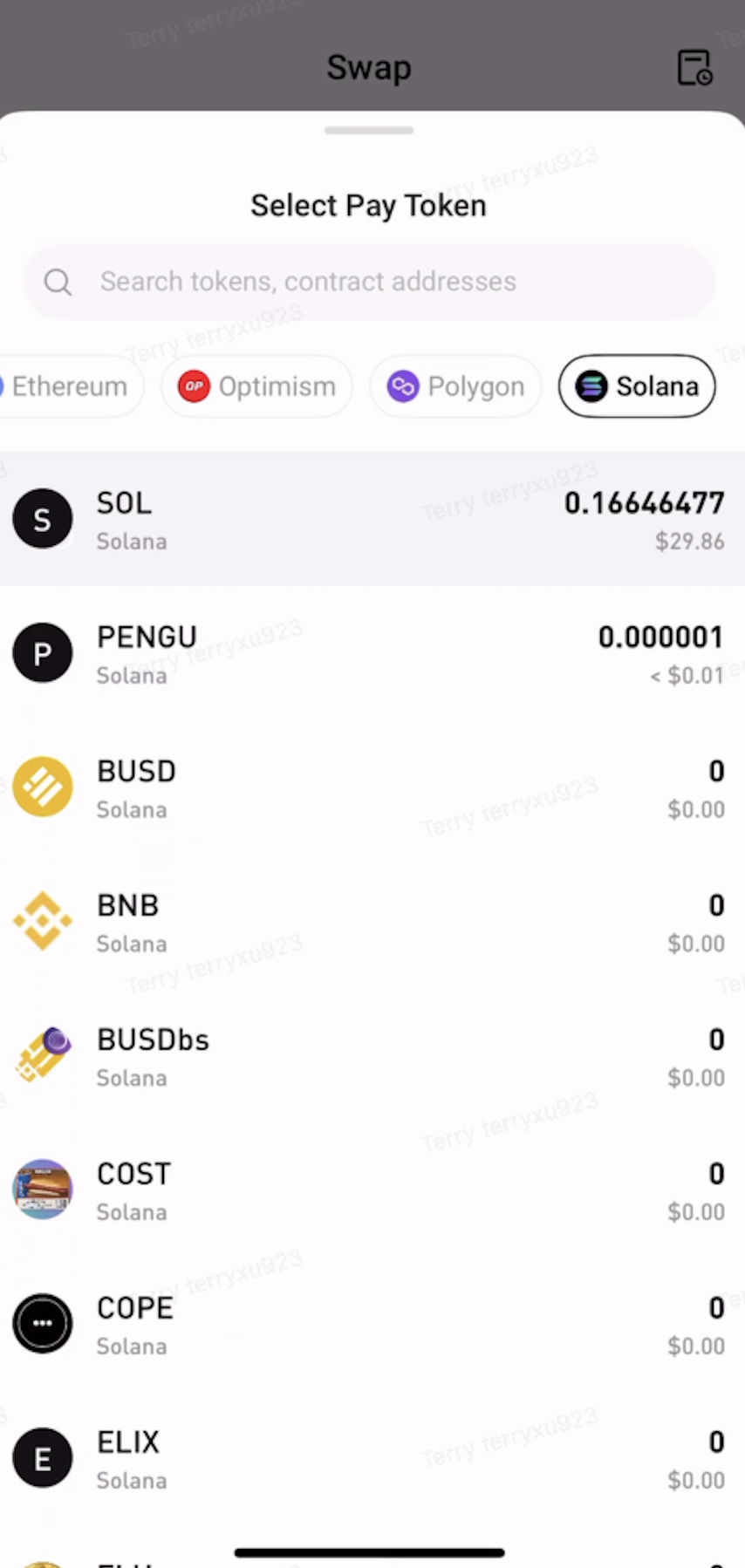
Step 2: Select the Tokens to Swap


  • Under Pay, select the token and network to swap from.

  • Under Receive, select the token and network to receive.


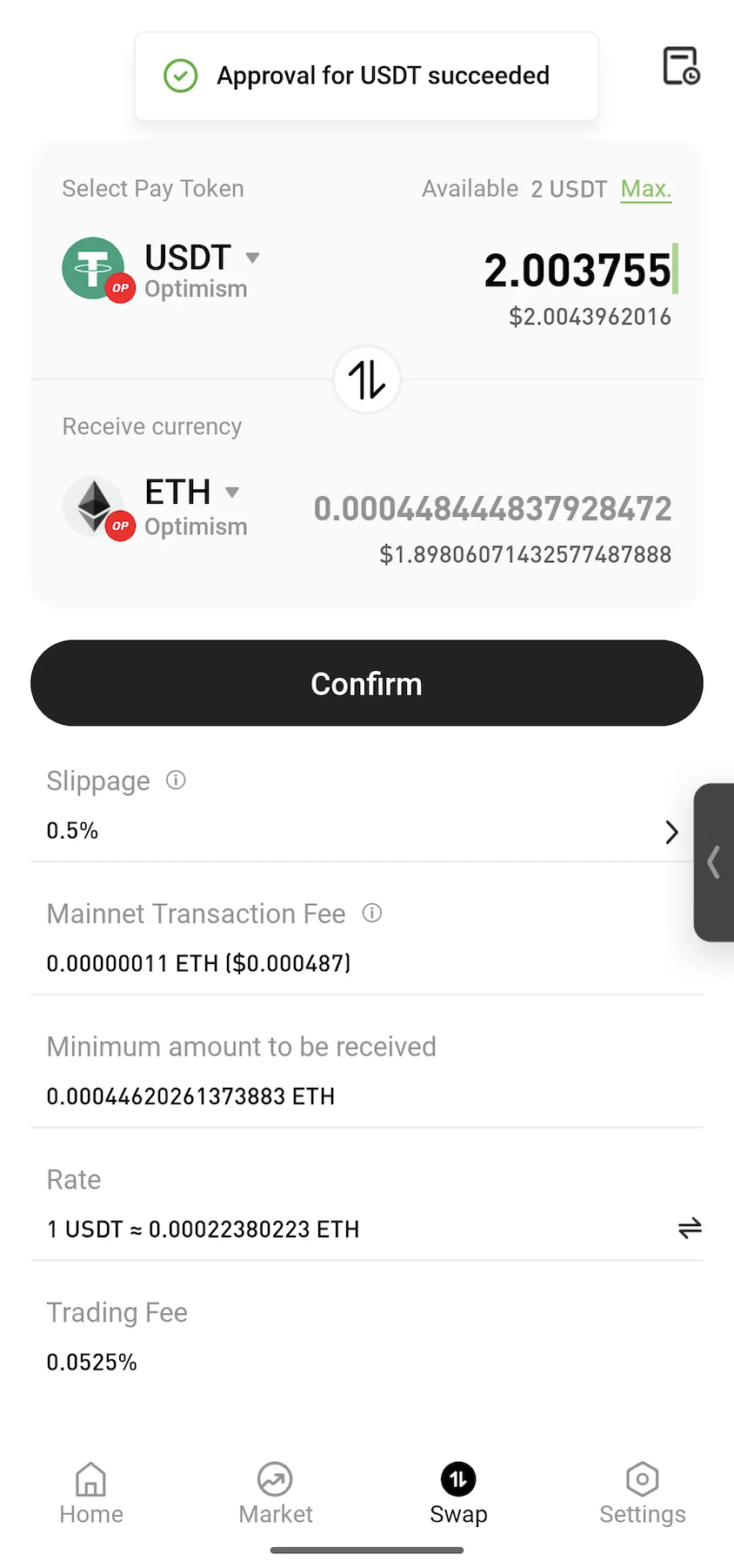
Step 3: Approve the Token


Enter the amount to swap. If approval is required, tap Approve and follow the on-screen instructions to sign the transaction.
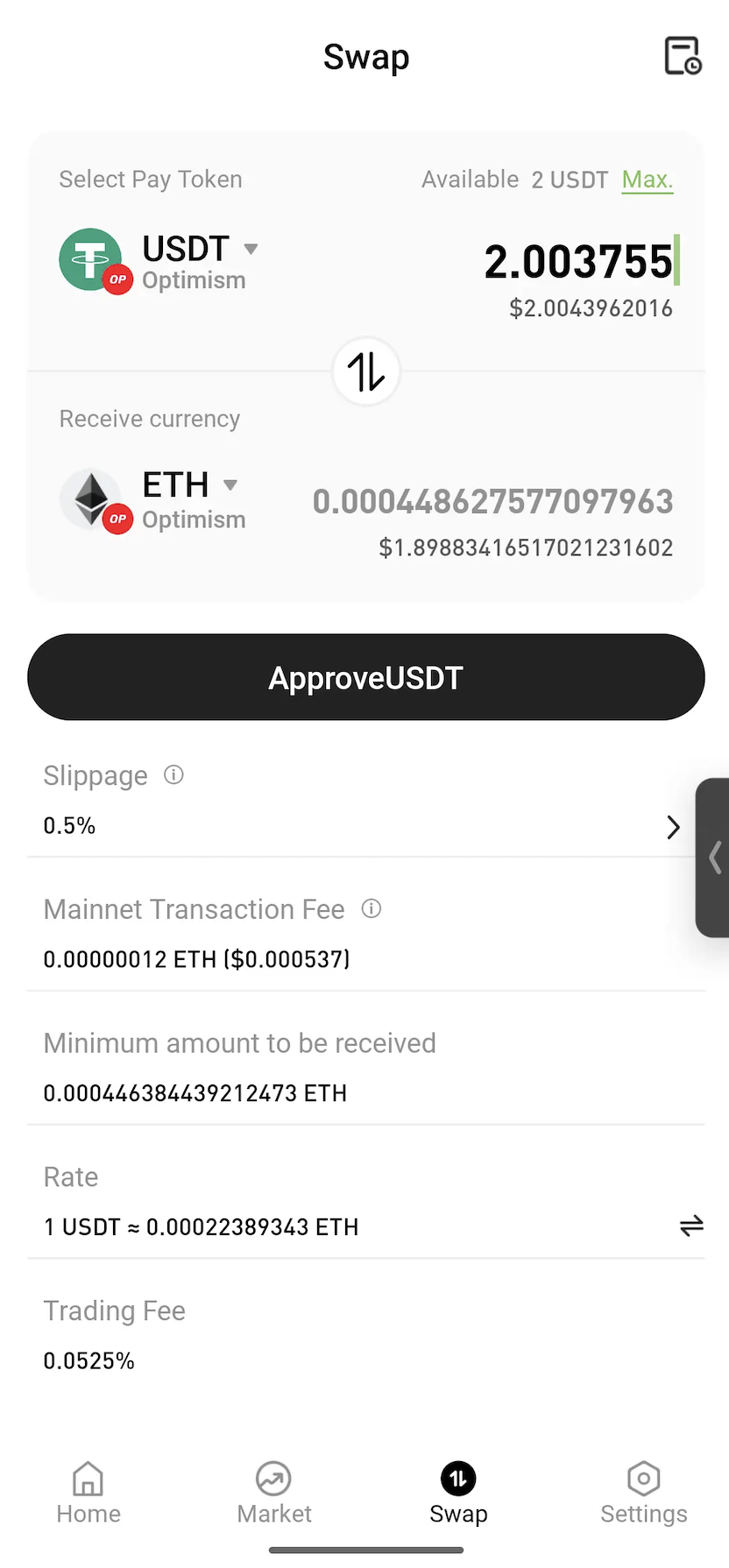
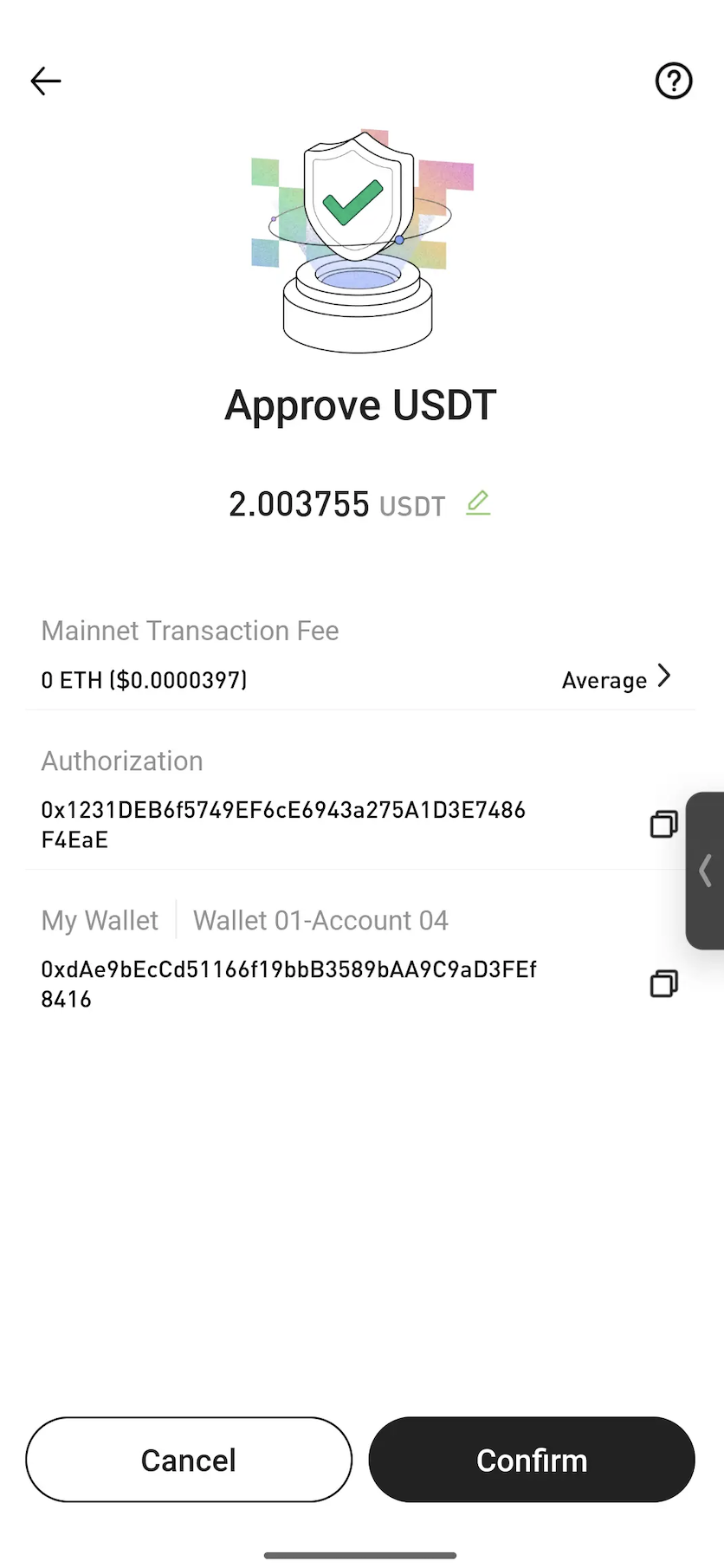


Note: Approval is a standard blockchain process that allows a smart contract to use the selected token for the swap. In most cases, approval is only required the first time a token is swapped.


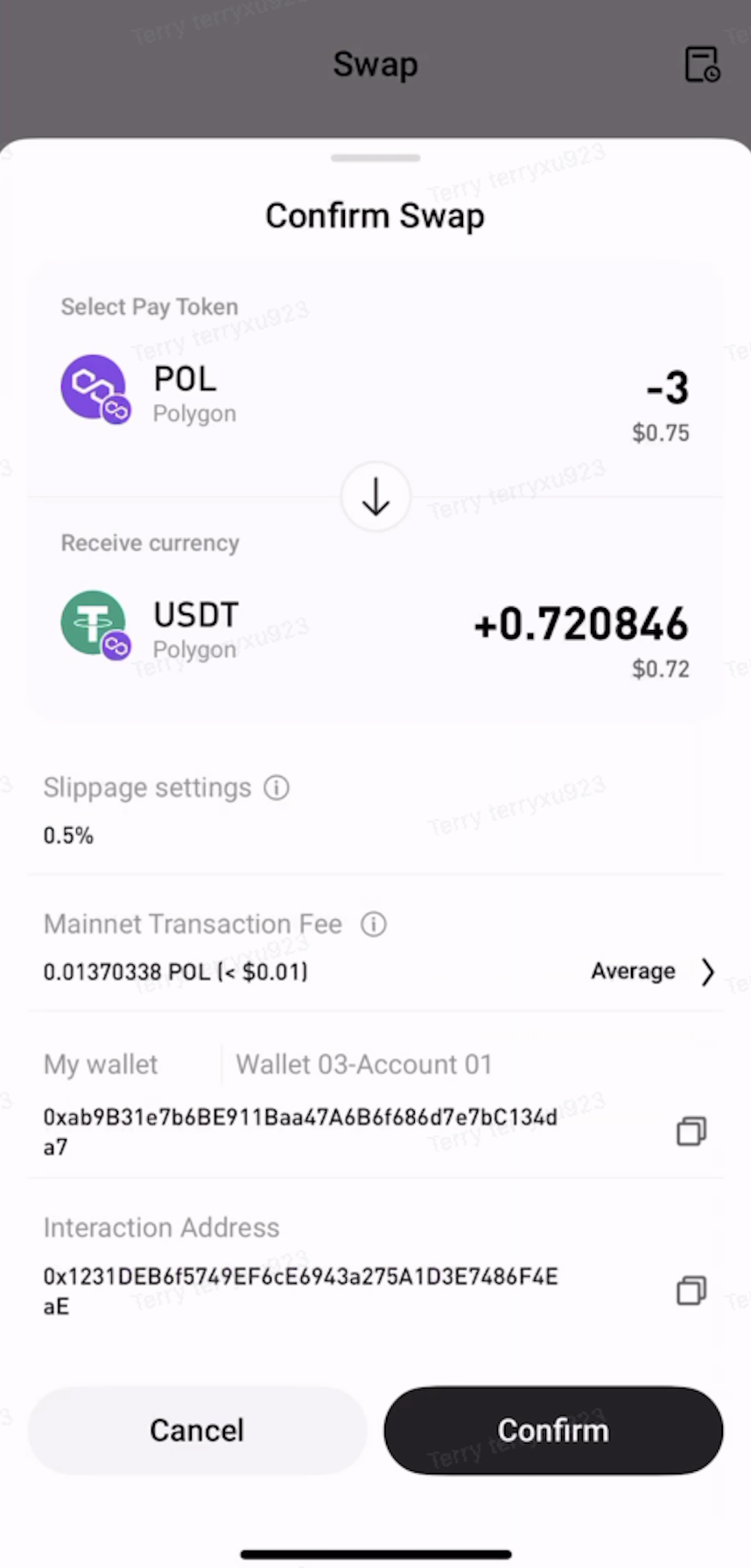
Step 4: Confirm the Swap


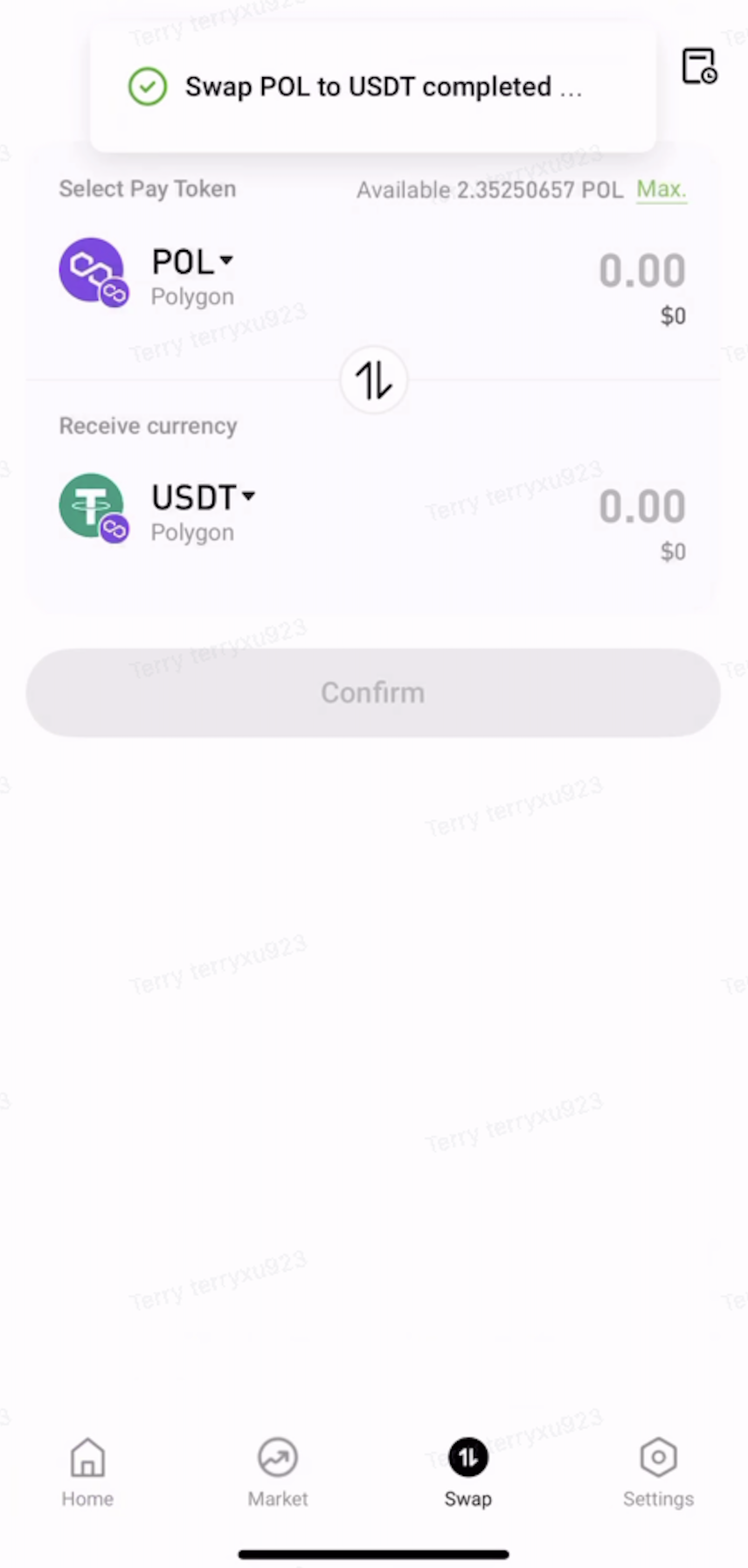
Review the swap details, then tap Confirm. Once the transaction is submitted, wait for on-chain confirmation to complete the swap.


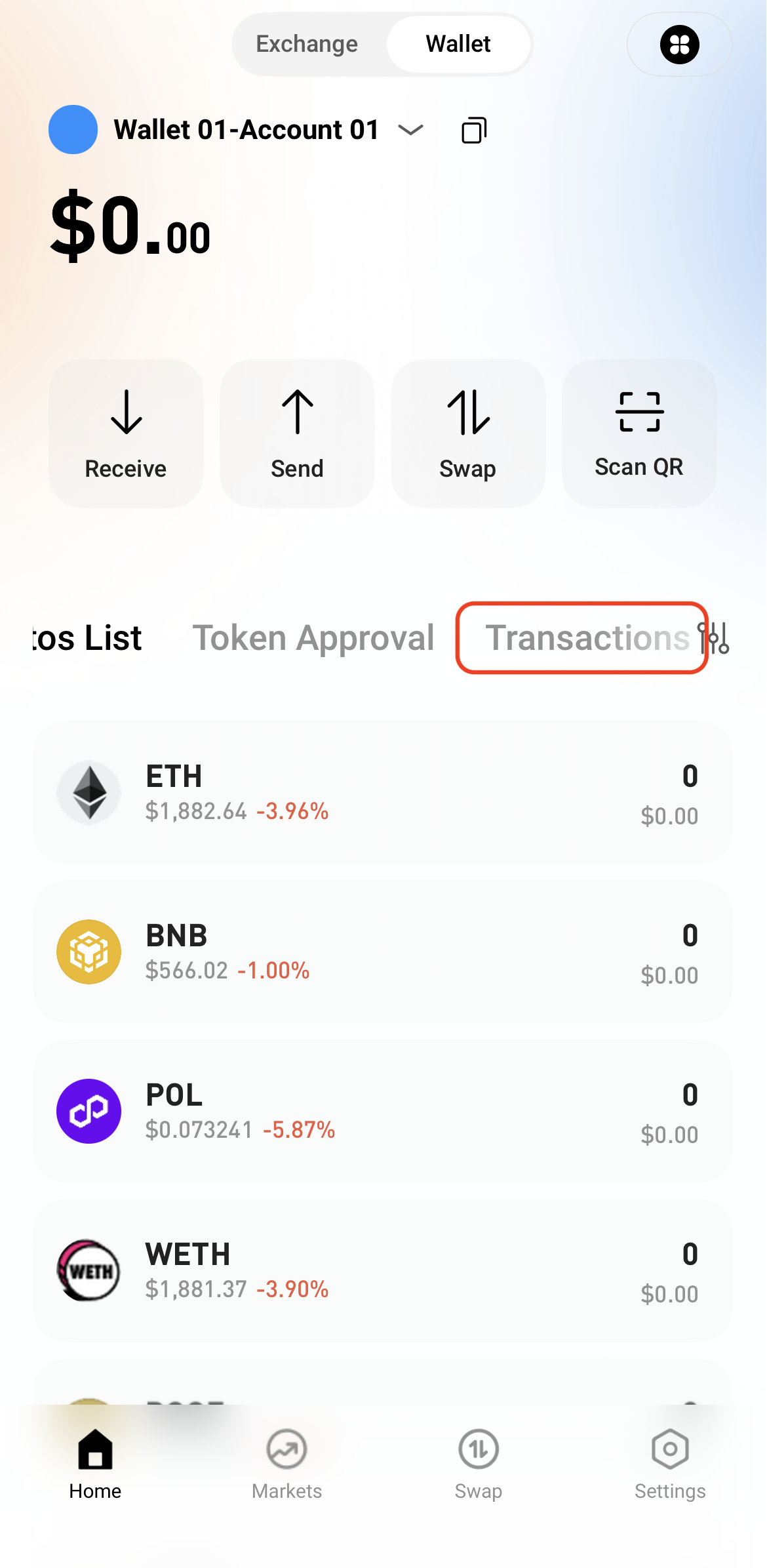
Step 5: View Transaction History


After the swap is complete, view the transaction details in Transactions or check the on-chain status through a block explorer.

   

Pagdeposito at Pag-withdraw
Deposit
Withdrawal
bumili ng cryptocurrency
P2P FAQ
Pamamahala ng Merchant
mga panuntunan sa protocol
Spot at Margin Trading
Spot Trading
kalakalan sa hinaharap
Contract Grid
Contract documentary
Getting Started
Follower Guide
Lead Trader Guide
Pananalapi ng Hotcoin
Iba pang mga paksa (kaugnay ng protocol)
NFT