
How to Download and Install the Hotcoin iOS App
The following steps will guide you through downloading and installing the Hotcoin iOS app.
Step 1: Prepare a Non-Mainland China Apple ID
If you don’t already have one, you can register a new Apple ID using an email address and phone number from outside Mainland China.
Note: If you have trouble obtaining a non-Mainland Apple ID, please contact Customer Support to request a temporary Apple ID. Tap the Customer Support button in the top-right corner of the main page for assistance.
Step 2: Sign in with your Apple ID in the App Store
1. Open the App Store and tap your profile icon in the top-right corner.
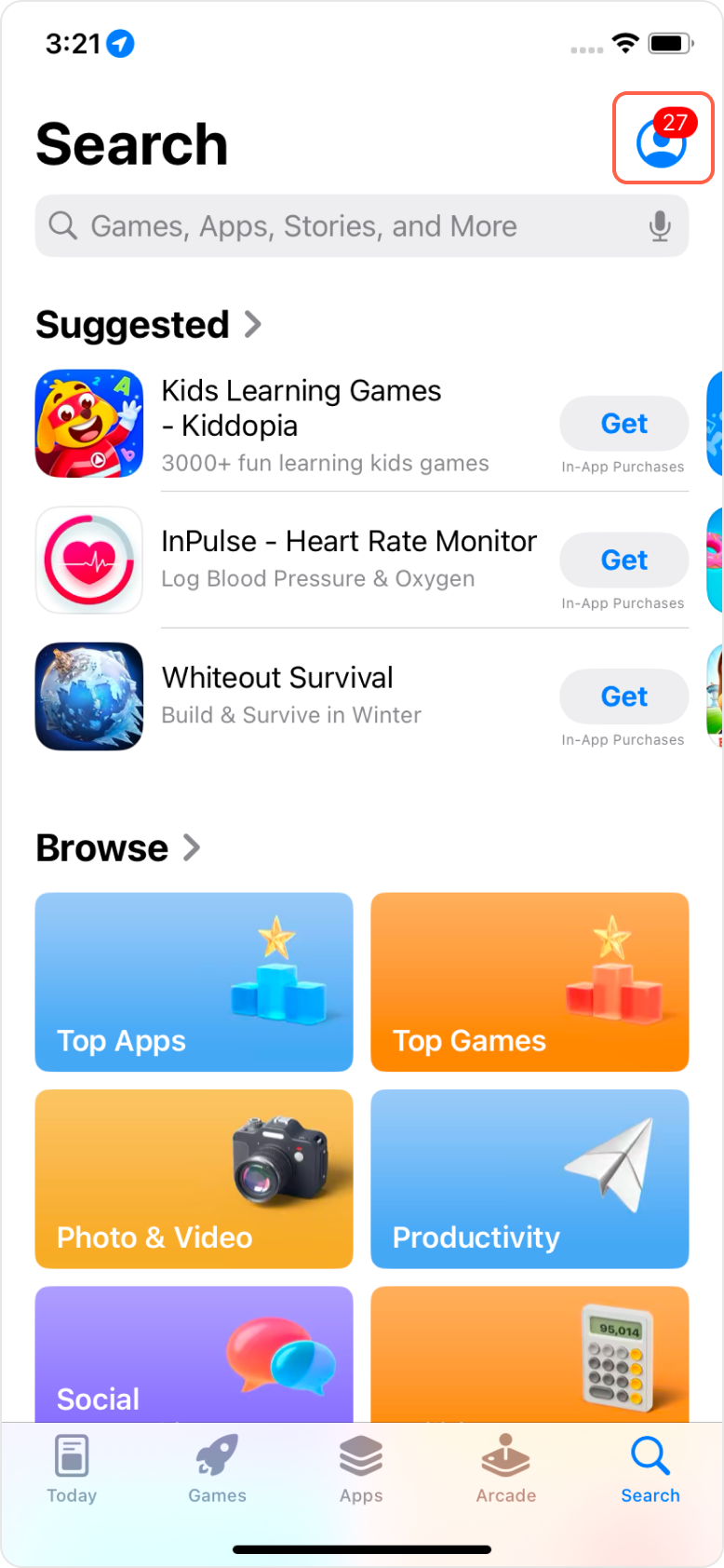
2. Scroll to the bottom and tap Sign Out. Then sign in again using your non-Mainland China Apple ID and password.
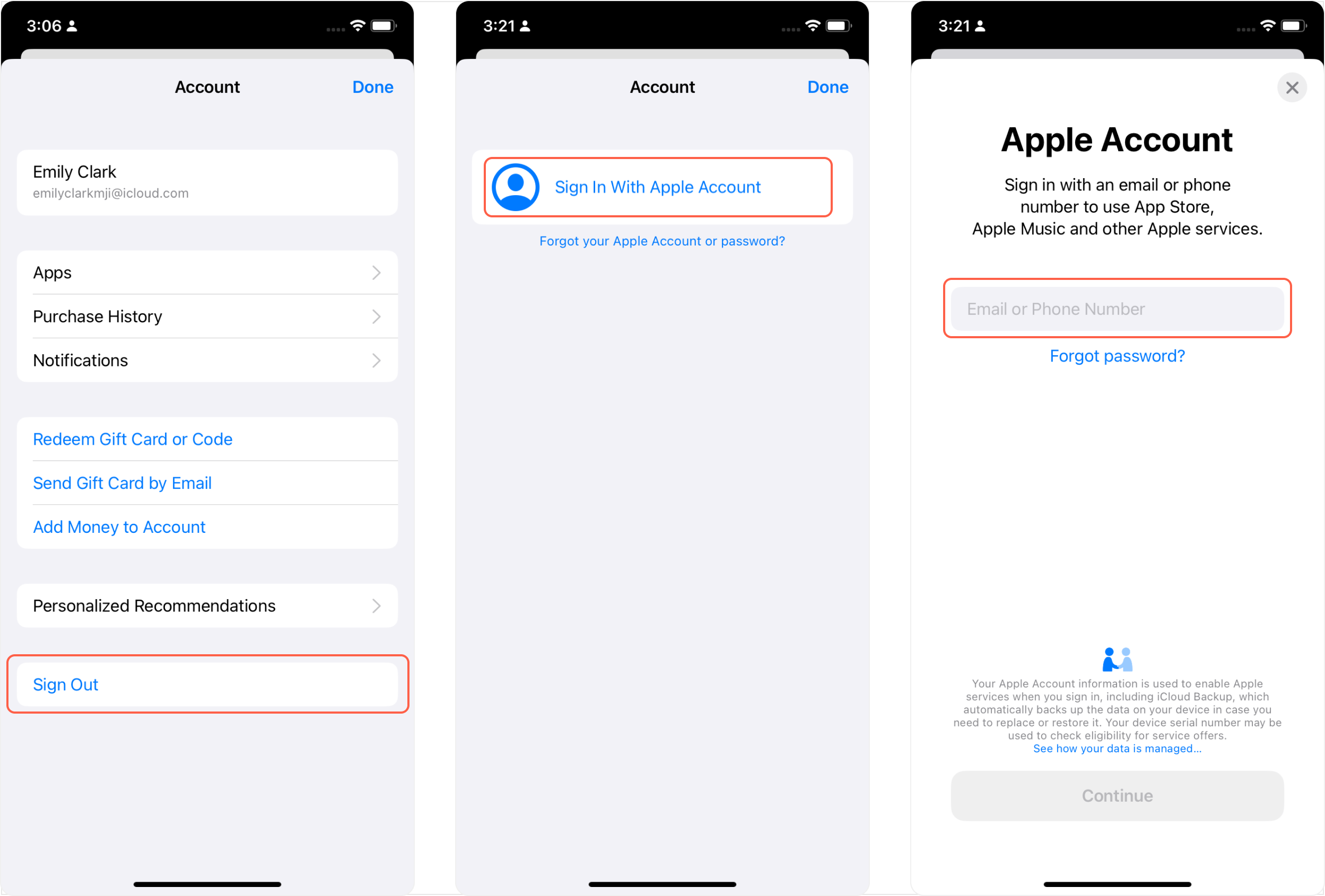
Step 3: Install the Hotcoin app
1. After signing in, you’ll be redirected to the App Store for your selected region.
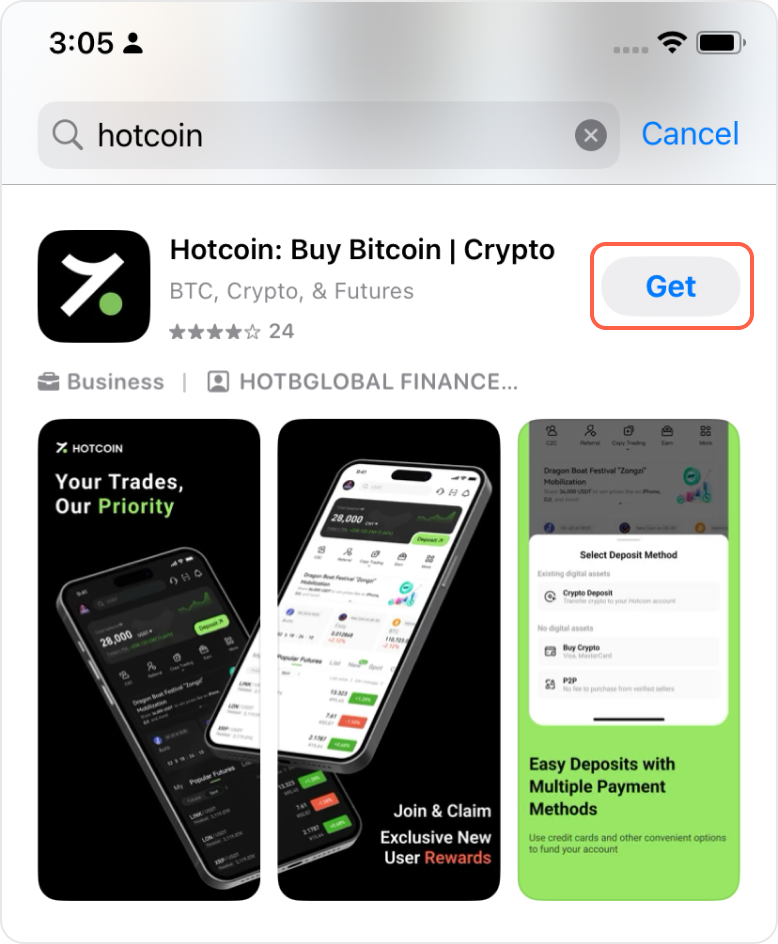
2. Search for “Hotcoin” and tap Download to install the app.
3. Return to your home screen.
4. Locate the Hotcoin app and tap to open it.
Inirerekumendang pagbabasa
Tingnan ang higit pa



Service@hotcoin.com
Product@hotcoin.com
Business@hotcoin.com
Casecn@hotcoin.com