


Service Contacts
Service@hotcoin.com
Product Feedback
Product@hotcoin.com
Business Cooperation
Business@hotcoin.com
Legal Contacts
Casecn@hotcoin.com
About us


Service


Support


©2017-2026
Service@hotcoin.com
Product@hotcoin.com
Business@hotcoin.com
Casecn@hotcoin.com
If a token does not appear automatically in your Hotcoin Web3 Wallet, you can add it manually to view its balance and other details.
Add a Custom Token
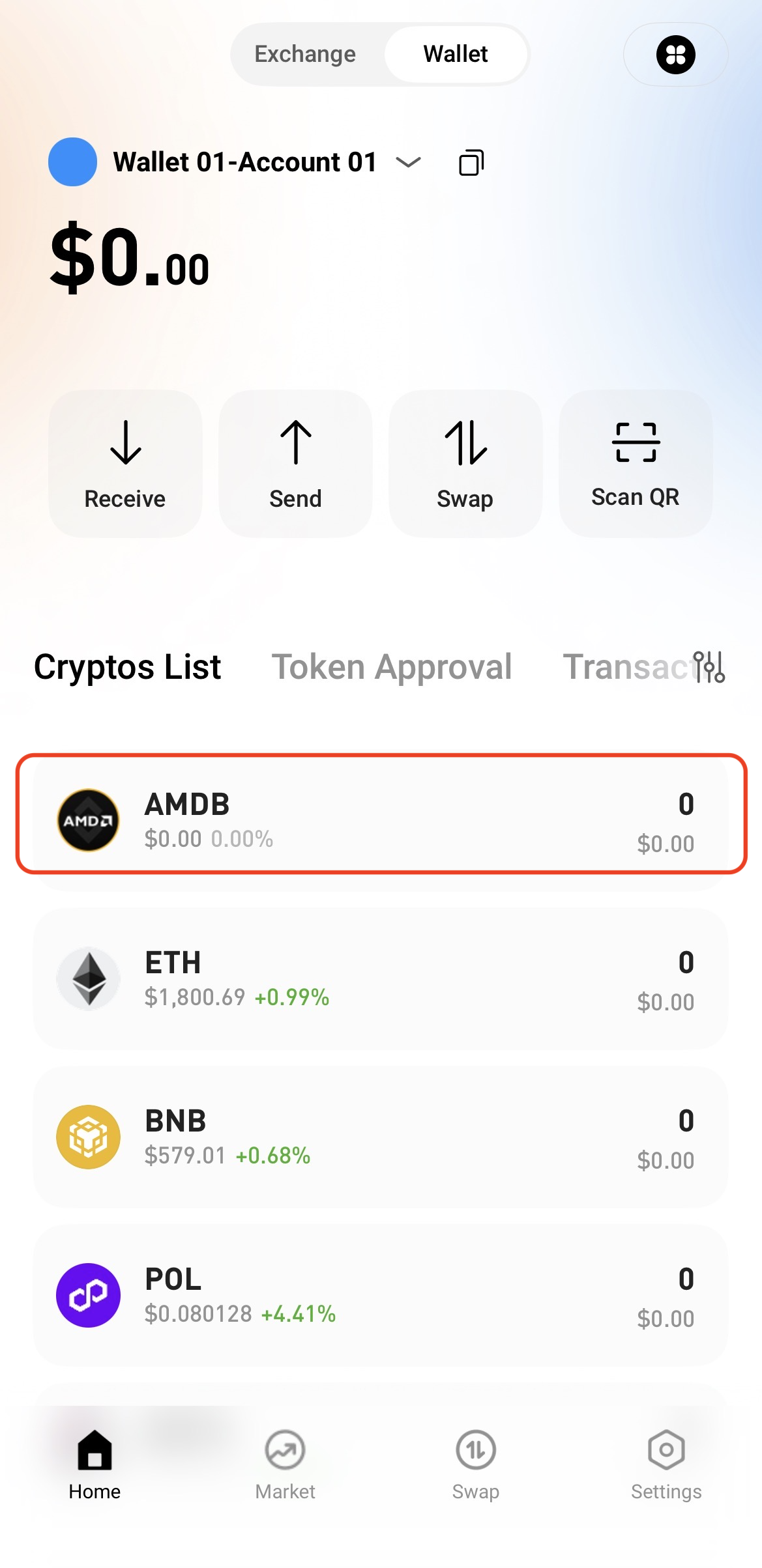
1. Open the Hotcoin App and go to Web3 Wallet.
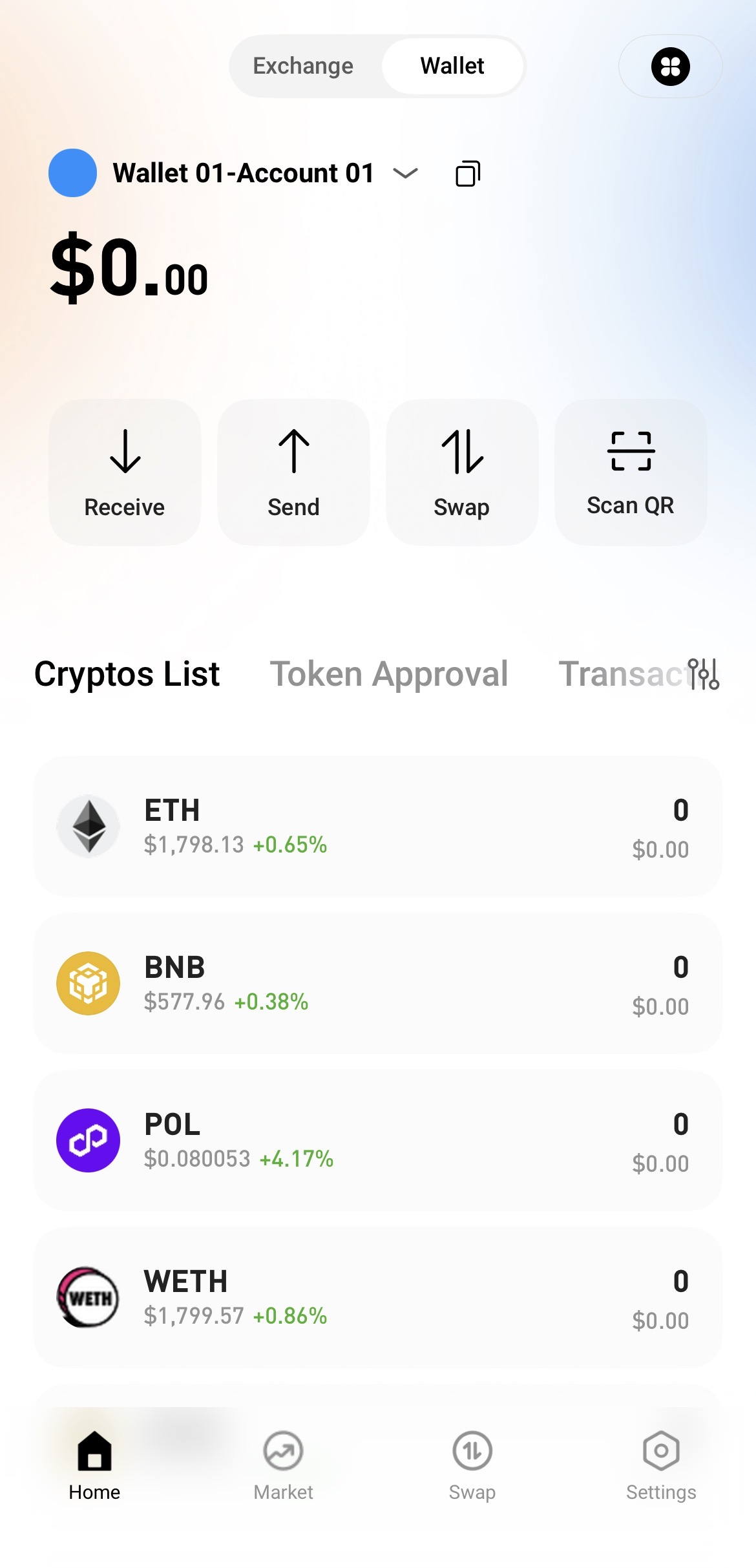
2. Tap the Currency Management icon in the upper-right corner.
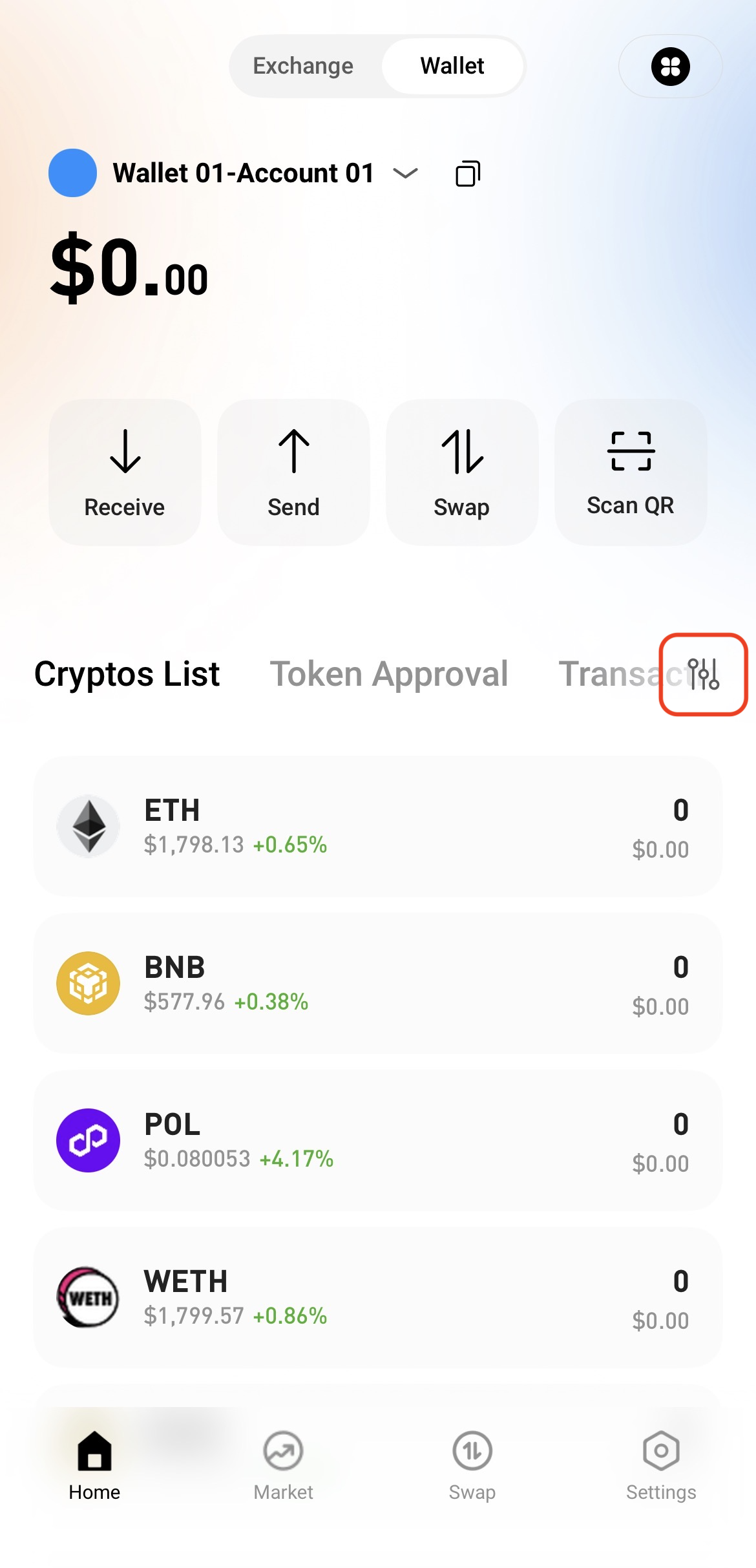
3. Select Custom Currency.
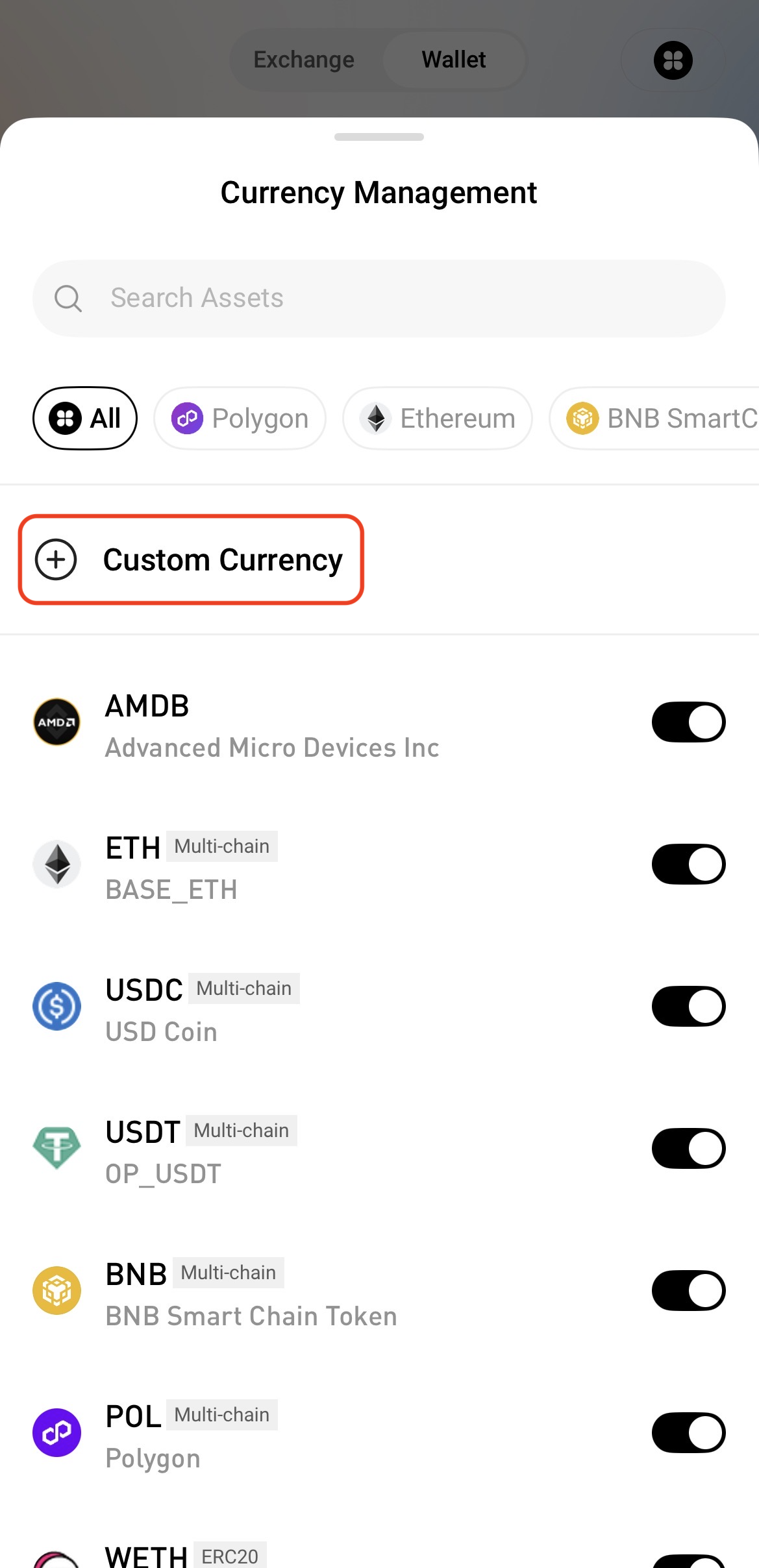
4. Enter the token's contract address and other required information, then tap Save to add the token.
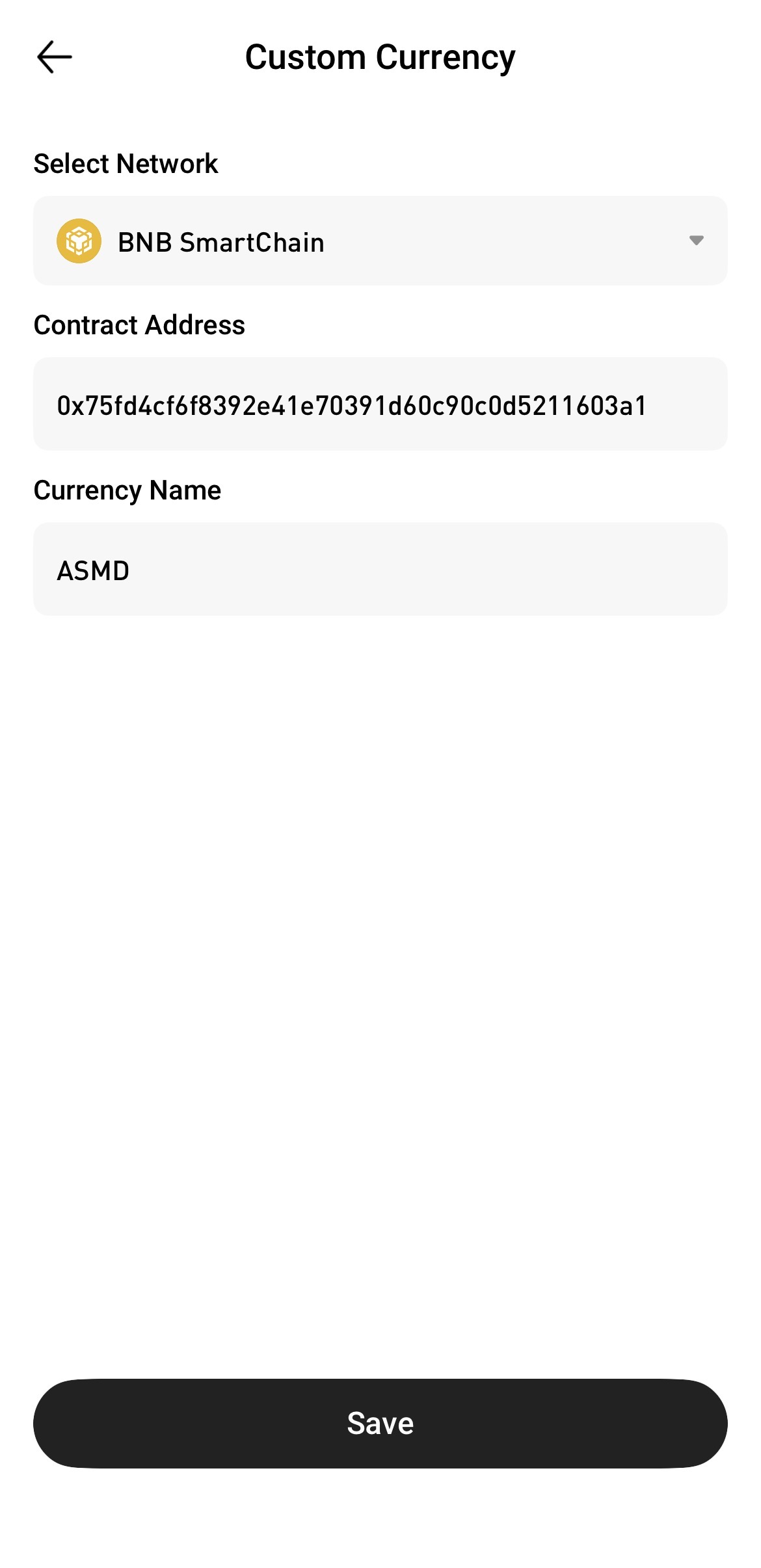
View Your Digital Assets
Return to the Web3 Wallet home page and find the token you just added in the token list. You can then view its balance and other details.
Notes
Make sure the token’s contract address and network information are correct to avoid adding the wrong token.
Adding a custom token allows you to view and manage the asset in your wallet. It does not change or affect your on-chain holdings.


