
How to Stop Profit and Loss?
What is Take Profit/Stop Loss?
Stop loss is also a common contract trading operation. Users believe that the price has reached a certain level and can reduce their positions by accepting reasonable losses to avoid further irreparable losses in the investment portfolio. Stop loss is a way to deal with risk.
How to set take profit and stop loss?
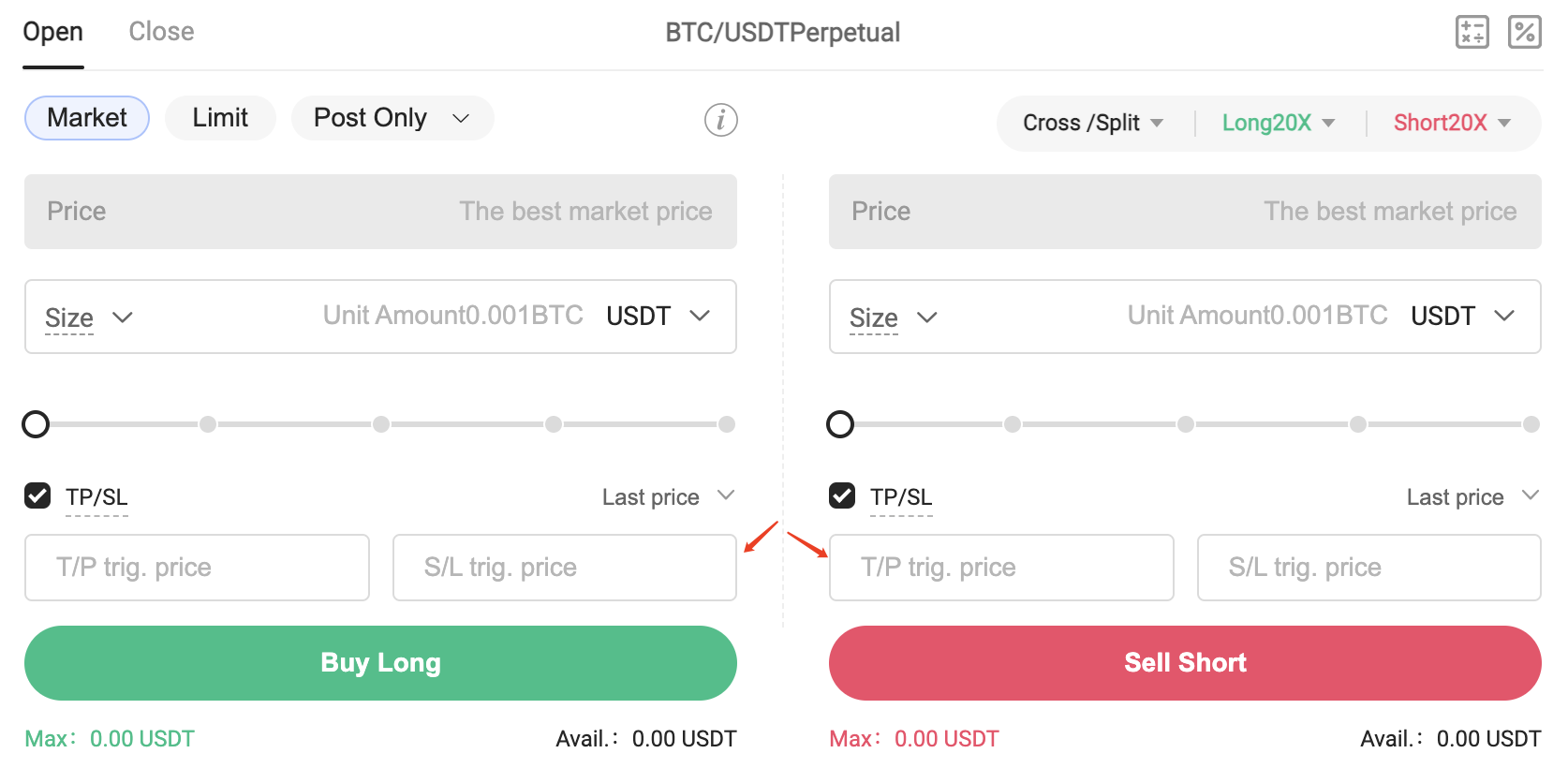
You can also set a stop-profit and stop-loss for the position when holding a position, as shown in the figure:
- Support stop-profit and stop-loss for all positions or part of the position;
- Supports setting of stop-profit and stop-loss according to the stop-profit and stop-loss trigger price and the estimated profit and loss rate of the position;
Hotcoin contract supports two types of take-profit and stop-loss orders: limit-price take-profit and stop-loss and market price take-profit and stop-loss.
- Market price stop profit and stop loss need to set a trigger price. When the latest price reaches (lower or higher than) the trigger price, the market price stop profit and stop loss order will be triggered. When the market fluctuates greatly and the price rises or falls sharply, the final transaction price of the market order may be higher or lower than the latest transaction price seen on the page when the user actually placed the order, even when the market price has exceeded/below the market price. When the maximum/minimum order price is exceeded, the transaction will not be completed, resulting in the failure of stop-profit and stop-loss.
- Limit price, stop profit and stop loss need to set the trigger price and order price. When the latest price reaches (lower or higher than) the trigger price, the limit price, stop profit and stop loss order will be triggered, and the order will be placed at the order price.
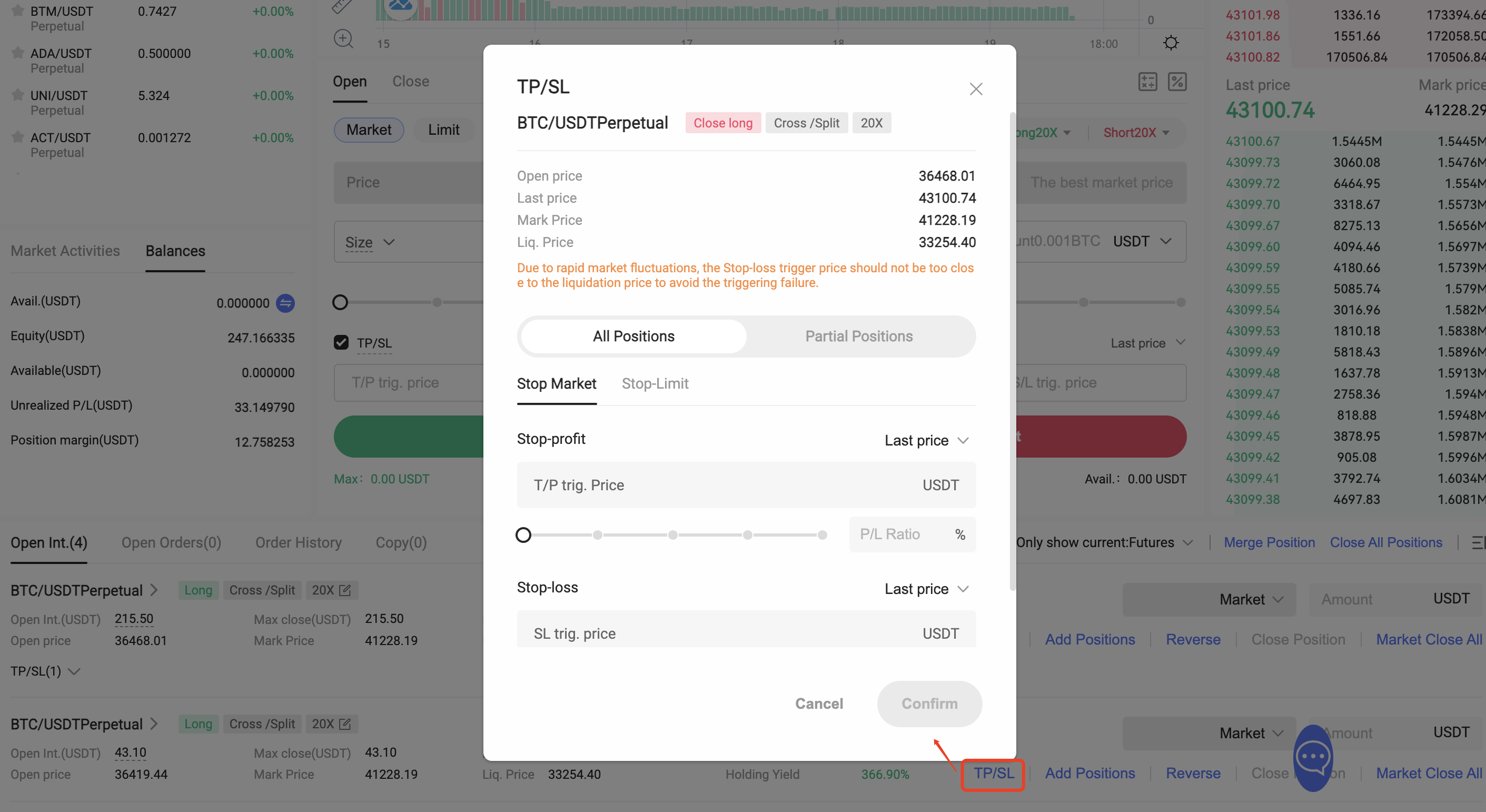
If the transaction has no position in that direction after the take-profit or stop-loss order is executed, the system will cancel the untriggered take-profit and stop-loss orders. If the quantity of the triggered stop-profit and stop-loss order is greater than the currently available quantity, only the available quantity will be entrusted. If the available quantity is 0, the stop-profit and stop-loss order will also be cancelled.
In your position list, take-profit/stop-loss orders will be displayed in the list with attached tags (take-profit, stop-loss). You can click to expand and modify or cancel the take-profit and stop-loss orders. When a position is closed manually or by Take Profit/Stop Loss, the outstanding Take Profit/Stop Loss orders will be automatically canceled.

Lectura recomendada
Ver más

Service@hotcoin.com
Product@hotcoin.com
Business@hotcoin.com
Casecn@hotcoin.com