
Complete Guide to Blockchain Explorers: Etherscan, Solscan, and More
A blockchain explorer is an on-chain data tool for reading a public ledger and looking up transactions, addresses, blocks, tokens, and smart contracts.
Etherscan focuses on Ethereum and EVM data, while Solscan focuses on Solana accounts, programs, and transaction instructions. They help users confirm whether a transfer reached the chain, how much Gas it consumed, which contract method was called, and where tokens ultimately went. They can also help identify fake contracts and unusual approvals.
An explorer is not the blockchain itself. It depends on nodes, indexers, labels, and parsing rules, so its data may be delayed or displayed incorrectly. Final conclusions should combine the correct network, raw transaction data, multiple reliable sources, and official protocol documentation rather than relying only on a green Success label or a project logo.
To first understand how wallets, Gas, approvals, dashboards, signatures, and multisig fit into a complete toolkit, read Essential Web3 Tools and Skills for On-Chain Operations.
What Is a Blockchain Explorer?
A blockchain explorer can be understood as a search engine for a public ledger. A user enters a transaction hash, address, block height, contract address, token address, or validator identifier, and the explorer returns the corresponding on-chain records and parsed results.
An explorer usually runs a full node or connects to an RPC endpoint, then uses an indexer to organize transactions, events, balances, tokens, and contract data. The website presents this information, while an API lets wallets, trading platforms, and developers query it in bulk.
An explorer can read public information, but it cannot recover a private key, reverse a confirmed transaction, or prove that a project is trustworthy. Any website claiming that explorer support can “unfreeze assets” while asking for a seed phrase is a major warning sign.
How Do Explorers, Wallets, and Nodes Differ?
A wallet manages accounts and signature requests. It displays balances using information returned by an RPC endpoint and uses private keys to sign transactions. A wallet interface saying that an action succeeded may only mean that the transaction was broadcast, not that it was confirmed.
A node enforces consensus rules, verifies blocks, and provides blockchain state. Running your own node reduces reliance on third-party data, but still requires client updates, storage, bandwidth, and ongoing operations.
An explorer turns node data into readable pages and adds labels, token logos, prices, charts, method names, and address relationships. This processing improves readability but also introduces indexing delays, incorrect labels, and parsing differences.
The proper division of responsibilities is simple: the wallet creates and signs, the explorer verifies, and a node or multiple data sources provide stronger independent validation. None of the three can fully replace the others.
How Do You Choose the Right Blockchain Explorer?
First, confirm the network. Ethereum, Arbitrum, Base, BNB Chain, Polygon, and other EVM networks may use similar address formats, but a transaction hash exists only on the network where it was submitted. The same address can also have entirely different balances across chains.
Second, verify the explorer domain. Enter through the network's official documentation and bookmark it. Be wary of search ads, look-alike domains, and fake pages that require a wallet connection merely to run a search. Looking up a public address or transaction does not require connecting a wallet.
Third, confirm the feature scope. EVM users can use Etherscan and its network-specific versions; Solana users can use Solscan or the official Explorer; Bitcoin requires an explorer designed for blocks, UTXOs, and the mempool.
Finally, prepare a backup source. Important deposits, bridge transfers, and contract upgrades should be checked with at least two reliable explorers or an RPC endpoint. If several websites use the same underlying data service, matching displays do not necessarily represent independent confirmation.
How Do You Check a Transaction by Hash?
A transaction hash is an identifier produced by hashing transaction data. EVM networks commonly call it a Transaction Hash, while Solana usually uses the transaction Signature as the lookup identifier. Copy the complete string rather than checking only its beginning and end.
If nothing appears, first check the network, confirm that the hash is complete, and verify that the transaction was actually broadcast. If a wallet created a request locally but the RPC never received it, the explorer will have no record. A brief indexer delay may also mean the transaction becomes searchable later.
After finding the transaction, check the status first, then the block or Slot, the sender and destination, the amount and token events, the fee, and finally the called method, logs, and internal actions.
A Success status means only that protocol execution did not revert with an error. It does not prove that the receiving address was correct, the exchange rate was fair, the contract lacked malicious permissions, or the user's intended outcome was achieved.
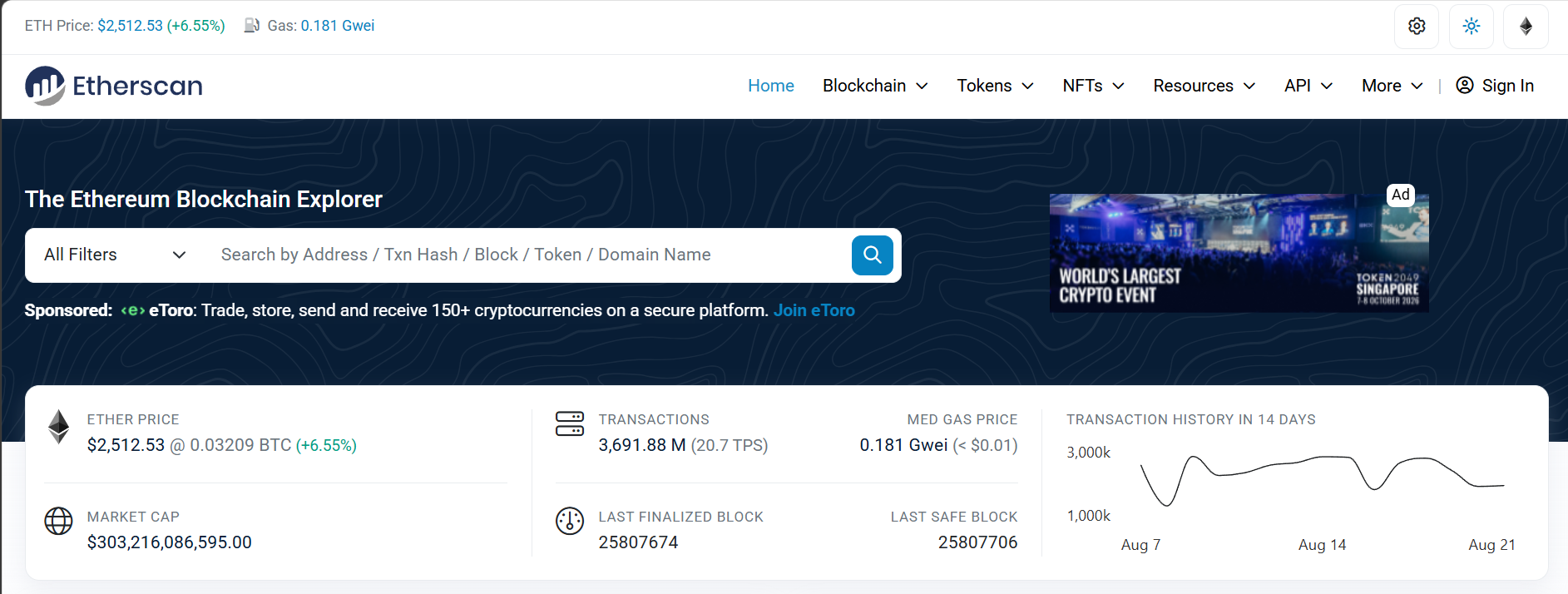
Which Fields Matter on an Etherscan Transaction Page?
5.1 Transaction Hash and Status
The Transaction Hash uniquely identifies the transaction. Status commonly appears as Success, Failed, or Pending. Failed means state changes were reverted, but Gas already consumed is generally not refunded.
Pending means the transaction has not entered a confirmed block. It may wait for a long time because of a low fee, the Nonce queue, network congestion, or node propagation issues. Another transaction using the same Nonce and a higher fee may also replace it.
5.2 Block and Confirmations
Block is the height of the block containing the transaction. Confirmations count the blocks produced after it. More confirmations generally reduce the impact of a short chain reorganization, but platforms and bridges set different requirements.
An explorer showing a block does not mean every external platform has credited the transaction. A trading platform must also verify the token, Memo or deposit address, and wait for its required confirmation count and internal risk controls.
5.3 From, To, and Interacted With
From is the account that initiated the transaction and used the Nonce. To may be a receiving address or a smart contract. Contract interaction pages often show Interacted With to indicate that the action was not a simple transfer.
With a proxy contract, the user calls the proxy address while the business logic resides in an implementation contract. Looking only at To is not enough to understand the executed code; Proxy, Implementation, and the upgrade administrator must also be checked.
5.4 Value and Token Transfers
Value usually represents the amount of native asset sent directly with the transaction. ERC-20 transfers, Swaps, lending, and NFT actions are mainly represented by contract events, so substantial asset changes may occur even when Value is zero.
Token Transfers, NFT Transfers, and event logs show parsed movements. Check the token's complete contract address, amount, Decimals, and final recipient to avoid being misled by a fake token with the same name.
5.5 Transaction Fee and Gas
The transaction fee normally equals Gas Used multiplied by the actual Gas Price. The page may also show Gas Limit, Base Fee, Priority Fee, and Burnt Fee. Gas Limit is the maximum available amount, not the amount that must be spent.
A Failed transaction still consumes computation already performed. To learn more about fee estimation, speeding up, cancellation, and same-Nonce replacement, read Gas Fee Optimization: Saving Strategies and Gas Tracking.
5.6 Nonce and Position
Nonce is an account's transaction sequence number. If a lower-Nonce transaction remains unprocessed, later transactions may queue behind it. Speed Up and Cancel compete for confirmation by submitting a higher-fee replacement with the same Nonce.
A transaction's position inside a block also affects execution order. Earlier transactions can change DEX prices, liquidation conditions, or NFT Mint state, so the final result may differ from the quote visible at submission time.
What Are Input Data, Logs, and Internal Transactions?
Input Data contains the function selector and encoded parameters of a contract call. When the contract source and ABI are verified, Etherscan can parse them into method names and parameters such as Approve, Transfer, Swap, or Deposit.
Event logs are written during contract execution and commonly record token movements, approvals, orders, and protocol state. Logs are useful for indexing, but a contract can emit custom events, and an event name alone does not prove that the represented business action truly occurred.
Internal Transactions generally come from execution Trace data and represent native-asset movements or internal calls made during contract execution. They are not ordinary transactions separately signed by a user with their own transaction hashes; they are child paths produced by the outer transaction.
Trace and log parsing may vary by explorer, node mode, and network support. When investigating a complex exploit, proxy call, or cross-contract fund flow, combine Debug Trace data, raw logs, and multiple analysis tools.
How Do You Analyze an Etherscan Address Page?
An address page can show the native-asset balance, tokens, NFTs, transaction history, and internal transfers. The balance is the current state, while the history helps reveal funding sources and interaction patterns.
An EOA is controlled by a private key, while a contract address is controlled by code. Etherscan normally labels a Contract and provides Code, Read Contract, Write Contract, and Events tabs. Do not determine the address type from its length alone.
Address labels may identify a trading platform, bridge, hacker, or project treasury, but labels are maintained by the explorer team or external sources and may be missing or incorrect. High-risk conclusions should combine on-chain behavior with official disclosures.
Unknown assets in Token Holdings are not necessarily valuable. Spam airdrops often use enticing names and URLs to direct users to phishing pages. There is no need to claim or sell them; avoid interacting with unknown contracts.
Before querying a wallet address with an explorer, learn how to add networks and manage transaction records in MetaMask Setup and Usage: Your Gateway to Web3.
How Do You Verify Tokens and NFTs?
The most reliable identity of a token is its network-and-contract-address pair, not its name, Ticker, or Logo. On a Token Tracker page, verify the contract, total supply, Decimals, holders, transfers, and official links.
Holder rankings must account for trading platforms, liquidity pools, burn addresses, bridges, and team wallets. A large percentage held by one address does not necessarily represent an individual whale, while several related addresses may be controlled by one entity.
For an NFT, verify the collection contract, Token ID, current Owner, transfer history, and metadata URI. Identical images do not make two NFTs the same, and metadata hosted on a mutable server may change after purchase.
Prices shown on token and NFT pages often come from third-party markets or DEXs. They may be delayed, lack depth, or be manipulated by a small trade. An on-chain balance does not guarantee that the asset can be sold at the displayed price.
How Do You Check Whether a Smart Contract Is Trustworthy?
9.1 Has the Source Code Been Verified?
Verified Contract means the source code and compiler settings submitted by the publisher match the on-chain bytecode, making the contract easier to read and call. It is not a security audit and does not prove that the business logic is sound.
An unverified contract is harder to inspect directly and should not be overlooked because a project is famous or its interface looks polished. Cross-check the verification time, compiler, open-source repository, and audit reports.
9.2 Is It a Proxy Contract?
An upgradeable proxy separates storage from logic. Users interact with the proxy address, while an administrator can point the implementation to new code. Check the Implementation, Admin, multisig, timelock, and upgrade history.
Simple proxy code does not make the full system simple. Security analysis must follow the implementation address and consider initialization, storage collisions, and upgrade permissions.
9.3 Read and Write Functions
Read Contract normally reads state without requiring a transaction. Write Contract connects a wallet and submits a state-changing transaction. An explorer offering the interface does not make the call safe, and incorrect parameters can still cause losses.
High-risk functions include Ownership, Pause, Mint, Blacklist, Upgrade, Withdraw, and Fee settings. Names can be disguised, so the final assessment must examine source code and access modifiers.
9.4 Contract Creator and History
Contract Creator, Creation Transaction, and the first funding source help reveal a deployment path. Mass deployment, frequent implementation changes, and interaction with known exploit addresses deserve further investigation, but one behavior alone is not enough to assign guilt.
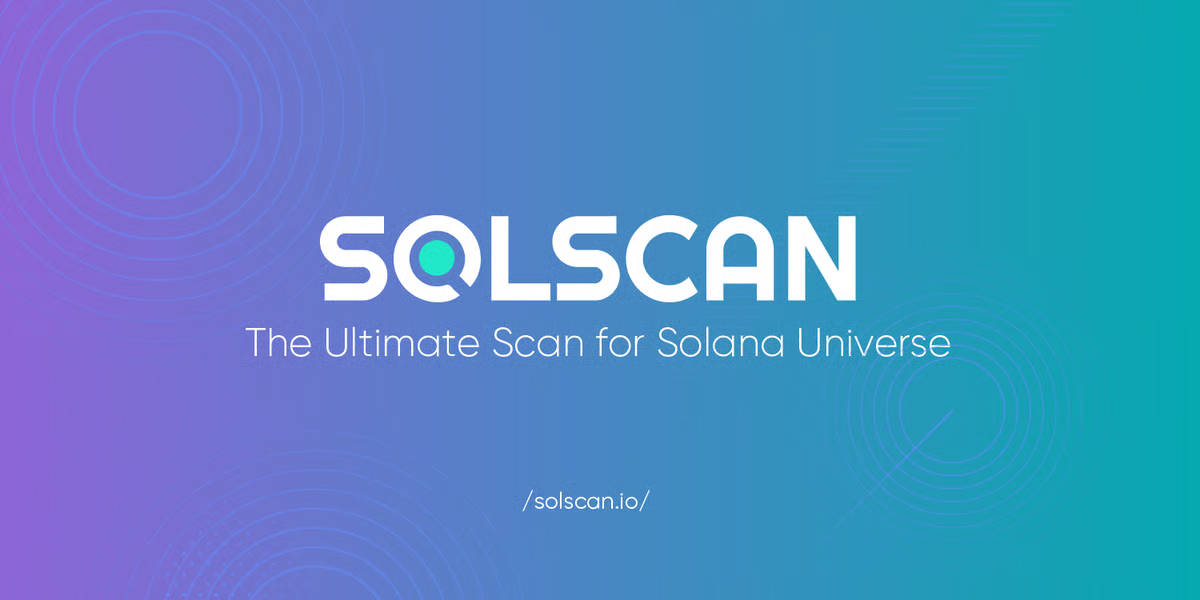
How Do Solscan and Etherscan Data Models Differ?
Solana uses an account-and-program model. Accounts store state, programs execute instructions, and a transaction can contain multiple Instructions while providing programs with readable and writable objects through an account list. EVM concepts such as From, To, and contract calls cannot be applied directly.
Solana transactions are commonly queried by Signature. A page shows Slot, Block Time, Status, Fee Payer, fees, Compute Units, and a set of instructions. One transaction can call the System Program, Token Program, Associated Token Program, and a DApp program together.
A token is identified by its Mint Address, while user balances normally reside in a Token Account or Associated Token Account. A wallet's main address may differ from the accounts that actually hold its tokens, and explorers aggregate them for display.
A Program ID identifies executable logic, but state is stored in other accounts. Upgrade authority, the program data account, and the Authority determine whether a program can be changed, so verification cannot stop at one Program ID.
How Should You Read a Solscan Transaction Page?
11.1 Signature, Slot, and Status
Signature is the usual transaction identifier. A Slot is a time position in which a validator has the opportunity to produce a block, and some Slots may be skipped. Common confirmation states include Processed, Confirmed, and Finalized, which offer different levels of reliability.
Even after a wallet reports Confirmed, some high-value platforms may wait for Finalized. Follow the requirements of the protocol, bridge, or trading platform instead of relying on one green status.
11.2 Fee Payer and Account List
The Fee Payer pays the SOL network fee and is not necessarily the final sender of every asset. A transaction also lists signers, writable accounts, and read-only accounts that multiple programs may use together.
If a third party sponsors the fee, confirm that it serves only as Fee Payer and has not received unnecessary signature or account permissions.
11.3 Instructions and Inner Instructions
Top-level Instructions are the program calls made directly by the transaction. During execution, cross-program calls can create Inner Instructions, such as a DEX router calling the Token Program to move assets.
To understand a Swap, do not inspect only the first instruction. Expand internal calls, Token Balance Changes, and logs to confirm the actual input, output, and fee recipient.
11.4 Compute Units and Priority Fee
Solana uses Compute Units to measure computational resources. A transaction can set a Compute Unit Limit and price to create a priority fee. Complex transactions may fail when their budget is insufficient, while a higher priority fee may improve inclusion during congestion.
The actual cost depends on network conditions, signature count, compute budget, and priority fee. A high Priority Fee does not guarantee business success; it only affects competition for processing.
11.5 Program Logs and Errors
Logs record program calls, resource use, and errors. A failed transaction can be diagnosed through the last successful program, error code, and logs, revealing issues such as account state, slippage, balance, or insufficient permissions.
Error codes usually require the project's source code or official documentation for interpretation. A “fix transaction” link from an unfamiliar site may be phishing, so never re-sign solely in response to a private message.
How Do You Troubleshoot Failed and Pending Transactions?
For an EVM Pending transaction, first inspect Gas, Nonce, and earlier transactions from the account. An unconfirmed low-Nonce transaction blocks later ones, and a same-Nonce replacement needs a sufficiently higher fee. If the explorer shows Dropped or Replaced, find the replacement hash.
For an EVM Failed transaction, inspect the Revert Reason, Input, events, and Trace. Slippage, insufficient approval, a paused contract, and Out of Gas are common causes. Do not retry repeatedly without understanding the cause because each failure may consume fees.
For a Solana Failed transaction, check program logs, error codes, the account list, Compute Budget, and blockhash validity. An expired transaction normally must be rebuilt rather than simply rebroadcast with the old signature.
On every network, determine whether the underlying transaction changed state before addressing what the front end displays. A frozen webpage does not prove an on-chain failure, and a webpage error does not prove that the transaction was never confirmed.
How Do You Track Swaps, Bridges, and Approvals?
For a Swap, verify the input token, output token, actual amounts, routing contract, pools, and protocol fees. An aggregator may route through several pools, and the amount finally received matters more than the quote shown by the interface.
A bridge transfer must be checked on both the source and destination chains. The source transaction may lock or burn assets, a cross-chain message then waits for validation, and the destination chain mints or releases assets. One explorer cannot fully represent both chains.
For permissions, look for state changes such as EVM Approval, ApprovalForAll, or Solana Delegate. Assets may not move immediately after an approval succeeds, but the designated contract may use the allowance later.
An ordinary explorer may not show a signature that has not yet gone on-chain. Permit signatures, orders, and phishing signatures can be submitted later by a third party. To understand the security boundary between on-chain transactions and off-chain signatures, read How to Interact Safely On-Chain: Signatures vs. Transactions.
What Can Block and Validator Pages Show?
A block page shows height or Slot, hash, time, transaction count, Gas usage, base fee, producer, or validator. It helps confirm whether a network is producing blocks normally, where a transaction appeared, and how congested the network was at that time.
For an EVM block, Gas Used and Gas Limit indicate capacity use, while Base Fee helps show congestion. Timestamps are constrained by protocol rules but should not be treated as perfectly accurate real-world clocks.
Solana Slots and blocks must be distinguished because some Slots do not produce blocks. A validator page may show votes, stake, and historical performance, but explorer metric definitions may differ from real-time conditions.
Explorers also display recent blocks and network statistics, which help determine whether a problem comes from one wallet, a particular DApp, or the entire network. When conditions appear abnormal, also check the official status page.
What Are Explorer APIs and Analytics Used For?
An API lets software query balances, transactions, events, contracts, and token data. Developers can use it for wallets, accounting, risk control, monitoring, and research, subject to rate limits and terms of service.
API values may use hexadecimal notation, smallest units, or pagination. Decimals, block ranges, and reorganization handling must be implemented correctly. Requesting only the latest balance cannot replace a complete historical ledger.
Address graphs, labels, holder rankings, and fund flows can support investigations, but relationships are often inferred. One trading-platform address can represent many users, and one entity can control many addresses, so address counts should not be treated as person counts.
Professional analysis should record the data source, query time, network, block height, and parsing rules. A reproducible query is more reliable than a single screenshot.
What Are the Limitations of Blockchain Explorers?
First, indexing can be delayed. A node may have confirmed a transaction while the website cannot yet find it, and complex token balances or internal calls can take longer to parse.
Second, labels are not consensus. Project, attacker, trading-platform, and risk labels are maintained by the service and may be wrong, outdated, or missing.
Third, parsing can mislead. Explorers generate readable descriptions from ABIs, events, and heuristic rules, while a malicious contract can use confusing names or emit deceptive events.
Fourth, privacy is limited. Anyone can see public-chain addresses, amounts, and times, and a search service may also obtain IP addresses and query behavior. A pseudonymous address is not the same as an anonymous identity.
Fifth, an explorer cannot evaluate market value. Displayed balances, supply, and holder counts do not prove real liquidity or establish that a team, copyright claim, or business is legitimate.
Sixth, successful transactions are irreversible. An explorer can only display the result; it cannot freeze, recover, or cancel a confirmed transfer. So-called recovery support often exploits a user's anxiety to continue the scam.
Hotcoin's Eight-Dimension EXPLORER Verification Method
Use the eight-dimension EXPLORER checklist to read any explorer page efficiently. It is a query framework, not a security certification for an address, contract, or asset.
17.1 E: Environment — Is the Network Correct?
Confirm the mainnet, testnet, L2, or Solana cluster. Verify the explorer domain and chain ID so you do not search for the same address on the wrong network.
17.2 X: Transaction — Is the Hash Complete?
Use the complete transaction hash or Signature and confirm that it was not truncated, substituted, or copied from another chain.
17.3 P: Participants — Who Is Involved?
Inspect From, To, Fee Payer, Program, contracts, and the final recipient. Distinguish user addresses from proxies, routers, and pools.
17.4 L: Logs — What Actually Executed?
Expand methods, Input, events, Trace, Instructions, and logs instead of relying only on a one-sentence summary generated by the explorer.
17.5 O: Outcome — What Was the Status and Asset Change?
Confirm Success, Failed, Confirmed, or Finalized, then check Token Transfers, balance changes, and protocol positions.
17.6 R: Resources — Were the Fees Reasonable?
Inspect Gas, Base Fee, Priority Fee, Compute Units, Nonce, and replacement status. Separate execution cost from business loss.
17.7 E: Entity — Is the Contract Identity Trustworthy?
Verify the contract or Mint address, source verification, proxy implementation, upgrade administrator, creator, and official disclosures. Do not trust a matching Logo.
17.8 R: Risk — Which Conclusions Still Need Verification?
Labels, prices, internal calls, and address relationships may come from indexing and inference. Use a second explorer, an RPC endpoint, or official documentation for high-value conclusions.
Five Practical Lookup Scenarios
Scenario one: a trading-platform deposit has not arrived. Verify the deposit network and address, then inspect status, token contract, amount, Memo or Tag, and the platform's required confirmation count.
Scenario two: a Swap delivered the wrong amount. Check the route, pools, Token Transfers, price impact, slippage, and token tax, and confirm that the asset is not a fake token using the same name.
Scenario three: a wallet displays an unknown airdrop. Use read-only queries for the token contract and holders. Do not click a URL embedded in the token name or connect a wallet to claim an unknown reward.
Scenario four: a project upgrades its contract. Compare the proxy's current and previous Implementation, upgrade transactions, administrator, and timelock, and confirm that the official announcement matches the on-chain change.
Scenario five: a wallet may be compromised. Trace the first abnormal transaction, approvals, fund destinations, and associated addresses while revoking remaining permissions and moving unaffected assets. Stop using the original account after a private-key leak.
Frequently Asked Questions
19.1 Why Does the Explorer Show Success While the Recipient Cannot See the Asset?
The wrong network may have been selected, the token may not have been added, the platform may still be waiting for confirmations, or the asset may have entered a contract account. Verify Token Transfers, the address, and platform support.
19.2 Does a Zero Value on Etherscan Mean No Tokens Were Transferred?
No. Changes involving ERC-20 tokens, NFTs, and Swaps normally appear in events and Token Transfers, while native-coin Value can remain zero.
19.3 Is an Internal Transaction Another User Transaction?
Usually not. It normally represents an internal call or native-asset movement in the outer transaction's execution Trace and has no separate user signature or independent transaction hash.
19.4 What Is the Difference Between Confirmed and Finalized on Solscan?
Confirmed has strong cluster confirmation, while Finalized represents a higher level of certainty. For high-value deposits, wait according to the platform's or protocol's requirements.
19.5 Does Verified Source Code Mean a Contract Is Safe?
No. Readable source code is not the same as an audit. You must still check proxies, administrators, permissions, business logic, and historical behavior.
19.6 Must I Connect a Wallet to Look Up an Address?
No. Addresses and transactions are public data and can be pasted directly into a search field. Treat any “lookup tool” that demands a connection and signature with caution.
19.7 Can a Blockchain Explorer Recover a Mistaken Transfer?
No. An explorer only displays on-chain records and cannot reverse a confirmed transaction. You can only contact the recipient or relevant platform and attempt to negotiate.
Conclusion: Start with the Hash to Understand On-Chain Facts
Blockchain explorers are among the most important verification tools in Web3. Etherscan helps users understand EVM transactions, Gas, logs, Trace data, and contracts, while Solscan organizes Solana data around Signatures, Slots, accounts, Programs, and Instructions.
An effective lookup does more than check Success. It verifies the network, complete hash, participating addresses, execution method, asset changes, fees, and final status, then identifies which labels and interpretations still come from a third party.
An explorer cannot replace private-key security, contract audits, or project due diligence. It makes public facts easier to verify and helps users spot abnormalities before and after signing. To build a complete on-chain routine, return to Essential Web3 Tools and Skills for On-Chain Operations.
To connect to Web3 applications with a standalone wallet, consider Hotcoin Web3 Wallet. For mobile market data and trading tools, visit the Hotcoin App. For more educational content, visit Hotcoin.
Risk Warning: This article is for education and information only and does not constitute investment, trading, on-chain forensics, cybersecurity, legal, or tax advice. Blockchain explorers may be affected by indexing delays, incorrect labels, parsing differences, impersonation websites, and third-party data risks. On-chain activity also involves risks such as private-key exposure, malicious signatures, contract vulnerabilities, bridges, approvals, Gas, slippage, and irreversible transfers. Verify the latest official documentation, network, complete addresses, and transaction data before acting, and use only assets you can afford to lose.
Lectura recomendada
Ver más

Service@hotcoin.com
Product@hotcoin.com
Business@hotcoin.com
Casecn@hotcoin.com