
Anti-Phishing Codes: The First Line of Defense Against Fake Exchanges
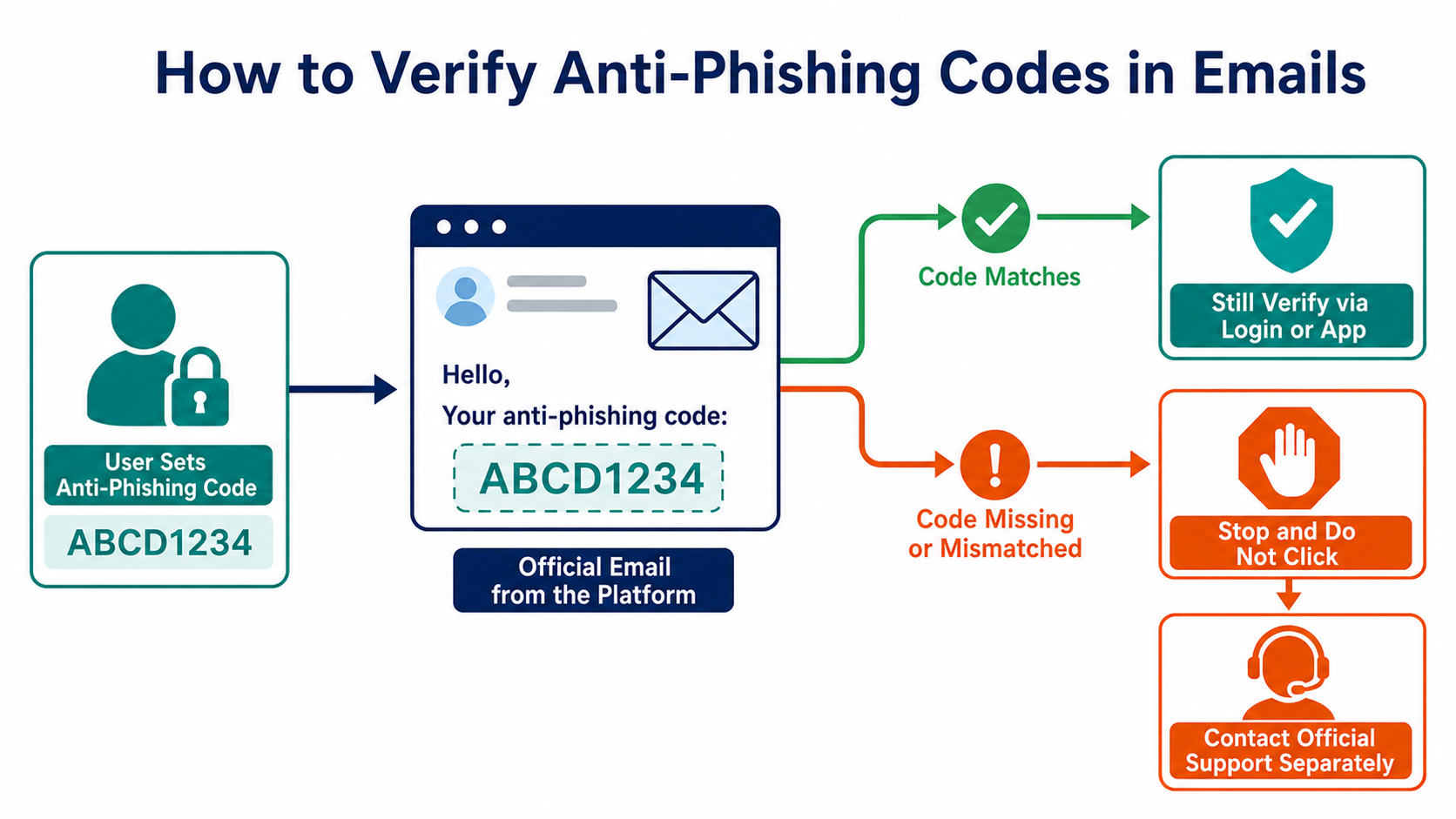
An anti-phishing code is custom text that a user sets in advance and the platform includes in official emails. If the code is missing or does not match, stop clicking and verify the message through an independent channel.
What Problem Does an Anti-Phishing Code Solve?
Scammers can copy a platform's logo, layout, and notification language, and they can register domains that look almost identical to the real one. An anti-phishing code adds a verification detail known in advance only to the account holder and the platform's system, making mass-produced fraudulent emails harder to replicate perfectly.
Choose a short phrase that does not contain your name, birthday, password, or financial information. Never use a login password, verification code, or seed phrase as an anti-phishing code, and do not expose it in screenshots posted on social media.
How Should You Check an Email?
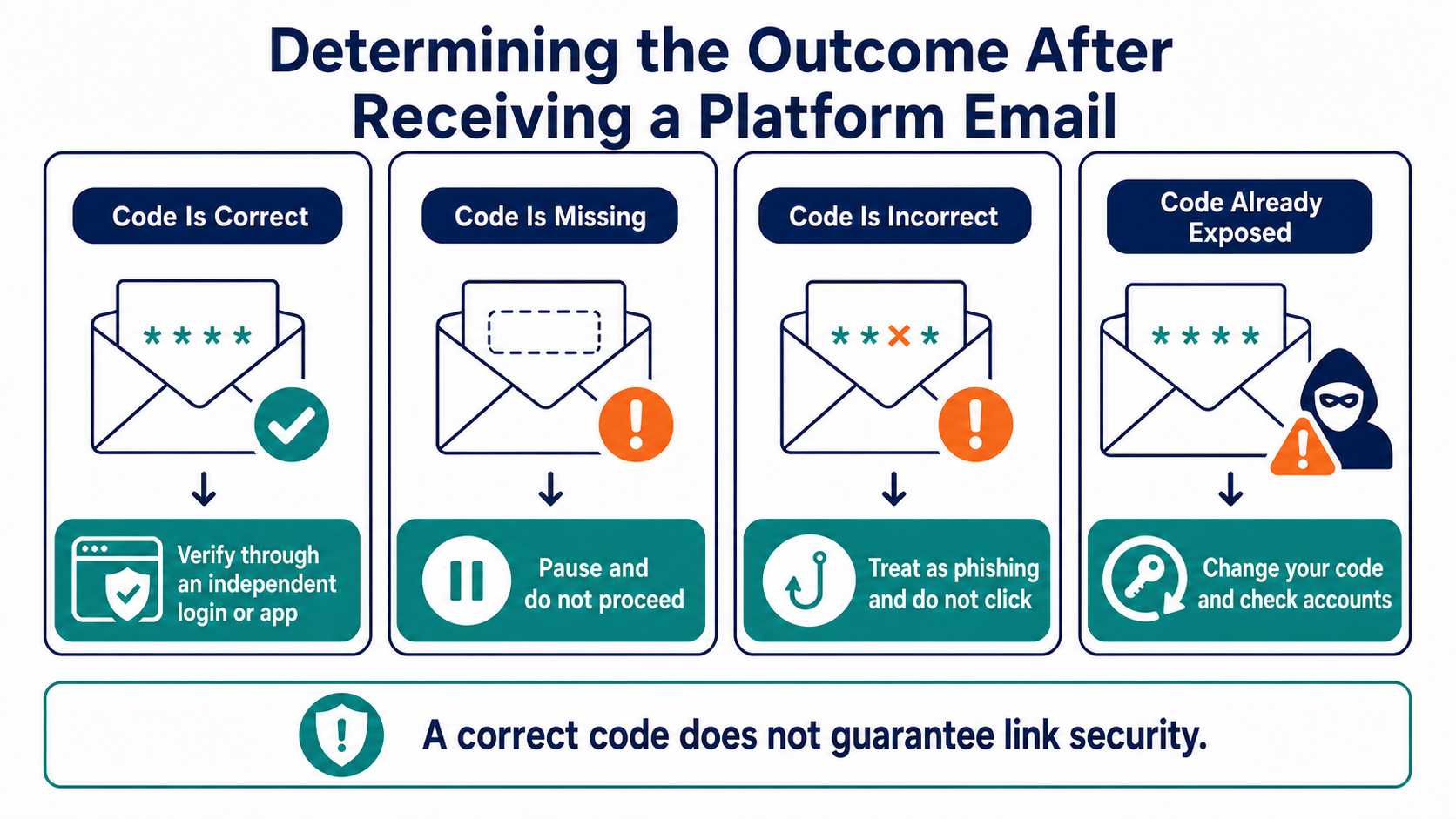
First, confirm that the anti-phishing code is present and matches exactly. Then expand the full sender address and inspect the actual destination of every link. Even when the code is correct, do not complete high-risk actions directly from the email. Close it and use a bookmark or manually enter the website address to review the same notification in your account.
A missing code may indicate a fraudulent email, or it may mean that a particular type of system message does not yet support the feature. Either way, absence of the code should never be treated as a sign of safety. The proper verification path is to confirm the message independently through the official app, a bookmarked official website, or a known help center.
What Can It Not Prove?
An anti-phishing code cannot verify that an attachment is safe. It also cannot prevent a mistyped domain, a compromised email account, or the theft of an authenticated session. If an attacker has already seen your code, they can still include it in a targeted email.
The code also does not prove that an activity, token, or investment opportunity mentioned in an email is legitimate. The identity of the platform sending an email and the merits of an asset are separate questions. Stop responding to any message that asks you to transfer funds to a "safe address," provide a verification code, or install remote-control software.
What Should You Do If the Code Is Exposed or Changes Unexpectedly?
Do not log in through that email. Use an independent entry point to inspect your account security settings, recent sessions, email forwarding rules, and anti-phishing code change history. Then replace the code and revoke any device, session, or API Key you do not recognize.
If password-reset, withdrawal, or new-device alerts appear at the same time, treat the situation as an account compromise. For detailed warning signs and containment steps, read Account Intrusion Detection. For API permissions, see API Key Security Management. For a broader protection framework, return to Cryptocurrency Security Fundamentals.
Frequently Asked Questions
How Often Should I Change My Anti-Phishing Code?
There is no fixed schedule. Change it immediately if you suspect exposure, your email account is compromised, or your security settings change unexpectedly. During normal use, avoiding public disclosure and the reuse of sensitive information matters more than rotating it on a calendar.
Is It Safe to Click Links If the Email Shows the Correct Code?
No. A targeted attacker may already know the code, and an email account or delivery process could also be compromised. High-risk actions should still be completed through an independent entry point.
Will the Anti-Phishing Code Appear in Every Text Message and In-App Notification?
Support varies by platform and message type. Check the platform's current official documentation and settings page rather than assuming that every channel displays the code.
Can I Give My Anti-Phishing Code to Customer Support to Verify My Identity?
There is no need to do so. The code is for you to verify platform messages; it is not a customer identity credential. Treat any contact who proactively asks for it as suspicious.
Lectura recomendada
Ver más

Service@hotcoin.com
Product@hotcoin.com
Business@hotcoin.com
Casecn@hotcoin.com