Futures Grid supports USDT-margined perpetual contracts. You can create and manage grid strategies through both the App and Web platforms.
I. How to Create a Futures Grid
On the App:
Go to Home → More → Futures Grid → Create Now.
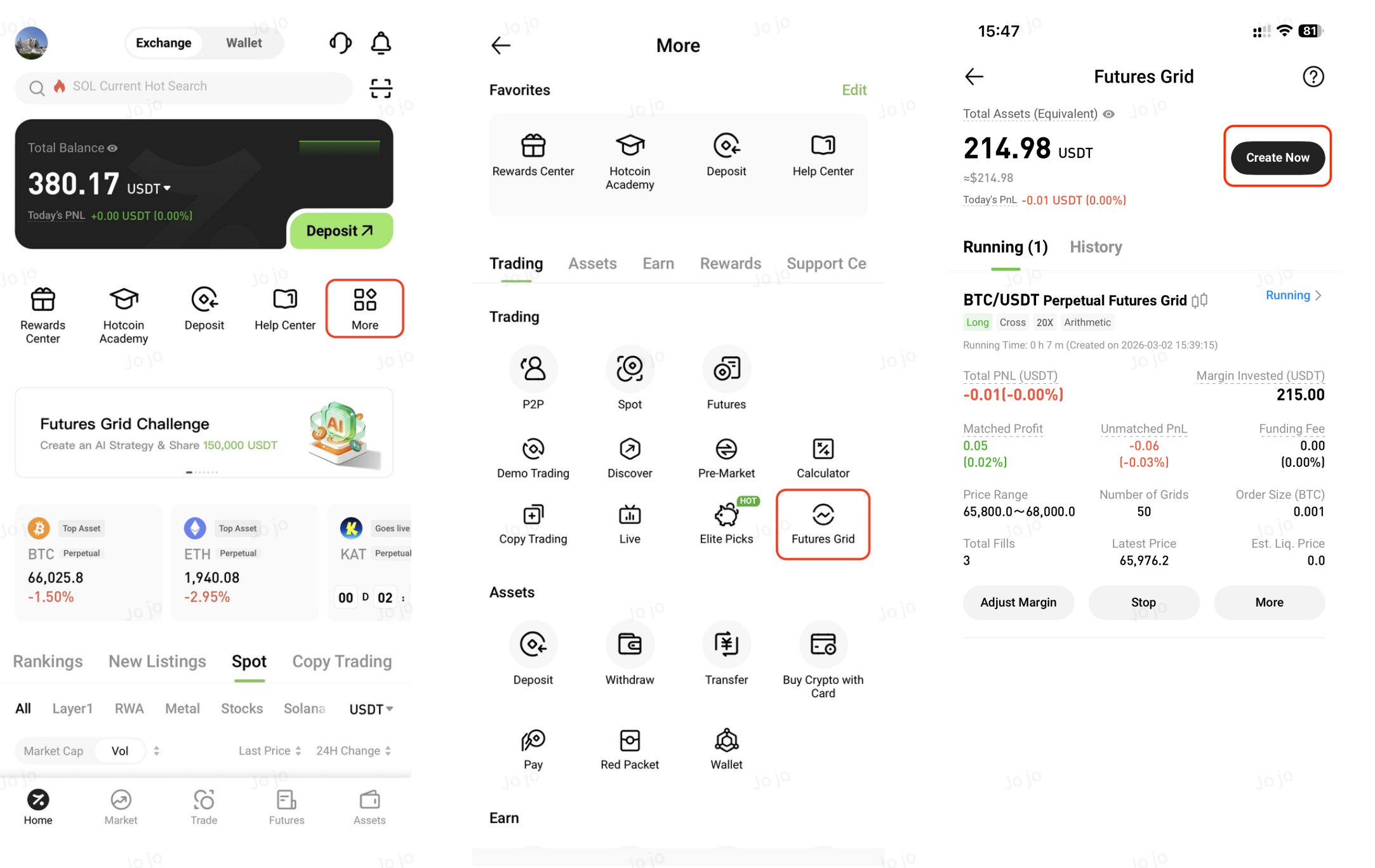
Alternatively, on the futures trading page, tap Create Grid to enter the grid creation page.

On the Web:
On any trading pair that supports grid trading, switch to the Grid tab to create a strategy.
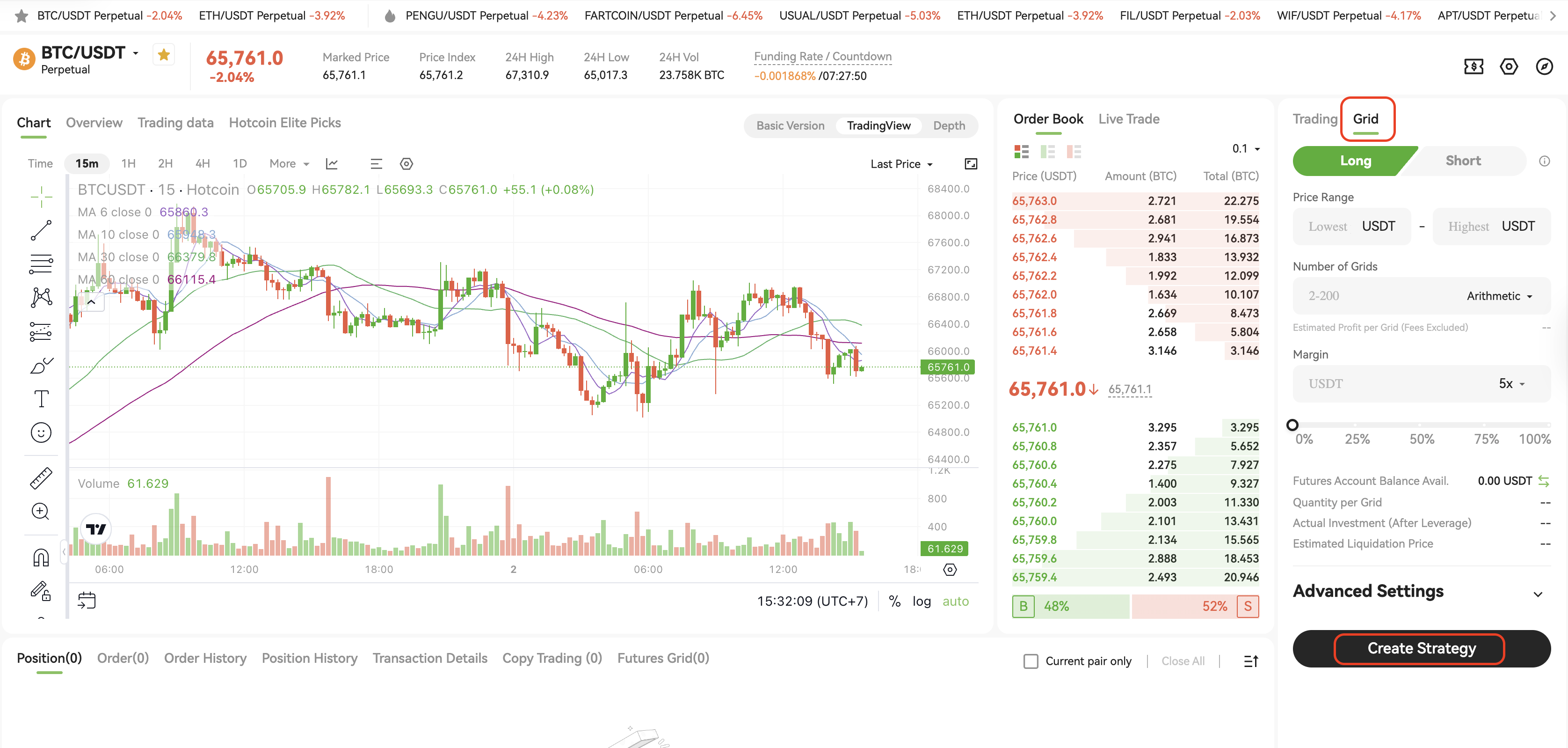
Creation Steps:
On the creation page, complete the following settings:
- Select the trading direction (Long / Short)
- Set the price range (lower price and upper price)
- Enter the number of grids and choose the distribution mode (Arithmetic / Geometric)
- Set the margin amount and leverage
- Optional: Set the trigger price and take-profit / stop-loss
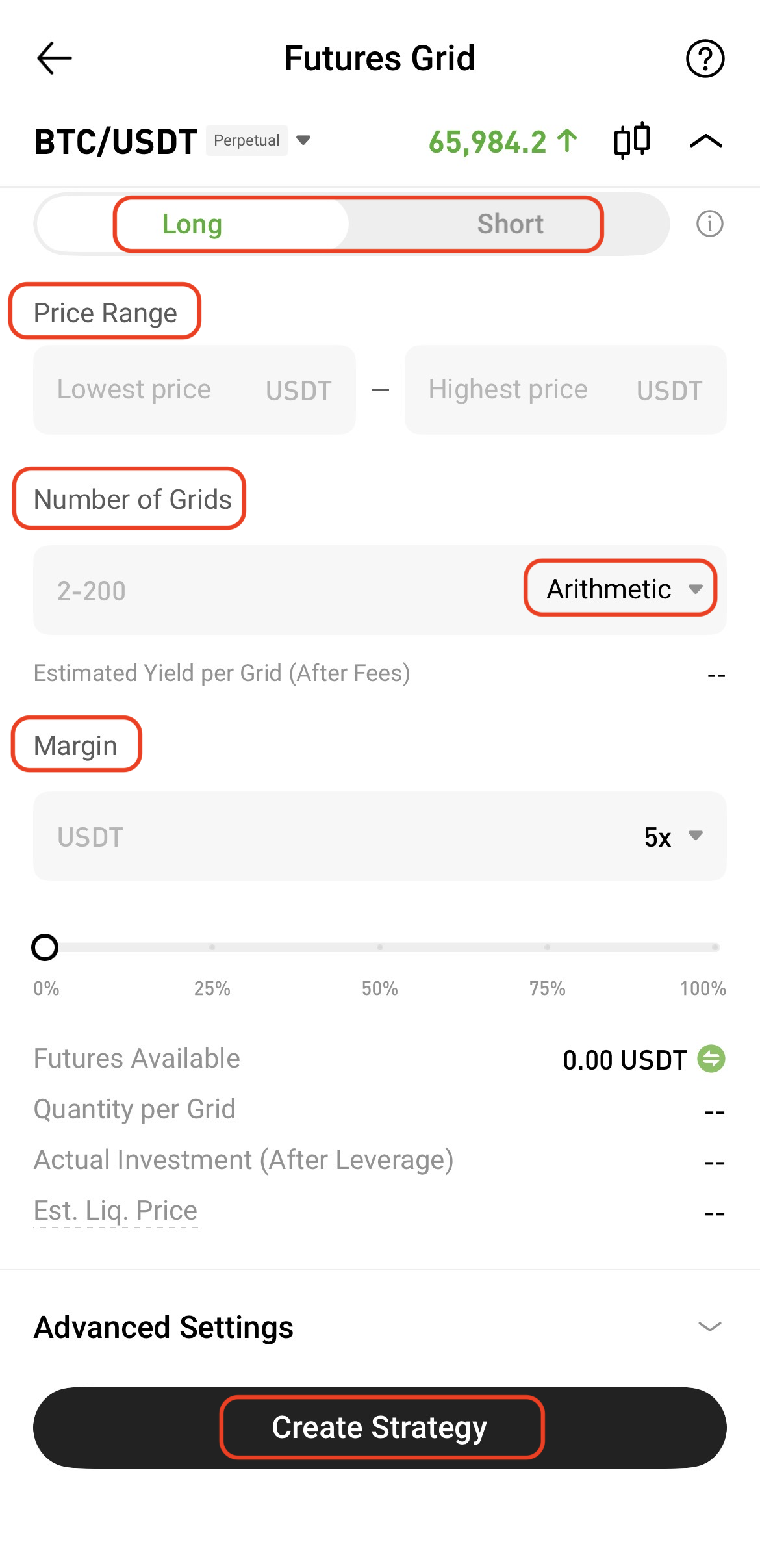
After confirming the parameters, click Create Strategy to start the grid. Once successfully created, the strategy will run automatically according to your selected settings.
II. How to View Grid Performance
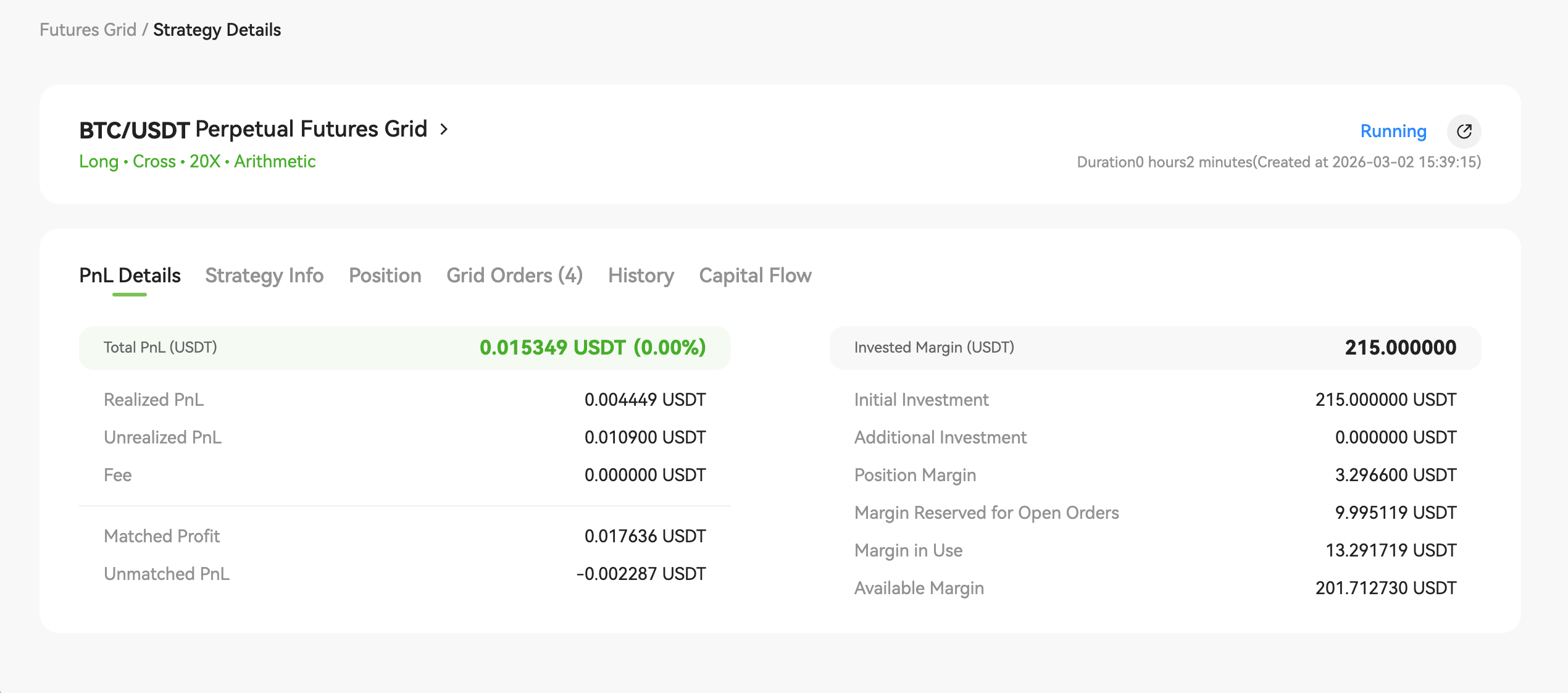
After the strategy is created, you can view its details on the Grid page.
Grid details typically include:
- Profit and loss performance
- Strategy parameters
- Current positions
- Open orders
- Grid execution history
- Fund history
You can also view the total assets of all running grid strategies on the Futures Grid page.
App view:
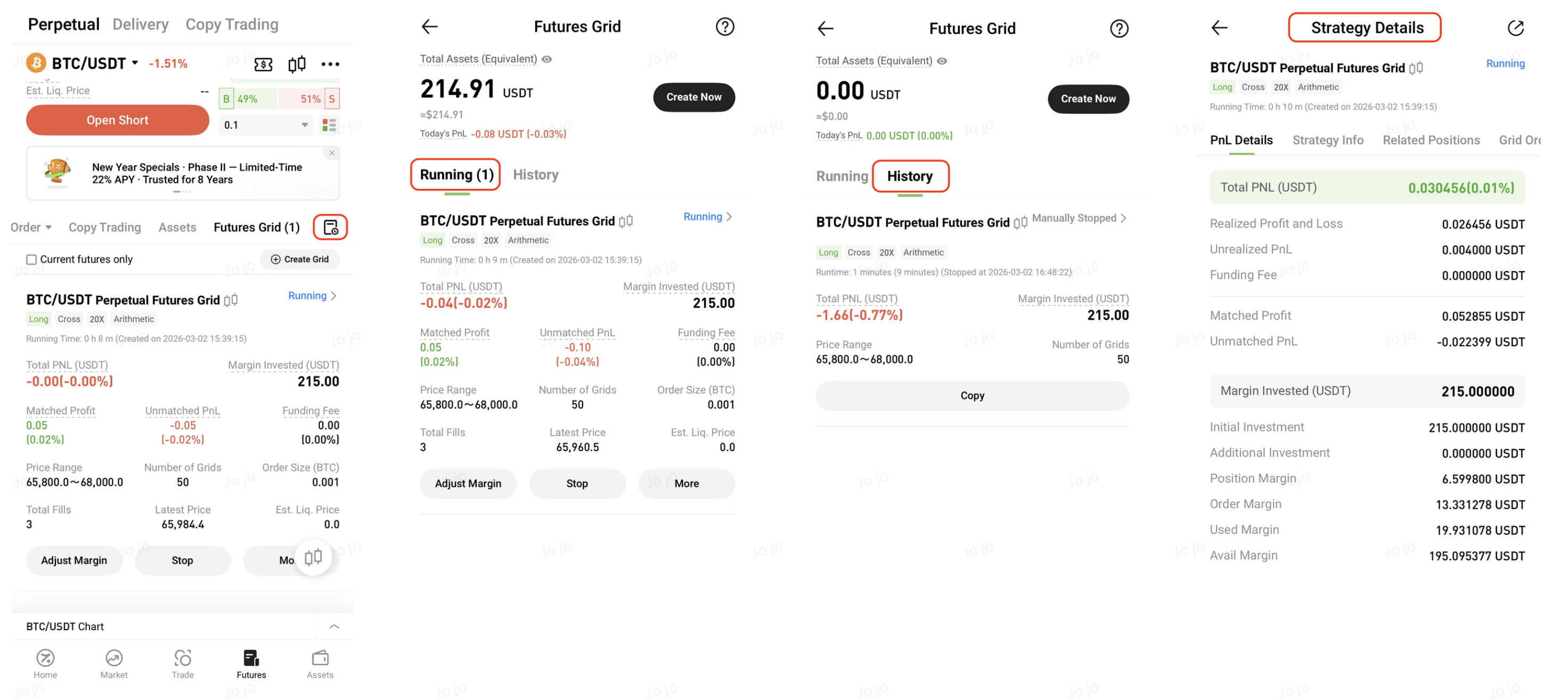
Web view:
III. How to Manage a Grid Strategy
While the strategy is running, you may perform the following actions:
Adjust Margin
- You can increase the margin or withdraw part of the profits.
- Adjusting the margin will affect the position’s risk level and liquidation price.
Modify the Price Range
After modification:
- The system will place new orders based on the updated parameters
- Existing positions and open orders will be adjusted or handled accordingly
- If your current assets are below the required minimum margin under the new settings, additional margin must be added
Set or Adjust Take-Profit / Stop-Loss
In Advanced Settings, you can configure take-profit or stop-loss trigger prices.
When the latest market price reaches the trigger level:
- The grid strategy will terminate
- The system will handle the existing positions according to predefined rules
Manually Terminate the Grid
You may click Terminate at any time:
- The grid strategy will stop running
- Remaining positions and open orders will be handled according to current rules
- Funds will be returned to your futures account
One-Click Copy
You can copy the current grid parameters to quickly create a new grid strategy.
IV. Important Notes
- Certain core parameters (such as the distribution mode) cannot be modified after the strategy is created
- Please carefully assess the risks before adjusting strategy parameters
- Leverage amplifies both potential returns and risks — manage your position size responsibly