This article walks you through the Withdrawal Whitelist feature on the Hotcoin website and explains how it helps enhance the security of your account and assets during withdrawals.
What Is the Withdrawal Whitelist?
The Withdrawal Whitelist is an account security feature provided by Hotcoin.
Once the Withdrawal Whitelist is enabled:
- Withdrawals are limited to addresses saved in your address book
- New addresses must be added to the address book before they can be used
- This helps reduce the risk of accidental or abnormal withdrawals and improves overall asset security
How to Enable the Withdrawal Whitelist?
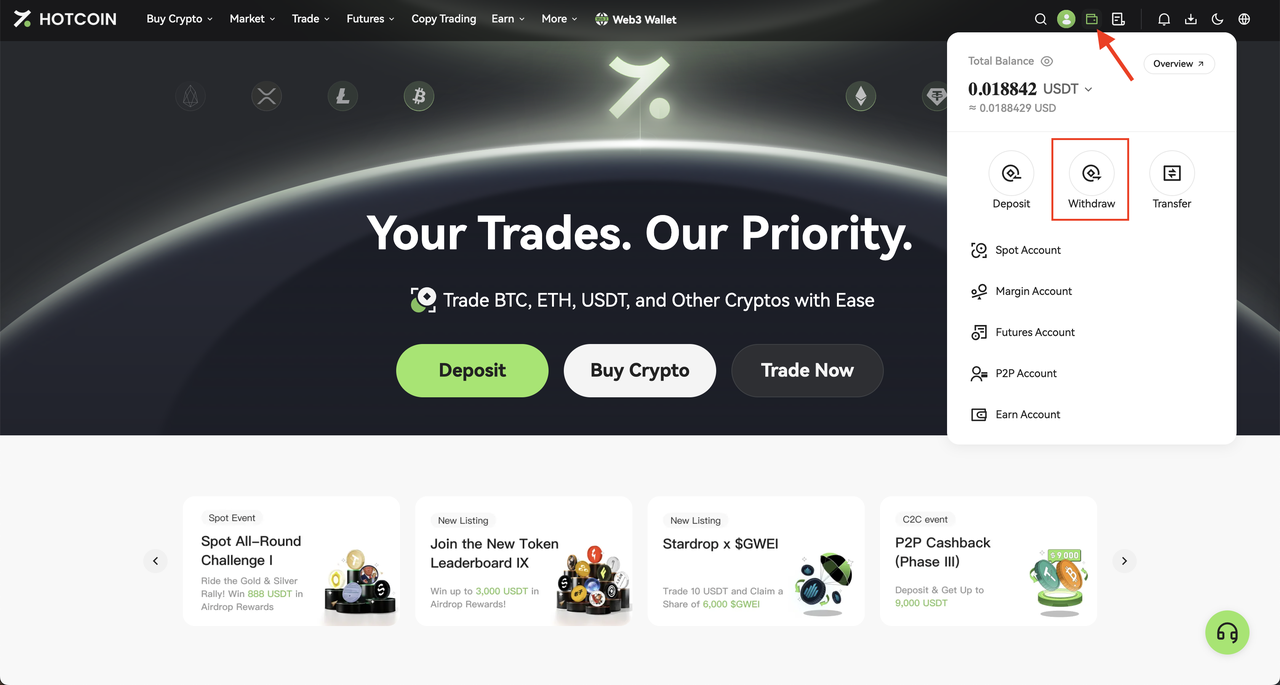
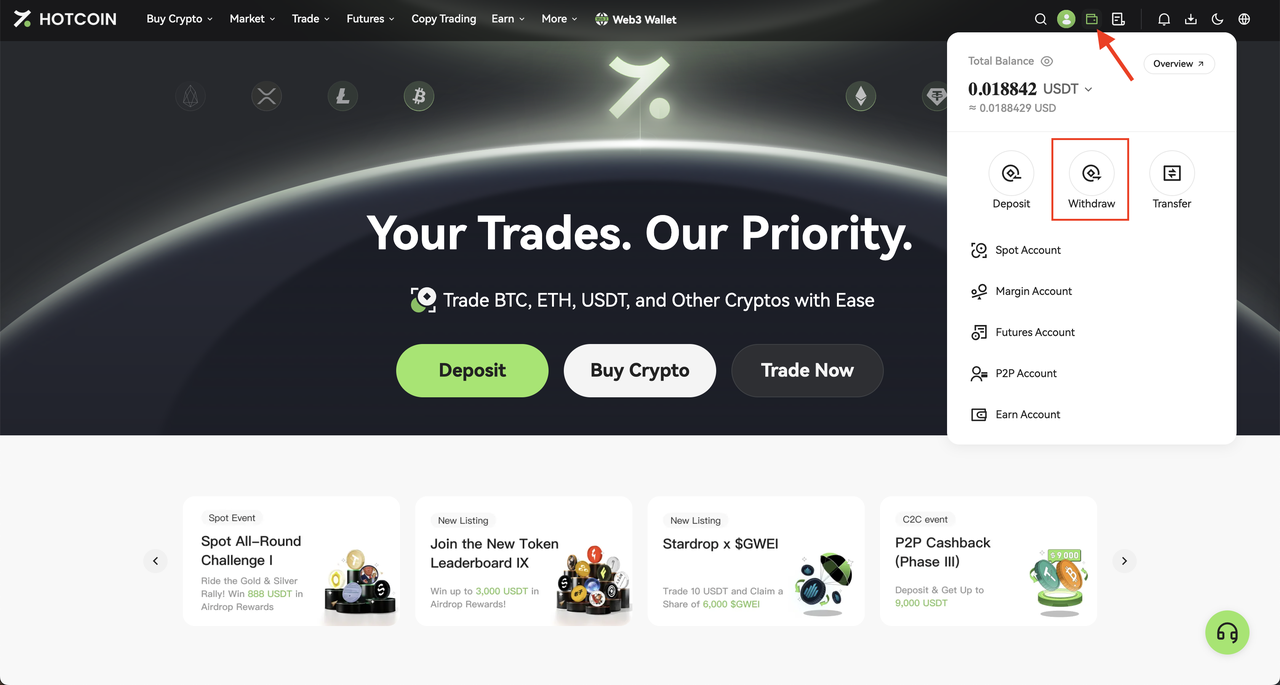
1. Log in to the Hotcoin official website, hover over the Assets icon in the upper-right corner, and click Withdraw.
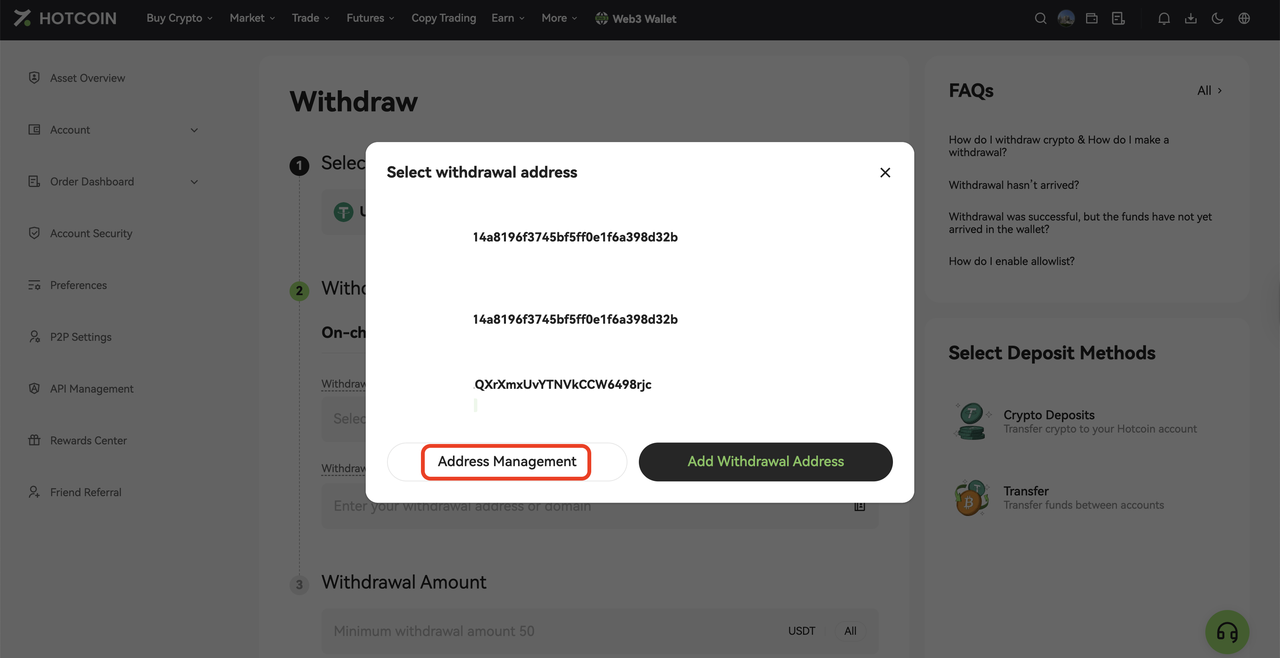
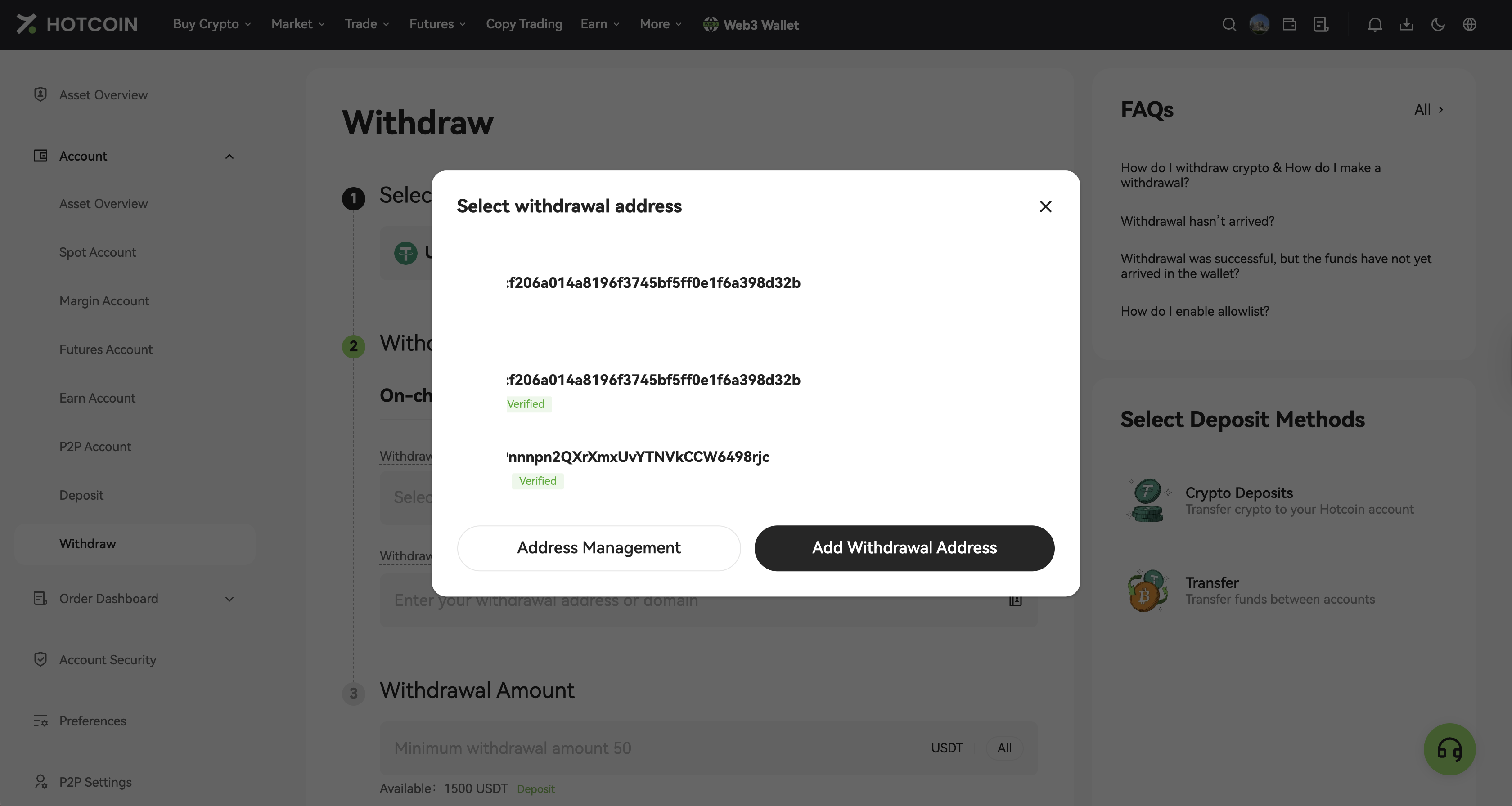
2. On the Withdraw page, click the Address Book icon next to the withdrawal address field.
3. Click Address Management to open the withdrawal address management page.
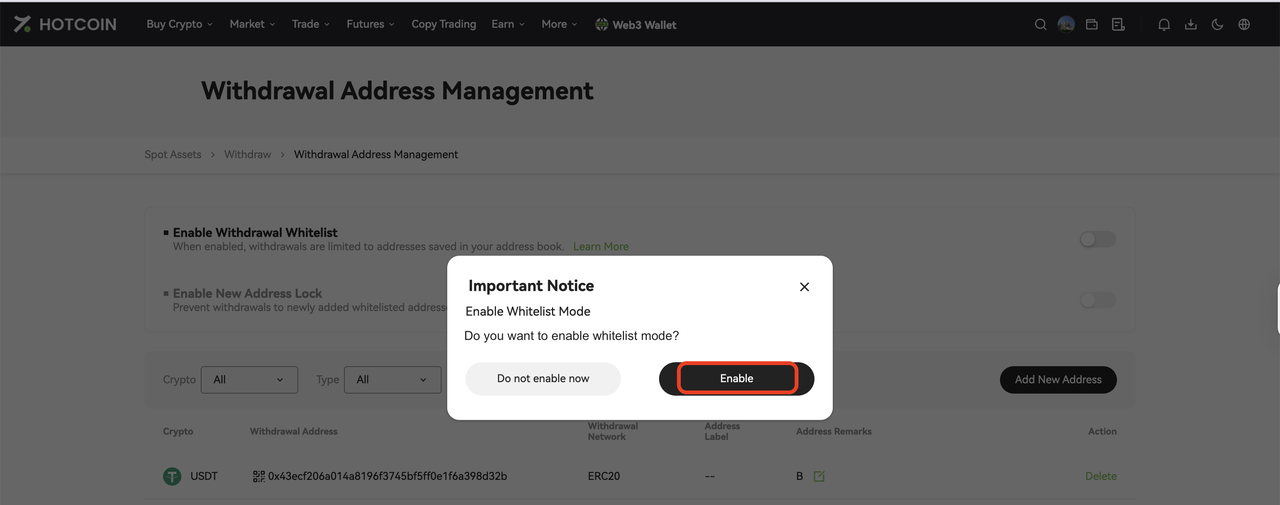
4. Enable Withdrawal Whitelist Mode and complete the required security verification.
5. Once enabled, whitelist mode will take effect.
How to Use the Whitelist?
When WithdrawingAfter enabling the Withdrawal Whitelist, click the Address Book icon next to the withdrawal address field and select a saved withdrawal address from the list.
In whitelist mode, manual entry of new addresses is disabled. Only addresses saved in the address book can be selected.
💡 Notes:
- Before using the Withdrawal Whitelist, please ensure that account security verification is completed (e.g., SMS code, Google Authenticator)
- Add your frequently used withdrawal addresses to the address book in advance
- The Withdrawal Whitelist and Trusted Addresses are independent features and do not affect each other
- After enabling the whitelist, you may also enable the New Address Withdrawal Lock feature
- Newly added withdrawal addresses cannot be used for withdrawals within 24 hours
- After disabling whitelist mode, manual address entry will be restored

 hotcoin.com