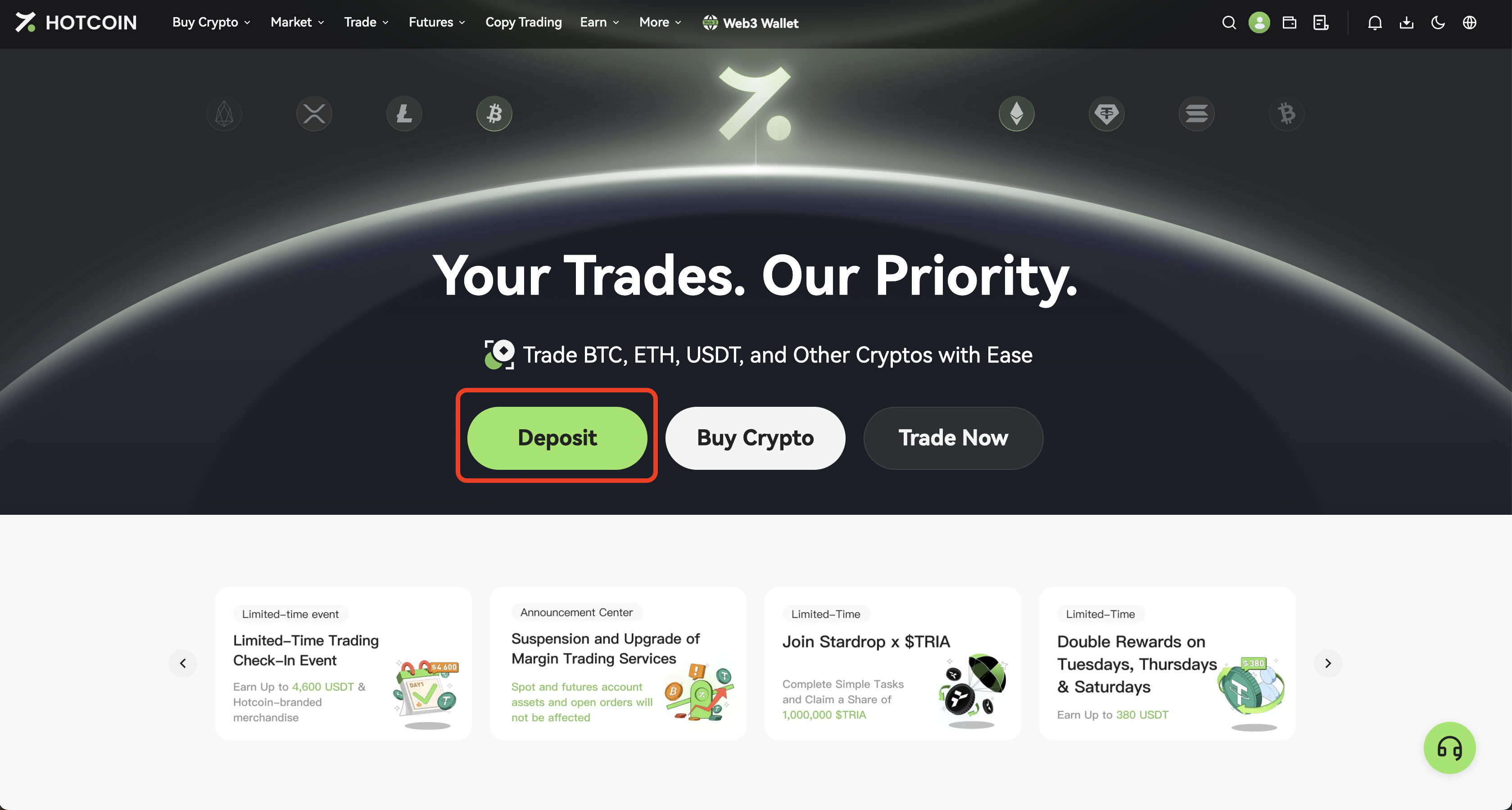
Depositing refers to transferring digital assets from an external exchange or wallet into your Hotcoin account. This guide walks you through the process of depositing digital assets on Hotcoin via the web.
2. After logging in, click Deposit on the homepage to enter the deposit page.
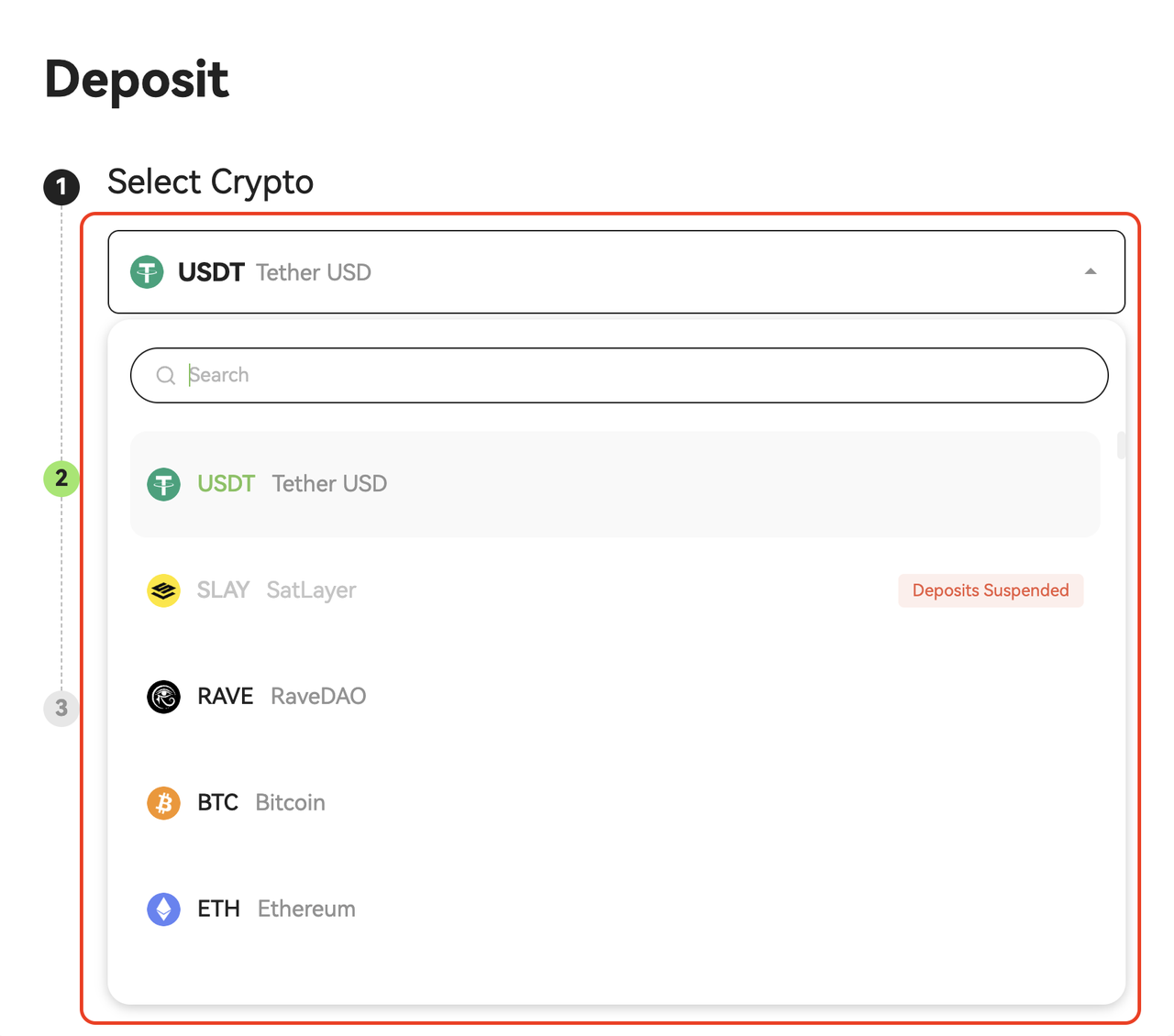
3. On the Deposit page, click the Select Crypto dropdown menu and choose the asset you want to deposit.
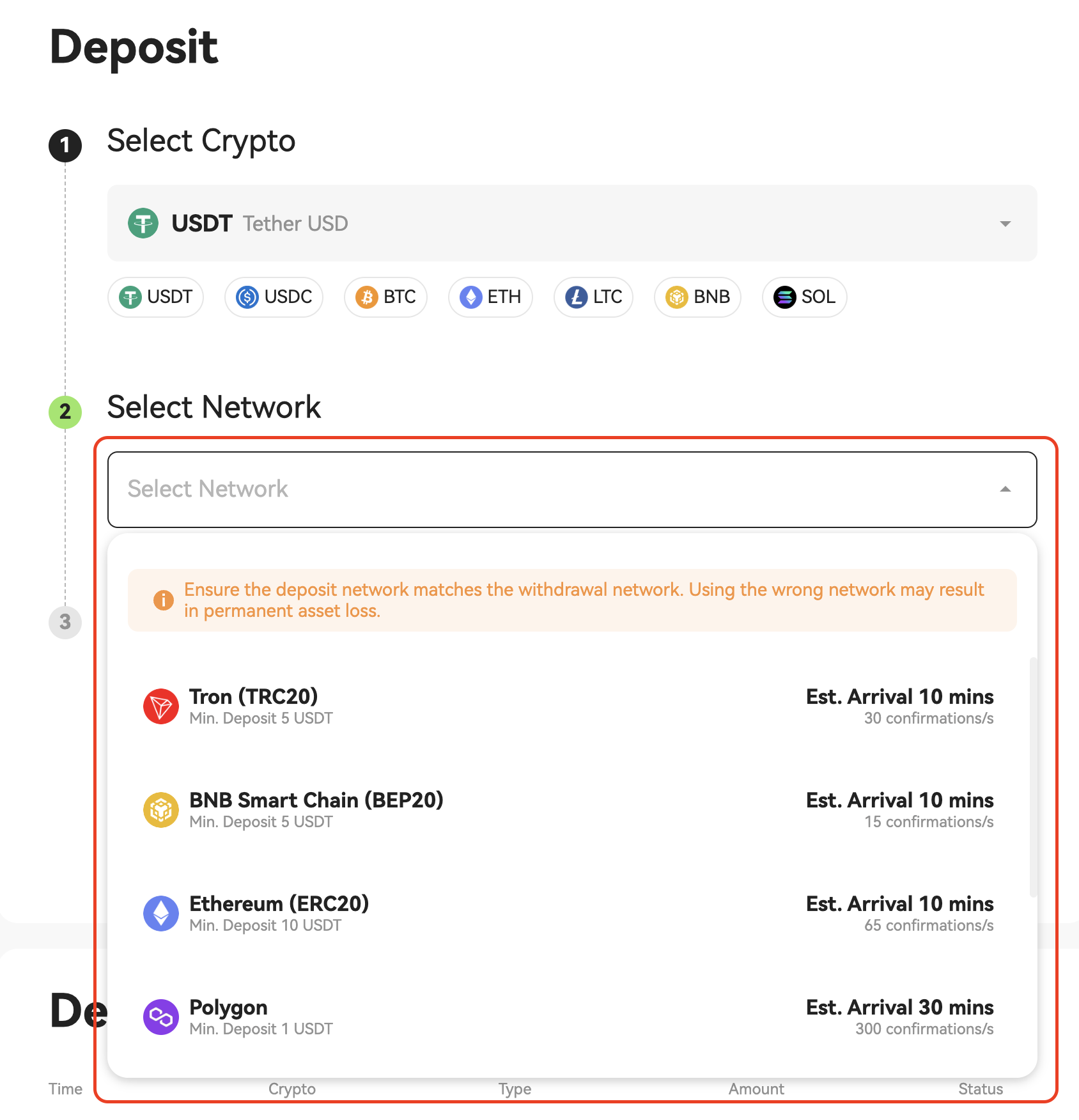
4. In the Select Network dropdown menu, choose the corresponding deposit network (USDT is used as an example). The system will generate your unique deposit address.
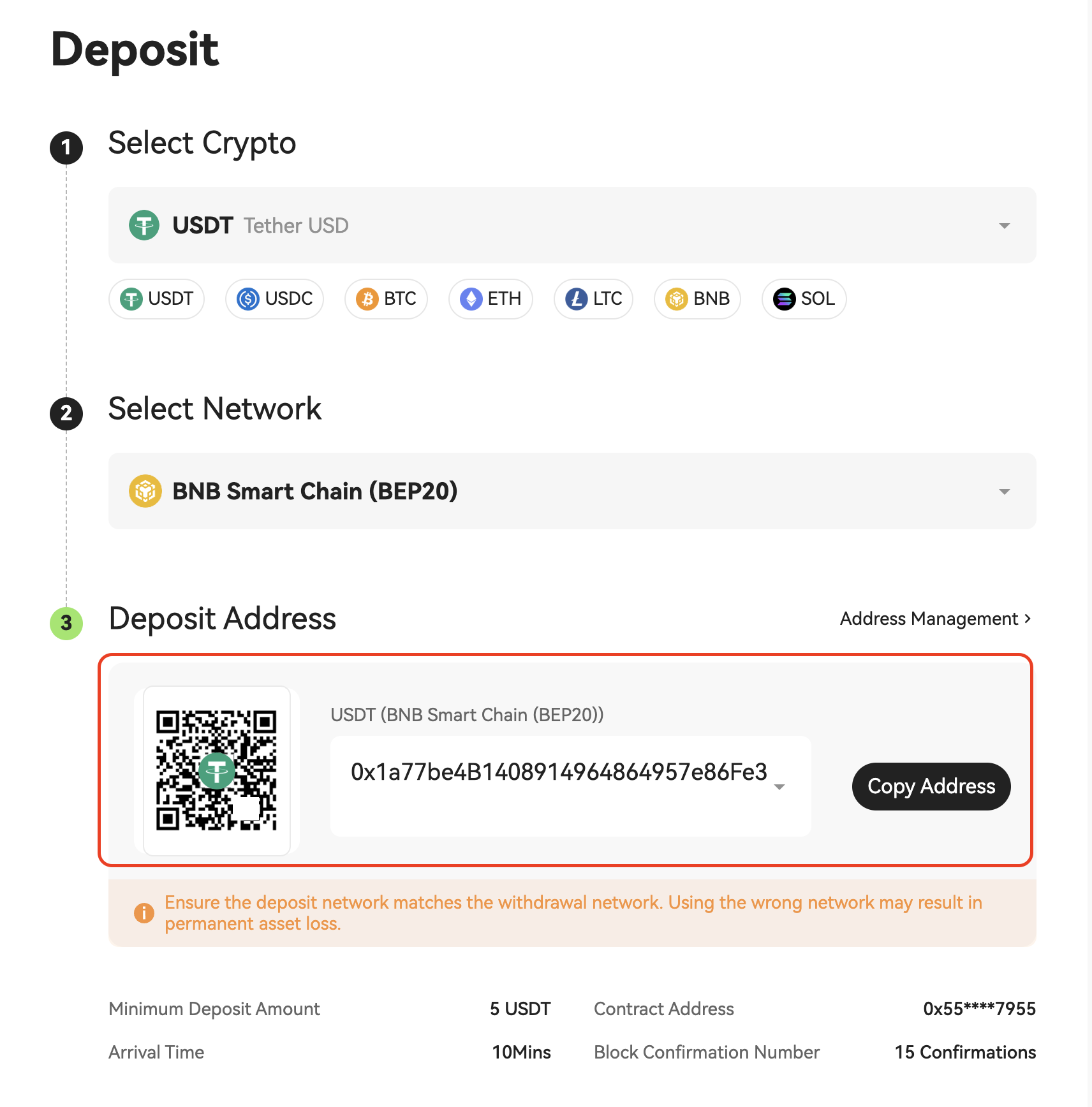
5. Click the copy icon to copy the deposit address and paste it into the withdrawal address field on the sending platform, then follow the on-screen instructions to complete the transfer.
💡 Tip: You may also use a trading app or wallet app to scan the QR code displayed on the page to complete the deposit.
6. After the transfer is confirmed, the funds will be credited to your Hotcoin account once the blockchain confirmations are completed.
⚠️ Important Notes
- Please ensure that the selected deposit network matches the network used on the withdrawal platform. Selecting an incorrect network may result in asset loss and cannot be recovered.
- Please note the minimum deposit amount displayed below the deposit address. Deposits below this amount will not be credited and cannot be refunded.
- Deposit transactions will be submitted to the blockchain network and will be credited only after the required number of confirmations is completed. The arrival time depends on the specific blockchain and current network conditions.
- If you encounter any issues during the deposit process, please refer to “Reasons and Solutions for Deposit Not Credited” or contact 24/7 online customer support for assistance.

 hotcoin.com