
Customer Support
service hotcoin.com
Product Feedback
producthotcoin.com
Business Inquiries
businesshotcoin.com
Law Enforcement
casecnhotcoin.com
About
Services
Support
© 2017-2026 Australian Hotcoin Global Exchange Pty Ltd
servicehotcoin.com
producthotcoin.com
businesshotcoin.com
casecnhotcoin.com
Hotcoin provides a QR code login feature that allows you to log in to the web version quickly and securely using the Hotcoin App — without entering your username or password. This improves login efficiency while further enhancing account security.
1. Ensure that you are logged in to the Hotcoin App on your mobile device
2. On your computer, visit the Hotcoin official website, go to the Log In page, and select QR Code Log In
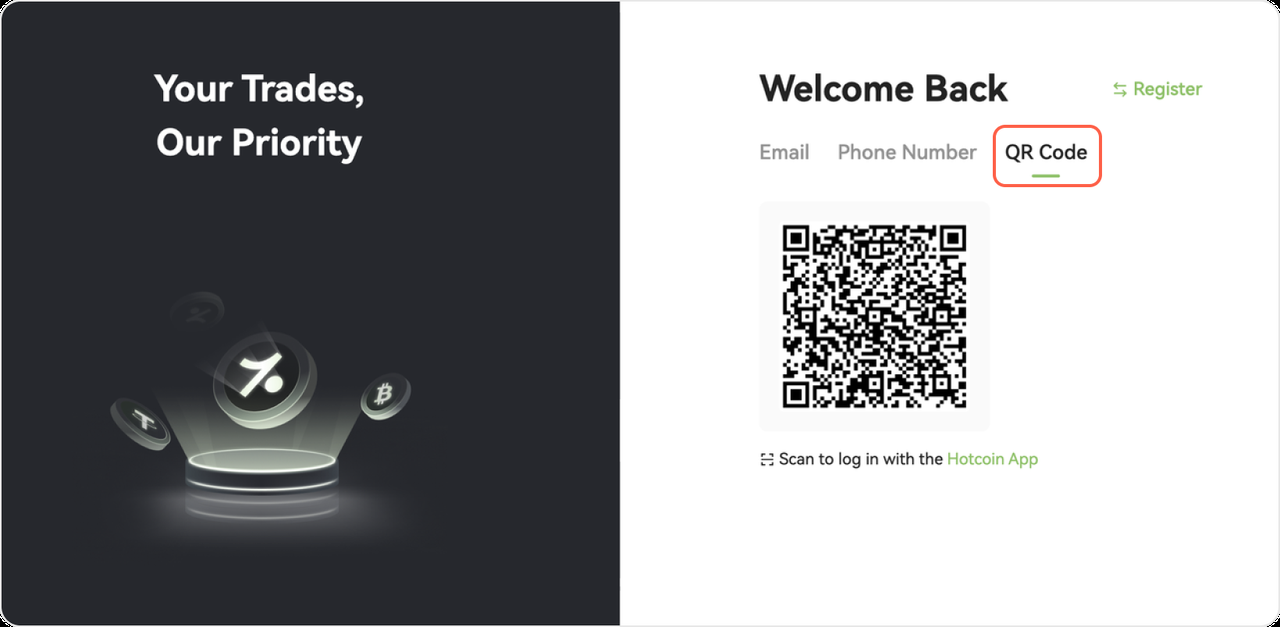
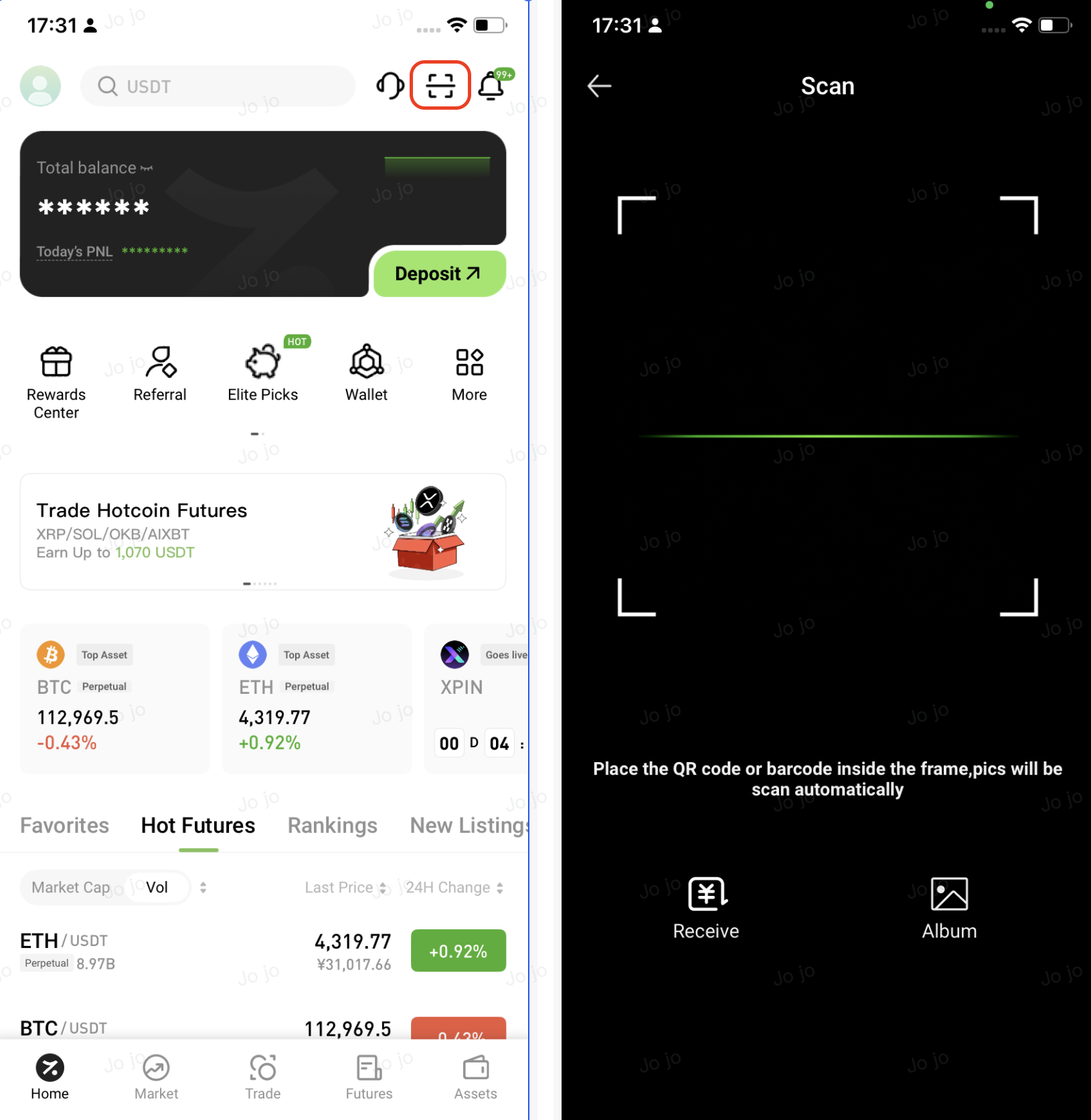
3. In the Hotcoin App, tap the Scan icon in the upper-right corner of the home page, then scan the QR code displayed on the webpage to log in securely
4. Review the login details shown in the App pop-up. If everything is correct, tap Authorize to continue
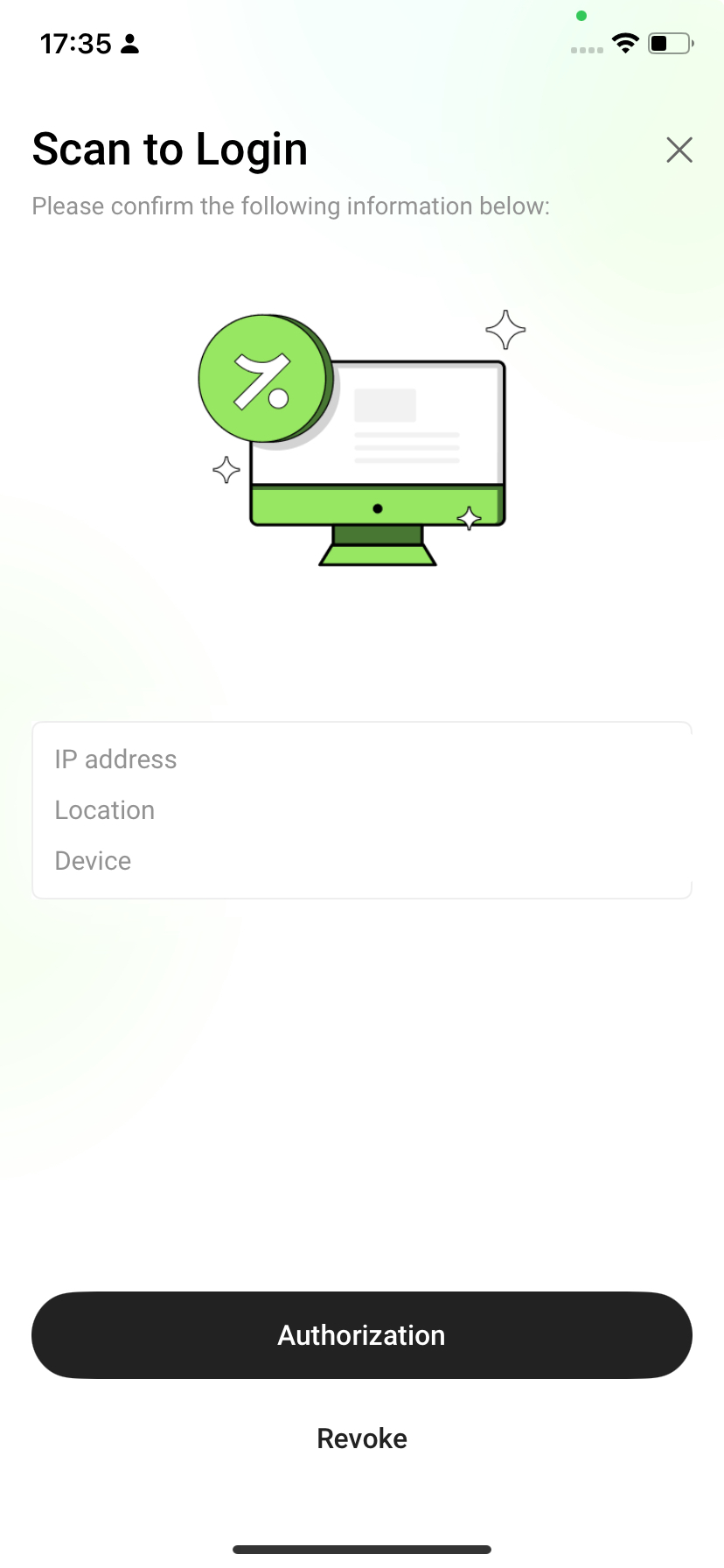
5. Once authorized, the webpage will automatically log you in and redirect you to your account dashboard
Q1: The webpage does not redirect after scanning the QR code. What should I do?
Q2: The QR code has expired or is invalid. What should I do?